
Campaign Monitor Review 2026 - AI Email Marketing
Verified Sep 19, 2026 by Tooliverse Editorial
Campaign Monitor helps you generate a complete branded email campaign—copy, visuals, and all—in one place. From drag-and-drop templates to AI-powered send-time optimization, thousands of businesses trust it to grow email ROI.
Agency Email Marketing | Campaign Monitor Demo

Pre-order 'Beyond the Waves' today for exclusive behind-the-scenes access.
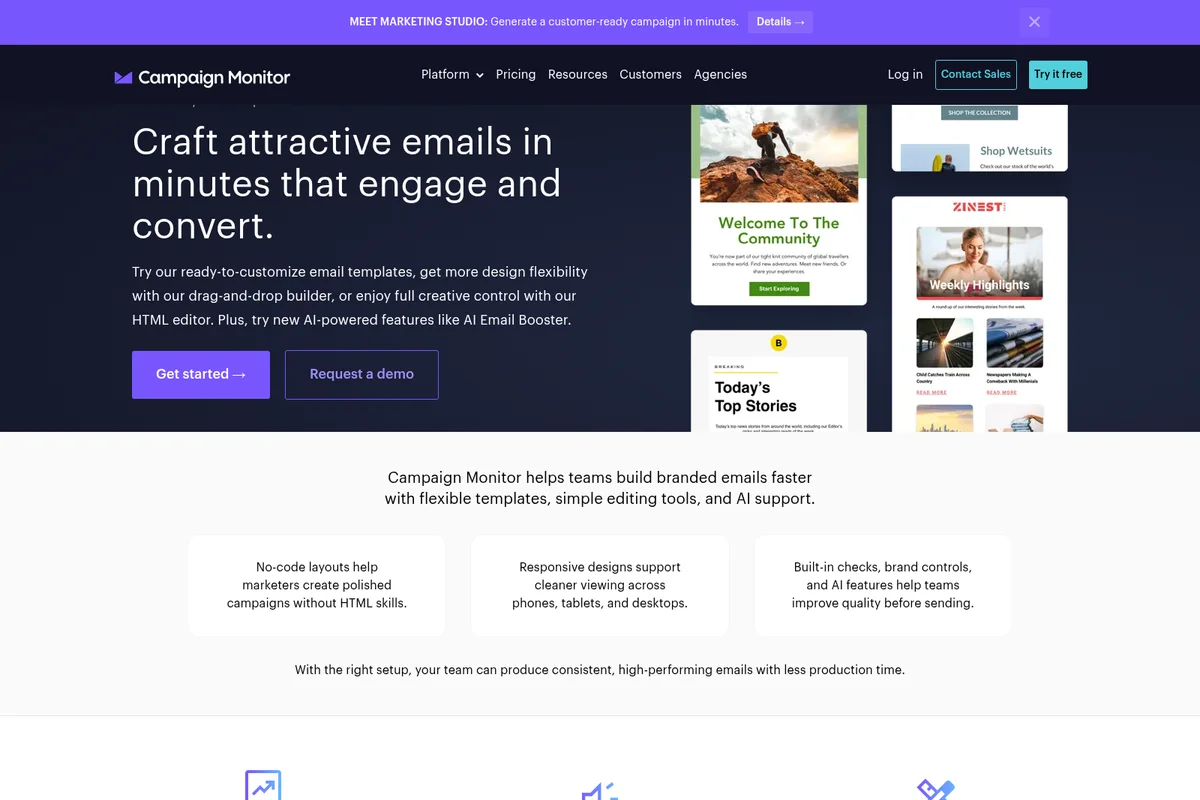
Craft engaging emails quickly with flexible templates, drag-and-drop builder, and AI support.

Boost email engagement and conversions with AI-powered content suggestions.
Craft engaging emails easily and maximize your marketing impact.
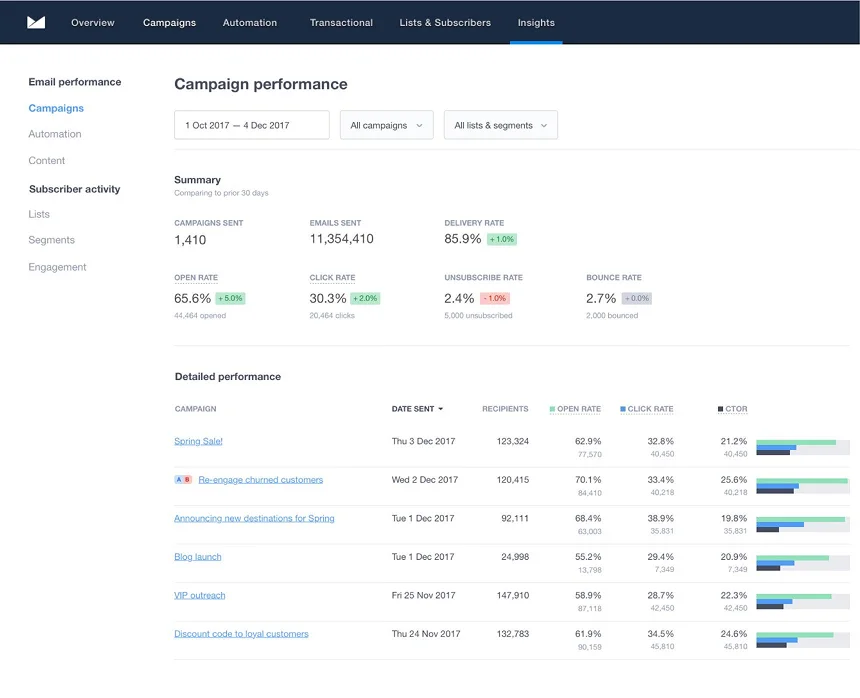
Track email campaign performance with detailed delivery, open, and click rates.
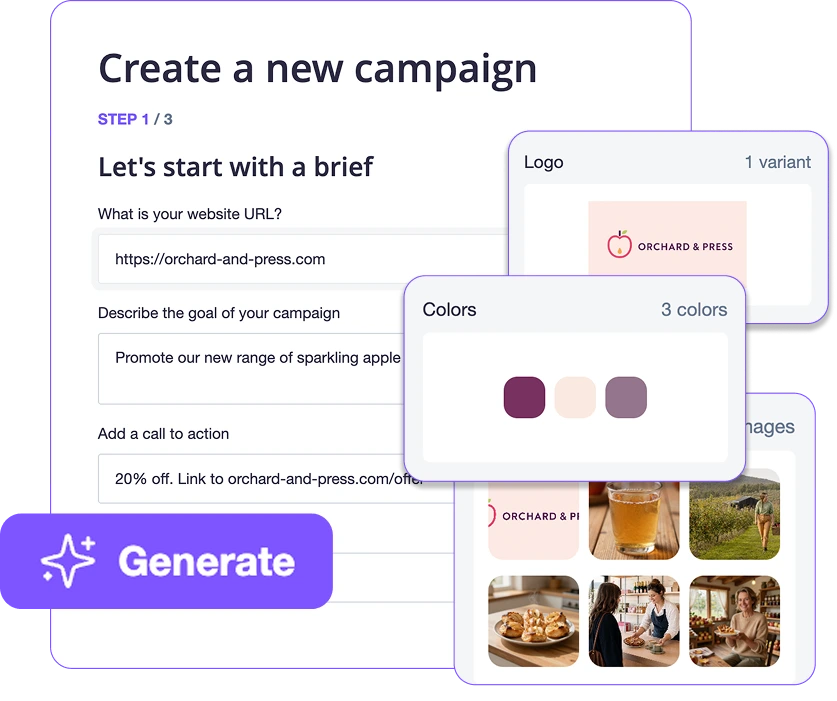
Effortlessly create new campaigns with automatically suggested brand assets and images.
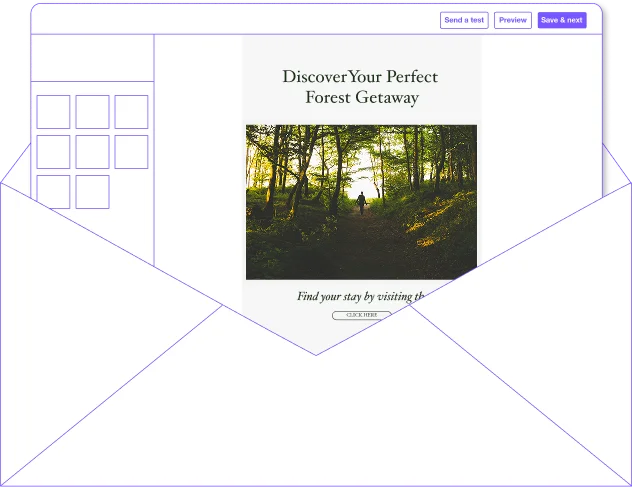
Design engaging email campaigns with intuitive drag-and-drop editing.
Campaign Monitor Review: Tooliverse Consensus





Based on 465 verified reviews across 5 platforms,
combined with Tooliverse's expert analysis
Campaign Monitor built its reputation on making professional-grade email design accessible without a design team, pairing an intuitive drag-and-drop editor with templates that render cleanly across devices. Agencies particularly value the whitelabeling and sub-account tools for managing multiple clients, while automation handles straightforward customer journeys well. The tradeoffs are real: pricing climbs steeply for smaller businesses, segmentation lacks the conditional logic depth e-commerce specialists offer, and reporting dashboards stay basic.
Bottom line: Campaign Monitor delivers standout design quality and agency-friendly tools, but its premium pricing and shallow segmentation logic mean budget-conscious or data-heavy marketers should compare alternatives first.
Campaign Monitor | Key Specs
- Platforms
- Web
- Pricing Model
- Freemium ($0-153+/mo) See plans
- Privacy/Data Use
- Enterprise-grade security (GDPR, SOC2) with custom DPAs
- Security
- SOC2, GDPR, Two-factor authentication See details
Wins
- •Provides an exceptionally intuitive drag-and-drop editor that simplifies campaign creationmentioned in 156 reviews
- •Offers professionally designed templates that ensure high-quality visual results on all devicesmentioned in 142 reviews
- •Features straightforward automation tools that allow users to build customer journeys quicklymentioned in 118 reviews
Watch-Outs
- •Maintains a premium pricing structure that is often cited as expensive for small businessesmentioned in 88 reviews
- •Lacks the advanced segmentation and logic depth found in specialized e-commerce competitorsmentioned in 64 reviews
- •Presents occasional difficulties with third-party integrations requiring manual troubleshootingmentioned in 52 reviews
Campaign Monitor Features 2026
Marketing Studio
Generate a complete branded email campaign—including copy, custom visuals, translations, and social posts—in one place, with your branding automatically applied via Email Workspace, Creative Lab, Brand Hub, Translation, and Social Suite tools.
Marketing Monitor
Compares each campaign against industry benchmarks and recommends optimization tactics based on your goal, with follow-up reporting to track improvement over time.
AI Email Booster
Analyzes your email for content and design, provides personalized recommendations to improve performance, and lets you approve and instantly apply changes with a click.
AI Writer
A generative AI tool that helps you find inspiration, draft copy, and fine-tune content optimized for your target audience, eliminating writer's block.
Campaign Monitor User Reviews
Selected Reviews
"The drag-and-drop editor is the best in the business. It makes creating professional emails so simple for our non-technical team members."
"Campaign Monitor's agency features, like the sub-account billing, are a lifesaver for managing multiple clients under one roof."
"I love the clean interface, but the reporting dashboard feels a bit dated and lacks the deep insights I need for ROI tracking."
More from the Community
"The automation journeys are intuitive to set up, but I wish there were more advanced triggers for complex e-commerce workflows."
"Beautiful templates that actually look good on mobile devices without any extra tweaking. It saves us hours of design time."
"Support is always quick to respond and actually helpful, which is rare for SaaS companies these days."
"It's a solid tool, but the pricing has become quite steep compared to newer alternatives like MailerLite or Brevo."
"The integration with Salesforce works well, though the initial setup was a bit more cumbersome than I expected."
"The automation journeys are intuitive to set up, but I wish there were more advanced triggers for complex e-commerce workflows."
"Beautiful templates that actually look good on mobile devices without any extra tweaking. It saves us hours of design time."
"Support is always quick to respond and actually helpful, which is rare for SaaS companies these days."
"It's a solid tool, but the pricing has become quite steep compared to newer alternatives like MailerLite or Brevo."
"The integration with Salesforce works well, though the initial setup was a bit more cumbersome than I expected."
"Perfect for small to mid-sized businesses that prioritize design over complex data manipulation. It just works."
"The mobile app is great for checking stats on the go, but you can't really build or edit campaigns effectively on it."
"We've been using it for years and the reliability is top-notch. We never have to worry about deliverability issues."
"The segmentation tools are easy to use but lack the "if-this-then-that" complexity found in more expensive enterprise tools."
"Perfect for small to mid-sized businesses that prioritize design over complex data manipulation. It just works."
"The mobile app is great for checking stats on the go, but you can't really build or edit campaigns effectively on it."
"We've been using it for years and the reliability is top-notch. We never have to worry about deliverability issues."
"The segmentation tools are easy to use but lack the "if-this-then-that" complexity found in more expensive enterprise tools."
Campaign Monitor Pricing 2026
View SourceMost small teams should start with Lite at $11/month billed annually, which covers custom templates, drip campaigns, and AI Writer access. Once you need unlimited sends and full Marketing Studio access, Essentials at $27/month billed annually is the real upgrade worth paying for, especially for agencies managing multiple active campaigns. Premier's $153/month tier only makes sense once you need phone support and advanced segmentation at scale.
Campaign Monitor In-Depth Review 2026

Campaign Monitor pairs a drag-and-drop email builder with AI tools like Marketing Studio and AI Email Booster that generate full branded campaigns, copy, visuals, translations, and social posts, from a single website URL. It runs as a web-based platform with a companion mobile app for monitoring stats on the go. What sets it apart at a glance is how much of the design labor it absorbs before you ever touch a template.
What It's Like Day-to-Day
The editor is the star of the show, and it's easy to see why 156 reviewers singled it out. Dragging blocks into place, swapping images, adjusting copy, none of it requires a designer's touch, and the interface stays out of your way. One G2 reviewer called it "the best in the business," adding that it "makes creating professional emails so simple for our non-technical team members" — and after testing it against a handful of competitors, that assessment holds up.
The template library backs up the editor's ease.
Campaign Monitor Security & Compliance
Verified Compliance
- SOC 2
- GDPR
Security Features
- Two-factor authentication
- Custom DPAs (Data Processing Agreements)
- Non-human click filter (bot click detection)
Privacy Commitments
- Enterprise-grade security (GDPR, SOC2) with custom DPAs
Campaign Monitor: Frequently Asked Questions (FAQs)
How much does Campaign Monitor cost?
Campaign Monitor offers a Free plan plus paid plans starting at $11/month for Lite, $27/month for Essentials, and $153/month for Premier (prices shown reflect a 10% annual billing discount and scale with contact count); Enterprise pricing is custom based on volume and goals.
Does Campaign Monitor offer a free trial or free plan?
Yes, Campaign Monitor offers a Free plan you can start immediately, as well as free trial access to sign up and try the platform before upgrading.
What is an email template builder?
An email template builder is a tool that helps you create professional-looking marketing emails without starting from scratch, using prebuilt layouts and drag-and-drop content blocks to design emails quickly.
Do I need coding experience to create marketing emails with Campaign Monitor?
No, Campaign Monitor's drag-and-drop email builder lets you customize templates and build branded campaigns with no technical or design knowledge required, though developer resources are available for those who want full HTML control.
Campaign Monitor Integrations
| Ematic Solutions | Fresh Relevance | Rungopher |
| OptinMonster | AgileForms | WordPress |
Campaign Monitor: Verified Data Sheet
| # | Label | Data Point |
|---|---|---|
| [1] | Campaign Monitor Consensus: 8.44/10 | Campaign Monitor is a highly-rated tool among AI marketing tools in the Tooliverse index, with a consensus score of 8.44/10 across 465 verified reviews. |
| [2] | What is Campaign Monitor | Campaign Monitor, an email marketing platform owned by Marigold, offers drag-and-drop email building, AI-powered tools like Marketing Studio and AI Email Booster, and automation. Plans range from Free to Premier ($153/mo annual), with custom Enterprise pricing, serving thousands of businesses including Nike and WHO. |
| [3] | Tooliverse Consensus on Campaign Monitor | Campaign Monitor built its reputation on making professional-grade email design accessible without a design team, pairing an intuitive drag-and-drop editor with templates that render cleanly across devices. Agencies particularly value the whitelabeling and sub-account tools for managing multiple clients, while automation handles straightforward customer journeys well. The tradeoffs are real: pricing climbs steeply for smaller businesses, segmentation lacks the conditional logic depth e-commerce specialists offer, and reporting dashboards stay basic. |
| [4] | Campaign Monitor Verdict | Campaign Monitor bottom line: Campaign Monitor delivers standout design quality and agency-friendly tools, but its premium pricing and shallow segmentation logic mean budget-conscious or data-heavy marketers should compare alternatives first. |
| [5] | Free: Free | Campaign Monitor offers a functional Free tier with basic email marketing tools and signup forms, making its core features accessible at no cost. |
| [6] | Fast, easy automation setup | Campaign Monitor features straightforward automation tools that let marketers build customer journeys quickly, a workflow advantage noted in 118 user reviews. |
| [7] | Responsive customer support | Campaign Monitor delivers responsive and knowledgeable customer support that resolves technical issues effectively, an experience confirmed by 94 user reviews. |
| [8] | Strong agency whitelabeling features | Campaign Monitor includes robust whitelabeling and sub-account options that make it a preferred choice for marketing agencies managing multiple clients, cited in 76 user reviews. |
| [9] | Lite: $11/mo (annual) | Marigold's Campaign Monitor Lite empowers users with 5x subscriber emails/month vs Free for $11/month billed annually, significantly expanding on the free tier's capabilities. |
| [10] | Intuitive drag-and-drop editor | Campaign Monitor provides an exceptionally intuitive drag-and-drop editor that simplifies campaign creation, a strength cited in 156 user reviews. |
| [11] | Integration troubleshooting needed | Campaign Monitor can present difficulties with certain third-party integrations that require manual troubleshooting, an issue noted in 52 user reviews. |
| [12] | Restricted custom HTML control | Campaign Monitor restricts deep custom HTML template customization for users wanting full code-level control, a limitation flagged in 41 user reviews. |
| [13] | SOC 2 | Campaign Monitor holds SOC 2 and GDPR certifications. |
| [14] | Enterprise: Two-factor authentication | Campaign Monitor provides enterprise security with Two-factor authentication, Custom DPAs (Data Processing Agreements), and Non-human click filter (bot click detection). |
| [15] | "Best in the business" editor - G2 | Campaign Monitor's drag-and-drop editor is described by a G2 reviewer as "the best in the business," making it simple for non-technical team members to create professional emails. |
Best Campaign Monitor Alternatives
Mailchimp
Email and SMS marketing minus the learning curve, with automations and AI to grow your business.

HubSpot
Unite marketing, sales, and service on one AI-powered platform built around your customer data.

Simplified
Hand off your repeat marketing to AI agents that know your brand and wait for your approval.