
DataSnipper Review 2026 - AI Audit Automation
Verified Sep 29, 2026 by Tooliverse Editorial
DataSnipper turns hours of manual audit testing into agent-run workflows inside Excel—every result traces back to the source document. Trusted by all Big Four firms and 600,000+ users across 175+ countries.
Introducing DataSnipper Excel Agents: AI Excel Agents That Run Audit Tests Inside Excel
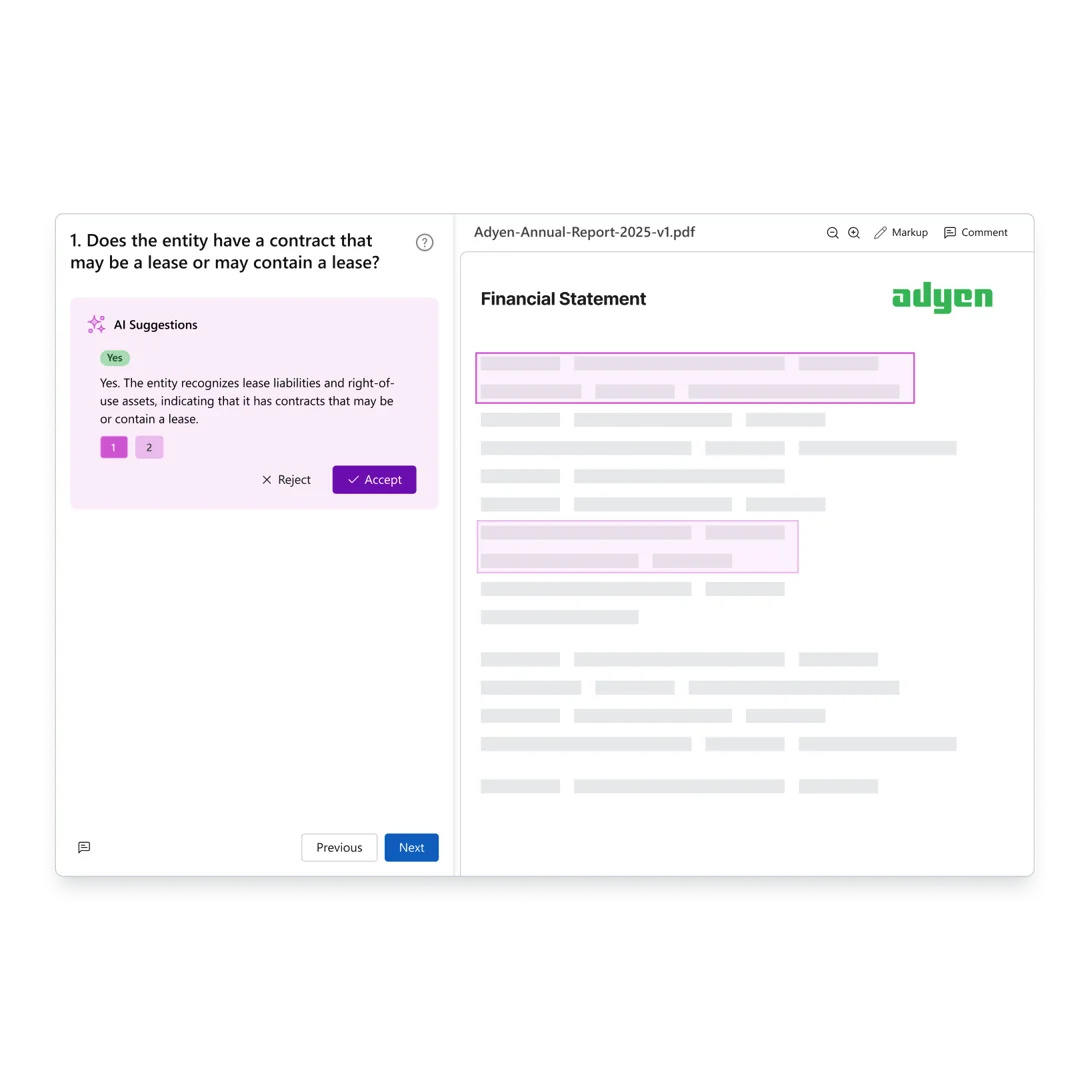
AI suggests answers to financial questions by analyzing document content.
Transform your firm with intelligent automation for audit reports in Excel.
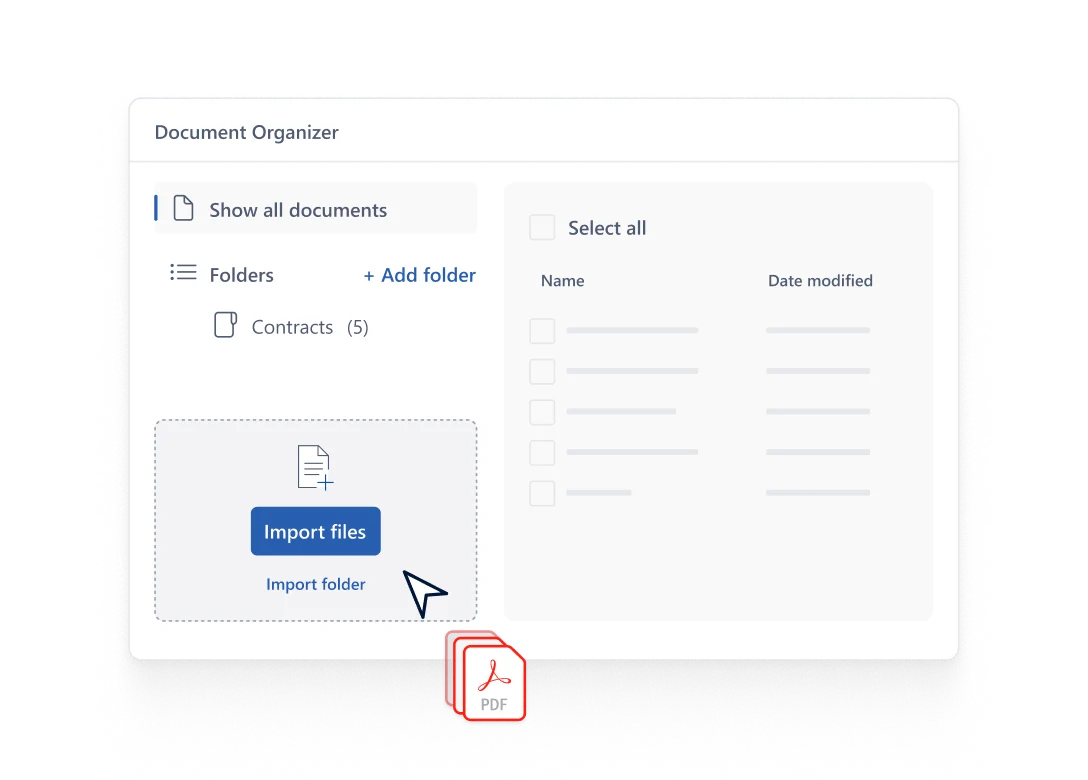
Effortlessly import and organize all your critical documents.
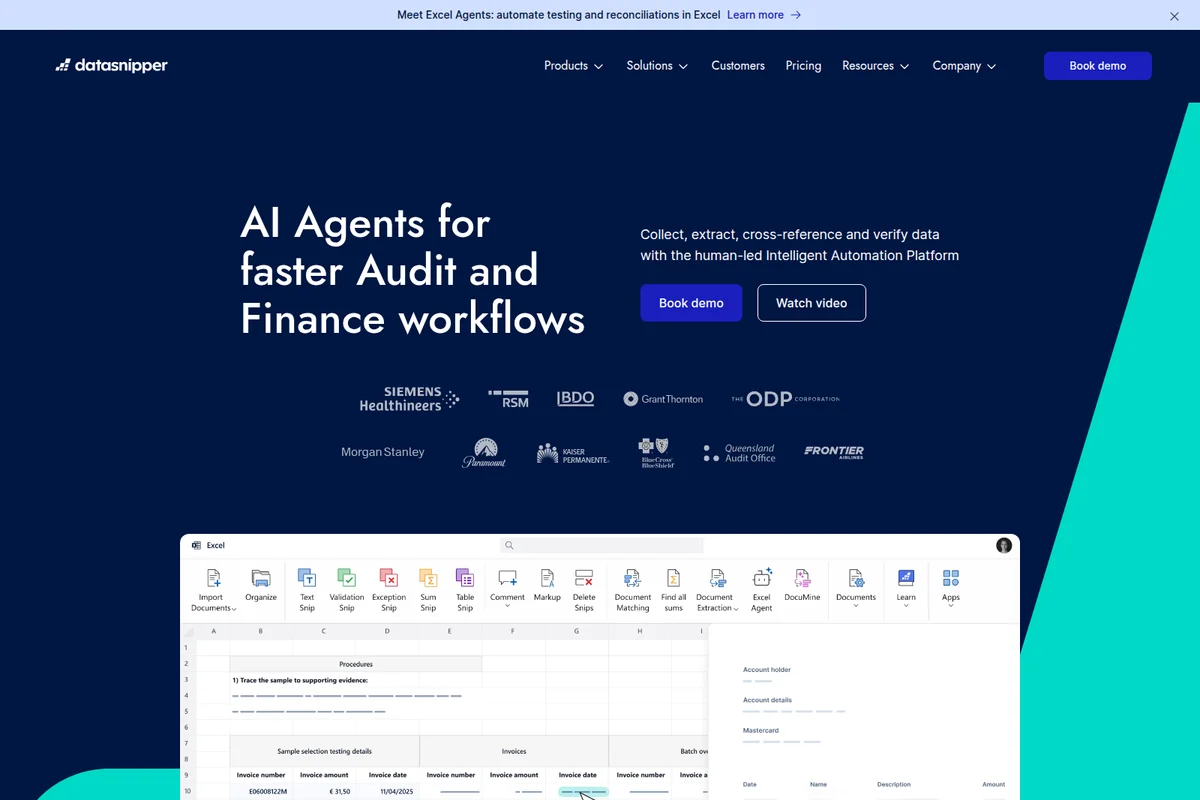
Automate audit and finance workflows directly within Excel with AI agents.
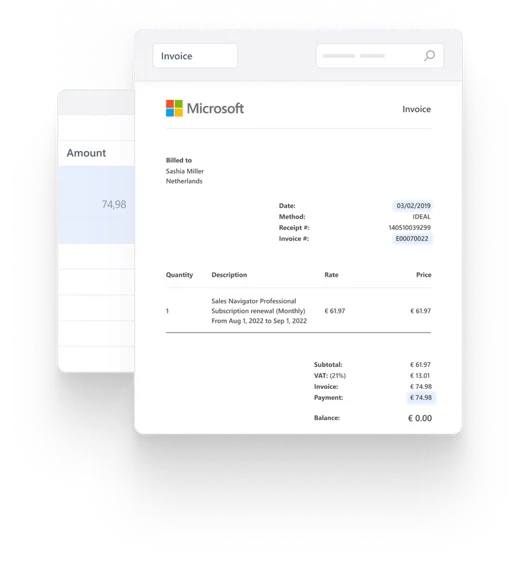
Effortlessly extract and verify data from complex invoices with structured views.
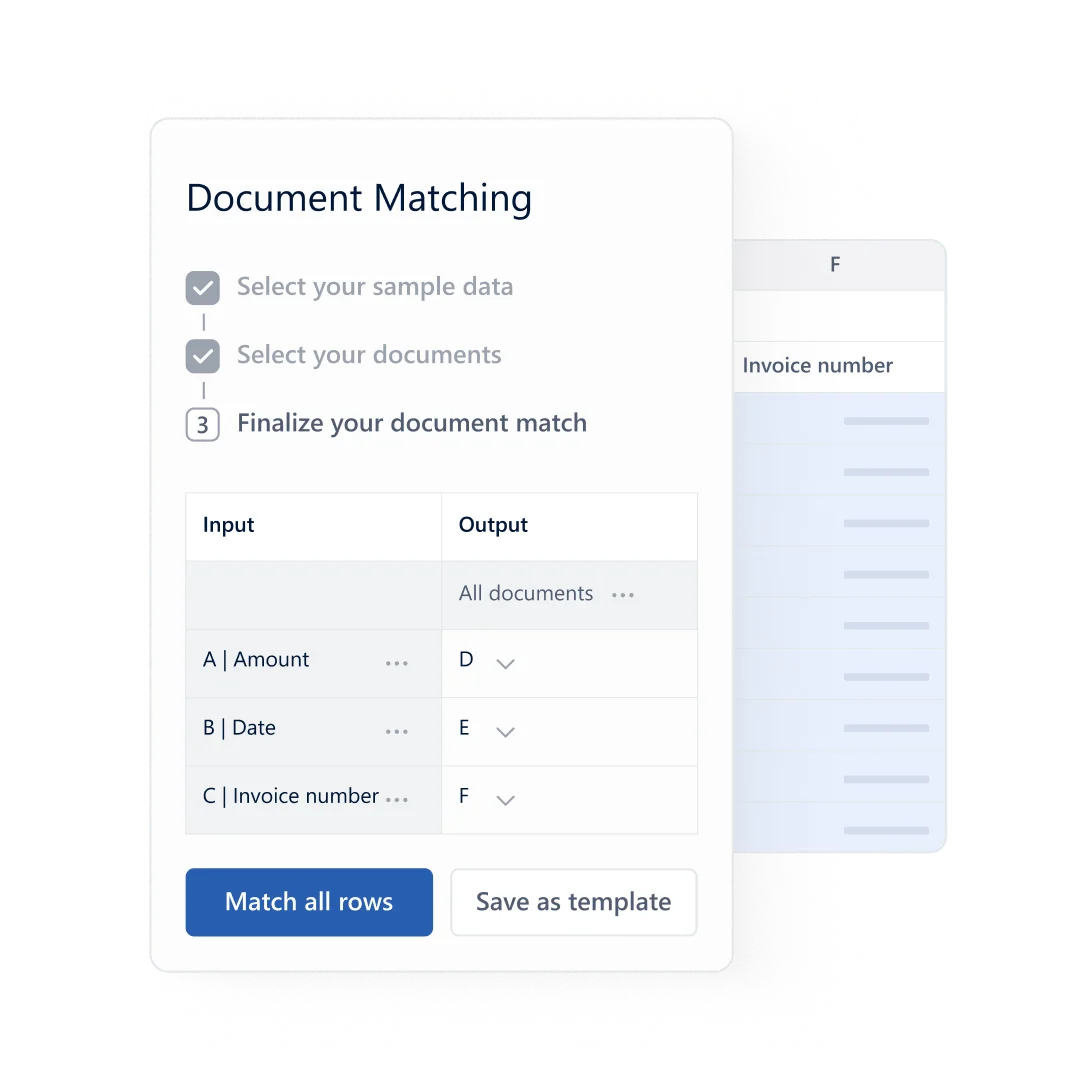
Map document fields to sample data for automated matching and processing.
DataSnipper Review: Tooliverse Consensus





Based on 355 verified reviews across 4 platforms,
combined with Tooliverse's expert analysis
DataSnipper turns the tedious mechanics of ticking, tying, and vouching into a linked, traceable Excel workflow, and auditors reward that directly: automated document matching and OCR extraction consistently save teams measurable hours on testing and reconciliation. The tradeoff shows up at the edges rather than the core, with opaque, sales-driven pricing that frustrates smaller firms, occasional lag when workbooks balloon with snips or oversized PDFs pile up, and a learning curve that slows adoption for teams unfamiliar with its snip-based logic.
Bottom line: A leading audit automation tool that turns manual document verification into traceable, linked Excel workflows, though its opaque pricing shuts out smaller firms and solo practitioners.
DataSnipper | Key Specs
- Platforms
- Web, Windows (Excel add-in), Chrome Extension
- Pricing Model
- Tiered, Custom/Contact Sales (Start, Accelerate, Elevate) See plans
- Privacy/Data Use
- No training on customer data; AI inputs deleted within 24 hours
- Security
- SOC 2 Type II, GDPR compliant, AES-256 encryption, SSO See details
Wins
- •Eliminates hours of manual data entry by automating the ticking and tying processmentioned in 210 reviews
- •Integrates directly into Excel to maintain a familiar environment for audit teamsmentioned in 185 reviews
- •Speeds up vouching procedures with automated document matching and verificationmentioned in 140 reviews
Watch-Outs
- •Pricing structures can be prohibitive for smaller accounting firms or solo practitionersmentioned in 65 reviews
- •Performance issues and lag occur when processing exceptionally large PDF filesmentioned in 48 reviews
- •Requires a significant initial time investment to master advanced automation featuresmentioned in 35 reviews
DataSnipper Features 2026
Alwin - Agentic Automation Platform
AI agents run end-to-end audit and finance procedures like royalty calculations, revenue testing, and tests of detail in the background while teams collaborate, review, and sign off on results.
Document Matching
Automates reconciliation by linking Excel data directly to source documents with full traceability, replacing manual tie-outs.
Snips & Traceability
Every tested figure in Excel is linked back to its exact source document and passage via a 'Snip,' creating a full audit trail reviewers can click through instantly.
Prebuilt Agent Library
A library of ready-made agents for common audit procedures such as three-way purchase matching, bank reconciliation verification, credit memo approval verification, and unrecorded liability search.
DataSnipper User Reviews
Selected Reviews
"DataSnipper has completely changed how we perform substantive testing. The ability to snip directly from a PDF into Excel while maintaining a permanent link is a game changer for review."
"The Table Snip tool is magic. I used to spend hours manually typing out bank statements, now it takes seconds. It has cut my work time in half on some engagements."
"Saves so much time on vouching. I wish the OCR was a bit better with cursive handwriting, but for printed text, it's nearly perfect. The cross-referencing is brilliant."
More from the Community
"Great tool but the pricing is getting out of hand for smaller practices. Also, it tends to freeze Excel if you have too many snips in one workbook."
"Useful extension but the UI feels a bit cluttered. It takes a while to train new staff on all the different snip types. Once you learn it, it's great, but the curve is real."
"I cannot imagine going back to manual audit workpapers. DataSnipper makes the documentation process so much more professional and easier for managers to review."
"The document organizer feature is underrated. Keeping all evidence in one place within the Excel file is a massive organizational win for our team."
"It's a solid 4 stars. It does exactly what it says. My only gripe is that it occasionally crashes when I have multiple large PDFs open at once."
"Great tool but the pricing is getting out of hand for smaller practices. Also, it tends to freeze Excel if you have too many snips in one workbook."
"Useful extension but the UI feels a bit cluttered. It takes a while to train new staff on all the different snip types. Once you learn it, it's great, but the curve is real."
"I cannot imagine going back to manual audit workpapers. DataSnipper makes the documentation process so much more professional and easier for managers to review."
"The document organizer feature is underrated. Keeping all evidence in one place within the Excel file is a massive organizational win for our team."
"It's a solid 4 stars. It does exactly what it says. My only gripe is that it occasionally crashes when I have multiple large PDFs open at once."
"The automated matching feature saved us weeks of work on a recent inventory audit. It's expensive, but the ROI in terms of billable hours saved is clear."
"I love how it handles multi-page tables. It used to be a nightmare to extract data across pages, but DataSnipper handles it with very few errors."
"Essential for modern auditing. The snips provide a level of evidence that manual screenshots just can't match. It makes our audit files much more robust."
"A bit of a learning curve for the 'Form Extraction' feature, but once configured, it's a powerhouse. Highly recommend for any firm doing high-volume testing."
"The automated matching feature saved us weeks of work on a recent inventory audit. It's expensive, but the ROI in terms of billable hours saved is clear."
"I love how it handles multi-page tables. It used to be a nightmare to extract data across pages, but DataSnipper handles it with very few errors."
"Essential for modern auditing. The snips provide a level of evidence that manual screenshots just can't match. It makes our audit files much more robust."
"A bit of a learning curve for the 'Form Extraction' feature, but once configured, it's a powerhouse. Highly recommend for any firm doing high-volume testing."
DataSnipper Pricing 2026
View SourceDataSnipper skips public pricing entirely, so every tier starts with a sales call. Start covers the Excel add-in, document matching, and form extraction, a reasonable floor for smaller teams testing the waters. Most audit teams doing real volume will want Accelerate, which adds DocuMine, AI extractions, and the prebuilt agent library, the tools that actually replace manual tie-outs at scale.
DataSnipper In-Depth Review 2026

DataSnipper is an Excel add-in and, increasingly, an agentic automation platform for audit and finance teams. It lets users click a source document, like a PDF invoice or bank statement, and pull that data straight into a linked Excel cell, with the underlying evidence attached and traceable forever after. In 2026 the company has pushed further into automation with Alwin, its AI agent platform that runs entire testing procedures in the background while reviewers sign off on the results.
What It's Like Day-to-Day
The daily experience centers on what users call snipping: highlighting a region of a source document and dragging that value into Excel, where it lands as a normal cell but carries a permanent link back to its origin. This single mechanic is why 210 user reviews credit DataSnipper with eliminating hours of manual data entry during ticking and tying. One Reddit reviewer summed up the Table Snip feature bluntly, saying it "used to take hours manually typing out bank statements, now it takes seconds," and that it *"cut my work time in half on some engagements.
DataSnipper Security & Compliance
Verified Compliance
- SOC 2 Type II
- GDPR compliant
- EU-U.S. Data Privacy Framework (DPF)
Security Features
- AES-256 encryption (data at rest)
- TLS 1.2+ encryption (data in transit)
- Single Sign-On (SSO)
- Directory Sync
- Hosted on Microsoft Azure with audited infrastructure security
Privacy Commitments
- No training on customer/business data
- AI-related data deleted after short retention period (ADE deletes within 24 hours)
- Strict vendor/third-party risk management program
DataSnipper: Frequently Asked Questions (FAQs)
How is DataSnipper priced?
DataSnipper does not publish self-serve pricing; plans are called Start, Accelerate, and Elevate, and prospective customers must book a demo or contact sales to discuss the right plan for their organization.
How does DataSnipper help with financial audits?
DataSnipper helps with financial audits by using AI agents to extract, reconcile, tie out, and test financial data faster while keeping every result traceable back to source evidence for review.
Can DataSnipper be used for all types of audit testing?
Yes, DataSnipper supports a wide range of audit testing including tests of detail, tests of control, walkthrough documentation, and financial statement procedures across external audit, internal audit, tax, financial control, and government audit workflows.
How can I review the output of DataSnipper's AI agents?
Every action an agent takes is visible and substantiated by the underlying evidence, so reviewers can inspect results, investigate exceptions, and trace tested data back to source documents in Excel before signing off.
DataSnipper Integrations
| Microsoft SharePoint | Xero | Box |
| SAP Concur | QuickBooks | Microsoft OneDrive |
| Dropbox | Microsoft Excel | Microsoft Azure |
DataSnipper: Verified Data Sheet
| # | Label | Data Point |
|---|---|---|
| [1] | DataSnipper Consensus: 9.02/10 | DataSnipper is one of the highest-rated AI finance tools in the Tooliverse index, with a consensus score of 9.02/10 across 355 verified reviews. |
| [2] | What is DataSnipper | DataSnipper is a SOC 2 Type II compliant agentic automation platform for audit and finance teams, built around its Alwin AI agents and Excel-native workflows. Used by all four Big Four firms and 600,000+ users in 175+ countries, it reached a $1B valuation after a 2024 Series B led by Index Ventures. |
| [3] | Tooliverse Consensus on DataSnipper | DataSnipper turns the tedious mechanics of ticking, tying, and vouching into a linked, traceable Excel workflow, and auditors reward that directly: automated document matching and OCR extraction consistently save teams measurable hours on testing and reconciliation. The tradeoff shows up at the edges rather than the core, with opaque, sales-driven pricing that frustrates smaller firms, occasional lag when workbooks balloon with snips or oversized PDFs pile up, and a learning curve that slows adoption for teams unfamiliar with its snip-based logic. |
| [4] | DataSnipper Verdict | DataSnipper bottom line: A leading audit automation tool that turns manual document verification into traceable, linked Excel workflows, though its opaque pricing shuts out smaller firms and solo practitioners. |
| [5] | Automates ticking and tying to cut manual entry | DataSnipper eliminates hours of manual data entry by automating the ticking and tying process, a strength validated by 210 user reviews. |
| [6] | Native Excel integration keeps teams in familiar tools | DataSnipper integrates directly into Excel, letting audit teams work in a familiar environment instead of switching tools, according to 185 user reviews. |
| [7] | Automated matching speeds up vouching | DataSnipper speeds up vouching procedures through automated document matching and verification, a benefit cited in 140 user reviews. |
| [8] | Snips link Excel cells to source evidence | DataSnipper creates a clear audit trail by linking Excel cells directly to source documents via its Snip feature, noted in 115 user reviews. |
| [9] | Pricing steep for small firms; no public rates | DataSnipper's pricing structure can be prohibitive for smaller accounting firms or solo practitioners, an issue raised in 65 user reviews, and the company publishes no self-serve rates for its Start, Accelerate, or Elevate tiers. |
| [10] | Lag on very large PDFs | DataSnipper can experience performance issues and lag when processing exceptionally large PDF files, a limitation reported in 48 user reviews. |
| [11] | Privacy: No training on customer/business data | DataSnipper privacy protections include No training on customer/business data, AI-related data deleted after short retention period (ADE deletes within 24 hours), and Strict vendor/third-party risk management program. |
| [12] | Enterprise: AES-256 encryption (data at rest) | DataSnipper provides enterprise security with AES-256 encryption (data at rest), TLS 1.2+ encryption (data in transit), and Single Sign-On (SSO). |
| [13] | Table Snip cuts work time in half | DataSnipper's Table Snip feature turns hours of manual typing into seconds, with one Reddit reviewer saying it "cut my work time in half on some engagements." |
Best DataSnipper Alternatives
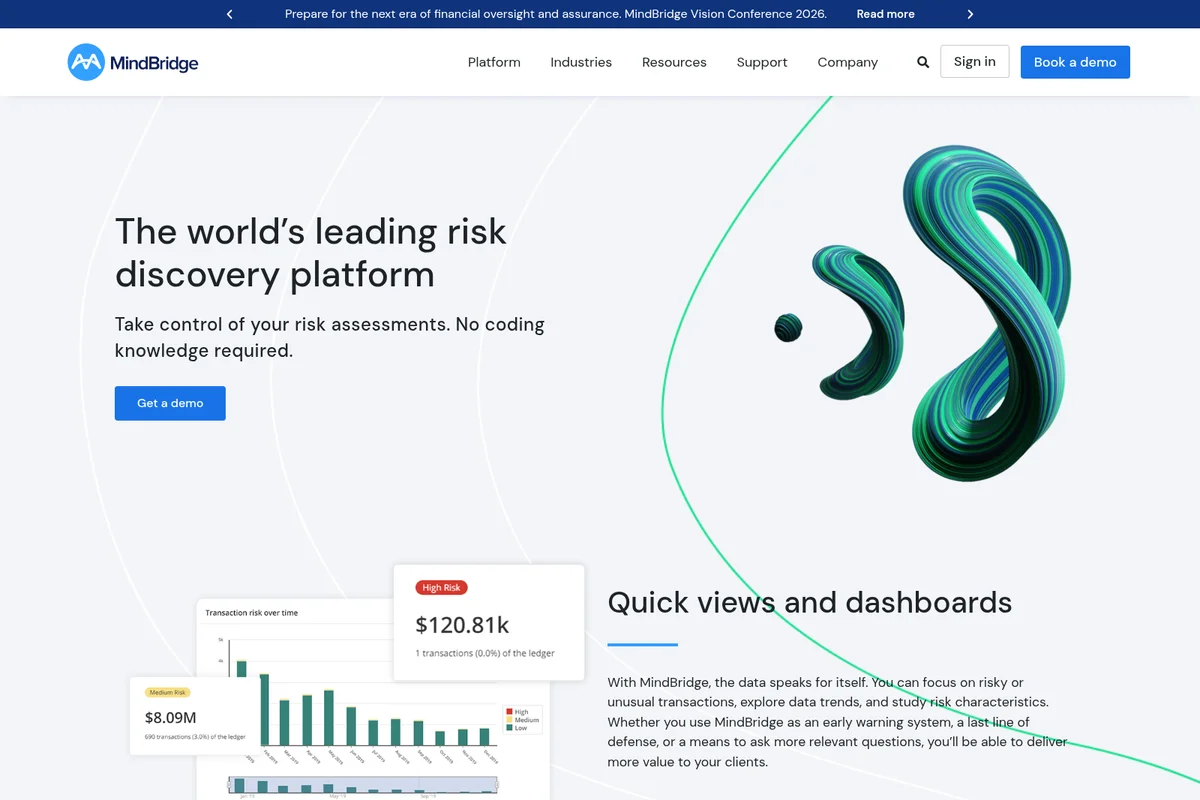
MindBridge
See risk hiding in 100% of your financial transactions—not just the sample you happened to pull.

Hudson Labs
Error-free AI research for public markets, with every answer traced back to its source filing.

Hawk AI
Find more financial crime with explainable AI, while cutting false positives and investigation effort.