
Flint Review 2026 - AI Tutor for Schools
Verified Sep 30, 2026 by Tooliverse Editorial
Flint gives every student a patient AI tutor named Sparky that asks questions instead of handing over answers. Teachers watch sessions live, spot who's stuck, and turn gaps into follow-up activities in one click. Trusted by 200,000+ teachers.
An Overview of Flint
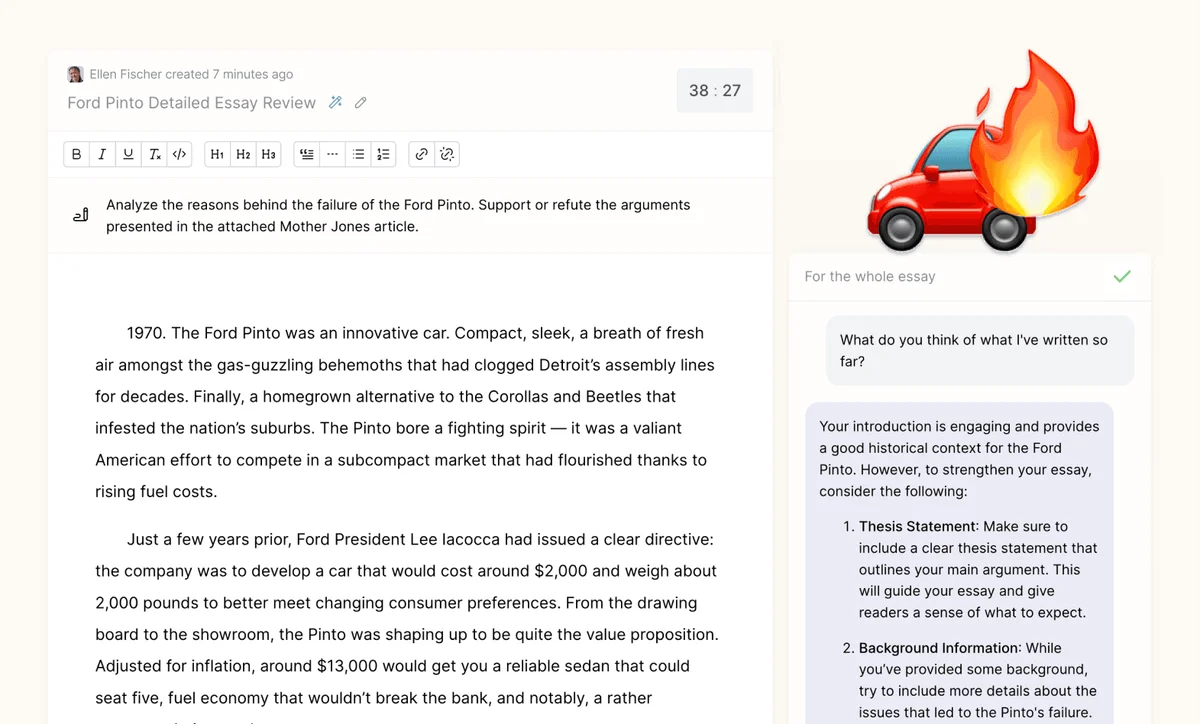
Receive AI-powered feedback to refine and strengthen your writing.
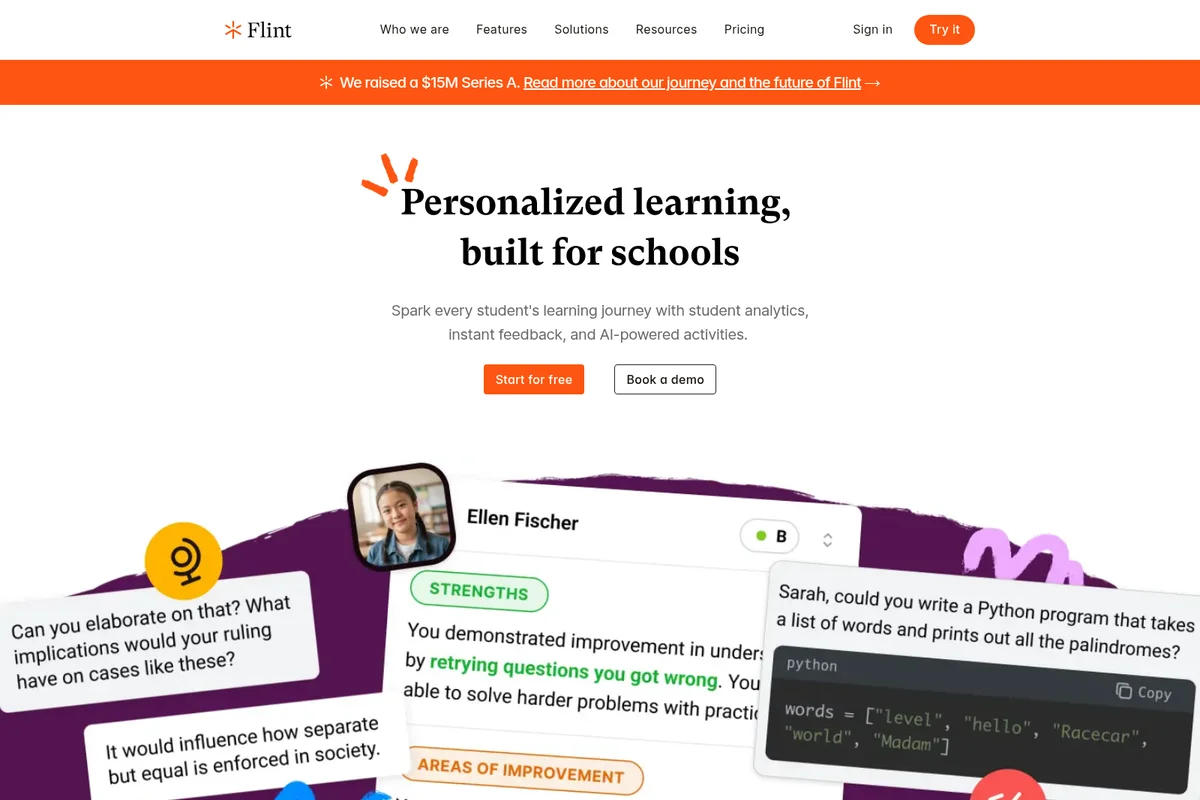
Spark every student's learning journey with AI-powered personalized activities and analytics.
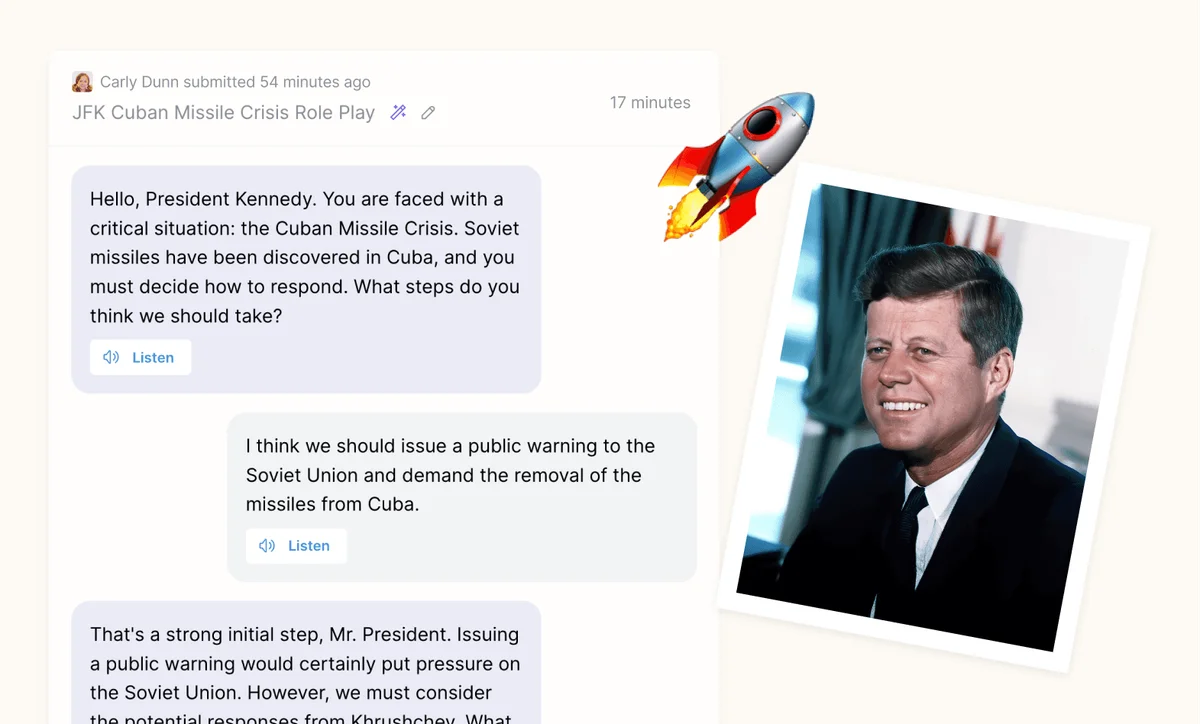
Engage in historical simulations with AI-guided interactive role-play scenarios.
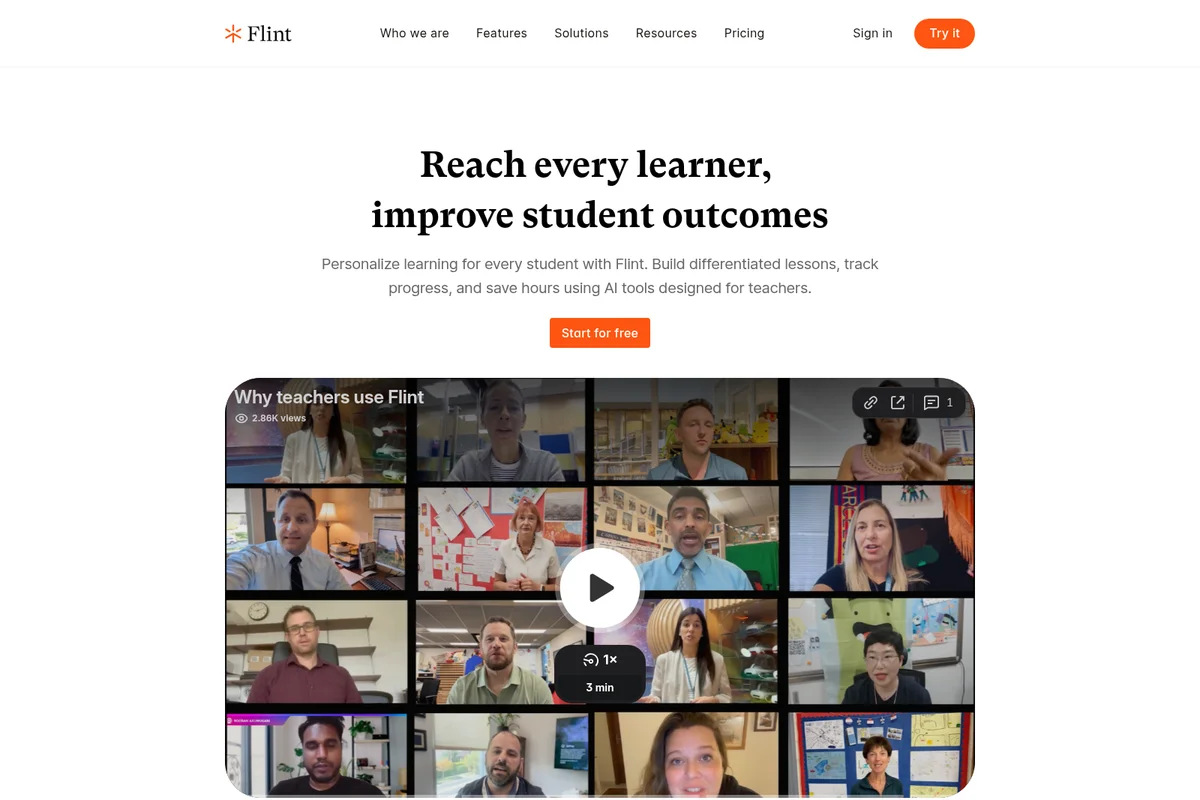
Discover how Flint empowers teachers to personalize learning and improve outcomes.
Flint Review: Tooliverse Consensus


Based on 190 verified reviews across 4 platforms,
combined with Tooliverse's expert analysis
Flint gives teachers a tutor that holds back answers, sticks to the lesson materials they upload, and leaves every student conversation open to review. Users credit the transcript visibility, rubric-based feedback and whiteboard for saving time while keeping students thinking for themselves. The tradeoffs are real: complex activities need careful prompt tuning, the text-heavy interface can strain younger or struggling readers, and occasional hallucinations mean transcripts still deserve a look. School-wide pricing also leaves individual teachers on the free plan.
Bottom line: One of the strongest K-12 AI tutors, pairing teacher-controlled, hints-first coaching with full transcript oversight, though complex setups need careful prompting and text-heavy screens can overwhelm younger learners.
Flint | Key Specs
- Platforms
- Web
- Pricing Model
- Free up to 80 users; school plans $3,000-$6,500/year, custom above 500 users See plans
- Privacy/Data Use
- No user data used for AI training, no third-party sharing
- Security
- GDPR, FERPA-aligned, Google/Microsoft SSO See details
Wins
- •Empowers teachers to create AI tutors that strictly follow specific lesson plans and materialsmentioned in 68 reviews
- •Provides a safe, FERPA-compliant environment with full visibility into student-AI transcriptsmentioned in 54 reviews
- •Reduces teacher workload by automating personalized feedback and initial grading against rubricsmentioned in 47 reviews
Watch-Outs
- •Initial setup of complex activities requires careful prompting to avoid instructional driftmentioned in 22 reviews
- •Heavy text-based interface can be overwhelming for younger learners or struggling readersmentioned in 18 reviews
- •Occasional AI hallucinations require teachers to monitor transcripts for factual accuracymentioned in 15 reviews
Flint Features 2026
Hey Sparky activity builder
Build or edit an activity by chatting with Sparky, starting from your own materials.
Hints-first AI coaching
Sparky guides with questions and hints before giving answers, and teachers set how much help it offers.
Live classroom oversight
Sessions table updates in real time, with message alerts when a student is stuck.
Session analysis and follow-ups
Strengths, areas of improvement and follow-up for each student, with one-click follow-up activities.
Flint User Reviews
Selected Reviews
"In my 15 years of teaching, I've never seen students revise so actively or reflect so deeply on their writing. One student said, "Mrs. Kimsey, it's like you turned yourself into a robot.""
"Using Flint for review for the end-of-unit test was optional, but all but two students chose to use it. Their performance on the test was noticeably higher than in previous years."
"The AI guardrails are the best I've seen. It stays strictly on the materials I provide and doesn't wander off into the broader internet or inappropriate topics."
More from the Community
"Simple to use, very easy to set up and share activities with a class, and delivers an optimal experience for students. It's easily my go-to AI platform."
"Really appreciate Flint's expanded word/token capacity, which allowed me to upload course material directly for Jeopardy-style review games. It saves so much time."
"The interactive whiteboard is a game changer for math. Students show their work and the AI actually understands the steps they took to solve the problem."
"The study schedule builder had 30 sessions during exam season. Students chose to use it because it personalized their approach based on confidence levels and preferences."
"I love that I can see every transcript. It gives me a window into student thinking that I never had before during independent work time."
"Simple to use, very easy to set up and share activities with a class, and delivers an optimal experience for students. It's easily my go-to AI platform."
"Really appreciate Flint's expanded word/token capacity, which allowed me to upload course material directly for Jeopardy-style review games. It saves so much time."
"The interactive whiteboard is a game changer for math. Students show their work and the AI actually understands the steps they took to solve the problem."
"The study schedule builder had 30 sessions during exam season. Students chose to use it because it personalized their approach based on confidence levels and preferences."
"I love that I can see every transcript. It gives me a window into student thinking that I never had before during independent work time."
"The feedback loop is fast. Students get suggestions based on my specific rubric, which helps them iterate before they even turn in the final draft."
"Excellent for high school, but the interface is a bit text-heavy for my younger students who struggle with reading comprehension. Would love more visual cues."
"The setup for complex Socratic discussions takes a bit of trial and error. I spent a lot of time tweaking the "do not give answers" prompt to get it right."
"Flint has transformed how I personalize learning. It's like having an extra set of hands in the classroom to support every student at once."
"The feedback loop is fast. Students get suggestions based on my specific rubric, which helps them iterate before they even turn in the final draft."
"Excellent for high school, but the interface is a bit text-heavy for my younger students who struggle with reading comprehension. Would love more visual cues."
"The setup for complex Socratic discussions takes a bit of trial and error. I spent a lot of time tweaking the "do not give answers" prompt to get it right."
"Flint has transformed how I personalize learning. It's like having an extra set of hands in the classroom to support every student at once."
Flint Pricing 2026
View SourceThe free plan covers up to 80 users, which is enough to judge whether the hints-first approach suits your classrooms, but it runs a faster model. Paid plans run Claude Sonnet 4.6 and add SIS/LMS rostering, school-wide analytics and a customer success manager. For a small school or pilot, $250/month billed annually for up to 150 users is the entry point that matters. Individual teachers will find nothing priced for them.
Flint In-Depth Review 2026

Flint is a K-12 AI tutoring platform from Flint Inc. whose tutor, Sparky, answers student questions with hints and follow-up questions instead of solutions. Teachers build activities by chatting with Sparky, uploading slides, PDFs, audio, video or links, and then watch sessions unfold live. It runs on Claude Sonnet 4.6 on paid plans and a faster model on the free plan, and it connects to Canvas, Schoology, Google Classroom and other systems through Edlink.
What It's Like Day-to-Day
The workflow starts on the teacher's side. Describe the activity to Sparky, point it at a unit's materials, and it drafts something like a Socratic discussion on World War I that can be edited before students see it. Teachers set how much help Sparky offers, so a student drafting a thesis gets prompted to make it arguable instead of being handed one. Sparky is the rare classroom tech that students can't sweet-talk into doing the homework, and one KidsAiTools reviewer called the guardrails "the best I've seen" for how tightly the tutor stays on the supplied materials.
Flint Security & Compliance
Verified Compliance
- GDPR compliant
- FERPA-aligned
- COPPA compliant (with school waiver)
Security Features
- Separate data per school
- Google and Microsoft SSO
- Message moderation and flagging to administrators
Privacy Commitments
- No user data used to train or fine-tune AI models
- Does not share student data with third parties
- EU and UK data residency available
- Signs DPAs for schools, including seven US states
Flint: Frequently Asked Questions (FAQs)
How much does Flint cost?
Flint is free for up to 80 users (students, teachers, or administrators). Paid school plans are $3,000/year for up to 150 users, $4,000/year for up to 250, $6,500/year for up to 500, and custom above 500. Plans can be annual or month-to-month.
Is there a free trial or pilot?
Yes, schools can get a free trial of Flint for up to 80 users by emailing sales@flintk12.com or booking a demo.
Can the number of students be adjusted mid-subscription?
Yes, Flint prorates subscriptions to reflect an increase or decrease in the number of users.
Can schools pay for Flint using Title IV funding?
Flint is aligned with Title IV objectives under 20 U.S. Code § 7117, including STEM, foreign language instruction and well-rounded education programs. Schools can contact sales@flintk12.com to discuss.
Flint Integrations
| Canvas | Google Classroom | Schoology |
| Blackboard | D2L Brightspace | Microsoft Teams |
| Moodle | ManageBac | Toddle |
| Blackbaud | PowerSchool | Veracross |
| Infinite Campus | Skyward SMS | Aeries |
| Alma | Bromcom | SIMS |
| OneRoster | ClassLink | Edlink |
| Google Drive | OneDrive | Google SSO |
| Microsoft SSO |
Flint: Verified Data Sheet
| # | Label | Data Point |
|---|---|---|
| [1] | Flint Consensus: 9.36/10 | Flint is one of the highest-rated AI education tools in the Tooliverse index, with a consensus score of 9.36/10 across 190 verified reviews. |
| [2] | What is Flint | Flint is a K-12 AI tutoring platform from Flint Inc. that coaches students with hints instead of answers while giving teachers live oversight. It is GDPR compliant, trusted by 200,000+ teachers, and free for up to 80 users. |
| [3] | Tooliverse Consensus on Flint | Flint gives teachers a tutor that holds back answers, sticks to the lesson materials they upload, and leaves every student conversation open to review. Users credit the transcript visibility, rubric-based feedback and whiteboard for saving time while keeping students thinking for themselves. The tradeoffs are real: complex activities need careful prompt tuning, the text-heavy interface can strain younger or struggling readers, and occasional hallucinations mean transcripts still deserve a look. School-wide pricing also leaves individual teachers on the free plan. |
| [4] | Flint Verdict | Flint bottom line: One of the strongest K-12 AI tutors, pairing teacher-controlled, hints-first coaching with full transcript oversight, though complex setups need careful prompting and text-heavy screens can overwhelm younger learners. |
| [5] | Free: Free | Flint offers a functional Free tier for up to 80 users (students, teachers, or administrators) with a faster AI model, making AI tools accessible at no cost. |
| [6] | Interactive whiteboard with live feedback | Flint includes an interactive whiteboard where students show their work and receive real-time AI feedback on the steps taken, a capability praised in 39 user reviews, especially for math. |
| [7] | Socratic, hints-first tutoring | Flint adapts difficulty Socratically through its Sparky tutor, guiding students toward answers with hints and questions instead of solutions, and 32 user reviews highlight the approach. |
| [8] | Up to 150 users: $250/mo (annual) | Flint Inc.'s Up to 150 users plan adds SIS/LMS integration for $250/month billed annually, significantly expanding on the free tier's capabilities. |
| [9] | Tutors bound to teacher materials | Flint lets teachers build AI tutors that stay strictly within their own lesson plans and uploaded materials, a strength cited in 68 user reviews and supported by uploads of PDFs, docs, slides, sheets, images, audio, video and links. |
| [10] | FERPA-aligned with transcript visibility | Flint gives schools a FERPA-aligned environment with full teacher visibility into student-AI transcripts, validated by 54 user reviews, and it adds message moderation with flagging to administrators. |
| [11] | Complex setups need careful prompting | Flint activities with complex Socratic goals require careful prompting at setup to avoid instructional drift, according to 22 user reports. |
| [12] | Text-heavy for young or struggling readers | Flint presents a text-heavy interface that can overwhelm younger learners and struggling readers, according to 18 user reports. |
| [13] | Privacy: No user data used to train or fine-tune AI models | Flint's privacy protections include No user data used to train or fine-tune AI models, Does not share student data with third parties, and EU and UK data residency available. |
| [14] | Enterprise: Separate data per school | Flint provides enterprise-grade security with Separate data per school, Google and Microsoft SSO, and Message moderation and flagging to administrators. |
| [15] | Guardrails keep AI on teacher materials | A verified KidsAiTools reviewer noted that Flint's AI guardrails are "the best I've seen" because it "stays strictly on the materials I provide and doesn't wander off into the broader internet or inappropriate topics." |
Best Flint Alternatives

MagicSchool
AI built for K-12 that gives teachers their time back and keeps students safe.
Wayground
Create AI-powered assessments, presentations, videos, and flashcards that help every student find their way.
Curipod
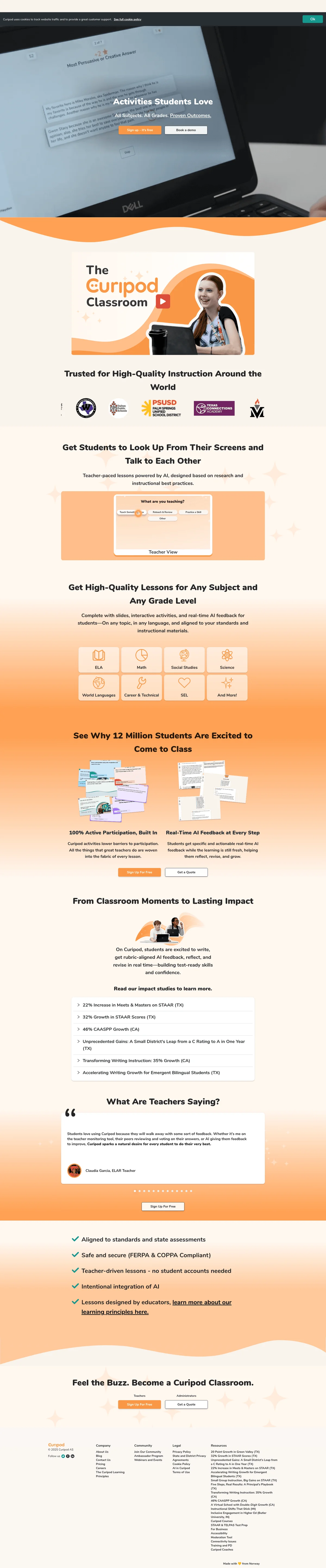
Teacher-led writing lessons where every student reads, writes, and discusses together — not alone on a screen.