
Gradescope Review 2026 - Grading Platform
Verified Jun 11, 2026 by Tooliverse Editorial
Gradescope transforms grading for educators by letting you grade paper exams, homework, code, and online assignments in half the time. From scanning bubble sheets to running autograders, it handles everything from upload to analytics—used by 140,000+ instructors across 2,600+ universities.
Labeled Printouts (Beta)
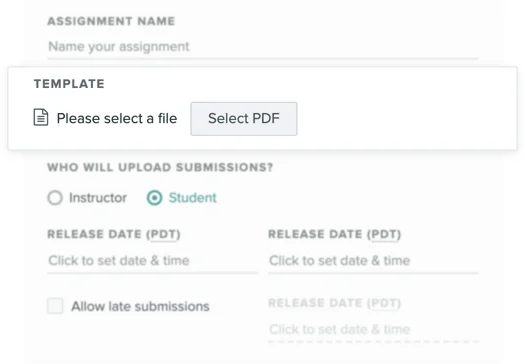
Define assignment name, upload templates, and set submission roles.
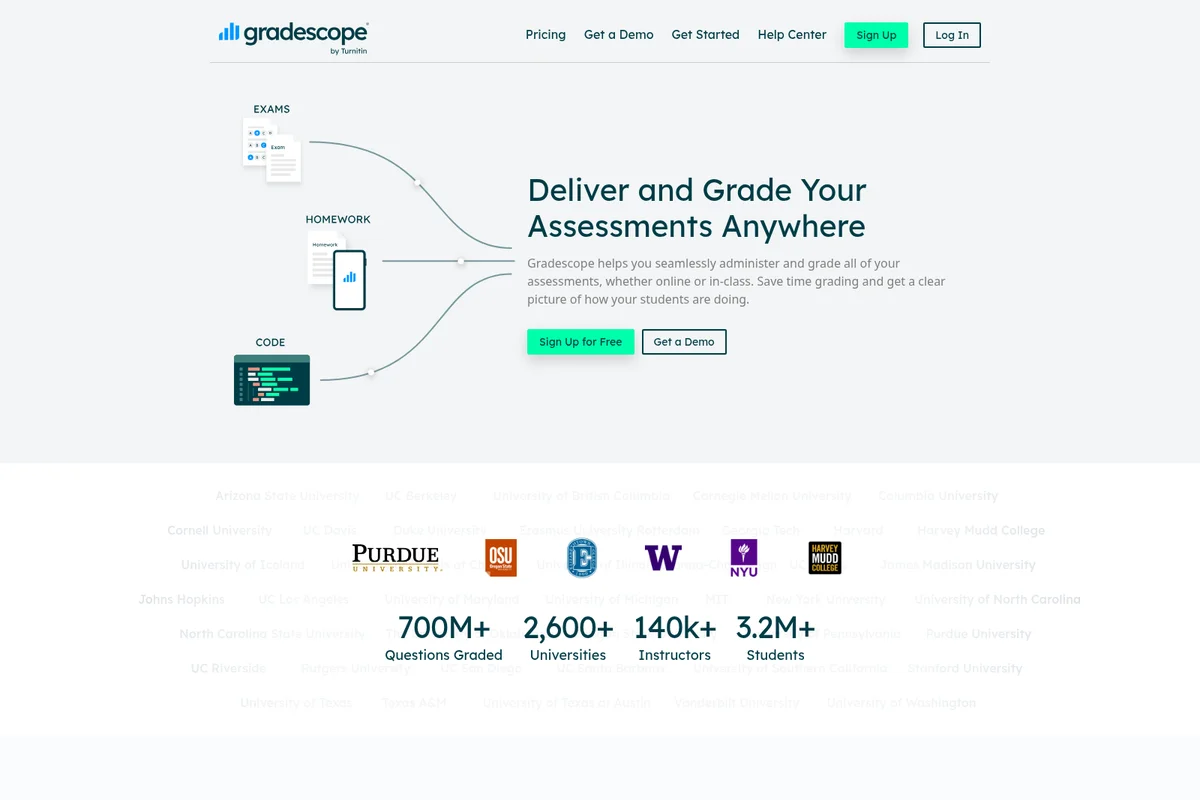
Seamlessly administer and grade all assessments, whether online or in-class.
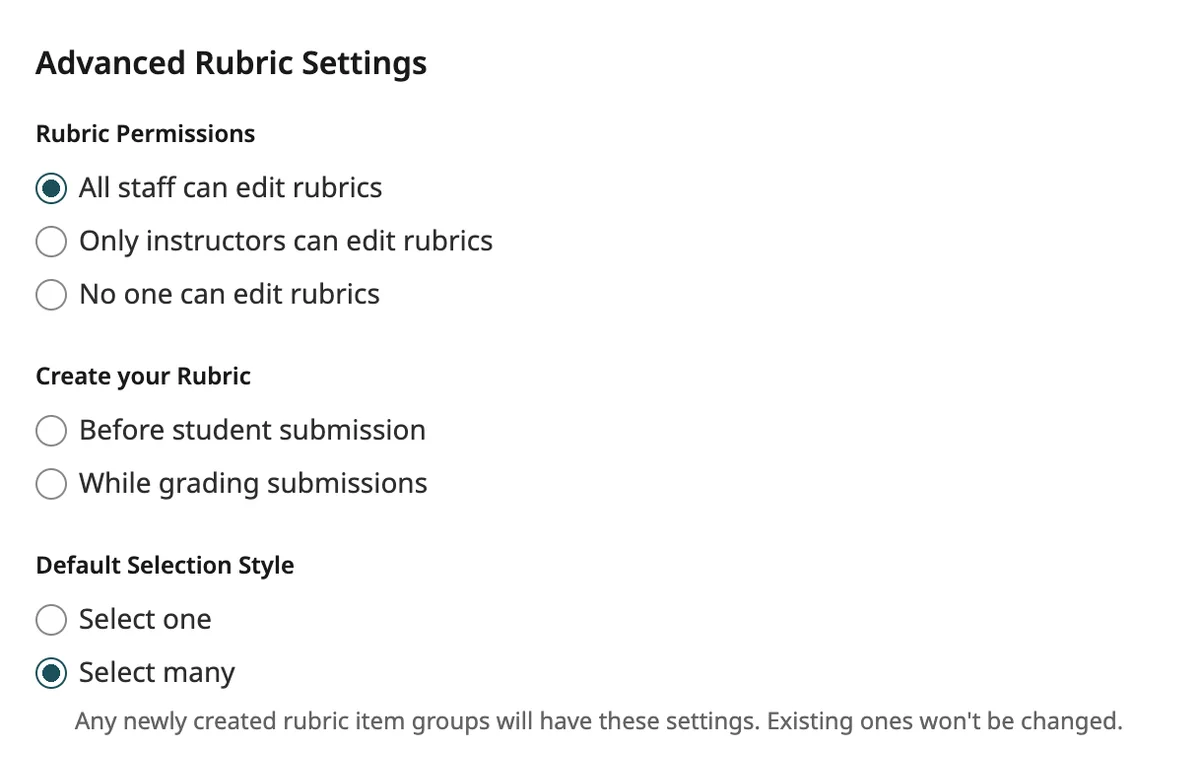
Configure rubric permissions and default settings for your assignments.
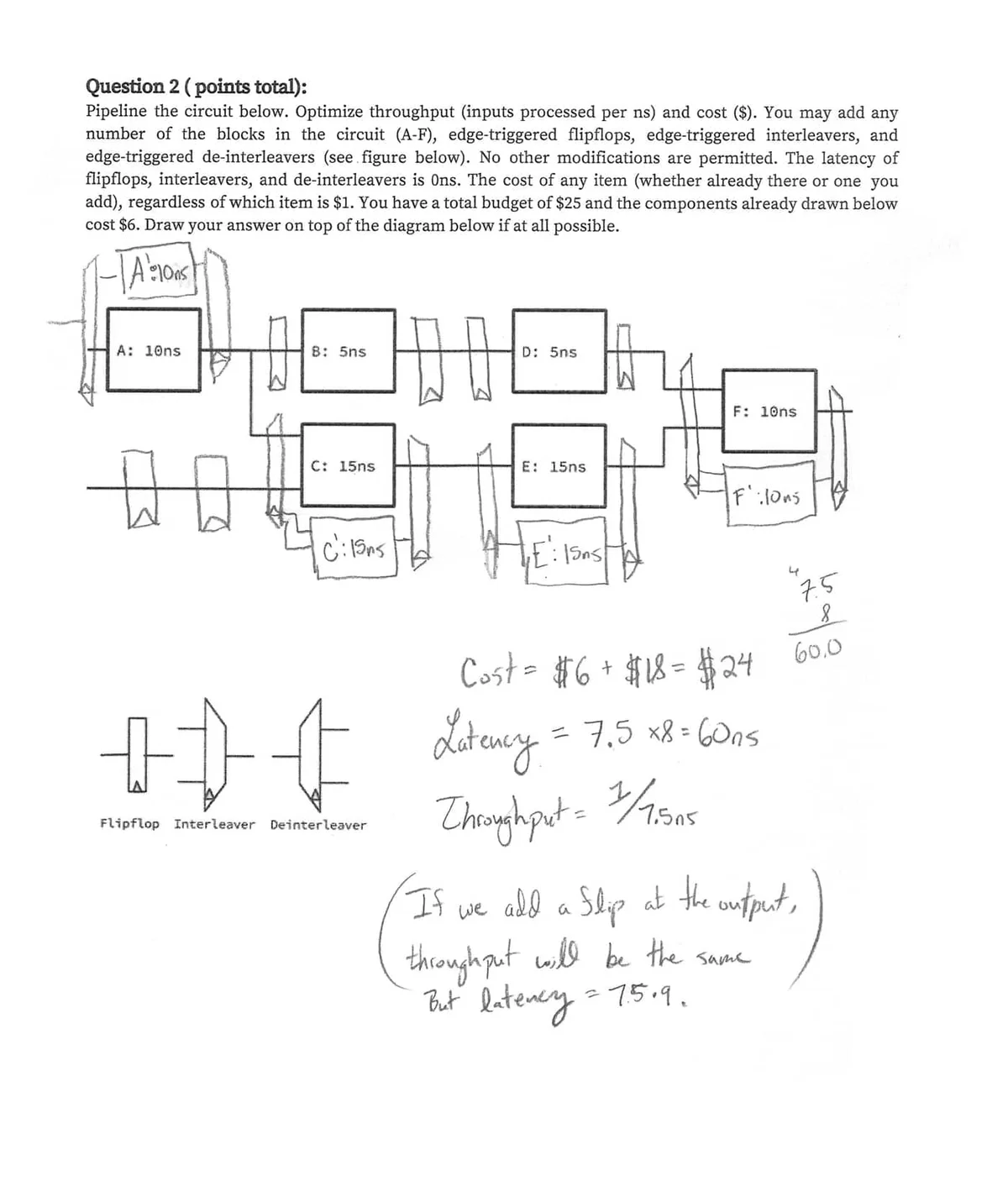
Supports detailed grading of complex handwritten engineering and science assignments.
Gradescope Review: Tooliverse Consensus





Based on 290 verified reviews across 5 platforms,
combined with Tooliverse's expert analysis
Gradescope addresses the consistency and scale challenges of large STEM course assessment through AI-assisted answer grouping and retroactive rubric updates that maintain fairness when multiple graders work in parallel. The platform excels at compressing hours of repetitive evaluation into focused decision-making, with particularly strong programming assignment autograders and detailed per-question analytics that help instructors identify learning gaps. The mobile experience suffers from frequent session timeouts and limited instructor functionality, while handwriting OCR occasionally requires manual correction for messy scripts.
Bottom line: A capable grading platform built for instructors managing hundreds of submissions who need AI-assisted consistency and detailed analytics, though mobile limitations make it strongest for desktop-based workflows.
Gradescope | Key Specs
- Platforms
- Web, iOS, Android
- Pricing Model
- Freemium (Free + Institutional License) See plans
- Assignment Types
- Exams, Homework, Bubble Sheets, Programming, Online
- LMS Integration
- Canvas, Blackboard, Brightspace, Moodle, Sakai
Wins
- •Saves hours of manual labor by grouping similar student answers for faster gradingmentioned in 184 reviews
- •Provides a robust autograder for programming assignments that simplifies computer science instructionmentioned in 156 reviews
- •Features highly flexible rubrics that update all previous scores automatically when modifiedmentioned in 142 reviews
Watch-Outs
- •Mobile app frequently suffers from session timeouts and automatic logouts during submissionmentioned in 82 reviews
- •Handwriting OCR technology occasionally struggles with messy scripts, requiring manual interventionmentioned in 64 reviews
- •Enforces rigid submission windows that can be stressful for students with technical issuesmentioned in 51 reviews
Gradescope Features 2026
AI-Assisted Grading and Answer Groups
Automatically groups similar student answers together so you can grade entire groups at once instead of individually. For some question types, Gradescope AI forms groups for you to review, dramatically reducing grading time.
Programming Assignment Autograders
Run custom autograders on student code submissions with support for GitHub and Bitbucket integration. Combine automated testing with manual grading for style and design feedback.
LMS Integration
Sync rosters and export grades to Canvas, Blackboard, Brightspace, Moodle, and Sakai. Link assignments to LMS gradebook columns for seamless grade transfer.
Flexible Dynamic Rubrics
Create and modify rubrics on the fly during grading. Rubric changes apply retroactively to previously graded work, ensuring consistency across all submissions even when grading criteria evolve.
Gradescope User Reviews
Selected Reviews
"Applying the same rubric items to all students makes grading fairer. The rubric-building process is a genuine improvement."
"Name matching means nobody has to alphabetize my exams anymore. I get per-question statistics without manual data entry."
"The app makes it easy to check my grades daily, but having to re-login despite selecting 'stay logged in' is annoying."
More from the Community
"The AI grouping for multiple choice and short answer saves hours of manual labor. It's a lifesaver for large classes."
"Autograder for Python scripts is a lifesaver for large CS classes. If you can pass the Gradescope tests, you're set."
"Rubrics are easy to adjust mid-grading, and it updates all previous scores automatically. Really cuts down on traditional work time."
"The scanning features for uploading exams are great. It's much better than having to depend solely on scantrons."
"Great for feedback, but the interface for students on mobile feels like an afterthought. Uploading is hit or miss."
"The AI grouping for multiple choice and short answer saves hours of manual labor. It's a lifesaver for large classes."
"Autograder for Python scripts is a lifesaver for large CS classes. If you can pass the Gradescope tests, you're set."
"Rubrics are easy to adjust mid-grading, and it updates all previous scores automatically. Really cuts down on traditional work time."
"The scanning features for uploading exams are great. It's much better than having to depend solely on scantrons."
"Great for feedback, but the interface for students on mobile feels like an afterthought. Uploading is hit or miss."
"Helpful but the mobile app submission is buggy. I prefer the web version because the app logs me out too often."
"The keyboard shortcuts mean I can grade at my walking desk. I can easily log 15km a day during exam season!"
"When it works, submission is easy and efficient. But it is harder to use than just using the mobile website."
"The rubric changes propagate retroactively, which is amazing for consistency when multiple TAs are grading."
"Helpful but the mobile app submission is buggy. I prefer the web version because the app logs me out too often."
"The keyboard shortcuts mean I can grade at my walking desk. I can easily log 15km a day during exam season!"
"When it works, submission is easy and efficient. But it is harder to use than just using the mobile website."
"The rubric changes propagate retroactively, which is amazing for consistency when multiple TAs are grading."
Gradescope Pricing 2026
View SourceThe free tier covers basic exam and homework grading with flexible rubrics, enough to test whether the workflow fits your teaching style. Gradescope Complete, the institutional license tier available through sales contact, is where departments should focus: it adds AI-assisted grading, programming autograders, bubble sheet support, and LMS integration with Canvas, Blackboard, and others. Pricing is institutional rather than per-instructor, which makes sense given the feature set targets departmental deployment rather than individual use.
Gradescope In-Depth Review 2026

This assessment grading platform works across paper-based exams, student-uploaded homework, programming assignments, bubble sheets, and online quizzes. It runs on web browsers for instructors and offers mobile apps for students, though the real power lives in the web interface. Operated by Turnitin and used at over 2,600 universities, it has graded more than 700 million questions for 3.2 million students.
What It's Like Day-to-Day
The AI-assisted answer grouping is where the platform earns its keep. Instead of grading 250 short-answer responses individually, you grade groups of similar answers at once—the system clusters student work automatically, you apply rubric items to entire groups, and hours of repetitive evaluation compress into focused decision-making. As one Reddit instructor put it, the AI grouping "saves hours of manual labor" and is "a lifesaver for large classes." The time savings are real enough that many instructors report grading at standing desks or while walking, using keyboard shortcuts to move through submissions without breaking stride.
The rubric system is the other standout capability.
Gradescope: Frequently Asked Questions (FAQs)
What types of assignments does Gradescope support?
Gradescope supports five assignment types: Exams/Quizzes (fixed-template paper assignments), Homework/Problem Sets (variable-length student uploads), Bubble Sheets (auto-graded multiple choice), Programming Assignments (code with autograders), and Online Assignments (questions created directly on Gradescope). All types can be submitted by instructors or students and graded remotely.
Can I submit work for my students as an instructor?
Yes, instructors can upload submissions on behalf of students at any time, regardless of the assignment type or initial settings. Use the Upload Submission button on the Manage Submissions page to select a student's name and upload their file. For bulk uploads, create an instructor-uploaded assignment instead.
How do I set different due dates for multiple sections?
Gradescope assignments have one due date. For multiple sections, you can: (1) Create separate courses per section and duplicate assignments with different due dates, (2) Create one course with duplicated assignments per section (students submit to their section's assignment), or (3) Set the latest section's due date and track submission times by section manually.
Can students handwrite answers if they don't have a printer?
Yes. Students can complete assignments electronically using tablets with styluses, iPads with the Books or Files app, Apple computers with Preview, or other computers with Microsoft Edge or Adobe Acrobat PDF annotation tools. They can also use variable-length assignments to answer on their own paper and upload photos.
Gradescope Integrations
| Canvas | Blackboard | Brightspace |
| Moodle | Sakai | GitHub |
| Bitbucket |
Gradescope: Verified Data Sheet
| # | Label | Data Point |
|---|---|---|
| [1] | Gradescope Consensus: 5.24/10 | Gradescope is tracked in the Tooliverse index with a consensus score of 5.24/10 across 290 verified reviews. |
| [2] | What is Gradescope | Gradescope, operated by Turnitin LLC, is an assessment grading platform used by 140,000+ instructors at 2,600+ universities. The platform has graded 700M+ questions and serves 3.2M+ students, with pricing ranging from free to institutional licenses. |
| [3] | Tooliverse Consensus on Gradescope | Gradescope addresses the consistency and scale challenges of large STEM course assessment through AI-assisted answer grouping and retroactive rubric updates that maintain fairness when multiple graders work in parallel. The platform excels at compressing hours of repetitive evaluation into focused decision-making, with particularly strong programming assignment autograders and detailed per-question analytics that help instructors identify learning gaps. The mobile experience suffers from frequent session timeouts and limited instructor functionality, while handwriting OCR occasionally requires manual correction for messy scripts. |
| [4] | Gradescope Verdict | Gradescope bottom line: A capable grading platform built for instructors managing hundreds of submissions who need AI-assisted consistency and detailed analytics, though mobile limitations make it strongest for desktop-based workflows. |
| [5] | Free: Free | Gradescope offers a Free tier with basic grading features and exam/homework grading capabilities, making assessment tools accessible at no cost. |
| [6] | AI grouping saves hours of grading | Gradescope saves hours of manual grading labor by automatically grouping similar student answers together, allowing instructors to grade entire groups at once instead of individually—a capability validated by 184 user reviews. |
| [7] | Robust programming autograder | Gradescope provides a robust autograder for programming assignments that simplifies computer science instruction by running custom tests on student code submissions, with support for GitHub and Bitbucket integration validated by 156 user reviews. |
| [8] | Flexible rubrics with retroactive updates | Gradescope features highly flexible rubrics that update all previous scores automatically when modified mid-grading, ensuring consistency across all submissions even when grading criteria evolve—a capability validated by 142 user reviews. |
| [9] | Detailed per-question analytics | Gradescope delivers detailed per-question statistics that help instructors identify specific student learning gaps without manual data entry, validated by 128 user reviews. |
| [10] | Mobile app session timeout issues | Gradescope's mobile app frequently suffers from session timeouts and automatic logouts during submission, creating frustration for students attempting to upload work—a limitation reported in 82 user reviews. |
| [11] | OCR struggles with messy handwriting | Gradescope's handwriting OCR technology occasionally struggles with messy scripts, requiring manual intervention from instructors to correct misidentified answers—a limitation reported in 64 user reviews. |
| [12] | AI grouping saves hours | Gradescope's AI grouping for multiple choice and short answer "saves hours of manual labor" and is "a lifesaver for large classes," according to a verified Reddit reviewer. |
Best Gradescope Alternatives
EssayGrader
Grade hundreds of essays in minutes with AI-powered feedback that saves teachers 5-6 hours per week.
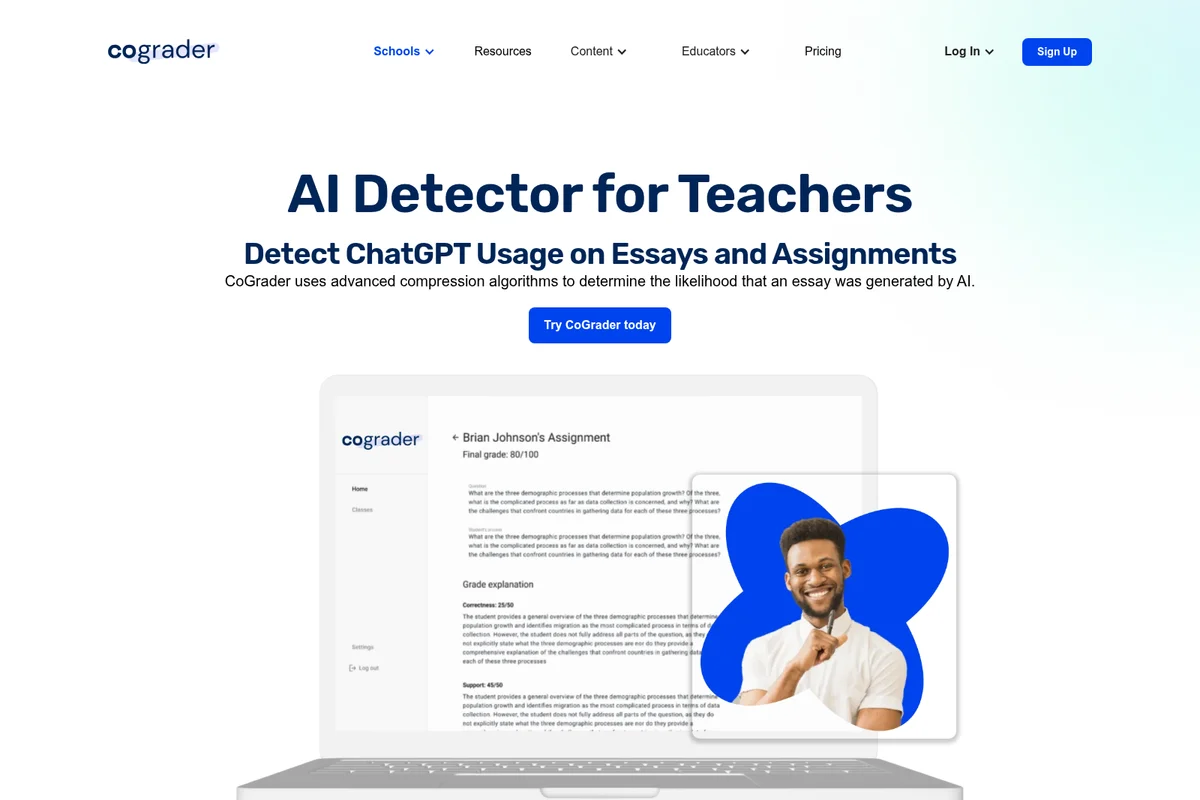
CoGrader
Grade essays with AI-powered feedback and save 80% of your grading time.
Brisk Teaching
AI-powered teaching tools that work inside the apps you already use—save time, personalize learning, and keep students engaged.