
Make Review 2026 - Visual AI Automation
Verified Oct 2, 2026 by Tooliverse Editorial
Make lets you drag, drop, or simply describe your way to working automations and AI agents across 3,000+ apps. Start free with 1,000 credits a month, no time limit, and scale from first scenario to enterprise.
[Demo] Stop Copy-Pasting from PDFs: Meet Make AI Content Extractor
Gamma AI AUTOMATES your Social Media (n8n & Make)

Make.com AI workflow integration showing a person using a laptop with a visual diagram of ChatGPT connecting to AI services for automation.
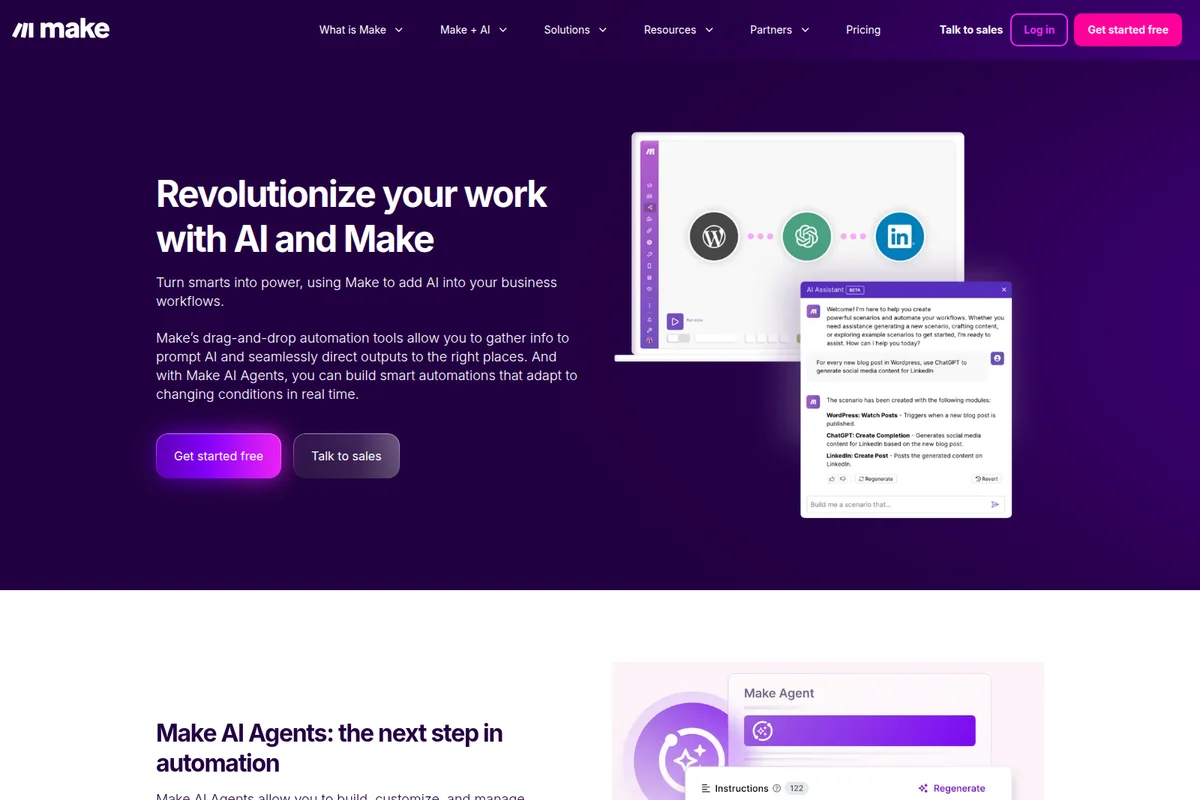
Make AI automation workspace showing a workflow with WordPress, ChatGPT, and LinkedIn connected, guided by an AI Assistant in a clean UI.
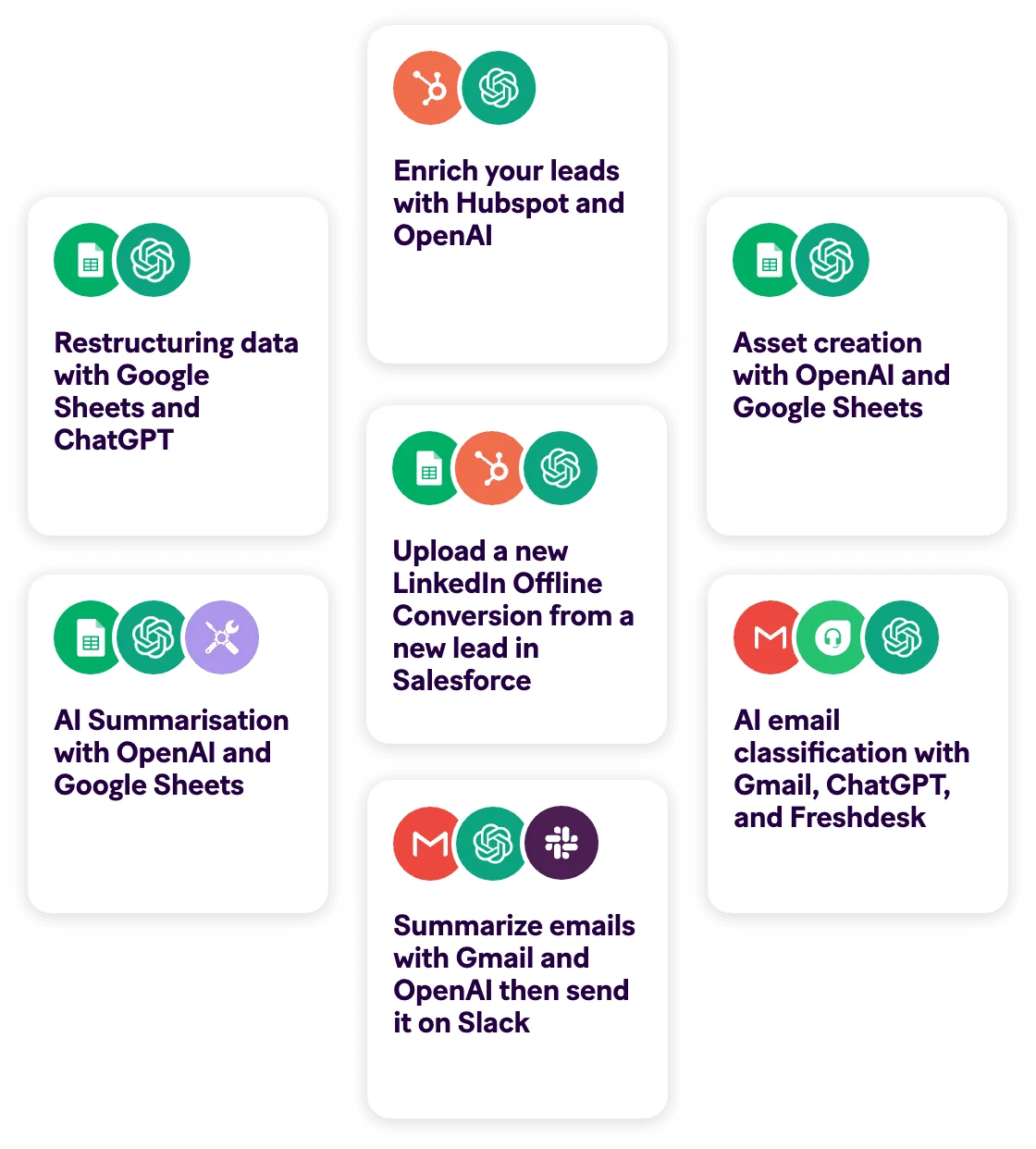
Make.com feature examples showing various AI and integration workflows like lead enrichment, data restructuring, and email summarization, presented in a clean, card-based interface.
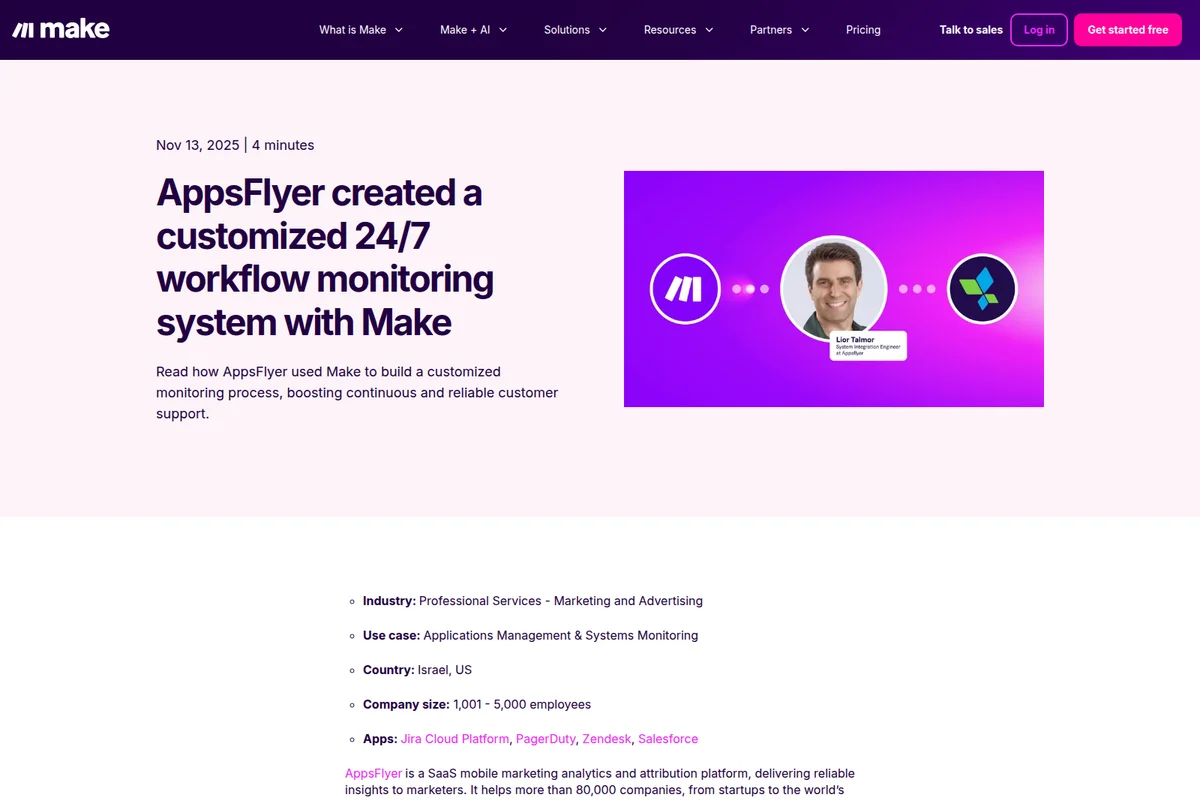
Make success story page detailing AppsFlyer's workflow monitoring system with a vibrant purple graphic featuring Make and AppsFlyer logos and Lior Talmor's photo.

Make collaboration interface showing users exchanging messages about JSON and XML conversion with reactions on a vibrant purple background.
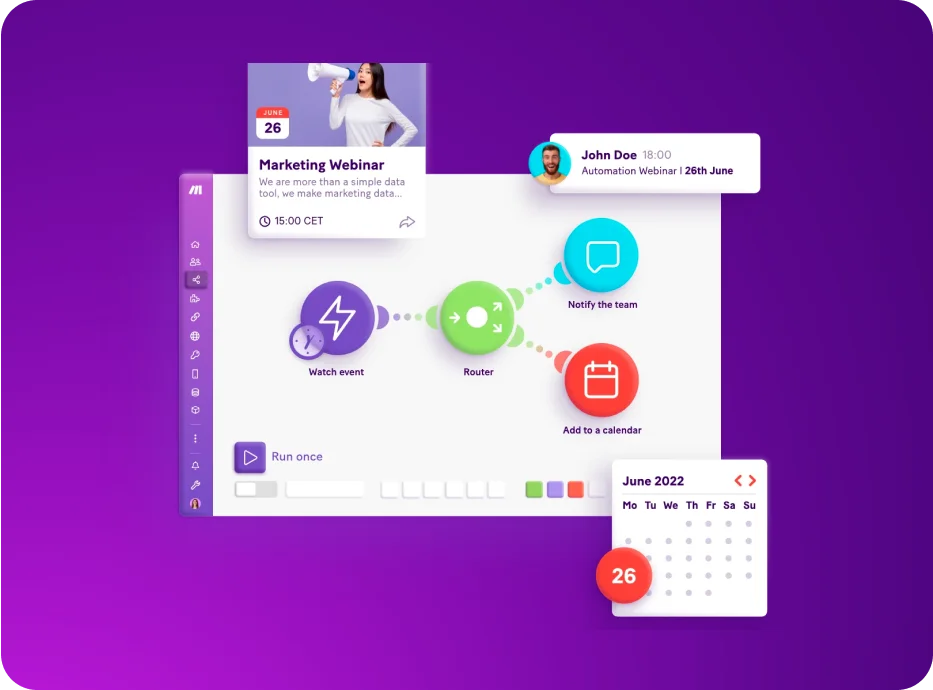
Make workspace UI showing an automation workflow being built with a modern, visual flow-chart interface.

Make workflow demonstration showing email summarization with Gmail and ChatGPT, then creating a Slack message, featuring a clear, icon-driven interface.

Make workspace UI showing a video playlist titled 'Seamless Integration: OpenAI Connection Setup' with a dark purple gradient design.
Make Review: Tooliverse Consensus






Based on 3k+ verified reviews across 6 platforms,
combined with Tooliverse's expert analysis
Make gives complicated automations a visual canvas and matching data control, which is why power users treat it as a more capable, cheaper alternative to step-list tools. Reviewers praise the drag-and-drop builder, JSON handling, iterators and aggregators, and billing that tracks actual usage. The cost is a steep learning curve, developer-leaning documentation, and error messages that can be cryptic enough to demand real troubleshooting. Teams that invest a few days up front get access to 3,000+ apps and workflows they can actually read.
Bottom line: One of the strongest visual automation platforms for power users, pairing granular data control with fair usage-based pricing, though newcomers should budget several days and some YouTube tutorials to climb its learning curve.
Make | Key Specs
- Platforms
- Web, API
- Pricing Model
- Freemium ($0-38/mo for 10k credits; Enterprise custom) See plans
- Privacy/Data Use
- Encrypted passwords inaccessible to staff, AWS hosting (EU/North America)
- Security
- SOC 2 Type II, SOC 3, ISO 27001, SAML/OAuth2 SSO See details
Wins
- •Provides a visual drag-and-drop canvas that makes complex workflow mapping intuitive and manageablementioned in 184 reviews
- •Offers granular control over API data and JSON structures for highly customized automationsmentioned in 156 reviews
- •Delivers a cost-effective pricing model that scales based on actual operations usedmentioned in 142 reviews
Watch-Outs
- •Presents a steep learning curve that may challenge users transitioning from simpler automation toolsmentioned in 94 reviews
- •Includes technical documentation that can be difficult for non-developers to navigate effectivelymentioned in 72 reviews
- •Offers a mobile application that is primarily limited to monitoring rather than scenario editingmentioned in 65 reviews
Make Features 2026
Visual Scenario Builder
Drag-and-drop no-code builder with animated data flow visualization, routers, filters and real-time execution monitoring.
Make AI Agents
Build transparent AI agents that make decisions and use tools across 3,000+ apps, built, run and debugged inside the scenario builder; context via uploaded files and choice of AI models.
Make Grid
Automatically generates real-time visual maps of the entire automation landscape, showing relationships, dependencies and agents.
Maia by Make
Build automations and AI agents through natural conversation.
Make User Reviews
Selected Reviews
"The sheer number of integrations is staggering. Even for obscure apps, there's usually a module or a way to connect via HTTP. It's the glue that holds our entire tech stack together."
"The visual interface makes it so much easier to explain our business processes to stakeholders. It's not just an automation tool; it's a living diagram of how our company functions."
"The platform is powerful, but the documentation is often too technical for non-developers. I find myself searching YouTube for tutorials because the official help docs are a bit sparse on practical examples."
More from the Community
"The visual builder is a game changer for complex workflows. I can see exactly where the data flows, which makes debugging much easier than looking at a list of steps."
"Make's ability to handle JSON and custom API calls without needing a developer is why we switched from Zapier. It's significantly more powerful for a fraction of the cost."
"Incredible tool but be prepared for a learning curve. It took me a few days to really grasp how iterators and aggregators work, but once I did, it opened up so many possibilities."

"I love the 'Run once' feature. Being able to test specific modules with real data before turning the whole scenario on saves so much time and prevents messy data errors."
"Great for web automation, but the mobile app is basically just a notification center. I wish I could make quick edits to my scenarios from my phone when I'm away from my desk."
"The visual builder is a game changer for complex workflows. I can see exactly where the data flows, which makes debugging much easier than looking at a list of steps."
"Make's ability to handle JSON and custom API calls without needing a developer is why we switched from Zapier. It's significantly more powerful for a fraction of the cost."
"Incredible tool but be prepared for a learning curve. It took me a few days to really grasp how iterators and aggregators work, but once I did, it opened up so many possibilities."
"I love the 'Run once' feature. Being able to test specific modules with real data before turning the whole scenario on saves so much time and prevents messy data errors."
"Great for web automation, but the mobile app is basically just a notification center. I wish I could make quick edits to my scenarios from my phone when I'm away from my desk."
"Sometimes the error messages are cryptic. 'Internal Error' doesn't tell me much when a scenario fails, and I have to spend an hour digging through the execution history to find the culprit."
"The pricing model is much fairer than competitors. You pay for what you use (operations) rather than just the number of tasks. It allowed us to scale our automation without breaking the bank."
"The Chrome extension is a nice touch for grabbing data, but it can be a bit finicky on certain sites. When it works, it's a huge time saver for lead generation."
"Switched from Zapier and never looked back. The level of control you get over every single data point is unparalleled in the no-code space."
"Sometimes the error messages are cryptic. 'Internal Error' doesn't tell me much when a scenario fails, and I have to spend an hour digging through the execution history to find the culprit."
"The pricing model is much fairer than competitors. You pay for what you use (operations) rather than just the number of tasks. It allowed us to scale our automation without breaking the bank."
"The Chrome extension is a nice touch for grabbing data, but it can be a bit finicky on certain sites. When it works, it's a huge time saver for lead generation."
"Switched from Zapier and never looked back. The level of control you get over every single data point is unparalleled in the no-code space."
Make Pricing 2026
View SourceFree is a real trial, not a teaser: 1,000 credits monthly with no time limit, though two active scenarios and a 15-minute minimum interval cap what you can run. Core at $12/month is the plan to pick for most people, since it removes the scenario cap and schedules runs down to the minute. Pro at $21/month earns its place later, mainly for priority execution and searchable logs once failures get expensive.
Make In-Depth Review 2026

Make, now part of Celonis, is a visual automation platform that connects more than 3,000 apps through scenarios you assemble by dragging modules onto a canvas. It runs in the browser, with a mobile app for monitoring, and adds an HTTP module, custom apps, and AI agents built inside the same builder. Routers, iterators, and aggregators handle branching and bulk data, while Make Grid maps how your automations and agents depend on each other. The pitch is deep control at a lower price than the usual alternatives.
What It's Like Day-to-Day
The visual canvas is the first thing reviewers mention, and the reasoning is practical. Data paths are drawn out and animated as scenarios run, so a failure shows up at a specific module instead of somewhere in a numbered list. One G2 reviewer called the builder a game changer for complex workflows because "I can see exactly where the data flows", which makes debugging easier than reading a list of steps.
Make Security & Compliance
Verified Compliance
- SOC 2 Type II
- SOC 3
- ISO 27001
- GDPR compliant
Security Features
- Single sign-on (OAuth2 / SAML2)
- AES-256 encryption at rest and TLS 1.2/1.3 in transit
- Two-factor authentication and enforcement
- Audit logs and custom roles
Privacy Commitments
- Passwords stored in encrypted format, irreproducible by anyone including Make employees
- Hosted on AWS (EU/North America) with regular independent penetration testing
Make: Frequently Asked Questions (FAQs)
Does Make have a free plan?
Yes, Make has a Free plan with 1,000 credits per month and no time limit. It includes the no-code visual workflow builder, 3,000+ apps, routers and filters, with up to 2 active scenarios and a 15-minute minimum interval between runs.
How much does Make cost?
Make's paid plans are Core ($12/mo), Pro ($21/mo) and Teams ($38/mo), each priced for 10k credits/mo, with Enterprise on custom pricing. Annual payment is cheaper than monthly (save 15% or more).
What are credits in Make?
Credits are the billing unit in Make. Each action a scenario performs consumes credits; most actions use 1 credit, while some advanced features using Make's AI Provider may use more. Error handler modules and the Router module are not counted.
What happens if I run out of credits?
Scenarios stop running until credits are added. Make notifies you at 75% and 90% of purchased credits, and incoming webhooks are queued until scenarios resume. You can upgrade, buy extra credits in bundles of 1,000 or 10,000, or enable auto-purchasing of 10,000 credits (Core, Pro and Teams only).
Make Integrations
| OpenAI | HubSpot CRM | monday.com |
| NetSuite | Salesforce | Slack |
| Canva | Perplexity AI | DeepSeek AI |
| Google Workspace | Anthropic Claude | Google AI |
| Microsoft Azure AI | Etsy | Workday |
| Coupa | ServiceNow | Greenhouse |
| Infor M3 | SAP | Google Sheets |
| Google Drive | Google Docs | Gmail |
| Airtable | Notion | |
| Pipedrive | Claude Desktop | ChatGPT |
| Cursor |
Make: Verified Data Sheet
| # | Label | Data Point |
|---|---|---|
| [1] | Make Consensus: 8.96/10 | Make is a highly-rated tool among AI productivity tools in the Tooliverse index, with a consensus score of 8.96/10 across 3,205 verified reviews. |
| [2] | What is Make | Make, part of Celonis, is a SOC 2 Type II certified visual automation and AI agent platform with 3,000+ app integrations. It is trusted by over 400,000 organizations, with a free plan and paid plans from $12/month. |
| [3] | Tooliverse Consensus on Make | Make gives complicated automations a visual canvas and matching data control, which is why power users treat it as a more capable, cheaper alternative to step-list tools. Reviewers praise the drag-and-drop builder, JSON handling, iterators and aggregators, and billing that tracks actual usage. The cost is a steep learning curve, developer-leaning documentation, and error messages that can be cryptic enough to demand real troubleshooting. Teams that invest a few days up front get access to 3,000+ apps and workflows they can actually read. |
| [4] | Make Verdict | Make bottom line: One of the strongest visual automation platforms for power users, pairing granular data control with fair usage-based pricing, though newcomers should budget several days and some YouTube tutorials to climb its learning curve. |
| [5] | Free: Free | Make offers a functional Free tier with 1,000 credits/month and a No-code visual workflow builder, making automation accessible at no cost. |
| [6] | Usage-based pricing scales cost-effectively | Make uses credit-based billing in which most actions cost 1 credit and Router and error handler modules are not counted, with paid plans starting at $12/month for 10,000 credits; 142 user reviews describe the model as cost-effective at scale. |
| [7] | Iterators and aggregators for complex data | Make includes advanced logic tools such as iterators and aggregators for complex data processing, a capability 128 user reviews highlight as a core strength. |
| [8] | 3,000+ apps plus HTTP module | Make connects to 3,000+ pre-built apps, plus an HTTP module, custom apps and 300+ Make API endpoints, an integration library 115 user reviews describe as extensive and ever-growing. |
| [9] | Pro: $21/month | Celonis's Make Pro empowers users with Price for 10k credits/mo for just $21 monthly, significantly expanding on the free tier's capabilities. |
| [10] | Intuitive visual drag-and-drop canvas | Make provides a visual drag-and-drop canvas with animated data flow that makes complex workflow mapping intuitive and manageable, a strength validated by 184 user reviews. |
| [11] | Steep learning curve for newcomers | Make presents a steep learning curve that may challenge users moving from simpler automation tools, according to 94 user reviews. |
| [12] | Documentation too technical for non-developers | Make has technical documentation that non-developers can find difficult to navigate, with 72 user reports citing a lack of practical examples. |
| [13] | Privacy: Passwords stored in encrypted format, irreproducible by anyone including Make employees | Make protects user data in two ways: Passwords stored in encrypted format, irreproducible by anyone including Make employees, and Hosted on AWS (EU/North America) with regular independent penetration testing. |
| [14] | Enterprise: Single sign-on (OAuth2 / SAML2) | Make provides enterprise security through Single sign-on (OAuth2 / SAML2), AES-256 encryption at rest and TLS 1.2/1.3 in transit, and Two-factor authentication and enforcement. |
| [15] | Visual builder makes debugging easier | Make's visual builder is "a game changer for complex workflows" because "I can see exactly where the data flows," according to a verified G2 reviewer who rated it 5/5. |
Best Make Alternatives

Zapier
Connect your apps and automate workflows—no code required, just results.

n8n
Build AI agents and automation workflows you can see, control, and actually trust in production.

Activepieces
Chat, agents, flows, tables, and 760+ apps in one workspace, so your whole team works with AI in the tools they already use.