
Quadratic Review 2026 - AI Code Spreadsheet
Verified Oct 6, 2026 by Tooliverse Editorial
Quadratic is the AI spreadsheet that writes your formulas, Python, and SQL for you. Connect databases, CSVs, and PDFs, then ask questions in plain English and open any cell to verify the AI's work.
How to Make the Most of AI in Quadratic
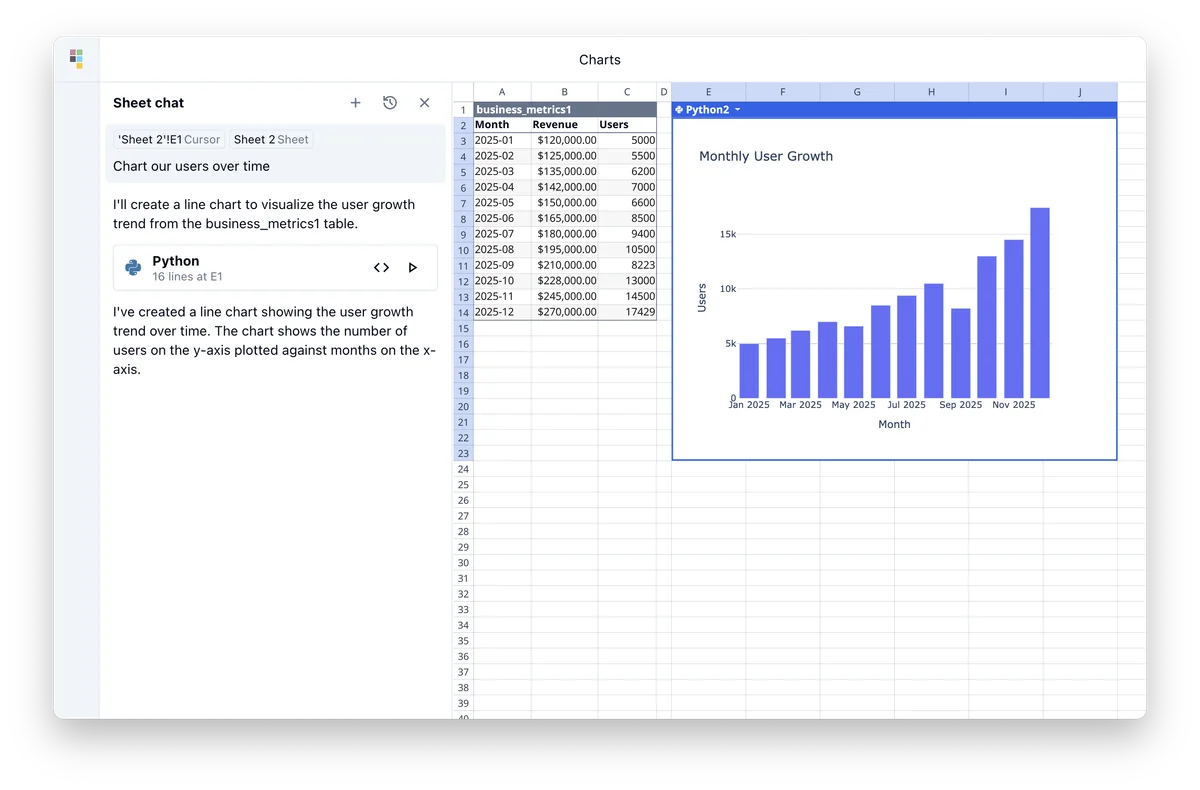
Generate data visualizations from spreadsheets using natural language prompts.
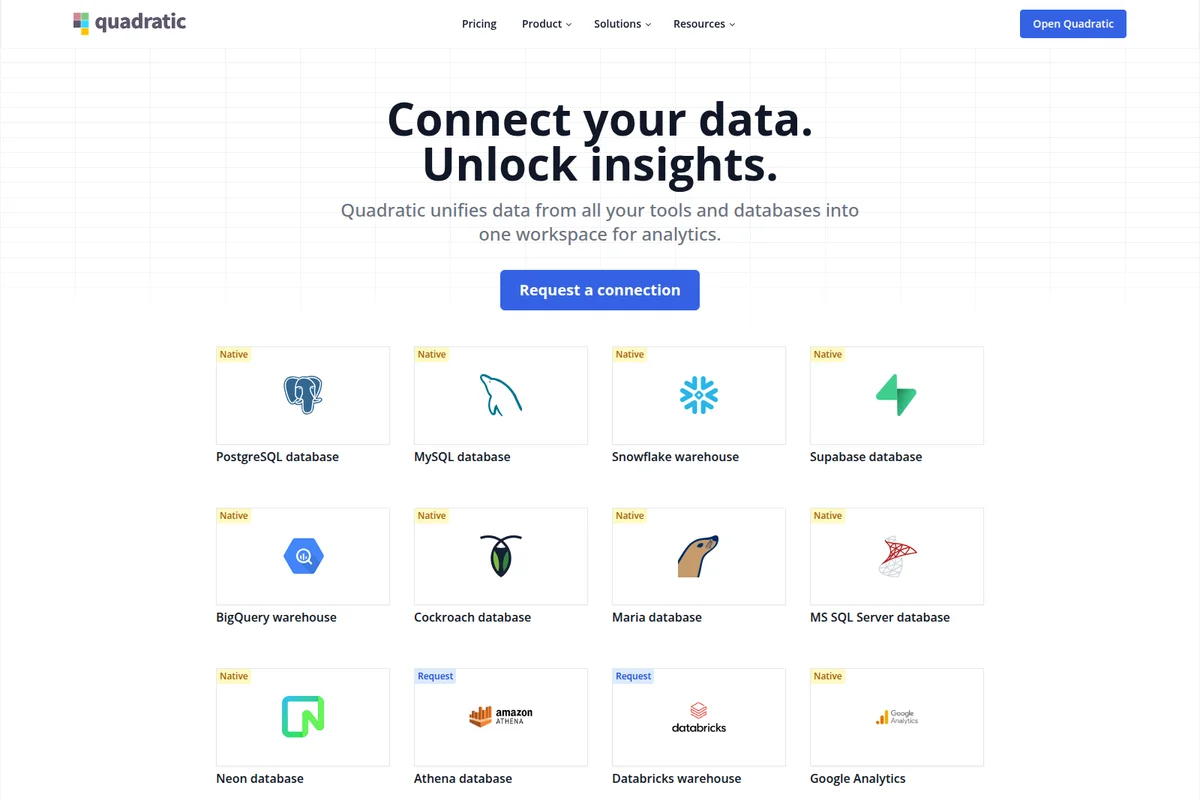
Connect to over a dozen popular data sources for unified analytics.
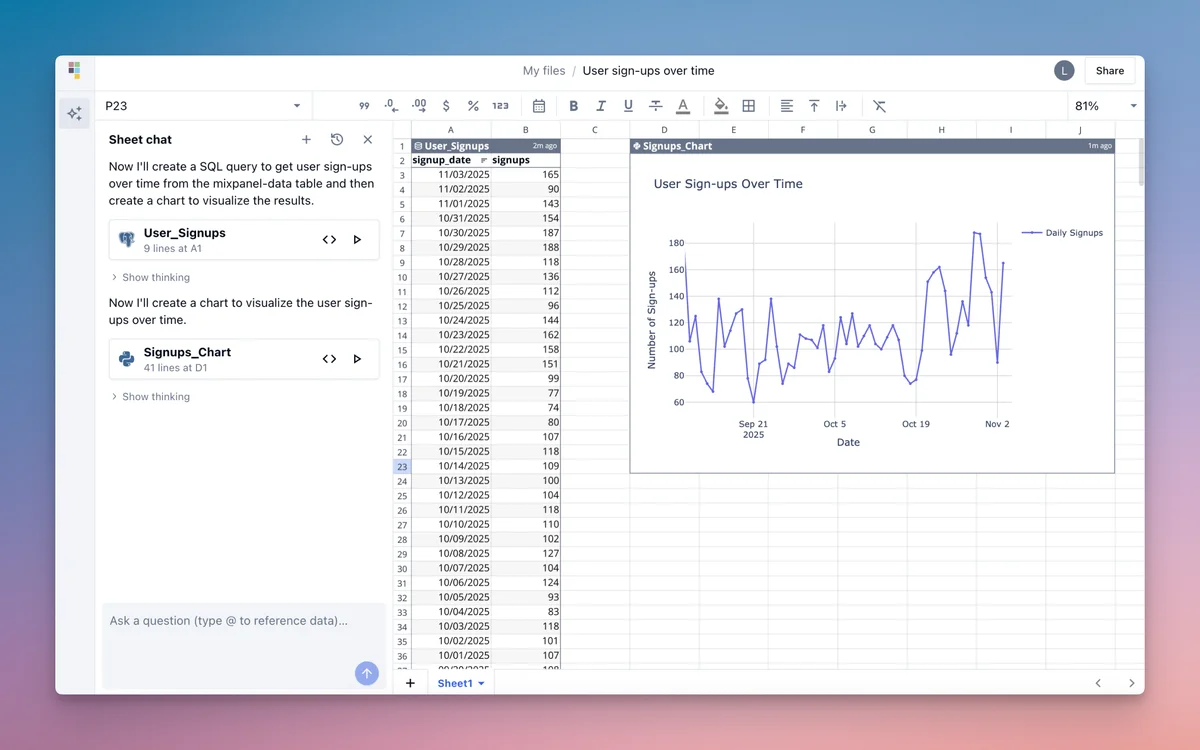
From chat command to data visualization: analyze user sign-ups over time.
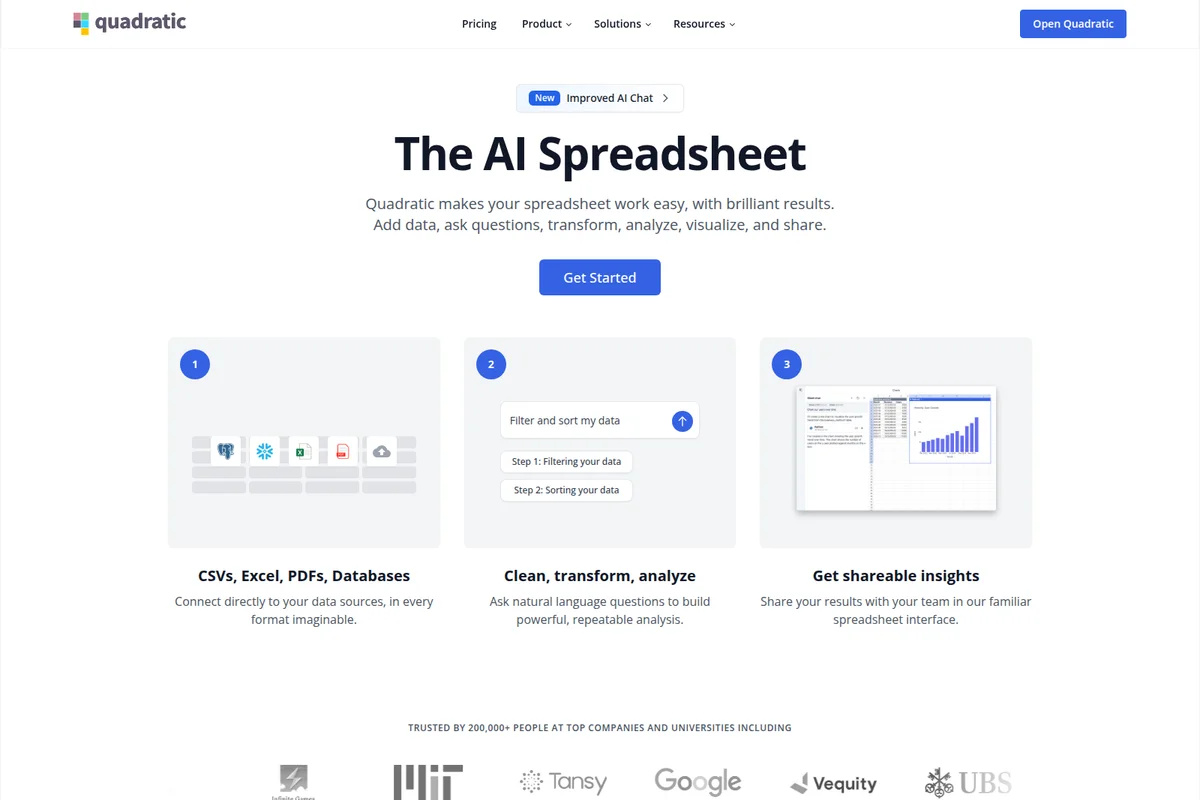
Connect data, use AI chat for analysis, and share insights quickly.
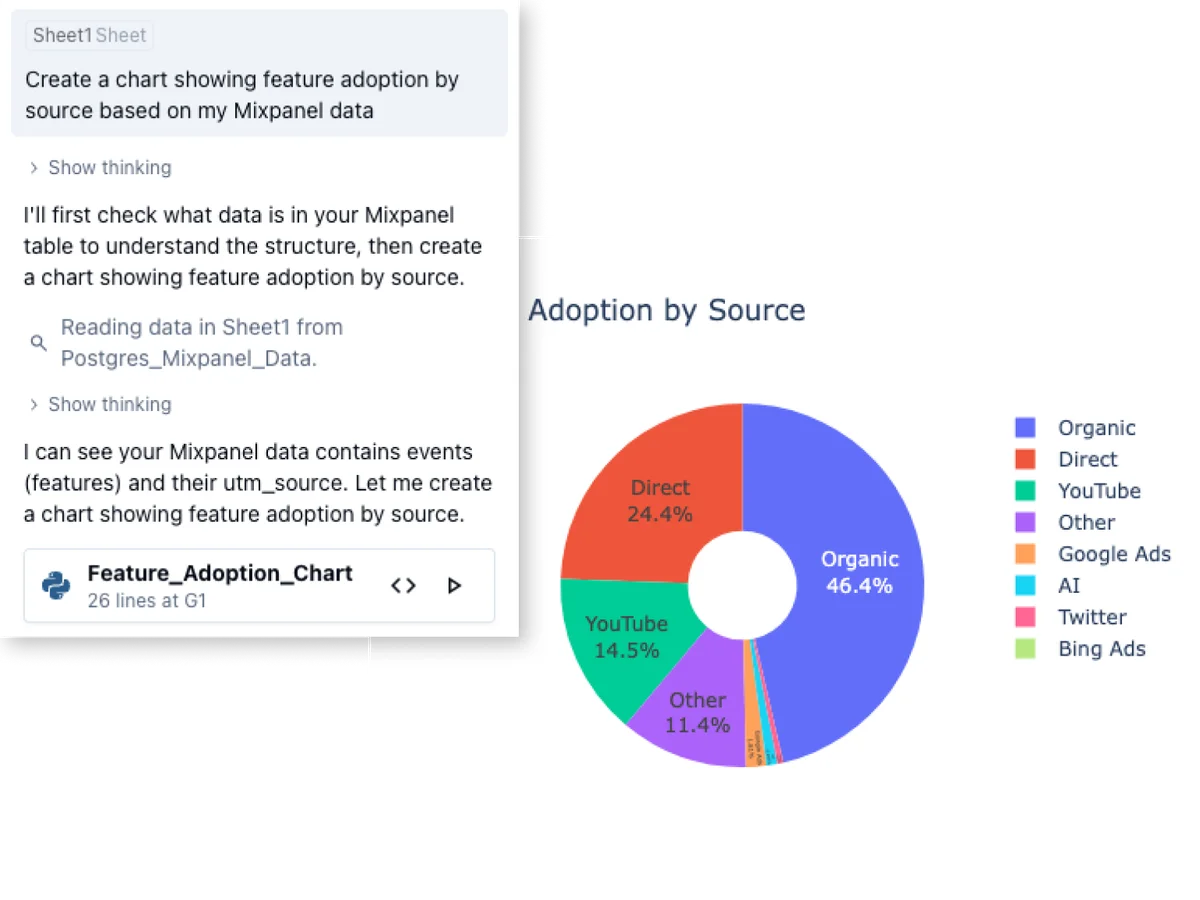
Analyze feature adoption by source and visualize data directly from conversational prompts.
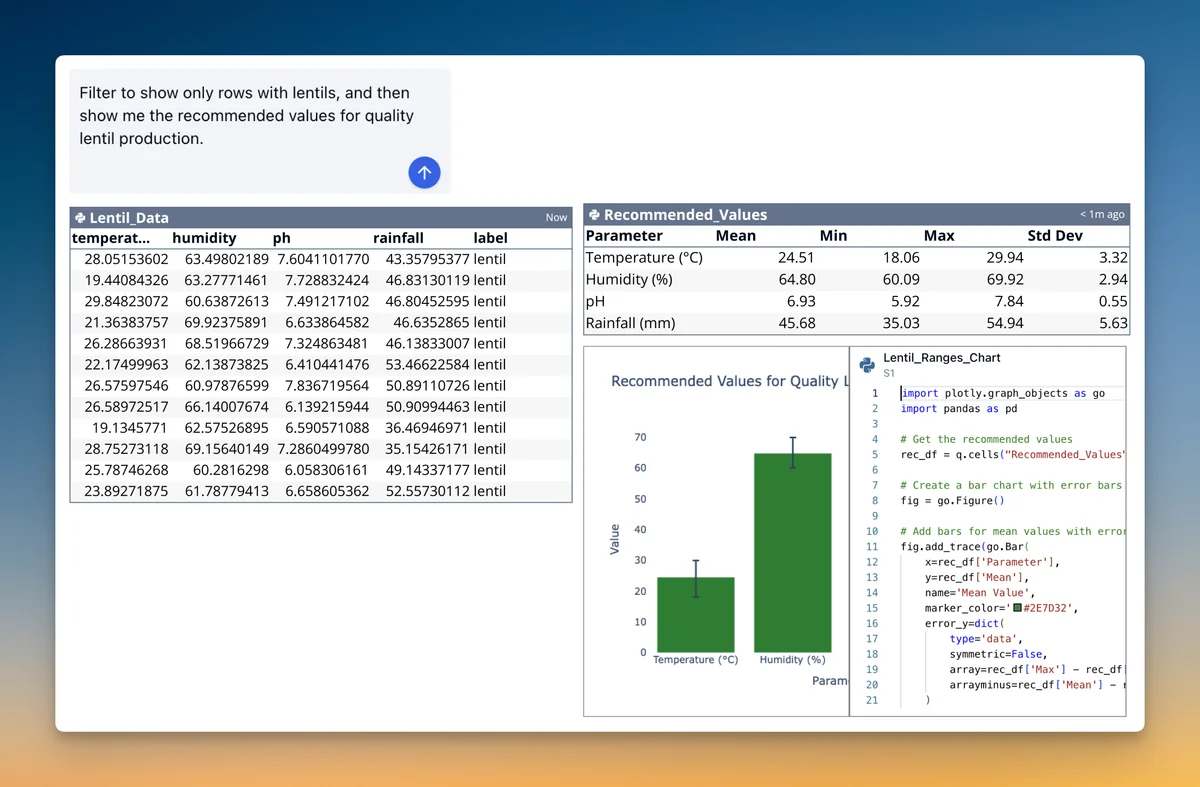
Instantly get recommended agricultural parameters for quality crop yields.
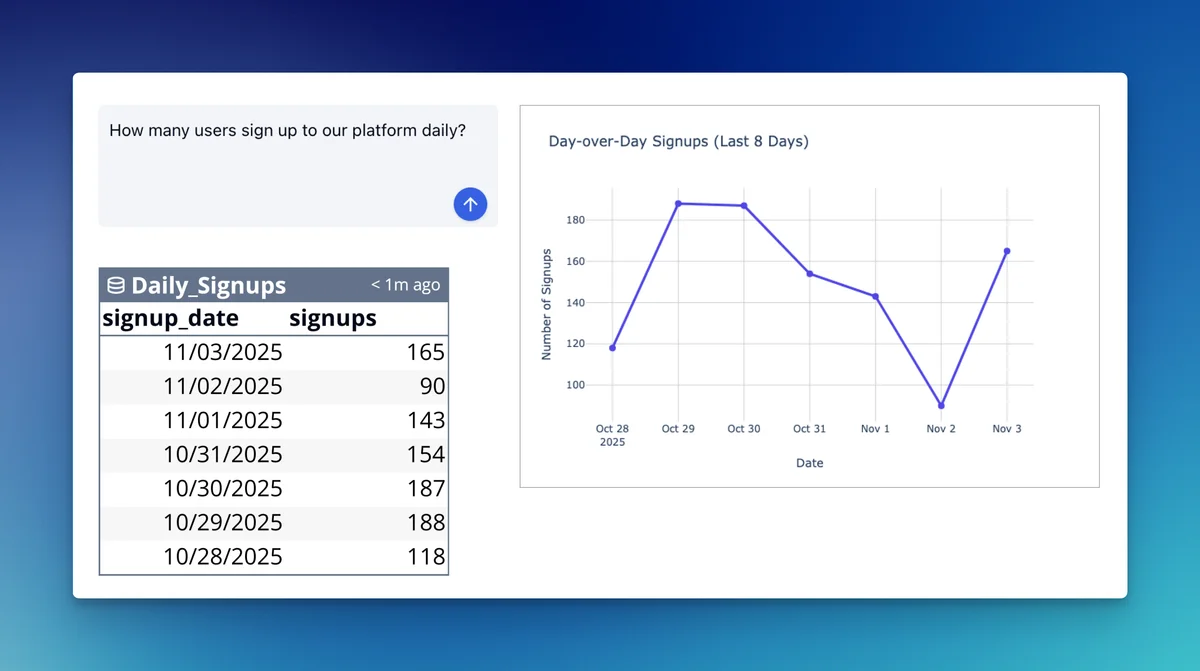
Track and visualize daily user signups for quick insights.
Quadratic Review: Tooliverse Consensus





Based on 152 verified reviews across 4 platforms,
combined with Tooliverse's expert analysis
Quadratic puts Python, SQL, and formulas in one grid, with an infinite canvas that keeps queries, raw data, and charts visible together. Reviewers say real-time collaboration lets analysts and non-coders work in the same file, and they praise the open-source core and its speed on very large datasets. The tradeoffs are a steep learning curve for people without Python or SQL, thinner cell formatting than Excel, and a lighter mobile experience.
Bottom line: A top-tier code-first spreadsheet whose Python and SQL cells and infinite canvas reward technical teams, though newcomers face a steep learning curve and Excel's cell formatting depth is missing.
Quadratic | Key Specs
- Platforms
- Web (browser-based), API
- Pricing Model
- Freemium ($0-36/user/mo) See plans
- Privacy/Data Use
- Additional privacy controls (Pro), MCP access limited to user's permissions
- Security
- SOC 2, HIPAA, SSO See details
Wins
- •Seamlessly integrates Python and SQL directly into spreadsheet cells for advanced data manipulationmentioned in 84 reviews
- •Provides an expansive infinite canvas that offers total freedom for complex data visualizationsmentioned in 72 reviews
- •Enables effortless real-time collaboration allowing teams to build complex data models togethermentioned in 58 reviews
Watch-Outs
- •Presents a significant learning curve for users unfamiliar with Python or SQL syntaxmentioned in 52 reviews
- •Lacks some of the specialized cell formatting and styling options found in Excelmentioned in 41 reviews
- •Offers a limited mobile experience compared to the robust desktop and web versionsmentioned in 34 reviews
Quadratic Features 2026
Big Data Support
Handles 100M rows in one sheet and multi-GB CSV and Parquet imports.
Spreadsheet MCP Server
Remote MCP server lets ChatGPT, Claude, Cursor, VS Code, and others read and write Quadratic sheets, secured via OAuth 2.0.
AI Agents for Spreadsheet Workflows
Quadratic builds agents that run manual spreadsheet processes on schedule, flag anomalies, and keep an audit trail.
Code in Cells
Run Python, SQL, JavaScript, and formulas directly in the spreadsheet.
Quadratic User Reviews
Selected Reviews
"Quadratic is the spreadsheet I've been waiting for. Being able to write Python in a cell and have it interact with the grid is a game changer for my data analysis workflow."
"The infinite canvas is so much better than tabs. I can see my SQL queries, the raw data, and the Python visualizations all in one place without jumping around."
"Impressive performance. It handles large datasets much better than Google Sheets. The SQL integration is smooth, though I'd like to see more database connectors soon."
More from the Community
"Our team uses it for financial modeling. The ability to pull live data via Python scripts makes our reports much more dynamic than static Excel files."
"Great concept but the learning curve is steep if you don't know Python. I wish there were more built-in UI functions for non-coders to do basic filtering."
"Love the open-source aspect. I've been following the dev updates and the pace of improvement is fantastic. Still waiting on better mobile support though."
"The UI is a bit cluttered when you have multiple code blocks open. It's a powerful tool, but it needs some UX polish to compete with the simplicity of Airtable."
"Finally, a spreadsheet that doesn't feel like it was designed in the 90s. The SQL cells are incredibly useful for pulling data directly from our warehouse."
"Our team uses it for financial modeling. The ability to pull live data via Python scripts makes our reports much more dynamic than static Excel files."
"Great concept but the learning curve is steep if you don't know Python. I wish there were more built-in UI functions for non-coders to do basic filtering."
"Love the open-source aspect. I've been following the dev updates and the pace of improvement is fantastic. Still waiting on better mobile support though."
"The UI is a bit cluttered when you have multiple code blocks open. It's a powerful tool, but it needs some UX polish to compete with the simplicity of Airtable."
"Finally, a spreadsheet that doesn't feel like it was designed in the 90s. The SQL cells are incredibly useful for pulling data directly from our warehouse."
"The best part is the real-time collaboration. My data scientist can write the Python logic while I handle the layout and presentation in the same sheet."
"Solid tool for technical teams. It bridges the gap between a Jupyter notebook and a spreadsheet perfectly. A few more chart types would be welcome."
"I use it for personal projects. The local-first approach is great for privacy, and the infinite canvas allows for really creative data mapping."
"Quadratic has completely changed how I think about data. No more exporting CSVs to run a script; I just do it all in the grid."
"The best part is the real-time collaboration. My data scientist can write the Python logic while I handle the layout and presentation in the same sheet."
"Solid tool for technical teams. It bridges the gap between a Jupyter notebook and a spreadsheet perfectly. A few more chart types would be welcome."
"I use it for personal projects. The local-first approach is great for privacy, and the infinite canvas allows for really creative data mapping."
"Quadratic has completely changed how I think about data. No more exporting CSVs to run a script; I just do it all in the grid."
Quadratic Pricing 2026
View SourcePersonal is free, but its limits on AI usage, sharing, files, and connections show up quickly once the work is real. Anyone using this professionally should go straight to Pro at $18/user/month billed annually, which adds $20 in monthly AI credits and removes the caps on sharing and connections. Business doubles the credit pool and allows on-demand top-ups, which only matters if AI runs are heavy.
Quadratic In-Depth Review 2026

Quadratic is a code-based spreadsheet that runs in the browser and lets you write Python, SQL, JavaScript, and ordinary formulas in the same grid. Its AI turns plain English requests into formulas, code, and charts that stay visible and editable in cells, so you can read how an answer was built. It connects to Postgres, Snowflake, BigQuery, and a dozen other sources, and it handles sheets up to 100 million rows. The core is open source, which gives the project an unusually transparent development pace.
What It's Like Day-to-Day
The habit users describe most is writing code right where the data already sits. A Python cell reads a range, returns a dataframe, and the result lands back in the grid for the next cell to use, which is why one Product Hunt reviewer called it "a game changer" for data analysis. SQL cells pull straight from a connected warehouse, so the export-to-CSV step mostly disappears. That combination shows up in 84 reviews, more than any other strength.
Quadratic Security & Compliance
Verified Compliance
- SOC 2
- HIPAA
Security Features
- OAuth 2.0 authentication for MCP with revocable client access
- Single Sign-On (Enterprise)
- Self-hosting option (Enterprise)
Privacy Commitments
- Additional privacy controls on Pro plan
- AI only sees files and data the user already has access to via MCP
Quadratic: Frequently Asked Questions (FAQs)
Does Quadratic have a free plan?
Yes, Quadratic has a free Personal plan with limited AI usage, sharing, files, connections, and support. You can sign up for a free account to test it.
How much does Quadratic cost?
Pro costs $18/user/month billed annually and Business costs $36/user/month billed annually. Enterprise pricing is custom, and the Personal plan is free.
What is the difference between Pro and Business?
Business includes higher AI usage limits ($40 vs $20 in monthly AI credits), on-demand AI usage, and all Pro features. It is designed for teams needing more capacity and flexibility.
Is there a free trial?
Quadratic offers a free account to test the product rather than a separate trial.
Quadratic Integrations
| PostgreSQL | MySQL | Snowflake |
| BigQuery | MariaDB | MS SQL |
| CockroachDB | Supabase | Neon |
| QuickBooks | Google Analytics | Mixpanel |
| Plaid | Claude | ChatGPT |
| Cursor | VS Code | Claude Code |
| Codex CLI | Gemini CLI | Windsurf |
| Zed | Stripe |
Quadratic: Verified Data Sheet
| # | Label | Data Point |
|---|---|---|
| [1] | Quadratic Consensus: 9.15/10 | Quadratic is one of the highest-rated AI productivity tools in the Tooliverse index, with a consensus score of 9.15/10 across 152 verified reviews. |
| [2] | What is Quadratic | Quadratic, from Quadratic Growth Inc., is a SOC 2 and HIPAA certified AI spreadsheet that writes Python, SQL, and formulas from plain English. It is trusted by 250,000+ people, with a free plan and paid plans from $18/user/month. |
| [3] | Tooliverse Consensus on Quadratic | Quadratic puts Python, SQL, and formulas in one grid, with an infinite canvas that keeps queries, raw data, and charts visible together. Reviewers say real-time collaboration lets analysts and non-coders work in the same file, and they praise the open-source core and its speed on very large datasets. The tradeoffs are a steep learning curve for people without Python or SQL, thinner cell formatting than Excel, and a lighter mobile experience. |
| [4] | Quadratic Verdict | Quadratic bottom line: A top-tier code-first spreadsheet whose Python and SQL cells and infinite canvas reward technical teams, though newcomers face a steep learning curve and Excel's cell formatting depth is missing. |
| [5] | Personal: Free | Quadratic offers a free Personal tier with Limited AI usage and Limited sharing, files, and connections, so anyone can try its AI tools at no cost. |
| [6] | Real-time team collaboration | Quadratic supports real-time collaboration, letting teams build complex data models in one shared sheet, according to 58 user reviews. |
| [7] | Open-source core, fast releases | Quadratic keeps an open-source core that supports transparency and community-driven feature development, a point raised in 45 user reviews, and its release cadence reached version v0.26.15 on Sep 5, 2026. |
| [8] | Fast at 100M rows | Quadratic handles large datasets without the lag typical of traditional spreadsheets, with sorting, filtering, and AI analysis staying fast at 100M rows in one sheet and support for multi-GB CSV and Parquet imports, per 39 user reviews. |
| [9] | Pro: $18/user/mo (annual) | Quadratic Growth Inc.'s Pro plan costs $18/user/month billed annually and adds $20 in AI credits / month, a significant step up from the free tier. |
| [10] | Python and SQL in cells | Quadratic runs Python and SQL directly inside spreadsheet cells, so analysts can manipulate data without leaving the grid, a strength cited in 84 user reviews and backed by Python, SQL, JavaScript, and formula cells in the same sheet. |
| [11] | Steep learning curve without code | Quadratic presents a steep learning curve for users unfamiliar with Python or SQL syntax, according to 52 user reviews, and its AI-written code in cells can help newcomers get started. |
| [12] | Less cell formatting than Excel | Quadratic offers fewer specialized cell formatting and styling options than Excel, according to 41 user reports. |
| [13] | Privacy: Additional privacy controls on Pro plan | Quadratic protects privacy with Additional privacy controls on Pro plan, and AI only sees files and data the user already has access to via MCP. |
| [14] | Enterprise: OAuth 2.0 authentication for MCP with revocable client access | Quadratic secures enterprise use with OAuth 2.0 authentication for MCP with revocable client access, Single Sign-On (Enterprise), and a Self-hosting option (Enterprise). |
| [15] | Python in cells is a game changer | A verified Product Hunt reviewer noted that Quadratic lets you "write Python in a cell and have it interact with the grid," calling it "a game changer for my data analysis workflow." |
Best Quadratic Alternatives
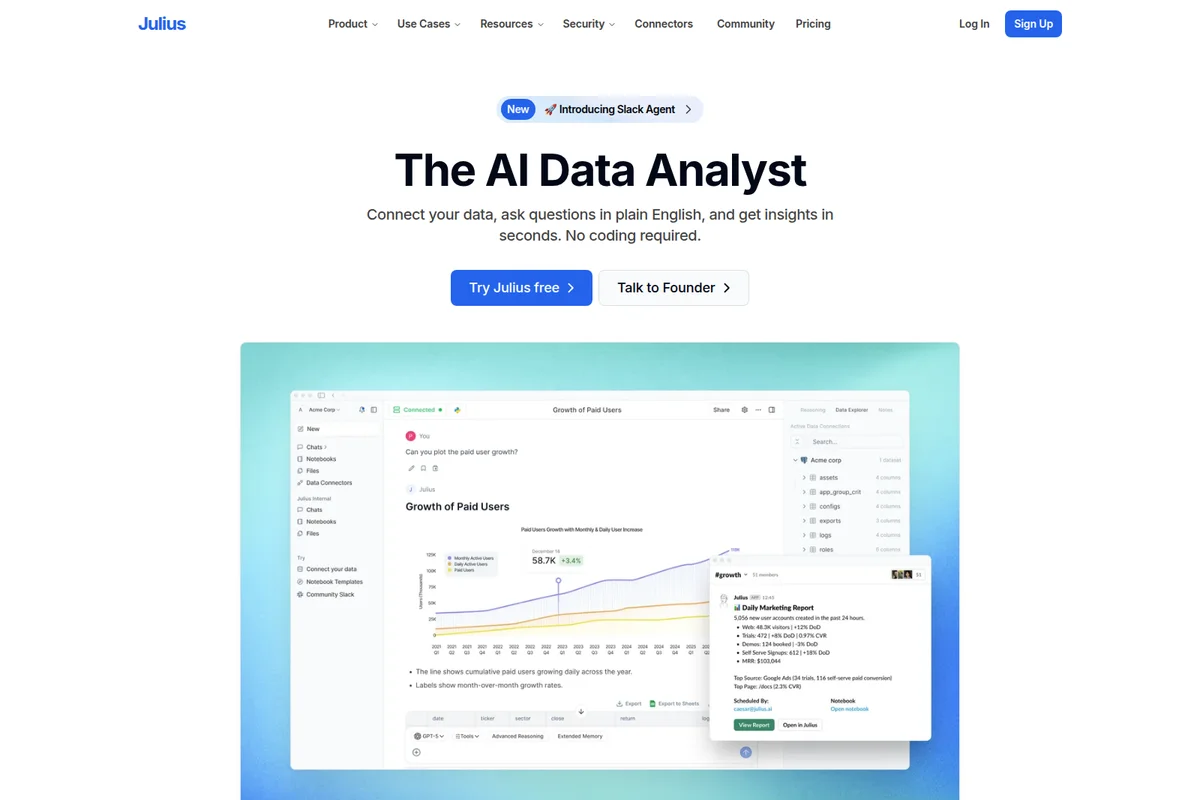
Julius
Turn questions, data, and ideas into finished work, all in one AI workspace.
Hex
Make everyone a data person with trusted AI analytics, from quick questions to deep dives.
Anomaly AI
Turn messy spreadsheets and databases into dashboards and reports you can actually trust.