
Beautiful.ai Review 2026 - Smart Slide AI Design
Verified Sep 22, 2026 by Tooliverse Editorial
Beautiful.ai builds designer-quality slides while you type, auto-aligning layouts so you never start from a blank canvas. Over 3 million users trust it to create work-ready presentations in minutes, not hours.
How to Customize and Apply Themes in Beautiful.ai
Document to AI Presentation (Beautiful.ai 3.0 Tutorial)
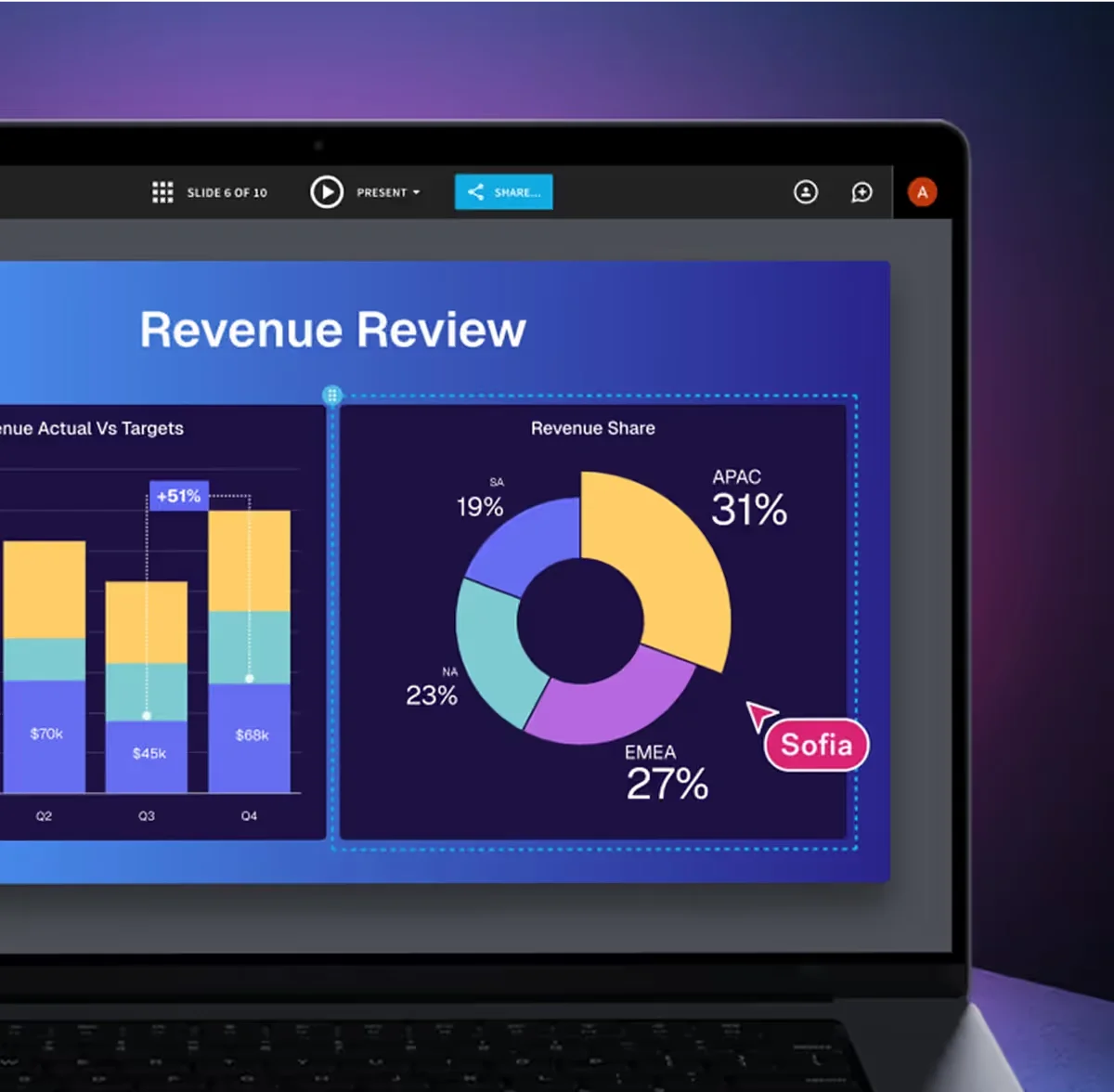
Real-time collaboration on data-driven presentations with AI design.
Begin crafting AI-powered presentations effortlessly today.
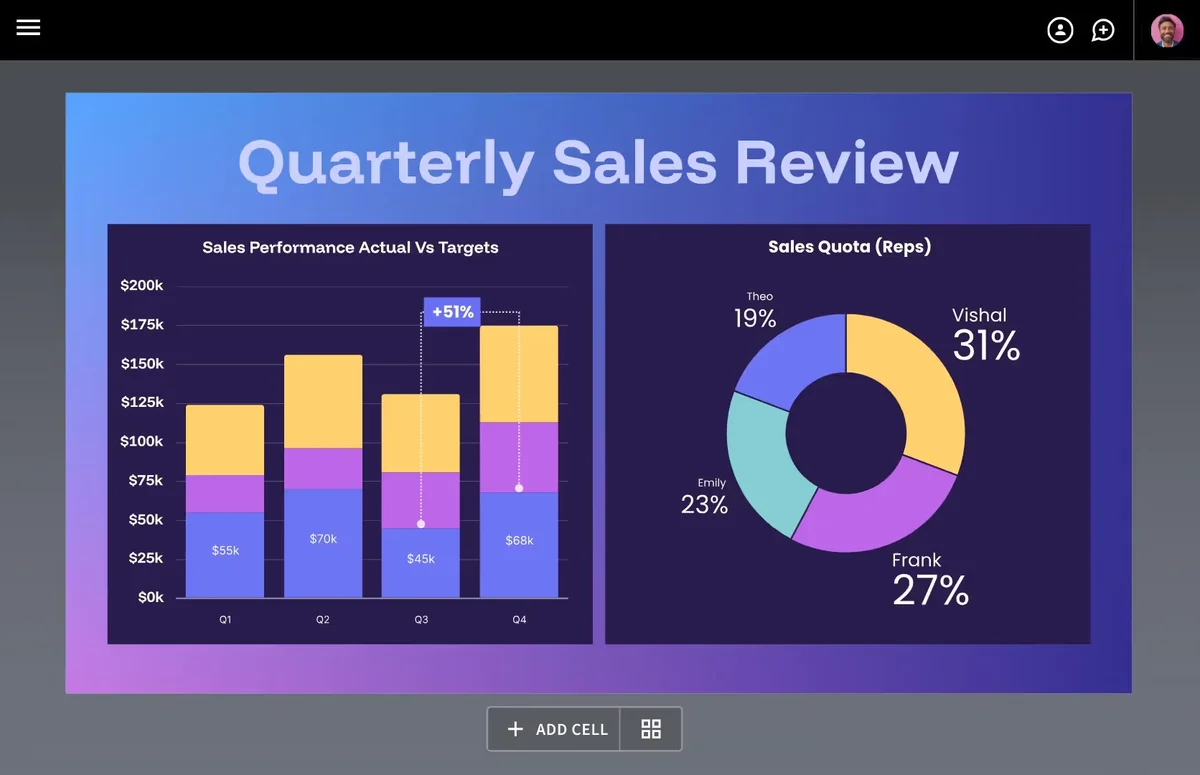
Craft compelling sales reviews with dynamic charts and insightful data visualizations.
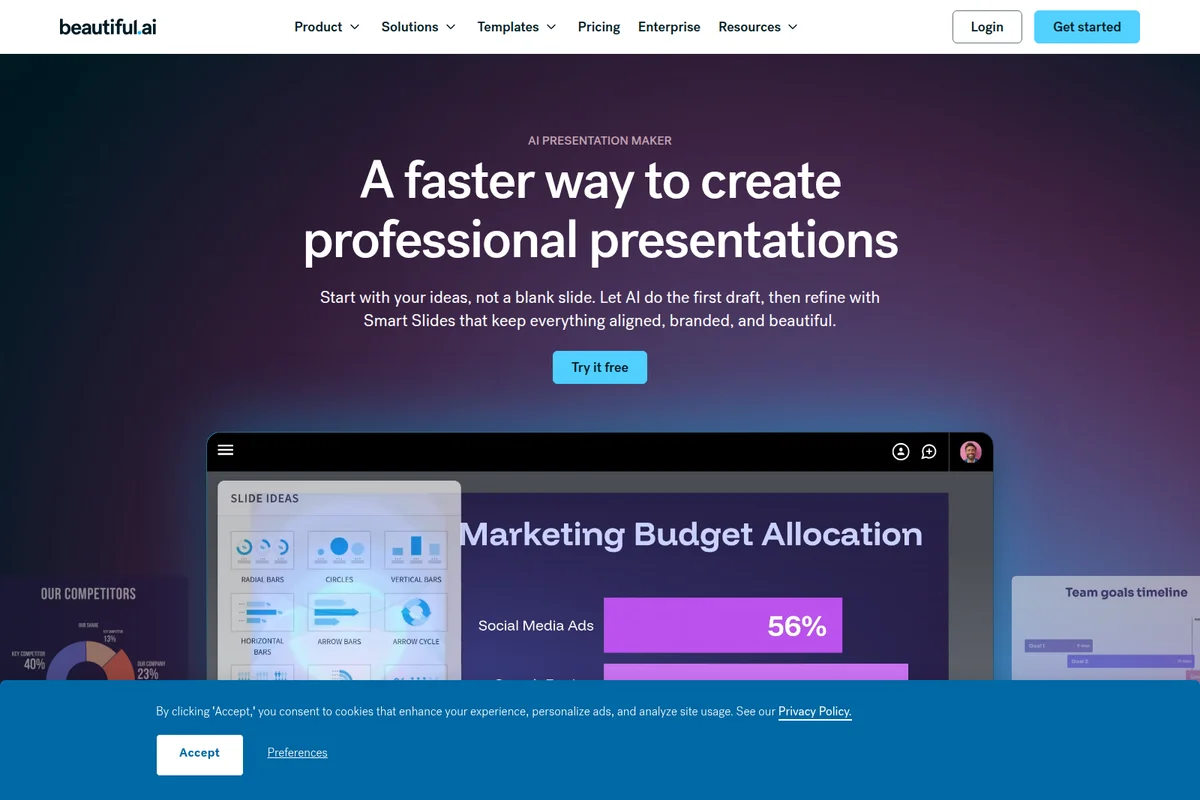
AI-powered presentation creation with smart slide ideas, obscured by a cookie banner.
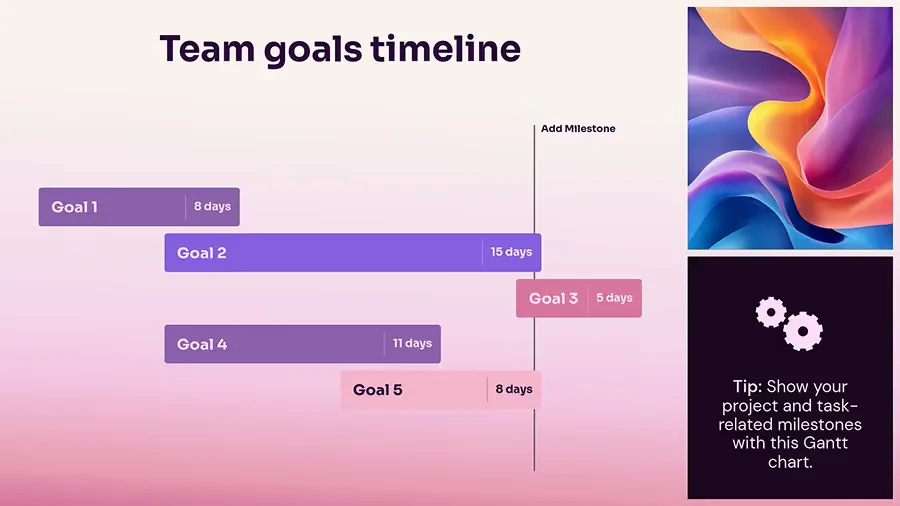
Visualize project goals and milestones with an intuitive, AI-generated Gantt chart.
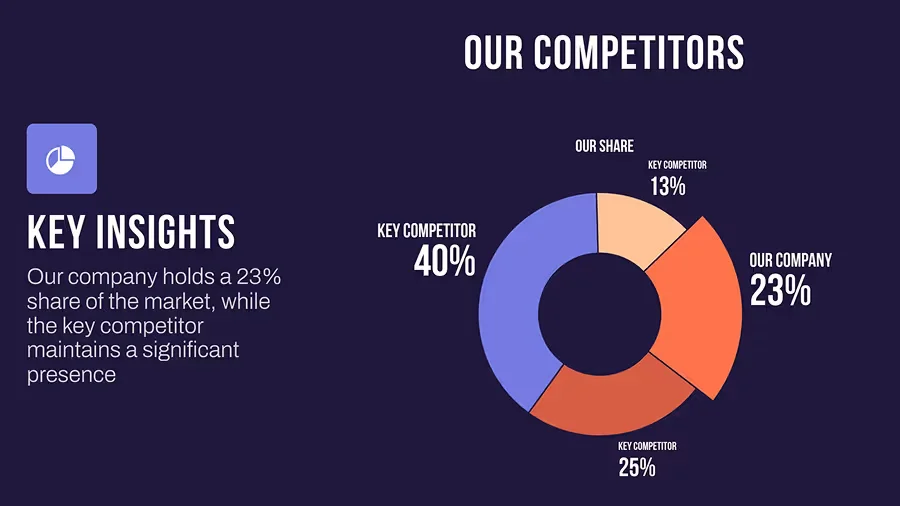
Analyze competitor market share with clear, AI-designed data visualizations.
Beautiful.ai Review: Tooliverse Consensus






Based on 327 verified reviews across 5 platforms,
combined with Tooliverse's expert analysis
Beautiful.ai functions as an automated design partner, handling the alignment and formatting work that traditionally eats hours of prep time before a meeting. Reviewers consistently credit the Smart Slide engine and DesignerBot for turning rough content into polished decks with minimal effort, and teams particularly value the brand-locking features that keep dozens of presenters on-message. The tradeoff is control: the same automation that speeds things up limits precise placement, and PowerPoint exports still need occasional manual fixes.
Bottom line: A top-tier presentation tool that turns formatting into a non-issue through smart automation, though users trade some manual control and clean PowerPoint exports for that speed.
Beautiful.ai | Key Specs
- Platforms
- Web
- Pricing Model
- Paid Tiers ($14.50-$50/mo, Enterprise custom) See plans
- Privacy/Data Use
- No training of public LLMs on user data, 30-day max AI data retention
- Security
- SOC 2 Type II, GDPR, CCPA, PCI-DSS, SAML SSO See details
Wins
- •Automates slide layouts instantly, saving hours of manual alignment and formattingmentioned in 184 reviews
- •Enforces brand consistency across teams with locked templates and shared librariesmentioned in 156 reviews
- •Features an intuitive 'DesignerBot' that generates full presentations from simple text promptsmentioned in 142 reviews
Watch-Outs
- •Restricts granular control over element placement due to the automated layout enginementioned in 82 reviews
- •Exporting to PowerPoint often results in formatting glitches that require manual fixingmentioned in 65 reviews
- •Subscription and billing issues, particularly regarding automatic renewals, cause user frustrationmentioned in 58 reviews
Beautiful.ai Features 2026
Smart Slides
300+ intelligent, designer-quality layouts that auto-align, resize, and animate content as you edit, eliminating manual formatting work.
Create with AI (AI Presentation Maker)
A guided, staged AI workflow that turns a prompt, outline, or source file into a polished deck, letting users refine the story before design instead of a one-shot generation.
Custom AI image style
Set a consistent AI-generated image style for an entire deck before generating, or define a custom prompt and preview the look, plus instant re-generation per slide.
Brand controls & Themes
Lock in colors, fonts, logos, icons, and footers once, then apply across every deck with one click, keeping all team presentations on-brand.
Beautiful.ai User Reviews
Selected Reviews
"The DesignerBot is a game changer. I typed in a brief for a marketing plan and it gave me 10 slides that only needed minor tweaks. It's like having a professional designer in my browser."
"I used to spend hours nudging boxes in PowerPoint. Now the slides just 'snap' into place. The fonts and colors are much better than anything in the standard Office suite."
"The templates are beautiful, but I find it frustrating when I can't move a text box exactly where I want it. The 'smart' logic is sometimes too rigid for complex layouts."
More from the Community
"Great for quick decks, but the export to PPT is still a bit messy. I usually just present from the web link to avoid issues with misaligned text boxes."
"Our whole team uses the shared library. It's the only way we've managed to keep our sales decks looking consistent across 50 reps. The brand kit enforcement is excellent."
"Love the stock photo integration. It saves so much time not having to jump between tabs to find high-res images. The mobile app is surprisingly capable for quick edits."
"It's expensive for a solo freelancer. I love the tool, but the monthly cost is hard to justify when compared to Canva or Google Slides which have more free features."
"The data visualization tools are the best I've seen. You just enter the numbers and the chart builds itself beautifully. It makes quarterly reporting much less painful."
"Great for quick decks, but the export to PPT is still a bit messy. I usually just present from the web link to avoid issues with misaligned text boxes."
"Our whole team uses the shared library. It's the only way we've managed to keep our sales decks looking consistent across 50 reps. The brand kit enforcement is excellent."
"Love the stock photo integration. It saves so much time not having to jump between tabs to find high-res images. The mobile app is surprisingly capable for quick edits."
"It's expensive for a solo freelancer. I love the tool, but the monthly cost is hard to justify when compared to Canva or Google Slides which have more free features."
"The data visualization tools are the best I've seen. You just enter the numbers and the chart builds itself beautifully. It makes quarterly reporting much less painful."
"Finally, a presentation tool that doesn't make me want to pull my hair out. The UI is clean and the results look professional every time without much effort."
"The AI features have improved significantly this year. The content suggestions are actually relevant now, though I still have to rewrite most of the body text."

"Perfect for pitch decks. We raised our seed round using a deck made entirely in Beautiful.ai. The animations are subtle and classy, not distracting."
"A bit of a learning curve to understand how the smart slides react to content, but once you get it, you'll never go back to PowerPoint."
"Finally, a presentation tool that doesn't make me want to pull my hair out. The UI is clean and the results look professional every time without much effort."
"The AI features have improved significantly this year. The content suggestions are actually relevant now, though I still have to rewrite most of the body text."
"Perfect for pitch decks. We raised our seed round using a deck made entirely in Beautiful.ai. The animations are subtle and classy, not distracting."
"A bit of a learning curve to understand how the smart slides react to content, but once you get it, you'll never go back to PowerPoint."
Beautiful.ai Pricing 2026
View SourceIndividuals should start with Pro at $14.5/month billed annually, which covers unlimited AI generation, Smart Slides, and custom themes for solo deck-building. Teams of two or more should move to Team at $40 per user monthly billed annually, since that's where the shared template library and brand-locked themes that keep decks consistent across a sales floor actually live.
Beautiful.ai In-Depth Review 2026

Beautiful.ai is an AI presentation maker built around Smart Slides, layouts that auto-align, resize, and animate content as you edit rather than requiring you to fix everything by hand after a one-shot AI generation. It runs in the browser and on mobile, made by Beautiful Slides, Inc., and it's built for the moment when you need a deck to look professional but don't have hours to spend on formatting.
What It's Like Day-to-Day
The core workflow feels less like designing and more like arranging. You drop in content, and the Smart Slide layout resizes text, repositions images, and keeps spacing even, the kind of automatic tidying that eliminates hours of manual alignment work according to 184 user reviews. One G2 reviewer described typing a marketing brief into DesignerBot and getting "10 slides that only needed minor tweaks," adding it felt "like having a professional designer in my browser." That's the experience in a nutshell: you provide direction, the software handles execution.
The data visualization tools stand out even among the strong features.
Beautiful.ai Security & Compliance
Verified Compliance
- SOC 2 Type II
- GDPR
- CCPA
- PCI-DSS
Security Features
- SAML SSO 2.0 / Google oAuth
- SCIM Provisioning
- AES-256 encryption at rest
- TLS 1.2/1.3 encryption in transit
- Audit logs & roles-based permission tiers
Privacy Commitments
- Data processed by AI models will not be used to train public LLMs
- AI-processed data retained for a maximum of 30 days to mitigate abuse
- Content added directly (images, text, documents) is not processed by generative AI backends
- Data deletion available on request (DSAR compliant)
Beautiful.ai: Frequently Asked Questions (FAQs)
How much does Beautiful.ai cost?
Beautiful.ai offers a Pro plan at $14.50/month billed annually for individuals, a Team plan at $40 per user/month billed annually (or $50/month billed monthly, covering 2-20 seats), and custom Enterprise pricing. A 14-day free trial with unlimited access to all features is available, and a one-time monthly Pro option is available for $45 for ad hoc projects.
How much does Beautiful.ai cost per user for a small team?
The Team plan covers 2 to 20 seats at $40 per user per month billed annually, or $50 per user billed monthly. Each seat includes everything in Pro plus real-time collaborative editing, a centralized slide/template library, custom branded themes, and engagement analytics; smaller teams can also ask about the flat-rate SMB plan.
Does Beautiful.ai offer a free trial?
Yes, Beautiful.ai offers a 14-day free trial of the Pro or Team plan with unrestricted access to all plan features, including unlimited slides, AI-powered content generation, and analytics. A credit card is required, and it will be charged in full if the trial isn't cancelled before it ends.
What's included in the Pro plan?
The Pro plan gives individuals unlimited slides, AI-powered content generation, PowerPoint import/export, viewer analytics, and access to a rich inspiration library of customizable presentation and slide templates.
Beautiful.ai Integrations
| Claude | ChatGPT | Slack |
| PowerPoint | Google Drive | Dropbox |
| Box | Bynder | Smartsheet |
| OneDrive | Frontify | Airtable |
Beautiful.ai: Verified Data Sheet
| # | Label | Data Point |
|---|---|---|
| [1] | Beautiful.ai Consensus: 8.74/10 | Beautiful.ai is a highly-rated tool among AI design tools in the Tooliverse index, with a consensus score of 8.74/10 across 327 verified reviews. |
| [2] | What is Beautiful.ai | Beautiful.ai, made by Beautiful Slides, Inc., is a SOC 2 Type II certified AI presentation maker using Smart Slide layouts that auto-align content in real time. It serves over 3 million users across 195+ countries, with Pro plans starting at $14.50/month. |
| [3] | Tooliverse Consensus on Beautiful.ai | Beautiful.ai functions as an automated design partner, handling the alignment and formatting work that traditionally eats hours of prep time before a meeting. Reviewers consistently credit the Smart Slide engine and DesignerBot for turning rough content into polished decks with minimal effort, and teams particularly value the brand-locking features that keep dozens of presenters on-message. The tradeoff is control: the same automation that speeds things up limits precise placement, and PowerPoint exports still need occasional manual fixes. |
| [4] | Beautiful.ai Verdict | Beautiful.ai bottom line: A top-tier presentation tool that turns formatting into a non-issue through smart automation, though users trade some manual control and clean PowerPoint exports for that speed. |
| [5] | Pro: $14.5/mo (annual) | Beautiful.ai's Pro plan delivers unlimited AI content generation for $14.5/month billed annually. |
| [6] | Automates layouts, saves hours of manual work | Beautiful.ai automates slide layouts instantly with its Smart Slide engine, saving users hours of manual alignment and formatting according to 184 user reviews. |
| [7] | Locked templates enforce brand consistency | Beautiful.ai enforces brand consistency across teams through locked templates and shared asset libraries, a strength cited in 156 user reviews. |
| [8] | Team: $40/user/mo (annual) | Beautiful Slides, Inc.'s Beautiful.ai Team empowers users with Fixed pricing for up to 3 users, 2-20 seats total for $40/user/month billed annually. |
| [9] | DesignerBot builds decks from text prompts | Beautiful.ai features DesignerBot, which generates full presentations from a simple text prompt, praised as intuitive by 142 user reviews. |
| [10] | Built-in stock image and icon library | Beautiful.ai provides a vast library of professional stock images and icons directly inside the editor, a benefit highlighted by 118 user reviews. |
| [11] | Limited manual control over element placement | Beautiful.ai restricts granular control over element placement because of its automated layout engine, a constraint reported in 82 user reviews. |
| [12] | PowerPoint exports need manual cleanup | Beautiful.ai exports to PowerPoint often introduce formatting glitches requiring manual fixing, an issue flagged in 65 user reviews. |
| [13] | Privacy: Data processed by AI models will not be used to train public LLMs | Beautiful.ai privacy protections include Data processed by AI models will not be used to train public LLMs, AI-processed data retained for a maximum of 30 days to mitigate abuse, and Content added directly (images, text, documents) is not processed by generative AI backends. |
| [14] | Enterprise: SAML SSO 2.0 / Google oAuth | Beautiful.ai provides enterprise security with SAML SSO 2.0 / Google oAuth, SCIM Provisioning, and AES-256 encryption at rest. |
| [15] | DesignerBot delivers near-finished decks | Beautiful.ai's DesignerBot impressed a G2 reviewer who said it produced "10 slides that only needed minor tweaks" from a single marketing brief, calling it "like having a professional designer in my browser." |
Best Beautiful.ai Alternatives

Gamma
Turn your ideas into polished presentations, websites, and more almost as fast as you can think.

Decktopus
Describe your topic and get a polished, on-brand deck, then rehearse your delivery before you present.
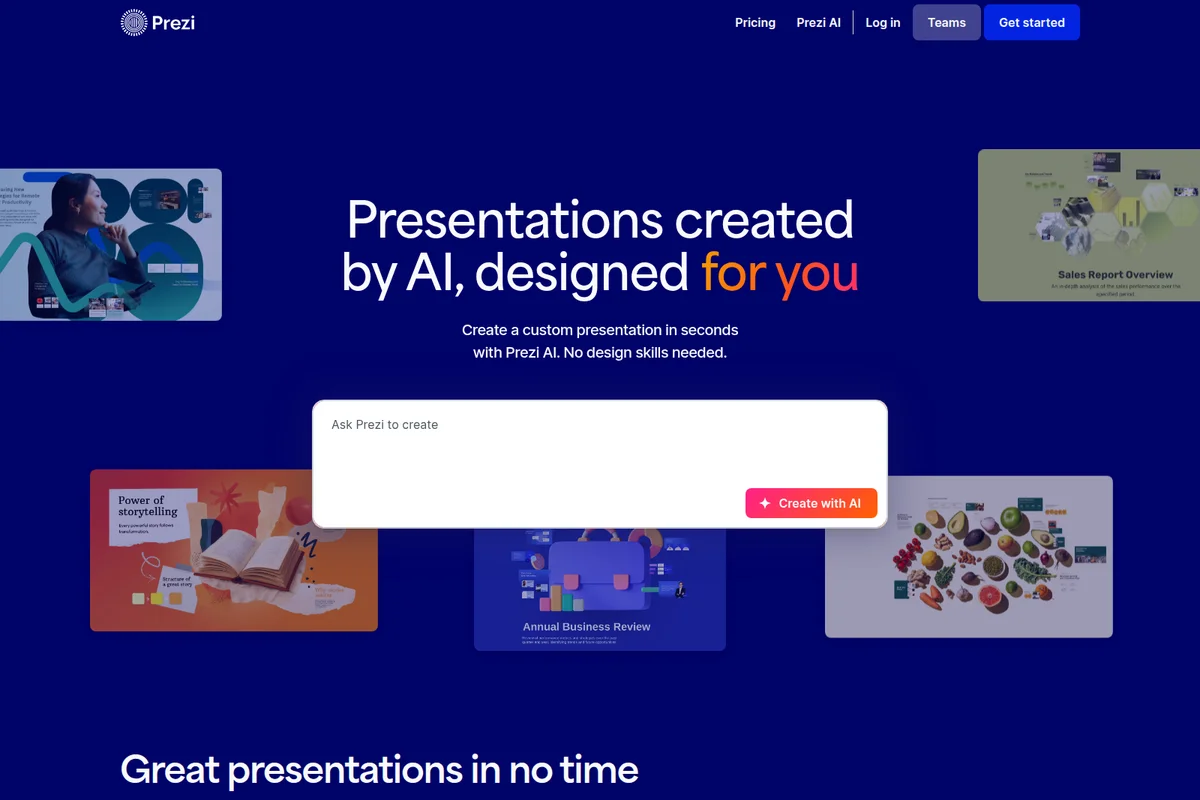
Prezi AI
Turn your slides or a single sentence into presentations your audience actually joins and remembers.