
Datarails Review 2026 - AI-Ready FinanceOS
Verified Sep 29, 2026 by Tooliverse Editorial
Datarails connects your ERP, CRM, and HRIS data into one governed source of truth, then plugs it straight into Claude, ChatGPT, or Copilot. Finance teams stay in Excel while getting audit-ready, AI-powered reporting.
Datarails: High level demo
DataRails Review (2026)
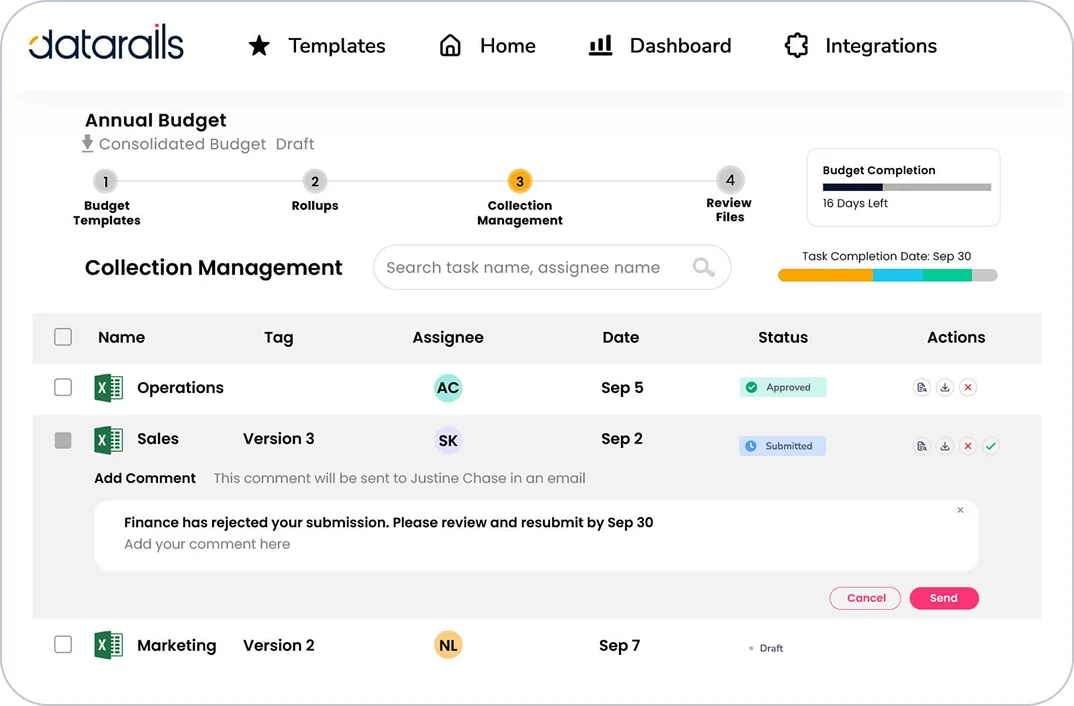
Track budget collection progress and manage submissions with integrated feedback.
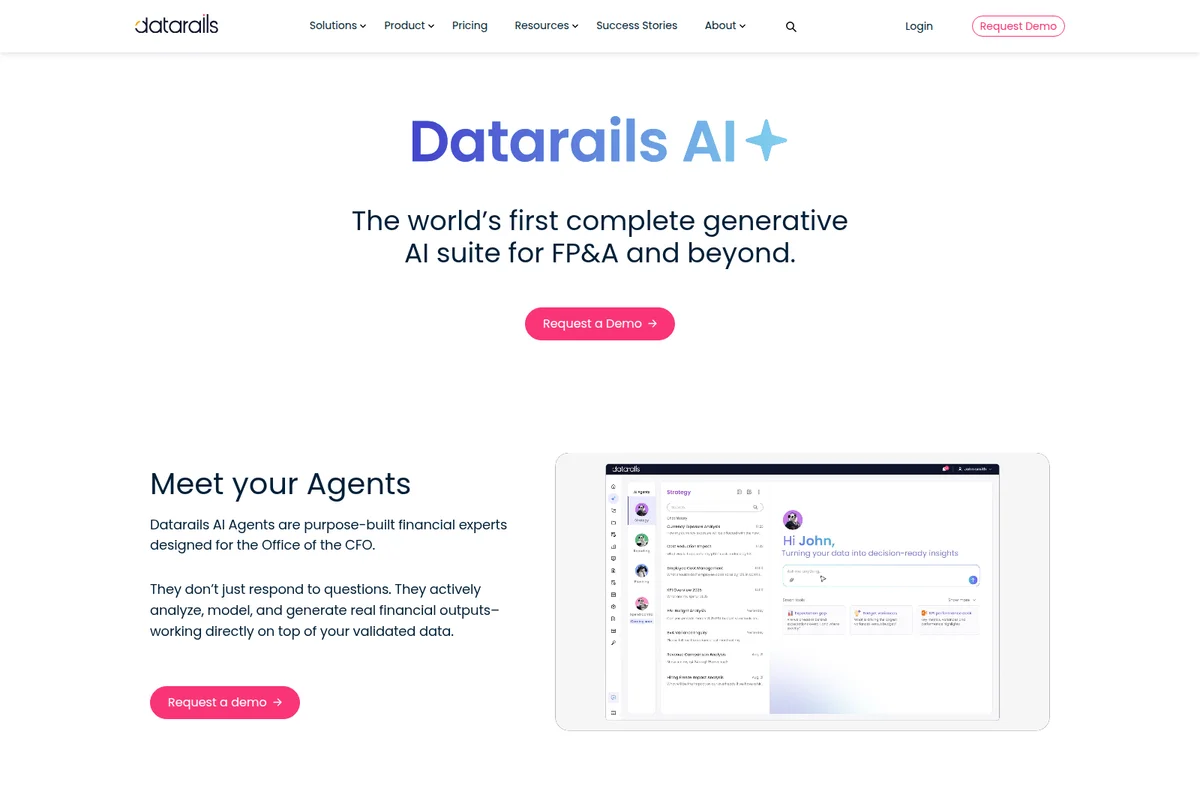
Meet Datarails AI Agents, purpose-built financial experts for the Office of the CFO.
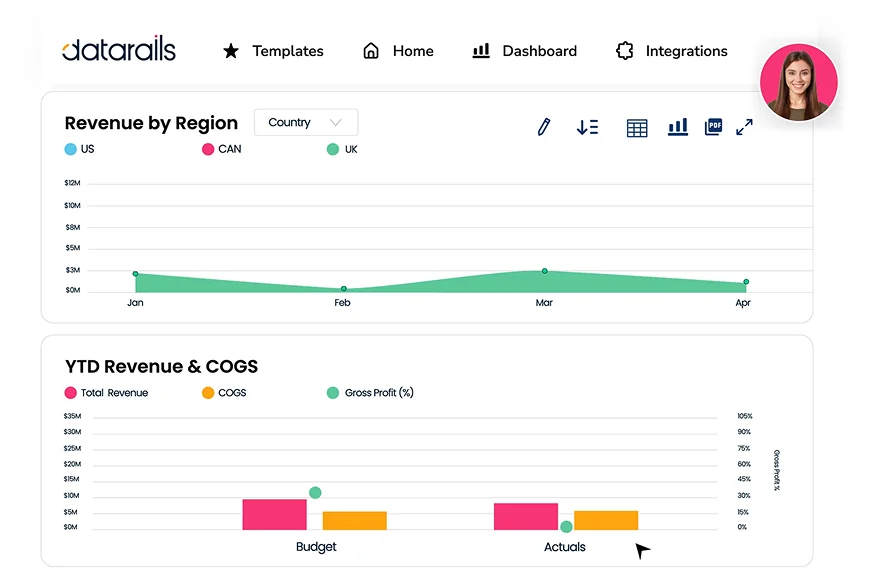
Gain actionable insights into revenue performance and cost of goods sold.
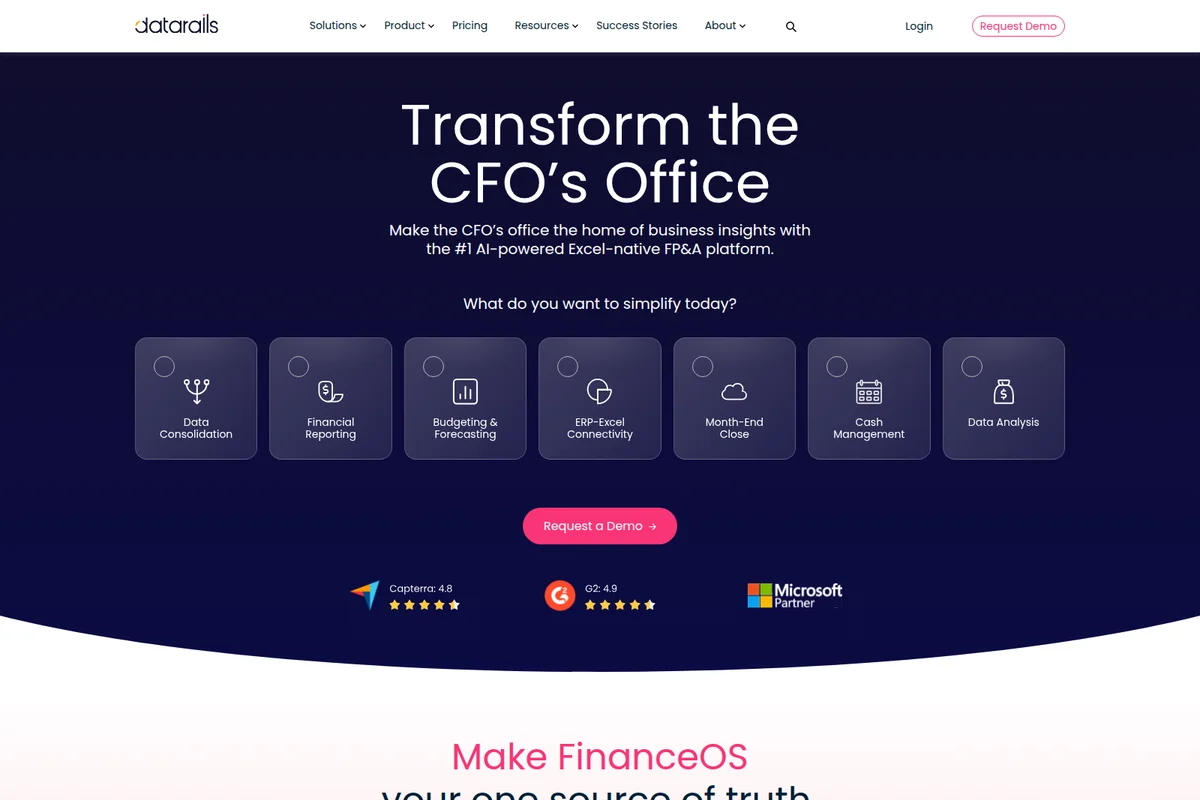
Transform the CFO's office by simplifying key financial processes with an AI-powered FP&A platform.
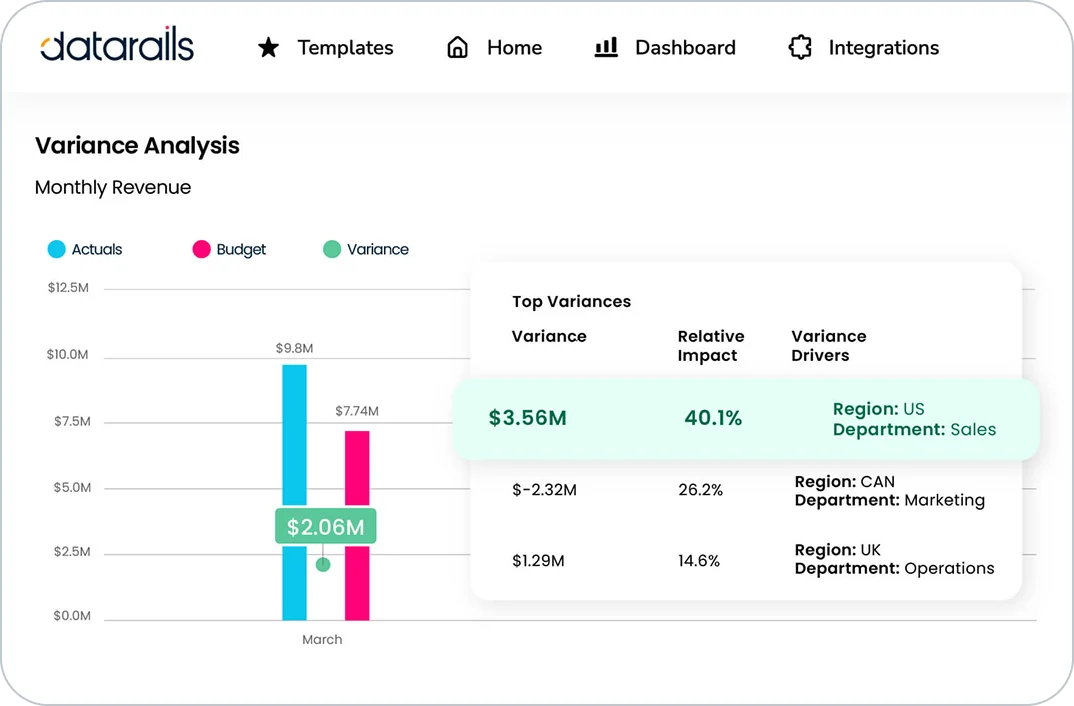
Instantly identify key revenue variances and their underlying drivers.
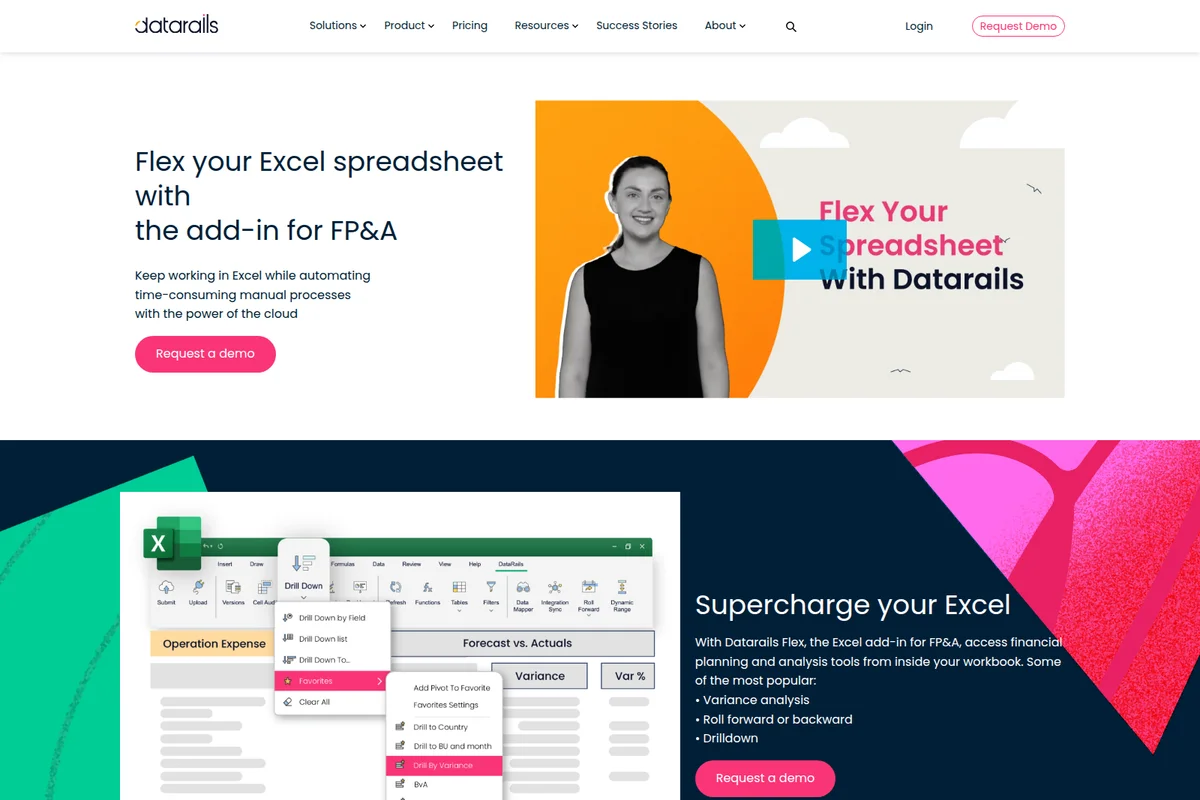
Drill down into financial data directly within your Excel spreadsheets.
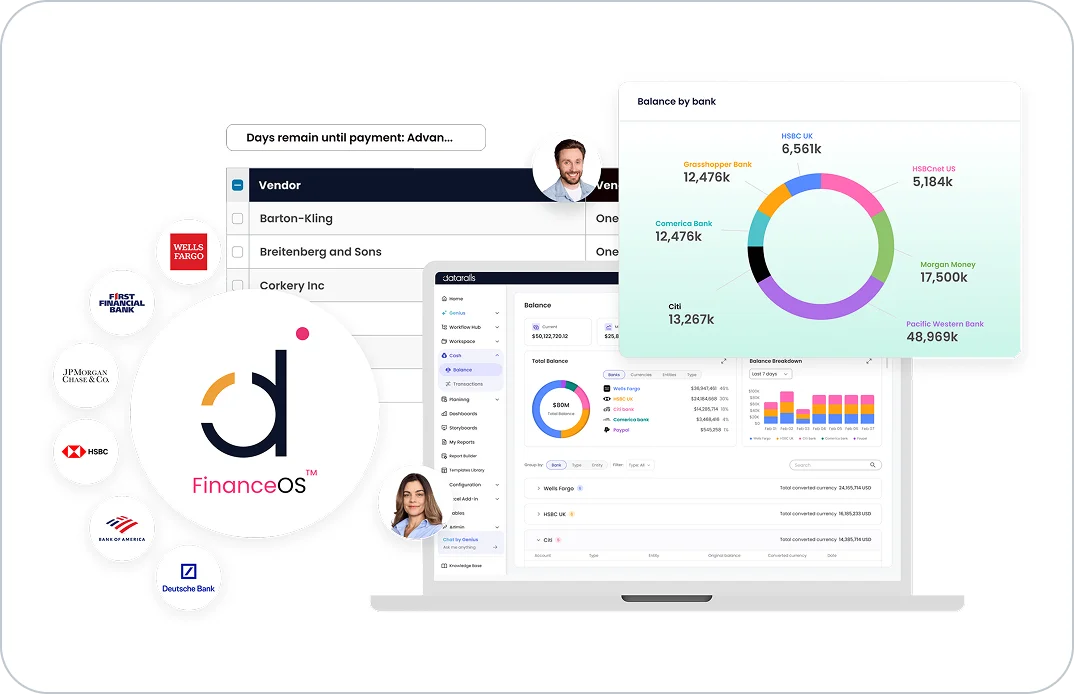
Track real-time bank balances and manage vendor payments across all accounts.
Datarails Review: Tooliverse Consensus


Based on 410 verified reviews across 4 platforms,
combined with Tooliverse's expert analysis
Datarails succeeds by refusing to make finance teams choose between spreadsheet familiarity and real automation, consolidating data from over 600 systems while leaving Excel models untouched. Users consistently credit it with eliminating manual consolidation work and version-control chaos, and the dashboard drill-down capability gets particular praise for board meetings. The dashboarding layer trails dedicated BI tools like PowerBI in polish, and initial data mapping demands real upfront time investment. Customer support responsiveness draws consistent praise, though some larger organizations report scalability friction as transaction volumes and user counts grow substantially.
Bottom line: An effective financial operating system that eliminates manual consolidation and version chaos inside Excel, though setup demands patience and dashboards trail dedicated BI tools.
Datarails | Key Specs
- Platforms
- Web, Excel add-in
- Pricing Model
- Custom quote-based tiers (from ~$1,000/mo) + usage-based AI Connector See plans
- Privacy/Data Use
- GDPR compliant, enterprise-grade governance over data connected to AI tools
- Security
- SOC 2 Type II, role-based permissions, full audit trails See details
Wins
- •Automates tedious manual data consolidation to save finance teams hours of workmentioned in 156 reviews
- •Integrates seamlessly with Excel to preserve existing workflows and formulasmentioned in 142 reviews
- •Provides real-time visibility into financial performance through dynamic, customizable dashboardsmentioned in 118 reviews
Watch-Outs
- •Requires a significant initial time investment to map complex data structuresmentioned in 64 reviews
- •Performance can slow down when processing exceptionally large or complex workbooksmentioned in 48 reviews
- •Advanced features and custom reporting have a steeper learning curve for new usersmentioned in 41 reviews
Datarails Features 2026
FinanceOS AI Connector
Connects governed, consolidated financial data directly to leading AI tools like Claude, ChatGPT, and Microsoft Copilot via Model Context Protocol, with built-in permissions and audit trails.
Datarails AI Agents
Purpose-built financial AI agents (Strategy, Reporting, Planning) that actively analyze, model, and generate financial outputs on top of validated data, rather than just answering questions.
Excel-Native FP&A
Lets finance teams keep working in the Excel models they've built over years while automatically consolidating, syncing, and governing the underlying data.
AI Storyboards
Generates board-ready presentations at the click of a button directly from Datarails dashboards, editable and fully customizable, eliminating manual slide-building.
Datarails User Reviews
Selected Reviews
"The best part is I don't have to leave Excel. It's the power of a database with the flexibility of a spreadsheet. Implementation was tough but worth it."
"Datarails has been a game changer for our month-end close. We used to spend days just cleaning data, now it's automated and we can focus on analysis."
"If you have very messy source data, expect to spend a lot of time in the mapping stage before it works smoothly. It's not a magic fix for bad data."
More from the Community
"Implementation was tougher than expected but the support team stayed with us until every mapping was perfect. The tool is solid once it's running."
"Good tool for mid-market, but the dashboarding tool can be a bit finicky compared to PowerBI. It takes some time to get the visuals exactly right."
"Version control is finally solved. No more 'Final_v2_v3' files floating around the office. Everyone works from the same source of truth now."
"It's expensive, but the time saved on consolidation justifies the ROI for our finance team. We've cut our reporting cycle by 40%."
"The drill-down capability is incredible. I can go from a high-level chart right down to the transaction level in seconds during board meetings."
"Implementation was tougher than expected but the support team stayed with us until every mapping was perfect. The tool is solid once it's running."
"Good tool for mid-market, but the dashboarding tool can be a bit finicky compared to PowerBI. It takes some time to get the visuals exactly right."
"Version control is finally solved. No more 'Final_v2_v3' files floating around the office. Everyone works from the same source of truth now."
"It's expensive, but the time saved on consolidation justifies the ROI for our finance team. We've cut our reporting cycle by 40%."
"The drill-down capability is incredible. I can go from a high-level chart right down to the transaction level in seconds during board meetings."
"A solid FP&A solution that doesn't force you to learn a whole new proprietary language. If you know Excel, you can use Datarails."
"The Excel add-in is robust, though it occasionally crashes if I have too many other heavy plugins running at the same time."
"Transformed our budgeting process from a nightmare of broken links into a streamlined, collaborative workflow. The audit trail is a lifesaver."
"Great for consolidation, but make sure your team is actually ready to move away from manual processes or they'll resist the change."
"A solid FP&A solution that doesn't force you to learn a whole new proprietary language. If you know Excel, you can use Datarails."
"The Excel add-in is robust, though it occasionally crashes if I have too many other heavy plugins running at the same time."
"Transformed our budgeting process from a nightmare of broken links into a streamlined, collaborative workflow. The audit trail is a lifesaver."
"Great for consolidation, but make sure your team is actually ready to move away from manual processes or they'll resist the change."
Datarails Pricing 2026
Professional starts the quote-based tiers around $1,000/month for 2 users and 1 integration, fine for a small finance team testing the waters. Most teams outgrow it fast though, since Premium, built for 5 users and 2 integrations, adds AI Storyboards for one-click board decks, the feature that actually changes how finance presents to leadership.
Datarails In-Depth Review 2026

Datarails is a financial operating system that pulls data from over 600 ERP, CRM, and HRIS sources, including NetSuite, SAP, Salesforce, and Workday, into a single governed layer, then connects that layer to Excel and to AI tools like Claude and ChatGPT via Model Context Protocol. It runs as an Excel add-in, so the models finance teams already trust keep working exactly as before, just with automated consolidation and syncing underneath.
What It's Like Day-to-Day
The daily experience centers on not having to think about where numbers come from anymore. Data refreshes automatically or at the click of a button, and the manual copy-paste that used to eat entire afternoons simply disappears. One G2 reviewer, a finance director, described it plainly: Datarails "has been a game changer for our month-end close" because the team now spends its time on analysis instead of data cleaning, a shift echoed across 156 separate reviews mentioning consolidation as the standout benefit.
The dashboards are where the payoff becomes visible in meetings. Users describe drilling from a high-level chart down to individual transactions in seconds, which changes the tenor of board conversations from defending numbers to explaining them.
Datarails Security & Compliance
Verified Compliance
- SOC 2 Type II
- GDPR Compliant
Security Features
- Role-based permissions
- Full audit trails
- Governance controls down to entity/department/report level
Privacy Commitments
- SOC 2 Type II and GDPR compliant infrastructure
- Enterprise-grade security governance and control over financial data connected to AI tools
Datarails: Frequently Asked Questions (FAQs)
How much does Datarails cost?
Datarails uses custom, quote-based pricing across three FinanceOS tiers — Professional, Premium, and Expert — that scale by number of users (2, 5, and 15 respectively) and integrations (1, 2, and 3). Lead capture forms on the site reference plans beginning around $1,000 per month, and the FinanceOS AI Connector is offered on a usage-based pricing model available to teams of any size.
Can I still work in Excel with Datarails?
Yes, Datarails is Excel-native and lets users keep working in the Excel models they already know, without giving up automation. Datarails handles data consolidation, version control, and real-time syncing behind the scenes so spreadsheets stay accurate and connected.
Does Datarails integrate with my ERP and other systems?
Yes, Datarails connects to over 600 systems, including ERPs, accounting software, CRMs, and HR systems, consolidating all financial and operational data in one place.
How long does it take to implement Datarails?
Most FP&A implementations are completed within 4-6 weeks depending on data and model complexity, while the FinanceOS AI Connector can be fully operational within 3-5 business days.
Datarails Integrations
| Oracle NetSuite | Xero | Sage |
| QuickBooks | Microsoft Dynamics 365 | HubSpot |
| Salesforce | Snowflake | SAP Business One |
| Power BI | MRI Software | ADP |
| Workday | Paychex | Yardi |
| Claude | ChatGPT | Microsoft Copilot |
| Cursor | Replit | Lovable |
| Gamma | Manus | BambooHR |
Datarails: Verified Data Sheet
| # | Label | Data Point |
|---|---|---|
| [1] | Datarails Consensus: 7.98/10 | Datarails is a well-reviewed tool among AI finance tools in the Tooliverse index, with a consensus score of 7.98/10 across 410 verified reviews. |
| [2] | What is Datarails | Datarails is a SOC 2 Type II and GDPR-compliant financial operating system (FinanceOS) that connects 600+ ERP, CRM, and HRIS sources into a governed data layer for AI tools like Claude and ChatGPT. It's used by finance teams at 2,000+ companies, with Excel-native FP&A, and quote-based pricing starting around $1,000/month. |
| [3] | Tooliverse Consensus on Datarails | Datarails succeeds by refusing to make finance teams choose between spreadsheet familiarity and real automation, consolidating data from over 600 systems while leaving Excel models untouched. Users consistently credit it with eliminating manual consolidation work and version-control chaos, and the dashboard drill-down capability gets particular praise for board meetings. The dashboarding layer trails dedicated BI tools like PowerBI in polish, and initial data mapping demands real upfront time investment. Customer support responsiveness draws consistent praise, though some larger organizations report scalability friction as transaction volumes and user counts grow substantially. |
| [4] | Datarails Verdict | Datarails bottom line: An effective financial operating system that eliminates manual consolidation and version chaos inside Excel, though setup demands patience and dashboards trail dedicated BI tools. |
| [5] | Automates data consolidation, saves hours | Datarails automates tedious manual data consolidation, a benefit validated by 156 user reviews as a major time-saver for finance teams handling month-end close and reporting cycles. |
| [6] | Excel-native, preserves existing workflows | Datarails integrates seamlessly with Excel, letting finance teams preserve existing workflows and formulas, a strength cited in 142 user reviews. |
| [7] | Real-time dashboards for financial visibility | Datarails delivers real-time visibility into financial performance through customizable, dynamic dashboards, a capability highlighted in 118 user reviews. |
| [8] | Strong support during implementation | Datarails offers customer support that guides users through complex implementation phases, an experience praised in 94 user reviews. |
| [9] | Setup requires significant data mapping time | Datarails requires a significant initial time investment to map complex data structures during setup, a challenge reported in 64 user reviews. |
| [10] | Slower with very large workbooks | Datarails performance can slow down when processing exceptionally large or complex workbooks, according to 48 user reports. |
| [11] | Privacy: SOC 2 Type II and GDPR compliant infrastructure | Datarails privacy protections include SOC 2 Type II and GDPR compliant infrastructure and Enterprise-grade security governance and control over financial data connected to AI tools. |
| [12] | Enterprise: Role-based permissions | Datarails provides enterprise security with Role-based permissions, Full audit trails, and Governance controls down to entity/department/report level. |
| [13] | Cuts days of manual work from month-end close | Datarails helped one finance director eliminate days of manual data cleaning during month-end close, with the reviewer noting it has "been a game changer" that lets the team "focus on analysis" instead. |
Best Datarails Alternatives
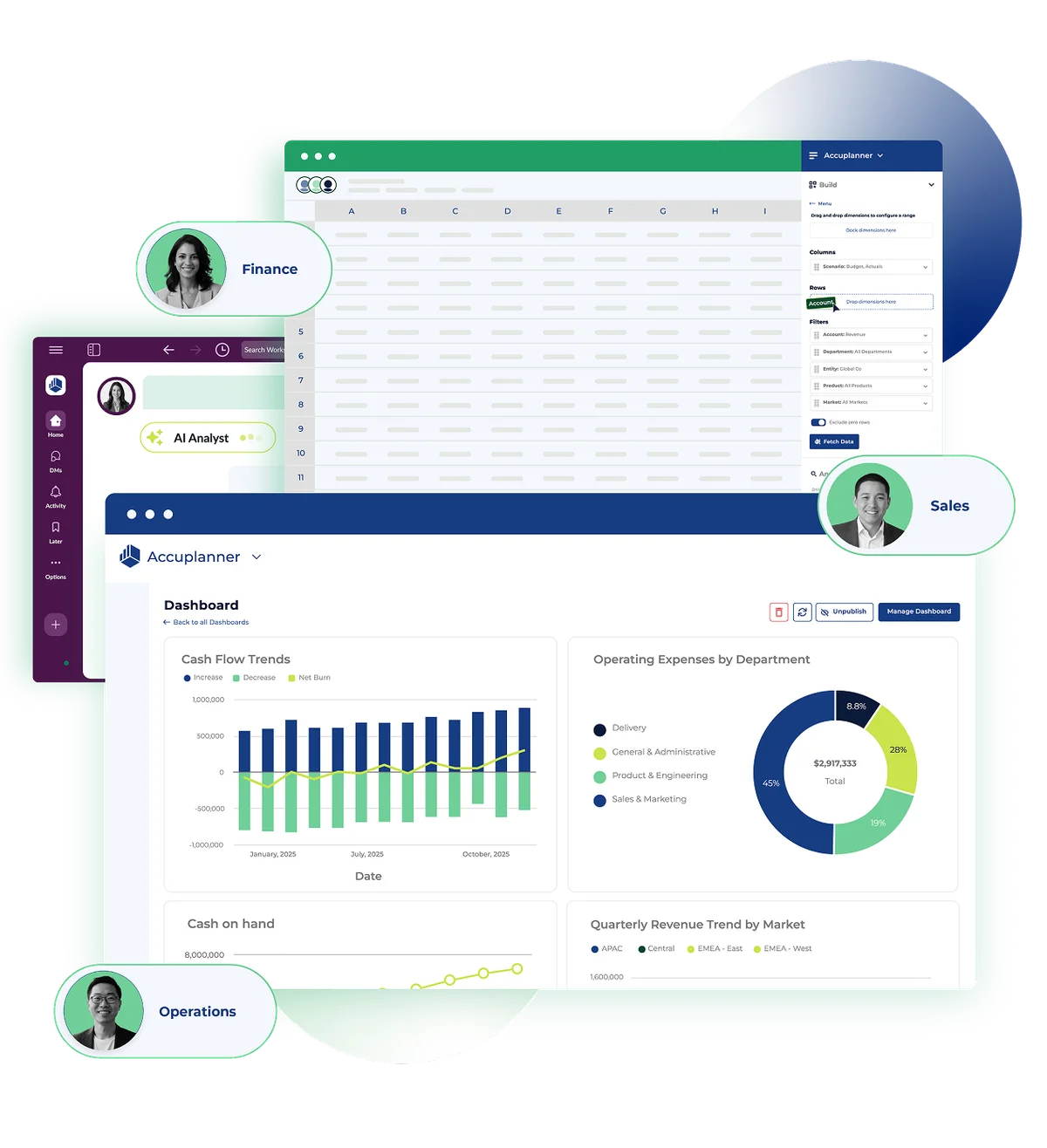
Cube
Plan, forecast, and report with AI agents that keep every number traceable back to the source.
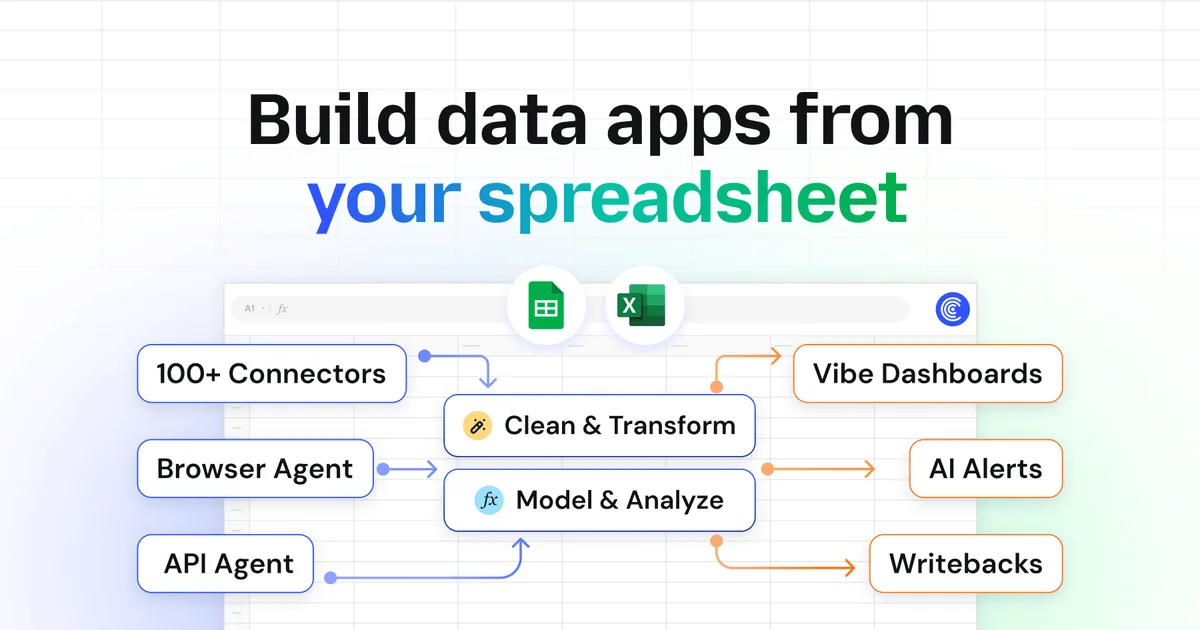
Coefficient
Turn your spreadsheet into a live command center—no more copy-pasting, stale reports, or waiting on IT.
Quadratic
Connect your data, ask AI in plain English, and get shareable, code-based spreadsheets you can trust.