
Jotform Review 2026 - Forms, Payments & AI Agents
Verified Sep 20, 2026 by Tooliverse Editorial
Jotform lets anyone build powerful online forms in minutes—no coding required. From payment collection to AI-powered agents, 40M+ users trust it to automate data collection and workflows.
Introducing Jotform AI
Jotform AI App Builder Tutorial for Beginners
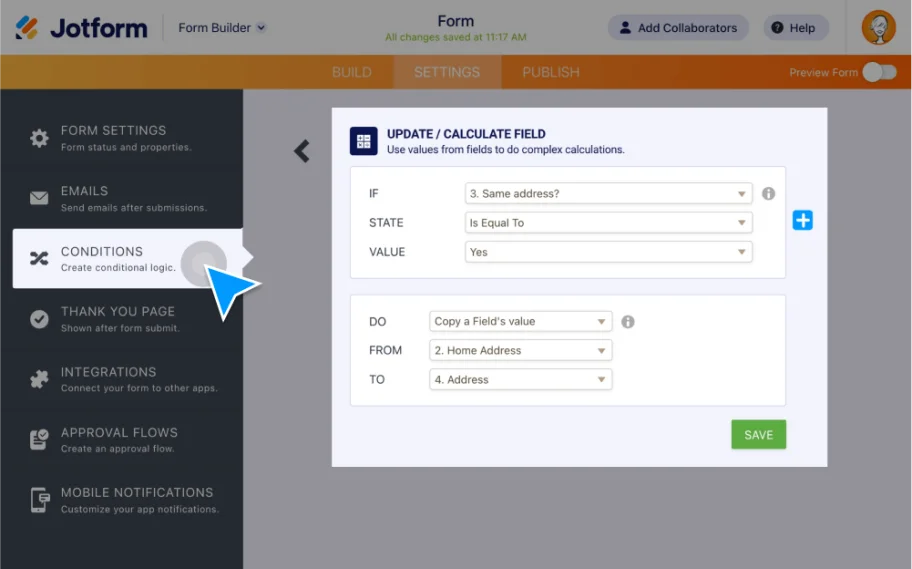
Automate form behavior by setting conditional logic to update form fields.
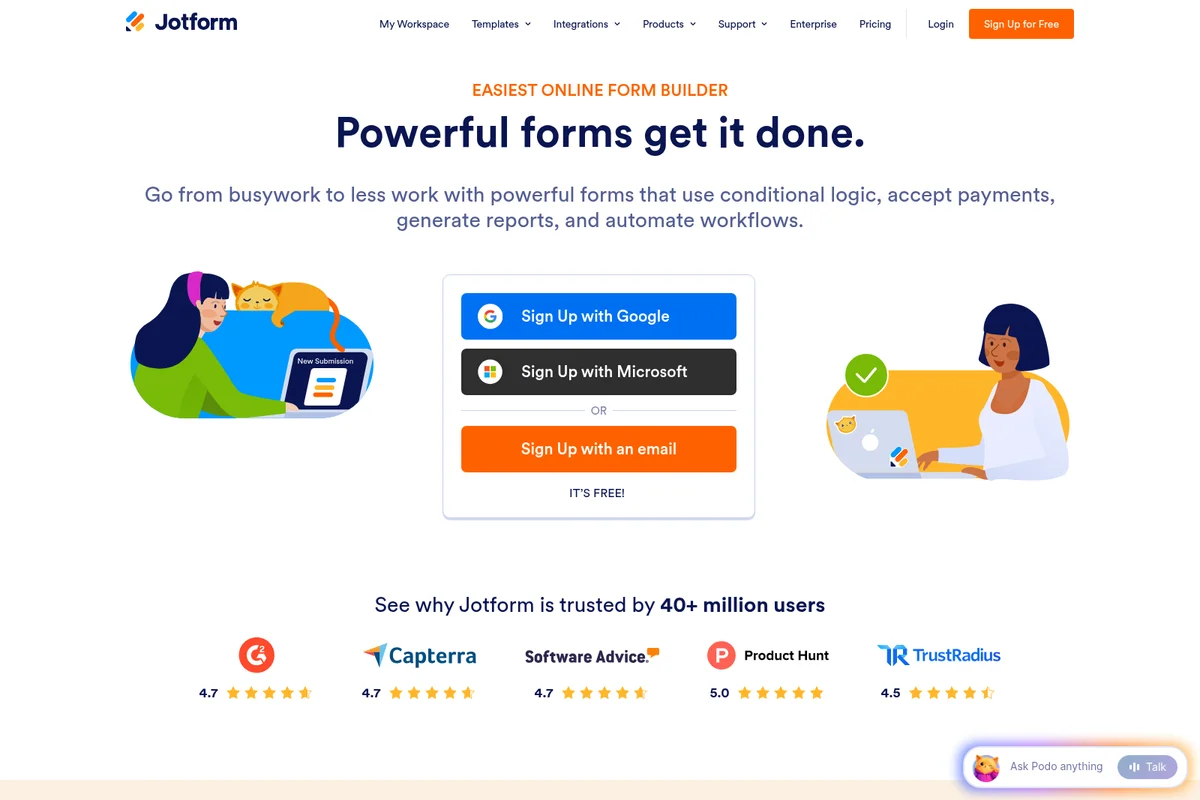
Build powerful forms quickly, reduce busywork, and automate workflows.
Jotform Review: Tooliverse Consensus






Based on 10k+ verified reviews across 6 platforms,
combined with Tooliverse's expert analysis
Jotform turns form-building into something anyone can do well, pairing a drag-and-drop interface with an integration library deep enough to automate what happens after a submission lands. Reviewers consistently point to the templates and conditional logic as time-savers, while offline mobile collection makes it dependable for field work. The tradeoffs show up in cost: subscription pricing feels steep for small nonprofits, and support can be slow during busy periods. Some users also note that the sheer number of features and settings can overwhelm first-time users before they find their footing.
Bottom line: Jotform pairs an exceptionally intuitive form builder with deep integrations that automate real workflows, though pricing tiers and support wait times can frustrate smaller, budget-conscious teams.
Jotform | Key Specs
- Platforms
- Web, iOS, Android
- Pricing Model
- Freemium ($0-99/mo, Enterprise custom) See plans
- Privacy/Data Use
- No AI training on Agent data, GDPR/CCPA compliant
- Security
- SOC 2, PCI DSS Level 1, HIPAA-enabled, SSO See details
Wins
- •Empowers non-technical users to build sophisticated forms with an intuitive drag-and-drop interfacementioned in 428 reviews
- •Streamlines data management through a vast library of seamless third-party integrationsmentioned in 385 reviews
- •Provides an extensive collection of professional templates that jumpstart the design processmentioned in 312 reviews
Watch-Outs
- •Subscription costs can feel prohibitive for small businesses and growing nonprofitsmentioned in 156 reviews
- •Customer support response times can be inconsistent during peak business hoursmentioned in 112 reviews
- •Free tier limitations on form count and submissions restrict early-stage testingmentioned in 94 reviews
Jotform Features 2026
Jotform AI Agents
Deploy conversational AI agents powered by OpenAI's GPT-4 to guide users through forms, answer questions, and validate data in real time across chat, voice, and phone channels.
HIPAA-Enabled Forms
Collect medical information and signatures via encrypted, HIPAA-compliant forms available on Gold and Enterprise plans, with a Business Associate Agreement available.
Form Translation
Translate forms into multiple languages to reach a broader, global audience.
Drag-and-Drop Form Builder
Create custom online forms quickly with no coding, using a visual builder to add fields, images, colors, and widgets.
Jotform User Reviews
Selected Reviews
"The drag-and-drop interface is incredibly intuitive, making it easy for our non-technical staff to build complex registration forms in minutes."
"Jotform's integration with Google Sheets and Slack has automated our entire lead capture process. It just works without any maintenance."

"The new AI form generator is surprisingly good at creating a base structure, though I still have to tweak the logic manually."
More from the Community
"The mobile app is a lifesaver for field data collection. Offline mode works perfectly when we're in remote areas without signal."
"Great tool, but the pricing jump from Bronze to Silver is quite steep for a small nonprofit like ours."
"I love the conditional logic features, though they can get a bit laggy when you have over 50 rules on a single form."
"The PDF editor is a bit clunky compared to the form builder, but it gets the job done for generating invoices automatically."
"Best form builder on the market. The sheer number of templates saves us hours of design work every week."
"The mobile app is a lifesaver for field data collection. Offline mode works perfectly when we're in remote areas without signal."
"Great tool, but the pricing jump from Bronze to Silver is quite steep for a small nonprofit like ours."
"I love the conditional logic features, though they can get a bit laggy when you have over 50 rules on a single form."
"The PDF editor is a bit clunky compared to the form builder, but it gets the job done for generating invoices automatically."
"Best form builder on the market. The sheer number of templates saves us hours of design work every week."
"Support was a bit slow to respond to my ticket regarding HIPAA compliance, but once they did, the help was top-notch."
"The Chrome extension makes it so easy to check my submissions without opening a new tab. Very convenient for my workflow."
"Solid app, but I wish the free version allowed for more than 5 forms. It's hard to test multiple projects at once."
"We've tried Typeform and Google Forms, but Jotform's flexibility with widgets and payment integrations is unmatched."
"Support was a bit slow to respond to my ticket regarding HIPAA compliance, but once they did, the help was top-notch."
"The Chrome extension makes it so easy to check my submissions without opening a new tab. Very convenient for my workflow."
"Solid app, but I wish the free version allowed for more than 5 forms. It's hard to test multiple projects at once."
"We've tried Typeform and Google Forms, but Jotform's flexibility with widgets and payment integrations is unmatched."
Jotform Pricing 2026
View SourceMost people should start on the free Starter plan to test the builder, then move to Bronze at 34 dollars per month billed annually once branding removal and higher submission limits actually matter. Gold, at 99 dollars per month billed annually, is worth considering specifically for HIPAA-enabled forms, not just higher limits. Nonprofits and schools should ask about the 50 percent discount before paying list price.
Jotform In-Depth Review 2026

Jotform is a no-code form builder and workflow automation platform used by more than 40 million people worldwide, and it works well beyond simple forms. Alongside the core builder, it includes Tables for organizing responses, Sign for e-signatures, Workflows for automating what happens after submission, and AI Agents that can hold a conversation with the person filling out your form. The goal isn't just collecting data; it's automating everything that happens after.
What It's Like Day-to-Day
The drag-and-drop builder is the reason Jotform shows up so often in comparisons with pricier, more technical tools. Adding fields, reordering sections, and styling a form all happen visually, with no code required, and one G2 reviewer summed up the appeal well, saying the interface "is incredibly intuitive, making it easy for our non-technical staff to build complex registration forms in minutes." That ease of use doesn't disappear once forms get complicated. Conditional logic lets you show or hide fields based on previous answers, route submissions to different teams, or trigger custom thank-you messages, so a single form can behave differently for a hundred different users.
Jotform Security & Compliance
Verified Compliance
- PCI DSS Service Provider Level 1
- SOC 2 Compliance
- GDPR Compliance
- CCPA Compliance
- HIPAA-Enabled Forms
- StateRAMP
- FERPA Compliance
- HECVAT
Security Features
- 256-bit SSL Encryption
- Form Encryption (RSA 2048)
- Two-Factor Authentication (2FA)
- Single Sign-On (SSO) with SAML support
- EU Data Residency (Frankfurt servers)
Privacy Commitments
- Jotform does not use AI Agent conversation data to improve its services
- GDPR and CCPA compliant data handling
- European user data can be stored on EU servers in Frankfurt, Germany
Jotform: Frequently Asked Questions (FAQs)
What plans and pricing tiers does Jotform offer?
Jotform offers Starter (free), Bronze, Silver, and Gold plans, plus custom-priced Enterprise plans for large organizations. Storage and submission limits increase with each level.
Is there a free plan available for Jotform?
Yes, the Starter plan is free and includes all standard features like form templates, payment integrations, and widgets, but with lower limits and Jotform branding on forms.
Is there a trial period for paid plans?
There is no trial period for paid plans, but users can try all standard features (excluding HIPAA compliance) on the free Starter plan before upgrading.
What is Jotform?
Jotform is a powerful online application that allows anyone to quickly create custom online forms using an intuitive drag-and-drop interface, without writing any code.
Jotform Integrations
| Salesforce | HubSpot | Zoho CRM |
| Pipedrive | ActiveCampaign | Zendesk |
| Keap | Google Sheets | Google Drive |
| Dropbox | OneDrive | Box |
| Microsoft Excel | Microsoft Teams | Slack |
| PayPal | Stripe | Square |
| Authorize.Net | Venmo | Mollie |
| Mailchimp | Constant Contact | AWeber |
| GetResponse | Google Calendar | Zoom |
| Zapier | Make | Microsoft Power Automate |
| IFTTT | Webhooks | ChatGPT |
| Claude | Trello | Asana |
| monday.com | Airtable | Canva |
Jotform: Verified Data Sheet
| # | Label | Data Point |
|---|---|---|
| [1] | Jotform Consensus: 9.04/10 | Jotform is one of the highest-rated AI productivity tools in the Tooliverse index, with a consensus score of 9.04/10 across 10,950 verified reviews. |
| [2] | What is Jotform | Jotform is a no-code online form builder and workflow automation platform used by 40M+ users worldwide, offering 20,000+ templates and 200+ integrations. Founded in 2006 by Aytekin Tank, it now includes AI Agents powered by GPT-4, e-signatures, payment collection, and HIPAA-enabled forms, with plans from free to custom Enterprise pricing. |
| [3] | Tooliverse Consensus on Jotform | Jotform turns form-building into something anyone can do well, pairing a drag-and-drop interface with an integration library deep enough to automate what happens after a submission lands. Reviewers consistently point to the templates and conditional logic as time-savers, while offline mobile collection makes it dependable for field work. The tradeoffs show up in cost: subscription pricing feels steep for small nonprofits, and support can be slow during busy periods. Some users also note that the sheer number of features and settings can overwhelm first-time users before they find their footing. |
| [4] | Jotform Verdict | Jotform bottom line: Jotform pairs an exceptionally intuitive form builder with deep integrations that automate real workflows, though pricing tiers and support wait times can frustrate smaller, budget-conscious teams. |
| [5] | Starter: Free | Jotform's free Starter tier includes 5 forms and 100 monthly submissions, making its core form-building features accessible at no cost. |
| [6] | Intuitive drag-and-drop builder | Jotform empowers non-technical users to build sophisticated forms through an intuitive drag-and-drop interface, a strength cited in 428 user reviews. |
| [7] | 200+ seamless integrations | Jotform streamlines data management through a library of 200+ third-party integrations, including Salesforce, HubSpot, Slack, and Google Sheets, praised in 385 reviews. |
| [8] | Bronze: $34/mo (annual) | Jotform's Bronze plan expands access to 25 forms for $34/month billed annually, a significant step up from the free tier's limits. |
| [9] | 20,000+ ready-made templates | Jotform offers a collection of 20,000+ professional templates that speed up the design process, a benefit highlighted in 312 user reviews. |
| [10] | Offline mobile data collection | Jotform enables reliable data collection in remote areas through a mobile app with offline mode and automatic sync, valued in 245 user reviews. |
| [11] | Pricing feels steep for small orgs | Jotform subscription costs, with Bronze starting at $34/month billed annually, can feel prohibitive for small businesses and growing nonprofits, according to 156 user reports. |
| [12] | Inconsistent peak-hour support | Jotform customer support response times can be inconsistent during peak business hours, an issue noted in 112 user reviews. |
| [13] | PCI DSS Service Provider Level 1 | Jotform holds PCI DSS Service Provider Level 1, SOC 2 Compliance, GDPR Compliance, CCPA Compliance, HIPAA-Enabled Forms, StateRAMP, FERPA Compliance, and HECVAT certifications. |
| [14] | Enterprise: 256-bit SSL Encryption | Jotform secures accounts with 256-bit SSL Encryption, Form Encryption (RSA 2048), and Two-Factor Authentication (2FA). |
| [15] | Non-technical staff build forms fast | Jotform lets non-technical staff build complex registration forms in minutes, according to a verified G2 reviewer who called the drag-and-drop interface "incredibly intuitive." |
Best Jotform Alternatives
PandaDoc
Create, send, sign, and track every agreement in one place so deals close faster.

Activepieces
Chat, agents, flows, tables, and 760+ apps in one workspace, so your whole team works with AI in the tools they already use.
Zapier
Automate your work across 9,000+ apps and let AI do the busywork for you.