
Petal Review 2026 - AI Citation & Research Tool
Verified Jun 17, 2026 by Tooliverse Editorial
Petal transforms technical documents into an AI-powered research assistant—upload PDFs, ask questions, and get cited answers instantly. Trusted by 30,000+ researchers at MIT, Stanford, and Harvard for literature reviews, citation management, and team collaboration.
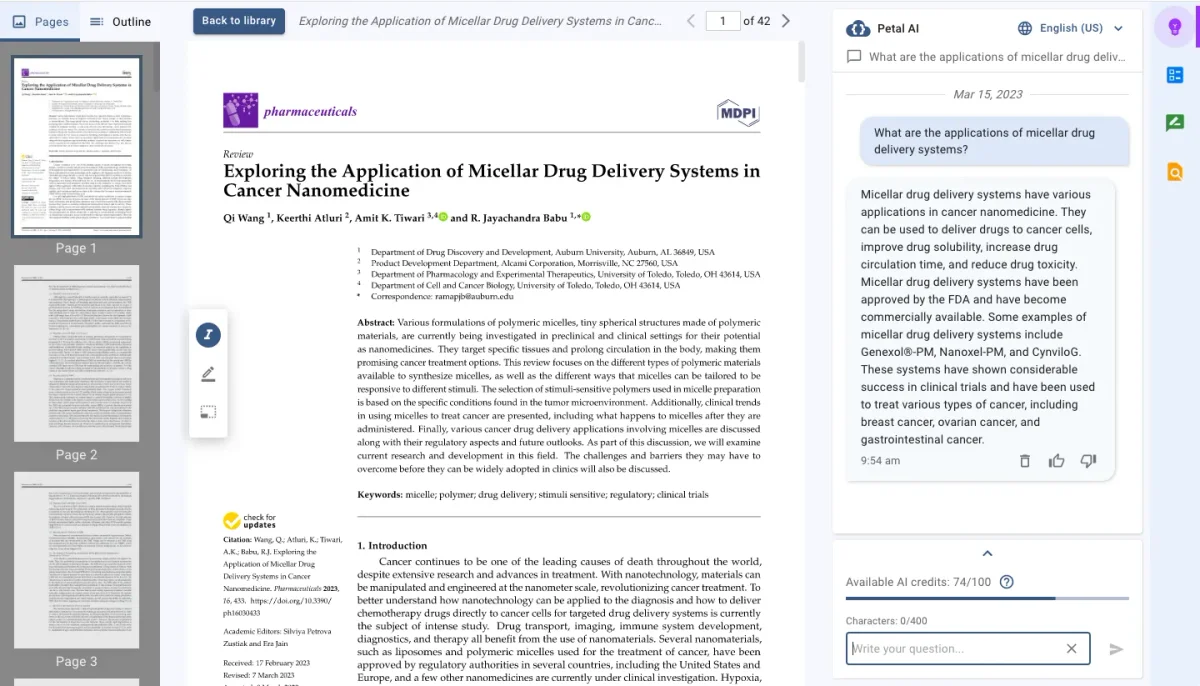
AI-powered document analysis provides instant answers from your research papers.
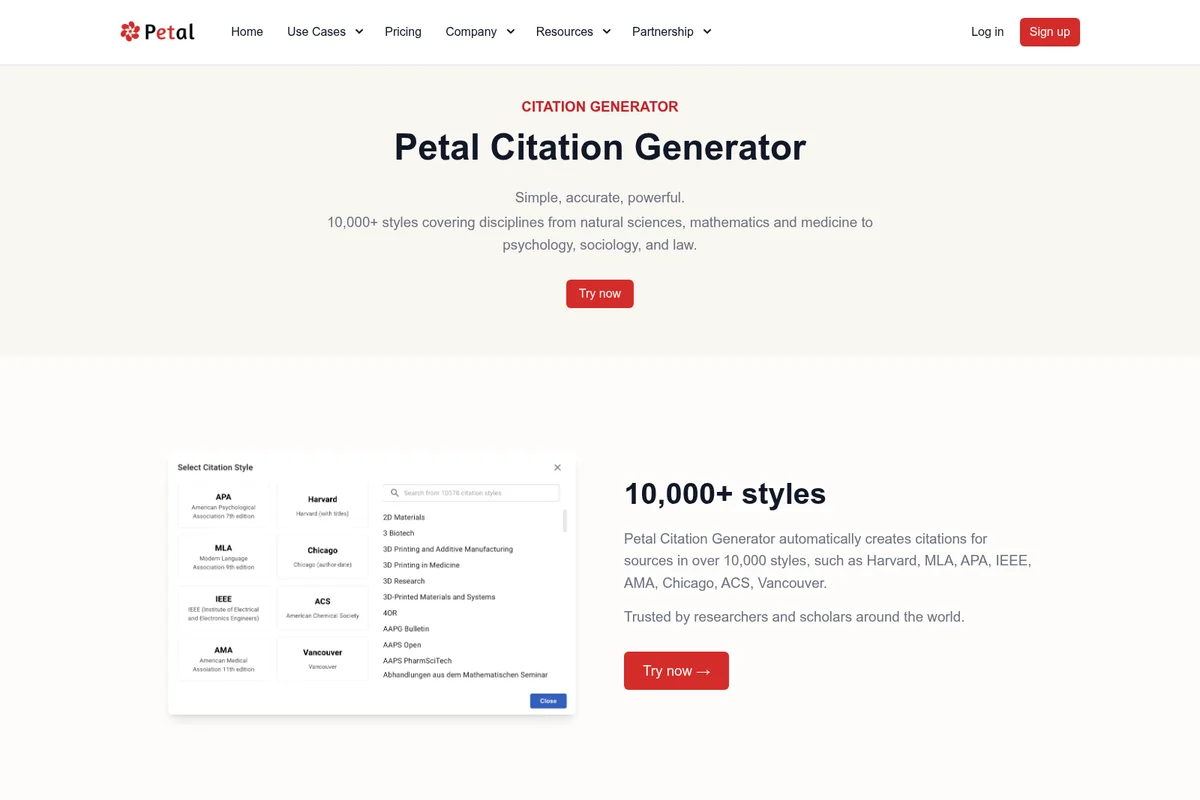
Automatically generate citations in over 10,000 styles, including APA, MLA, and Harvard.
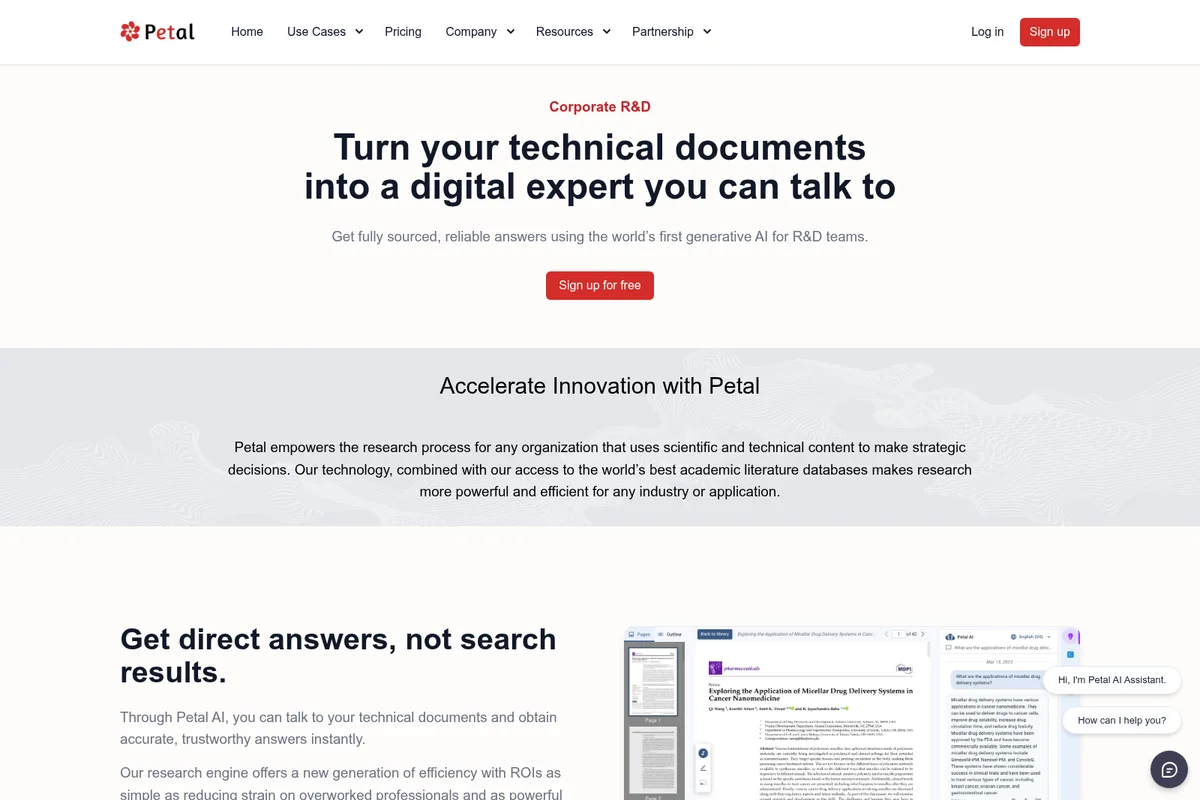
Turn your technical documents into an AI expert you can talk to.
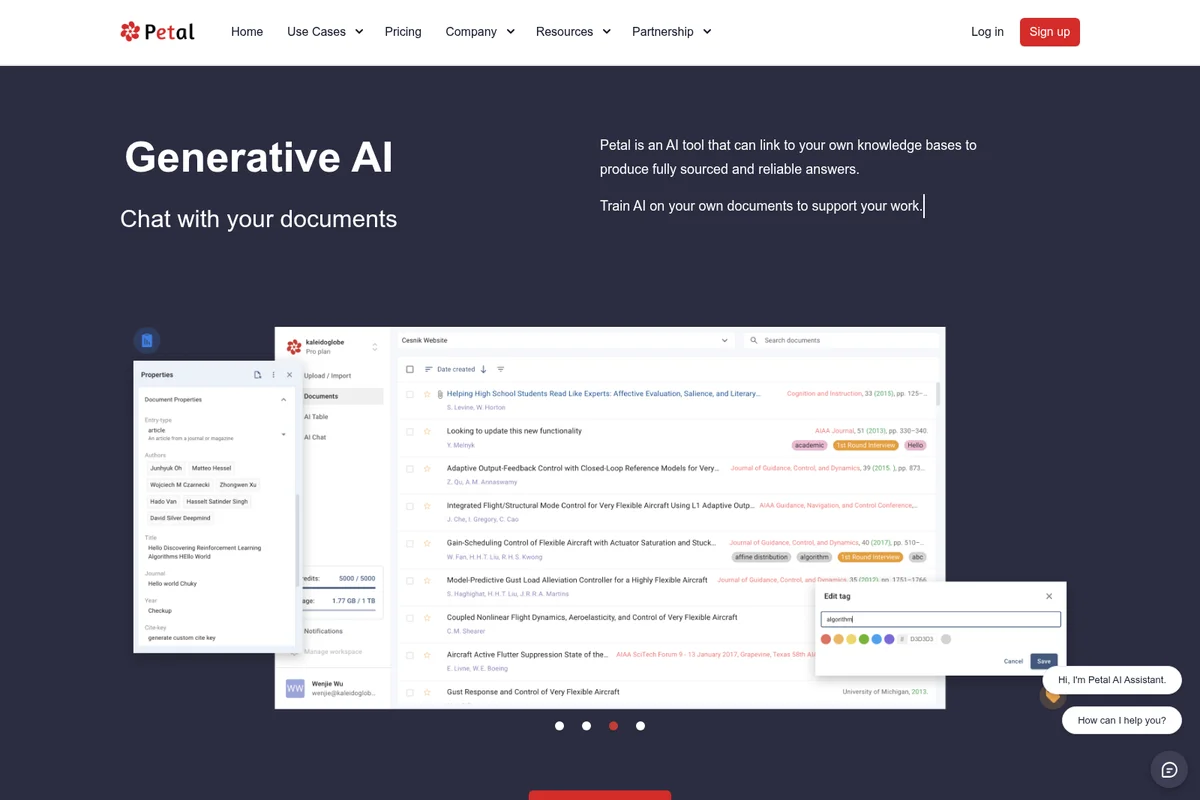
Chat with your documents, manage properties, and train AI on your own knowledge.
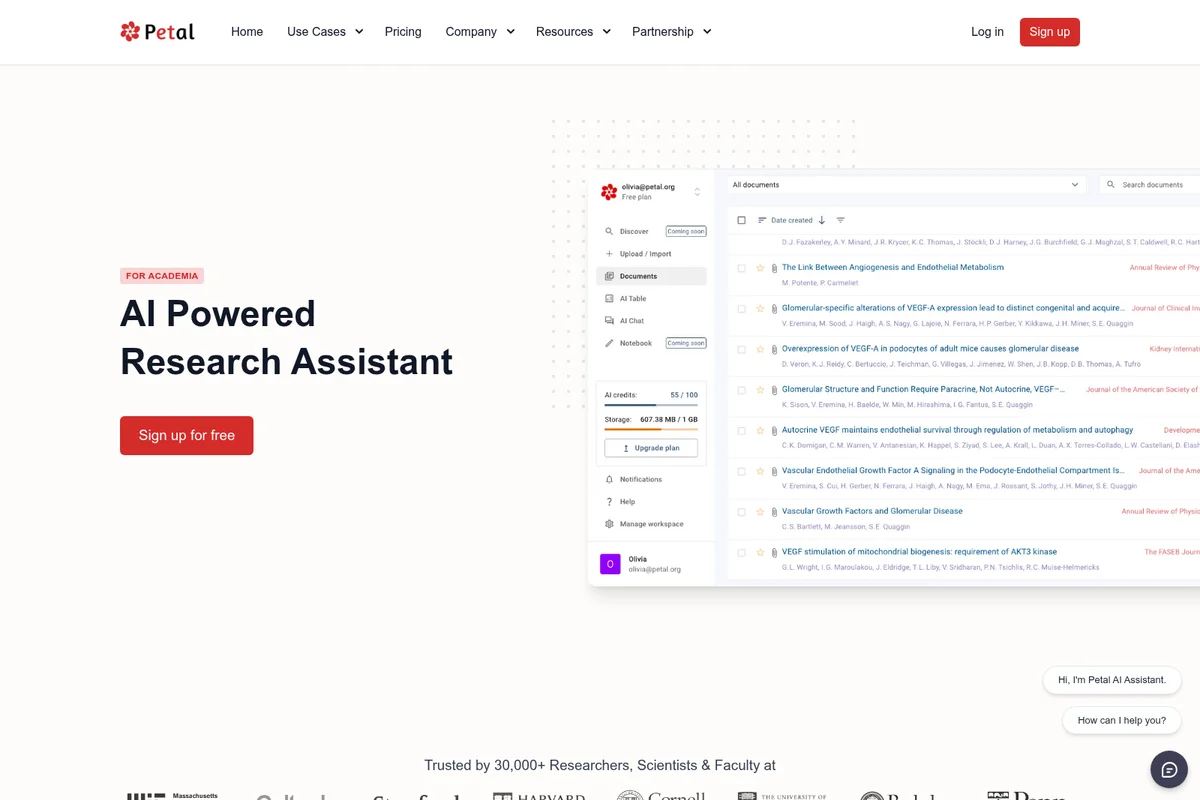
Manage research documents and leverage AI for summaries and analysis.
Petal Review: Tooliverse Consensus





Based on 292 verified reviews across 5 platforms,
combined with Tooliverse's expert analysis
Petal transforms academic literature review from manual drudgery into structured AI-assisted analysis, with page-level citations that let researchers verify every claim and multi-document comparison tables that compress weeks of synthesis work into hours. The tool has earned trust at top research institutions because it prioritizes verifiable accuracy over speed, drawing only from user-provided sources to eliminate hallucinations. Free tier limits push active users toward upgrades quickly, but for desktop-based research requiring citation rigor, it delivers exactly what graduate students and PhD candidates need.
Bottom line: A leading research assistant that brings verifiable AI analysis to academic workflows, trusted by thousands of graduate researchers who need citations they can actually defend.
Petal | Key Specs
- Platforms
- Web, Chrome Extension, Firefox Extension, Safari Extension
- Pricing Model
- Free-to-use (Enterprise licensing available) See plans
- Privacy/Data Use
- AI only draws from user-provided sources
- Citation Styles
- 10,000+ styles (APA, MLA, IEEE, Chicago, Harvard, etc.)
Wins
- •Provides precise page-level citations that allow users to verify AI claims instantlymentioned in 112 reviews
- •Enables seamless multi-document analysis for comparing complex research papers side-by-sidementioned in 94 reviews
- •Features a powerful Chrome extension that captures PDFs and generates citations automaticallymentioned in 82 reviews
Watch-Outs
- •Free tier limits the number of document uploads and monthly AI creditsmentioned in 48 reviews
- •Occasional difficulty processing complex mathematical formulas or dense technical tablesmentioned in 35 reviews
- •Lacks a dedicated mobile application for reading and annotating on the gomentioned in 28 reviews
Petal Features 2026
Multi-Document AI Querying Table
Compare similar studies side-by-side using AI to identify measured outcomes, trace driving factors, assess weaknesses, and narrow hundreds of papers to key candidates for literature review.
Context-Aware AI Assistant
Built on OpenAI GPT-3, Petal AI only draws information from sources you provide, eliminating hallucinations and ensuring fully sourced, reliable answers to your questions.
Literature Review Simplification
Use AI to narrow down from hundreds of papers to a few using any criteria you define, making literature reviews faster and less daunting.
Citation Generator with 10,000+ Styles
Automatically create citations in over 10,000 styles including Harvard, MLA, APA, IEEE, AMA, Chicago, ACS, and Vancouver. Export to Word, BibTeX, or copy to clipboard.
Petal User Reviews
Selected Reviews
"Petal's multi-PDF chat is significantly better than other tools I've tried. Being able to compare three papers in one table saved me hours of manual work during my lit review."
"The Chrome extension is seamless. I just click once on an Arxiv page and it's in my collection with a full citation ready to go. It has completely changed how I save papers."
"Great tool for literature reviews, but the free tier is a bit stingy with the number of documents you can upload per month. I had to upgrade almost immediately."
More from the Community
"The page-level citations are a lifesaver for my dissertation. I can finally trust the AI's summaries because I can see exactly where they came from in the original text."
"I've tried Elicit and Scispace, but Petal feels more like a complete workspace. The notebook feature is where I actually do my writing now, not just my reading."
"Sometimes the AI struggles with very dense tables in technical reports, but the ability to manually correct the AI table cells is a nice touch that others don't have."
"Solid performance and much cheaper than a ChatGPT Plus sub if you're just using it for research papers. The accuracy on technical jargon is impressive."
"The collaborative folders made it easy for our research group to share annotations. No more emailing PDFs back and forth with messy comments."
"The page-level citations are a lifesaver for my dissertation. I can finally trust the AI's summaries because I can see exactly where they came from in the original text."
"I've tried Elicit and Scispace, but Petal feels more like a complete workspace. The notebook feature is where I actually do my writing now, not just my reading."
"Sometimes the AI struggles with very dense tables in technical reports, but the ability to manually correct the AI table cells is a nice touch that others don't have."
"Solid performance and much cheaper than a ChatGPT Plus sub if you're just using it for research papers. The accuracy on technical jargon is impressive."
"The collaborative folders made it easy for our research group to share annotations. No more emailing PDFs back and forth with messy comments."
"Useful, but I wish there was a more robust way to export my notes to Zotero. The current workflow is a bit clunky and requires too many steps."
"The translation feature is surprisingly accurate for technical German papers. It's helped me expand my literature review significantly beyond English sources."
"A must-have for PhD students. It turns a pile of PDFs into a searchable, interactive knowledge base. I can't imagine going back to manual reading."
"The UI is clean and fast. It doesn't feel bloated like some other AI research assistants I've tried. Very focused on the actual task of analysis."
"Useful, but I wish there was a more robust way to export my notes to Zotero. The current workflow is a bit clunky and requires too many steps."
"The translation feature is surprisingly accurate for technical German papers. It's helped me expand my literature review significantly beyond English sources."
"A must-have for PhD students. It turns a pile of PDFs into a searchable, interactive knowledge base. I can't imagine going back to manual reading."
"The UI is clean and fast. It doesn't feel bloated like some other AI research assistants I've tried. Very focused on the actual task of analysis."
Petal Pricing 2026
The free tier provides core functionality—document storage, AI queries, and citation generation—but active researchers will hit the upload and credit limits quickly. Enterprise licensing with custom deployment is available for institutions, though pricing requires contacting sales. For individual academics, the free tier works as a trial to assess whether the page-level citations and multi-document analysis justify the workflow shift, with most PhD students upgrading once they're managing dozens of papers simultaneously.
Petal In-Depth Review 2026

This AI research assistant turns document chaos into structured analysis. It runs as a web platform with browser extensions for Chrome, Firefox, and Safari, capturing papers with one click and generating citations automatically in over 10,000 styles. The core difference: every AI answer links back to specific pages in your documents, so you can verify claims instantly instead of trusting a black box.
What It's Like Day-to-Day
The workflow starts with collection. You're browsing ArXiv or PubMed, you spot a relevant paper, you click the browser extension, and it's in your library with full citation metadata before you finish reading the abstract. No more "Download PDF, rename file, remember to cite this later" loops. The deduplication catches when you've already saved something, and everything syncs across devices without thinking about it.
The real power emerges when you're comparing studies. Load three papers on the same topic into the multi-document analysis table, ask "What sample sizes did each study use?" and Petal extracts the data into editable cells with page-number citations for each answer.
Petal Security & Compliance
Security Features
- Cloud-native architecture with secure document storage
Privacy Commitments
- Context-aware AI only draws from user-provided sources (no external data training)
Petal: Frequently Asked Questions (FAQs)
I am a student, how can I use Petal?
Students can use Petal to organize research libraries, simplify literature reviews, generate citations in 10,000+ styles, and collaborate with advisors through shared workspaces. The platform is free-to-use and includes AI-powered reading assistance for translating, summarizing, and explaining complex topics.
I don't understand how Petal works, how can I learn more?
Petal provides detailed documentation on its website, including feature pages for the Reference Manager, Citation Generator, and AI Assistant. You can also contact support through the website or explore the Petal Blog for tutorials and announcements.
Can I purchase a license for my institution?
Yes, Petal offers enterprise licensing and white-label options for institutions and corporations. Contact the Petal team through the partnership page to discuss custom deployment and institutional licensing options.
Are you open source?
Petal does not explicitly state that it is open source. The platform is operated by Paladin Max, Inc. and offers free-to-use core features with enterprise licensing options.
Petal Integrations
| Microsoft Word | Chrome | Firefox |
| Safari |
Petal: Verified Data Sheet
| # | Label | Data Point |
|---|---|---|
| [1] | Petal Consensus: 8.96/10 | Petal is a highly-rated tool among AI research tools in the Tooliverse index, with a consensus score of 8.96/10 across 292 verified reviews. |
| [2] | What is Petal | Petal, operated by Paladin Max, Inc., is a free-to-use AI research assistant for literature review and citation management. Trusted by 30,000+ researchers at MIT, Stanford, and Harvard, it uses context-aware AI built on OpenAI GPT-3 to provide fully sourced answers from user documents. |
| [3] | Tooliverse Consensus on Petal | Petal transforms academic literature review from manual drudgery into structured AI-assisted analysis, with page-level citations that let researchers verify every claim and multi-document comparison tables that compress weeks of synthesis work into hours. The tool has earned trust at top research institutions because it prioritizes verifiable accuracy over speed, drawing only from user-provided sources to eliminate hallucinations. Free tier limits push active users toward upgrades quickly, but for desktop-based research requiring citation rigor, it delivers exactly what graduate students and PhD candidates need. |
| [4] | Petal Verdict | Petal bottom line: A leading research assistant that brings verifiable AI analysis to academic workflows, trusted by thousands of graduate researchers who need citations they can actually defend. |
| [5] | Free: Free | Petal offers a Free tier that includes AI-powered research assistant, cloud document storage and organization, and citation generation, making research tools accessible at no cost. |
| [6] | Page-level citations for instant verification | Petal provides precise page-level citations that link AI-generated summaries directly to source text, enabling instant verification of claims and eliminating hallucination concerns, validated by 112 user reviews. |
| [7] | Multi-document comparison tables | Petal enables seamless multi-document analysis through AI-powered comparison tables that allow researchers to evaluate multiple papers side-by-side, identifying measured outcomes and methodological differences efficiently, according to 94 user reviews. |
| [8] | One-click PDF capture and citation | Petal features a Chrome extension that captures PDFs from academic databases and generates citations automatically with a single click, streamlining the research collection workflow, validated by 82 user reviews. |
| [9] | Editable AI data tables | Petal offers structured AI table features that organize extracted data from multiple sources into editable cells, allowing researchers to correct AI interpretations and maintain data accuracy, according to 75 user reviews. |
| [10] | Free tier upload and credit limits | Petal's free tier limits document uploads and monthly AI credits, requiring frequent users to upgrade almost immediately to maintain research momentum, according to 48 user reports. |
| [11] | Complex formula processing challenges | Petal occasionally struggles to process complex mathematical formulas and dense technical tables accurately, though manual correction features help mitigate extraction errors, according to 35 user reports. |
| [12] | Privacy: Context-aware AI only draws from user-provided sources (no external data training) | Petal privacy protections include Context-aware AI only draws from user-provided sources (no external data training). |
| [13] | Enterprise: Cloud-native architecture with secure document storage | Petal provides enterprise security with Cloud-native architecture with secure document storage. |
| [14] | Citations enable dissertation-level trust | Petal's page-level citations are "a lifesaver for my dissertation" because they allow researchers to verify AI summaries by seeing exactly where claims originated in source texts, according to a verified Reddit reviewer. |
Best Petal Alternatives

SciSpace
Discover, understand, and write research papers faster with an AI that actually reads the science with you.
Elicit
AI-powered research assistant that helps scientists analyze millions of papers and generate evidence-based reports in minutes.

Scite
Discover, synthesize, and verify research literature with AI-powered Smart Citations that show whether findings are supported or contradicted.