
Photoroom Review 2026 - AI Product Photos
Verified Oct 6, 2026 by Tooliverse Editorial
Photoroom turns a plain product photo into studio-quality visuals, lifestyle scenes, and even videos in seconds. From solo sellers to catalog-scale brands, 1M+ businesses use it to skip the photoshoot and list faster.
How to create realistic product shadows at scale (Photoroom API)
How to Use Photoroom - 2026 | Enhance 100+ Shopify Product Listings with One AI

Easily select and edit products for perfect e-commerce photos.
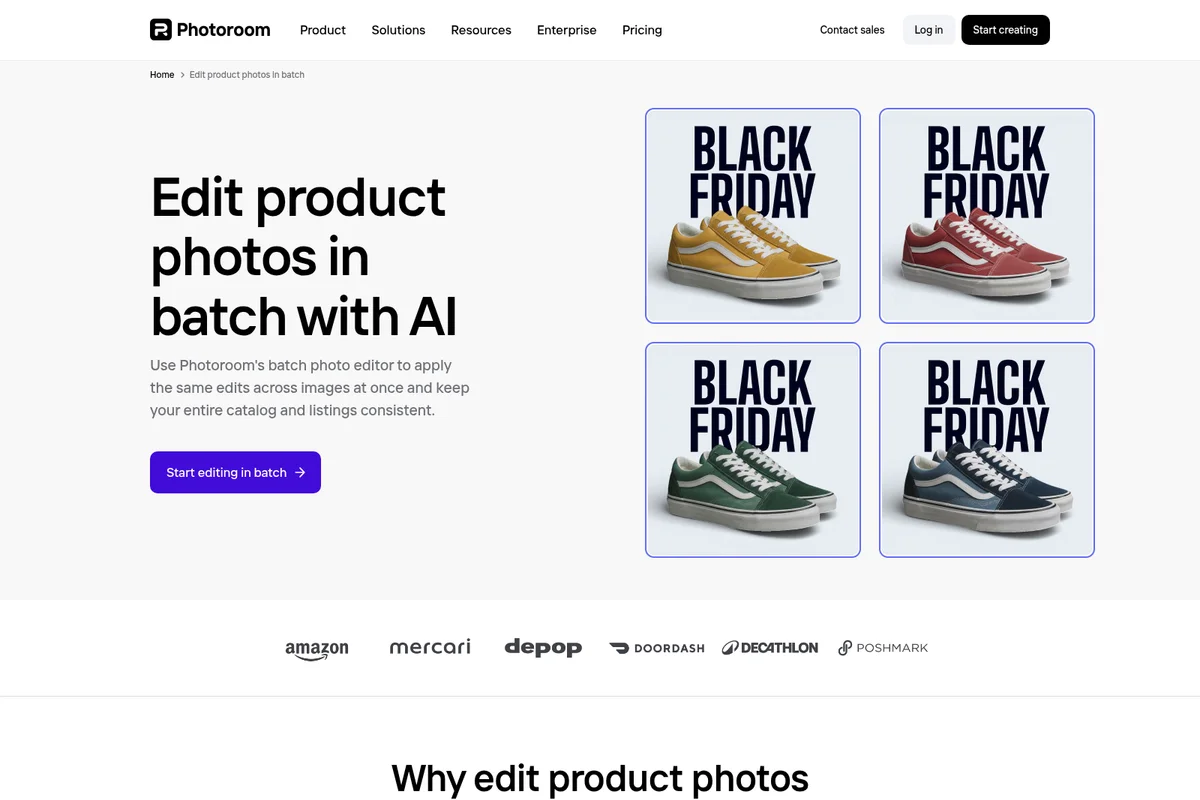
Apply consistent edits across your entire product catalog with AI.

Turn raw product photos into polished, e-commerce-ready listings with ease.

Create professional, scroll-stopping product visuals that drive sales.

Create professional-grade portraits and headshots with AI.

Real-time collaboration on photo edits with your entire team.

Flawless background removal even for intricate hair details

Showcases high-quality product imagery and portrait editing capabilities.
Photoroom Review: Tooliverse Consensus





Based on 27k+ verified reviews across 6 platforms,
combined with Tooliverse's expert analysis
Photoroom turns a phone snapshot into a studio-style listing photo in seconds, and its cutouts, realistic shadows, and batch processing are the reasons e-commerce sellers keep returning. Reviewers praise an interface that demands no design skill, though they trade away fine artistic control. The catches are policy and polish: tighter monthly export caps frustrate high-volume users, AI backgrounds occasionally add phantom objects, and billing support can be slow. For sellers who value speed and edge accuracy, those tradeoffs are manageable.
Bottom line: A top-tier AI photo editor for e-commerce sellers who need fast, accurate cutouts and studio-style shadows, though tightening monthly export limits can squeeze high-volume users on lower plans.
Photoroom | Key Specs
- Platforms
- Web, iOS, Android, API
- Pricing Model
- Freemium + paid tiers ($7.50-$99/mo) and custom Enterprise See plans
- Privacy/Data Use
- GDPR compliant, Responsible AI audits
- Security
- SOC 2 Type 2, SSO (Enterprise) See details
Wins
- •Delivers industry-leading background removal accuracy that handles complex edges with easementioned in 185 reviews
- •Features a high-speed batch mode that processes hundreds of product images simultaneouslymentioned in 142 reviews
- •Generates realistic AI shadows and lighting that give products a professional studio lookmentioned in 118 reviews
Watch-Outs
- •Implements new monthly batch export limits that frustrate high-volume power usersmentioned in 82 reviews
- •Occasional customer support delays leave users waiting for resolution on billing issuesmentioned in 27 reviews
- •Recent UI updates have introduced friction into previously efficient editing workflowsmentioned in 33 reviews
Photoroom Features 2026
AI Product Photography
Generate studio-quality product visuals from an uploaded product photo without a studio.
Background Remover
Fast, precise AI background removal trusted by 80M+ users, with transparent or white background exports.
Batch Editing
Run AI edits across thousands of images in one job via the web app or API.
Image Editing API
REST API for background removal, resizing, AI backgrounds and shadows, handling over 3 million images a day.
Photoroom User Reviews
Selected Reviews
"I use PhotoRoom - it costs money, but it's the best I've come across for background removal and optimization for eBay. It handles large batches and automatically resizes."
"I really value how easily I can generate AI backgrounds and batch-edit multiple images in no time. The ready-made templates fit my workflow perfectly."
"I just found out that there are new limits, and they don't give a shit if you were already signed up on a plan or not. Pro plan now includes only 500 Batch exports per month."
More from the Community
"The background removal is magic. I use it for my eBay store daily and it saves me hours of manual masking."
"Photoroom nails background removal and scene generation for standard product shapes, and its Amazon and Shopify presets are the cleanest in the category."

"When the image generation works, it works fantastic and i haven't found another app that does as good of a job. However, over the past few days i have had endless errors."
"Photoroom provides a lot of AI image editing features and templates, which are very helpful for me to process images quickly. However, the frequency of function updates has decreased recently."
"Incredible app. Thank you for NOT being an ultra-greedy developer and for NOT hiding all the good features behind a paywall."
"The background removal is magic. I use it for my eBay store daily and it saves me hours of manual masking."
"Photoroom nails background removal and scene generation for standard product shapes, and its Amazon and Shopify presets are the cleanest in the category."
"When the image generation works, it works fantastic and i haven't found another app that does as good of a job. However, over the past few days i have had endless errors."
"Photoroom provides a lot of AI image editing features and templates, which are very helpful for me to process images quickly. However, the frequency of function updates has decreased recently."
"Incredible app. Thank you for NOT being an ultra-greedy developer and for NOT hiding all the good features behind a paywall."
"The app was useful for a long time... In the last 6 months or so the quality has continued to degrade. Features that were implemented with practically no user testing."
"Effortless Editing with Photoroom's AI Magic. It's just easy to use and I can get fantastic results without any design background."
"The AI tools are very impressive and intuitive to use. It transforms staid, dull product shots into enticing imagery that pops off the page."
"One of the best apps for creating images with artificial intelligence. It helped me make money from printing on demand."
"The app was useful for a long time... In the last 6 months or so the quality has continued to degrade. Features that were implemented with practically no user testing."
"Effortless Editing with Photoroom's AI Magic. It's just easy to use and I can get fantastic results without any design background."
"The AI tools are very impressive and intuitive to use. It transforms staid, dull product shots into enticing imagery that pops off the page."
"One of the best apps for creating images with artificial intelligence. It helped me make money from printing on demand."
Photoroom Pricing 2026
The free web app is enough to judge cutout quality, but Pro at $7.50/month billed annually is the entry point that matters: unlimited core tools, 8,000 credits, and 1,000 exports. Check that export count against your catalog size before committing, since reviewers hit the ceiling quickly. Sellers who want Shopify sync or video generation should go straight to Max at $20.99/month billed annually, because both features require it.
Photoroom In-Depth Review 2026

Photoroom is an AI visual platform for e-commerce that combines background removal, AI product photography, batch editing, a video generator, and a REST API, with models built to keep the real product accurate. It runs in a web app and on mobile, and it syncs with Shopify. More than a million businesses use it, from solo eBay sellers to marketplaces like Depop and Mercari that push images through the API.
What It's Like Day-to-Day
Background removal is the feature reviewers mention first, and the praise centers on edges: hair, fabric fringe, and glass that usually demand patient manual work. Users describe uploading a phone shot, getting a clean cutout in seconds, then choosing a white backdrop for marketplace rules or a styled scene for social posts. One Reddit seller who lists on eBay called it "the best I've come across for background removal and optimization for eBay", and noted that it handles large batches and resizes automatically.
Batch mode stretches that speed across whole catalogs.
Photoroom Security & Compliance
Verified Compliance
- SOC 2 Type 2
Security Features
- SSO (Enterprise)
- Role-based access in Brand Kit
- Encryption and strict access controls
Privacy Commitments
- GDPR compliant
- Responsible AI with regular audits to reduce bias and ensure fairness
Photoroom: Frequently Asked Questions (FAQs)
What does Photoroom cost?
Photoroom's paid plans are Pro ($7.50/month billed yearly, $12.99 monthly), Max ($20.99/month billed yearly, $34.99 monthly), and Ultra ($82.50/month billed yearly, $99 monthly), plus custom Enterprise pricing. Yearly billing saves 33%.
Can I try Photoroom for free?
Yes, Photoroom lets you start creating for free in its web app, and its AI Image Generator can be tried for free, with more credits available on paid plans.
What's a credit in Photoroom?
AI credits power Photoroom's most advanced AI tools, like Video Generator, Virtual Model, AI Backgrounds Studio, and Edit with AI. The monthly pool is shared across your Space and renews each billing cycle, and different tools use different amounts.
What counts as an export?
Each image saved from the editor, Batch, or a Shopify sync counts as 1 export, shared across all export methods and renewed each billing cycle. API and MCP usage use a separate allowance, and limits apply to visual assets up to 2K resolution.
Photoroom Integrations
| Shopify | Photoroom MCP | Google Cloud Platform |
| AWS | Cloudflare |
Photoroom: Verified Data Sheet
| # | Label | Data Point |
|---|---|---|
| [1] | Photoroom Consensus: 8.89/10 | Photoroom is a highly-rated tool among AI image generators in the Tooliverse index, with a consensus score of 8.89/10 across 27,497 verified reviews. |
| [2] | What is Photoroom | Photoroom is a SOC 2 Type 2 certified AI visual platform for e-commerce product photos, video, and batch editing. Used by 1M+ businesses, with paid plans starting at $7.50/month billed yearly. |
| [3] | Tooliverse Consensus on Photoroom | Photoroom turns a phone snapshot into a studio-style listing photo in seconds, and its cutouts, realistic shadows, and batch processing are the reasons e-commerce sellers keep returning. Reviewers praise an interface that demands no design skill, though they trade away fine artistic control. The catches are policy and polish: tighter monthly export caps frustrate high-volume users, AI backgrounds occasionally add phantom objects, and billing support can be slow. For sellers who value speed and edge accuracy, those tradeoffs are manageable. |
| [4] | Photoroom Verdict | Photoroom bottom line: A top-tier AI photo editor for e-commerce sellers who need fast, accurate cutouts and studio-style shadows, though tightening monthly export limits can squeeze high-volume users on lower plans. |
| [5] | Free (limited trial): Free | Photoroom offers a Free (limited trial) tier that lets you try the web app and the AI Image Generator at no cost, with more credits available on paid plans. |
| [6] | Accurate background removal on complex edges | Photoroom delivers background removal that handles complex edges such as hair, fabric, and glass cleanly, a strength cited in 185 user reviews and backed by a user base of 80M+ on its background remover. |
| [7] | Batch editing of thousands of images per job | Photoroom runs batch edits across thousands of images in one job through the web app or API, a speed advantage mentioned in 142 user reviews. |
| [8] | Realistic AI shadows and lighting | Photoroom generates AI shadows and lighting that give product photos a studio look, validated by 118 user reviews; Shadows (Presets) is a core tool included on paid plans with no credit cost. |
| [9] | Intuitive interface, no design skills needed | Photoroom offers an interface that needs no professional design experience, a point raised in 156 user reviews, and ships with 300+ video templates plus ready-made editing templates for fast results. |
| [10] | Pro: $7.5/mo (annual) | Photoroom, Inc.'s Pro plan adds 8,000 AI credits per month for $7.5/month billed annually, significantly expanding on the free tier's capabilities. |
| [11] | Monthly export limits frustrate power users | Photoroom has introduced monthly export limits that frustrate high-volume users, according to 82 user reviews; the Pro plan lists 1,000 exports per month, while one Reddit user cites 500 batch exports. |
| [12] | AI backgrounds can add phantom objects | Photoroom's AI-generated backgrounds can include stray 'phantom' objects that may confuse buyers, according to 54 user reviews, so outputs need a quick visual check before publishing. |
| [13] | Privacy: GDPR compliant | Photoroom's privacy protections include GDPR compliant handling and Responsible AI with regular audits to reduce bias and ensure fairness. |
| [14] | Enterprise: SSO (Enterprise) | Photoroom provides enterprise security through SSO (Enterprise), Role-based access in Brand Kit, and Encryption and strict access controls. |
| [15] | Cleanest Amazon and Shopify presets | A TechRadar reviewer wrote that Photoroom "nails background removal and scene generation for standard product shapes, and its Amazon and Shopify presets are the cleanest in the category." |
Best Photoroom Alternatives

Pebblely
Turn one product photo into scroll-stopping marketing images in seconds—no camera or Photoshop required.

Claid.ai
Turn a single product photo into studio-quality visuals and videos that actually look real.
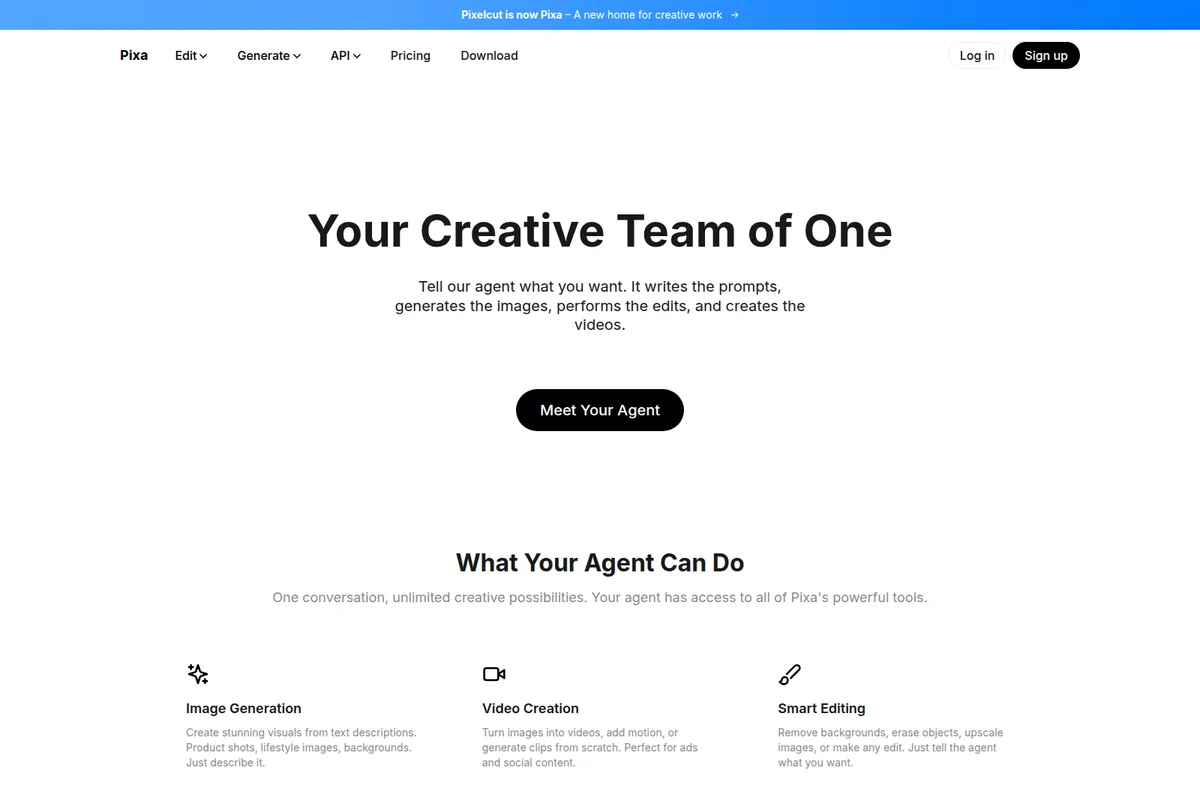
Pixelcut
Create studio-quality product images and videos in seconds, no designer or studio required.