
PixVerse Review 2026 - AI Video with Audio
Verified Oct 6, 2026 by Tooliverse Editorial
PixVerse turns a prompt, photo or half-formed idea into polished video in seconds. Generate 15-second 1080p clips with native audio, direct scenes with an AI agent, and tap top models like Sora 2 and Kling in one place.
🚀 Exciting News! PixVerse just got an upgrade! Introducing PixVerse V2.🔥
How PixVerse Works | AI Video & Image Creation Review

Generate breathtaking photorealistic robot designs and characters with AI.
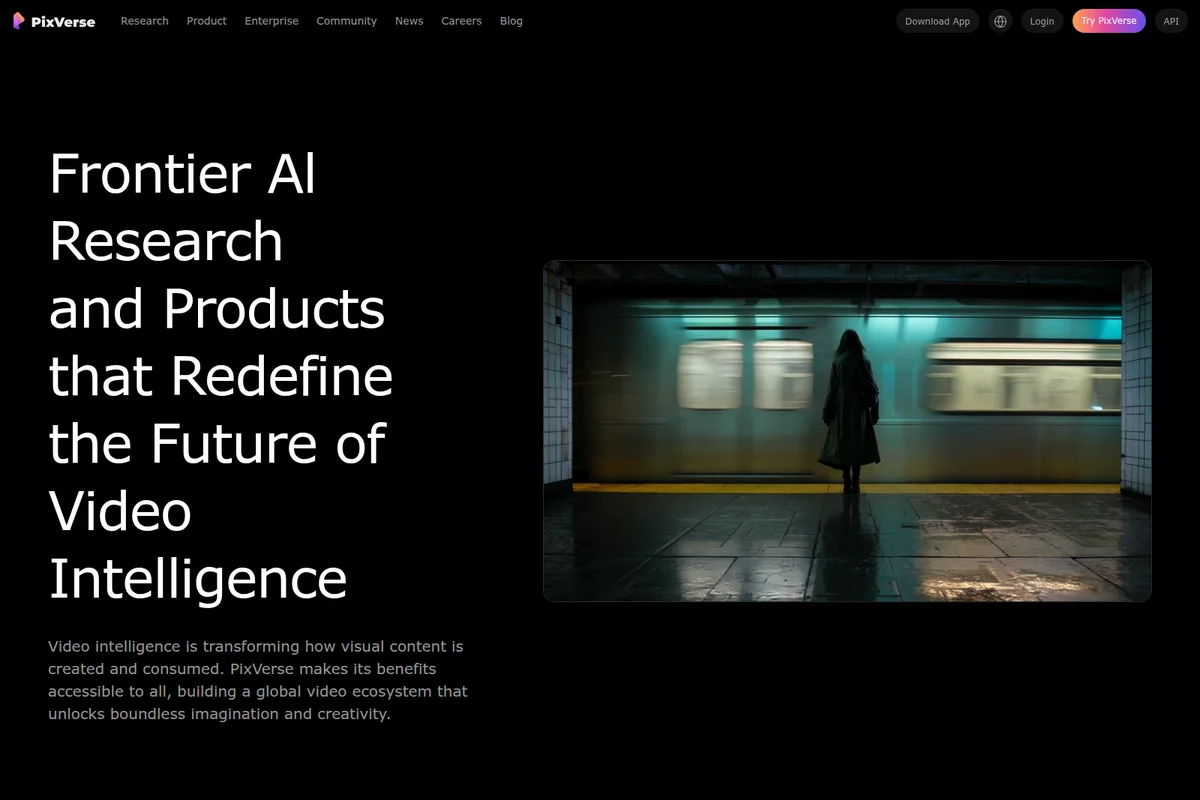
Redefine the future of video intelligence with PixVerse AI.

Create captivating characters and moody scenes with AI video/image generation.
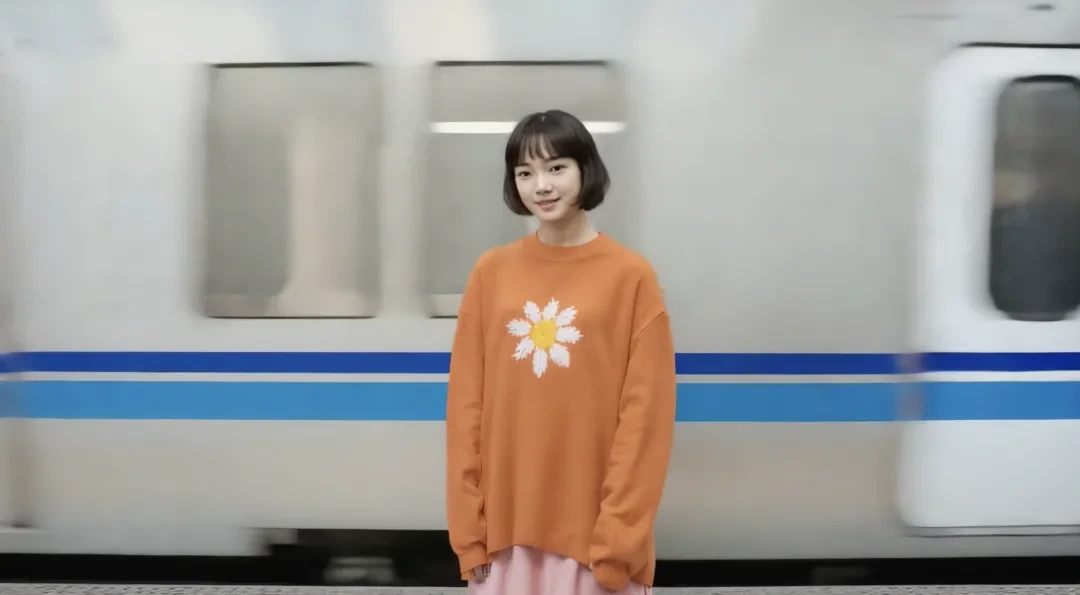
Showcase realistic character generation and dynamic scene composition in AI-powered videos.
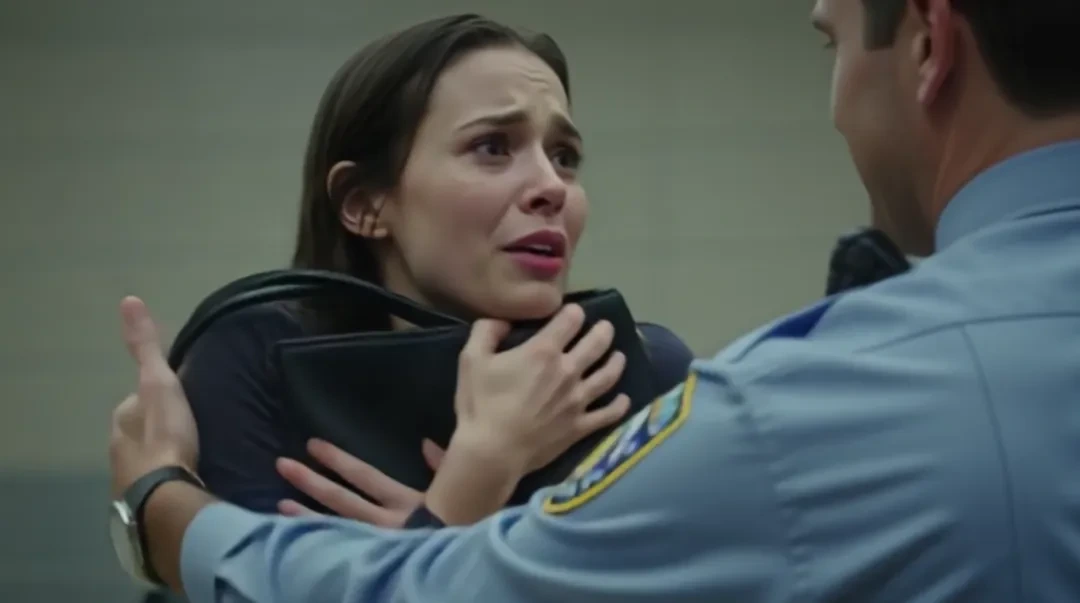
Generate emotional and realistic human interactions in your AI videos.

Generate stunning photorealistic cinematic scenes.
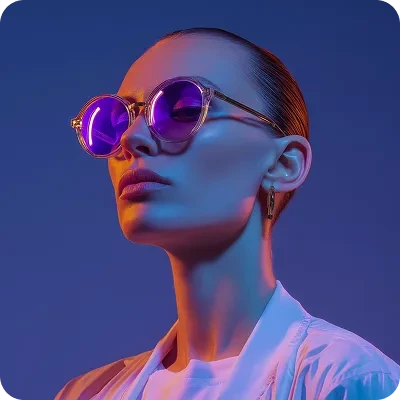
AI-generated photorealistic portrait with striking style and vivid lighting effects.
PixVerse Review: Tooliverse Consensus




Based on 25k+ verified reviews across 5 platforms,
combined with Tooliverse's expert analysis
PixVerse pairs director-style camera control with fast rendering, which is why short-form creators and marketers keep returning to it. Image-to-video holds a subject's face steady, and templates like AI Hug make complicated effects approachable. The catch is cost predictability: failed generations still burn paid credits, and 3D characters and crowded scenes often produce odd faces and anatomy. Cancellation complaints surface too, so it suits volume work where you can afford retries.
Bottom line: A strong AI video generator for creators who want cinematic camera control and fast results, held back by a credit system that charges for failed generations and shaky 3D character work.
PixVerse | Key Specs
- Platforms
- Web, iOS, Android
- Pricing Model
- Freemium ($0-149/mo) See plans
- Privacy/Data Use
- Enterprise customers own their outputs
- Security
- ISO/IEC 27001, SOC 2, Role-based access See details
Wins
- •Generates cinematic videos with professional-grade camera controls for precise artistic directionmentioned in 245 reviews
- •Transforms static images into dynamic animations with impressive visual continuitymentioned in 189 reviews
- •Features a generous free tier that allows for daily creative experimentationmentioned in 167 reviews
Watch-Outs
- •Credit system can feel punitive as failed generations still consume paid tokensmentioned in 92 reviews
- •Struggles with 3D character animations, often producing unrealistic facial featuresmentioned in 74 reviews
- •Complex multi-subject scenes frequently exhibit logical and anatomical inconsistenciesmentioned in 58 reviews
PixVerse Features 2026
PixVerse V6 Video Model
Generates 15-second 1080p videos with native audio, multi-shot logic and aspect ratio control.
Text-to-Video & Image-to-Video
Create videos from written prompts or animate product photos, characters and references.
AI Video Agent
Guided workflow that turns rough ideas into video directions, with skills such as Automotive Ad, Short Drama and Music Video.
Canvas Workspace
Visual production workspace with Mind Layout, Batch Factory, Model Arena, Agent Launchpad and Project Memory.
PixVerse User Reviews
Selected Reviews
"The V6 update is incredible. The camera controls actually work like a real director's tools, allowing for focal length adjustments that I haven't seen in other AI video apps. It makes the output feel much more intentional."
"Impressive speed and the UI is very beginner-friendly. I was able to make my first AI video in less than five minutes without reading any tutorials. The community gallery is also a great source of inspiration."
"The quality is great when it works, but I've wasted so many credits on generations where the character has blue hair for no reason. The 3D mode needs a lot of work before it's usable for professional projects."
More from the Community
"PixVerse is the fastest generator I've used. I can get a 1080p clip in under a minute, which is perfect for my social media workflow. The viral templates are a nice bonus for quick engagement."
"Image-to-video is where this app shines. It keeps the character's face consistent from the original photo, though sometimes the background shimmers a bit too much during movement. Still the best in its class for portraits."
"The Magic Brush tool is a game changer for selective animation. I can finally animate just the water in a landscape without the trees turning into blobs. Very impressed with the control."
"Good for landscapes and static shots, but it still struggles with walking animations. Characters often look like they are sliding on ice rather than stepping. Needs better physics for human motion."
"PixVerse is the fastest generator I've used. I can get a 1080p clip in under a minute, which is perfect for my social media workflow. The viral templates are a nice bonus for quick engagement."
"Image-to-video is where this app shines. It keeps the character's face consistent from the original photo, though sometimes the background shimmers a bit too much during movement. Still the best in its class for portraits."
"The Magic Brush tool is a game changer for selective animation. I can finally animate just the water in a landscape without the trees turning into blobs. Very impressed with the control."
"Good for landscapes and static shots, but it still struggles with walking animations. Characters often look like they are sliding on ice rather than stepping. Needs better physics for human motion."
"The multi-shot storytelling feature in V6 is exactly what I needed. No more stitching 4-second clips together manually. It handles the transitions surprisingly well for an automated tool."
"The 4K upscaling is a bit hit or miss. Sometimes it looks sharp, other times it just adds weird artifacts that weren't in the original 720p render. I wish it was more consistent for the price."
"I appreciate the 60 free credits daily, but they expire if you don't use them. It feels like I'm being forced to use the app every day rather than when I actually have a project."
"The multi-shot storytelling feature in V6 is exactly what I needed. No more stitching 4-second clips together manually. It handles the transitions surprisingly well for an automated tool."
"The 4K upscaling is a bit hit or miss. Sometimes it looks sharp, other times it just adds weird artifacts that weren't in the original 720p render. I wish it was more consistent for the price."
"I appreciate the 60 free credits daily, but they expire if you don't use them. It feels like I'm being forced to use the app every day rather than when I actually have a project."
PixVerse Pricing 2026
View SourceThe free Basic plan works as a real trial, with 60 starting credits and 30 daily, though video tops out at 540P. Standard at $8/month billed annually is the practical pick for most creators: it removes watermarks and ads, raises output to 720P and brings 1,200 credits monthly. Credits expire, so buy packs only for one-off bursts, and test prompts cheaply first, since failed generations still cost credits.
PixVerse In-Depth Review 2026

PixVerse is an AI video generator built around its V6 model, which produces 15-second 1080p clips with native audio and multi-shot sequencing from text prompts or still images. It runs on the web and on mobile, and it doubles as a hub that puts partner models such as Sora 2, Kling O3 and Seedance 2.5 next to its own. An agent with dozens of guided skills and a Canvas workspace for batch production round out the picture.
What It's Like Day-to-Day
The core loop is short. You type a prompt or drop in a photo, choose an aspect ratio, and a clip comes back quickly; reviewers on Product Hunt describe 1080p results in under a minute and a first video in under five minutes with no tutorial. The camera language is what separates the results from typical AI footage. V6 responds to terms like push-in, tracking shot, orbit and low-angle, and Reddit users say the controls "work like a real director's tools", which gives clips a deliberate feel.
Image-to-video is the other draw.
PixVerse Security & Compliance
Verified Compliance
- ISO/IEC 27001 (DNV certified)
- SOC 2 controls
Security Features
- Role-based workspace access
Privacy Commitments
- Enterprise customers own their outputs
PixVerse: Frequently Asked Questions (FAQs)
Does PixVerse have a free plan?
Yes, the Basic plan is $0/month with 60 initial credits and 30 daily credits, video up to 540P and 2 concurrent generations.
How much do PixVerse subscriptions cost?
Standard is $8/month, Pro $24/month, Premium $48/month and Ultra $149/month when billed yearly; Team Ultra is $149 per seat/month. Monthly billing prices are higher (e.g., $10, $30, $60, $249).
What are credits in PixVerse?
Credits are used to create videos. Daily Credits renew at 0AM UTC and expire daily, Membership Credits refresh every 30 days and expire, and Bonus Credits from purchases or rewards never expire.
How do I get more credits?
Log in to collect Daily Credits, subscribe for Membership Credits, or purchase or earn Bonus Credits through promotions. Credit packs start at $5 for 500 credits.
PixVerse Integrations
| Kling | Sora 2 | Seedance |
| MiniMax | Wan | Grok Imagine |
| Nano Banana | GPT Image | Seedream |
PixVerse: Verified Data Sheet
| # | Label | Data Point |
|---|---|---|
| [1] | PixVerse Consensus: 8.39/10 | PixVerse is a highly-rated tool among AI video tools in the Tooliverse index, with a consensus score of 8.39/10 across 25,977 verified reviews. |
| [2] | What is PixVerse | PixVerse is an ISO/IEC 27001 certified AI video generator built around its V6 model for 15-second 1080p video with native audio. It also offers multi-model access, with a free plan and paid plans from $8/month. |
| [3] | Tooliverse Consensus on PixVerse | PixVerse pairs director-style camera control with fast rendering, which is why short-form creators and marketers keep returning to it. Image-to-video holds a subject's face steady, and templates like AI Hug make complicated effects approachable. The catch is cost predictability: failed generations still burn paid credits, and 3D characters and crowded scenes often produce odd faces and anatomy. Cancellation complaints surface too, so it suits volume work where you can afford retries. |
| [4] | PixVerse Verdict | PixVerse bottom line: A strong AI video generator for creators who want cinematic camera control and fast results, held back by a credit system that charges for failed generations and shaky 3D character work. |
| [5] | Basic: Free | PixVerse offers a free Basic tier with 60 initial credits and 30 daily credits that reset daily, so users can try its AI tools at no cost. |
| [6] | Free tier supports daily experimentation | PixVerse offers a free Basic plan with 60 initial credits and 30 daily credits for regular experimentation, a benefit highlighted in 167 user reviews. |
| [7] | Fast rendering (142 reviews) | PixVerse renders quickly enough to keep creative workflows moving, with reviewers on Product Hunt describing 1080p clips in under a minute, and 142 reviews citing rendering speed as a strength. |
| [8] | Viral-ready templates like AI Hug | PixVerse includes viral-ready templates such as AI Hug that simplify complex animation tasks, a feature praised in 118 user reviews. |
| [9] | Pro: $24/mo (annual) | PixVerse Pro gives users 6000 credits every 30 days plus 60 daily credits for $24/month billed annually, a major step up from the free tier. |
| [10] | Cinematic camera controls (245 reviews) | PixVerse generates cinematic video with director-style camera controls, responding to instructions such as push-in, tracking shot, low-angle, aerial view, pan, tilt, orbit and close-up, a strength cited in 245 user reviews. |
| [11] | Failed generations still cost credits | PixVerse's credit system draws criticism because failed or off-prompt generations still consume paid credits, according to 92 user reviews; Credit Pack purchases are also non-refundable. |
| [12] | 3D character faces look unrealistic | PixVerse struggles with 3D character animation, with 74 user reports describing unrealistic facial features and unexpected details such as altered hair color. |
| [13] | ISO/IEC 27001 (DNV certified) | PixVerse holds ISO/IEC 27001 (DNV certified) certification and applies SOC 2 controls. |
| [14] | Enterprise: Role-based workspace access | PixVerse provides enterprise security with Role-based workspace access. |
| [15] | Camera controls work like a director's tools | A verified Reddit reviewer noted that PixVerse V6 camera controls "actually work like a real director's tools," allowing focal length adjustments that make output feel "much more intentional." |
Best PixVerse Alternatives

Kling AI
Turn your ideas into cinematic videos and images with native 4K AI generation.
Luma Dream Machine
You have the idea. Luma helps make it real, with AI video, image, and audio in one place.

Runway
Generate, edit and extend video, images and audio with the world's best AI models in one place.