
Planable Review 2026 - Social Approval Workflows
Verified Oct 6, 2026 by Tooliverse Editorial
Planable puts drafts, feedback, and client approvals in one visual workspace, so there are no more spreadsheets, email chains, or status calls. Agencies and multi-location brands plan, approve, and schedule posts across 9 platforms together.
Planable demo | Social media management, simplified for brands
Planable Tutorial and Review (2026)
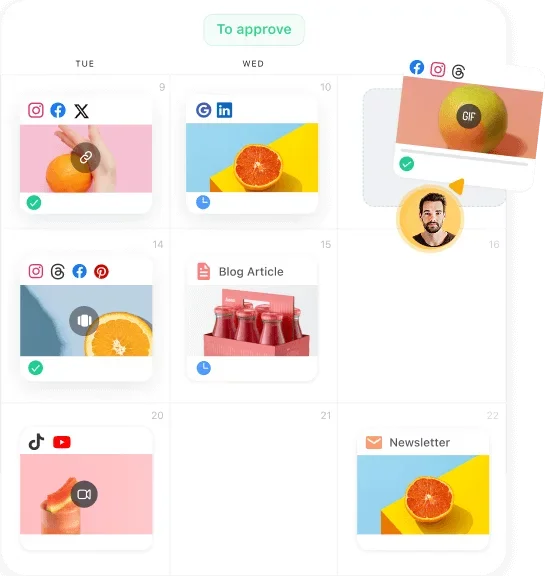
Visually plan and manage all your social media content on an intuitive calendar.
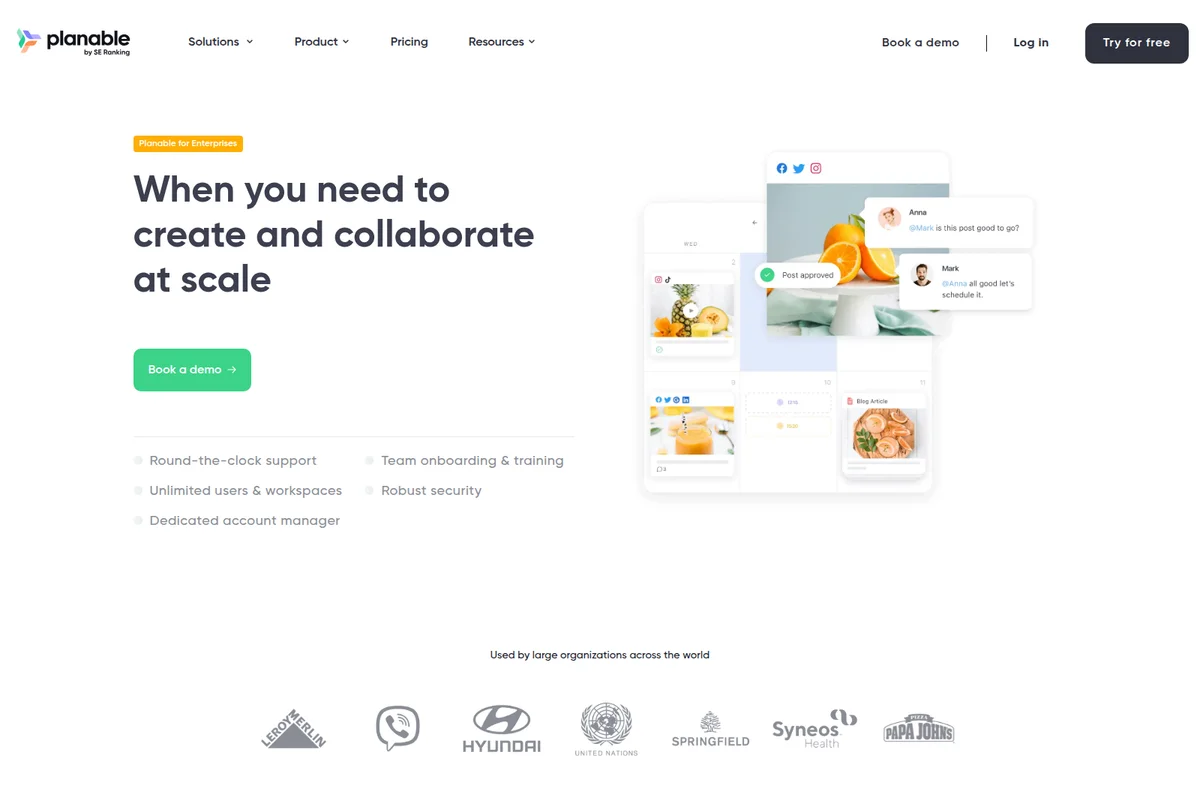
Streamline content creation and approval workflows with team collaboration.

Streamline content creation with AI suggestions and seamless team collaboration.
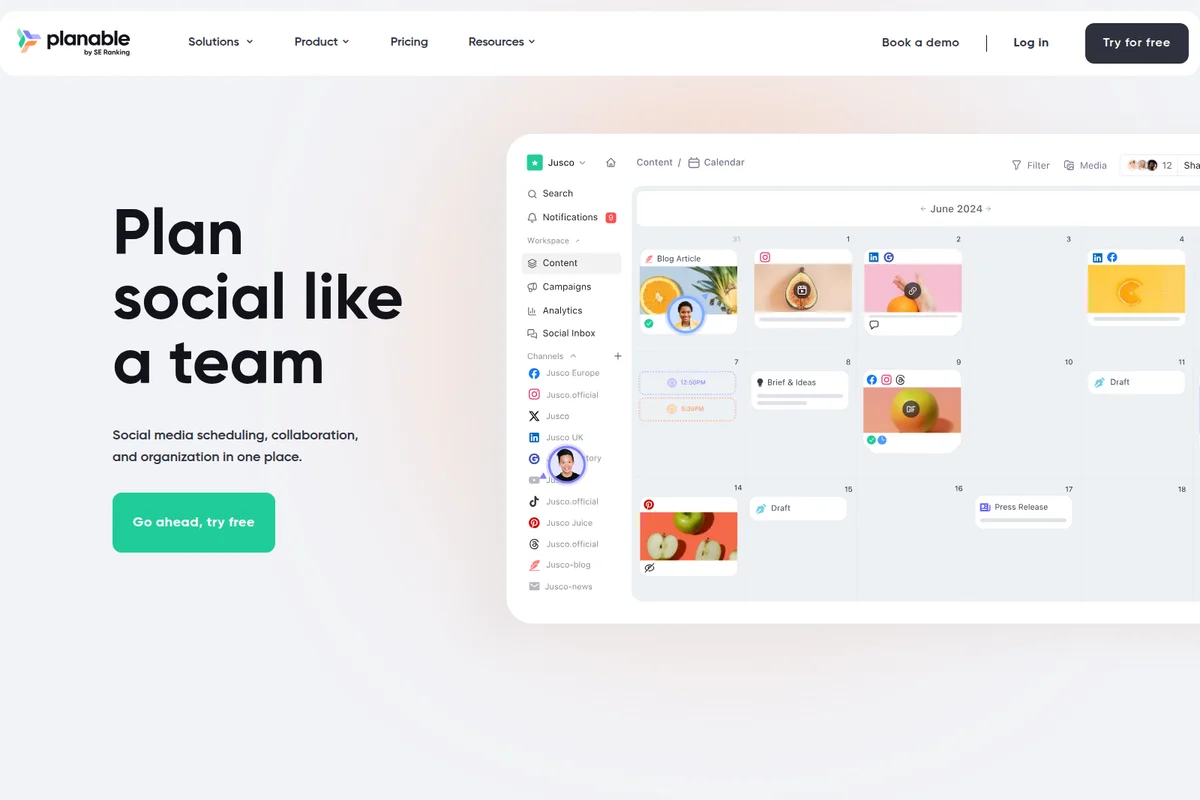
Plan, schedule, and collaborate on social media content across all channels.
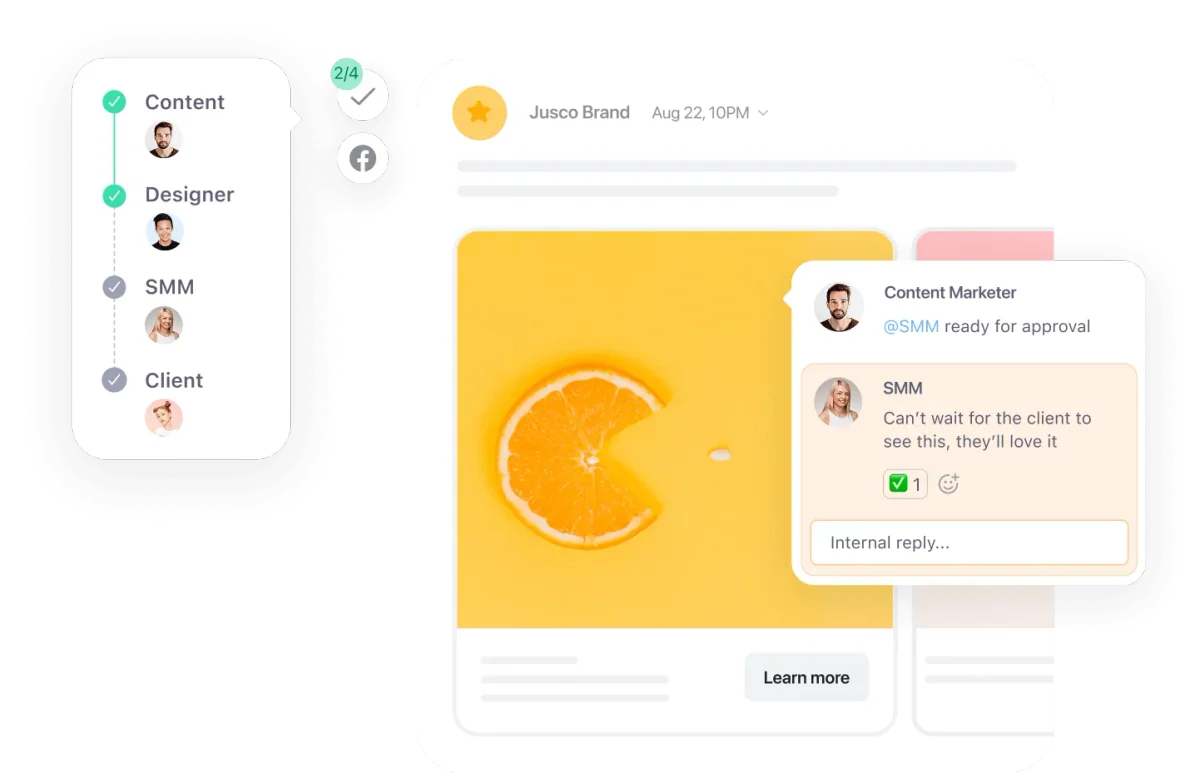
Streamline content approval with clear workflows and integrated feedback.
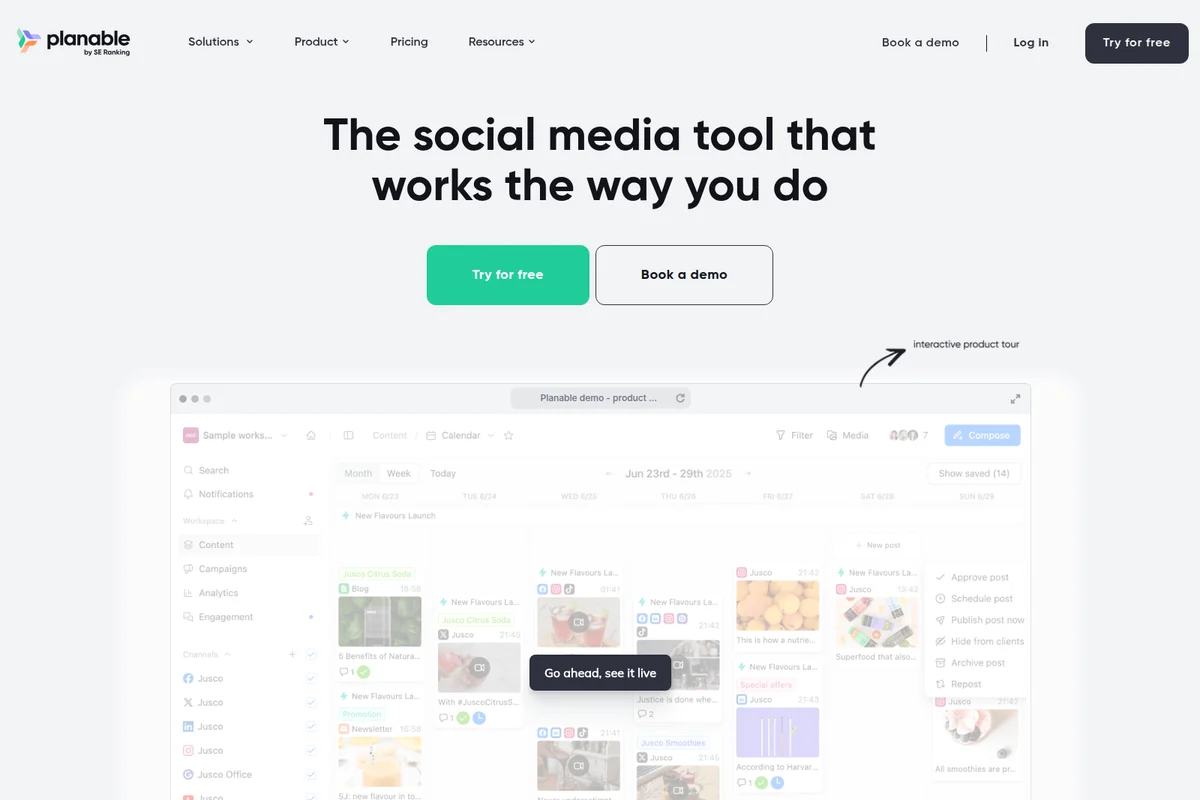
Visualize, plan, and approve all your social media content effortlessly.
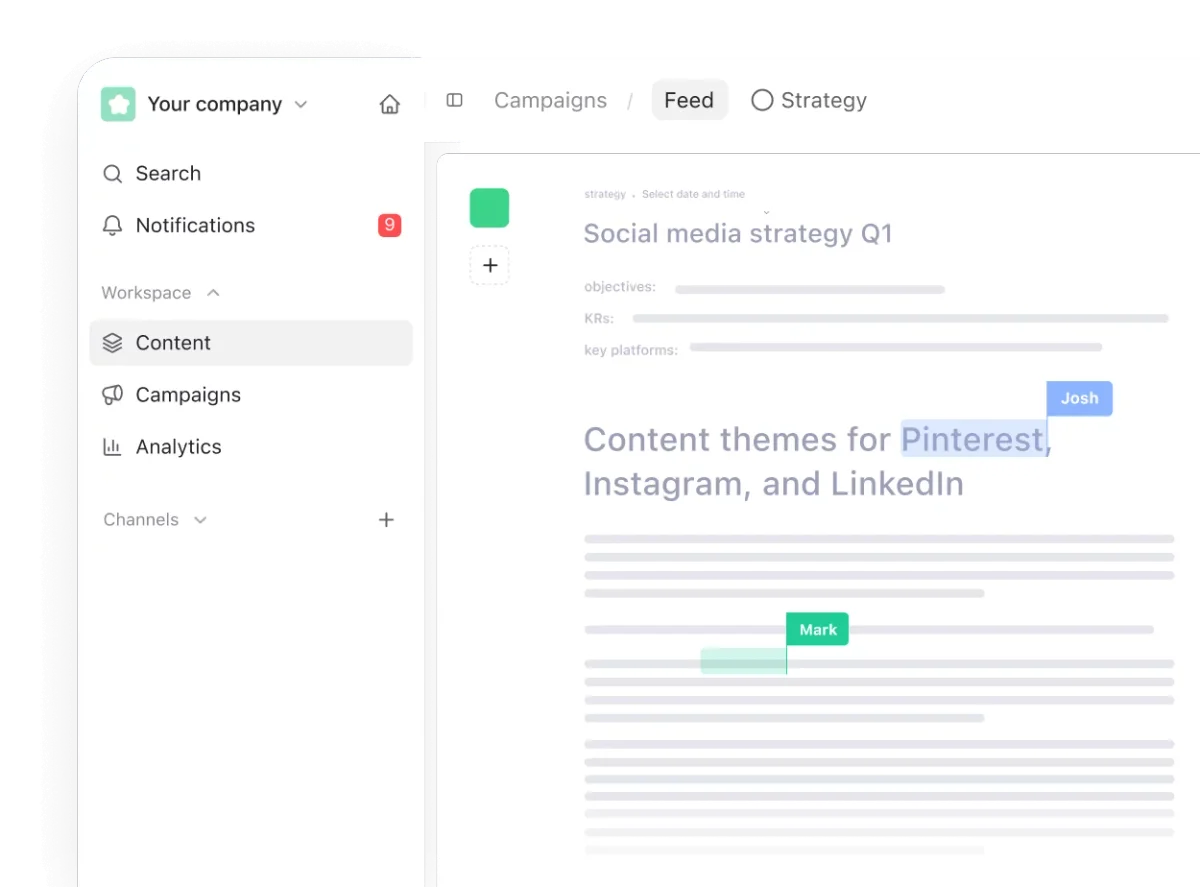
Plan social media content strategies and collaborate with your team in real time.
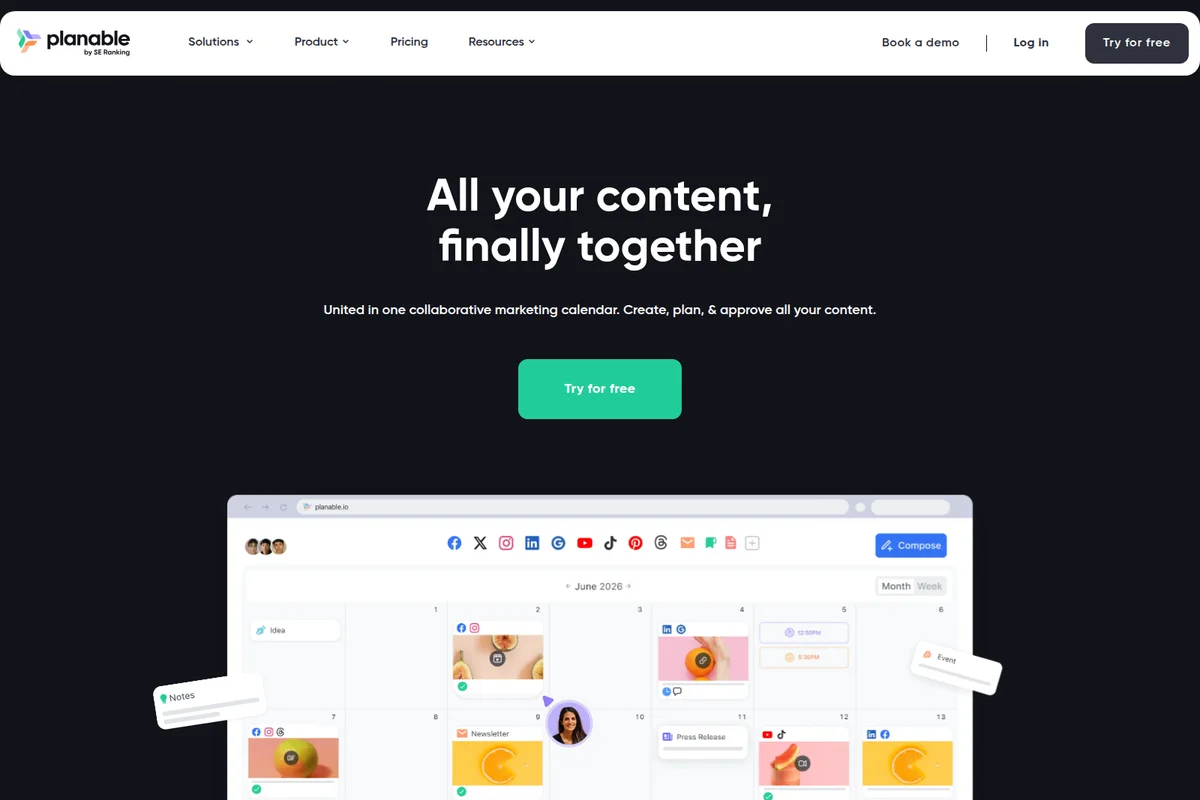
Plan, create, and approve all your content in one collaborative calendar.
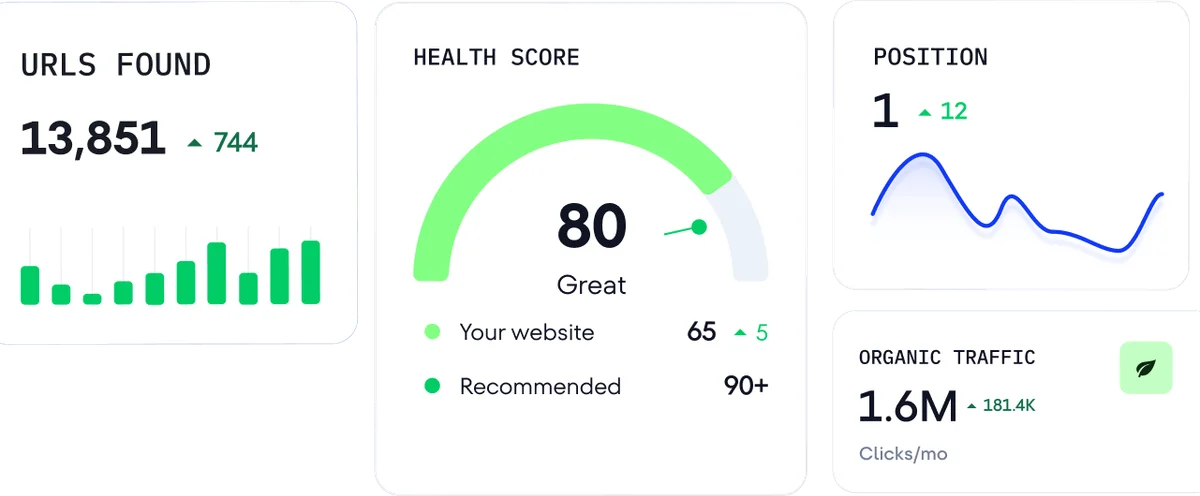
Track key SEO metrics like URLs, health score, and organic traffic.
Planable Review: Tooliverse Consensus





Based on 761 verified reviews across 6 platforms,
combined with Tooliverse's expert analysis
Planable turns social approval into a visual, shared process: drafts look like the finished posts, reviewers comment in place, and multi-level workflows keep legal, clients, and team leads in sequence. The SE Ranking tie-in adds search data to the calendar, and AI Brand Context helps captions hold a consistent voice. The catch is cost, since per-workspace pricing climbs for agencies with many clients and multi-platform posts count separately against limits. Analytics and the mobile app also trail dedicated reporting tools and the desktop.
Bottom line: A top-tier collaboration platform whose pixel-perfect previews and approval workflows speed up client sign-off, though per-workspace pricing and multi-platform post counting can add up quickly for busy agencies.
Planable | Key Specs
- Platforms
- Web, iOS, Android
- Pricing Model
- Free trial (50 posts) + paid per workspace ($33-49/workspace/mo), Enterprise custom See plans
- Privacy/Data Use
- GDPR compliant, does not sell customer data
- Security
- SSO (Enterprise), Stripe-secured payments See details
Wins
- •Provides pixel-perfect visual previews that eliminate guesswork for clients and teamsmentioned in 184 reviews
- •Streamlines complex approval processes with customizable multi-level workflowsmentioned in 156 reviews
- •Integrates seamlessly with SE Ranking to align social strategy with SEO goalsmentioned in 112 reviews
Watch-Outs
- •Pricing structure can become expensive for agencies managing many client workspacesmentioned in 72 reviews
- •Post-counting system treats multi-platform shares as separate posts against limitsmentioned in 58 reviews
- •Mobile application lacks the full feature set available on the desktop versionmentioned in 46 reviews
Planable Features 2026
Customizable approval workflows
Set none, optional, or required approvals per workspace, with multi-level approval chains on Enterprise and a kanban approvals tab so no post is skipped.
Workspaces per client or brand
Dedicated spaces with their own pages, calendar, team, campaigns, labels, and approval flow, with unlimited users on every plan.
Native-looking post previews
Feed view looks and feels like the native platforms, with previews in plain sight and feedback and approvals right next to the content.
Universal Content
Plan, review, and approve blogs, newsletters, ads, press releases, and other non-social content alongside social posts in one calendar.
Planable User Reviews
Selected Reviews
"The visual calendar is a game changer for our agency. Clients finally understand what the posts will look like before they go live, which has cut our approval time in half."
"Best collaboration tool for social media. The approval process is so much faster now that we can leave comments directly on the drafts instead of using messy email chains."
"Great tool for planning, but the mobile app needs more of the desktop features. It is quite hard to edit or reschedule posts on the go when you are away from your desk."
More from the Community
"Good for scheduling but the pricing tiers are a bit steep for small teams. Also, the analytics are basic compared to specialized tools like Sprout or Metricool."
"Interface is beautiful but we've had a few issues with Instagram reels not auto-publishing correctly lately. Customer support is helpful but the API glitches are frustrating."
"The new AI Brand Context feature actually writes in our voice. It saves us hours on captioning by remembering our specific brand values and tone."
"Love the grid view for Instagram. It's the only tool that actually looks like the app, making it easy to plan a cohesive aesthetic for our clients."

"The post counting is frustrating. One post to three platforms shouldn't count as three separate posts against my limit. It feels like a way to force upgrades."
"Good for scheduling but the pricing tiers are a bit steep for small teams. Also, the analytics are basic compared to specialized tools like Sprout or Metricool."
"Interface is beautiful but we've had a few issues with Instagram reels not auto-publishing correctly lately. Customer support is helpful but the API glitches are frustrating."
"The new AI Brand Context feature actually writes in our voice. It saves us hours on captioning by remembering our specific brand values and tone."
"Love the grid view for Instagram. It's the only tool that actually looks like the app, making it easy to plan a cohesive aesthetic for our clients."
"The post counting is frustrating. One post to three platforms shouldn't count as three separate posts against my limit. It feels like a way to force upgrades."
"Seamless integration with SE Ranking now. Love having my SEO data and social calendar in one place. It makes reporting to stakeholders much more comprehensive."
"The best part is the external review link. Clients don't even need an account to approve posts, which has removed a huge barrier in our workflow."
"It's a bit pricey once you add multiple workspaces, but the time saved on client approvals makes it worth it for any serious agency."
"Customer support is incredibly responsive. They fixed a sync issue for us in under an hour and followed up to make sure everything was still working."
"Seamless integration with SE Ranking now. Love having my SEO data and social calendar in one place. It makes reporting to stakeholders much more comprehensive."
"The best part is the external review link. Clients don't even need an account to approve posts, which has removed a huge barrier in our workflow."
"It's a bit pricey once you add multiple workspaces, but the time saved on client approvals makes it worth it for any serious agency."
"Customer support is incredibly responsive. They fixed a sync issue for us in under an hour and followed up to make sure everything was still working."
Planable Pricing 2026
Basic at $33/workspace/month covers a single brand posting at moderate volume, but the 60-post monthly cap and one tweet per day are tight. Pro at $49/workspace/month is the pick for most agencies: required approvals, grid view, and 150 posts per workspace are what make client sign-off enforceable. Remember the price multiplies by client, so five clients means five workspaces; past that, ask about volume discounts. Analytics costs extra on both.
Planable In-Depth Review 2026

Planable is a collaboration-first social media management platform, built around drafting, commenting, approving, and publishing in one place. It schedules to nine networks, including Facebook, Instagram, LinkedIn, X, YouTube, TikTok, Pinterest, Google Business Profile, and Threads, with previews that mirror each native feed. Pricing is per workspace with unlimited users, so adding another reviewer never adds a seat fee. Since joining forces with SE Ranking in 2025, it has also been pulling SEO data into the same calendar.
What It's Like Day-to-Day
The workflow centers on the feed view, where drafts look like the finished posts instead of rows in a spreadsheet. Comments and approvals sit right beside the content, and a kanban approvals tab shows what is waiting on whom, so nothing quietly stalls. Approval can be set to none, optional, or required per workspace, which lets a relaxed internal brand move fast while a nervous client gets stricter gates.
Planable Security & Compliance
Security Features
- SSO integration (Enterprise)
- Secure payments via Stripe
Privacy Commitments
- GDPR compliant policies
- Does not sell customer data; processes it only to provide the service
- Data Processing Agreement available
Planable: Frequently Asked Questions (FAQs)
Does Planable have a free plan or free trial?
Yes, Planable offers a free trial of 50 created posts total with no time limit and no credit card required. The 50 posts do not reset monthly, and X (Twitter) publishing is not available during the trial. The Analytics and Social inbox add-ons each include a 30-day free trial on a paid plan.
How much does Planable cost?
Planable's Basic plan is $33 per workspace per month and Pro is $49 per workspace per month. Enterprise uses custom pricing. Pricing is per workspace with unlimited users, not per seat, and prices exclude taxes. A Monthly/Yearly toggle shows '2 months free' on yearly billing.
What is a workspace in Planable and how many do I need?
A workspace is a dedicated space for one brand, client, or location, holding its own pages, calendar, team, campaigns, and approval flow. Planable recommends one workspace per brand or client, so 5 clients need 5 workspaces. Teams with more than 5 workspaces can get in touch for a volume discount.
What does the Planable Enterprise plan include?
Enterprise includes everything in Pro plus unlimited posts, multi-level approvals, unlimited labels and campaigns, SSO integration, a dedicated account manager, personalized onboarding, priority support, and 24 months of published posts storage. The Analytics and Social inbox add-ons are included, and pricing is custom.
Planable Integrations
| Canva | Slack | Zapier |
| Claude | ChatGPT | Gemini |
| X (Twitter) | YouTube | TikTok |
| Google Business Profile | Threads | |
| Stripe |
Planable: Verified Data Sheet
| # | Label | Data Point |
|---|---|---|
| [1] | Planable Consensus: 9.17/10 | Planable is one of the highest-rated AI marketing tools in the Tooliverse index, with a consensus score of 9.17/10 across 761 verified reviews. |
| [2] | What is Planable | Planable is a collaboration-first social media management platform for agencies and multi-brand teams, founded in 2016. It serves 7,500+ teams worldwide, with pricing from $33/workspace/month and a free 50-post trial. |
| [3] | Tooliverse Consensus on Planable | Planable turns social approval into a visual, shared process: drafts look like the finished posts, reviewers comment in place, and multi-level workflows keep legal, clients, and team leads in sequence. The SE Ranking tie-in adds search data to the calendar, and AI Brand Context helps captions hold a consistent voice. The catch is cost, since per-workspace pricing climbs for agencies with many clients and multi-platform posts count separately against limits. Analytics and the mobile app also trail dedicated reporting tools and the desktop. |
| [4] | Planable Verdict | Planable bottom line: A top-tier collaboration platform whose pixel-perfect previews and approval workflows speed up client sign-off, though per-workspace pricing and multi-platform post counting can add up quickly for busy agencies. |
| [5] | Free Trial: Free | Planable offers a functional Free Trial tier with 50 posts total, no time limit, and no credit card required, making the platform accessible at no cost. |
| [6] | SE Ranking SEO integration | Planable integrates with SE Ranking so teams can align social planning with SEO goals in a single calendar, an integration mentioned in 112 user reviews following the 2025 partnership between the two companies. |
| [7] | WYSIWYG interface across 9 platforms | Planable offers a "what you see is what you get" interface across 9 scheduling platforms (Facebook, Instagram, LinkedIn, X, YouTube, TikTok, Pinterest, Google Business Profile, Threads) and 4 views (feed, calendar, grid, list), praised in 98 user reviews. |
| [8] | AI Brand Context keeps tone consistent | Planable includes an AI Brand Context tool that keeps captions consistent with a brand's tone of voice and values, a feature highlighted in 84 user reviews. |
| [9] | Pro: $49/workspace/month | SE Ranking's Planable Pro empowers users with 150 posts/workspace/month for just $49/workspace monthly, significantly expanding on the free tier's capabilities. |
| [10] | Pixel-perfect native-style previews | Planable provides pixel-perfect visual previews that mirror each native platform's feed, so clients and teams see exactly how a post will look before it goes live, a strength validated by 184 user reviews. |
| [11] | Per-workspace pricing adds up for agencies | Planable pricing is per workspace, with Basic at $33/workspace/month and Pro at $49/workspace/month, so costs can climb for agencies managing many client workspaces, according to 72 user reports. |
| [12] | Multi-platform shares count as separate posts | Planable counts a post shared to multiple platforms as separate posts against plan limits, such as the 60 posts/workspace/month on Basic, according to 58 user reports. |
| [13] | Privacy: GDPR compliant policies | Planable protects user privacy through GDPR compliant policies, Does not sell customer data; processes it only to provide the service, and a Data Processing Agreement available. |
| [14] | Enterprise: SSO integration (Enterprise) | Planable provides enterprise security with SSO integration (Enterprise) and Secure payments via Stripe. |
| [15] | Visual calendar halved approval time | A verified G2 reviewer noted that Planable's visual calendar is "a game changer for our agency" because clients "finally understand what the posts will look like before they go live," which "cut our approval time in half." |
Best Planable Alternatives

Hootsuite
Manage every social channel, listen to your audience, and prove your impact from one AI-powered dashboard.

Sprout Social
Turn real-time social signals into clear direction for every team—move faster and make smarter decisions.
Vista Social
AI-powered command center that handles scheduling, reporting, and engagement while you sleep.