
QuillBot Review 2026 - AI Writing Suite
Verified Oct 6, 2026 by Tooliverse Editorial
QuillBot packs a paraphraser, grammar checker, AI detector, and AI chat into one workspace, plus a free Chrome extension that follows you into Gmail, Docs, and Slack. Over 35 million writers use it to sound sharper everywhere.
Learn how to use QuillBot's free paraphrasing AI — demo and tutorial
QuillBot Review 2026: More Than Just an AI Paraphrasing Tool
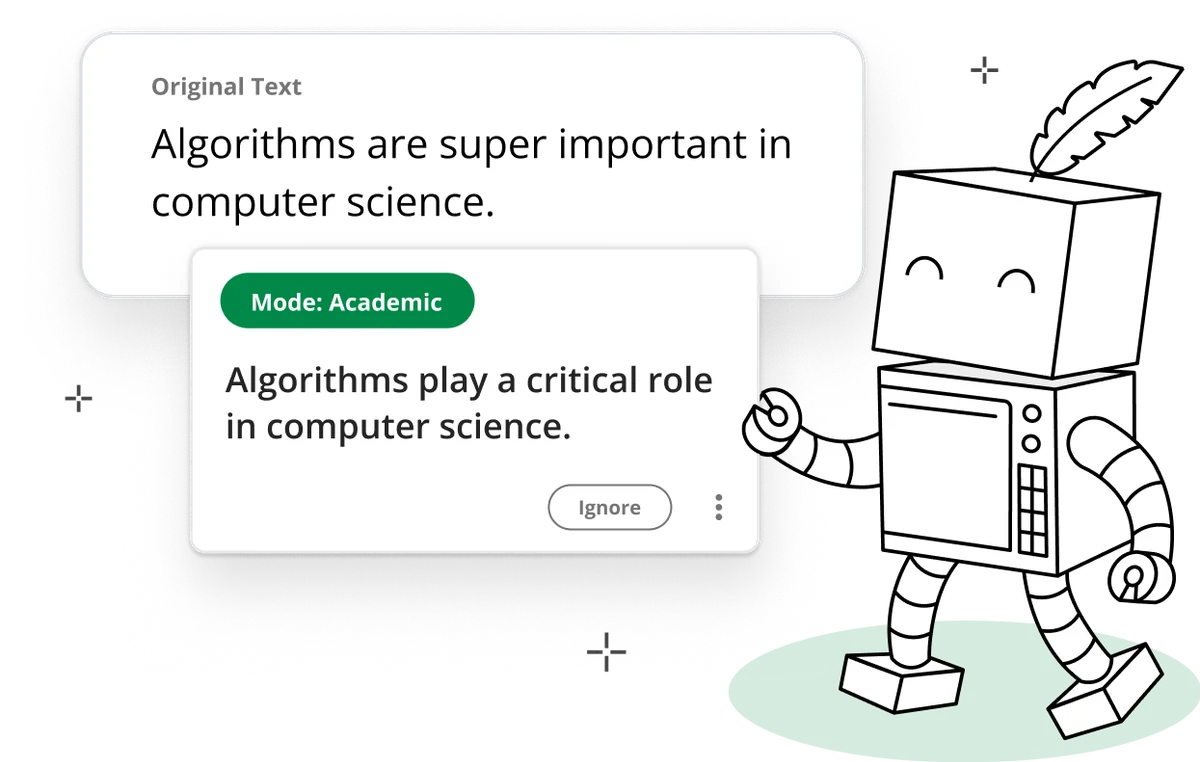
Instantly rephrase text to suit an academic tone with precision and clarity.
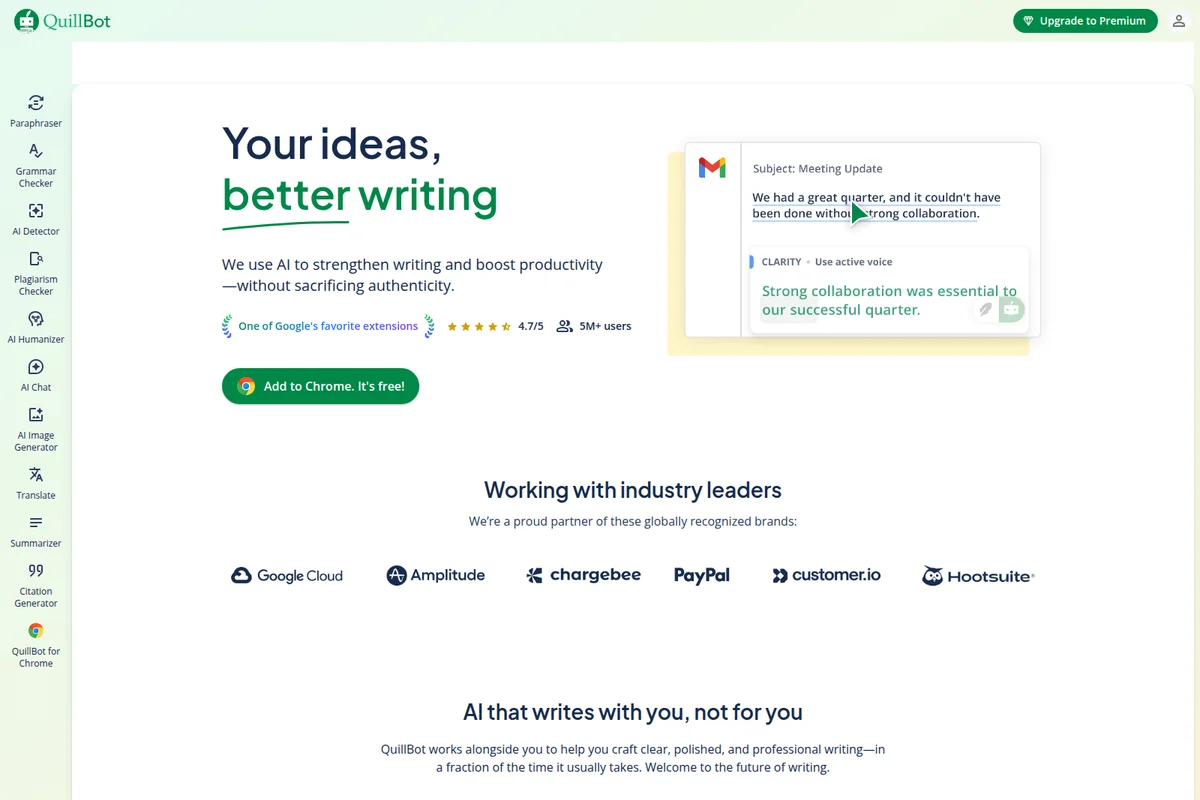
Instantly rephrase and enhance your writing for better clarity.
AI-powered content transformation and creation across diverse media types.

Meet QuillBot's friendly AI companion, ready to make your writing clear and concise.
QuillBot Review: Tooliverse Consensus






Based on 14k+ verified reviews across 6 platforms,
combined with Tooliverse's expert analysis
QuillBot is the paraphraser people reach for when a draft says the right thing in the wrong voice. Reviewers praise how smoothly it preserves meaning, how its modes shift tone with precision, and how easily it slots into browsers and Word without a learning curve. The catches are practical: free-tier character limits frustrate long-form editing, it needs a constant internet connection, and synonym choices occasionally land awkwardly. For everyday rewriting, few tools match its polish.
Bottom line: The category-defining paraphraser for polished tone and clean app integration, held back mainly by strict free-tier character limits and a constant need for an internet connection.
QuillBot | Key Specs
- Platforms
- Web, iOS, Android, macOS, Windows, Chrome extension
- Pricing Model
- Freemium (free tools; Premium and Teams pricing not listed) See plans
- Privacy/Data Use
- No training on Team Plan inputs, does not sell user data
- Security
- GDPR, CCPA, PCI DSS, CASA Tier 2, encrypted connections See details
Wins
- •Provides exceptionally smooth paraphrasing that maintains the original meaning while improving flowmentioned in 342 reviews
- •Integrates seamlessly into browsers and word processors to eliminate workflow frictionmentioned in 285 reviews
- •Offers a variety of writing modes that allow for precise tonal adjustmentsmentioned in 210 reviews
Watch-Outs
- •Free version imposes strict character limits that hinder long-form content editingmentioned in 156 reviews
- •Requires a constant internet connection to function which limits offline accessibilitymentioned in 94 reviews
- •Occasionally suggests synonyms that are contextually inappropriate or sound unnaturalmentioned in 82 reviews
QuillBot Features 2026
Paraphraser
Rewrites text with 2 free and 10+ Premium modes to improve clarity, tone, and fluency.
Grammar Checker
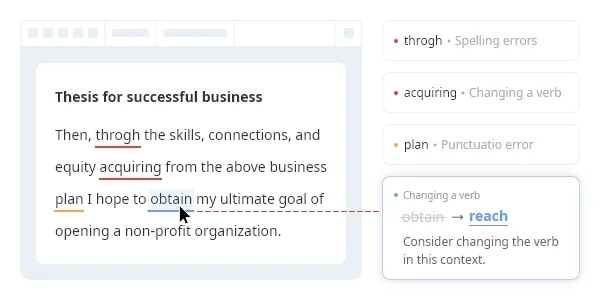
Fixes grammar, spelling, punctuation, and capitalization with explanations of errors.
AI Detector
Detects text that may be AI-generated.
Plagiarism Checker
Identifies copied text and missed citations; the only writing tool that isn't free.
QuillBot User Reviews
Selected Reviews
"The Chrome extension is a lifesaver for my emails. It catches things Grammarly misses and the paraphraser helps me sound more professional without much effort."
"QuillBot has significantly improved our team's internal documentation quality. The "Formal" mode is perfect for our needs."
"It's good for what it is, but the premium price is getting a bit steep compared to just using a raw LLM like Claude."
More from the Community
"Great for quick edits on my phone. The interface is clean and it doesn't lag like other AI tools."
"QuillBot is decent for rephrasing but you really have to watch the "Creative" mode because it can hallucinate synonyms that don't fit the context at all."
"As a non-native English speaker, this tool is indispensable. It helps me find the right tone for business reports."
"The free version is okay but the character limit is very frustrating when trying to process longer paragraphs."
"I use it every day for university. The citation generator is a huge bonus that I didn't expect to use so much."
"Great for quick edits on my phone. The interface is clean and it doesn't lag like other AI tools."
"QuillBot is decent for rephrasing but you really have to watch the "Creative" mode because it can hallucinate synonyms that don't fit the context at all."
"As a non-native English speaker, this tool is indispensable. It helps me find the right tone for business reports."
"The free version is okay but the character limit is very frustrating when trying to process longer paragraphs."
"I use it every day for university. The citation generator is a huge bonus that I didn't expect to use so much."
"Simple, effective, and fast. It's the best paraphraser I've found on the App Store so far."
"Love the app but it sometimes logs me out for no reason, which is annoying when I'm in a hurry."
"The new "Flow" feature is interesting but feels a bit clunky compared to the standard paraphraser."
"Excellent tool for content creators. It helps avoid repetitive language and keeps the writing fresh."
"Simple, effective, and fast. It's the best paraphraser I've found on the App Store so far."
"Love the app but it sometimes logs me out for no reason, which is annoying when I'm in a hurry."
"The new "Flow" feature is interesting but feels a bit clunky compared to the standard paraphraser."
"Excellent tool for content creators. It helps avoid repetitive language and keeps the writing fresh."
QuillBot Pricing 2026
Free costs $0 and covers more than most people expect: two paraphrasing modes, grammar checking, the Chrome extension, and Flow with no credit card. Premium is the tier worth paying for if you write long documents, since it raises input limits, adds ten-plus paraphrasing modes, and brings in the Plagiarism Checker, the only tool that isn't free. Students submitting papers should go there; everyone else can test the free version first.
QuillBot In-Depth Review 2026

QuillBot is an AI writing platform from Learneo, Inc. built around a paraphraser, a grammar checker, an AI detector, and an AI chat, plus a growing set of tools for citations, summaries, resumes, and presentations. It runs as extensions and apps for Chrome, Edge, Safari, Word, iOS, Android, macOS, and Windows, so the rewriting happens where the text already lives. Most tools are free, and about 35 million writers use it, from students to business owners.
What It's Like Day-to-Day
The core loop is simple: paste or select text, pick a mode, and read the rewrite. The paraphraser has two free modes and more than ten Premium ones, and reviewers keep returning to the same praise, that the output preserves the original meaning while smoothing the rhythm. That matters because a paraphraser that drifts from the source forces you to proofread twice. Users describe rewrites that read naturally enough to accept with light touch-ups, a thesaurus with editorial judgment, most of the time.
Tone control is where the modes earn their keep.
QuillBot Security & Compliance
Verified Compliance
- GDPR
- CCPA
- PCI DSS
- CASA Tier 2
- EU-U.S. and Swiss-U.S. Data Privacy Frameworks (DPF) and UK Extension
Security Features
- Encrypted connections
- Restricted access to customer data
- No access to sensitive data fields such as passwords or credit card numbers
Privacy Commitments
- No training on text inputs from Team Plan users
- Does not sell user content or data
- Opt-out of text storage and model training available for extension users (v4.37.0+)
- Third-party providers not allowed to train AI models on user data
QuillBot: Frequently Asked Questions (FAQs)
Can QuillBot be used for free?
Yes, all of QuillBot's AI writing tools except the Plagiarism Checker are free to use. A few, such as QuillBot Flow, require an account, and others offer paid options such as increased input limits and additional paraphrasing styles.
Is the QuillBot Chrome extension free?
Yes, QuillBot for Chrome is free to install. Premium adds extras like more paraphrasing modes and writing recommendations.
What is QuillBot Flow?
QuillBot Flow is an all-in-one writing space that combines QuillBot's tools in one location so you can paraphrase, summarize, create citations, and write essays without switching products.
Does QuillBot Flow replace the other tools?
No, QuillBot Flow does not replace other tools. They remain available as before, and Flow just offers access to them in one place.
QuillBot Integrations
| Google Chrome | Microsoft Edge | Safari |
| Microsoft Word | Gmail | Google Docs |
| Outlook | Slack | |
| Confluence | Notion | |
| X | Apple Notes |
QuillBot: Verified Data Sheet
| # | Label | Data Point |
|---|---|---|
| [1] | QuillBot Consensus: 9.11/10 | QuillBot is one of the highest-rated AI writing tools in the Tooliverse index, with a consensus score of 9.11/10 across 14,460 verified reviews. |
| [2] | What is QuillBot | QuillBot, a Learneo, Inc. business, is a GDPR and CCPA compliant AI writing platform offering a paraphraser, grammar checker, AI detector, and AI chat. It serves 35+ million writers, and most tools are free. |
| [3] | Tooliverse Consensus on QuillBot | QuillBot is the paraphraser people reach for when a draft says the right thing in the wrong voice. Reviewers praise how smoothly it preserves meaning, how its modes shift tone with precision, and how easily it slots into browsers and Word without a learning curve. The catches are practical: free-tier character limits frustrate long-form editing, it needs a constant internet connection, and synonym choices occasionally land awkwardly. For everyday rewriting, few tools match its polish. |
| [4] | QuillBot Verdict | QuillBot bottom line: The category-defining paraphraser for polished tone and clean app integration, held back mainly by strict free-tier character limits and a constant need for an internet connection. |
| [5] | Free: Free | QuillBot offers a functional Free tier where most tools cost nothing except the Plagiarism Checker, along with 2 free paraphrasing modes, making AI writing tools accessible at no cost. |
| [6] | Smooth, meaning-preserving paraphrasing | QuillBot delivers smooth paraphrasing that preserves the original meaning while improving flow, validated by 342 user reviews, with 2 free modes and 10+ Premium modes for rewriting. |
| [7] | Integrates into browsers and Word | QuillBot fits into browsers and word processors through apps and extensions for Chrome, Edge, Safari, Word, iOS, Android, macOS, and Windows, a workflow advantage cited in 285 user reviews. |
| [8] | Writing modes for precise tone control | QuillBot offers multiple writing modes for precise tonal adjustment, including Formal-style rewrites and Tone Insights for professional phrasing, a strength noted in 210 user reviews. |
| [9] | Catches complex grammar errors | QuillBot's Grammar Checker catches complex errors that standard spellcheckers often miss, fixing grammar, spelling, punctuation, and capitalization with explanations, according to 195 user reviews. |
| [10] | Free tier character limits | QuillBot's free version imposes strict character limits that hinder long-form editing, according to 156 user reviews; Premium raises input limits. |
| [11] | No offline use | QuillBot requires a constant internet connection to function, which limits offline use, according to 94 user reports. |
| [12] | Privacy: No training on text inputs from Team Plan users | QuillBot protects privacy through No training on text inputs from Team Plan users, Does not sell user content or data, and Opt-out of text storage and model training available for extension users (v4.37.0+). |
| [13] | Enterprise: Encrypted connections | QuillBot secures customer data with Encrypted connections, Restricted access to customer data, and No access to sensitive data fields such as passwords or credit card numbers. |
| [14] | Best paraphraser on the App Store | A verified iOS App Store reviewer called QuillBot "the best paraphraser I've found on the App Store so far," describing it as "simple, effective, and fast." |
Best QuillBot Alternatives

Wordtune
Express yourself with confidence using AI that paraphrases, rewrites, and perfects your writing.
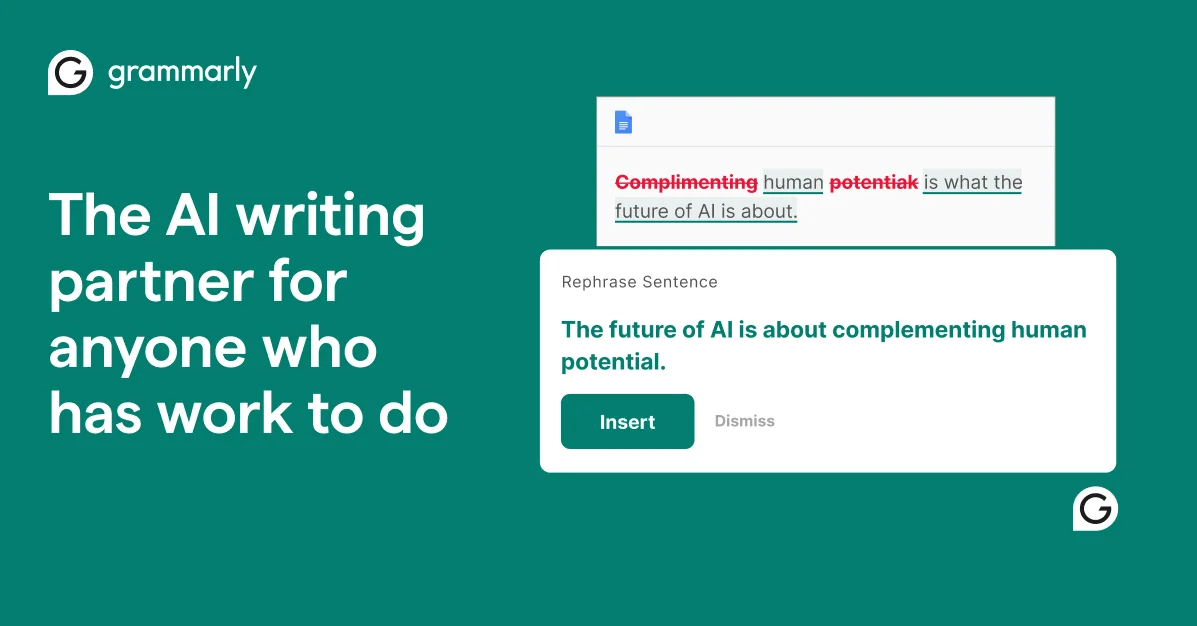
Grammarly
Turn your thoughts into clear, credible writing that's impossible to ignore, wherever you write.
Wordvice AI
Polish every essay, paper, and email with a free AI writing assistant built by professional editors.