
Saner.AI Review 2026 - ADHD-Friendly AI Assistant
Verified Oct 6, 2026 by Tooliverse Editorial
Saner.AI turns your scattered notes, emails, and to-dos into one calm workspace. Ask its assistant Skai to find, plan, and schedule things for you. Built by ADHDers, it already helps 100,000+ professionals stop juggling tabs.
How to Organize your Knowledge in Saner.AI (Folders, Tags & Order)
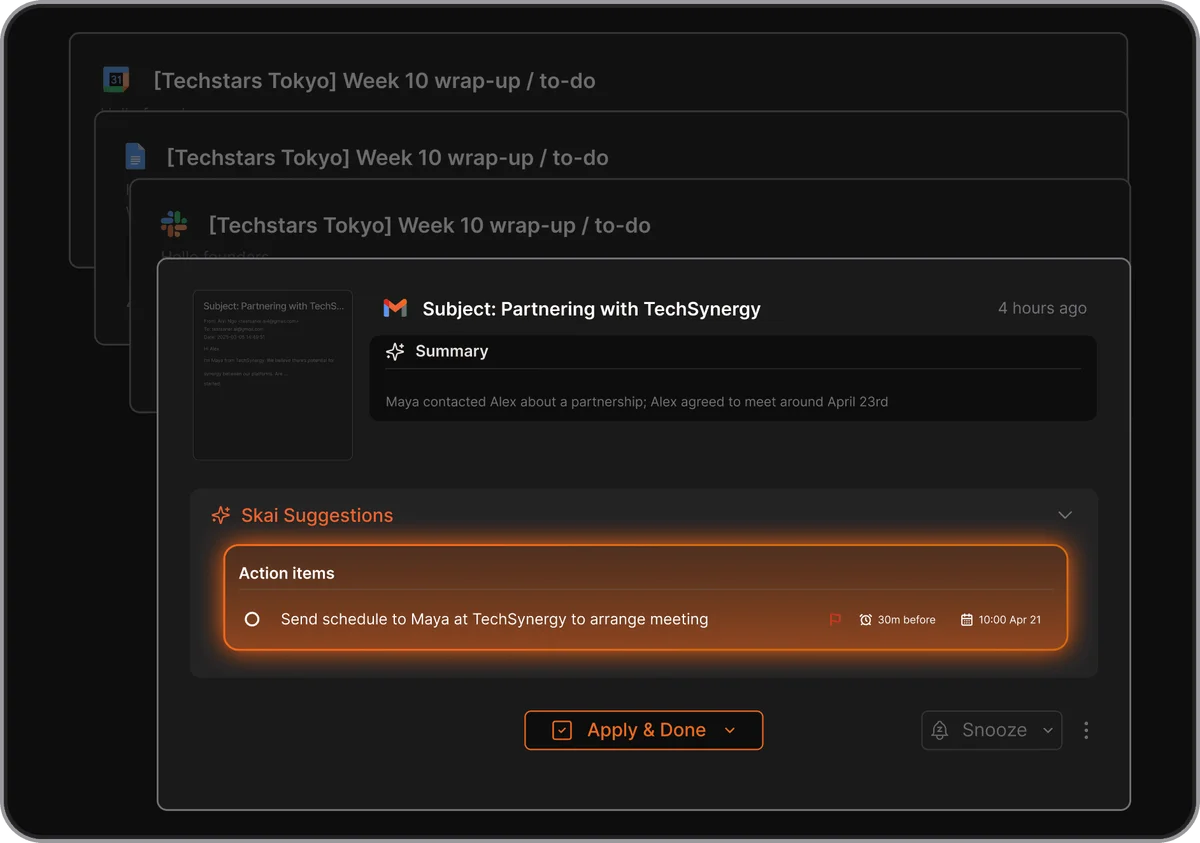
Automatically transform email summaries into actionable tasks.
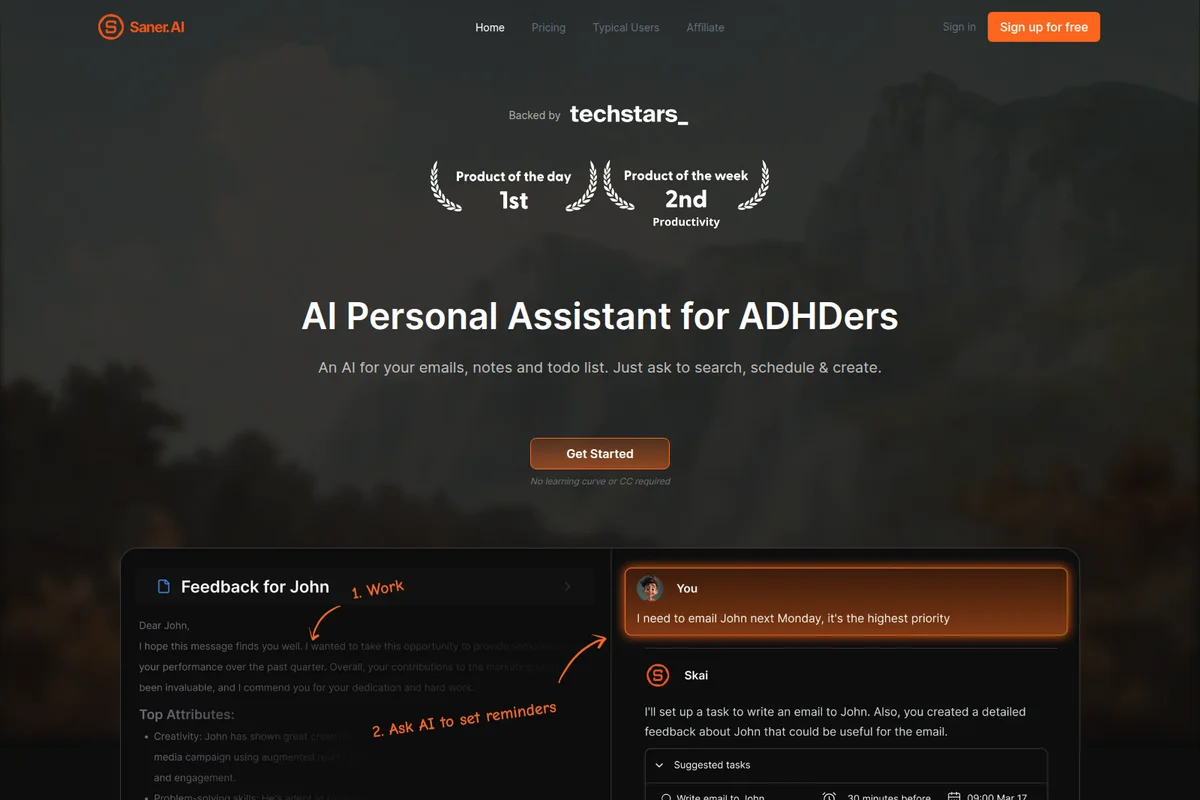
Get AI to set reminders and generate detailed feedback for tasks.
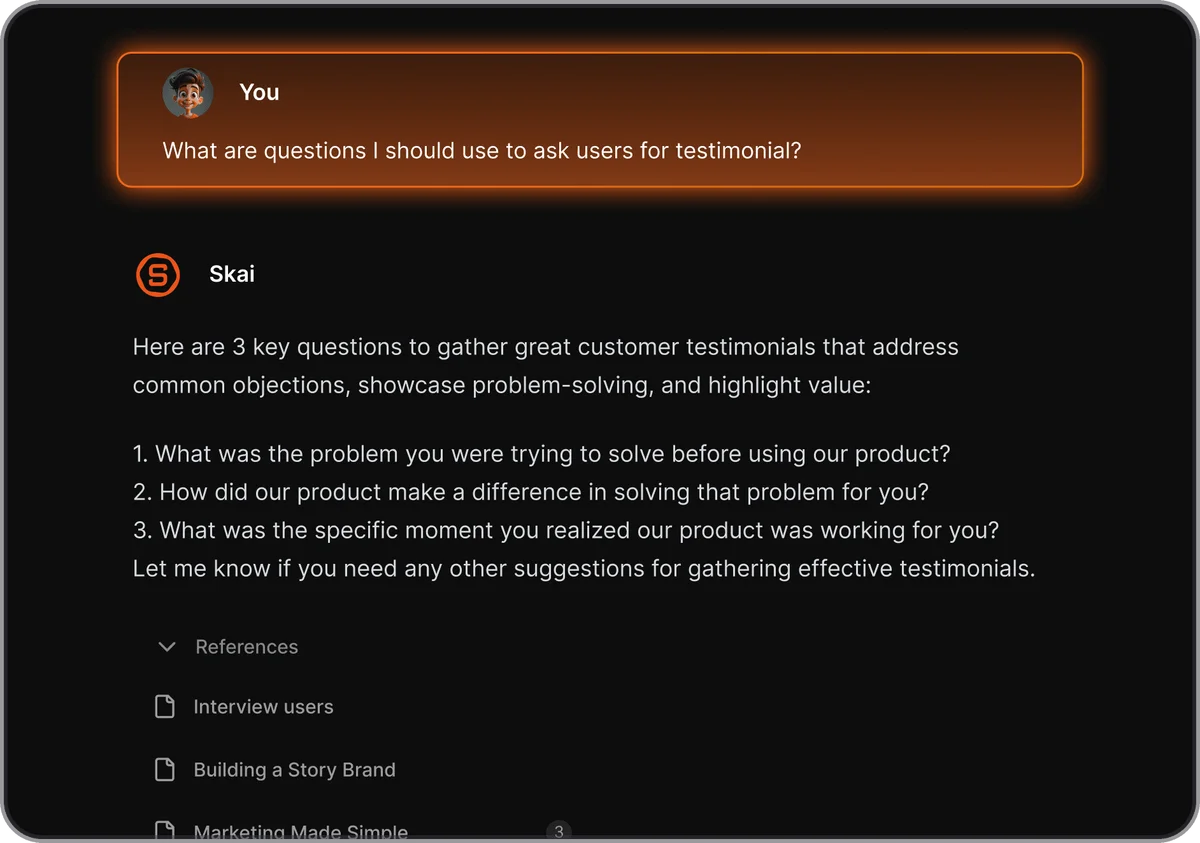
Instantly generate key questions for effective customer testimonials.
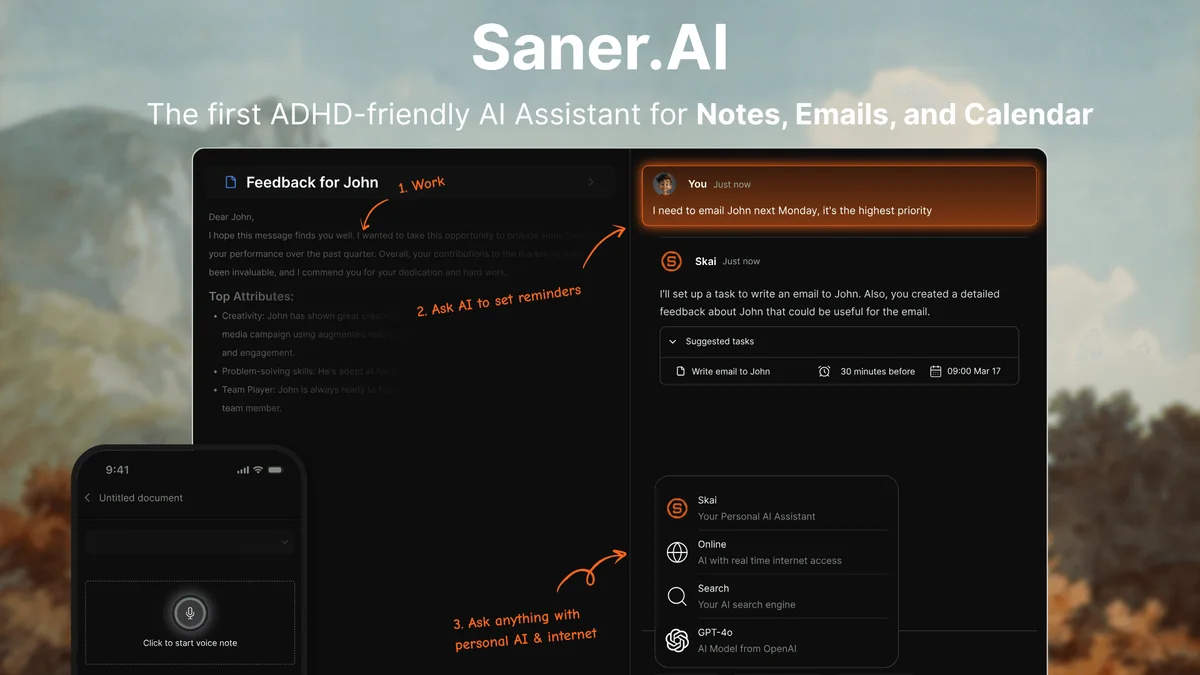
Effortlessly manage notes, emails & calendar with AI-powered reminders.
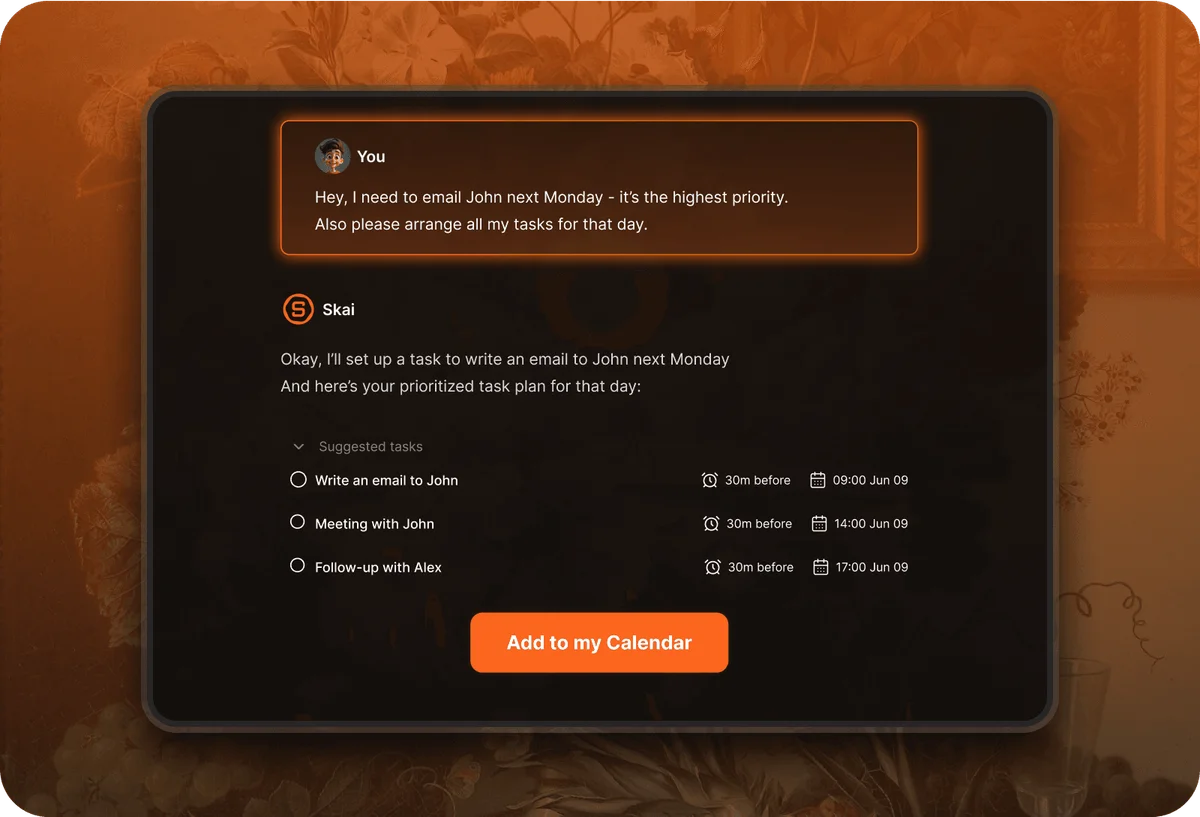
AI assistant instantly prioritizes and schedules your tasks from natural language input.
Saner.AI Review: Tooliverse Consensus




Based on 135 verified reviews across 4 platforms,
combined with Tooliverse's expert analysis
Saner.AI is a capable second brain for people whose thoughts evaporate faster than they can file them, pairing quick capture with AI tagging and semantic search that surfaces notes across Gmail, Slack, Calendar, and Drive. Reviewers praise how little effort organization takes and how calm the interface feels. The catch is reliability: mobile crashes, lag, and occasional sync failures recur in reviews, and the free plan's 30 monthly AI messages run out fast. It works best as a desktop-first tool for individuals.
Bottom line: A capable second brain built for ADHD minds that need frictionless capture and smart search, held back by shaky mobile apps, sync hiccups, and a free tier that runs dry quickly.
Saner.AI | Key Specs
- Platforms
- Web, Chrome extension (mobile app mentioned)
- Pricing Model
- Freemium ($0-16/mo) See plans
- Privacy/Data Use
- Does not train on, sell, or share data; user-controlled access settings
- Security
- Encryption in transit and at rest, regular backups See details
Wins
- •Provides a specialized second brain environment tailored for ADHD productivity and focusmentioned in 54 reviews
- •Features a powerful semantic search that finds information across notes using natural languagementioned in 48 reviews
- •Automates note organization through intelligent AI tagging and categorizationmentioned in 42 reviews
Watch-Outs
- •Mobile application suffers from frequent crashes and significant performance lagmentioned in 65 reviews
- •Free tier is extremely limited with only 30 AI messages per monthmentioned in 58 reviews
- •Users report occasional data loss and synchronization failures between devicesmentioned in 47 reviews
Saner.AI Features 2026
Skai Personal Assistant
Chat-based assistant that turns emails and brain dumps into tasks, prioritizes, and schedules in 1 click.
Proactive AI
Automatically prioritizes which emails to follow up on and which tasks to work on, and surfaces forgotten items without being asked.
Ask Across Your Notes and Files
Search and synthesize insights across notes, PDFs, docs, and meeting recaps, connecting dots across topics.
Smart Inbox and Auto-Tagging
New notes land in an inbox, and AI suggests tags and folders based on content and your previous tags.
Saner.AI User Reviews
Selected Reviews
"I dump notes, tasks, emails, and calendar into it and it sorts things out automatically for me. Very helpful for staying organized without manual effort."
"The proactive day planning is a lifesaver. It tells me what to focus on based on my actual notes and emails rather than just a list."
"I really like the concept, but it is pretty slow at joining the dots sometimes and can't change notes easily once they are created."
More from the Community
"The braindump to tasks feature is exactly what my ADHD brain needed. It turns my chaos into a plan."
"Saner AI is quite simple and accurate with the AI chat. I'm testing this extensively for my second brain and it connects dots well."
"The UI is great for focus. I just wish the mobile app was as stable as the web version; it feels like a different product."
"Buggy and confusing on my iPhone. It crashes when I try to sync my Google Calendar, which is the main reason I got it."
"Solid semantic search. I can ask 'What did I write about the launch?' and it finds it instantly across all my connected sources."
"The braindump to tasks feature is exactly what my ADHD brain needed. It turns my chaos into a plan."
"Saner AI is quite simple and accurate with the AI chat. I'm testing this extensively for my second brain and it connects dots well."
"The UI is great for focus. I just wish the mobile app was as stable as the web version; it feels like a different product."
"Buggy and confusing on my iPhone. It crashes when I try to sync my Google Calendar, which is the main reason I got it."
"Solid semantic search. I can ask 'What did I write about the launch?' and it finds it instantly across all my connected sources."
"The web clipper is very smooth. It captures the context of the page, not just the text, which makes the AI summaries much better."
"Great for non-technical people who want an AI that just works without a complex setup like Notion or Tana."
"Finally an app that doesn't feel like a chore to organize. The AI does the heavy lifting with tagging and connecting related ideas."
"The AI is helpful but the app is so slow on my Pixel. It takes forever to load my notes and sometimes just hangs."
"The web clipper is very smooth. It captures the context of the page, not just the text, which makes the AI summaries much better."
"Great for non-technical people who want an AI that just works without a complex setup like Notion or Tana."
"Finally an app that doesn't feel like a chore to organize. The AI does the heavy lifting with tagging and connecting related ideas."
"The AI is helpful but the app is so slow on my Pixel. It takes forever to load my notes and sometimes just hangs."
Saner.AI Pricing 2026
View SourceThe free plan's 30 AI messages a month vanish quickly, so treat it as a trial of the capture habit instead of a place to live. Standard at $16/month is the tier most people should pick: unlimited AI messages and notes, 100GB of storage, and extended Reasoning Mode. Starter at $8/month suits lighter use, but the 1,000-note ceiling is easy to outgrow. External models like GPT and Claude are billed separately either way.
Saner.AI In-Depth Review 2026

Saner.AI is a proactive AI assistant that sits on top of your notes, emails, calendar, and files. Built by people with ADHD, it syncs with Gmail, Google Calendar, Google Drive, and Slack, with an Outlook connector added in the November 2025 v1.5 update. New notes land in a Smart Inbox, AI suggests tags and folders, and an assistant called Skai turns brain dumps into scheduled tasks. It runs on the web, through a Chrome extension, and in mobile apps.
What It's Like Day-to-Day
The daily loop is simple: dump thoughts in by text, voice, or the Chrome web clipper, and let the software sort them. Reviewers describe the braindump-to-tasks feature as the part that converts scattered thinking into a schedule, and one iOS App Store user called it "exactly what my ADHD brain needed." New notes land in a Smart Inbox where AI suggests tags and folders based on the content and your earlier tags, so organizing never requires a separate filing session. Reddit users say the appeal is an app that stops feeling like a chore to maintain.
Search is the second pillar.
Saner.AI Security & Compliance
Security Features
- Data encrypted in transit and at rest
- Regular backups with data recovery and version restoration
- Restricted team access to user data
Privacy Commitments
- Does not train on, sell, or share user data
- User control over data via customizable access and sharing settings
- Export option for all notes
Saner.AI: Frequently Asked Questions (FAQs)
Is Saner.AI free?
Yes, Saner.AI offers a free plan at $0/month with 30 AI messages/month, 100 notes, 100MB storage, and no credit card required.
How much does Saner.AI cost?
Saner.AI has Free ($0/month), Starter ($8/month), and Standard ($16/month) plans, with a yearly option that shows 20% off.
What does the Standard plan's unlimited usage include?
The Standard plan offers unlimited AI messages and notes, subject to the Terms of Service. These prohibit abusive or programmatic data extraction, sharing credentials, and reselling access or powering third-party services. Violations may lead to temporary restrictions.
What is an AI request in Saner.AI?
AI messages include Skai, Online, and AI-Search queries (excluding Reasoning mode). AI requests include similar search queries, image description generation, AI tag generation, and other AI-generated requests.
Saner.AI Integrations
| Gmail | Google Calendar | Google Drive |
| Slack | Outlook | GPT |
| Claude | Gemini |
Saner.AI: Verified Data Sheet
| # | Label | Data Point |
|---|---|---|
| [1] | Saner.AI Consensus: 5.85/10 | Saner.AI is tracked in the Tooliverse index with a consensus score of 5.85/10 across 135 verified reviews. |
| [2] | What is Saner.AI | Saner.AI is an AI personal assistant for notes, emails, and tasks, built by ADHDers. It helps over 100,000 professionals, with a free plan and paid tiers starting at $8/month. |
| [3] | Tooliverse Consensus on Saner.AI | Saner.AI is a capable second brain for people whose thoughts evaporate faster than they can file them, pairing quick capture with AI tagging and semantic search that surfaces notes across Gmail, Slack, Calendar, and Drive. Reviewers praise how little effort organization takes and how calm the interface feels. The catch is reliability: mobile crashes, lag, and occasional sync failures recur in reviews, and the free plan's 30 monthly AI messages run out fast. It works best as a desktop-first tool for individuals. |
| [4] | Saner.AI Verdict | Saner.AI bottom line: A capable second brain built for ADHD minds that need frictionless capture and smart search, held back by shaky mobile apps, sync hiccups, and a free tier that runs dry quickly. |
| [5] | Free: Free | Saner.AI provides a functional Free tier with 30 AI messages/month and 30 AI requests/month, 100 Notes, 100MB storage, and PDF 1MB/file, making its AI tools accessible at no cost. |
| [6] | Smart Inbox with AI auto-tagging | Saner.AI automates note organization through a Smart Inbox and AI-suggested tags and folders based on note content and previous tags, an advantage cited in 42 user reviews. |
| [7] | Syncs Gmail, Calendar, Drive, Slack, and Outlook | Saner.AI centralizes scattered information by syncing Gmail, Google Calendar, Google Drive, and Slack, with an Outlook connector added in the November 2025 (v1.5) update; 36 user reviews highlight this integration value. |
| [8] | Distraction-free capture interface | Saner.AI uses a clean, distraction-free interface that reduces cognitive load during note capture, a strength noted in 29 user reviews and supported by text, voice, and Chrome extension capture options. |
| [9] | Starter: $8/month | Saner.AI Starter costs $8 monthly and raises the limits to 30 AI messages/day and 30 AI requests/day, well beyond what the free tier allows. |
| [10] | ADHD-focused second brain with brain-dump-to-task | Saner.AI provides a second brain environment designed by people with ADHD, using the Skai assistant to turn brain dumps and emails into prioritized, scheduled tasks in 1 click, a focus benefit cited in 54 user reviews. |
| [11] | Mobile app crashes and lag | Saner.AI's mobile app shows frequent crashes and noticeable lag, according to 65 user reviews, making it the most commonly reported limitation; reviewers describe the web version as noticeably more stable. |
| [12] | Free tier limited to 30 AI messages/month | Saner.AI's Free tier is capped at 30 AI messages per month, 100 notes, and 100MB of storage, a limit flagged in 58 user reviews; the Starter plan at $8/month raises the cap to 30 AI messages per day. |
| [13] | Privacy: Does not train on, sell, or share user data | Saner.AI protects user privacy with Does not train on, sell, or share user data, User control over data via customizable access and sharing settings, and Export option for all notes. |
| [14] | Enterprise: Data encrypted in transit and at rest | Saner.AI secures user data with Data encrypted in transit and at rest, Regular backups with data recovery and version restoration, and Restricted team access to user data. |
| [15] | Brain dump turns chaos into a plan | A verified iOS App Store reviewer said Saner.AI's braindump-to-tasks feature is "exactly what my ADHD brain needed" and "turns my chaos into a plan." |
Best Saner.AI Alternatives
Mem
Your AI chief of staff that remembers everything so you don't have to.
Notion AI
Meet the AI teammates that capture, find and automate your work around the clock.
Capacities
A studio for your mind that turns scattered notes into connected knowledge you can actually find again.