
Scholarly Review 2026 - AI Study Tools
Verified Jun 18, 2026 by Tooliverse Editorial
Scholarly transforms PDFs, lecture recordings, and notes into flashcards, quizzes, podcasts, and study guides—all grounded in your actual course materials. Upload a textbook chapter and get instant answers, practice questions, or a podcast recap, with citations back to the source.
Creating & using AI generated flashcards on Scholarly
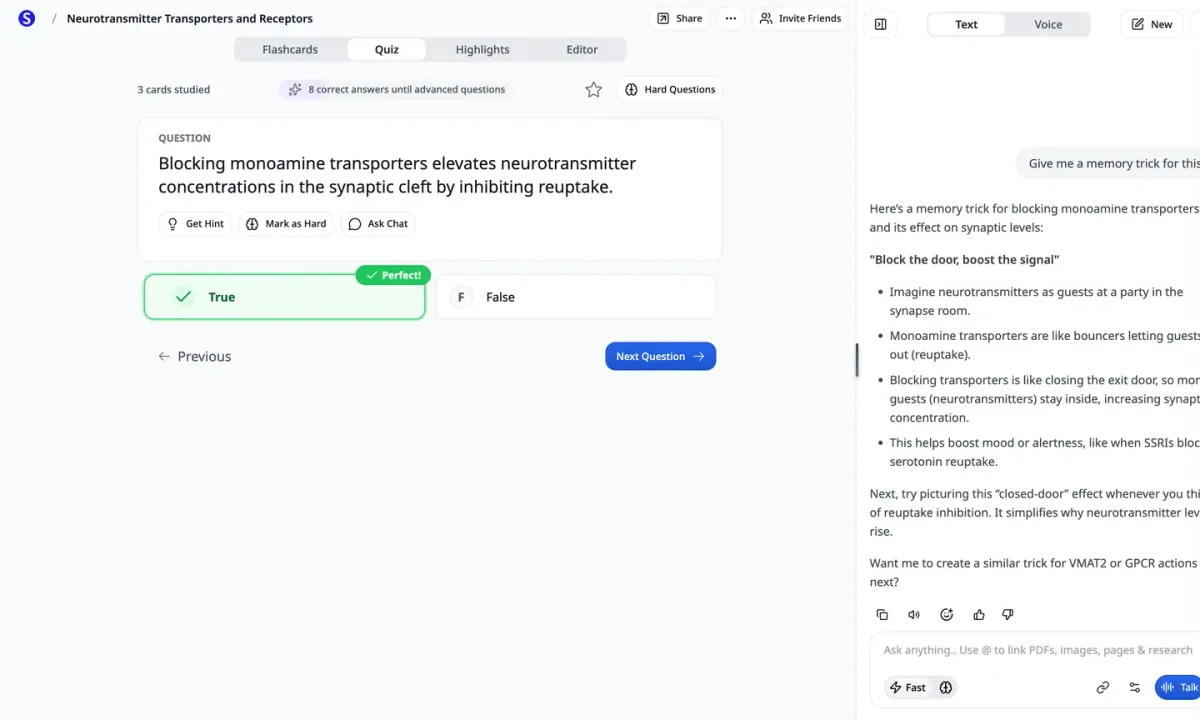
AI-powered memory tricks clarify complex neuroscience concepts.
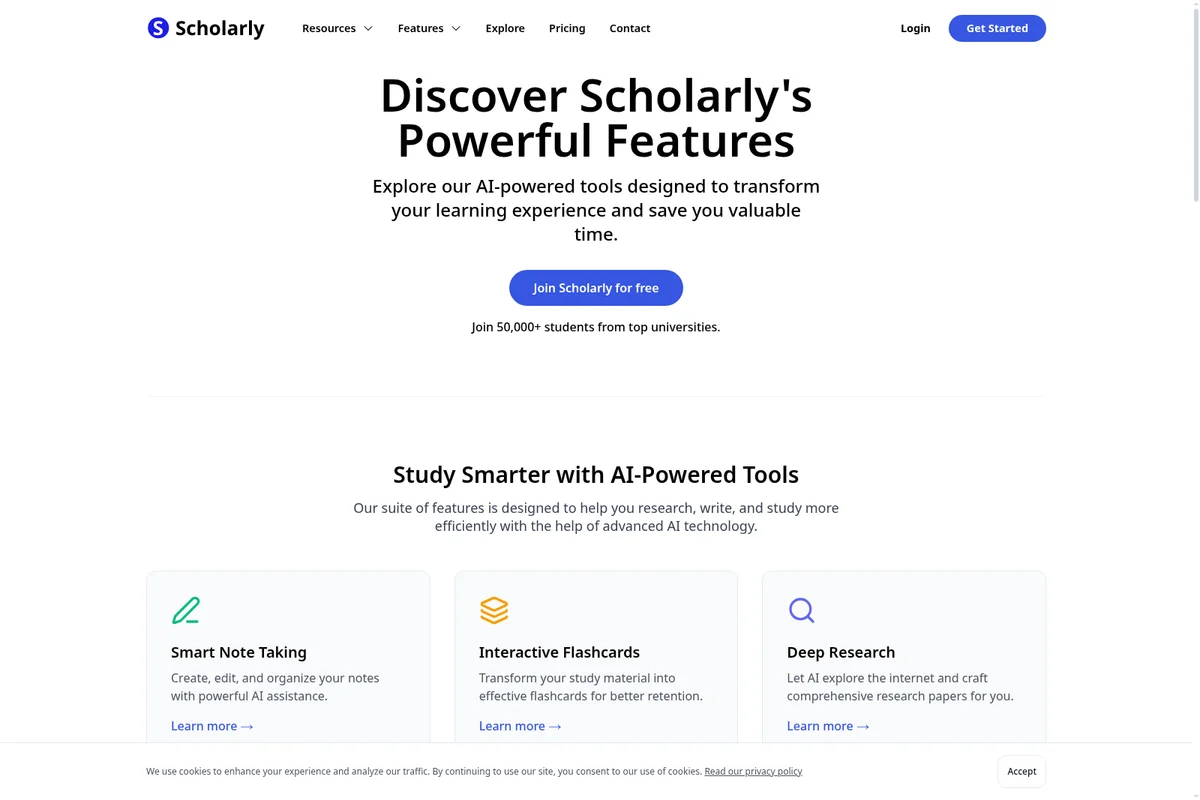
Discover Scholarly's AI-powered tools for efficient research, writing, and studying.
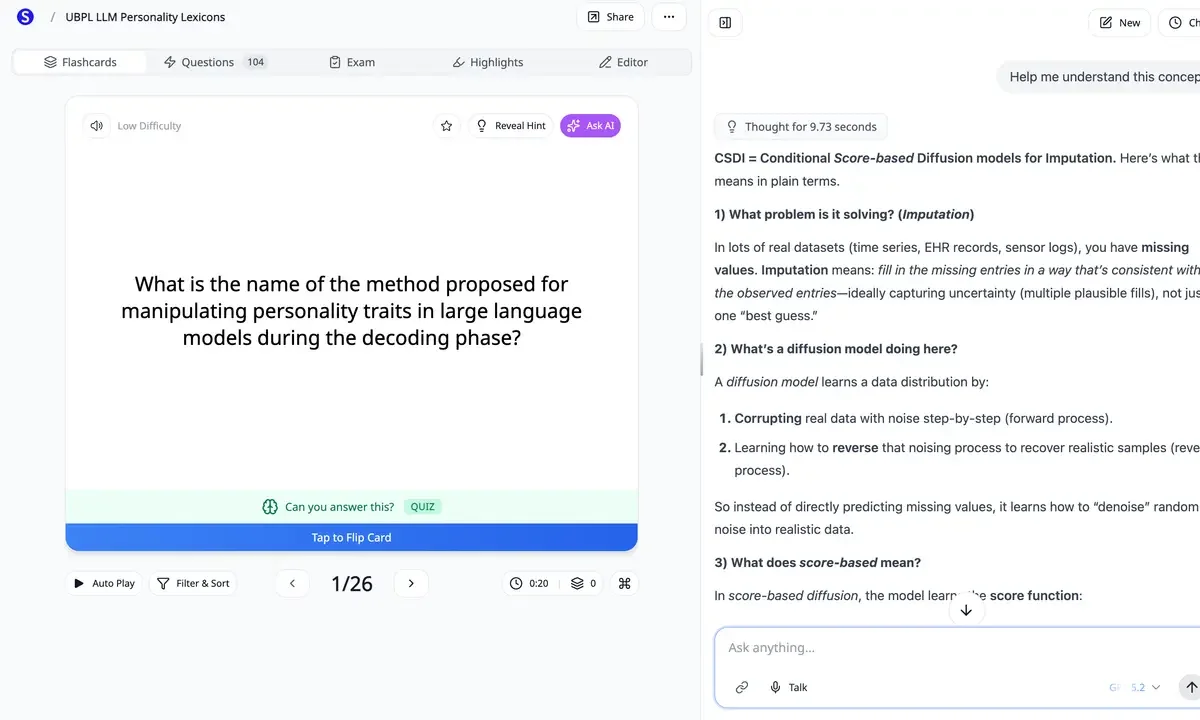
Get instant, in-depth AI explanations for challenging concepts directly from your flashcards.
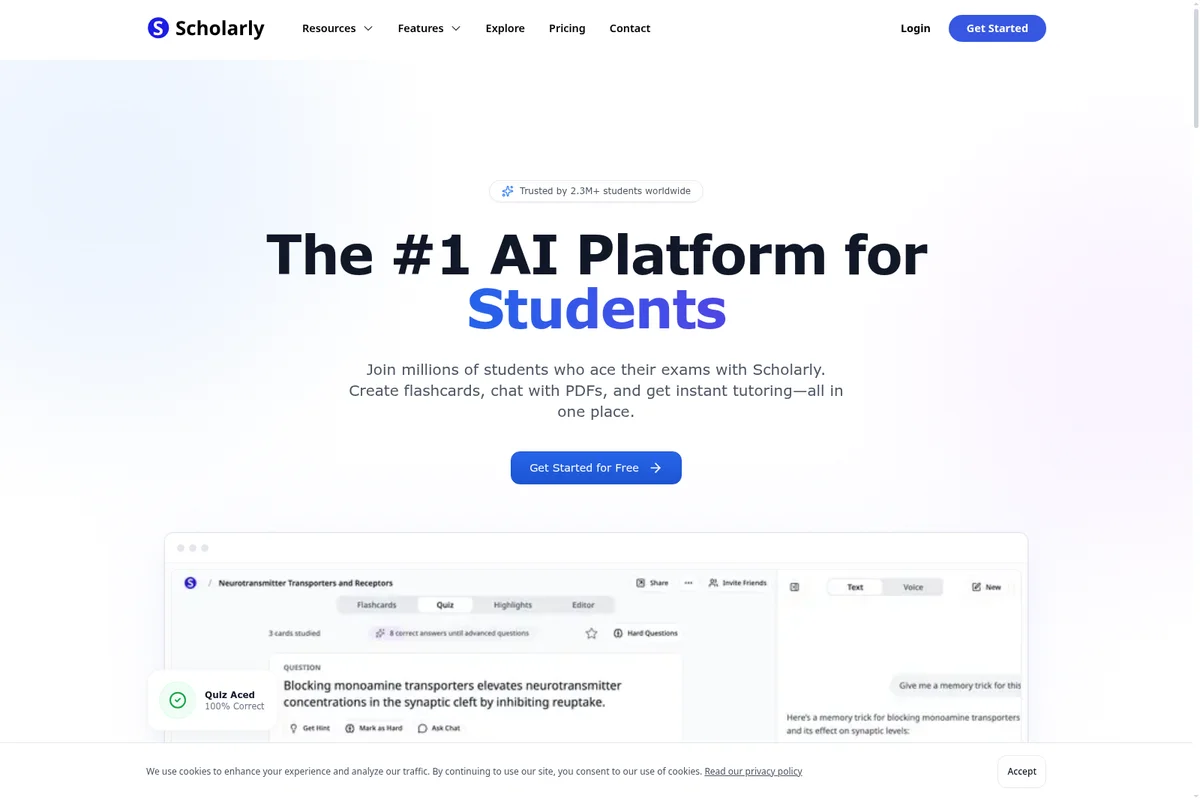
Join millions of students to ace exams with AI flashcards, quizzes, and instant tutoring.
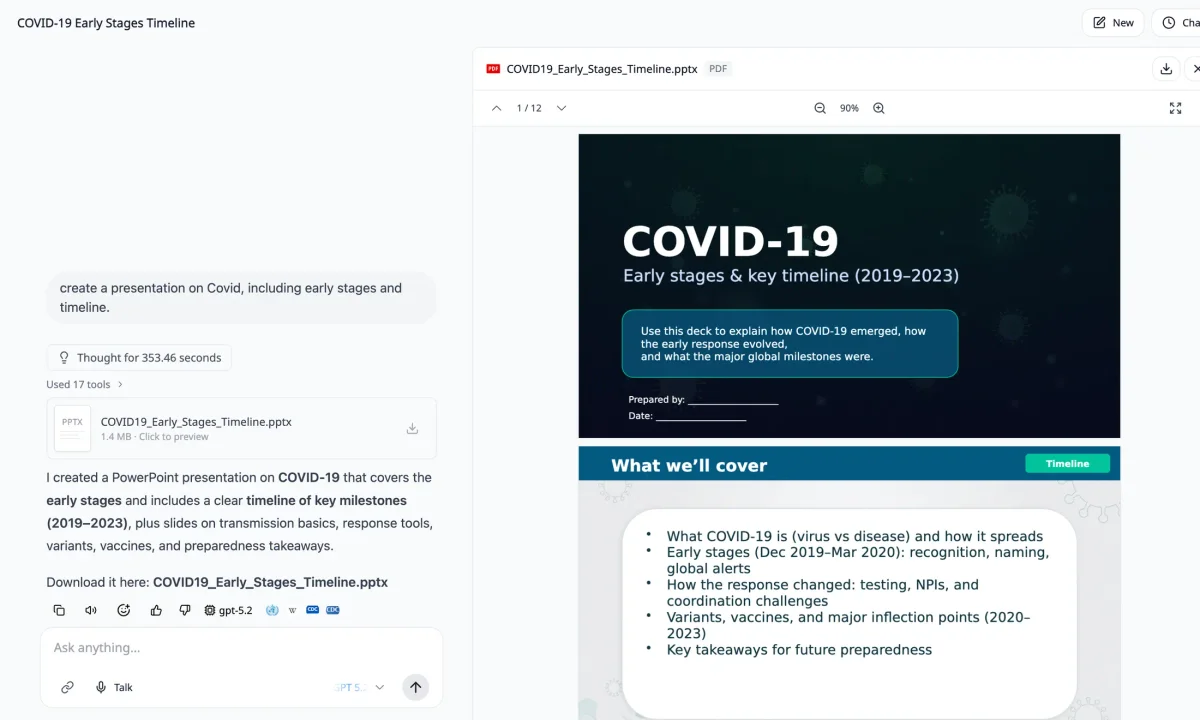
Generate comprehensive presentations on complex topics from a single prompt.
Scholarly Review: Tooliverse Consensus





Based on 241 verified reviews across 4 platforms,
combined with Tooliverse's expert analysis
Scholarly transforms passive reading into active recall by automating flashcard creation from course materials, grounding AI-generated study tools in the actual PDFs, lectures, and papers students need to master. The clean interface and robust export options to Anki and Notion make it a natural fit for medical, law, and graduate students managing dense technical content, though the $12/month pricing feels steep for undergraduates and the mobile app occasionally struggles with large files. The source-grounded approach distinguishes it from generic AI study assistants that lack course-specific context.
Bottom line: A leading AI study workspace that automates the tedious work of creating source-grounded flashcards and summaries, though students on tight budgets may balk at the subscription cost.
Scholarly | Key Specs
- Platforms
- Web
- Pricing Model
- Freemium ($0-12/mo) See plans
- AI Models
- GPT, Gemini, Grok, Mistral, Claude (user-selectable)
- Languages Supported
- 70+ languages
Wins
- •Automates flashcard creation from complex PDFs to accelerate active recall study sessionsmentioned in 184 reviews
- •Provides a clean and distraction-free interface that simplifies the academic research processmentioned in 156 reviews
- •Delivers high-quality summaries of dense scientific papers with impressive contextual accuracymentioned in 142 reviews
Watch-Outs
- •Subscription pricing is perceived as high for students on limited monthly budgetsmentioned in 64 reviews
- •Mobile application performance occasionally lags when processing very large document filesmentioned in 42 reviews
- •Free tier limitations on PDF uploads can feel restrictive for heavy research usersmentioned in 38 reviews
Scholarly Features 2026
Source-Grounded AI Chat
Chat with PDFs, notes, lecture recordings, slides, and videos with answers cited back to your actual course materials. Use @ mentions to link specific files or ask AI to search your library and answer in context.
Multi-Format Study Tool Generation
Generate flashcards, quizzes, study guides, podcasts, video lectures, slides, mind maps, infographics, and worksheets from your sources. Use one source across multiple formats for different review styles.
PDF to Flashcards
Upload lecture PDFs, textbook chapters, or slide decks and convert them into editable flashcards. Export to Anki or Quizlet-compatible formats for spaced repetition study.
Multiple AI Model Selection
Choose between GPT, Gemini, Grok, Mistral, and Claude models in AI Chat, AI Slides, AI Video Lectures, and other features. Switch between fast and thinking modes depending on task complexity.
Scholarly User Reviews
Selected Reviews
"The AI flashcard feature is an absolute lifesaver for my medical school exams. It captures tiny details from my lecture slides that I usually miss during my first pass of the material."
"Scholarly is much faster than manually making Anki cards. The export feature works perfectly and the AI understands medical terminology surprisingly well."
"I love the UI. It's the first study tool that doesn't feel cluttered or overwhelming. A bit pricey for a student budget, but the time saved is worth it."
More from the Community
"Great for summarizing papers, but the mobile app crashes sometimes when I upload 50+ page PDFs. It's frustrating when I'm trying to study on the train and the app just closes."
"The extension makes it so easy to grab info from ResearchGate directly into my notes without having to download and re-upload files constantly."
"Solid app, but I wish there was a way to organize folders better. It gets messy fast when you have multiple subjects and hundreds of notes."
"Transformed my study habits. I actually look forward to reviewing my notes now because the flashcards are so well-organized and easy to flip through."
"The OCR is surprisingly good even with my messy handwritten scans from my iPad. It saves me so much time re-typing my notes."
"Great for summarizing papers, but the mobile app crashes sometimes when I upload 50+ page PDFs. It's frustrating when I'm trying to study on the train and the app just closes."
"The extension makes it so easy to grab info from ResearchGate directly into my notes without having to download and re-upload files constantly."
"Solid app, but I wish there was a way to organize folders better. It gets messy fast when you have multiple subjects and hundreds of notes."
"Transformed my study habits. I actually look forward to reviewing my notes now because the flashcards are so well-organized and easy to flip through."
"The OCR is surprisingly good even with my messy handwritten scans from my iPad. It saves me so much time re-typing my notes."
"Best AI tool for students right now. The summarization is top-tier and actually makes sense, unlike some other generic AI tools I've tried."
"The flashcards are good but sometimes they are too wordy. I really wish there was a 'concise' toggle to keep the answers short and sweet."
"Essential for my thesis. Saves me at least 5 hours a week on literature review by highlighting the most important parts of every paper."
"Good app, but the free version is very limited. You really need the pro subscription to get any real value out of the AI features."
"Best AI tool for students right now. The summarization is top-tier and actually makes sense, unlike some other generic AI tools I've tried."
"The flashcards are good but sometimes they are too wordy. I really wish there was a 'concise' toggle to keep the answers short and sweet."
"Essential for my thesis. Saves me at least 5 hours a week on literature review by highlighting the most important parts of every paper."
"Good app, but the free version is very limited. You really need the pro subscription to get any real value out of the AI features."
Scholarly Pricing 2026
View SourceThe free tier lets you test the core workflow with 3 AI creations daily, but Ultimate at $12/month is where serious students land: unlimited flashcard generation, chat, and file uploads up to 300MB. That's the tier that handles full textbook chapters and multi-paper literature reviews without hitting artificial limits. The annual billing saves you about $30 compared to paying monthly, which matters on a student budget.
Scholarly In-Depth Review 2026

The AI study workspace runs on web and mobile, letting you upload PDFs, lecture recordings, slides, videos, and webpages, then generate source-grounded flashcards, study guides, quizzes, and summaries that cite back to your actual course materials. You can choose between GPT, Gemini, Grok, Mistral, and Claude models depending on the task, and everything exports to Anki or Quizlet if you're already committed to spaced repetition elsewhere. It works across 70+ languages, making it viable for international students navigating coursework in non-native languages.
What It's Like Day-to-Day
The core workflow is straightforward: drop a lecture PDF into Scholarly, and within seconds you have editable flashcards pulling from the actual content your professor emphasized. The AI catches the details you'd miss on a first pass, and as one medical student put it, "captures tiny details from my lecture slides that I usually miss during my first pass of the material." That granularity matters when exams test edge cases, not just broad concepts.
The interface stays deliberately minimal. No feature bloat, no gamification trying to make studying feel like a mobile game.
Scholarly: Frequently Asked Questions (FAQs)
What is Scholarly?
Scholarly is a source-grounded study workspace where you upload real course materials—PDFs, lecture recordings, notes, slides, webpages, or videos—and use AI to summarize them, ask questions, create study guides, generate practice, and decide what to study next. Answers and generated materials stay relevant to the class you are actually taking.
Is Scholarly free to use?
Yes, you can start using Scholarly for free. The free plan includes core study tools with daily limits: 3 AI Chat messages per day, 3 AI creations per day, research reports, file uploads, quizzes, practice exams, and manual flashcard creation. The Ultimate plan adds higher limits and advanced creation tools for heavier study workflows.
What can I upload or add to Scholarly?
You can bring in PDFs, notes, lecture recordings, slide decks, images, YouTube videos, webpages, and other study materials. Scholarly keeps the work tied to your sources so answers and generated materials stay relevant to the class you are actually taking.
Can I chat with my PDFs, notes, and lectures?
Yes. After you add a source, you can ask questions, request summaries, clarify difficult concepts, or ask Scholarly to explain an answer using the material you uploaded. The goal is to help you understand the source, not just generate generic AI text.
Scholarly Integrations
| Anki | Quizlet | YouTube |
Scholarly: Verified Data Sheet
| # | Label | Data Point |
|---|---|---|
| [1] | Scholarly Consensus: 9.20/10 | Scholarly is one of the highest-rated AI education tools in the Tooliverse index, with a consensus score of 9.20/10 across 241 verified reviews. |
| [2] | What is Scholarly | Scholarly is an AI-powered study workspace serving 150,000+ students, researchers, and professionals worldwide. Users upload course materials (PDFs, recordings, videos) and generate source-grounded flashcards, quizzes, podcasts, and study guides with citations. Pricing starts free with daily limits or $12/month for unlimited access. |
| [3] | Tooliverse Consensus on Scholarly | Scholarly transforms passive reading into active recall by automating flashcard creation from course materials, grounding AI-generated study tools in the actual PDFs, lectures, and papers students need to master. The clean interface and robust export options to Anki and Notion make it a natural fit for medical, law, and graduate students managing dense technical content, though the $12/month pricing feels steep for undergraduates and the mobile app occasionally struggles with large files. The source-grounded approach distinguishes it from generic AI study assistants that lack course-specific context. |
| [4] | Scholarly Verdict | Scholarly bottom line: A leading AI study workspace that automates the tedious work of creating source-grounded flashcards and summaries, though students on tight budgets may balk at the subscription cost. |
| [5] | Free: Free | Scholarly offers a functional Free tier with 3 AI Chat messages per day and 3 AI creations per day, making AI-powered study tools accessible at no cost. |
| [6] | Automated PDF-to-flashcard generation | Scholarly automates flashcard creation from complex PDFs to accelerate active recall study sessions, a capability validated by 184 user reviews as transformative for exam preparation workflows. |
| [7] | Clean, distraction-free interface | Scholarly provides a clean and distraction-free interface that simplifies the academic research process, praised by 156 user reviews for reducing cognitive overhead during study sessions. |
| [8] | Accurate scientific paper summaries | Scholarly delivers high-quality summaries of dense scientific papers with impressive contextual accuracy, a strength highlighted in 142 user reviews as essential for literature review efficiency. |
| [9] | Ultimate: $12/mo (annual) | Scholarly Ultimate empowers users with Unlimited normal chat & autocomplete for $12/month billed annually, significantly expanding on the free tier's capabilities. |
| [10] | Seamless cross-platform integration | Scholarly integrates seamlessly across web and mobile platforms for consistent studying on any device, with 98 user reviews confirming reliable cross-platform synchronization. |
| [11] | Pricing steep for student budgets | Scholarly subscription pricing at $12/month is perceived as high for students on limited monthly budgets, a concern raised in 64 user reviews despite acknowledged time-saving benefits. |
| [12] | Mobile lag with large PDFs | Scholarly mobile application performance occasionally lags when processing very large document files, according to 42 user reports citing crashes with PDFs exceeding 50 pages. |
| [13] | Captures missed lecture details | Scholarly "is an absolute lifesaver for my medical school exams" that "captures tiny details from my lecture slides that I usually miss during my first pass of the material," according to a verified Reddit reviewer. |
Best Scholarly Alternatives
Knowt
Turn lectures, notes, and PDFs into flashcards and study guides in seconds with AI.

Mindgrasp
Turn lectures and readings into notes, flashcards, and quizzes—so you study smarter, remember more, and stress less.
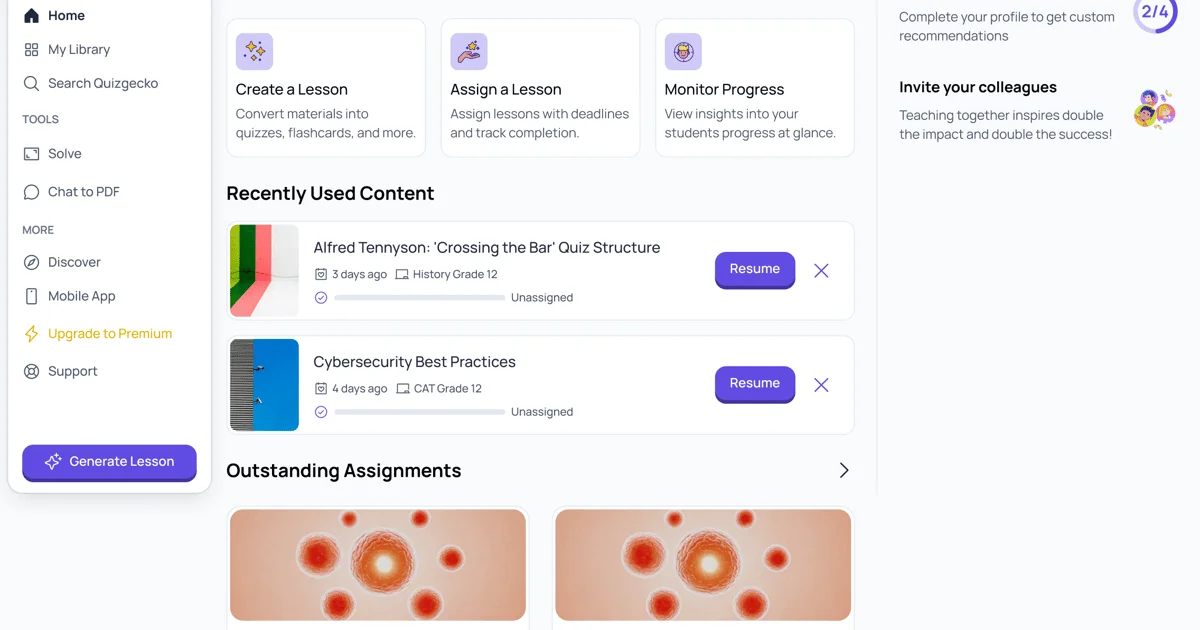
Quizgecko
Turn your study materials into personalized quizzes, flashcards, and podcasts—tailored to how you learn.