
Viggle Review 2026 - Character Swap & Mocap
Verified Oct 21, 2026 by Tooliverse Editorial
Viggle drops any character into any moment—swap faces into trending clips, turn a phone video into 3D mocap, or build explorable 3D scenes. Used by 50M+ people, from TikTokers to Hollywood studios.
🎬 This AI Just Changed Character Animation Forever | Viggle V4

Animate your characters with dynamic motion and realistic scene integration.

Transform any character's image into smooth, stylized dance videos.
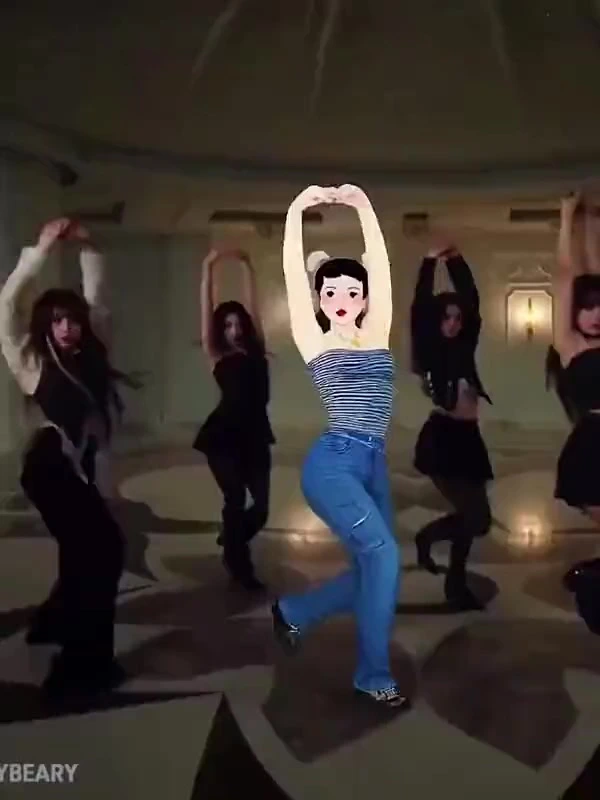
Seamlessly insert and animate custom characters into any video scene.
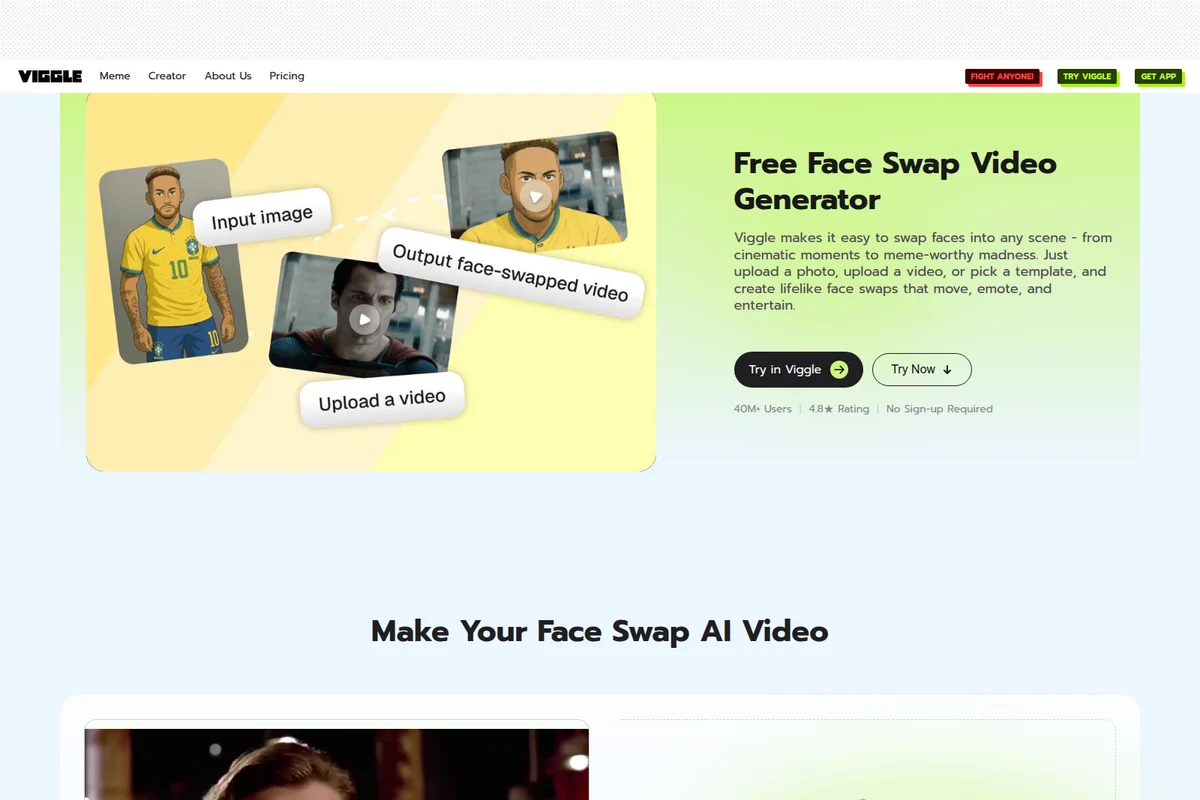
Transform faces in videos effortlessly, from photos to cinematic moments with AI.
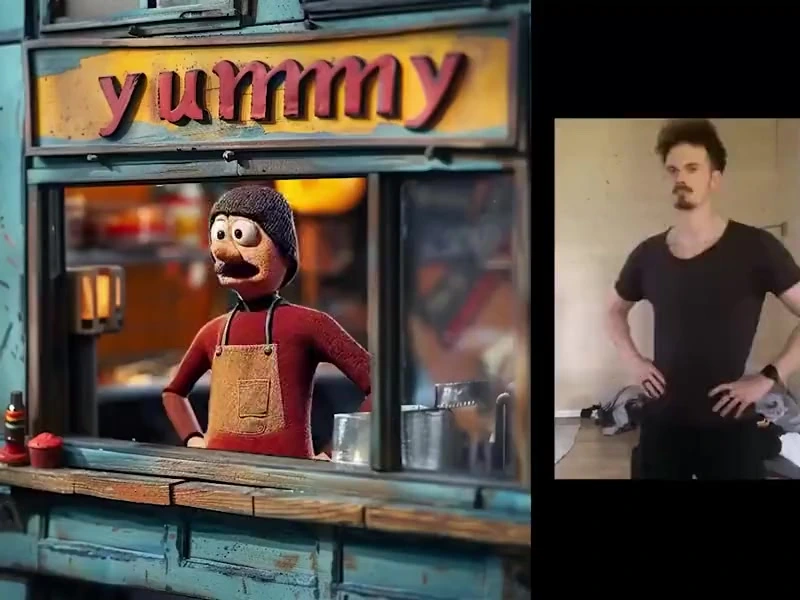
Effortlessly transfer human poses to animated characters for dynamic animation.
Viggle's core philosophy: advanced technology meets playful user experience.
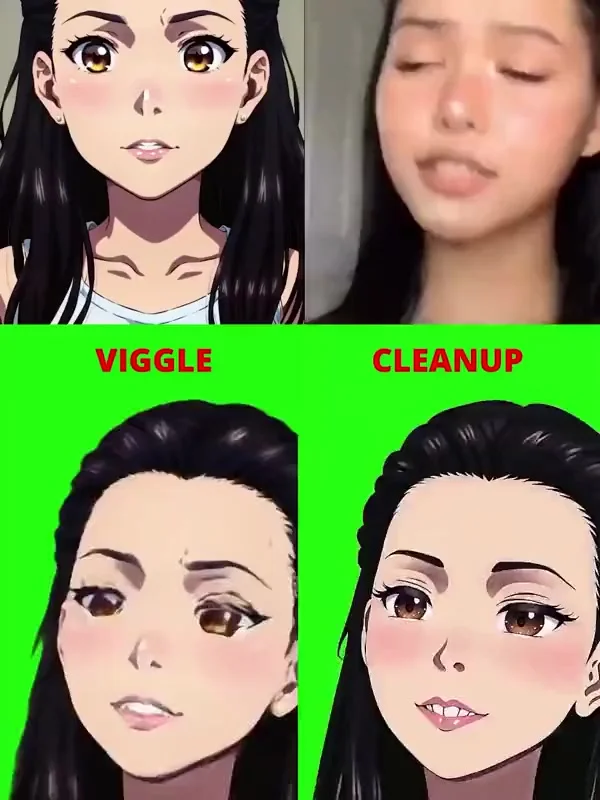
Transform real-life footage into animated characters and refine their style.

Turn any image into a dynamic video with AI motion generation.
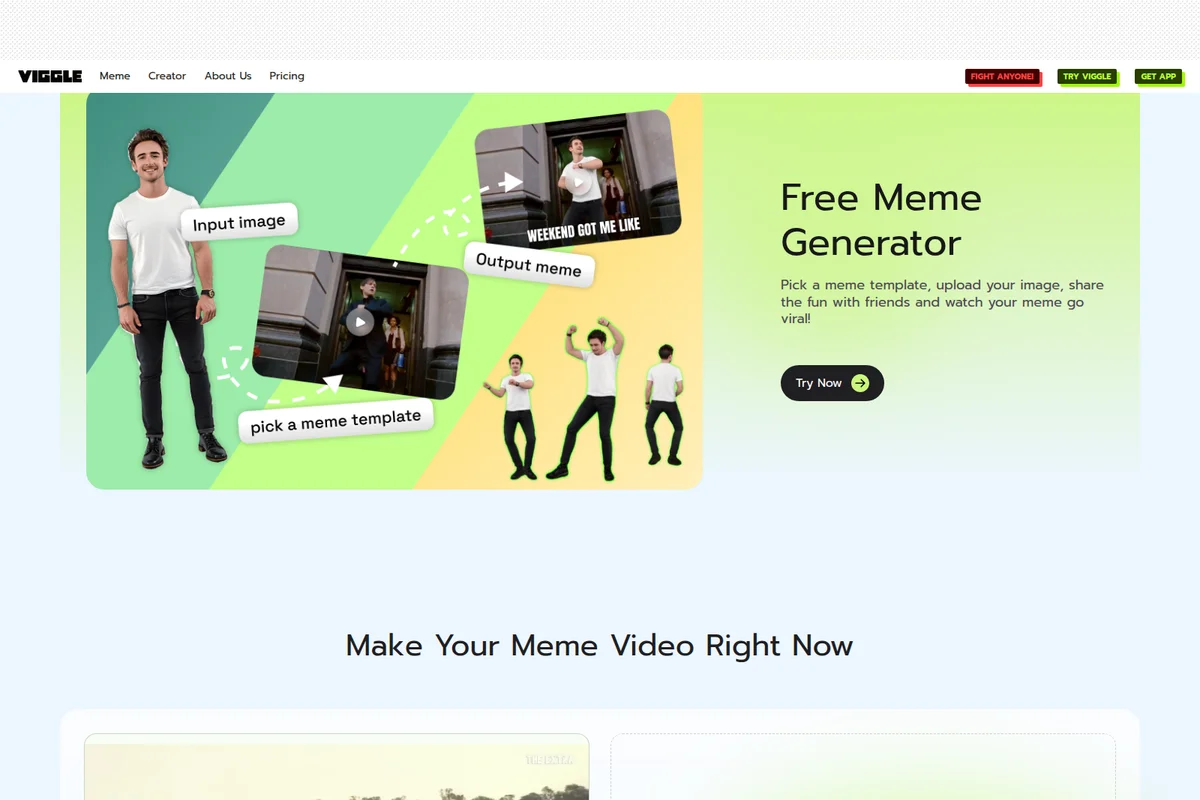
Turn any photo into a hilarious dancing meme video instantly with AI.
Viggle Review: Tooliverse Consensus



Based on 3k+ verified reviews across 4 platforms,
combined with Tooliverse's expert analysis
Viggle maps a custom character onto complex motion and keeps it recognizable frame to frame, which is why the Mix swap and dance-clip tracking dominate its praise. A free tier with five daily videos and quick renders makes experimenting cheap. The tradeoffs are visible: limbs distort and loose clothing or long hair struggles during fast turns, backgrounds can show halos around characters, peak-hour queues drag, and output resolution falls short of professional production work.
Bottom line: A top-tier character-swap tool whose consistency and simple Mix workflow impress across thousands of reviews, though fast-moving clips still produce limb artifacts and resolution tops out below professional production needs.
Viggle | Key Specs
Wins
- •Delivers exceptional character consistency across diverse video templatesmentioned in 342 reviews
- •Provides a remarkably simple "Mix" feature for instant character replacementmentioned in 285 reviews
- •Offers a generous free tier that allows for extensive experimentationmentioned in 210 reviews
Watch-Outs
- •Produces occasional visual artifacts and limb distortions in fast-moving clipsmentioned in 156 reviews
- •Discord-based workflow can feel cluttered and public for some usersmentioned in 132 reviews
- •Background blending sometimes results in "halo" effects around charactersmentioned in 98 reviews
Viggle Features 2026
Multi-Track / Multi-Editor
Identify, track and replace multiple characters in a single pass without manual masking.
Real-Time Swap (Live)
Swap characters in real time, with session length depending on plan.
PINOC AI Motion Capture
Extract skeletal animation from phone video, webcam or screen recordings, exported as FBX or GLB.
Image to 3D Character
Generates a rigged, animatable Gaussian character from one image in about a minute.
Viggle User Reviews
Selected Reviews
"The character consistency is actually insane compared to other tools I've tried. It's not perfect, but it's the best for memes."
"The JST-1 model is impressive. It understands human movement better than most video-to-video wrappers I have tested this year."
"The background removal isn't always clean. I usually have to bring it into CapCut to fix the edges around the hair."
More from the Community
"Viggle's mix feature is a game changer for content creators. I can put my OC into any dance video in minutes."
"Great app but the Discord version still feels more powerful. The mobile app UI is a bit simplified for my taste."
"Sometimes the legs get really weird when there's a lot of movement, but for a free tool, it's incredible."
"I love how easy it is to use. Just upload a photo and a video and it does the rest. Perfect for quick social media posts."
"Wait times can be long during the day. I wish there was a way to skip the queue without a huge subscription."
"Viggle's mix feature is a game changer for content creators. I can put my OC into any dance video in minutes."
"Great app but the Discord version still feels more powerful. The mobile app UI is a bit simplified for my taste."
"Sometimes the legs get really weird when there's a lot of movement, but for a free tool, it's incredible."
"I love how easy it is to use. Just upload a photo and a video and it does the rest. Perfect for quick social media posts."
"Wait times can be long during the day. I wish there was a way to skip the queue without a huge subscription."
"Finally a tool that doesn't just hallucinate pixels but actually follows the motion reference accurately."
"Best AI video app on the store right now for character animation. The updates keep making it better."
"The new update made the generations much faster, though I noticed a slight dip in resolution on some outputs."
"Super fun to play with, though it struggles with loose clothing or long hair during fast turns. Still very impressive."
"Finally a tool that doesn't just hallucinate pixels but actually follows the motion reference accurately."
"Best AI video app on the store right now for character animation. The updates keep making it better."
"The new update made the generations much faster, though I noticed a slight dip in resolution on some outputs."
"Super fun to play with, though it struggles with loose clothing or long hair during fast turns. Still very impressive."
Viggle Pricing 2026
The free tier's five daily videos are enough to judge whether the output suits your characters, but watermarks and seven-day storage make it a trial, not a workflow. Pro at $7.99/month adds permanent storage and four simultaneous generations, which is what anyone posting regularly needs. Developers should skip subscriptions and use the API at $0.01 per credit, with 100 free credits to start.
Viggle In-Depth Review 2026

Viggle is a Toronto-based spatial AI platform built on JST-2, a physics-native world model that generates characters, motion and 3D scenes from a single architecture. It runs as a mobile app, in the browser and on Discord, where it started. Its Mix feature swaps any character into existing footage while preserving the original motion, and the same model powers multi-character replacement, real-time swaps and PINOC, a motion capture product that exports animation for game engines. Because the model tracks physics, characters stay stable from frame to frame.
What It's Like Day-to-Day
The workflow is short enough to explain in one breath: upload a character image, pick a motion video or template, and wait for the render. Free accounts get five videos per day, one generation at a time, which is enough to learn how different source images behave before spending anything. Character consistency is the reason people stay; one App Store reviewer called it "actually insane compared to other tools" they had tried, and 342 reviews echo that in different words.
Viggle Security & Compliance
Privacy Commitments
- API inputs and outputs are confidential and not used to train Viggle models
- No training on paid PINOC users' content without written consent
- Generated images deleted 24 hours after job completion; signed URLs expire after one hour
Viggle: Frequently Asked Questions (FAQs)
Is Viggle free to use?
Yes, Viggle offers a Free plan with 5 free videos per day, 1 generation at a time, and 7-day storage. Paid plans start at $7.99/month, and PINOC also has a free tier with 60 credits.
How much do Viggle's paid plans cost?
Viggle AI Pro is $7.99/month, Live is $15.99/month and Max is $63.99/month, with a Yearly option saving 20%. PINOC plans are billed separately, from $10.39/month.
How do Viggle credits work?
Credits are used across Viggle's generation tools and models, and each feature may use a different number depending on the model and output.
Do Viggle credits expire?
Monthly plan credits expire on your billing date. Purchased credits do not expire but can only be used while subscribed to a Viggle plan.
Viggle Integrations
| Blender | Unity | Unreal Engine |
| Maya | Cinema 4D | Houdini |
| Claude | Cursor | Hugging Face |
| Premiere Pro | After Effects | DaVinci Resolve |
Viggle: Verified Data Sheet
| # | Label | Data Point |
|---|---|---|
| [1] | Viggle Consensus: 8.91/10 | Viggle is a highly-rated tool among AI video tools in the Tooliverse index, with a consensus score of 8.91/10 across 3,295 verified reviews. |
| [2] | What is Viggle | Viggle is a Toronto-based Spatial GenAI platform for character swapping, 3D motion capture and scene generation, built on its JST-2 world model. It serves 50M+ users, with paid plans starting at $7.99/month. |
| [3] | Tooliverse Consensus on Viggle | Viggle maps a custom character onto complex motion and keeps it recognizable frame to frame, which is why the Mix swap and dance-clip tracking dominate its praise. A free tier with five daily videos and quick renders makes experimenting cheap. The tradeoffs are visible: limbs distort and loose clothing or long hair struggles during fast turns, backgrounds can show halos around characters, peak-hour queues drag, and output resolution falls short of professional production work. |
| [4] | Viggle Verdict | Viggle bottom line: A top-tier character-swap tool whose consistency and simple Mix workflow impress across thousands of reviews, though fast-moving clips still produce limb artifacts and resolution tops out below professional production needs. |
| [5] | Free: Free | Viggle offers a functional Free tier with 5 free videos/day and 1 video generation at a time, so anyone can try AI video at no cost. |
| [6] | Generous free tier for experimenting | Viggle's free tier gives 5 free videos per day with 1 generation at a time and 7-day storage, and 210 user reviews cite it as generous enough for extensive experimentation. |
| [7] | Fast generation speed | Viggle generates videos faster than competing tools according to 195 user reviews, and its JST-2 model produces a 3D scene in about 1 second using up to 64 input views as context. |
| [8] | High-fidelity motion tracking | Viggle maintains high-fidelity motion tracking in complex dance sequences, a strength noted in 168 user reviews, and its PINOC product exports the captured motion as FBX or GLB on a 65-bone Mixamo-named skeleton. |
| [9] | Pro: $7.99/month | Viggle Pro empowers users with 80 credits/month for just $7.99 monthly, significantly expanding on the free tier's capabilities. |
| [10] | Exceptional character consistency | Viggle delivers exceptional character consistency across diverse video templates, validated by 342 user reviews, with its JST-2 physics-native world model keeping characters stable from frame to frame. |
| [11] | Artifacts in fast-moving clips | Viggle may produce visual artifacts and limb distortions in fast-moving clips, according to 156 user reports, with reviewers also citing trouble with loose clothing and long hair during fast turns. |
| [12] | Discord workflow cluttered and public | Viggle's Discord-based workflow feels cluttered and public to some users, according to 132 user reports, and some reviewers describe the mobile app as a more simplified alternative. |
| [13] | Privacy: API inputs and outputs are confidential and not used to train Viggle models | Viggle privacy protections include API inputs and outputs are confidential and not used to train Viggle models, No training on paid PINOC users' content without written consent, and Generated images deleted 24 hours after job completion; signed URLs expire after one hour. |
| [14] | Best consistency for memes | Viggle's character consistency is "actually insane compared to other tools I've tried," according to a verified iOS App Store reviewer who rated it 5/5. |
Best Viggle Alternatives
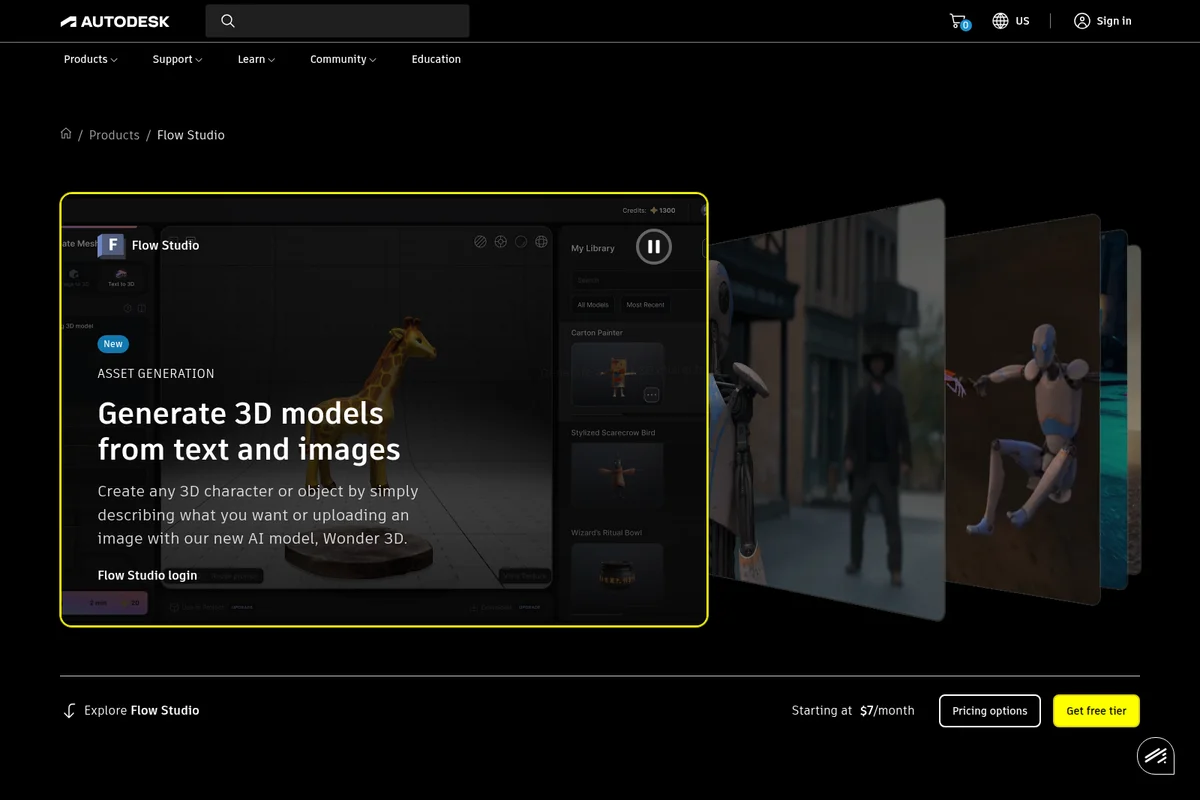
Autodesk Flow Studio
Turn live-action footage into fully controllable CG scenes with AI that puts artists in the director's chair.
DomoAI
Turn any idea, image, or clip into finished AI video in minutes.

Runway
Generate, edit and extend video, images and audio with the world's best AI models in one place.