
Autodesk Flow Studio Review 2026 - AI VFX Toolkit
Verified Sep 22, 2026 by Tooliverse Editorial
Flow Studio transforms ordinary video into editable 3D scenes—no motion capture suits or gear required. Formerly Wonder Studio, this AI toolset now powers everyone from indie filmmakers to Corridor Digital and MrBeast productions.
How to Quickly Animate MetaHumans with Autodesk Flow Studio
Autodesk Flow Studio Walkthrough | Easy Mocap for Previs and Animation

Visualize and manipulate character rigs directly within your 3D animation scenes.
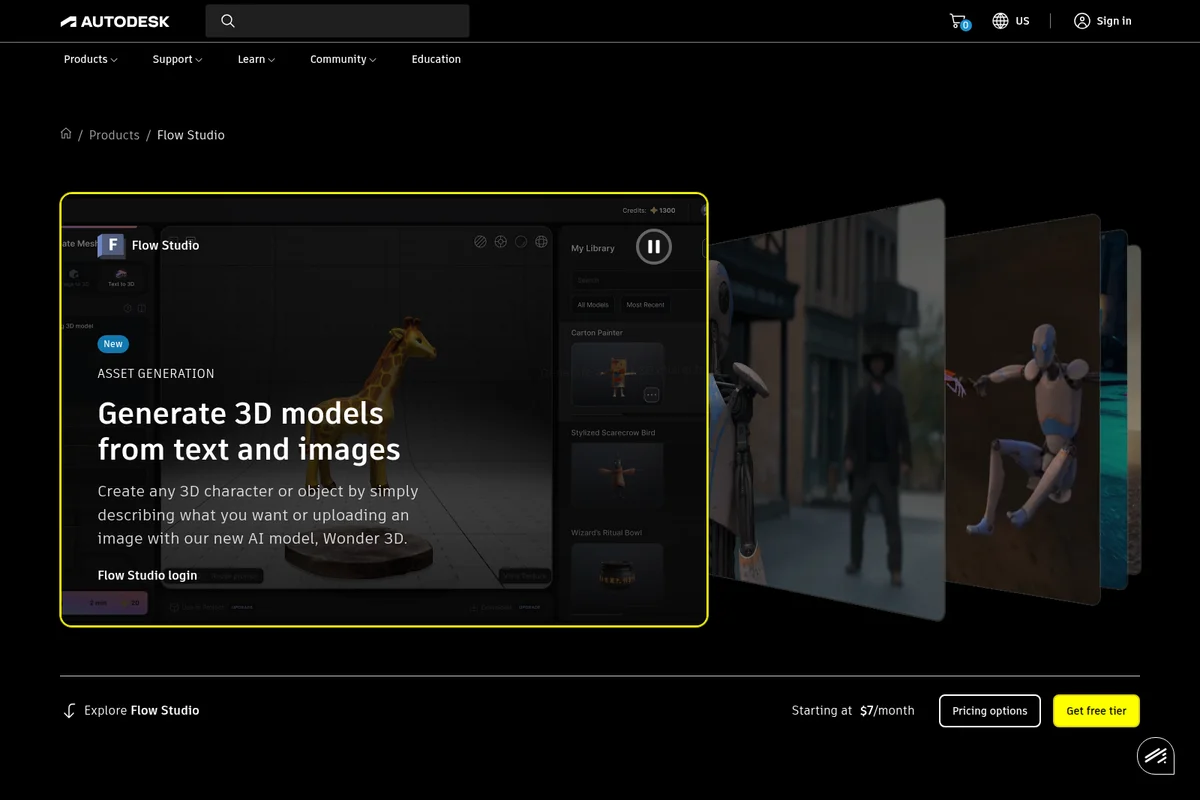
Generate compelling 3D models from simple text prompts and images.

Create engaging character animations and photorealistic scene renders.

Create stunning 3D characters and animations with AI-powered tools.

Bring animated characters to life with realistic movement and detail.

Showcase photorealistic 3D asset creation and immersive environment rendering.
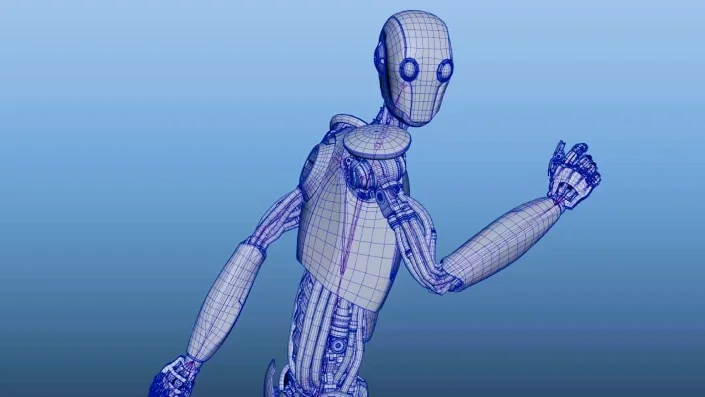
Inspect the intricate topology and construction of complex 3D models.

Create stunning 3D characters and immersive environments with precision.
Autodesk Flow Studio Review: Tooliverse Consensus


Based on 226 verified reviews across 3 platforms,
combined with Tooliverse's expert analysis
Autodesk Flow Studio turns ordinary video footage into editable CG scenes, automating motion capture and character replacement with an accuracy that reviewers repeatedly call the standout feature. Its integration with Maya, Blender, and Unreal Engine means artists finish shots in familiar software instead of trusting a black box, and the Canvas workflow adds real directorial control. The credit-based pricing gets expensive on long or high-volume projects, and backgrounds occasionally show spatial inconsistency.
Bottom line: An effective AI bridge for turning live footage into CG scenes with impressive motion capture accuracy, though credit costs and cleanup work add up on larger productions.
Autodesk Flow Studio | Key Specs
- Platforms
- Web (cloud-based)
- Pricing Model
- Freemium ($0-95/mo, Enterprise custom) See plans
- Privacy/Data Use
- AI data opt-out enabled by default (Enterprise); AI transparency cards via Trust Center
- Security
- Single sign-on (SSO), 8x5 support for paid tiers See details
Wins
- •Automates complex motion capture and character replacement with impressive AI accuracymentioned in 92 reviews
- •Integrates seamlessly with industry-standard tools like Unreal Engine, Maya, and Blendermentioned in 78 reviews
- •Significantly reduces the time and hardware required for high-end VFX productionmentioned in 65 reviews
Watch-Outs
- •Credit-based pricing system can become expensive for long-form or high-volume projectsmentioned in 48 reviews
- •Occasional spatial inconsistency in AI-generated backgrounds and lightingmentioned in 36 reviews
- •Requires high-speed internet for smooth uploading and processing of large video filesmentioned in 31 reviews
Autodesk Flow Studio Features 2026
3D Editor + Canvas
A unified creative workspace where you can build, direct, render, and refine AI-generated scenes all in one place.
Markerless AI Motion Capture
Capture facial, body, and hand motion directly from footage without suits or markers, exporting detailed body/hand tracking as FBX or Blender Scene data.
3D Model Generation & AI Rigging
Create fully-textured 3D characters from text or image prompts and auto-rig them for animation, ready for immediate use in scenes.
Video to 3D Scene Technology
Turn any video sequence into a 3D-animated scene by reconstructing cameras, characters, and environments in 3D space from multi-cut footage.
Autodesk Flow Studio User Reviews
Selected Reviews
"Flow Studio (formerly Wonder Studio) is pure magic. I uploaded a video of myself walking in my backyard, and in minutes, I had a fully rigged robot replacing me with perfect lighting. It's a total game changer for indie filmmakers."

"This is the first AI tool that actually feels like it belongs in a professional pipeline. The way it handles camera tracking and occlusion automatically is just insane."
"Incredible tech, but the web interface can be a bit laggy when handling multiple layers. It's great for previs, but I still find myself doing a lot of cleanup in Maya for final renders."
More from the Community
"The mocap data is surprisingly clean. I exported the FBX to Unreal and it only needed minor tweaks. My only gripe is the credit cost for 4K exports, which adds up fast."
"The new 3D Editor + Canvas workflow is a huge improvement. Being able to move the camera in 3D space before generating the AI visuals gives me the control I was missing."
"It's a bit of a black box. When the AI fails on a complex movement, there's not much you can do to fix it inside the app. You just have to re-shoot or hope for a better seed."

"Finally, a way to do VFX without a render farm. Flow Studio handles all the heavy lifting in the cloud. The integration with Blender is the cherry on top."
"The face animation model has improved significantly in the latest update. It captures subtle expressions much better now, though it still struggles with very fast head turns."
"The mocap data is surprisingly clean. I exported the FBX to Unreal and it only needed minor tweaks. My only gripe is the credit cost for 4K exports, which adds up fast."
"The new 3D Editor + Canvas workflow is a huge improvement. Being able to move the camera in 3D space before generating the AI visuals gives me the control I was missing."
"It's a bit of a black box. When the AI fails on a complex movement, there's not much you can do to fix it inside the app. You just have to re-shoot or hope for a better seed."
"Finally, a way to do VFX without a render farm. Flow Studio handles all the heavy lifting in the cloud. The integration with Blender is the cherry on top."
"The face animation model has improved significantly in the latest update. It captures subtle expressions much better now, though it still struggles with very fast head turns."
"As a small studio, we can now take on projects that would have required a team of five artists. Flow Studio is the most productive tool in our arsenal right now."
"The transition to Autodesk has brought better stability. The new pricing tiers are also a bit more reasonable for freelancers, though I still miss the early beta unlimited access."
"The results are 90% there, but that last 10% is where the work is. It's a fantastic starting point, but don't expect it to be a 'one-click' solution for Hollywood-level shots."
"The ability to upload custom characters and have them automatically retargeted is worth the subscription alone. It has saved us weeks of rigging and skinning time."
"As a small studio, we can now take on projects that would have required a team of five artists. Flow Studio is the most productive tool in our arsenal right now."
"The transition to Autodesk has brought better stability. The new pricing tiers are also a bit more reasonable for freelancers, though I still miss the early beta unlimited access."
"The results are 90% there, but that last 10% is where the work is. It's a fantastic starting point, but don't expect it to be a 'one-click' solution for Hollywood-level shots."
"The ability to upload custom characters and have them automatically retargeted is worth the subscription alone. It has saved us weeks of rigging and skinning time."
Autodesk Flow Studio Pricing 2026
Lite at $10 per month is the real entry point for anyone serious, covering two-person tracking and 1080p exports well beyond what the watermarked free tier allows. Once client work or 4K deliverables enter the picture, Standard at $45 per month is where most working freelancers land, adding a third tracked actor and full 4K resolution. Studios juggling multiple actors per shot should budget for Pro.
Autodesk Flow Studio In-Depth Review 2026

Flow Studio, formerly known as Wonder Studio, is a cloud-based toolset from Autodesk that converts live-action footage into motion capture data, camera tracking, and fully animated CG characters. It runs entirely in a browser and exports directly into Maya, Blender, Unreal Engine, and 3ds Max, so artists can finish their shots in whatever software they already know. The pitch isn't a magic one-click render; it's a faster starting point that keeps the artist in charge of the final look.
What It's Like Day-to-Day
The core workflow is almost disarmingly simple: upload a clip of an actor walking, talking, or performing, and Flow Studio automatically tracks their body, face, and hands, then swaps in a CG character with matching lighting and motion. Reviewers consistently describe the accuracy as the standout feature, with 92 reviews specifically calling out how well the AI handles complex movement without a mocap suit in sight. One G2 reviewer summed up the effect well, describing how they uploaded backyard footage and within minutes had "a fully rigged robot replacing me with perfect lighting" ready to use.
Autodesk Flow Studio Security & Compliance
Security Features
- Single sign-on (SSO)
Privacy Commitments
- AI data opt-out enabled by default (Enterprise tier)
- AI transparency cards document ML data sources per feature via Autodesk Trust Center
Autodesk Flow Studio: Frequently Asked Questions (FAQs)
How much does Flow Studio cost?
Flow Studio offers flexible pricing from Free ($0/month) up through Lite (starting at $10/month), Standard (starting at $45/month), Pro (starting at $95/month), and Enterprise (contact sales for pricing). To compare features and pricing across all tiers, visit the Buy page.
How do I use Flow Studio for free?
Flow Studio offers a free tier for curious creators exploring AI-powered VFX at no cost and no credit card required. You can get Flow Studio for free by going to the Compare page and selecting Access Now.
How do Flow Studio credits work?
Flow Studio uses a credit system giving users freedom to spend their monthly credit allowance on different project types like AI Motion Capture, Live Action, or Animation/Video to 3D Scene. Each process uses a certain number of credits per second, and credits reset every month (unused credits expire).
What is Autodesk Flow Studio?
Powered by Autodesk AI, Flow Studio (formerly Wonder Studio) is a cloud-based, 3D toolset that transforms live-action footage into editable CG scenes without complex setups. It automatically generates export elements such as motion capture data, camera tracking, alpha masks, clean plates, and character passes, ready for use in tools like Maya, Blender, Unreal, and 3ds Max via USD.
Autodesk Flow Studio Integrations
| Maya | Blender | Unreal Engine |
| 3ds Max | USD (Universal Scene Description) | Seedance 2.5 |
| Wan 3.0 | Flux 3 | Nano Banana 2 |
| Gemini 3.1 TTS Flash | Kling | Veo |
| Marble | Trellis 2 |
Autodesk Flow Studio: Verified Data Sheet
| # | Label | Data Point |
|---|---|---|
| [1] | Autodesk Flow Studio Consensus: 8.05/10 | Autodesk Flow Studio is a highly-rated tool among AI video tools in the Tooliverse index, with a consensus score of 8.05/10 across 226 verified reviews. |
| [2] | What is Autodesk Flow Studio | Autodesk Flow Studio, formerly Wonder Studio, is a cloud-based AI toolset from Autodesk that turns live-action footage into editable CG scenes with markerless motion capture and 3D character generation. Pricing starts free, with paid tiers from $10-95/month plus custom Enterprise; it was named to Fast Company's 2025 Next Big Things in Tech. |
| [3] | Tooliverse Consensus on Autodesk Flow Studio | Autodesk Flow Studio turns ordinary video footage into editable CG scenes, automating motion capture and character replacement with an accuracy that reviewers repeatedly call the standout feature. Its integration with Maya, Blender, and Unreal Engine means artists finish shots in familiar software instead of trusting a black box, and the Canvas workflow adds real directorial control. The credit-based pricing gets expensive on long or high-volume projects, and backgrounds occasionally show spatial inconsistency. |
| [4] | Autodesk Flow Studio Verdict | Autodesk Flow Studio bottom line: An effective AI bridge for turning live footage into CG scenes with impressive motion capture accuracy, though credit costs and cleanup work add up on larger productions. |
| [5] | Free: Free | Autodesk Flow Studio's Free tier offers 300 Credits/Month and 720p max export resolution, making AI-powered VFX accessible at no cost. |
| [6] | Simplifies 3D pipeline via web interface | Autodesk Flow Studio offers a user-friendly web-based interface that simplifies the 3D animation pipeline, praised in 54 user reviews. |
| [7] | Canvas workflow directs 3D performances | Autodesk Flow Studio's Canvas workflow gives creators flexible control for directing performances in 3D space, a capability highlighted in 42 user reviews. |
| [8] | Pro: $95/month | Autodesk Inc.'s Autodesk Flow Studio Pro empowers users with 12,000 Credits/Month for just $95 monthly, significantly expanding on the free tier's capabilities. |
| [9] | AI-accurate mocap and character replacement | Autodesk Flow Studio automates complex motion capture and character replacement with AI accuracy that 92 user reviews describe as a significant workflow improvement. |
| [10] | Integrates with Unreal, Maya, Blender | Autodesk Flow Studio integrates with industry-standard tools including Unreal Engine, Maya, and Blender, a strength cited across 78 user reviews. |
| [11] | Credit costs add up on large projects | Autodesk Flow Studio's credit-based pricing system can become expensive for long-form or high-volume projects, an issue raised in 48 user reviews. |
| [12] | Occasional background/lighting inconsistency | Autodesk Flow Studio occasionally produces spatial inconsistency in AI-generated backgrounds and lighting, a limitation reported in 36 user reviews. |
| [13] | Privacy: AI data opt-out enabled by default (Enterprise tier) | Autodesk Flow Studio privacy protections include AI data opt-out enabled by default (Enterprise tier) and AI transparency cards document ML data sources per feature via Autodesk Trust Center. |
| [14] | Enterprise: Single sign-on (SSO) | Autodesk Flow Studio provides enterprise-grade security with Single sign-on (SSO). |
| [15] | Full character replacement in minutes | Autodesk Flow Studio delivers "a fully rigged robot replacing me with perfect lighting" in minutes, according to a verified G2 reviewer who called it a game changer for indie filmmakers. |
Best Autodesk Flow Studio Alternatives
Cascadeur
Animate like a director, not a technician—AI-assisted physics tools turn keyframing into choreography.
Krikey AI
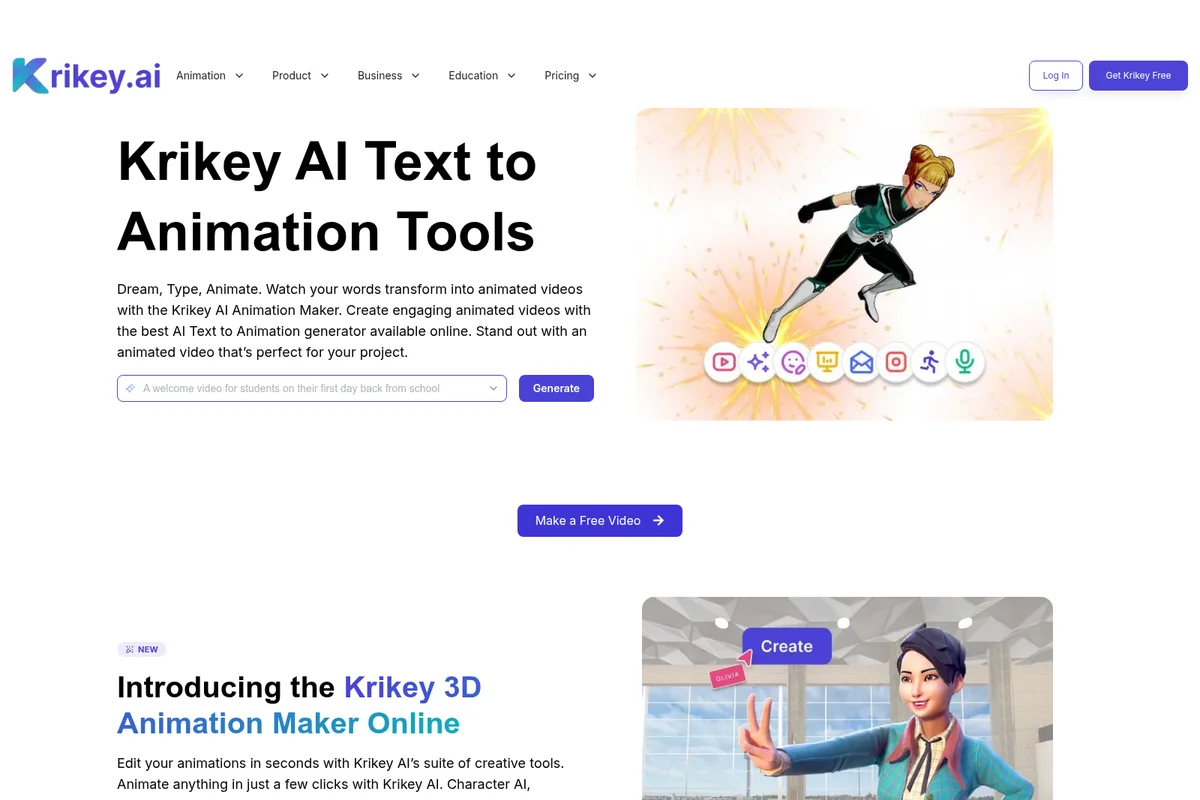
Turn simple text or video prompts into talking 3D animated characters in minutes, no skills needed.
Viggle
Swap characters, capture motion, and build 3D worlds from a single image or clip.