
Vizcom Review 2026 - Sketch to 3D Render
Verified Oct 21, 2026 by Tooliverse Editorial
Vizcom turns a quick sketch into a realistic render you can rotate, recolor, and animate in seconds. Product designers at Dell, Ford, and Honda use it to skip days of CAD and reach an emotional yes sooner.
Precise Color & Material Control | Vizcom Region Maps Tutorial
Vizcom: Instant Sketch-to-3D Rendering for Creatives – 2026 Review

Quickly generate photorealistic visualizations of product ideas.
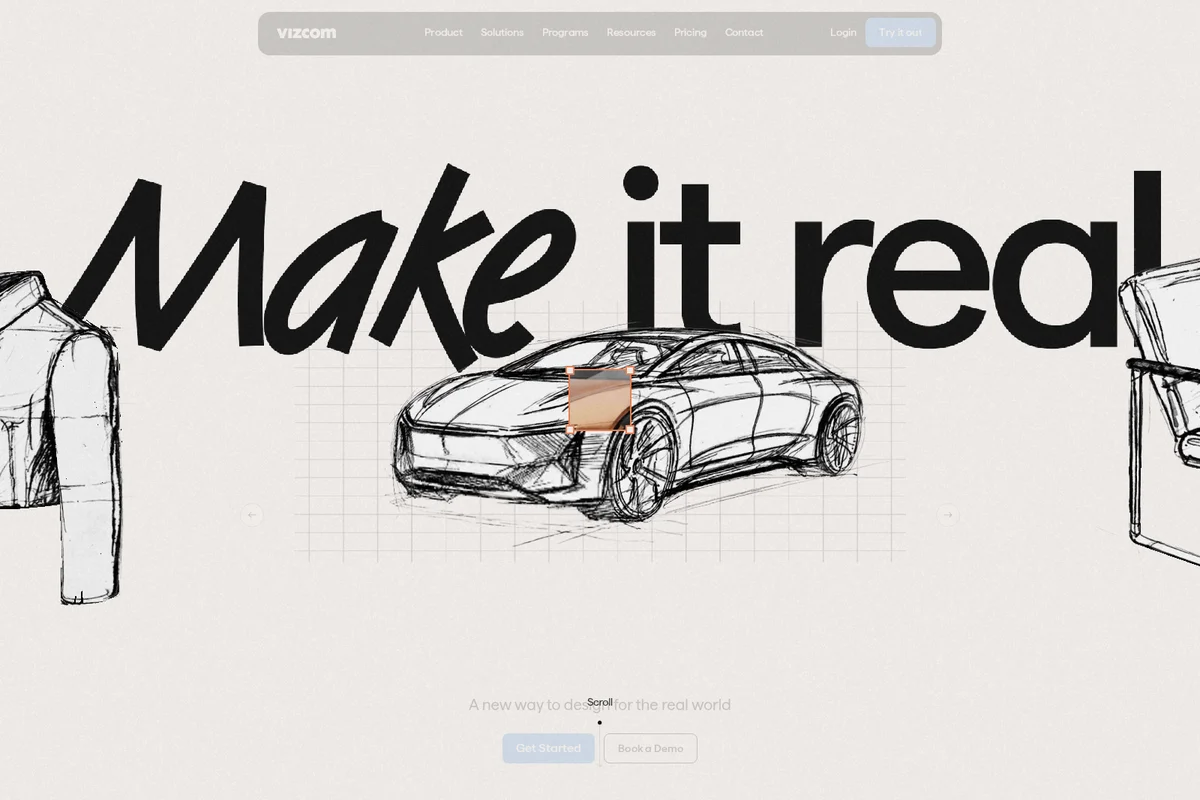
Transform your design ideas into reality with Vizcom.
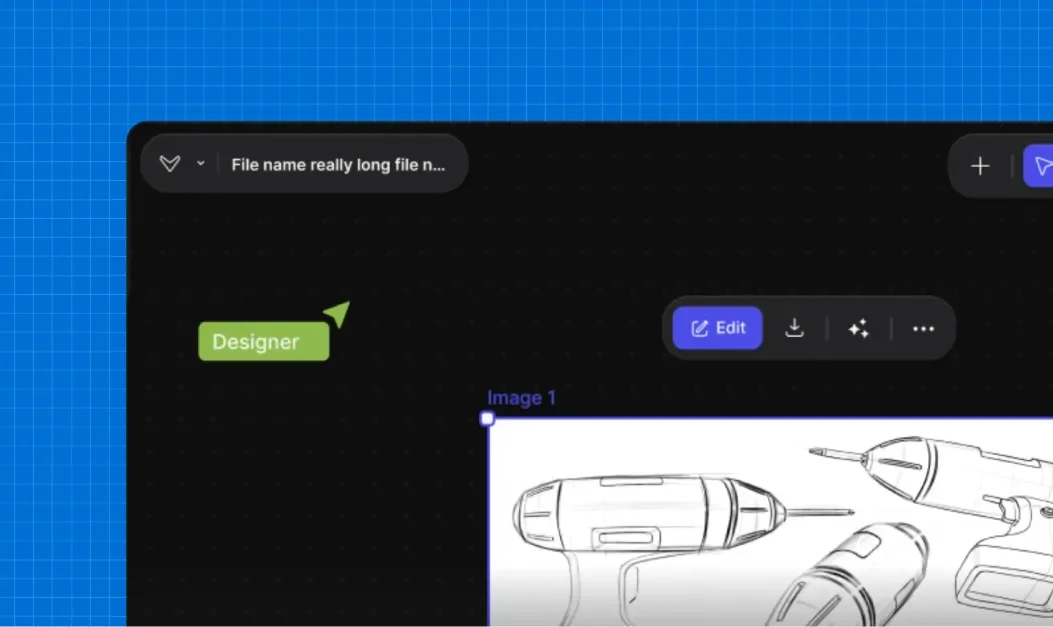
Create and refine detailed product sketches in your intuitive design workspace.

Visualize contemporary furniture designs in realistic interior settings.

Explore photorealistic product renders from simple design sketches.
Vizcom Review: Tooliverse Consensus




Based on 720 verified reviews across 5 platforms,
combined with Tooliverse's expert analysis
Vizcom turns rough product sketches into polished, rotatable renders in seconds, and its standout trait is fidelity: proportions and silhouettes stay intact while materials and lighting get filled in. Reviewers credit that speed with compressing ideation, and the approachable interface lets non-3D artists produce stakeholder-ready visuals. The catches are geometric errors on intricate mechanical or architectural details, pricing that stings freelancers, and a learning curve on advanced Workbench controls. Server slowdowns at midday add an occasional wait.
Bottom line: A top-tier sketch-to-render tool that keeps concepts faithful to the drawing and cuts iteration time sharply, though complex mechanical details need checking and $49/user monthly pricing stings freelancers.
Vizcom | Key Specs
- Platforms
- Web
- Pricing Model
- Freemium ($0-49/user/mo) See plans
- Privacy/Data Use
- No training on paid-plan data, users own their content
- Security
- ISO 27001, SOC 2 Type II, SSO See details
Wins
- •Transforms rough sketches into high-fidelity renders in seconds to accelerate the design processmentioned in 142 reviews
- •Maintains the structural integrity of original drawings while adding realistic textures and lightingmentioned in 128 reviews
- •Provides an intuitive interface that allows non-3D artists to create professional visualizationsmentioned in 115 reviews
Watch-Outs
- •Occasionally produces geometric hallucinations in complex mechanical or architectural designsmentioned in 78 reviews
- •Subscription pricing can be prohibitive for individual freelancers and small design studiosmentioned in 56 reviews
- •Requires a stable, high-speed internet connection for consistent rendering performancementioned in 45 reviews
Vizcom Features 2026
Sketch to Render
Turns line work into light, form, and texture in seconds.
Live Render
Real-time feedback as you draw, prompt, and edit your idea.
Iterate & Explore
Generates variations of form and color and rotates designs to see every 3D angle.
New View / 3D Rotate
Creates new camera views of a design, rotated in 45-degree steps.
Vizcom User Reviews
Selected Reviews
"The speed at which I can go from a rough napkin sketch to a client-ready render is honestly frightening. It has cut my ideation phase by at least 60%."
"Love the new Workbench features. Being able to control specific layers of the generation makes it much more professional than just rolling the dice."
"Impressive results, though it does require a bit of a learning curve to get the prompts exactly right for specific materials like brushed aluminum."
More from the Community
"Vizcom is the first AI tool that actually feels like it was built for industrial designers, not just prompt engineers."
"Great for quick concepts, but sometimes it struggles with very specific mechanical details like hinges or complex internal ribbing."
"The iPad app is incredibly smooth. Using the Apple Pencil to guide the AI feels like the future of industrial design."
"Powerful tool but the pricing is getting a bit steep for freelancers. I wish there was a middle-tier between free and the pro version."
"It's a game changer for my workflow. I can explore 50 colorways in the time it used to take to do one."
"Vizcom is the first AI tool that actually feels like it was built for industrial designers, not just prompt engineers."
"Great for quick concepts, but sometimes it struggles with very specific mechanical details like hinges or complex internal ribbing."
"The iPad app is incredibly smooth. Using the Apple Pencil to guide the AI feels like the future of industrial design."
"Powerful tool but the pricing is getting a bit steep for freelancers. I wish there was a middle-tier between free and the pro version."
"It's a game changer for my workflow. I can explore 50 colorways in the time it used to take to do one."
"The collaboration features are a nice touch, making it easy to share boards with my team for instant feedback."
"Sometimes the server takes a while to respond during the middle of the day, which can be frustrating when you're in a flow."
"I've tried other AI image generators, but Vizcom's focus on maintaining the integrity of the original sketch is what keeps me coming back."
"The texture generation is top-notch. It understands the difference between matte plastic and polished chrome perfectly."
"The collaboration features are a nice touch, making it easy to share boards with my team for instant feedback."
"Sometimes the server takes a while to respond during the middle of the day, which can be frustrating when you're in a flow."
"I've tried other AI image generators, but Vizcom's focus on maintaining the integrity of the original sketch is what keeps me coming back."
"The texture generation is top-notch. It understands the difference between matte plastic and polished chrome perfectly."
Vizcom Pricing 2026
View SourceThe free Starter plan works as a trial: 800 credits, about 200 images, and 10 files run out quickly once a real project begins. Professional at $49/user monthly is the realistic working tier, adding 20,000 credits, unlimited files, 4k exports, and Live Render. Students and educators should check the free Education plan first, since it offers 15,000 credits and a priority render queue at no cost.
Vizcom In-Depth Review 2026

Vizcom is an AI design platform built for product designers that converts sketches into rendered, rotatable visuals ready for stakeholders. You draw or import line work, add a prompt describing materials and finish, and get lighting, texture, and form back in seconds. It also generates new camera views, short animated clips, and material swaps on imported 3D models. It runs in the browser and on iPad with Apple Pencil support, and brands including Dell, Ford, and Honda use it.
What It's Like Day-to-Day
The workflow users describe starts with line work, drawn directly or imported, while Live Render updates the image as you sketch and prompt. Reviewers say the speed changes how they work: instead of committing early to one direction, they generate a dozen colorways and finishes in the time it takes a coffee to cool. Non-3D artists come up often in feedback, because the interface asks for drawing skill and a clear description of the material, not modeling expertise. Layer-based editing and the Workbench add finer control over specific parts of a generation, though users note they take time to learn.
Vizcom Security & Compliance
Verified Compliance
- ISO 27001
- ISO 27017
- SOC 2 Type II
- GDPR compliant
Security Features
- AES-256 encryption at rest and TLS 1.3 in transit
- Role-based access control (RBAC) and multi-factor authentication (MFA)
- SSO support (Google, Microsoft, Okta)
- Regular third-party penetration testing and 24/7 infrastructure monitoring
Privacy Commitments
- No training on user data for paid plans; free users' generated images may be used to improve services
- Users own everything they create, with full commercial licensing
- Data never shared with other customers on Enterprise and Premium accounts
Vizcom: Frequently Asked Questions (FAQs)
Can I use Vizcom for free?
Yes, Vizcom's Starter plan is completely free and requires no credit card. It includes 800 credits per month and is meant for exploring the platform.
How much does Vizcom Professional cost?
Vizcom Professional costs $49 per user per month and includes 20,000 credits. The pricing page offers an Annual option that saves 30%.
Is there a free plan for students and educators?
Yes, Vizcom offers an Education plan at $0 per user/month for qualified educators and students. It includes 15,000 credits and a priority render queue.
How do Vizcom credits work?
Credits measure usage across the platform, and every action draws from a single balance included in your plan that resets monthly. Add-ons let you buy more credits anytime, and unused add-on credits roll over each month.
Vizcom Integrations
| Google (SSO) | Microsoft (SSO) | Okta (SSO) |
Vizcom: Verified Data Sheet
| # | Label | Data Point |
|---|---|---|
| [1] | Vizcom Consensus: 9.08/10 | Vizcom is one of the highest-rated AI design tools in the Tooliverse index, with a consensus score of 9.08/10 across 720 verified reviews. |
| [2] | What is Vizcom | Vizcom is an SOC 2 Type II certified AI design platform that turns product sketches into photorealistic renders, animations, and 3D views. It is used by brands like Dell, Ford, and Honda, with a free Starter plan and Professional at $49/user/month. |
| [3] | Tooliverse Consensus on Vizcom | Vizcom turns rough product sketches into polished, rotatable renders in seconds, and its standout trait is fidelity: proportions and silhouettes stay intact while materials and lighting get filled in. Reviewers credit that speed with compressing ideation, and the approachable interface lets non-3D artists produce stakeholder-ready visuals. The catches are geometric errors on intricate mechanical or architectural details, pricing that stings freelancers, and a learning curve on advanced Workbench controls. Server slowdowns at midday add an occasional wait. |
| [4] | Vizcom Verdict | Vizcom bottom line: A top-tier sketch-to-render tool that keeps concepts faithful to the drawing and cuts iteration time sharply, though complex mechanical details need checking and $49/user monthly pricing stings freelancers. |
| [5] | Starter: Free | Vizcom offers a free Starter tier with 800 credits per month and Basic AI creation tools, giving users a no-cost way to try AI design. |
| [6] | Sketch-to-render in seconds | Vizcom transforms rough sketches into high-fidelity renders in seconds, a speed advantage cited in 142 user reviews as a major accelerator of the design process, with Live Render updating the image as users draw, prompt, and edit. |
| [7] | Keeps original sketch structure intact | Vizcom preserves the structural integrity of the original drawing while adding realistic textures and lighting, a strength validated by 128 user reviews. |
| [8] | Intuitive for non-3D artists | Vizcom offers an intuitive interface that lets non-3D artists produce professional visualizations, according to 115 user reviews, with no CAD or heavy rendering software required. |
| [9] | Professional: $49/user/month | Vizcom Professional costs $49/user monthly and raises the allowance to 20,000 credits per month, well beyond what the free tier offers. |
| [10] | Layer-based editing and prompt control | Vizcom gives users granular control through layer-based editing and precise prompt engineering tools, a capability praised in 98 user reviews, including the Workbench feature for steering specific parts of a generation. |
| [11] | Geometric errors in complex designs | Vizcom occasionally produces geometric hallucinations in complex mechanical or architectural designs, according to 78 user reports, with hinges and internal ribbing cited as trouble spots. |
| [12] | Pricing steep for freelancers | Vizcom subscription pricing can feel prohibitive for individual freelancers and small studios, according to 56 user reports, with Professional at $49/user/month and no middle tier between it and the free Starter plan. |
| [13] | ISO 27001 | Vizcom holds ISO 27001, ISO 27017, and SOC 2 Type II certifications and is GDPR compliant. |
| [14] | Enterprise: AES-256 encryption at rest and TLS 1.3 in transit | Vizcom secures data with AES-256 encryption at rest and TLS 1.3 in transit, Role-based access control (RBAC) and multi-factor authentication (MFA), and SSO support (Google, Microsoft, Okta). |
| [15] | Cut ideation phase by 60% | A verified Reddit reviewer said Vizcom's speed from "a rough napkin sketch to a client-ready render is honestly frightening" and "has cut my ideation phase by at least 60%." |
Best Vizcom Alternatives

Visoid
Turn sketches and 3D models into stunning architectural renders in minutes, not days.
ArchiVinci
Turn any sketch, photo, or 3D model into a photorealistic architectural render in seconds—no learning curve required.
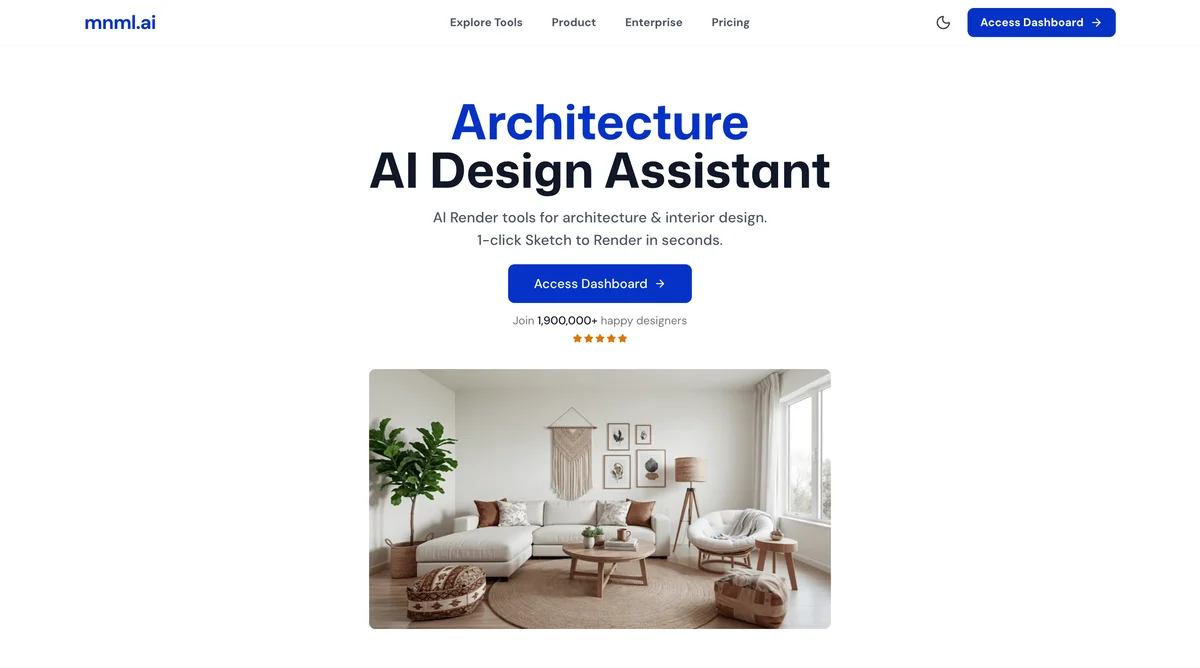
mnml.ai
Turn sketches, photos and model views into client-ready architectural renders in minutes.