
ArchiVinci Review 2026 - AI Architecture Rendering
Verified Sep 17, 2026 by Tooliverse Editorial
ArchiVinci transforms sketches, floor plans, and 3D model screenshots into photorealistic architectural renders in seconds. No GPU, no plugins, no learning curve—just upload and generate.
How to Create Renders just from a 3D Model with Archivinci AI
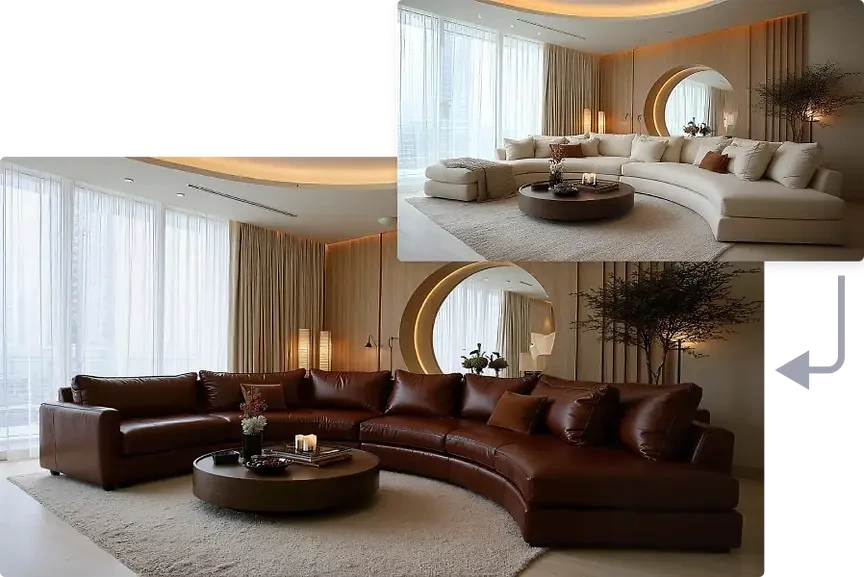
Showcase stunning photorealistic interior designs rendered by Archivinci.

Explore AI-powered tools for interior design, furnishing, and style transfer.
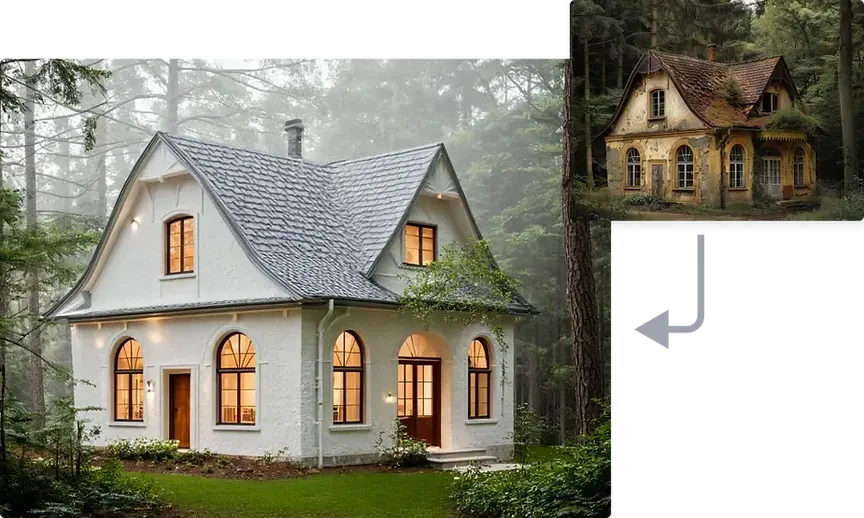
Explore architectural transformations from pristine modern designs to rustic aged aesthetics.
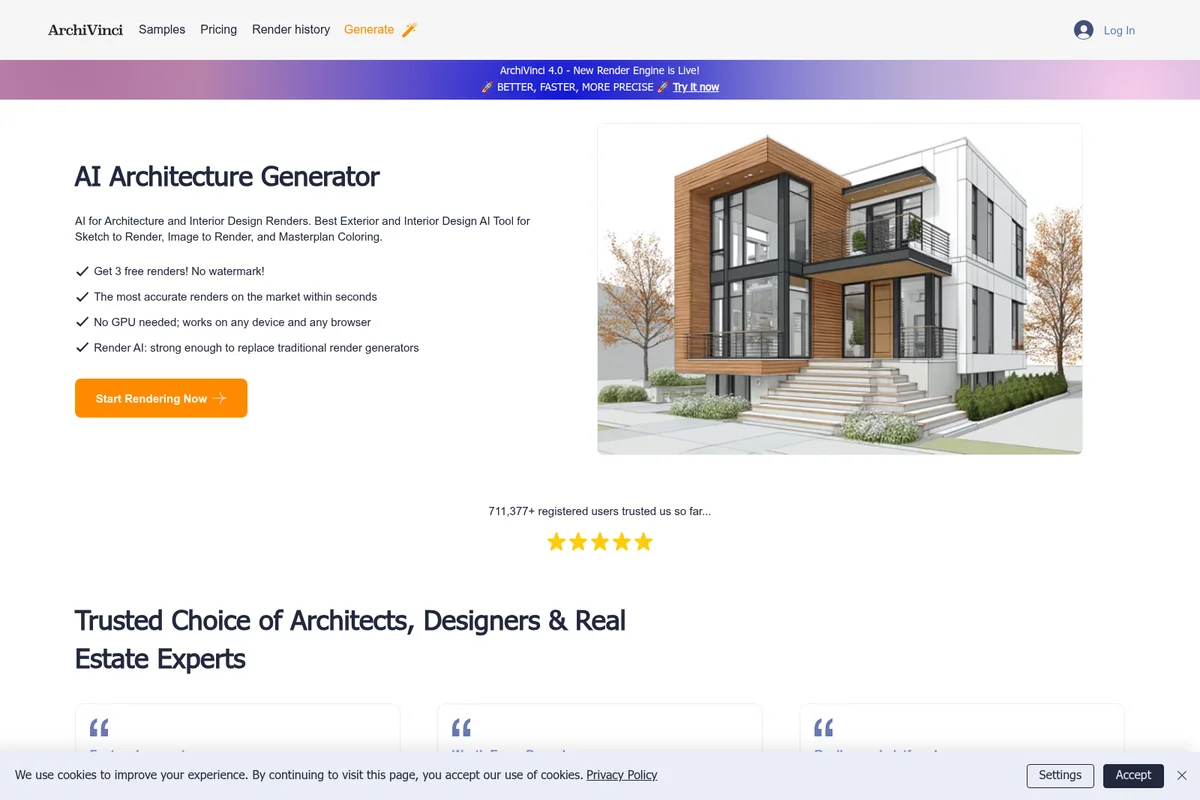
AI-powered architectural rendering generated instantly from a design.
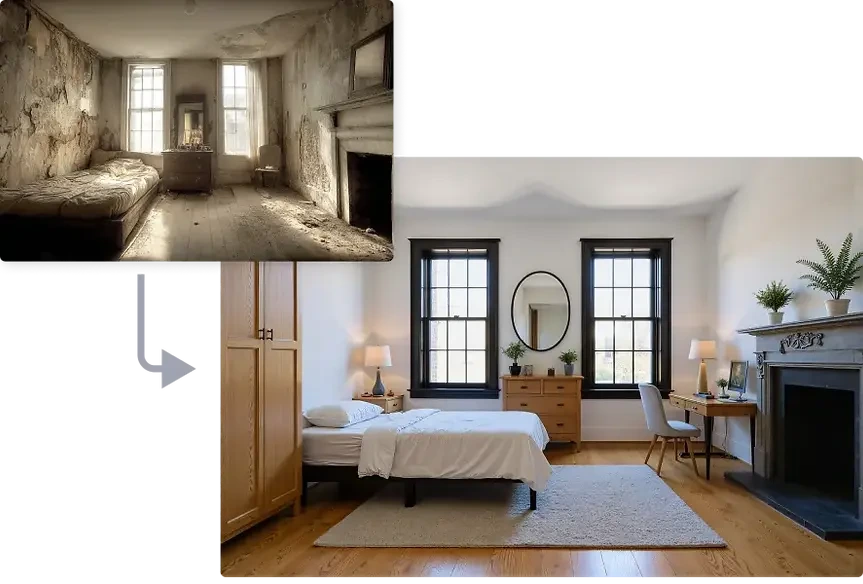
Visualize breathtaking room transformations from any starting point.
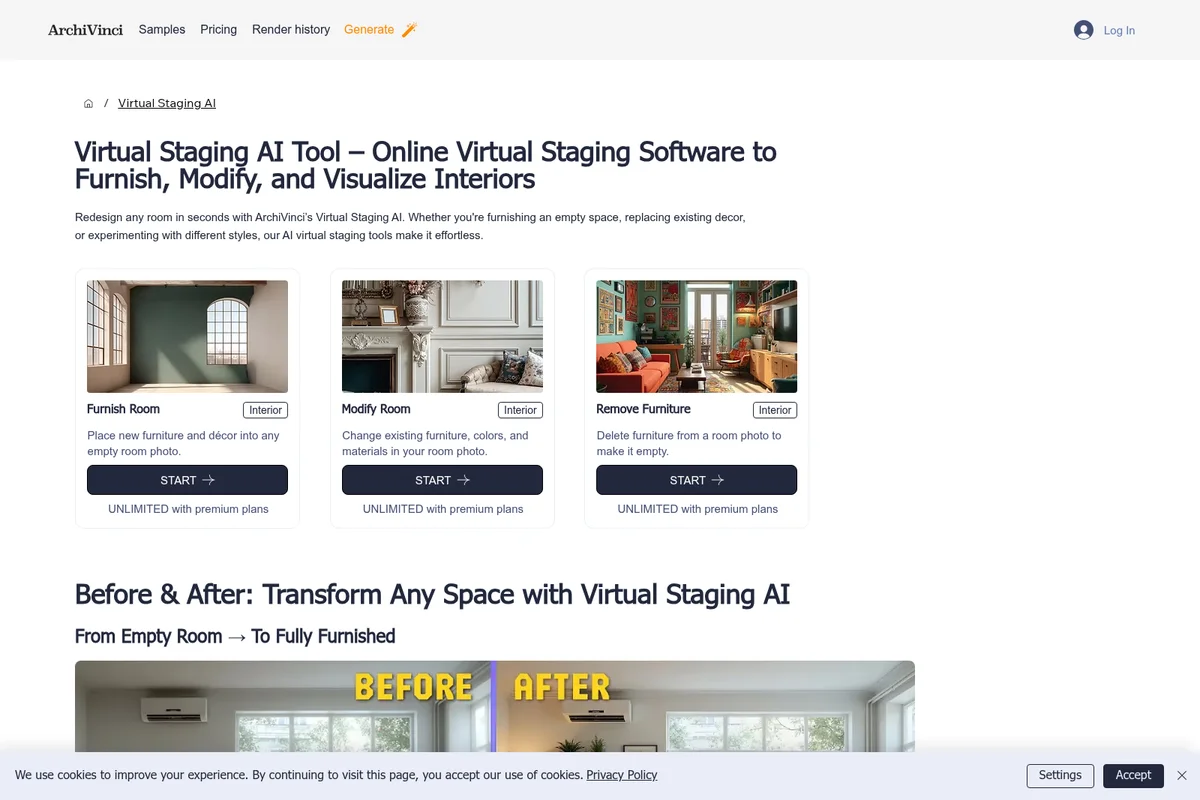
Transform interiors by furnishing, modifying, or removing furniture with AI.
ArchiVinci Review: Tooliverse Consensus



Based on 310 verified reviews across 4 platforms,
combined with Tooliverse's expert analysis
ArchiVinci turns a five-minute sketch into a client-ready render before the coffee gets cold, and that speed is precisely what makes it a fixture in early-stage design workflows. Its style library and geometry-preserving engine let designers iterate on materials and lighting without touching a 3D model, a workflow reviewers repeatedly credit with speeding up client buy-in. The tradeoff is dimensional accuracy: renders can misjudge scale, so it complements CAD software rather than replacing it.
Bottom line: A top-tier concept-to-render tool that turns sketches into client-ready visuals in seconds, though its scale accuracy still lags behind dedicated CAD software.
ArchiVinci | Key Specs
- Platforms
- Web (browser-based, works on desktop, tablet, mobile)
- Pricing Model
- Free trial + Paid plans ($39-$79/mo, $46/mo annual, one-time options $49-$599) See plans
- Privacy/Data Use
- No AI training on user uploads/renders, data never shared with third parties
- Security
- Encrypted cloud storage, data encrypted in transit and at rest See details
Wins
- •Transforms rough sketches into photorealistic architectural renders in secondsmentioned in 84 reviews
- •Provides a vast library of interior styles that spark immediate design inspirationmentioned in 72 reviews
- •Features a remarkably simple interface that requires zero previous 3D modeling experiencementioned in 65 reviews
Watch-Outs
- •Occasionally struggles with precise structural dimensions and architectural scale accuracymentioned in 38 reviews
- •Requires a stable, high-speed internet connection for the cloud-based processingmentioned in 29 reviews
- •Free version includes watermarks that limit professional use without a subscriptionmentioned in 25 reviews
ArchiVinci Features 2026
ArchiGPT AI Toolkit
A modular architecture AI toolkit including AI image editing, texture mapping, moodboard-to-render, and render-to-2D-drawing for flexible design workflows.
Style Transfer AI
Transform a design into any style reference while keeping its structure intact, useful for creative exploration and Mediterranean, modern, or other style studies.
AI Exterior & Interior Rendering
Generate high-quality exterior and interior renders from sketches, photos, 3D models, and technical drawings with precise architectural detail.
Geometry Protection
Near-100% geometry tracking with smart alerts when a prompt may distort the original structure, preserving proportions and design intent.
ArchiVinci User Reviews
Selected Reviews
"ArchiVinci has completely changed how I present initial concepts to clients. I can turn a napkin sketch into a realistic render in under a minute."
"Finally an AI tool that actually understands what a floor plan is. It's not perfect, but it's the closest thing we have to magic right now."
"The free tier is very restrictive. You only get a few renders before the paywall hits. The quality is high, but the pricing is steep for students."
More from the Community
"The AI understands architectural styles better than any other tool I've tried. The "Scandinavian" and "Industrial" presets are spot on."
"Great for brainstorming. It's not a replacement for Revit, but for the "vibes" stage of a project, it is unbeatable. Wish it handled stairs better."
"I use this daily for interior design mood boards. It saves me hours of searching for the right stock photos."
"The results are beautiful but the scale is often off. A chair will look huge next to a door. Good for art, risky for technical planning."
"Impressive speed. The web interface is a bit clunky on mobile, but the desktop experience is smooth. Subscription is worth it for the watermark removal."
"The AI understands architectural styles better than any other tool I've tried. The "Scandinavian" and "Industrial" presets are spot on."
"Great for brainstorming. It's not a replacement for Revit, but for the "vibes" stage of a project, it is unbeatable. Wish it handled stairs better."
"I use this daily for interior design mood boards. It saves me hours of searching for the right stock photos."
"The results are beautiful but the scale is often off. A chair will look huge next to a door. Good for art, risky for technical planning."
"Impressive speed. The web interface is a bit clunky on mobile, but the desktop experience is smooth. Subscription is worth it for the watermark removal."
"Saved my thesis project. I was able to generate 20 different facade options in an afternoon. My professors were blown away by the lighting."
"Love the material editor. Being able to swap wood for concrete instantly is a game changer for client meetings."
"The most intuitive AI tool for architects. No complex prompting required, just upload and go."
"Solid tool. It sometimes hallucinates weird plants in the middle of the room, but the overall lighting and texture quality is top-tier."
"Saved my thesis project. I was able to generate 20 different facade options in an afternoon. My professors were blown away by the lighting."
"Love the material editor. Being able to swap wood for concrete instantly is a game changer for client meetings."
"The most intuitive AI tool for architects. No complex prompting required, just upload and go."
"Solid tool. It sometimes hallucinates weird plants in the middle of the room, but the overall lighting and texture quality is top-tier."
ArchiVinci Pricing 2026
The three free renders are enough to judge output quality, but most working designers will land on the weekly plan at 39 dollars a month for unlimited renders and no watermarks. Studios doing sustained client work should consider the yearly plan at 46 dollars a month billed annually, which triples the included coins for extra AI models and video generation.
ArchiVinci In-Depth Review 2026

ArchiVinci is a browser-based AI rendering platform built specifically for architecture, turning sketches, floor plans, elevations, and screenshots from tools like SketchUp or Revit into photorealistic renders. It works on desktops, tablets, and phones with no plugin or GPU required. What sets it apart from generic AI image generators is its focus on preserving actual geometry, tracking proportions and openings instead of just guessing at a plausible-looking building.
What It's Like Day-to-Day
The core workflow is almost suspiciously simple: upload an image, pick a style, wait a few seconds. That simplicity is exactly what 65 reviews cite as the platform's biggest usability win, since it requires zero prior 3D modeling experience. One Product Hunt reviewer said it "completely changed how I present initial concepts to clients", describing how a napkin sketch became a realistic render in under a minute. That speed changes how you actually work, since you can test an idea live in a client meeting instead of promising to follow up next week.
The style library is where a lot of the daily magic happens.
ArchiVinci Security & Compliance
Security Features
- Encrypted cloud storage
- Data encrypted in transit and at rest
Privacy Commitments
- No AI training on user data - uploads and renders are never used to train or improve ArchiVinci's AI models
- Data never shared with third parties
- Users own full commercial rights to created images, including free trial renders
ArchiVinci: Frequently Asked Questions (FAQs)
What pricing plans are available, and does ArchiVinci support teams?
ArchiVinci offers a monthly subscription at $79 and a yearly subscription at $549 ($46 per month, billed annually), plus a $39/week option. One-time payment options with no recurring charges (from $49 for 3 days to $599 for 1 year) and Team Plans for studios and agencies are also available, giving each team member individual access under one purchase. All premium plans include unlimited renders with the ArchiVinci engine, plus coins for additional AI models and video generation.
Is there a free AI architecture render generator?
Yes, ArchiVinci offers 3 free renders so users can test AI rendering before choosing a paid plan. This allows architects, interior designers, students, and real estate professionals to evaluate whether the platform fits their visualization workflow before using it for larger or ongoing projects.
Can I use the 3 free trial renders commercially?
Yes, the 3 free renders generated during the ArchiVinci trial are delivered as watermark-free outputs and can be used across professional design and visualization workflows, with full commercial usage rights for client work and professional projects.
What is ArchiVinci?
ArchiVinci is an AI-powered architectural visualization platform that transforms sketches, floor plans, elevations, facades, CAD drawings, and 3D models into high-quality renders. It helps architects, interior designers, real estate professionals, and design studios accelerate concept development, explore design variations, create client presentations, and produce photorealistic visualizations with minimal rendering effort.
ArchiVinci Integrations
| SketchUp | Revit | AutoCAD |
| Rhinoceros 3D | 3ds Max | Archicad |
| Enscape | Blender |
ArchiVinci: Verified Data Sheet
| # | Label | Data Point |
|---|---|---|
| [1] | ArchiVinci Consensus: 8.99/10 | ArchiVinci is a highly-rated tool among AI design tools in the Tooliverse index, with a consensus score of 8.99/10 across 310 verified reviews. |
| [2] | What is ArchiVinci | ArchiVinci is a UK-based AI architectural visualization platform that turns sketches, floor plans, and 3D model screenshots into photorealistic renders in seconds. It serves over 800,000 registered users across 165+ countries, with plans starting around $39/week and unlimited rendering on paid tiers. |
| [3] | Tooliverse Consensus on ArchiVinci | ArchiVinci turns a five-minute sketch into a client-ready render before the coffee gets cold, and that speed is precisely what makes it a fixture in early-stage design workflows. Its style library and geometry-preserving engine let designers iterate on materials and lighting without touching a 3D model, a workflow reviewers repeatedly credit with speeding up client buy-in. The tradeoff is dimensional accuracy: renders can misjudge scale, so it complements CAD software rather than replacing it. |
| [4] | ArchiVinci Verdict | ArchiVinci bottom line: A top-tier concept-to-render tool that turns sketches into client-ready visuals in seconds, though its scale accuracy still lags behind dedicated CAD software. |
| [5] | Free Trial: Free | ArchiVinci's Free Trial tier includes 3 free renders with no watermark and full commercial usage rights, giving new users a no-cost way to test the platform. |
| [6] | No 3D modeling skills needed | ArchiVinci features a remarkably simple interface that requires zero previous 3D modeling experience, a strength cited in 65 user reviews. |
| [7] | Instant material and lighting swaps | ArchiVinci allows rapid iteration on materials and lighting without manual re-rendering, a workflow advantage noted in 58 user reviews. |
| [8] | High-res, client-ready outputs | ArchiVinci delivers high-resolution outputs suitable for client presentations and mood boards, confirmed by 42 user reviews as production-ready for professional use. |
| [9] | Weekly Subscription: $39/month | ArchiVinci Weekly Subscription empowers users with Unlimited ArchiVinci renders for just $39 monthly, significantly expanding on the free tier's capabilities. |
| [10] | Sketch-to-render in seconds | ArchiVinci transforms rough sketches into photorealistic architectural renders in seconds, a capability highlighted in 84 user reviews as its most valued feature. |
| [11] | Requires stable internet connection | ArchiVinci requires a stable, high-speed internet connection for its cloud-based processing, a dependency flagged in 29 user reviews. |
| [12] | Watermarks limit free-tier use | ArchiVinci's free tier includes watermarks that limit professional use, a restriction noted in 25 user reviews, though the introductory 3 free renders are delivered watermark-free with full commercial rights. |
| [13] | Privacy: No AI training on user data - uploads and renders are never used to train or improve ArchiVinci's AI models | ArchiVinci privacy protections include No AI training on user data - uploads and renders are never used to train or improve ArchiVinci's AI models, Data never shared with third parties, and Users own full commercial rights to created images, including free trial renders. |
| [14] | Enterprise: Encrypted cloud storage | ArchiVinci provides enterprise security with Encrypted cloud storage and Data encrypted in transit and at rest. |
| [15] | Napkin sketch to render in under a minute | ArchiVinci "completely changed how I present initial concepts to clients," turning a napkin sketch into a realistic render in under a minute, according to a verified Product Hunt reviewer. |
Compare ArchiVinci with…

Best ArchiVinci Alternatives

Rendair
Show clients photorealistic renders in seconds and get design approvals faster.
Visoid
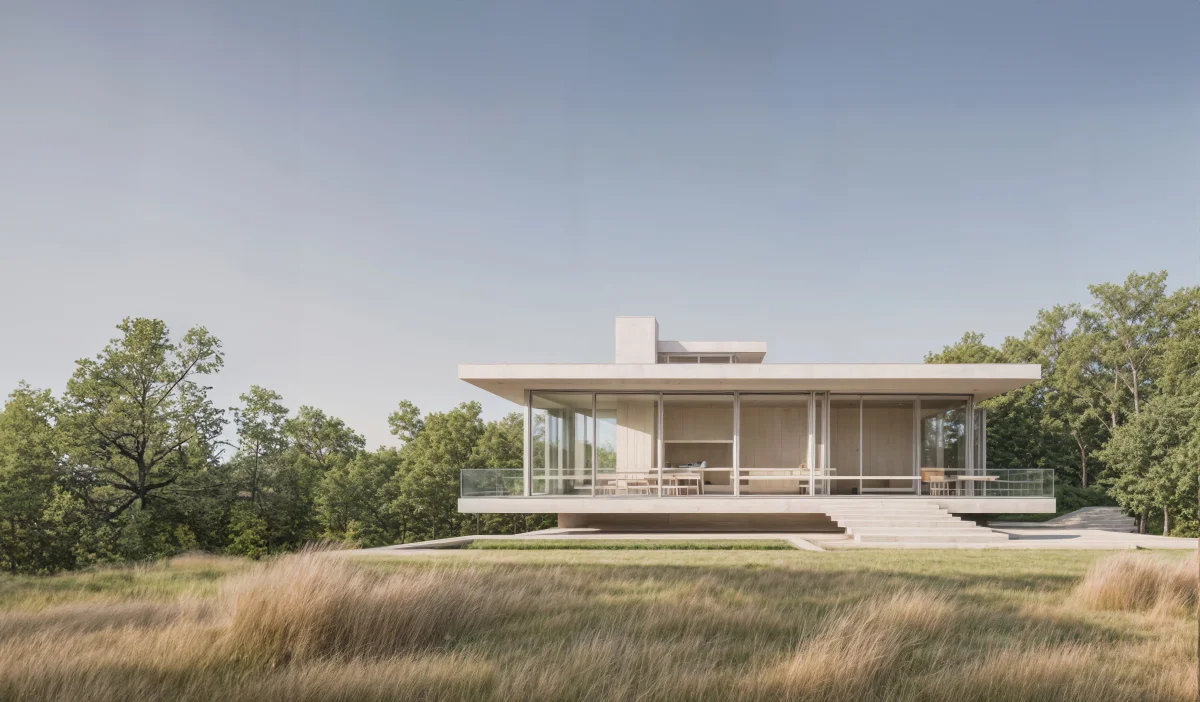
Transform 3D models and sketches into photorealistic architectural visualizations in minutes with AI.
mnml.ai
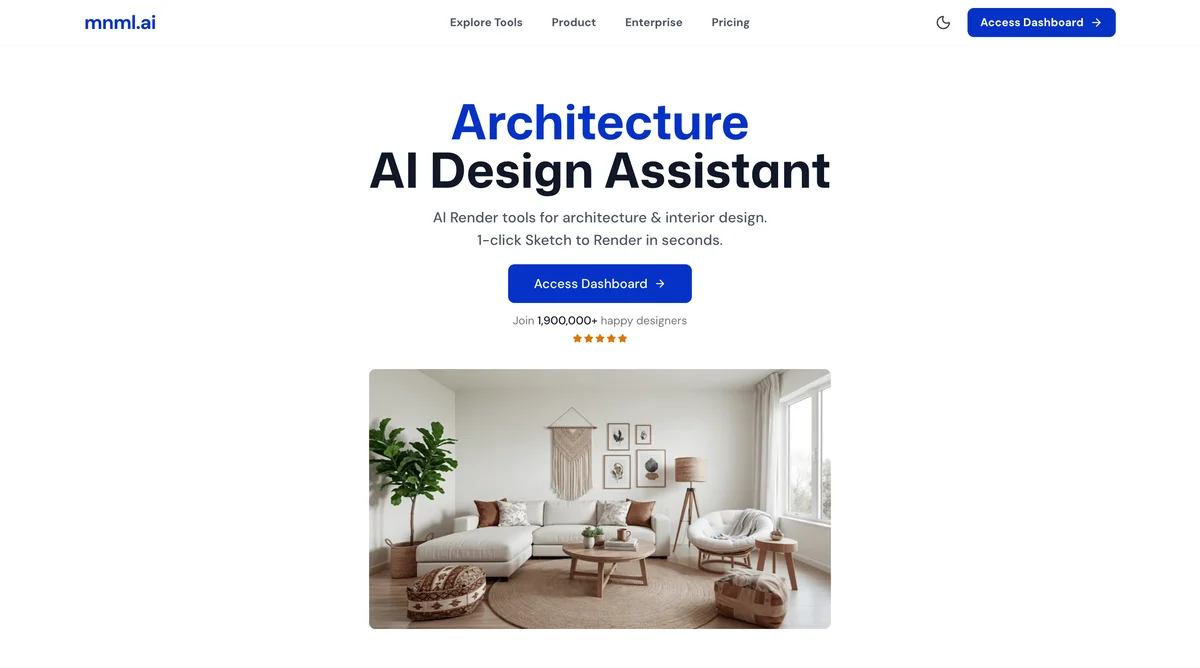
Turn sketches, photos and model views into client-ready architectural renders in minutes.