
VS Code Review 2026 - Open Source AI Editor
Verified Oct 21, 2026 by Tooliverse Editorial
Visual Studio Code is the open source editor that lets you code by hand or hand off tasks to AI agents that plan, edit, and iterate for you. Run them locally or in the cloud, side by side.
Welcome to Visual Studio Code Learn
How to install Visual Studio Code on Windows 10/11 [ 2026 Update ]
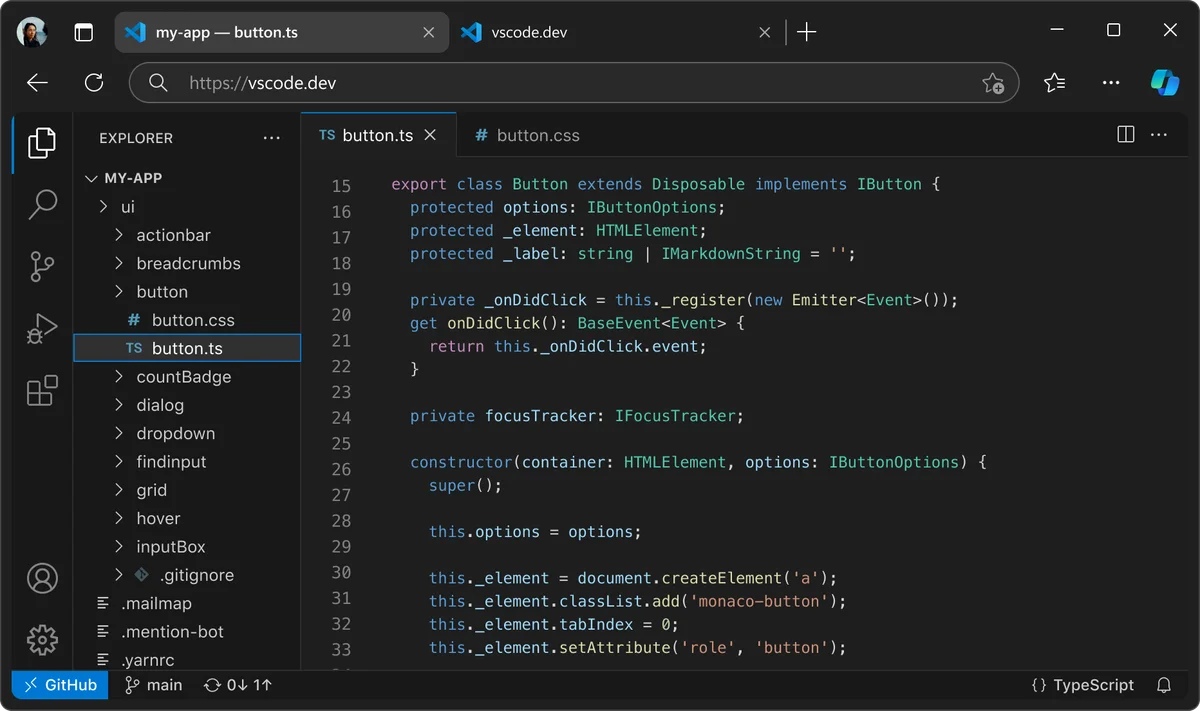
Develop web applications directly in your browser with VS Code.
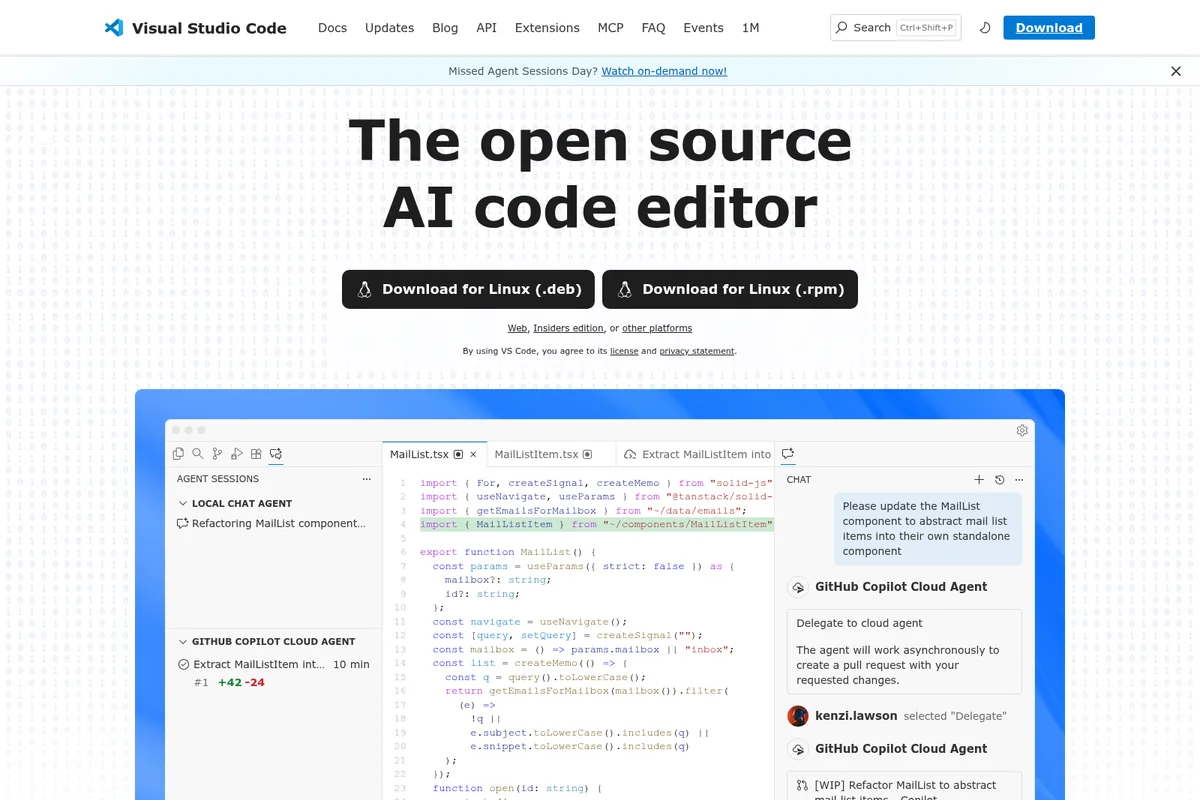
AI-powered code refactoring and agent interaction directly in the editor.
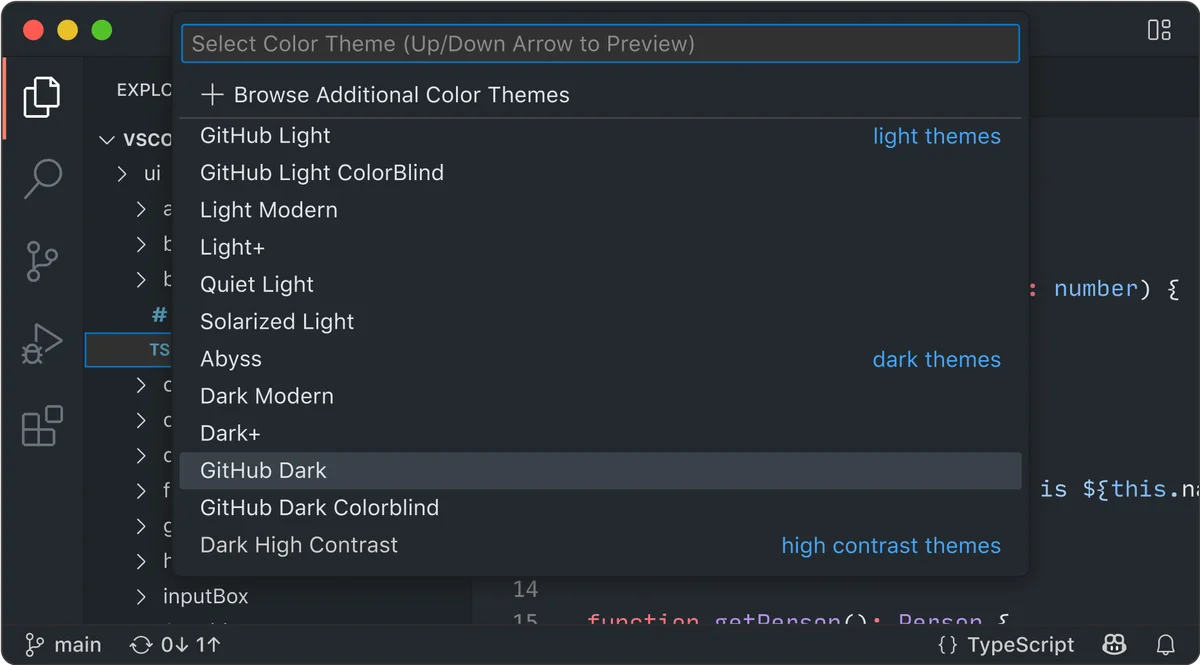
Personalize your coding environment by selecting from diverse color themes.
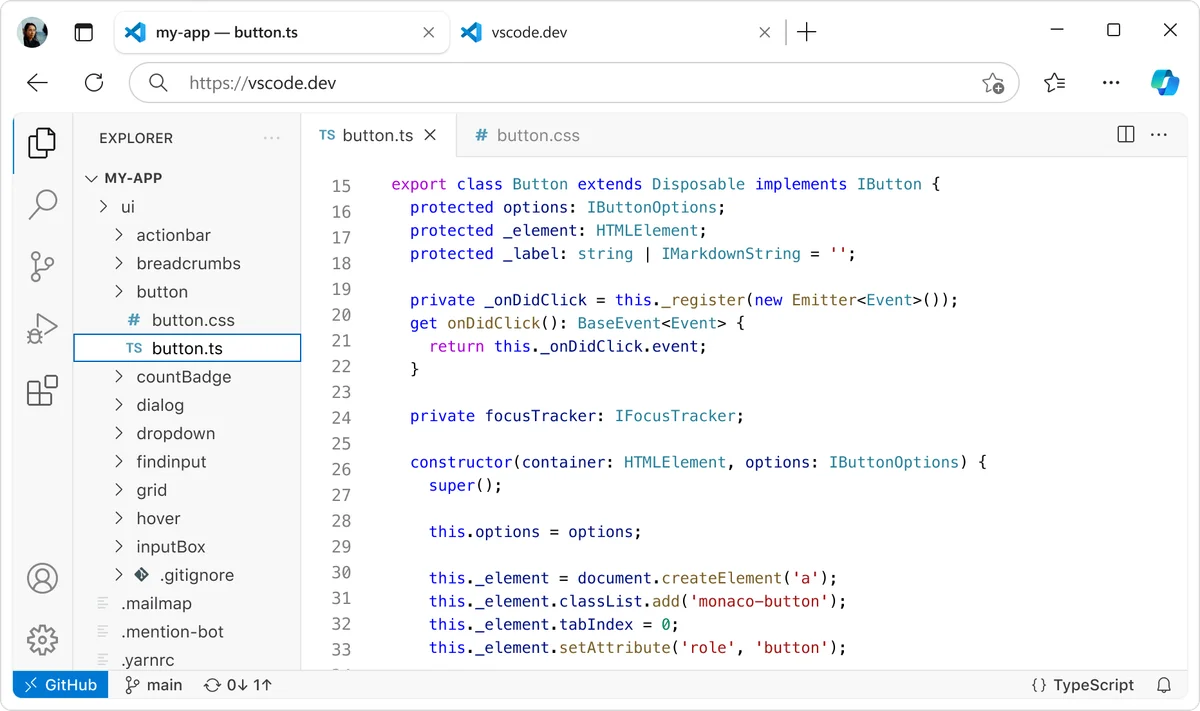
Develop web components with full TypeScript support in the browser.
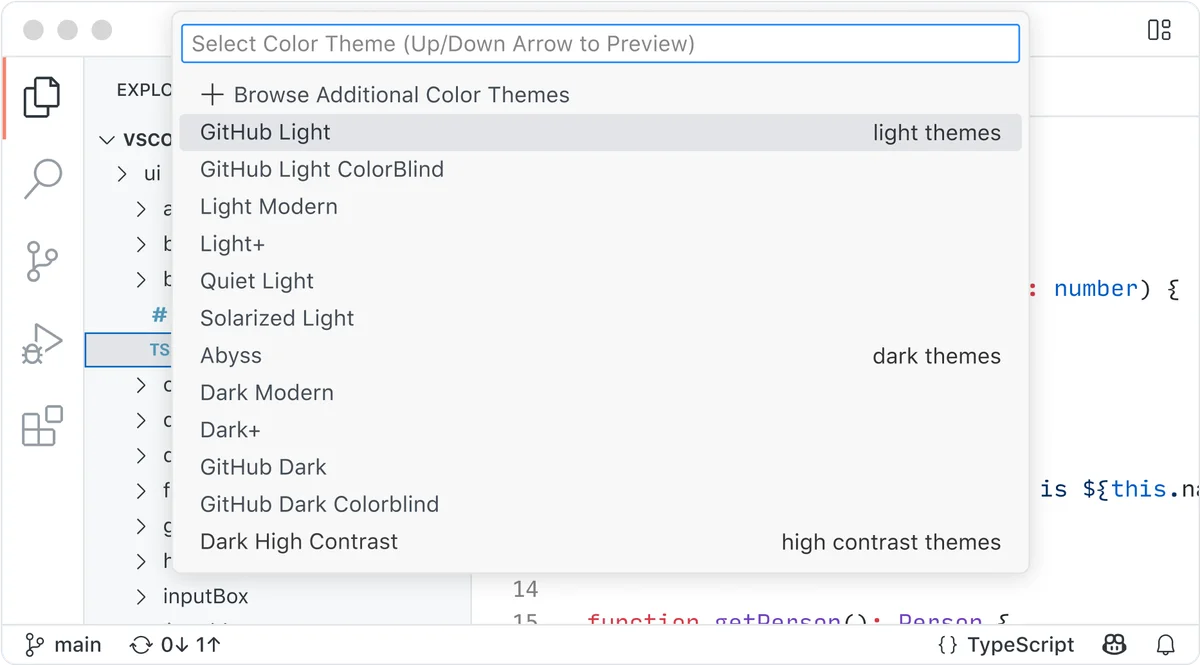
Quickly switch between various color themes, including light, dark, and high contrast options.
Visual Studio Code Review: Tooliverse Consensus






Based on 5k+ verified reviews across 5 platforms,
combined with Tooliverse's expert analysis
Visual Studio Code behaves like a toolbox: fast enough for a ten-second config edit, deep enough to run a full-stack project once the right extensions are installed. The marketplace, built-in Git and terminal, and accurate IntelliSense drive most of the praise, and its customization goes further than most rivals. The costs are predictable: memory climbs with heavy extension stacks, the settings maze can overwhelm newcomers, and monthly updates occasionally break an add-on. Reviewers still keep it as their daily driver.
Bottom line: The category-defining free editor: its extension ecosystem and IDE power in a light package are hard to match, though heavy extension stacks can drain memory and beginners may drown in settings.
Visual Studio Code | Key Specs
- Platforms
- Web, macOS, Windows, Linux
- Pricing Model
- Free (open source); AI agents free to start with GitHub account See plans
- Privacy/Data Use
- On-device dictation option, identity capture off by default
- Security
- Enterprise policies, agent sandboxing, network filtering See details
Wins
- •Boasts a massive extension marketplace that allows for endless environment customizationmentioned in 1,842 reviews
- •Maintains a surprisingly lightweight feel while providing powerful IDE-level featuresmentioned in 1,215 reviews
- •Integrates Git and terminal tools directly into the sidebar for seamless version controlmentioned in 956 reviews
Watch-Outs
- •Consumes significant system memory when running multiple resource-heavy extensions simultaneouslymentioned in 658 reviews
- •Presents a complex settings architecture that can be overwhelming for beginners to navigatementioned in 412 reviews
- •Experiences occasional stability issues or extension breakages following major monthly updatesmentioned in 324 reviews
Visual Studio Code Features 2026
Multi-Agent Development
Hand off tasks to AI agents that plan, make code changes, run commands, and iterate until done, locally, via CLI, or in the cloud.
Any Agent, Any Model
Choose dozens of models across providers, use harnesses like Copilot, Claude, and OpenAI, or bring your own key.
Unified Session View
Track, filter, and monitor all agent sessions from a single view regardless of where they run.
Agent Customization
Define custom instructions, agent skills, custom agents, plugins, and MCP servers tailored to your project.
Visual Studio Code User Reviews
Selected Reviews
"Copilot integration in VS Code is significantly better than in any other editor I've tried. The inline suggestions and chat window feel like a natural extension of the editor."
"It's the perfect middle ground between a heavy IDE like IntelliJ and a basic editor like Notepad++. The startup time is incredibly fast even with a dozen extensions loaded."
"Microsoft has done a great job with the LSP, making language support consistent across the board."
More from the Community
"The way VS Code handles remote development via SSH is a game changer for my workflow."
"I love the speed, but I wish the built-in debugger was a bit more intuitive for C++ projects."
"The monthly updates are great but they often reset my custom UI tweaks which is quite annoying."
"The web version is handy for quick edits on GitHub, but it lacks the full power of the desktop app."
"The community support is so vast that any issue I have is usually solved by a quick search."
"The way VS Code handles remote development via SSH is a game changer for my workflow."
"I love the speed, but I wish the built-in debugger was a bit more intuitive for C++ projects."
"The monthly updates are great but they often reset my custom UI tweaks which is quite annoying."
"The web version is handy for quick edits on GitHub, but it lacks the full power of the desktop app."
"The community support is so vast that any issue I have is usually solved by a quick search."
"I've switched all my web dev work to VS Code and haven't looked back in three years."
"Great for quick edits, though some extensions don't work in the browser environment yet."
"I'm still wary of the Electron overhead. It's fast for Electron, but it's no Vim in terms of raw speed."
"The 'Profiles' feature finally let me separate my work and personal extension setups perfectly."
"I've switched all my web dev work to VS Code and haven't looked back in three years."
"Great for quick edits, though some extensions don't work in the browser environment yet."
"I'm still wary of the Electron overhead. It's fast for Electron, but it's no Vim in terms of raw speed."
"The 'Profiles' feature finally let me separate my work and personal extension setups perfectly."
Visual Studio Code Pricing 2026
View SourceThe editor is free, and so is the on-ramp to the AI features: a GitHub account is all it takes, with no trial or credit card. That free start is the one to pick first, since it covers agent mode, chat, and inline suggestions for a single user. Teams planning heavy agent use across several developers should check Copilot's plan terms on GitHub before rolling anything out.
Visual Studio Code In-Depth Review 2026

Visual Studio Code runs on macOS, Windows, and Linux, with a browser version at vscode.dev for quick edits. Git source control, an integrated terminal, and debugging come built in, and the Extension Marketplace lists more than 80,000 add-ons covering Python, C/C++, Jupyter, and more. The newer layer is multi-agent development: local, CLI, or cloud agents can plan changes, run commands, and iterate, all tracked from one session view, using models from Copilot, Claude, and OpenAI or your own key.
What It's Like Day-to-Day
Reviewers describe a lightweight editor that opens quickly yet carries IDE-grade features, and one G2 user called it "the perfect middle ground between a heavy IDE like IntelliJ and a basic editor like Notepad++." IntelliSense completions are accurate enough that users credit them with speeding up routine coding, while the Git panel and terminal sit in the sidebar so commits, diffs, and test runs happen without leaving the window.
Customization is the other half of the appeal. Themes, keybindings, and Profiles let people tune the editor to taste, and Settings Sync carries that setup between machines.
Visual Studio Code Security & Compliance
Security Features
- Enterprise device policies (Group Policy, Intune, macOS profiles)
- Agent sandboxing and network filtering with allowed/denied domains
- Tool approval controls and disabling global auto-approval
Privacy Commitments
- Dictation audio can be kept on-device via policy
- Agent identity capture for OpenTelemetry is off by default
Visual Studio Code: Frequently Asked Questions (FAQs)
Is Visual Studio Code free?
Yes, VS Code is an open source editor available to download for macOS, Windows, and Linux. Its AI agent features can be started free with just a GitHub account, with no trial or credit card required.
What platforms does VS Code run on?
VS Code is available for macOS, Windows, and Linux (.deb and .rpm), plus a web version at vscode.dev and an Insiders edition.
Which AI models can VS Code use?
VS Code offers dozens of models across providers, from fast completion models to advanced reasoning models. Users can also bring their own key for any provider, and run agents with Copilot or third-party providers like Claude and OpenAI.
Can VS Code run multiple AI agents at once?
Yes, VS Code lets multiple agents work in parallel and tracks all sessions from a single view, whether they run locally or in the cloud.
Visual Studio Code Integrations
| GitHub Copilot | Claude | OpenAI |
| GitHub Codespaces | Python | Stripe |
| C/C++ | Jupyter | GitLens |
| C# Dev Kit | MongoDB | GitHub Copilot for Azure |
| Remote Development | Docker | Kubernetes |
| Azure | Microsoft Intune |
Visual Studio Code: Verified Data Sheet
| # | Label | Data Point |
|---|---|---|
| [1] | Visual Studio Code Consensus: 9.02/10 | Visual Studio Code is one of the highest-rated AI coding tools in the Tooliverse index, with a consensus score of 9.02/10 across 5,300 verified reviews. |
| [2] | What is Visual Studio Code | Visual Studio Code, from Microsoft, is a free open source AI code editor for multi-agent development with local and cloud agents. It offers 80k+ extensions and runs on macOS, Windows, Linux, and the web. |
| [3] | Tooliverse Consensus on Visual Studio Code | Visual Studio Code behaves like a toolbox: fast enough for a ten-second config edit, deep enough to run a full-stack project once the right extensions are installed. The marketplace, built-in Git and terminal, and accurate IntelliSense drive most of the praise, and its customization goes further than most rivals. The costs are predictable: memory climbs with heavy extension stacks, the settings maze can overwhelm newcomers, and monthly updates occasionally break an add-on. Reviewers still keep it as their daily driver. |
| [4] | Visual Studio Code Verdict | Visual Studio Code bottom line: The category-defining free editor: its extension ecosystem and IDE power in a light package are hard to match, though heavy extension stacks can drain memory and beginners may drown in settings. |
| [5] | VS Code (Free): Free | Visual Studio Code offers a free VS Code (Free) tier covering the open source code editor and downloads for macOS, Windows, and Linux, making AI tools accessible at no cost. |
| [6] | Git and terminal built into the sidebar | Visual Studio Code integrates built-in Git source control and an integrated terminal directly into its sidebar and workspace, and 956 user reviews praise this for seamless version control. |
| [7] | Accurate IntelliSense speeds up coding | Visual Studio Code provides IntelliSense code completion that 812 user reviews describe as accurate and a clear speed-up for everyday coding, with JavaScript, TypeScript, CSS, and HTML supported in the box. |
| [8] | Themes, keybindings, Profiles, Settings Sync | Visual Studio Code supports deep personalization through themes, keybindings, Profiles, and Settings Sync, a strength mentioned in 704 user reviews. |
| [9] | 80k+ extensions, cited in 1,842 reviews | Visual Studio Code offers an Extension Marketplace of 80k+ extensions, including Python, C/C++, Jupyter, GitLens, and C# Dev Kit, and 1,842 user reviews cite it as the main source of the editor's endless customization. |
| [10] | High memory use with heavy extensions | Visual Studio Code can consume significant system memory when several resource-heavy extensions run at once, according to 658 user reports. |
| [11] | Settings can overwhelm beginners | Visual Studio Code has a complex settings architecture that beginners can find overwhelming to navigate, according to 412 user reports. |
| [12] | Privacy: Dictation audio can be kept on-device via policy | Visual Studio Code's privacy protections include Dictation audio can be kept on-device via policy and Agent identity capture for OpenTelemetry is off by default. |
| [13] | Enterprise: Enterprise device policies (Group Policy, Intune, macOS profiles) | Visual Studio Code provides enterprise security through Enterprise device policies (Group Policy, Intune, macOS profiles), Agent sandboxing and network filtering with allowed/denied domains, and Tool approval controls and disabling global auto-approval. |
| [14] | Middle ground between IDE and basic editor | A verified G2 reviewer called Visual Studio Code "the perfect middle ground between a heavy IDE like IntelliJ and a basic editor like Notepad++," noting that startup stays "incredibly fast even with a dozen extensions loaded." |
Best Visual Studio Code Alternatives

Cursor
The AI coding agent that turns your ideas into working software while you focus on the big decisions.

Windsurf
An AI-powered IDE that turns your editor into an agent command center for coding at scale.
Zed
A blazing-fast Rust code editor built for collaborating with humans and AI agents.