
ArchiVinci vs Rendair: Unlimited Speed or Scale Precision (2026)
Verified Sep 17, 2026 by Tooliverse Editorial
ArchiVinci and Rendair are both AI-powered architectural visualization tools that turn sketches, photos, or 3D models into photorealistic renders, aimed at architects and designers who need fast client-facing visuals.
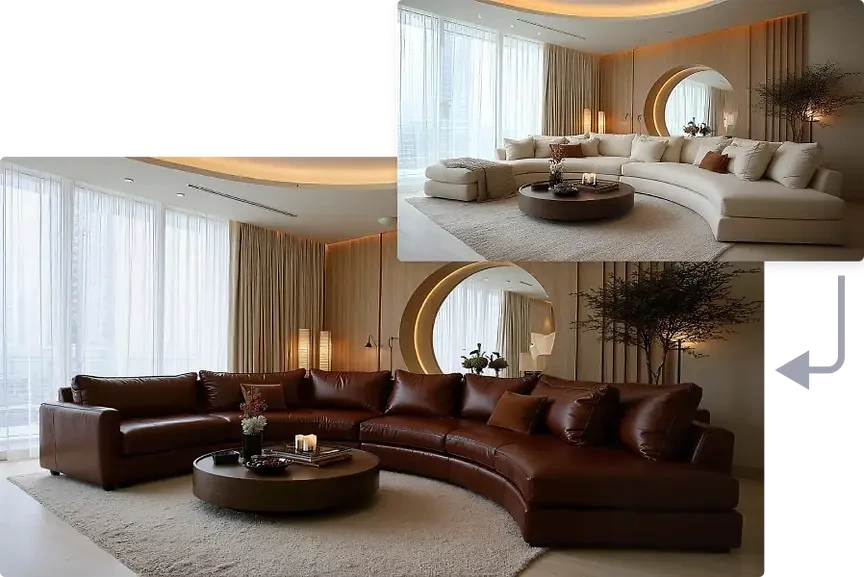
 ArchiVinci
Archivinci output sample showing two modern living room interior design visualizations with a realistic aesthetic.
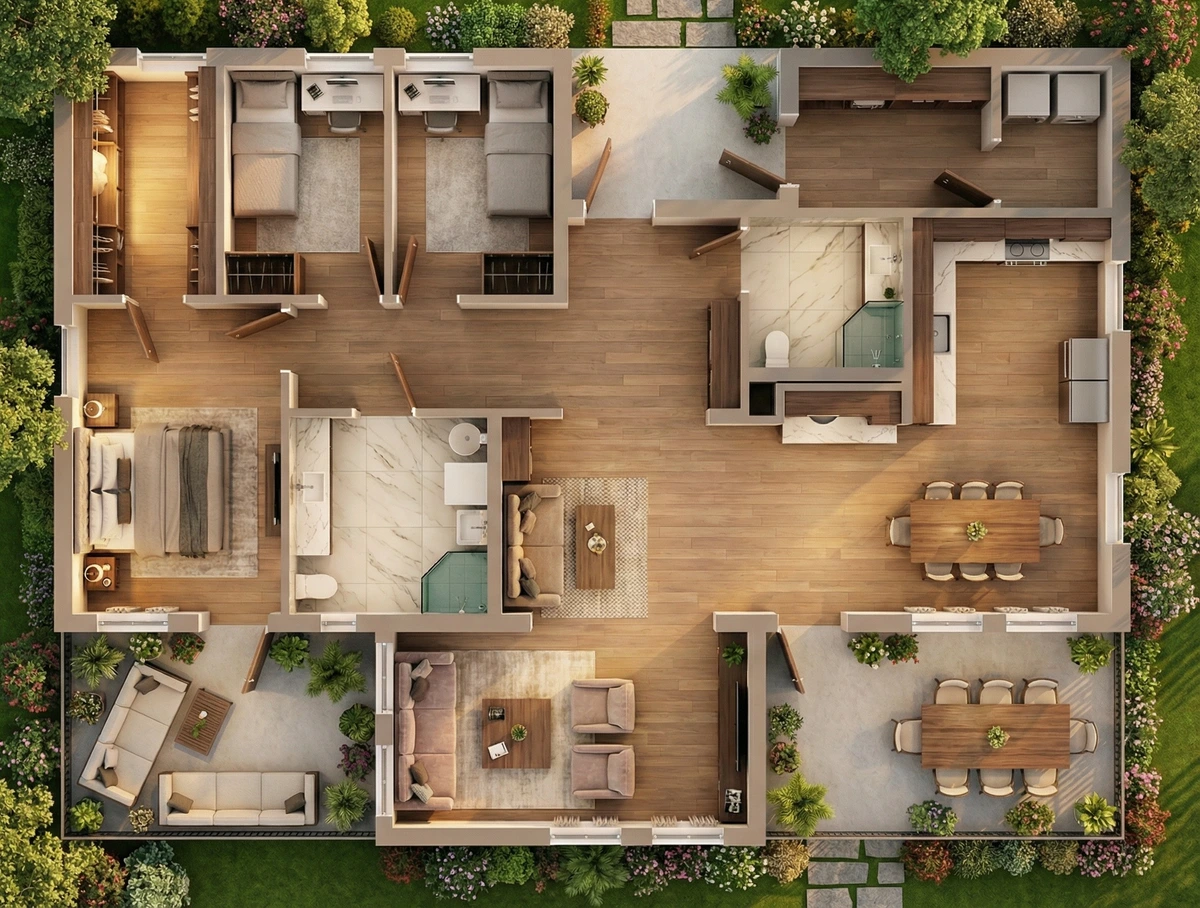
 Rendair
Rendair architectural rendering showcasing a detailed modern house floor plan with furnished interiors and landscaped outdoor spaces.
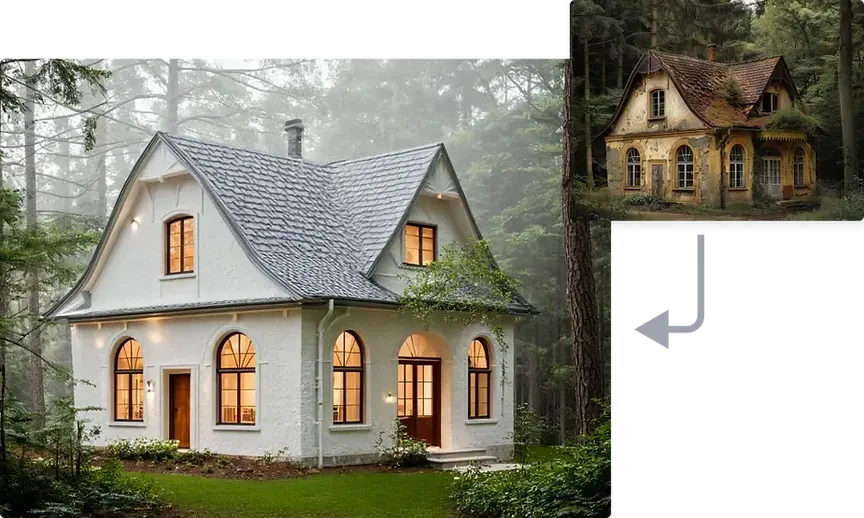 ArchiVinci
Archivinci AI architectural design output, contrasting a modern white house and a dilapidated cottage in a misty forest.
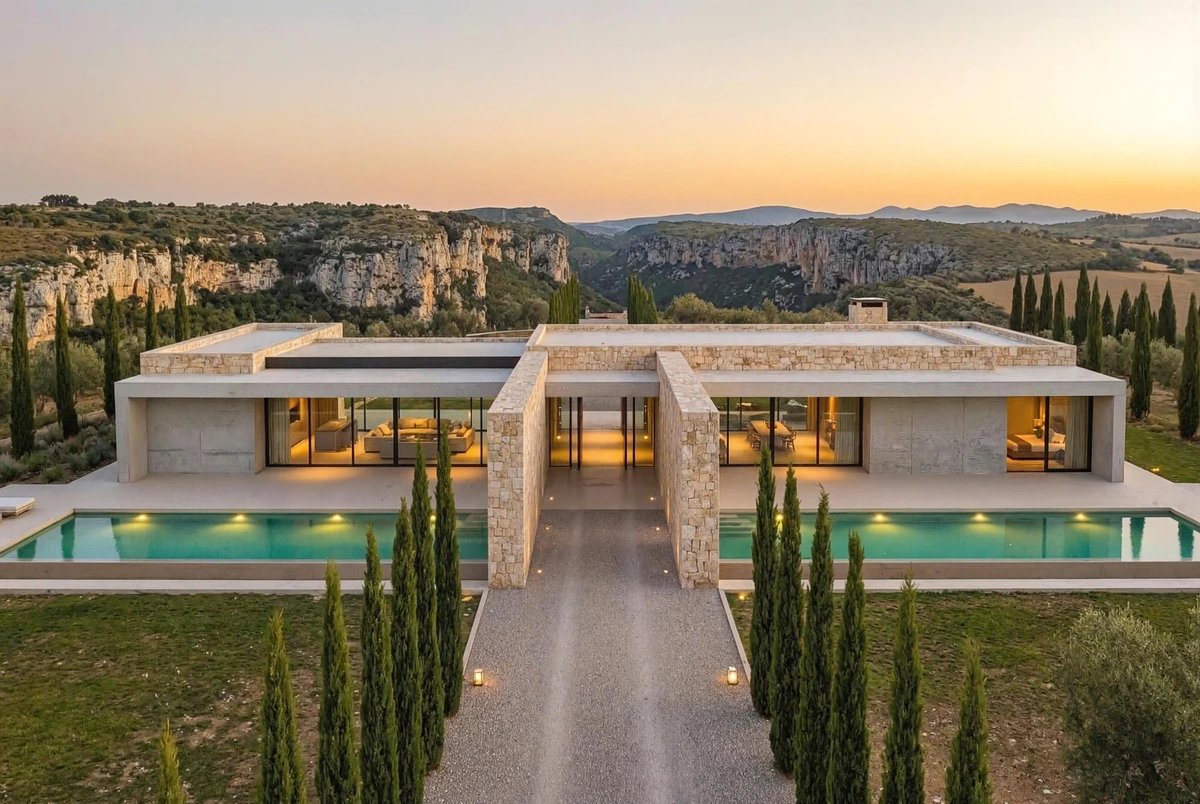 Rendair
Rendair architectural rendering output showcasing a modern luxury villa with infinity pools at sunset, in a highly photorealistic style.
ArchiVinci vs Rendair Review: Tooliverse Consensus




Based on 529 verified reviews across 7 platforms,
combined with Tooliverse's expert analysis
ArchiVinci edges ahead on review volume (310 reviews, 8.99/10) and unlimited-render pricing, making it well suited to fast, high-volume iteration on materials and style during early design. Rendair (8.71/10, 219 reviews) trades some rendering speed for stronger scale accuracy and hands-on training support, plus direct CAD software import from SketchUp, Rhino, Revit, and ArchiCAD. ArchiVinci's watch-outs center on dimensional precision; Rendair's center on its credit system and missing native plugins.
Bottom line: Choose ArchiVinci for unlimited rapid-fire concept renders and style exploration; choose Rendair when scale accuracy, CAD import, and personalized training matter more than render volume.
Where Each Tool Wins
Strengths unique to each tool (what both do well is covered further down)
ArchiVinci- •Provides a vast library of interior styles that spark immediate design inspirationmentioned in 72 reviews
- •Features a remarkably simple interface that requires zero previous 3D modeling experiencementioned in 65 reviews
- •Allows for rapid iteration on materials and lighting without manual re-renderingmentioned in 58 reviews
Rendair- •Understands architectural scale and proportions significantly better than general AI toolsmentioned in 48 reviews
- •Provides exceptional personalized support and training sessions for professional usersmentioned in 42 reviews
- •Accelerates client approval cycles by visualizing early-stage concepts instantlymentioned in 35 reviews
Each Tool’s Watch-Outs
Drawbacks unique to each tool
ArchiVinci- •Occasionally struggles with precise structural dimensions and architectural scale accuracymentioned in 38 reviews
- •Free version includes watermarks that limit professional use without a subscriptionmentioned in 25 reviews
- •Limited control over specific furniture placement compared to traditional CAD softwarementioned in 22 reviews
Rendair- •Credit-based system can lead to frustration when outputs require multiple iterationsmentioned in 19 reviews
- •Lacks native plugins for Revit and Archicad, requiring manual file exportsmentioned in 15 reviews
- •Privacy and private-mode features are restricted to higher-priced professional tiersmentioned in 12 reviews
Which Tool Is Best for Your Use Case?
| Use case | ArchiVinci | Rendair |
|---|---|---|
Fast concept sketches for client pitches Both tools convert rough sketches into photorealistic renders in under a minute or seconds, per their top-cited wins (84 and 52 mentions respectively). | Excellent | Excellent |
Dimensional and scale accuracy ArchiVinci reviewers flag struggles with precise structural dimensions and scale (38 mentions), while Rendair is specifically praised for understanding architectural scale and proportions better than general AI tools (48 mentions). | Fair | Strong |
Direct 3D modeling software import Rendair's 3D Model to Render feature explicitly supports SketchUp, Rhino, Revit, and ArchiCAD uploads, while ArchiVinci lists geometry protection from sketches/models but no named CAD import integrations. | Fair | Strong |
Unlimited render volume for heavy iteration ArchiVinci's paid plans offer unlimited ArchiVinci renders, whereas Rendair runs on a credit system that reviewers say creates friction when outputs need multiple iterations (19 mentions). | Excellent | Fair |
Hands-on onboarding and support Rendair reviewers specifically praise exceptional personalized support and training sessions (42 mentions), a win category ArchiVinci's data does not mention. | Fair | Excellent |

Speed and precision rarely top the same list, and these tools split the difference. The 38 mentions of scale trouble on one side and 15 mentions of missing Revit and Archicad plugins on the other aren't quirks — they're telling two different studios which tool fits their pipeline. If iteration speed and unlimited renders drive client buy-in, ArchiVinci at $39/month wins the workflow. The moment CAD accuracy and hands-on training matter more than volume, Rendair's Pro plan at $49/month justifies itself.
ArchiVinci vs Rendair Pricing 2026
ArchiVinci starts at $39/month on Weekly Subscription after a free tier to trial it, while Rendair starts at $19/month on Starter Plan. Over a full year that is roughly $468 for ArchiVinci versus $228 for Rendair at list prices.
ArchiVinciWeekly Subscription
- Unlimited ArchiVinci renders
- 20 coins included for other AI models
- Access to all render modules
- Concurrent render up to 4 at once
RendairStarter Plan
- 500 credits per month
- Unlimited text to image
- 500 image creations, 500 image edits
- 100 upscales, 25 videos
- Chat support (no private mode)
The Costs the Pricing Pages Don't Mention
- Watermarks gate free-tier output
- ArchiVinci's free version includes watermarks that limit professional use without a subscription, so client-ready output requires upgrading to a paid plan.
- Credit exhaustion forces plan upgrades
- Rendair's credit-based system can lead to frustration when outputs require multiple iterations, meaning heavy revision workflows may burn through a monthly allotment (500 to 7,500 credits depending on tier) faster than expected.
- Private Mode locked behind higher tiers
- Rendair restricts Private Mode and privacy features to the Pro plan ($49/month) and above, so firms handling confidential client work can't rely on the $19/month Starter plan.
- Add-on coins for extra AI models
- ArchiVinci's unlimited renders only cover its own engine; using other AI models, video generation, or upscales beyond the included coin allotment requires purchasing add-on coin packs ranging from $40 to $1,100.
ArchiVinci vs Rendair: Feature Comparison
As advertised on each tool's own site — "not advertised" doesn't necessarily mean missing.
| Feature | ArchiVinci | Rendair |
|---|---|---|
| Both tools | ||
| Sketch to photorealistic render | ✓ | ✓ |
| 3D model / CAD import to render | ✓ | ✓ |
| Floor plan to 3D visualization | ✓ | ✓ |
| Edit materials, furniture, and finishes post-render | ✓ | ✓ |
| Furnish or virtually stage empty rooms | ✓ | ✓ |
| Landscape and environment generation | ✓ | ✓ |
| Render enhancement / upscaling | ✓ | ✓ |
| Static render to video/animation | ✓ | ✓ |
| Style transfer across design references | ✓ | ✓ |
| Conversational AI editing interface | ✓ | ✓ |
| Highlighted by ArchiVinci | ||
| New angle / alternative viewpoint generation | ✓ | not advertised |
| 360-degree panorama generation | ✓ | not advertised |
| Highlighted by Rendair | ||
| Time of day / weather / season editing | not advertised | ✓ |
| Private mode for confidential projects | not advertised | ✓ |
ArchiVinci vs Rendair: User Reviews
Selected to show the range — the strongest praise and the most useful criticism for each.
ArchiVinciRendairArchiVinci"ArchiVinci has completely changed how I present initial concepts to clients. I can turn a napkin sketch into a realistic render in under a minute."
Rendair"I try by myself and it was not so easy to get fast results, but when i started to follow the training that rendair provide... all the potential of the tool opened up."
ArchiVinci"Finally an AI tool that actually understands what a floor plan is. It's not perfect, but it's the closest thing we have to magic right now."
Rendair"As a non-creative, not-so-tech-savvy 40-something... I've found Rendair's user-friendly platform and incredible personal support to be a lifesaver."
ArchiVinci"The free tier is very restrictive. You only get a few renders before the paywall hits. The quality is high, but the pricing is steep for students."
Rendair"Great for quick ideation but lacks the granular control I need for final production renders. I wish I could specify exact RAL colors for materials."
ArchiVinci vs Rendair: Frequently Asked Questions (FAQs)
Which tool handles architectural scale and proportion more accurately, ArchiVinci or Rendair?
Rendair reviewers specifically credit it with understanding architectural scale and proportions significantly better than general AI tools (48 mentions). ArchiVinci's own watch-outs note it occasionally struggles with precise structural dimensions and scale accuracy (38 mentions), so it works best alongside CAD software rather than as a scale-accurate standalone.
Does either tool integrate directly with Revit, SketchUp, or ArchiCAD?
Rendair's 3D Model to Render feature explicitly supports uploads from SketchUp, Rhino, Revit, or ArchiCAD, though its watch-outs note it lacks native plugins for Revit and Archicad, requiring manual file exports. ArchiVinci doesn't advertise named CAD software integrations, instead accepting sketches, photos, 3D models, and technical drawings generally.
Is ArchiVinci or Rendair cheaper for a solo architect?
Rendair's Starter plan starts at $19/month with 500 credits, while ArchiVinci's entry paid tier is the Weekly Subscription at $39/month for unlimited renders. For unlimited rendering volume ArchiVinci's paid plans remove caps entirely, whereas Rendair's plans are credit-limited at every tier.
Which tool is better suited for confidential or client-sensitive projects?
Rendair offers a Private Mode to keep confidential projects hidden from public visibility, but it's restricted to the Pro plan ($49/month) and above. ArchiVinci's data doesn't mention an equivalent private-mode feature.
Can I try either tool for free before subscribing?
ArchiVinci offers a Free Trial tier with 3 free renders, no watermark, and full commercial usage rights. Rendair's published tiers start at the paid $19/month Starter plan, with no free tier listed in its pricing data.
How this comparison works
Consensus Scores aggregate verified reviews from 8 platforms — Reddit, Product Hunt, G2, Capterra, app stores and more — weighted by source reliability.
Features and pricing come from each tool's official site, last verified Sep 17, 2026. Verdicts are computed from this data.
The Editor's Note is our experts' read of what the data means for your decision — and comparison placement is never for sale. Editorial Policy
Best ArchiVinci & Rendair Alternatives
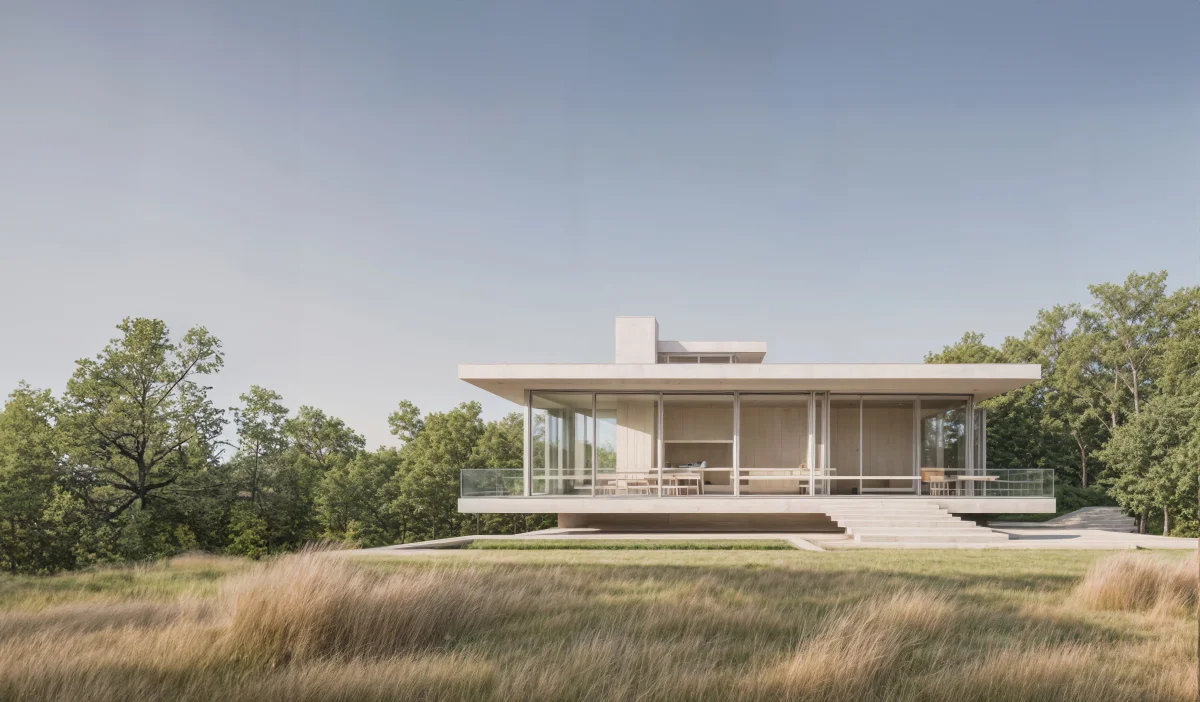
Visoid
Transform 3D models and sketches into photorealistic architectural visualizations in minutes with AI.
mnml.ai
Turn sketches, photos and model views into client-ready architectural renders in minutes.

Spacely AI
Turn sketches into photorealistic renders in under 60 seconds—no modeling skills required.