
Rendair Review 2026 - AI Architectural Rendering
Verified Sep 19, 2026 by Tooliverse Editorial
Rendair turns rough sketches, 3D models, and floor plans into photorealistic architectural renders in seconds. Chat with AI to edit, upscale, or animate visuals—no rendering software required.
Floor Plan to Render in 2 Minutes | Rendair Tutorial
Finally REAL Control Over AI Visuals? Rendair AI Review
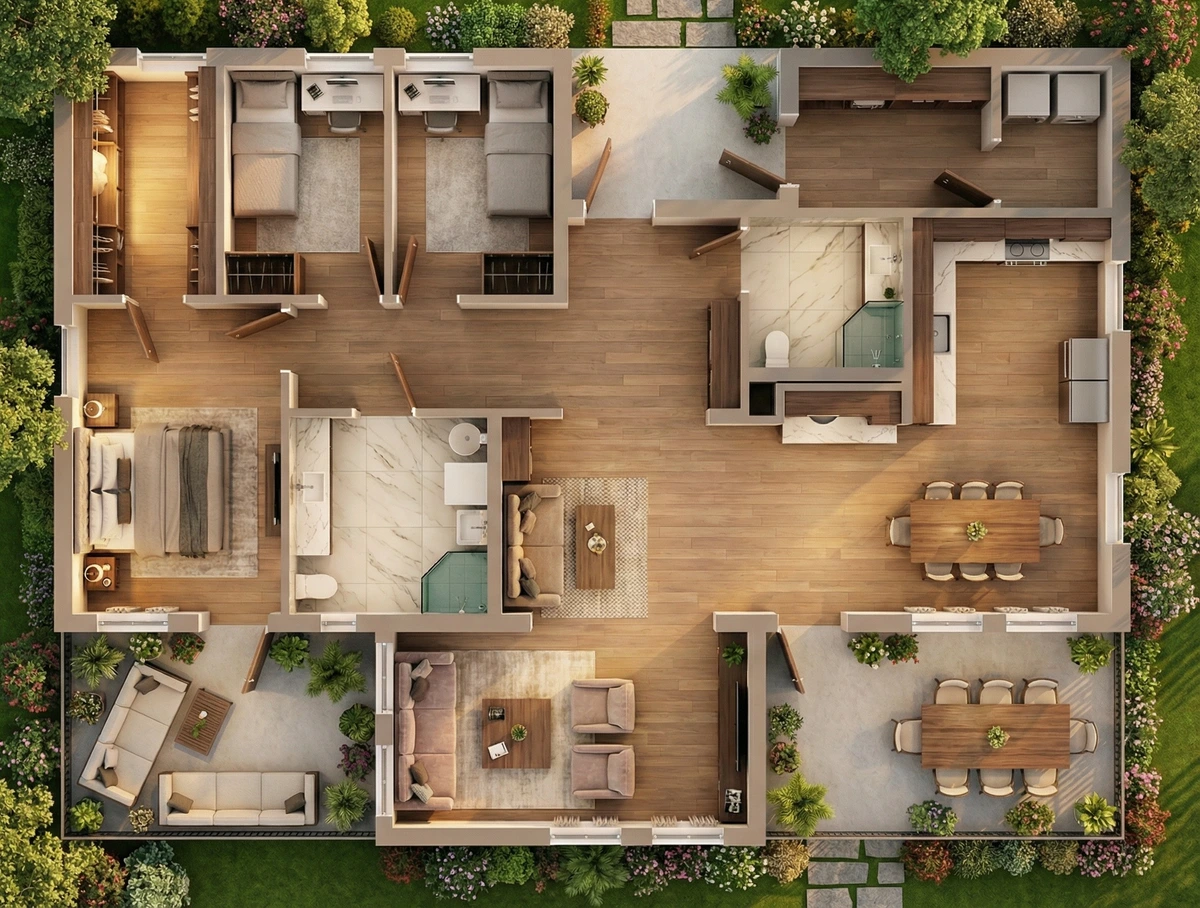
Experience high-fidelity architectural visualizations of entire homes and landscapes.
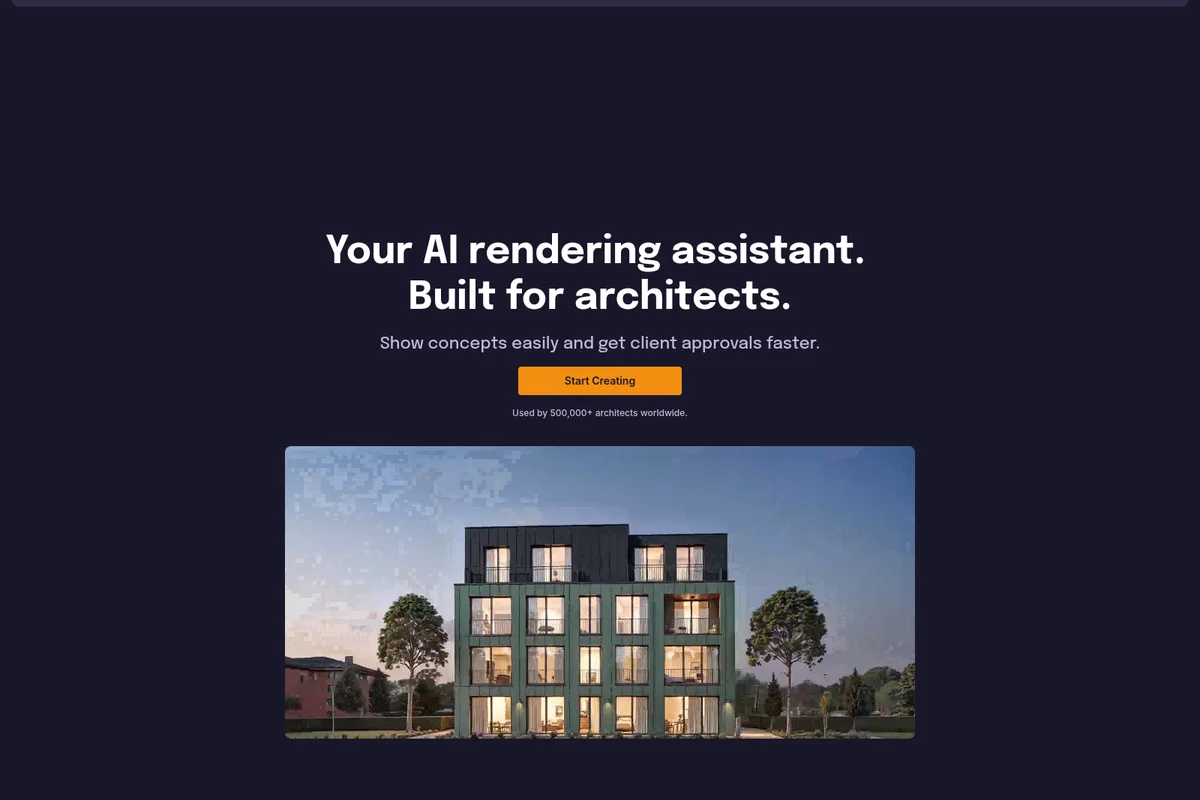
Visualize architectural concepts quickly and secure client approvals faster.
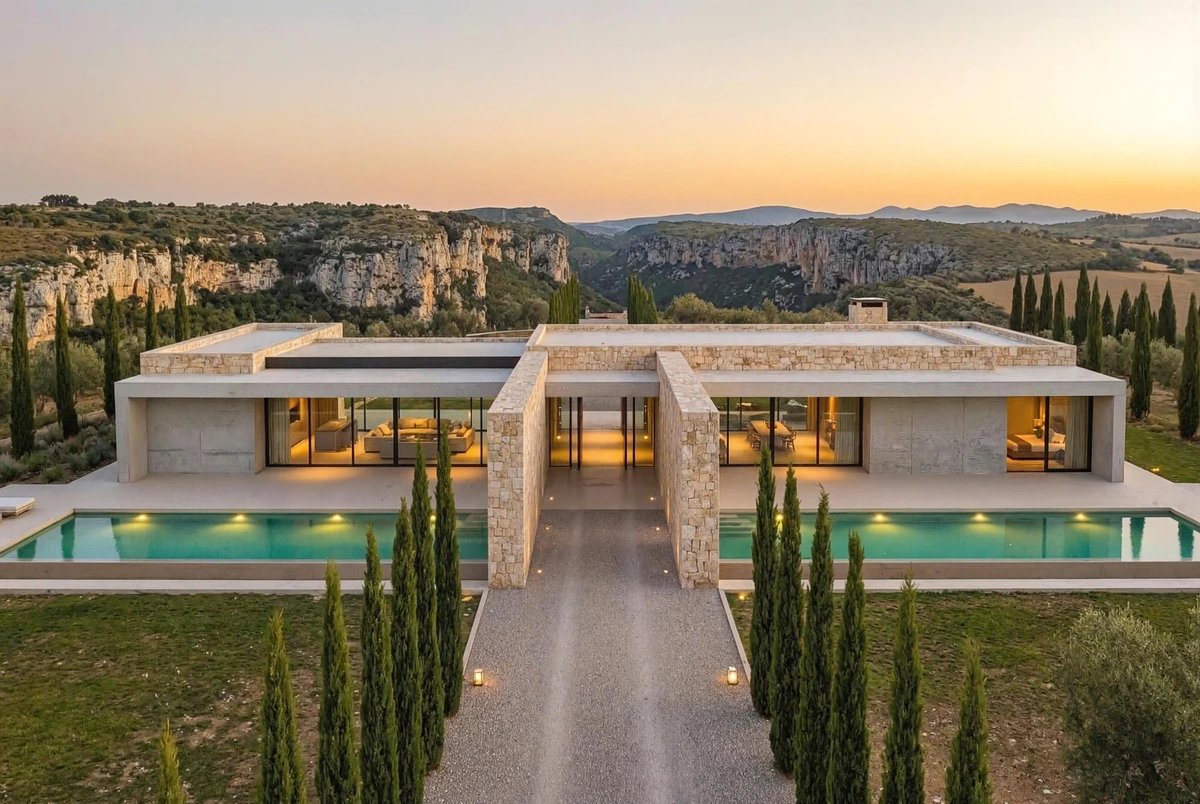
Experience photorealistic architectural visualizations with rendair.
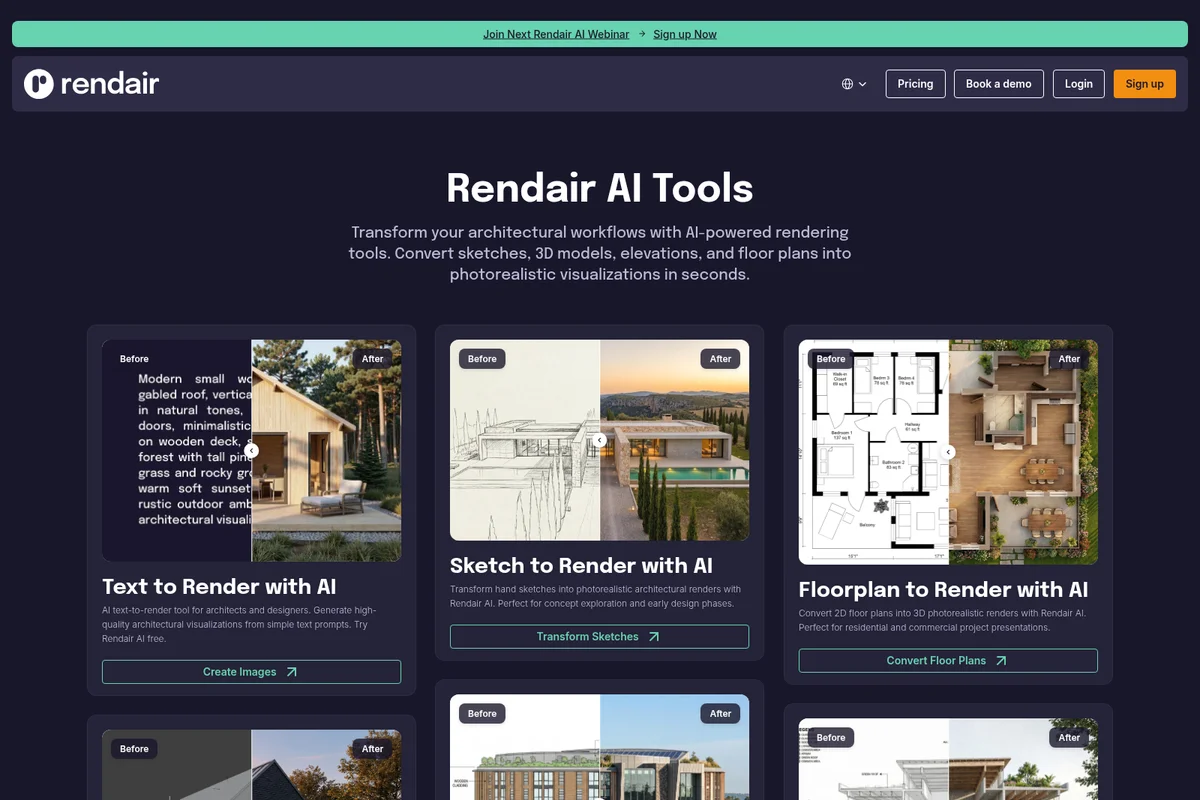
Transform various architectural inputs into stunning photorealistic renders.

Bring your architectural visions to life with stunning photorealistic renders.
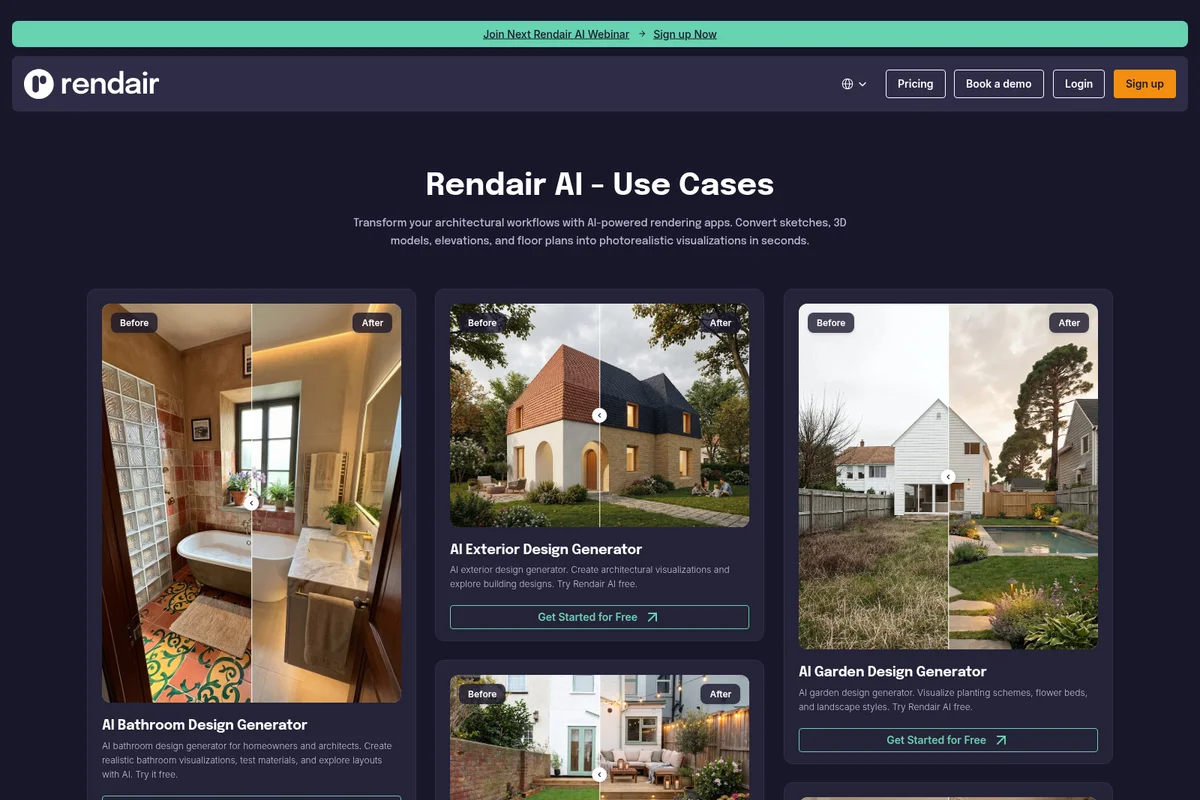
Showcases realistic architectural and landscape visualizations generated by AI.

High-fidelity architectural rendering demonstrating realistic winter environments.
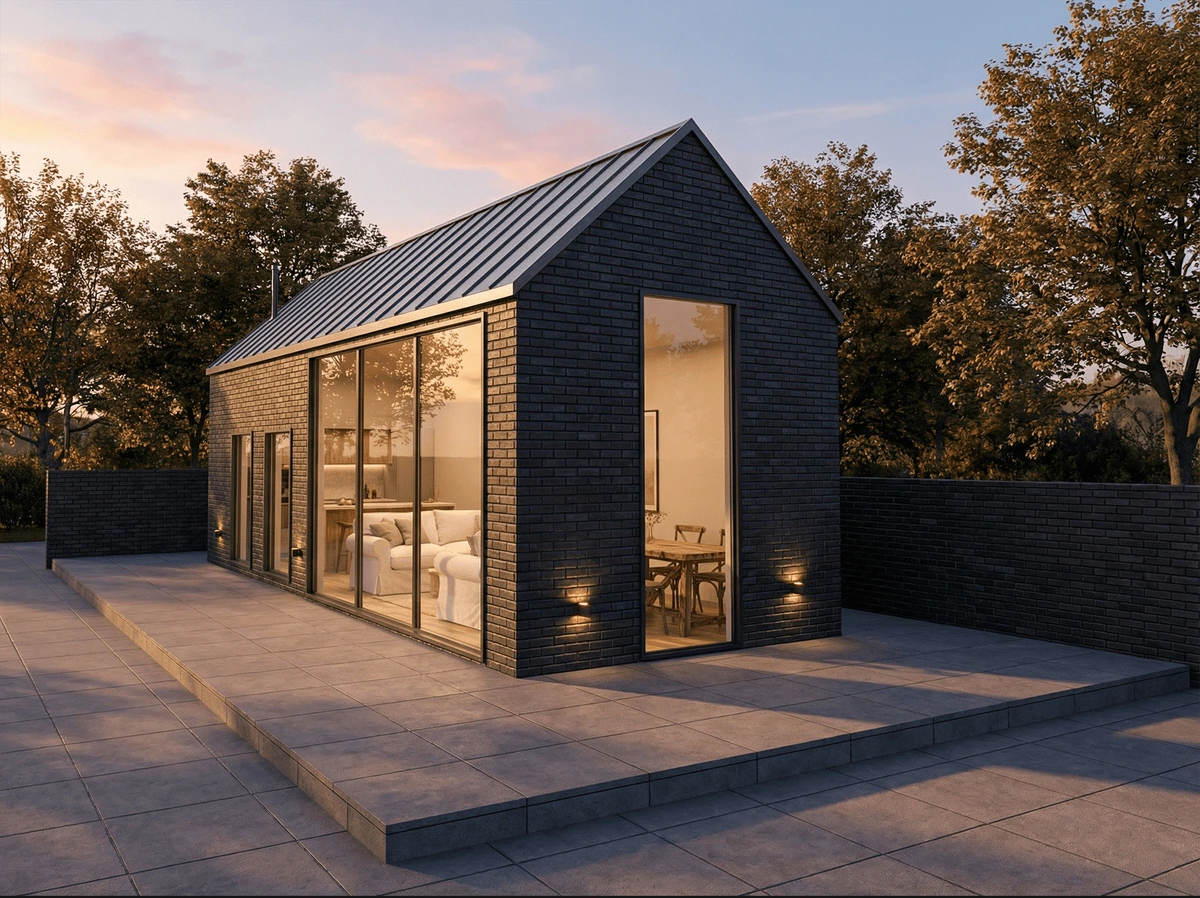
Showcase stunning photorealistic architectural visualizations with ease.
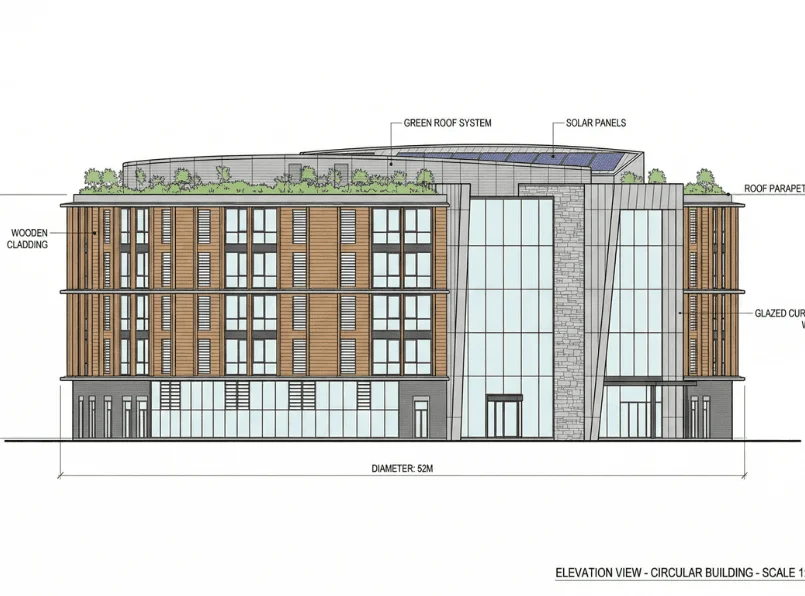
Detailed elevation view of a circular building showcasing sustainable design elements.
Rendair Review: Tooliverse Consensus


Based on 219 verified reviews across 5 platforms,
combined with Tooliverse's expert analysis
Rendair earns its reputation among architects by respecting scale and proportion in ways general AI image tools don't, turning napkin sketches into client-ready visuals in under a minute. Reviewers consistently praise its hands-on training and support as unusually strong for the category, and its material library for concrete, wood, and stone renders convincingly across lighting conditions. Still, the credit-based system creates real friction when renders need multiple iterations, and glass or reflective surfaces continue to trip up the model.
Bottom line: A top-tier sketch-to-render tool for architects that nails scale and speed, though its credit system and lack of native Revit or ArchiCAD plugins demand workarounds.
Rendair | Key Specs
- Platforms
- Web
- Pricing Model
- Paid Tiers ($19-190/mo) See plans
- Privacy/Data Use
- Private Mode available on paid plans for confidential projects
- Team Collaboration
- Up to 4 additional seats (Studio Pro)
Wins
- •Transforms rough sketches into photorealistic architectural renders in under a minutementioned in 52 reviews
- •Understands architectural scale and proportions significantly better than general AI toolsmentioned in 48 reviews
- •Provides exceptional personalized support and training sessions for professional usersmentioned in 42 reviews
Watch-Outs
- •Occasionally generates inconsistent textures or unwanted architectural elementsmentioned in 24 reviews
- •Credit-based system can lead to frustration when outputs require multiple iterationsmentioned in 19 reviews
- •Lacks native plugins for Revit and Archicad, requiring manual file exportsmentioned in 15 reviews
Rendair Features 2026
Rendair Chat
Chat with AI using natural language to generate, edit, and improve architectural renders in a conversational interface.
Create & Render
Turn drawings or 3D models into photorealistic architectural visuals in seconds.
Sketch to Render
Transform hand sketches into photorealistic architectural renders, ideal for concept exploration and early design phases.
3D Model to Render
Upload 3D models from SketchUp, Rhino, Revit, or ArchiCAD and generate photorealistic renders from any angle without expensive rendering software.
Rendair User Reviews
Selected Reviews
"I try by myself and it was not so easy to get fast results, but when i started to follow the training that rendair provide... all the potential of the tool opened up."
"As a non-creative, not-so-tech-savvy 40-something... I've found Rendair's user-friendly platform and incredible personal support to be a lifesaver."
"Great for quick ideation but lacks the granular control I need for final production renders. I wish I could specify exact RAL colors for materials."
More from the Community
"Rendair has completely changed how I present early-stage concepts to my clients. I can now show them a "finished" look before we even touch V-Ray."
"Best AI tool for architects I've tried so far. It actually understands architectural scale and proportions better than Midjourney."
"The speed is the killer feature here. It's not perfect, and you still need a human eye to check the details, but it saves me hours of setup time."
"The sketch-to-render feature is like magic. I uploaded a napkin sketch and got a decent exterior view in under a minute."
"As a small firm, we can't afford a full-time visualizer. Rendair lets us compete with much larger offices in our presentations."
"Rendair has completely changed how I present early-stage concepts to my clients. I can now show them a "finished" look before we even touch V-Ray."
"Best AI tool for architects I've tried so far. It actually understands architectural scale and proportions better than Midjourney."
"The speed is the killer feature here. It's not perfect, and you still need a human eye to check the details, but it saves me hours of setup time."
"The sketch-to-render feature is like magic. I uploaded a napkin sketch and got a decent exterior view in under a minute."
"As a small firm, we can't afford a full-time visualizer. Rendair lets us compete with much larger offices in our presentations."
"Rendair is absolutely mind-blowing! One of the features I value most is the ability to "dress" my buildings with realistic materials instantly."
"The Rendair staff were very easy to communicate with and quickly understood the issues I needed support with. They worked fast."
"I use it mostly for atmosphere and lighting inspiration. It's great for seeing how a building might look in different weather conditions."
"The AI is impressive but it struggles with glass railings and mirrors. I often get weird warping in the reflections that I have to fix manually."
"Rendair is absolutely mind-blowing! One of the features I value most is the ability to "dress" my buildings with realistic materials instantly."
"The Rendair staff were very easy to communicate with and quickly understood the issues I needed support with. They worked fast."
"I use it mostly for atmosphere and lighting inspiration. It's great for seeing how a building might look in different weather conditions."
"The AI is impressive but it struggles with glass railings and mirrors. I often get weird warping in the reflections that I have to fix manually."
Rendair Pricing 2026
View SourceStarter at $19/month covers solo architects testing early concepts, but Pro at $49/month is where the real value sits: 1,500 credits, Private Mode for confidential projects, a commercial license, and a monthly training session. Firms handling client-sensitive work should skip Starter entirely, since Private Mode isn't available until Pro.
Rendair In-Depth Review 2026

Rendair is an AI rendering assistant built specifically for architects and designers, turning sketches, 3D models, CAD files, and floor plans into photorealistic visuals through a simple chat interface. It runs entirely in the browser, skipping the installation and hardware demands of traditional rendering software, and it's used by more than 500,000 architects worldwide as part of a 300,000-strong creator community.
What It's Like Day-to-Day
The core workflow is disarmingly simple: upload a sketch, 3D model, or floor plan, describe what you want in plain language, and get a render back in under a minute. That speed shows up constantly in user feedback, and one Reddit reviewer summed it up well, noting that "it's not perfect, and you still need a human eye to check the details, but it saves me hours of setup time." For a profession where billable hours often get eaten by render setup rather than design work, that time savings compounds fast across a project.
What sets Rendair apart from general-purpose AI image generators isn't just speed, it's architectural literacy.
Rendair Security & Compliance
Privacy Commitments
- Private Mode available on paid plans to keep confidential projects secure
Rendair: Frequently Asked Questions (FAQs)
Can I use Rendair for free?
Rendair offers limited free usage, but most generation, editing, and upscaling features require a paid credit plan starting at $19/month for the Starter Plan.
What are the pricing plans and credit costs?
Rendair offers three main plans: Starter ($19/month, 500 credits), Pro ($49/month, 1500 credits, best value), and Studio Pro ($190/month, 7500 credits with team seats). Different tool actions (image creation, editing, upscaling, video) consume different amounts of credits, and paying yearly gives 2 months free.
Do unused credits expire?
Unused credits never expire as long as the subscription stays active.
Can I cancel my subscription at any time?
Yes, users can cancel their Rendair subscription at any time through their account settings.
Rendair Integrations
| SketchUp | Rhino | Revit |
| ArchiCAD | Grasshopper | Vectorworks |
| Blender | AutoCAD |
Rendair: Verified Data Sheet
| # | Label | Data Point |
|---|---|---|
| [1] | Rendair Consensus: 8.71/10 | Rendair is a highly-rated tool among AI design tools in the Tooliverse index, with a consensus score of 8.71/10 across 219 verified reviews. |
| [2] | What is Rendair | Rendair is an AI rendering assistant built for architects and designers, turning sketches, 3D models, and floor plans into photorealistic visuals via chat. Used by 500,000+ architects worldwide, plans start at $19/month with a 300,000+ creator community. |
| [3] | Tooliverse Consensus on Rendair | Rendair earns its reputation among architects by respecting scale and proportion in ways general AI image tools don't, turning napkin sketches into client-ready visuals in under a minute. Reviewers consistently praise its hands-on training and support as unusually strong for the category, and its material library for concrete, wood, and stone renders convincingly across lighting conditions. Still, the credit-based system creates real friction when renders need multiple iterations, and glass or reflective surfaces continue to trip up the model. |
| [4] | Rendair Verdict | Rendair bottom line: A top-tier sketch-to-render tool for architects that nails scale and speed, though its credit system and lack of native Revit or ArchiCAD plugins demand workarounds. |
| [5] | Starter Plan: $19/month | Rendair's Starter Plan costs $19 per month and includes 500 credits per month. |
| [6] | Strong personalized support & training | Rendair delivers personalized support and hands-on training sessions for professional users, a strength cited in 42 user reviews as central to unlocking the tool's full potential. |
| [7] | Speeds up client approval cycles | Rendair accelerates client approval cycles by visualizing early-stage design concepts instantly, an outcome reported in 35 user reviews. |
| [8] | No-install, browser-based workflow | Rendair operates through an intuitive web-based interface that requires no complex software installation, a feature praised in 31 user reviews for lowering the barrier to entry. |
| [9] | Pro Plan: $49/month | Rendair Pro Plan empowers users with 1500 credits per month for just $49 monthly. |
| [10] | Sketch-to-render in under a minute | Rendair transforms rough sketches into photorealistic architectural renders in under a minute, a capability highlighted by 52 user reviews as a core strength. |
| [11] | Occasional texture/element inconsistencies | Rendair occasionally generates inconsistent textures or unwanted architectural elements, a limitation noted in 24 user reviews, particularly around glass railings and reflective surfaces. |
| [12] | Credit system strains with iteration | Rendair's credit-based system can create frustration when outputs require multiple iterations to get right, a concern raised in 19 user reviews, with the Starter Plan's 500 monthly credits depleting quickly under heavy revision cycles. |
| [13] | Privacy: Private Mode available on paid plans to keep confidential projects secure | Rendair privacy protections include Private Mode available on paid plans to keep confidential projects secure. |
| [14] | Beats Midjourney on architectural scale | Rendair "actually understands architectural scale and proportions better than Midjourney," according to a verified Product Hunt reviewer rating the tool 5 out of 5. |
Compare Rendair with…
Best Rendair Alternatives
ArchiVinci
Turn any sketch, photo, or 3D model into a photorealistic architectural render in seconds—no learning curve required.
Visoid
Transform 3D models and sketches into photorealistic architectural visualizations in minutes with AI.

Spacely AI
Turn sketches into photorealistic renders in under 60 seconds—no modeling skills required.