
CapCut Review 2026 - Free AI Video Editing
Verified Sep 22, 2026 by Tooliverse Editorial
CapCut packs AI video generation, photo editing, and thousands of templates into one free toolkit. From auto captions to AI avatars, 100M+ downloads trust it to make content look pro—fast.
Introducing CapCut Video Studio, a timeline-free way to create videos (with Dreamina Seedance 2.0)
CapCut PC AI Review: Create a Full Black Friday Ad Campaign with AI Marketing Tools

Unleash creativity: Generate stunning futuristic scenes from text.

Generate AI-powered videos instantly from images and text prompts.

Generate stunning futuristic scenes from simple text prompts with AI.
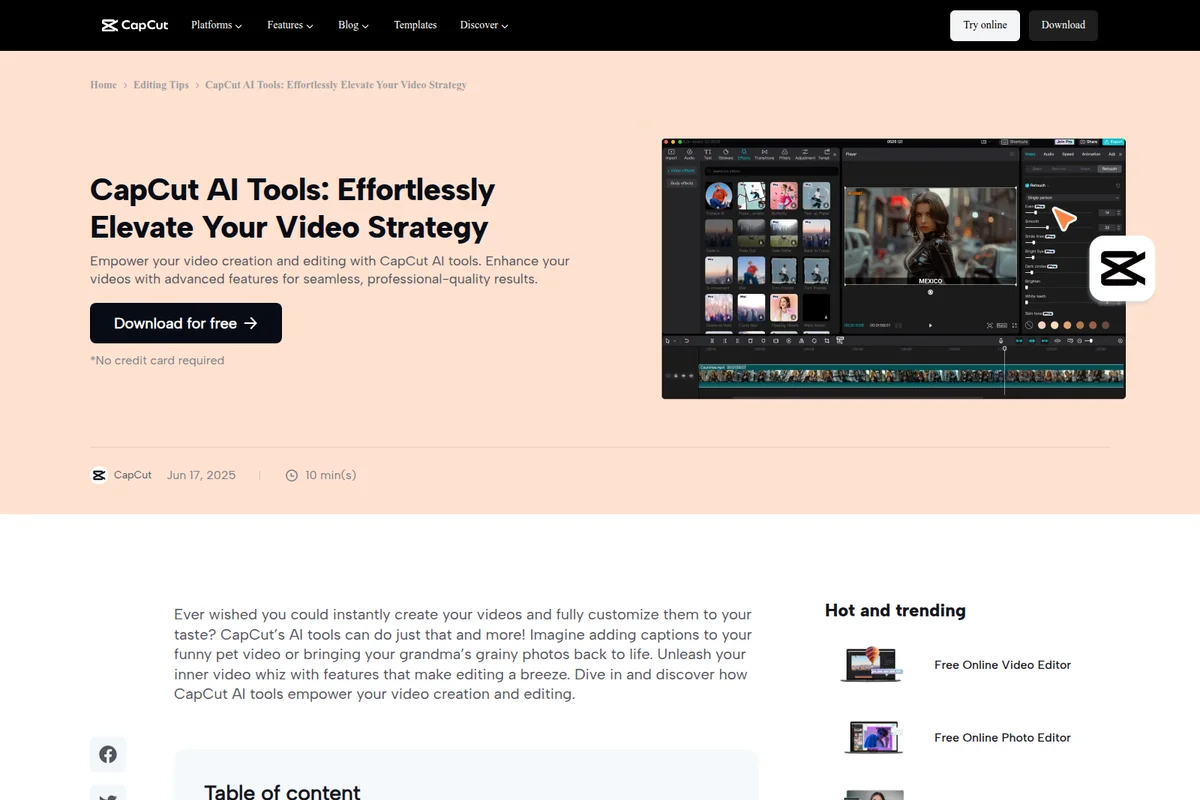
Elevate videos with AI retouching and seamless professional-quality results.

Transform your photos into stunning anime, watercolor, or realistic art with AI styles.

Transform your inspiration into stunning AI-generated art.

Create stunning, complex compositions with AI-powered visual effects and editing.
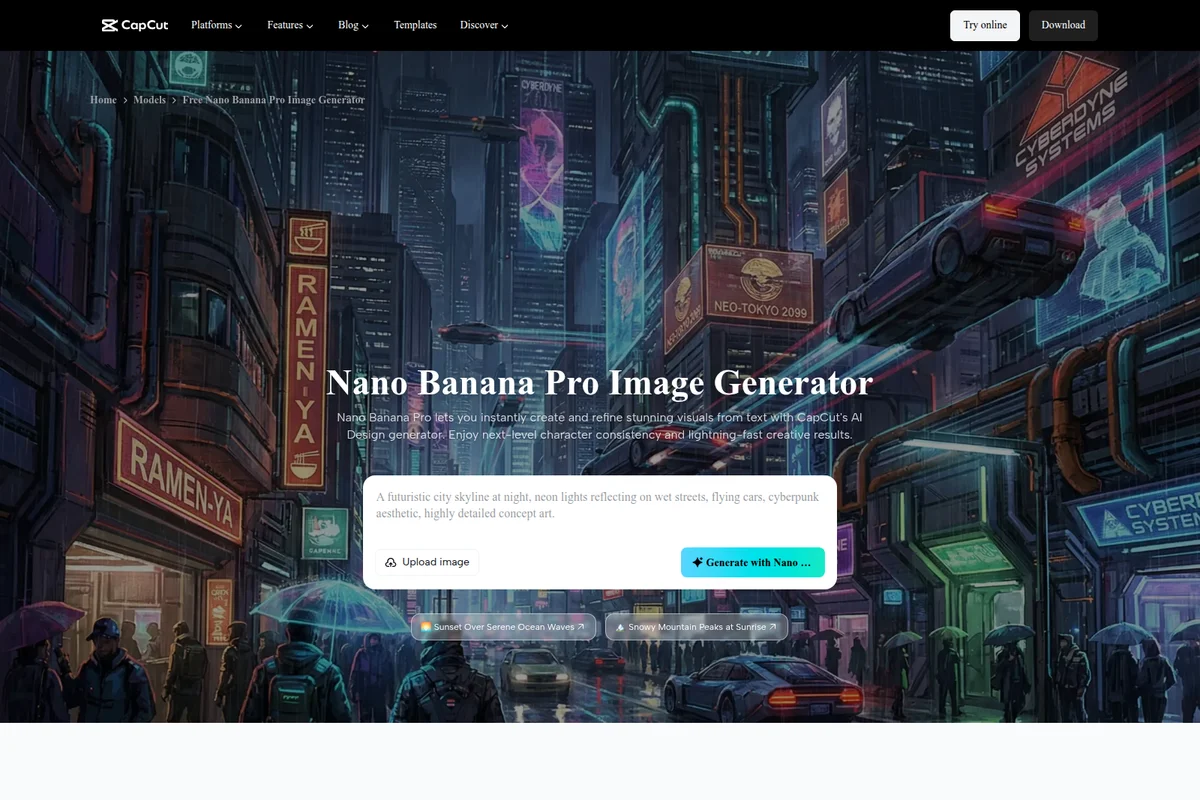
Instantly generate and refine stunning visuals from text with AI.

Create bold and striking video aesthetics with advanced editing tools.
CapCut Review: Tooliverse Consensus






Based on 103k+ verified reviews across 6 platforms,
combined with Tooliverse's expert analysis
CapCut turns phone footage into polished, trend-ready content faster than any editor in its class, pairing an intuitive drag-and-drop timeline with AI tools like auto captions and background removal that reviewers say rival desktop software. The trending template and music library keeps creators plugged into what's performing on TikTok. The tradeoff is a paywall that keeps creeping: features once free now sit behind Pro, and heavy use eats device storage fast.
Bottom line: A leading AI video editor for fast, trend-driven content creation, though creators should watch for storage bloat and features quietly migrating behind the Pro paywall.
CapCut | Key Specs
- Platforms
- Web, iOS, Android, macOS, Windows
- Pricing Model
- Freemium (Free core tools + credit-based AI generation) See plans
- Privacy/Data Use
- Trust Center commitments on privacy protection and responsible AI use
- Security
- No formal certifications published; Trust Center covers safety and legal protections See details
Wins
- •Simplifies complex video editing with an intuitive drag-and-drop interface that beginners master quicklymentioned in 1,240 reviews
- •Provides a massive library of trending templates and music that streamlines social media content creationmentioned in 980 reviews
- •Offers highly accurate auto-captioning tools that save hours of manual transcription workmentioned in 850 reviews
Watch-Outs
- •Increasingly locks previously free features behind a "Pro" subscription modelmentioned in 510 reviews
- •Consumes significant device storage and requires frequent cache clearing to maintain performancementioned in 420 reviews
- •Experiences occasional app crashes or freezing when exporting large, high-resolution projectsmentioned in 310 reviews
CapCut Features 2026
Seedance 2.5 AI Video Generator
Generates videos instantly from text, images, or scripts using over 100 digital avatars and 30+ ready-made templates, with brainstorming tools for topics and storyboards.
AI Avatar Cloning
Users can upload a short video of themselves to clone their own avatar and produce customized voiceover content without appearing on camera.
AI Image Generator
Turns text prompts or reference images into custom, stunning visuals directly in the browser or app.
Background Remover
Removes image or video backgrounds instantly with AI in one click, no watermark, for product photos, portraits, and social content.
CapCut User Reviews
Selected Reviews
"The desktop version is surprisingly stable. I use it for 90% of my YouTube edits now because the AI background removal is so much faster than masking in Premiere."
"The integration with TikTok is seamless. Being able to see what's trending and use the exact same audio and effects in one click is a game changer."
"It's okay for basic stuff, but the constant 'Join Pro' popups are getting really annoying. It feels like every update moves another free tool behind the paywall."
More from the Community
"The auto-caption feature is a lifesaver for my short-form content. It's about 95% accurate and the styling options are great."
"Best mobile editor by far, but I'm frustrated that so many basic transitions are now Pro-only. Still worth it for the speed."
"Good for quick edits but the app has become very bloated. It takes up 15GB on my phone even after clearing cache."
"I love the templates, but I wish there was a better way to organize my own assets. Searching through my uploads is a nightmare when I have hundreds of clips."
"Impressive AI features. The 'enhance' tool actually works well for low-light footage. Exporting in 4K is fast and doesn't lose much quality."
"The auto-caption feature is a lifesaver for my short-form content. It's about 95% accurate and the styling options are great."
"Best mobile editor by far, but I'm frustrated that so many basic transitions are now Pro-only. Still worth it for the speed."
"Good for quick edits but the app has become very bloated. It takes up 15GB on my phone even after clearing cache."
"I love the templates, but I wish there was a better way to organize my own assets. Searching through my uploads is a nightmare when I have hundreds of clips."
"Impressive AI features. The 'enhance' tool actually works well for low-light footage. Exporting in 4K is fast and doesn't lose much quality."
"The web version is great for when I'm on my Chromebook. It has almost all the features of the mobile app which is rare for web-based editors."
"Solid app, but the keyframing could be more precise. It's a bit fiddly on a small screen, though the iPad version handles it much better."
"CapCut has completely replaced my expensive desktop software for 9:16 content. The speed of workflow is just unmatched for vertical video."
"The music library is great but be careful with copyright if you post outside of TikTok. I've had a few videos flagged on YouTube using 'free' CapCut tracks."
"The web version is great for when I'm on my Chromebook. It has almost all the features of the mobile app which is rare for web-based editors."
"Solid app, but the keyframing could be more precise. It's a bit fiddly on a small screen, though the iPad version handles it much better."
"CapCut has completely replaced my expensive desktop software for 9:16 content. The speed of workflow is just unmatched for vertical video."
"The music library is great but be careful with copyright if you post outside of TikTok. I've had a few videos flagged on YouTube using 'free' CapCut tracks."
CapCut Pricing 2026
The Free tier is unusually generous: full editing, auto captions, background removal, templates, and watermark-free exports up to 8K, no credit card needed. Most casual and even semi-serious creators can stay here indefinitely. The real decision point is the 200 welcome credits for Seedance AI video generation; if you plan to lean on AI-generated avatars or scripts regularly, expect to pay for credits once those run out.
CapCut In-Depth Review 2026

Owned by ByteDance, CapCut runs as a free AI-powered video and photo editor across web, desktop, mobile, and tablet, with tools like the Seedance 2.5 AI video generator, auto captions, and background removal built in. What sets it apart isn't any single feature but the fact that all of it lives in one place, so you're not exporting from one app to color-correct in another and caption in a third.
What It's Like Day-to-Day
The drag-and-drop timeline is the first thing that wins people over, and it's the reason beginners report getting comfortable within a single session rather than a weekend of tutorials. You don't need to know what a keyframe is to make something look intentional. That accessibility is echoed across thousands of reviews, and it's the foundation everything else builds on.
Where CapCut actually earns its keep is in the smaller, repetitive tasks that used to eat an editor's afternoon. Auto captions generate quickly and land close enough to perfect that one iOS reviewer called them "about 95% accurate" with styling options good enough to skip manual cleanup entirely.
CapCut Security & Compliance
Privacy Commitments
- Committed to protecting user privacy so creators can continue creating content with trust
- Terms of Service provide legal protections for creative works and content ownership
- Dedicated to creating trustworthy AI-powered experiences designed with safety and privacy in mind
CapCut: Frequently Asked Questions (FAQs)
Is CapCut free to use?
Yes, CapCut is free with no credit card required. Core video editing, templates, and the AI text-to-video generator are available at no cost, and new users also get 200 welcome credits to try Seedance AI video creation.
What platforms is CapCut available on?
CapCut is available as CapCut Desktop, CapCut Online (web), CapCut Pad, and CapCut Mobile, so creators can edit on the web, desktop, tablet, or phone.
Can I create a video just from a text idea?
Yes, CapCut's AI video maker lets you type in a video idea and generates a video from that text instantly, using AI-driven scripts, visuals, avatars, and editing.
Can I customize AI-generated videos from Seedance 2.5?
Yes, every part of the project can be modified, including text, visuals, and voiceovers, plus music, subtitles, effects, and pacing, using CapCut's video editor agent.
CapCut Integrations
| Google Drive | Dropbox | TikTok |
| YouTube | Lark |
CapCut: Verified Data Sheet
| # | Label | Data Point |
|---|---|---|
| [1] | CapCut Consensus: 8.96/10 | CapCut is a highly-rated tool among AI video tools in the Tooliverse index, with a consensus score of 8.96/10 across 103,670 verified reviews. |
| [2] | What is CapCut | CapCut, owned by ByteDance, is a free AI-powered video and photo editing platform offering tools like the Seedance 2.5 AI video generator, auto captions, and background removal. It has surpassed 100M+ downloads and 100K+ creators with a 4.7 App Store rating, available across web, desktop, and mobile. |
| [3] | Tooliverse Consensus on CapCut | CapCut turns phone footage into polished, trend-ready content faster than any editor in its class, pairing an intuitive drag-and-drop timeline with AI tools like auto captions and background removal that reviewers say rival desktop software. The trending template and music library keeps creators plugged into what's performing on TikTok. The tradeoff is a paywall that keeps creeping: features once free now sit behind Pro, and heavy use eats device storage fast. |
| [4] | CapCut Verdict | CapCut bottom line: A leading AI video editor for fast, trend-driven content creation, though creators should watch for storage bloat and features quietly migrating behind the Pro paywall. |
| [5] | Free: Free | CapCut offers a fully functional Free tier that includes online, desktop, and mobile video and photo editing, auto captions, background removal, and templates, making its AI tools accessible at no cost. |
| [6] | Beginner-friendly drag-and-drop editing | CapCut simplifies complex video editing with an intuitive drag-and-drop interface that beginners master quickly, a strength validated by 1,240 user reviews. |
| [7] | Massive trending template and music library | CapCut offers a massive library of trending templates and music that streamlines social media content creation, cited as a standout benefit in 980 user reviews. |
| [8] | Highly accurate auto-captioning | CapCut provides highly accurate auto-captioning tools that save hours of manual transcription work, a capability praised in 850 user reviews. |
| [9] | AI background removal and retouching | CapCut delivers professional-grade AI background removal and retouching features for high-quality visual results, noted by 720 user reviews. |
| [10] | More features moving behind Pro paywall | CapCut has increasingly moved previously free features behind a Pro subscription model, a shift flagged by 510 user reviews. |
| [11] | High storage use, needs cache clearing | CapCut can consume significant device storage and requires frequent cache clearing to maintain performance, an issue reported in 420 user reviews. |
| [12] | Privacy: Committed to protecting user privacy so creators can continue creating content with trust | CapCut privacy protections include Committed to protecting user privacy so creators can continue creating content with trust, Terms of Service provide legal protections for creative works and content ownership, and Dedicated to creating trustworthy AI-powered experiences designed with safety and privacy in mind. |
| [13] | 95% accurate auto-captions per reviewer | CapCut's auto-caption feature is "about 95% accurate" with strong styling options, according to a verified iOS App Store reviewer who rated it 5/5. |
Best CapCut Alternatives

VEED.IO
Turn any idea into a video worth posting—no camera, no crew, no complexity.
Kapwing
Turn any idea into a polished video without downloads, editing skills, or a full production team.

InVideo
Stop babysitting AI and start directing it—describe your edit and watch it happen on a real timeline.