
InVideo Review 2026 - Agentic AI Editing
Verified Sep 20, 2026 by Tooliverse Editorial
InVideo turns hours of footage logging into a five-minute conversation with an AI editing agent that remembers every clip. From solo creators to teams at Google and Netflix, 25M+ customers use it to skip the scrubbing and get straight to the story.
How to monetize a faceless channel ASAP 🤯 #aitools #invideoai
Invideo AI Review - 2026 | The Only AI Video Generator You’ll Ever Need
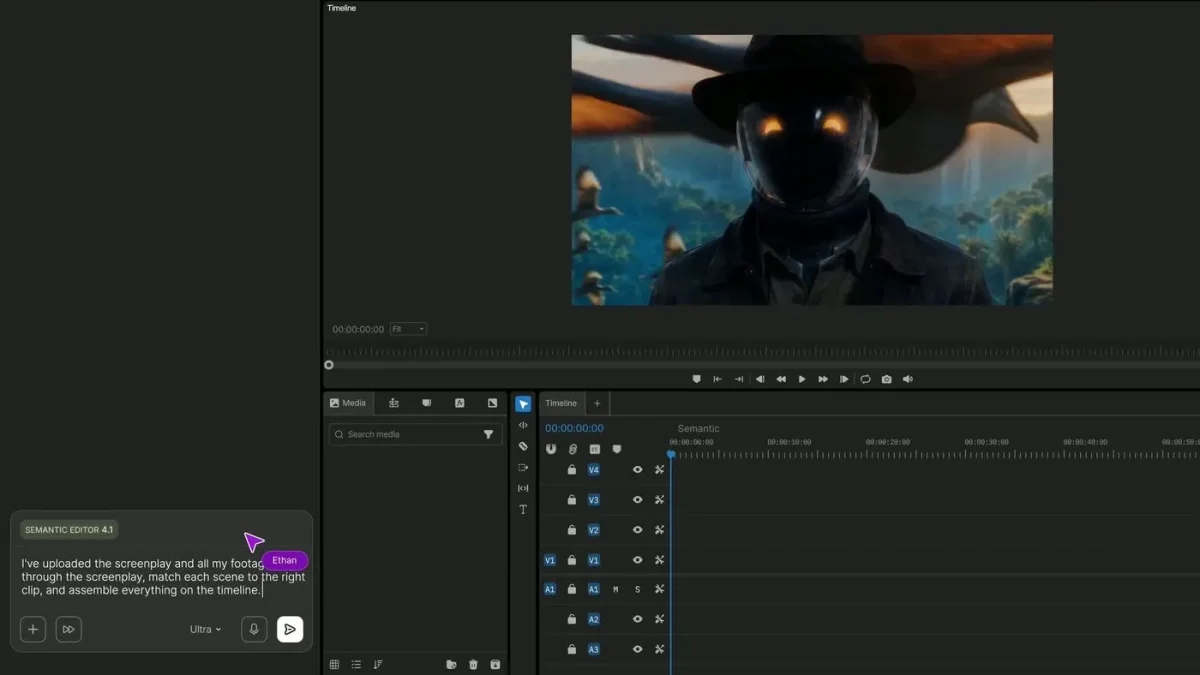
AI-powered editing assembles footage from screenplay to timeline with a simple prompt.
AI agents handle video editing tasks, allowing you to focus on creative storytelling.
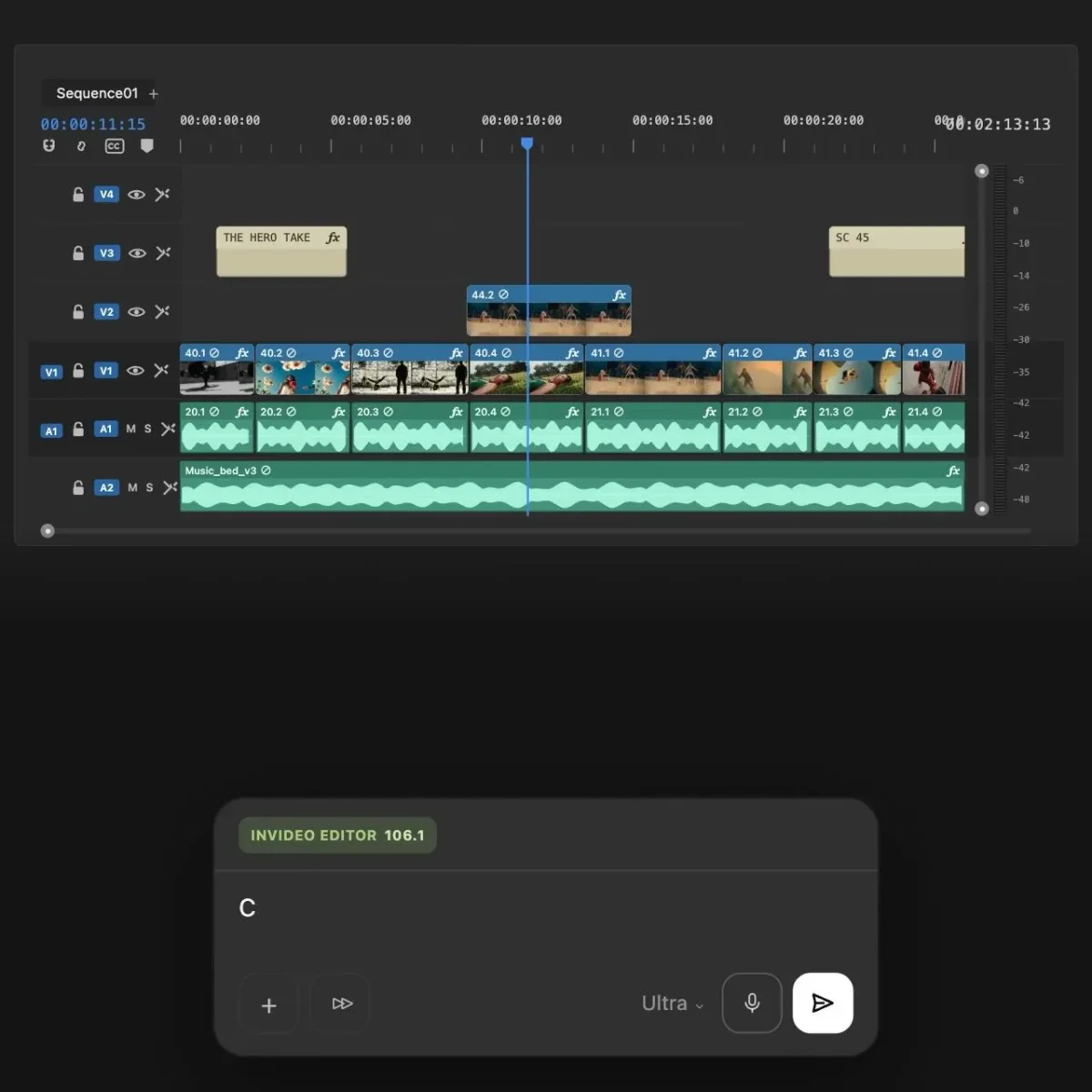
Precisely edit videos across multiple tracks and integrate voice input for narration.
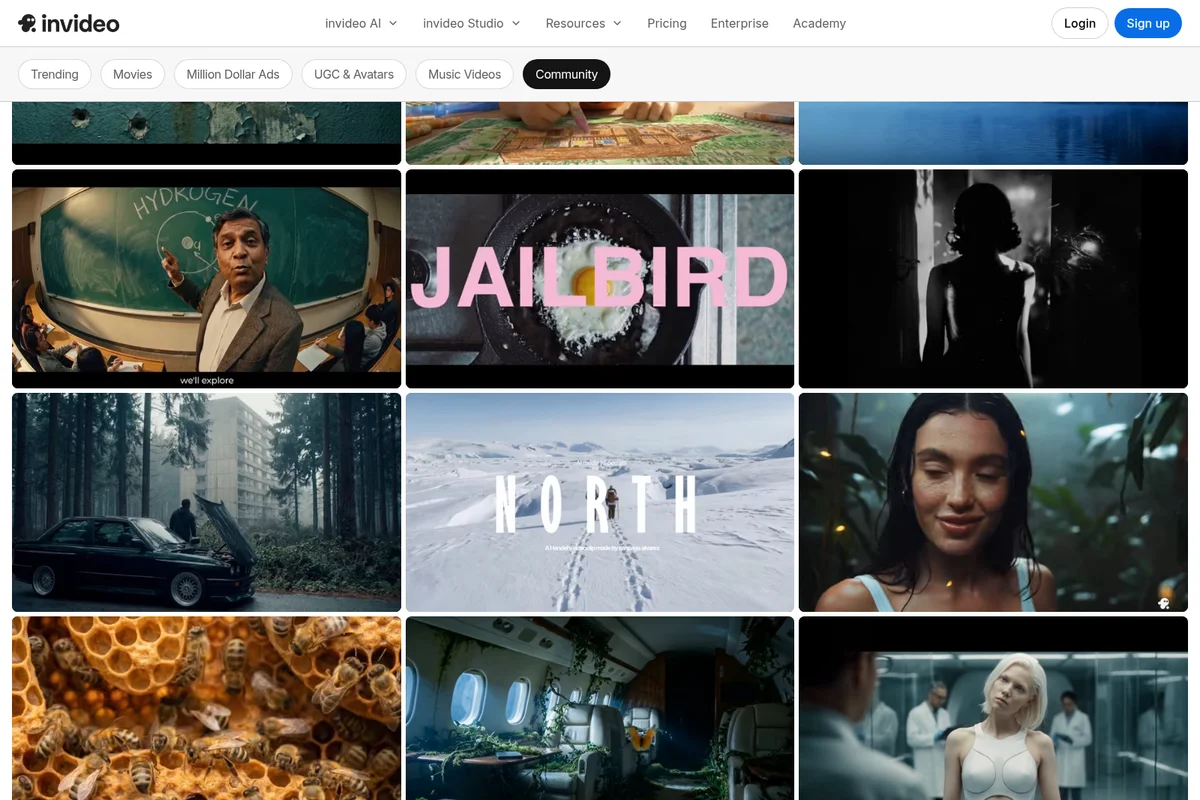
Explore a rich library of videos for inspiration and templates.

Explore diverse cinematic styles achievable with your video projects.

Bring your video characters to life with stunning AI-generated visuals.

Design captivating visuals for your next video project.
InVideo Review: Tooliverse Consensus





Based on 7k+ verified reviews across 6 platforms,
combined with Tooliverse's expert analysis
InVideo functions as a creative partner that turns a written prompt into a full video draft, complete with footage, music, and voiceover, then hands you a real timeline to refine by hand. Reviewers consistently point to its stock media library and drag-and-drop editing as what makes daily output manageable, while the browser editor's lag on longer projects and tight credit allowances on entry plans remain the clearest tradeoffs. The text-to-speech voice options also draw mixed reactions, with some finding them serviceable for drafts but noticeably robotic for polished, client-facing final deliverables.
Bottom line: InVideo turns prompts into polished videos fast and its stock library and templates save real time, but browser lag on longer edits and tight starter credits are worth planning around.
InVideo | Key Specs
- Platforms
- Web, iOS, Android
- Pricing Model
- Freemium ($0-101+/seat/mo) See plans
- Security
- SOC 2, GDPR compliant, ISO aligned, single sign-on (Enterprise) See details
- Integrations
- iStock, Storyblocks, Shutterstock + 16 more
Wins
- •Transforms simple text prompts into complete videos with scripts and mediamentioned in 342 reviews
- •Provides a massive library of high-quality stock footage and music tracksmentioned in 285 reviews
- •Features an intuitive drag-and-drop interface that simplifies the editing processmentioned in 214 reviews
Watch-Outs
- •Browser-based editor can experience significant lag during complex or long projectsmentioned in 112 reviews
- •Mobile application occasionally fails to sync progress correctly with the desktop versionmentioned in 89 reviews
- •AI generation credits on lower-tier plans can feel restrictive for power usersmentioned in 74 reviews
InVideo Features 2026
Custom AI agent builder
Create custom agents to fill specific creative roles like cinematographer, music designer, colorist, and sound designer.
Access to frontier video/image/audio models
Direct access to Seedance 2.0/2.5, Nano Banana Pro, GPT Image 2, Google Veo 3.1, Sora 2, Kling AI, Ideogram, ElevenLabs, and more within the platform.
AI text-to-video conversion
Converts articles or blog posts into finished videos in minutes using invideo's AI-powered text-to-video editor.
5000+ professional templates
Ready-made templates searchable by platform, industry, or content type, customizable via drag-drop-replace actions in invideo Studio.
InVideo User Reviews
Selected Reviews
"The text-to-speech voices have improved significantly, sounding much more natural than they did a year ago, which adds professional polish."
"It's the best tool for social media managers who need to churn out high-quality video content daily without a dedicated editor."
"I love the drag-and-drop interface, but the browser version can get quite laggy when working on longer video projects over 10 minutes."
More from the Community
"The AI prompt-to-video feature is a game changer for my YouTube shorts, saving me hours of manual editing every single week."
"InVideo's library of stock footage and music is incredibly vast, making it easy to find the perfect clip for any niche."
"The mobile app is great for quick edits, but I wish it synced more reliably with the desktop version for seamless transitions."
"InVideo AI has completely transformed how I create marketing videos; I just type a script and it does the heavy lifting."
"Great tool overall, but the pricing for the AI credits feels a bit steep if you're a high-volume creator on a budget."
"The AI prompt-to-video feature is a game changer for my YouTube shorts, saving me hours of manual editing every single week."
"InVideo's library of stock footage and music is incredibly vast, making it easy to find the perfect clip for any niche."
"The mobile app is great for quick edits, but I wish it synced more reliably with the desktop version for seamless transitions."
"InVideo AI has completely transformed how I create marketing videos; I just type a script and it does the heavy lifting."
"Great tool overall, but the pricing for the AI credits feels a bit steep if you're a high-volume creator on a budget."
"Customer support is surprisingly responsive and helped me resolve a rendering issue within an hour of me reaching out to them."
"The templates are modern and professional, unlike some other editors that feel stuck in 2015 with their design choices."
"I appreciate the iStock integration, though I wish more of the premium clips were included in the basic paid plan."
"Rendering times are generally fast, but I've experienced a few crashes when exporting 4K content on my older laptop."
"Customer support is surprisingly responsive and helped me resolve a rendering issue within an hour of me reaching out to them."
"The templates are modern and professional, unlike some other editors that feel stuck in 2015 with their design choices."
"I appreciate the iStock integration, though I wish more of the premium clips were included in the basic paid plan."
"Rendering times are generally fast, but I've experienced a few crashes when exporting 4K content on my older laptop."
InVideo Pricing 2026
Starter at $20 per seat monthly billed annually is a fine entry point for occasional use, but its 400 monthly credits disappear fast once you're generating voiceovers and video drafts regularly. Plus at $50 per seat monthly billed annually is where most active creators land: 2,000 credits, ten collaborator seats, and full Seedance 2.5 access make it the tier that actually supports daily output.
InVideo In-Depth Review 2026

InVideo is an agentic video editor: describe what you want in plain language and its AI agents log your footage, apply edits across multiple clips at once, and build out a real multitrack timeline you can still take over frame by frame. It runs in the browser and on mobile, serving everyone from solo YouTubers to enterprise creative teams at companies like Netflix and Salesforce. The pitch isn't a black-box generator spitting out a finished clip; it's a collaborator that hands you a project you can still shape.
What It's Like Day-to-Day
The core workflow starts with a prompt. Type out an idea or a script, and InVideo assembles a full draft, complete with matched stock footage, music, and a voiceover, in minutes rather than hours. One Product Hunt reviewer called it "a game changer for my YouTube shorts, saving me hours of manual editing every single week," and that time savings shows up constantly across reviews from creators publishing on a schedule.
Once you're inside a project, the drag-and-drop timeline makes small adjustments feel painless, and the media library goes deep enough that finding the right B-roll or background track rarely takes long.
InVideo Security & Compliance
Verified Compliance
- SOC 2
- GDPR Compliant
- ISO Aligned
Security Features
- Single sign-on (Enterprise)
Privacy Commitments
- Private & Secure platform
InVideo: Frequently Asked Questions (FAQs)
What is a credit, and how is it charged on InVideo?
Credits work like currency on InVideo's platform and are used for video creation, generative models, and other features - not for downloading content. Generative models are priced differently, with all models available at their original API pricing. InVideo reserves the right to update credit costs at any time without prior notice.
Do unused credits roll over to the next month?
No, unused credits don't roll over to the next month on InVideo's plans.
What are InVideo's pricing plans?
InVideo offers credit-based team plans: Starter at $20/seat/month, Plus at $50/seat/month (17% off annual), and Max at $101/seat/month (33% off, best value), all billed annually. A separate legacy Studio product also has Free, Business ($15/mo), and Unlimited ($30/mo) plans.
Does InVideo offer Enterprise plans?
Yes, InVideo offers Enterprise plans that include SOC 2 compliance, single sign-on, and indemnification; interested teams can contact the sales team directly.
InVideo Integrations
| iStock | Storyblocks | Shutterstock |
| Google Veo 3.1 | Sora 2 | Kling AI |
| Wan AI | Pixverse AI | Hailuo AI |
| Seedance | Nano Banana Pro | Ideogram |
| Seedream | Flux Kontext | Qwen |
| Imagen AI | Reve AI | Eleven Labs |
| Minimax |
InVideo: Verified Data Sheet
| # | Label | Data Point |
|---|---|---|
| [1] | InVideo Consensus: 8.38/10 | InVideo is a highly-rated tool among AI video tools in the Tooliverse index, with a consensus score of 8.38/10 across 7,110 verified reviews. |
| [2] | What is InVideo | InVideo is an agentic video editing platform whose AI agents log footage, batch-edit multiple clips, and take plain-language direction on a real multitrack timeline. Backed by Stripe and Spotify investors, it serves 25M+ customers across 190 countries, with credit-based plans starting at $20/seat/month. |
| [3] | Tooliverse Consensus on InVideo | InVideo functions as a creative partner that turns a written prompt into a full video draft, complete with footage, music, and voiceover, then hands you a real timeline to refine by hand. Reviewers consistently point to its stock media library and drag-and-drop editing as what makes daily output manageable, while the browser editor's lag on longer projects and tight credit allowances on entry plans remain the clearest tradeoffs. The text-to-speech voice options also draw mixed reactions, with some finding them serviceable for drafts but noticeably robotic for polished, client-facing final deliverables. |
| [4] | InVideo Verdict | InVideo bottom line: InVideo turns prompts into polished videos fast and its stock library and templates save real time, but browser lag on longer edits and tight starter credits are worth planning around. |
| [5] | Free (Studio): Free | InVideo offers a functional Free (Studio) tier with 6000+ video templates and a 3M+ standard media library, making its core video creation tools accessible at no cost. |
| [6] | Intuitive drag-and-drop editing | InVideo features an intuitive drag-and-drop interface that simplifies the editing process, noted as a strength in 214 user reviews. |
| [7] | Templates accelerate social content | InVideo offers professional-grade templates that speed up social media content creation, a benefit cited in 198 user reviews. |
| [8] | Natural AI voiceovers | InVideo delivers surprisingly natural-sounding AI voiceovers that add a polished, professional feel to projects, according to 156 user reviews. |
| [9] | Plus: $50/seat/mo (annual) | InVideo Plus provides 2,000 credits per seat monthly for $50/seat/month billed annually, significantly expanding on the free tier's capabilities. |
| [10] | Text-to-video generation praised in 342 reviews | InVideo transforms simple text prompts into complete videos with scripts and media, a capability cited as a workflow game-changer in 342 user reviews. |
| [11] | Credits feel restrictive on lower tiers | InVideo's AI generation credits on lower-tier plans like Starter, which include just 400 credits per seat monthly, can feel restrictive for power users, according to 74 user reviews. |
| [12] | Learning curve for advanced timeline tools | InVideo presents a learning curve for users trying to customize advanced timeline features, an experience reported in 62 user reviews. |
| [13] | SOC 2 | InVideo ensures SOC 2, GDPR Compliant, and ISO Aligned certifications. |
| [14] | Enterprise: Single sign-on (Enterprise) | InVideo provides enterprise security with Single sign-on (Enterprise). |
| [15] | Saves hours on YouTube shorts editing | InVideo's AI prompt-to-video feature is described by a Product Hunt reviewer as "a game changer for my YouTube shorts, saving me hours of manual editing every single week." |
Best InVideo Alternatives
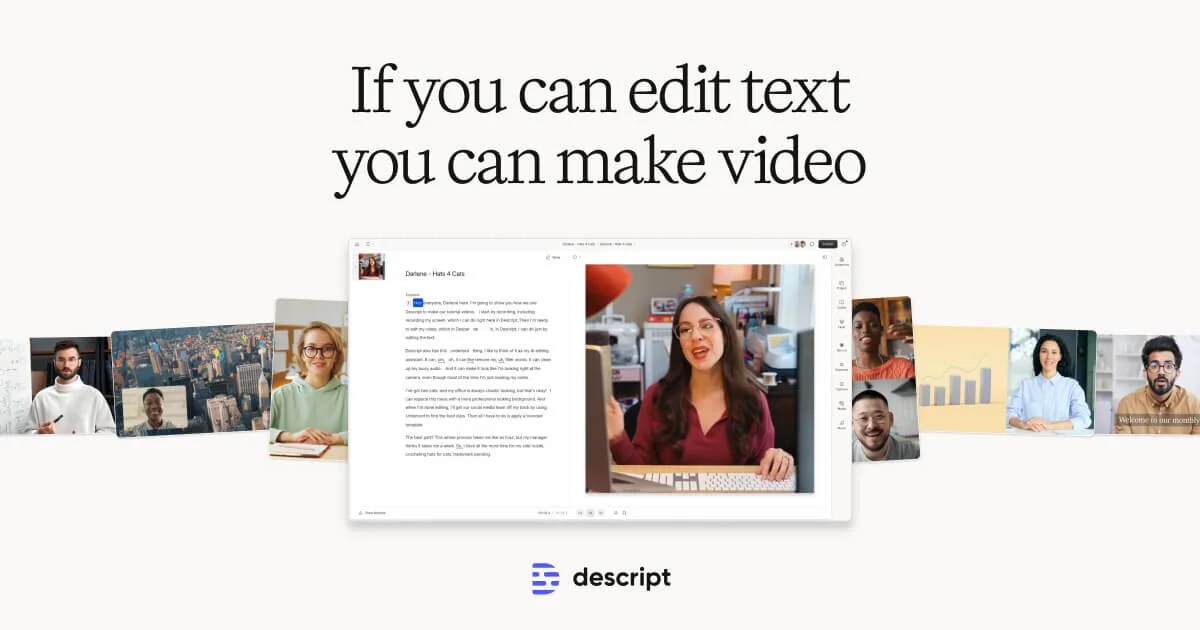
Descript
Edit video and podcasts as easily as editing a doc—just delete the words you don't want.

VEED.IO
Imagine it, generate it, brand it: AI videos worth posting, in minutes.
Kapwing
Turn any idea into a polished video without downloads, editing skills, or a full production team.