
D5 Render Review 2026 - Real-Time AI Visualization
Verified Sep 29, 2026 by Tooliverse Editorial
D5 Render turns rough 3D models into photorealistic scenes instantly—no render queue, no waiting. Architects and designers use its real-time path tracing and AI tools to visualize ideas the moment they think of them.
How to create interactive presentations in D5 Render: Triggers, Options, VR, and Streaming
How to Use the Scatter Tool in D5 Render Like a Pro

Showcases D5 Render's real-time rendering capabilities for complex architectural designs and lush natural environments.
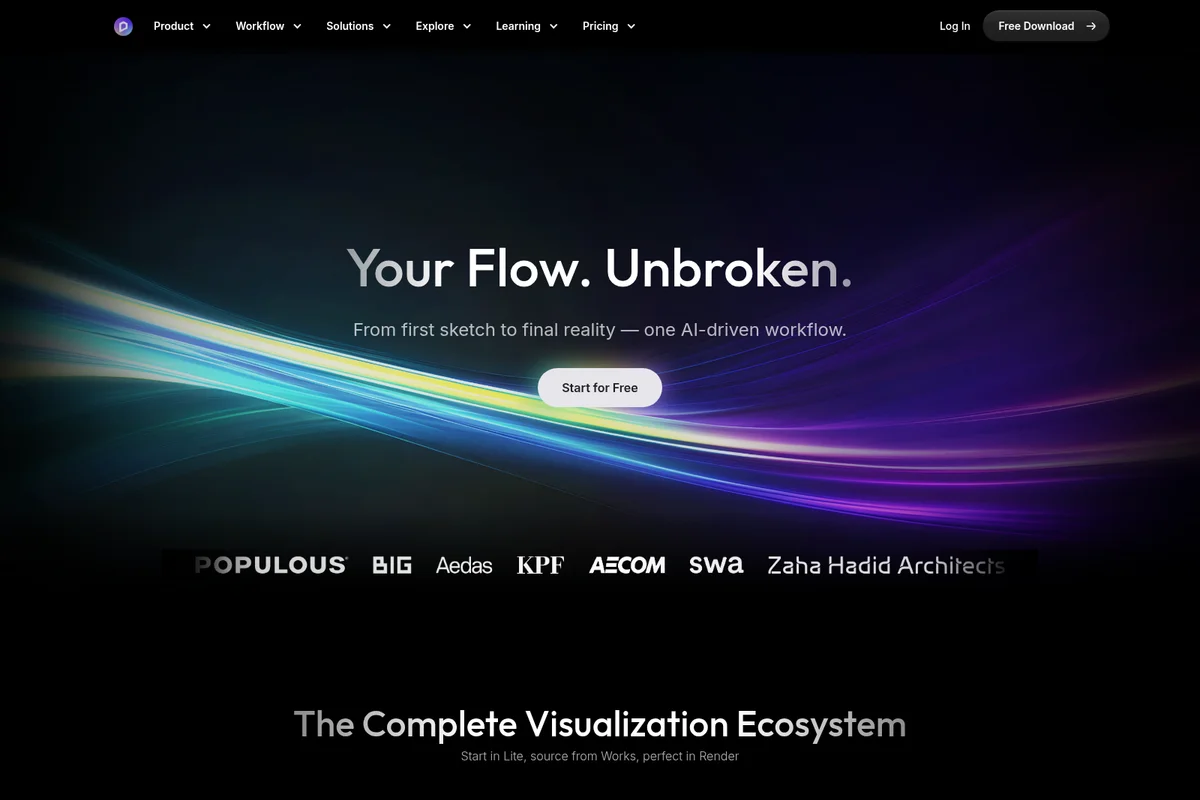
Experience an unbroken, AI-driven workflow from concept to final render.

Showcase stunning architectural visualization with realistic lighting and environments.

Achieve stunning photorealistic natural environments with dynamic water effects.
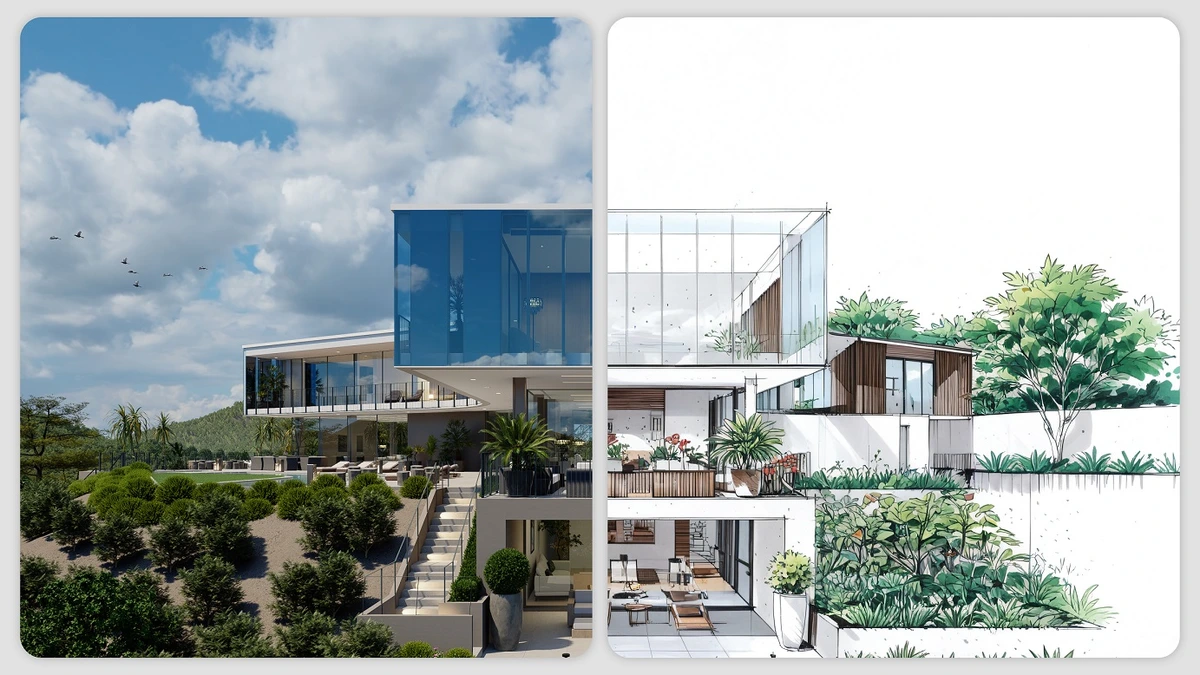
Seamlessly transition from architectural concept to stunning photorealistic visualization.
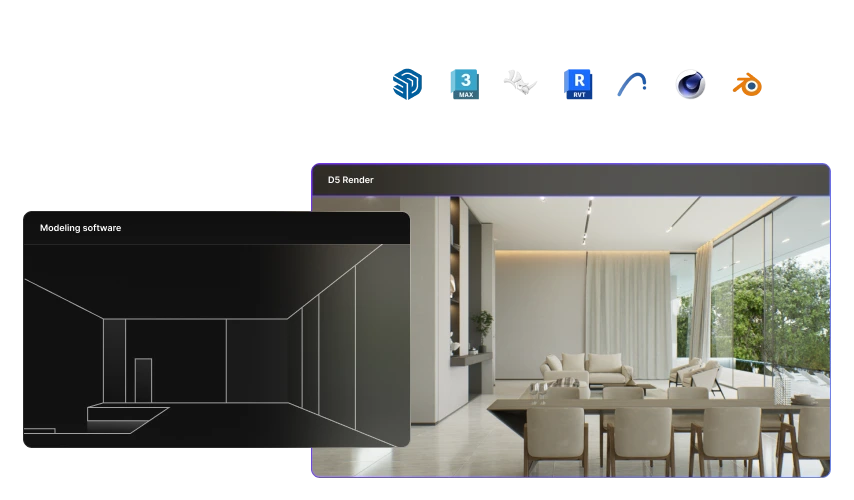
Transform basic 3D models into stunning, lifelike renders with D5 Render.
D5 Render Review: Tooliverse Consensus


Based on 807 verified reviews across 4 platforms,
combined with Tooliverse's expert analysis
D5 Render pairs path-tracing image quality with game-engine speed, letting architects and designers see photorealistic lighting changes instantly instead of waiting through render queues. Users consistently praise its asset library and approachable interface, which let beginners produce polished renders without a steep learning curve, while CAD integrations with SketchUp and Revit keep modeling workflows fluid. The tradeoff is hardware dependency: without a capable NVIDIA RTX card, complex scenes can strain stability, and Mac users are locked out entirely.
Bottom line: A top-tier real-time rendering platform that turns architectural visualization into an instant, interactive process, though it demands serious NVIDIA hardware and offers no native Mac support.
D5 Render | Key Specs
- Platforms
- Windows (desktop application)
- Pricing Model
- Freemium ($0-59/mo) See plans
- Privacy/Data Use
- No training on customer data by default; business/enterprise plans excluded from model training by default
- Security
- ISO 27001, ISO 27701, GDPR compliant, SAML SSO (Enterprise) See details
Wins
- •Delivers stunning real-time ray tracing results that significantly reduce rendering wait timesmentioned in 214 reviews
- •Provides a vast, high-quality asset library that streamlines the architectural visualization processmentioned in 189 reviews
- •Features a remarkably user-friendly interface that allows beginners to produce professional renders quicklymentioned in 165 reviews
Watch-Outs
- •Requires high-end NVIDIA RTX hardware to function effectively, limiting accessibility for some usersmentioned in 95 reviews
- •Occasional stability issues and crashes reported when handling extremely large or complex scenesmentioned in 74 reviews
- •Lacks native support for macOS, restricting the tool to Windows-based environmentsmentioned in 62 reviews
D5 Render Features 2026
Real-time Path Tracing & GI
Proprietary real-time Global Illumination solution with adaptive sampling that caches lighting info and instantly refreshes effects when lighting conditions change.
AI Agent (SmartPlanting)
Generates site-specific planting designs using an extensive plant database and climate models based on site location and preferences.
AI Model Generation
Turns text or images into 3D models, powered by Meshy, with hundreds of built-in example models to boost 3D creation efficiency.
Real-time LiveSync with Modeling Software
Supports LiveSync for SketchUp, 3ds Max, Rhino, ArchiCAD, Vectorworks, Revit, and Blender — model or material changes sync into D5 in real time with no manual updates.
D5 Render User Reviews
Selected Reviews
"Switched from Lumion and never looked back. The lighting quality in D5 is just superior, especially the way it handles global illumination and reflections."
"Materials look very realistic out of the box, especially the glass and water presets which are usually the hardest to get right in other engines."
"Still waiting for better Mac support. Using Parallels is a nightmare for rendering and the performance hit is just too much for professional work."
More from the Community
"D5 has completely changed how I present to clients. The real-time feedback is incredible and saves me hours of back-and-forth."
"The asset library is the best in the business, period. No more hunting for textures or models on external sites."
"Great tool, but it crashes my 3070 if the scene gets too heavy with vegetation. Needs better optimization for mid-range cards."
"The UI is so clean. I was able to learn the basics in just one afternoon without watching a single tutorial."
"The AI features for atmosphere and sky generation are surprisingly helpful for quick iterations when I need to show different times of day."
"Syncing with SketchUp is flawless. It makes the design process feel much more fluid compared to the old export-import workflow."
"D5 has completely changed how I present to clients. The real-time feedback is incredible and saves me hours of back-and-forth."
"The asset library is the best in the business, period. No more hunting for textures or models on external sites."
"Great tool, but it crashes my 3070 if the scene gets too heavy with vegetation. Needs better optimization for mid-range cards."
"The UI is so clean. I was able to learn the basics in just one afternoon without watching a single tutorial."
"The AI features for atmosphere and sky generation are surprisingly helpful for quick iterations when I need to show different times of day."
"Syncing with SketchUp is flawless. It makes the design process feel much more fluid compared to the old export-import workflow."
"Powerful but pricey for a solo architect. I wish there was a more affordable mid-tier for those of us who don't need every single Pro feature."
"The video rendering speed is what keeps me here. What used to take hours in V-Ray now takes minutes in D5."
"Good for interiors, but large-scale urban scenes can be sluggish without a 4090. You really need the VRAM to handle high-poly environments."
"The community assets are a lifesaver. I found exactly the right furniture for my project in seconds, and the quality is consistently high."
"I love the new Atlas feature for scattering objects. It makes landscaping so much faster and more natural-looking than manual placement."
"Powerful but pricey for a solo architect. I wish there was a more affordable mid-tier for those of us who don't need every single Pro feature."
"The video rendering speed is what keeps me here. What used to take hours in V-Ray now takes minutes in D5."
"Good for interiors, but large-scale urban scenes can be sluggish without a 4090. You really need the VRAM to handle high-poly environments."
"The community assets are a lifesaver. I found exactly the right furniture for my project in seconds, and the quality is consistently high."
"I love the new Atlas feature for scattering objects. It makes landscaping so much faster and more natural-looking than manual placement."
D5 Render Pricing 2026
Community is free but restricted to non-commercial work, which rules it out for any paid project. Once you're billing clients, Pro at 30 dollars per month billed annually is the tier to pick: it adds unlimited AI features, VR walkthroughs, and over 16,000 assets. Teams pricing only makes sense once you're coordinating shared libraries across multiple editors.
D5 Render In-Depth Review 2026

D5 Render is a real-time rendering platform for architecture, interior, and landscape design that runs on Windows and pairs path-tracing quality with game-engine speed. It syncs directly with SketchUp, Revit, Rhino, Archicad, 3ds Max, Blender, and Vectorworks, so changes made in your modeling software appear instantly in the render. Over 10 built-in AI tools, from sky generation to text-to-3D modeling, round out a platform used by more than 3 million professionals across 50,000 design firms.
What It's Like Day-to-Day
The core experience is watching your scene update as you work instead of waiting for it to update. Move a light, swap a material, adjust a camera angle, and the change renders in real time instead of after a coffee break. One Reddit user summed up the shift bluntly: D5 Render "has completely changed how I present to clients. The real-time feedback is incredible and saves me hours of back-and-forth." That's not marketing language, it's what happens when client meetings stop requiring an overnight render queue.
The asset library reinforces that speed.
D5 Render Security & Compliance
Verified Compliance
- ISO 27001
- ISO 27701
- GDPR Compliance
Security Features
- Data encryption in transit
- Data encryption at rest
- SAML SSO (Enterprise)
- Strict employee access controls
Privacy Commitments
- No training on customer data by default
- Business/Enterprise accounts not used for AI model training by default
- Individual users can opt out of model improvement in Settings
D5 Render: Frequently Asked Questions (FAQs)
How much does D5 Render cost?
D5 Render offers a free Community plan, a Pro plan at $30/month billed annually ($360/year, or $38/month billed monthly), and a Teams plan at $59/month per seat billed annually ($708/year/seat). Enterprise pricing is custom, and Education licenses are free for students and educators.
Is D5 AI free to use?
D5 AI is available to all users, but free Community account holders get only a limited number of trial credits. Unlimited access to D5 AI is included with a D5 Pro or D5 for Teams subscription at no extra cost.
What am I allowed to do with the D5 Community license?
The D5 Community license is designed for non-commercial purposes such as learning, personal projects, and evaluation. Any commercial, revenue-generating, or professional work requires a D5 Pro license.
Can D5 Pro be upgraded to D5 for Teams?
Yes, D5 Pro can be upgraded to D5 for Teams by contacting D5. If a team has already activated D5 for Teams, users can request an invitation from the team admin to join the existing team.
D5 Render Integrations
| SketchUp | Revit | Rhino |
| 3ds Max | Cinema 4D | Archicad |
| Blender | Vectorworks | Meshy |
| NVIDIA DLSS | Intel XeSS | Cesium |
| OpenStreetMap | HTC Vive | Oculus Rift |
D5 Render: Verified Data Sheet
| # | Label | Data Point |
|---|---|---|
| [1] | D5 Render Consensus: 8.59/10 | D5 Render is a highly-rated tool among AI design tools in the Tooliverse index, with a consensus score of 8.59/10 across 807 verified reviews. |
| [2] | What is D5 Render | D5 Render, by Dimension 5 Techs, is an ISO 27001-certified real-time rendering and AI visualization platform for architecture, interior, and landscape design. It serves 3M+ active professionals and 50K+ design firms, ranked No.1 rendering software on G2, with pricing from free (Community) to $30/month (Pro). |
| [3] | Tooliverse Consensus on D5 Render | D5 Render pairs path-tracing image quality with game-engine speed, letting architects and designers see photorealistic lighting changes instantly instead of waiting through render queues. Users consistently praise its asset library and approachable interface, which let beginners produce polished renders without a steep learning curve, while CAD integrations with SketchUp and Revit keep modeling workflows fluid. The tradeoff is hardware dependency: without a capable NVIDIA RTX card, complex scenes can strain stability, and Mac users are locked out entirely. |
| [4] | D5 Render Verdict | D5 Render bottom line: A top-tier real-time rendering platform that turns architectural visualization into an instant, interactive process, though it demands serious NVIDIA hardware and offers no native Mac support. |
| [5] | Community: Free | D5 Render's free Community tier includes unlimited projects and Livesync workflow integrations, making its AI tools accessible at no cost. |
| [6] | Seamless CAD integration | D5 Render integrates seamlessly with major CAD software including SketchUp and Revit for smoother design workflows, referenced in 142 user reviews. |
| [7] | Accurate lighting and materials | D5 Render offers impressive lighting and material accuracy that brings architectural scenes to life, highlighted in 128 user reviews. |
| [8] | Pro: $30/mo (annual) | Dimension 5 Techs.'s D5 Render Pro empowers users with Unlimited access to AI features for $30/month billed annually, significantly expanding on the free tier's capabilities. |
| [9] | Real-time ray tracing cuts wait times | D5 Render delivers real-time ray tracing that significantly cuts rendering wait times, a strength cited in 214 user reviews. |
| [10] | Vast asset library speeds workflows | D5 Render includes a vast, high-quality asset library that streamlines architectural visualization work, praised in 189 user reviews. |
| [11] | No native macOS support | D5 Render lacks native macOS support, restricting professional use to Windows-based environments, a concern raised in 62 user reviews. |
| [12] | Limited animation/video editing tools | D5 Render's advanced animation and video editing tools are somewhat limited compared to specialized competitors, according to 48 user reports. |
| [13] | Privacy: No training on customer data by default | D5 Render privacy protections include No training on customer data by default, Business/Enterprise accounts not used for AI model training by default, and Individual users can opt out of model improvement in Settings. |
| [14] | Enterprise: Data encryption in transit | D5 Render provides enterprise security with Data encryption in transit, Data encryption at rest, and SAML SSO (Enterprise). |
| [15] | Real-time feedback saves hours | D5 Render "has completely changed how I present to clients," with real-time feedback that "saves hours of back-and-forth," according to a verified Reddit reviewer. |
Best D5 Render Alternatives

ArchiVinci
Turn any sketch, photo, or 3D model into a photorealistic architectural render in seconds—no learning curve required.

mnml.ai
Turn sketches, photos and model views into client-ready architectural renders in minutes.
Visoid
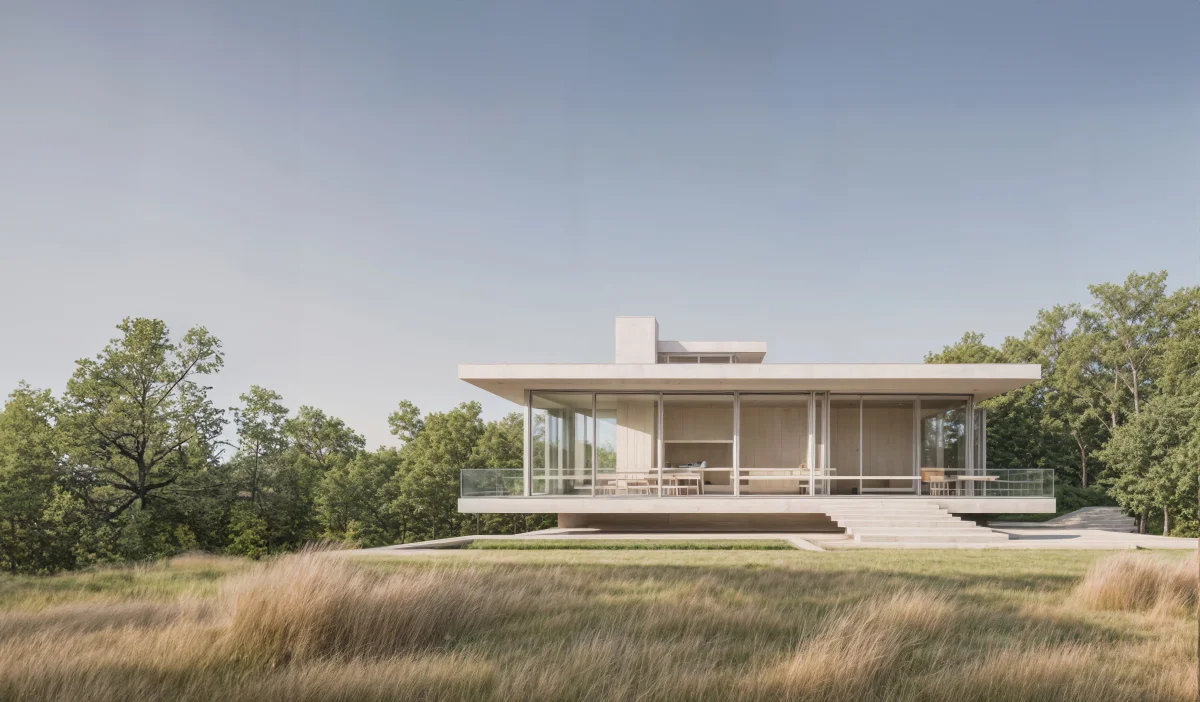
Transform 3D models and sketches into photorealistic architectural visualizations in minutes with AI.