
GitHub Copilot Review 2026 - Agentic AI Coding
Verified Oct 1, 2026 by Tooliverse Editorial
GitHub Copilot goes beyond autocomplete: assign issues to agents, plan and ship from your terminal, and review pull requests without leaving your flow. It lives in your IDE, the CLI, GitHub, and your phone.
Automate recurring developer tasks with the GitHub Copilot app | Tutorial for beginners
A Beginner's Guide to GitHub Copilot App Canvases: Two-Way Agent Session UI
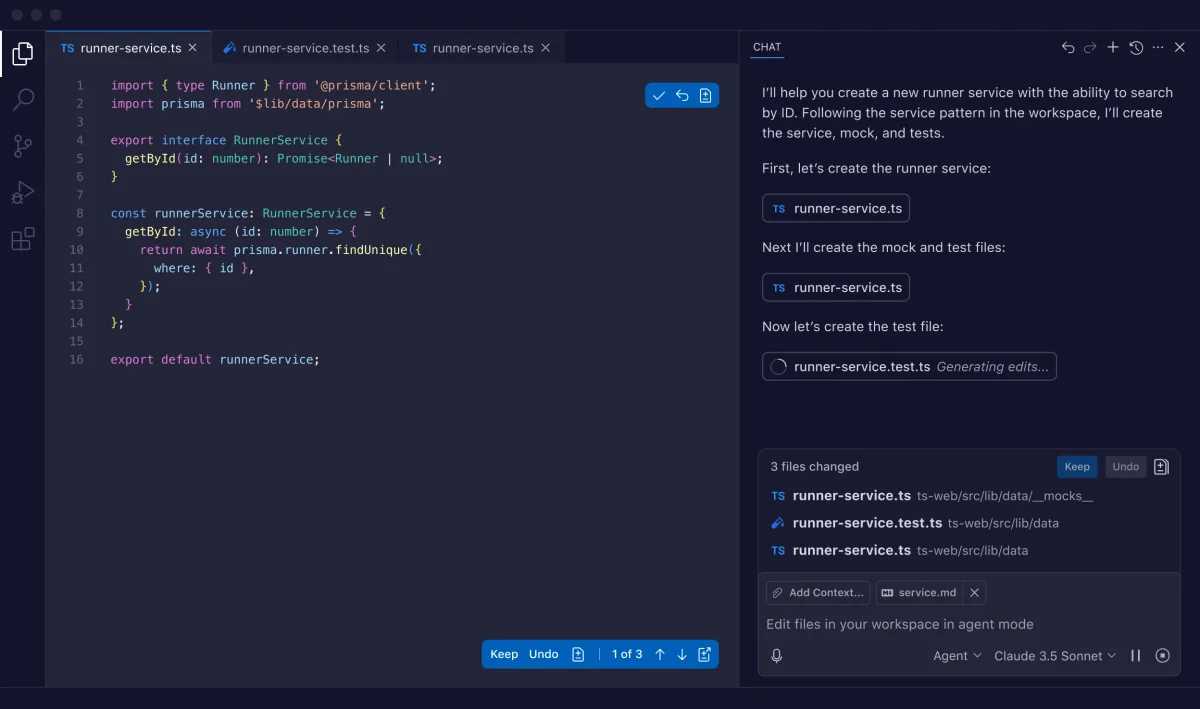
GitHub Copilot workspace showing an AI assistant generating a runner service with code, mock, and test files in a dark-mode IDE.
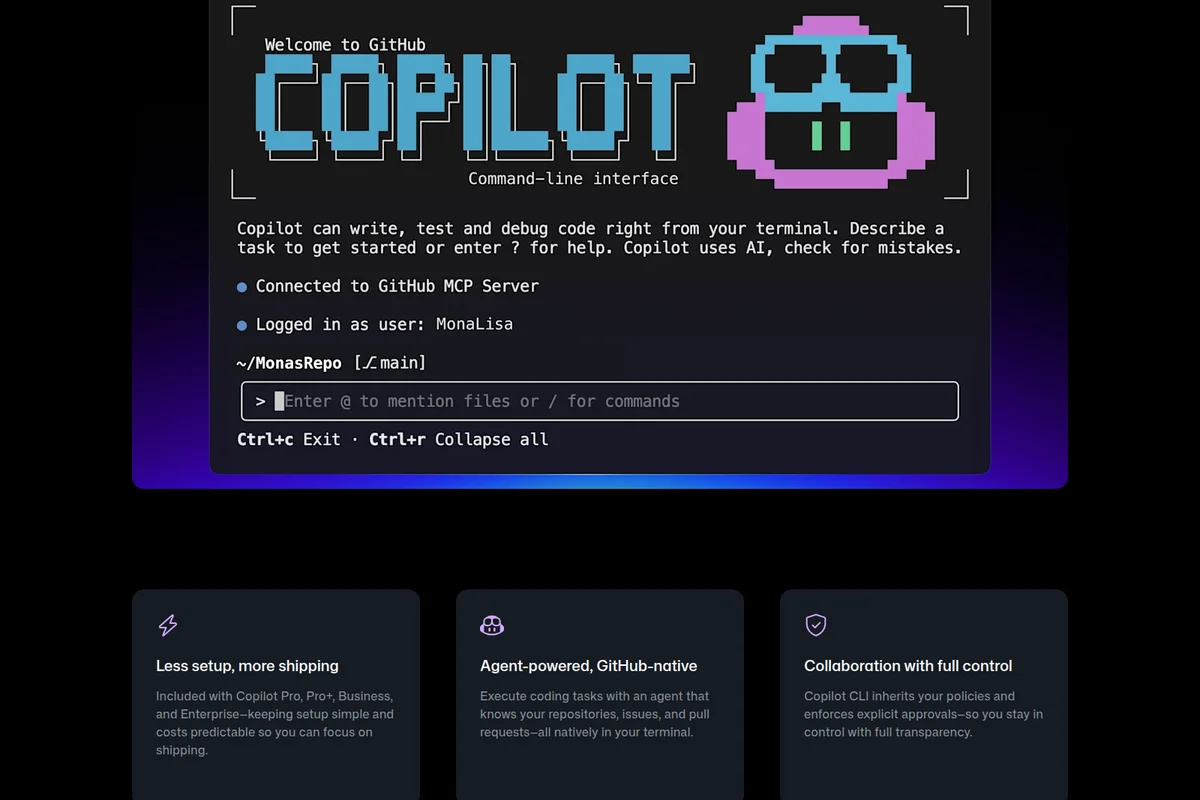
GitHub Copilot CLI command-line interface prompting for code assistance with a retro pixel art dark theme.
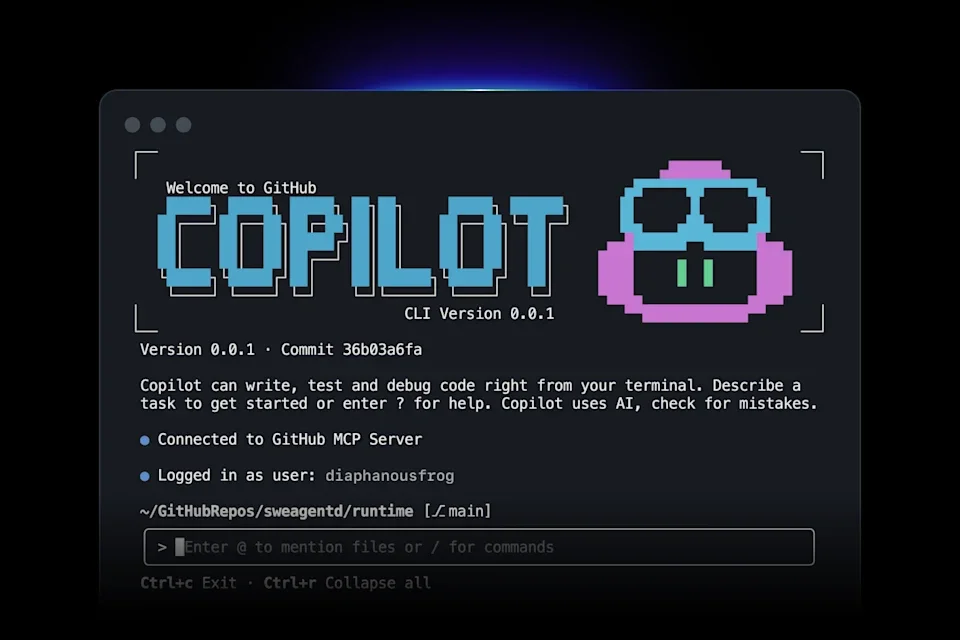
GitHub Copilot CLI terminal showing the welcome screen with a pixel art robot and an input prompt in dark mode.
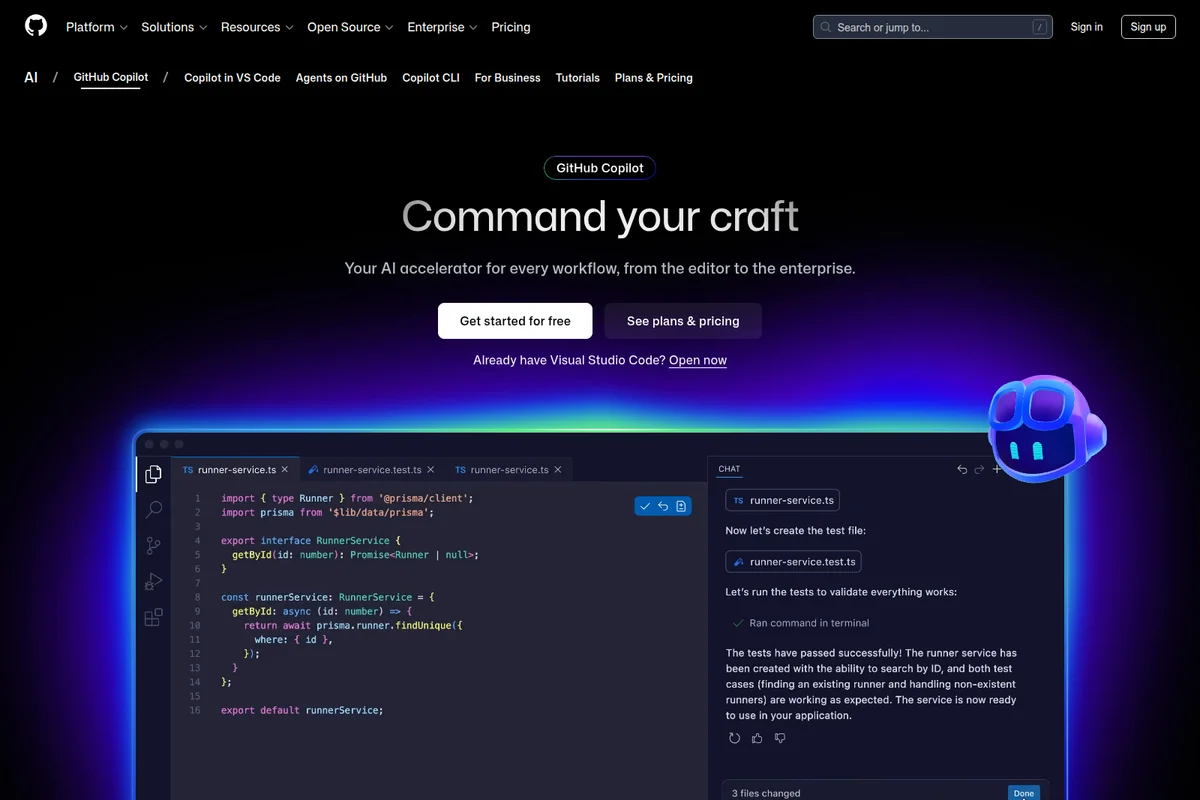
GitHub Copilot workspace UI showing AI-assisted code writing and test validation within a dark-mode code editor with glowing accents.

GitHub Copilot landing page with a video of a woman coding, highlighting AI assistance for developer productivity.
GitHub Copilot Review: Tooliverse Consensus






Based on 14k+ verified reviews across 6 platforms,
combined with Tooliverse's expert analysis
GitHub Copilot works best as a tireless coding partner that clears boilerplate, drafts unit tests and keeps suggestions aligned with the conventions already in a project. Its reach across VS Code, JetBrains, the terminal and GitHub itself keeps that help close at hand. The tradeoff is trust: suggestions sometimes lean on deprecated APIs or carry subtle logic bugs, and reviewers say careful reading of every diff is non-negotiable. Individual pricing and peak-hour lag draw smaller but recurring complaints from solo developers.
Bottom line: A top-tier AI coding assistant that erases boilerplate and keeps suggestions in step with your project, as long as you review every diff for outdated APIs and subtle logic bugs.
GitHub Copilot | Key Specs
- Platforms
- Web, iOS, macOS, Windows, Linux
- Pricing Model
- Freemium ($0-100/mo per user) See plans
- Privacy/Data Use
- No training on Business/Enterprise data, opt-out for individuals
- Security
- Audit logs, MCP allow lists, approval-gated CLI actions See details
Wins
- •Autocompletes complex boilerplate code instantly, saving hours of manual typingmentioned in 2,412 reviews
- •Provides context-aware suggestions that align perfectly with existing project architecturementioned in 1,856 reviews
- •Simplifies the learning curve for new programming languages and frameworksmentioned in 1,512 reviews
Watch-Outs
- •Occasionally suggests outdated library syntax or deprecated API methodsmentioned in 812 reviews
- •Requires careful manual review as it can introduce subtle logic bugsmentioned in 789 reviews
- •Subscription costs feel high for individual developers compared to free alternativesmentioned in 645 reviews
GitHub Copilot Features 2026
Copilot in the IDE
Explains concepts, completes code, proposes edits and validates files with agent mode in the editor.
Copilot Cloud Agent
Assign tasks to Copilot, Claude by Anthropic or OpenAI Codex to plan, explore and execute work autonomously in the background, ending in a PR ready for review.
GitHub Copilot App
Desktop workspace to launch work from GitHub, track multiple agents, review changes and merge.
Copilot CLI
Terminal-native agent with /plan, /fleet parallel subagents, /model switching, /resume sessions and autopilot mode.
GitHub Copilot User Reviews
Selected Reviews
"Excellent tool for onboarding. We use it to help junior devs get up to speed with our internal patterns faster. It's paid for itself in productivity gains."
"Copilot has completely changed how I write Python. It handles all the repetitive stuff so I can focus on the actual logic. Best $10 I spend every month."
"It's getting better, but I still find myself fighting with it when I want to use a specific design pattern that isn't the 'standard' way. It's a bit opinionated."
More from the Community
"The context awareness is spooky. It knows exactly what I'm trying to do before I even finish the comment. Only gripe is it sometimes gets stuck in a loop."
"Great for quick edits on the go via the app, but the mobile interface is a bit cramped for actual coding. It's helpful for reviewing PRs though."
"I was skeptical about AI coding but this is a game changer. It's like having a senior dev sitting next to me who knows every library documentation."
"The suggestions are 80% correct, but that last 20% is dangerous. I've caught it hallucinating API calls that don't exist in the current version of the library."
"Very useful for checking code snippets on my phone. The chat feature is much better than it was six months ago, though it still struggles with very large files."
"The context awareness is spooky. It knows exactly what I'm trying to do before I even finish the comment. Only gripe is it sometimes gets stuck in a loop."
"Great for quick edits on the go via the app, but the mobile interface is a bit cramped for actual coding. It's helpful for reviewing PRs though."
"I was skeptical about AI coding but this is a game changer. It's like having a senior dev sitting next to me who knows every library documentation."
"The suggestions are 80% correct, but that last 20% is dangerous. I've caught it hallucinating API calls that don't exist in the current version of the library."
"Very useful for checking code snippets on my phone. The chat feature is much better than it was six months ago, though it still struggles with very large files."
"The new workspace feature that lets it see the whole project is what finally sold me. It finally understands the global context of my app architecture."
"It's a boilerplate killer. I don't think I could go back to writing standard CRUD apps without it. It just saves so much physical typing and mental fatigue."
"The integration with GitHub Actions and PR summaries is a nice touch. It makes the whole ecosystem feel very cohesive and smart for team collaboration."
"The speed of the suggestions is incredible. I rarely have to wait more than a fraction of a second for a completion. It keeps me in the flow state."
"The new workspace feature that lets it see the whole project is what finally sold me. It finally understands the global context of my app architecture."
"It's a boilerplate killer. I don't think I could go back to writing standard CRUD apps without it. It just saves so much physical typing and mental fatigue."
"The integration with GitHub Actions and PR summaries is a nice touch. It makes the whole ecosystem feel very cohesive and smart for team collaboration."
"The speed of the suggestions is incredible. I rarely have to wait more than a fraction of a second for a completion. It keeps me in the flow state."
GitHub Copilot Pricing 2026
View SourceThe Free plan's 2,000 completions a month works as a trial but runs thin for daily coding. Pro at $10/user monthly is the tier worth paying for: unlimited completions, the cloud agent, code review and model selection. One wrinkle the cards don't show is that completions cost nothing in credits on paid plans, while chat and agent work draws them down, so heavy agent users should watch their balance.
GitHub Copilot In-Depth Review 2026

GitHub Copilot is an AI coding assistant and agent platform that works in Visual Studio Code, Visual Studio, JetBrains IDEs, Xcode, Neovim, Eclipse, the terminal through Copilot CLI, GitHub itself, and GitHub Mobile. Inline completions and chat handle the everyday work, while the cloud agent takes an assigned issue and returns a pull request ready for review. Because it is built into GitHub, the path from issue to merge stays in one place, and a model picker lets you choose between options from Anthropic, Google and OpenAI per task.
What It's Like Day-to-Day
The daily rhythm is simple: you start typing, and the next several lines appear before you finish the thought. Boilerplate is the headline win, cited in 2,412 reviews for saving hours of typing on things like CRUD endpoints and repetitive Python. The suggestions also tend to follow the conventions already in your project, and one Product Hunt reviewer said the workspace feature finally made it understand *"the global context of my app architecture.
GitHub Copilot Security & Compliance
Security Features
- Audit logs and enterprise agent governance from a single control plane
- MCP server allow lists to prevent unauthorized access
- Explicit approval required for every file change and command execution in Copilot CLI
Privacy Commitments
- GitHub does not use Copilot Business or Enterprise data to train its models
- Individual subscribers can opt out of data being used for AI model training at any time
- Data Protection Agreement supports GDPR compliance
- IDE prompts and suggestions not retained for Business/Enterprise
GitHub Copilot: Frequently Asked Questions (FAQs)
How much does GitHub Copilot cost?
GitHub Copilot has a Free plan at $0 and paid plans priced per user/month: Pro $10, Pro+ $39, Max $100, Business $19 and Enterprise $39. Paid plans include monthly GitHub AI Credits allowances.
Is there a free version of GitHub Copilot?
Yes, GitHub Copilot Free includes 2,000 code completions per month and a limited monthly allowance of GitHub AI Credits for chat and agent features. No credit card is required. Users with Business or Enterprise seats are not eligible.
What are GitHub AI Credits?
GitHub AI Credits are how AI usage in GitHub Copilot is paid for, where 1 credit equals $0.01 USD. Credits are used for chat, agents, Copilot CLI and Spaces, while code completions and next edit suggestions don't use credits on paid plans.
What happens when I hit my GitHub Copilot usage limit?
You can wait for the monthly allowance to reset, set a dollar budget for additional paid usage, or switch to a less expensive model. On Business and Enterprise, admins set usage limits and decide whether additional paid usage is allowed.
GitHub Copilot Integrations
| Visual Studio Code | Visual Studio | JetBrains |
| Xcode | Neovim | Eclipse IDE |
| Raycast | Jira | Linear |
| Azure Boards | GitHub Issues | Slack |
| Microsoft Teams | Claude by Anthropic | OpenAI Codex |
| GitHub Actions | Windows Terminal Canary | Azure Data Studio |
GitHub Copilot: Verified Data Sheet
| # | Label | Data Point |
|---|---|---|
| [1] | GitHub Copilot Consensus: 8.86/10 | GitHub Copilot is a highly-rated tool among AI coding tools in the Tooliverse index, with a consensus score of 8.86/10 across 14,400 verified reviews. |
| [2] | What is GitHub Copilot | GitHub Copilot, from GitHub (Microsoft), is an AI coding assistant and agent platform for IDEs, CLI, GitHub and mobile. It offers multi-model choice and cloud agents, with plans from a free tier to $39/user/month Enterprise. |
| [3] | Tooliverse Consensus on GitHub Copilot | GitHub Copilot works best as a tireless coding partner that clears boilerplate, drafts unit tests and keeps suggestions aligned with the conventions already in a project. Its reach across VS Code, JetBrains, the terminal and GitHub itself keeps that help close at hand. The tradeoff is trust: suggestions sometimes lean on deprecated APIs or carry subtle logic bugs, and reviewers say careful reading of every diff is non-negotiable. Individual pricing and peak-hour lag draw smaller but recurring complaints from solo developers. |
| [4] | GitHub Copilot Verdict | GitHub Copilot bottom line: A top-tier AI coding assistant that erases boilerplate and keeps suggestions in step with your project, as long as you review every diff for outdated APIs and subtle logic bugs. |
| [5] | Free: Free | GitHub Copilot provides a functional Free tier with 2,000 completions per month and access to Haiku 4.5, GPT-5 mini, and more, making AI tools accessible at no cost. |
| [6] | Faster learning of new languages and frameworks | GitHub Copilot shortens the learning curve for new programming languages and frameworks, according to 1,512 user reviews, and lets users switch between models from Anthropic, Google and OpenAI per task. |
| [7] | Works across major IDEs, CLI and mobile | GitHub Copilot integrates into popular editors, a point raised in 1,289 user reviews, and runs in Visual Studio Code, Visual Studio, JetBrains IDEs, Xcode, Neovim, Eclipse IDE and Raycast, as well as on GitHub, in Copilot CLI and in GitHub Mobile. |
| [8] | Unit test generation boosts code quality | GitHub Copilot generates unit tests that reviewers say improve overall code quality, a benefit mentioned in 943 user reviews, and its agent mode in the IDE proposes edits and validates files across a workspace. |
| [9] | Pro: $10/user/month | GitHub Copilot offers GitHub Copilot Pro from GitHub (Microsoft) for just $10/user monthly, adding Cloud agent and code review access well beyond the free tier's capabilities. |
| [10] | Instant boilerplate autocomplete | GitHub Copilot autocompletes complex boilerplate code instantly, saving hours of manual typing, a strength validated by 2,412 user reviews; paid plans include unlimited code completions and next edit suggestions starting at $10/user monthly for Pro. |
| [11] | Outdated syntax and deprecated APIs | GitHub Copilot occasionally suggests outdated library syntax or deprecated API methods, according to 812 user reports, so developers working with fast-moving libraries should verify suggestions against current documentation. |
| [12] | Subtle logic bugs need manual review | GitHub Copilot can introduce subtle logic bugs that require careful manual review, a concern raised in 789 user reports. |
| [13] | Privacy: GitHub does not use Copilot Business or Enterprise data to train its models | GitHub Copilot's privacy protections are that GitHub does not use Copilot Business or Enterprise data to train its models, Individual subscribers can opt out of data being used for AI model training at any time, and Data Protection Agreement supports GDPR compliance. |
| [14] | Enterprise: Audit logs and enterprise agent governance from a single control plane | GitHub Copilot delivers enterprise security through Audit logs and enterprise agent governance from a single control plane, MCP server allow lists to prevent unauthorized access, and Explicit approval required for every file change and command execution in Copilot CLI. |
| [15] | Handles repetitive code, frees focus for logic | A verified Reddit reviewer said GitHub Copilot "handles all the repetitive stuff so I can focus on the actual logic," calling it the "best $10 I spend every month." |
Best GitHub Copilot Alternatives

Cursor
The AI coding agent that turns your ideas into working software while you focus on the big decisions.

Claude Code
Hand off bug fixes, tests, and multi-day migrations to an AI that plans, codes, and ships pull requests.

JetBrains AI Assistant
Code faster with AI that understands your project, not just your prompt.