
JetBrains AI Assistant Review 2026 - IDE AI
Verified Sep 20, 2026 by Tooliverse Editorial
JetBrains AI Assistant blends in-editor code completion with AI chat and agentic workflows, right inside your favorite IDE. Developers report saving hours weekly by delegating repetitive coding tasks to it.
JetBrains AI Assistant: Built Into Your IDE, Designed for How You Code
Junie Review - 2026 | I Tested JetBrains’ AI Coding Agent - It Just Changed Programming Forever
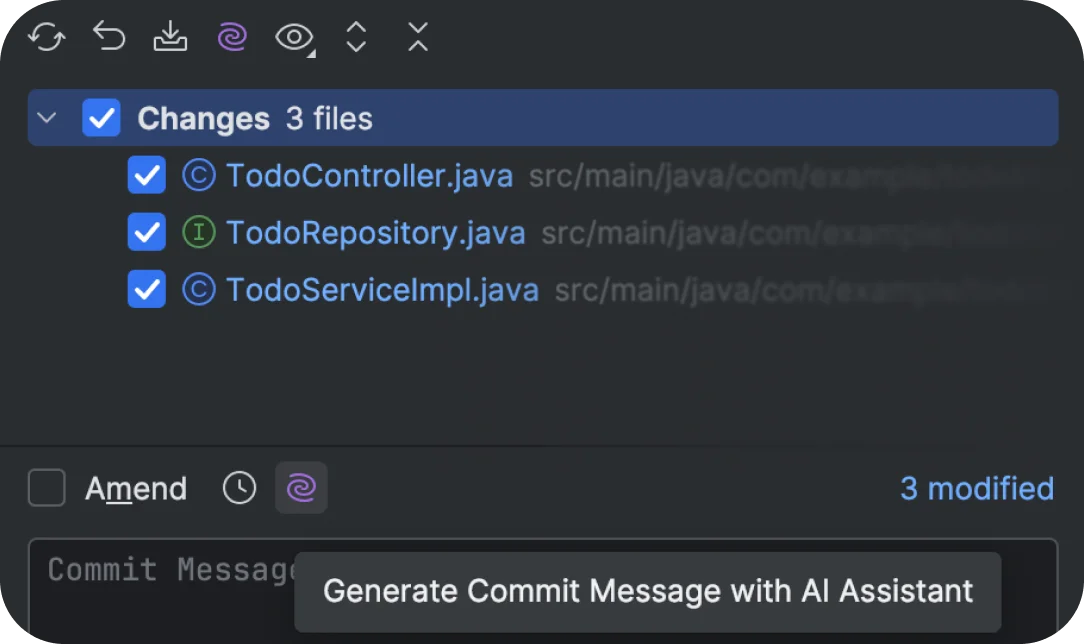
Generate intelligent commit messages automatically with AI.
Explore how JetBrains AI enhances your professional development workflows.
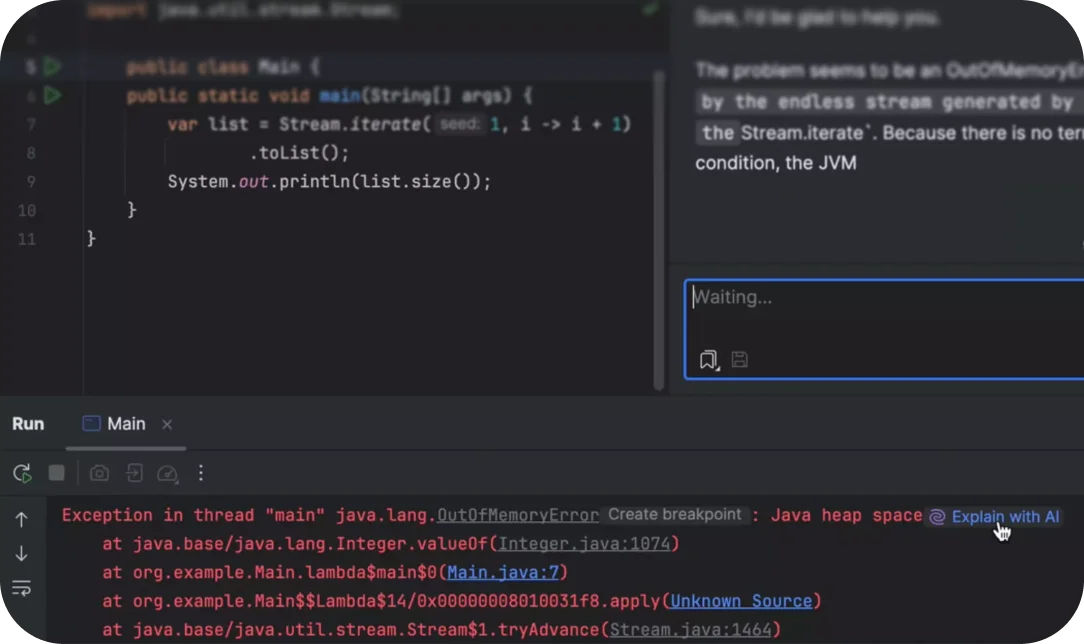
AI Assistant explains complex Java errors and suggests solutions directly within the IDE.

Experience next-level coding with AI integrated into your IDE.
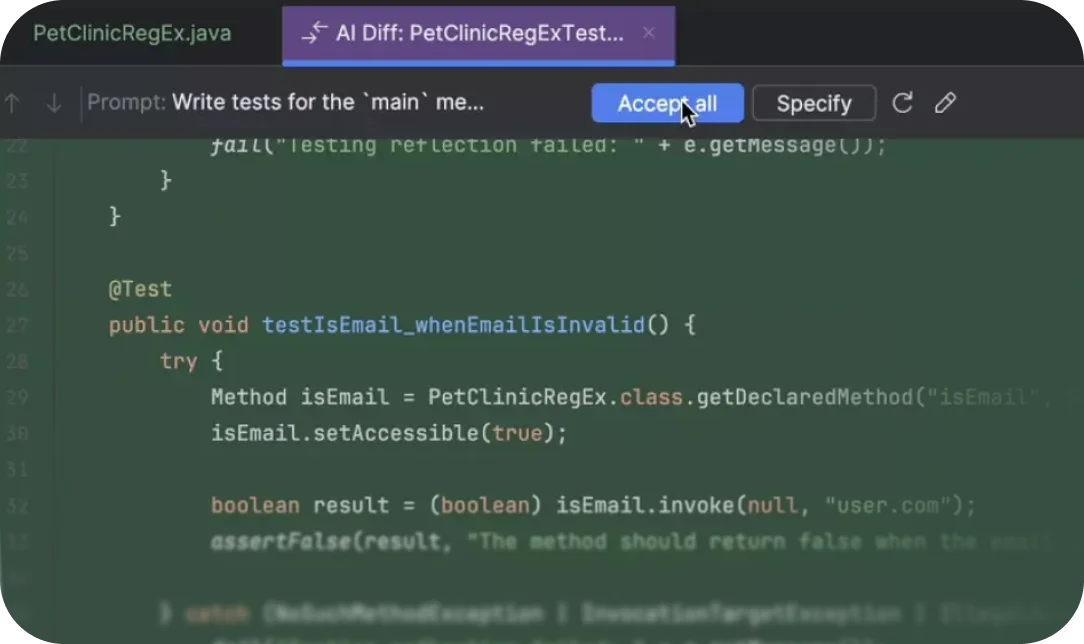
AI generates comprehensive tests for your main methods.
JetBrains AI Assistant Review: Tooliverse Consensus





Based on 800 verified reviews across 5 platforms,
combined with Tooliverse's expert analysis
JetBrains AI Assistant grounds its suggestions in structural code intelligence the IDE already possesses, producing completions and refactors that respect a project's actual architecture instead of guessing from plain text. Reviewers consistently praise the freedom to route work across Claude, GPT-4, and other models, plus Junie's steadier hand on multi-step agentic tasks. The tradeoffs are a separate subscription requirement even for All Products Pack owners and a Generate Code redesign that has frustrated longtime users with added friction.
Bottom line: An effective coding assistant for developers already committed to JetBrains IDEs, offering standout structural context awareness undercut by separate subscription costs and a contested interface redesign.
JetBrains AI Assistant | Key Specs
- Platforms
- Windows, macOS, Linux (via JetBrains IDEs, Android Studio, VS Code)
- Pricing Model
- Freemium ($0-$720/user/year) See plans
- Privacy/Data Use
- Opt-in data sharing only; data never shared with third parties
- Security
- SOC 2 Type 2, SSO/SCIM, Zero data retention See details
Wins
- •Leverages deep AST-aware IDE context for superior code understandingmentioned in 412 reviews
- •Provides flexibility by allowing users to swap between multiple frontier models like Claude and GPT-4mentioned in 285 reviews
- •Features the 'Junie' autonomous agent for handling complex, multi-step coding tasksmentioned in 210 reviews
Watch-Outs
- •Requires a separate paid subscription even for All Products Pack ownersmentioned in 342 reviews
- •Recent UI changes to 'Generate Code' have introduced significant workflow frictionmentioned in 156 reviews
- •Occasional latency issues and response timeouts when using custom model backendsmentioned in 112 reviews
JetBrains AI Assistant Features 2026
Choice of AI coding agents
Work with multiple coding agents in one IDE, including Junie by JetBrains, Claude Agent, OpenAI Codex, and Gemini CLI, or connect any ACP-compatible agent like Cursor or GitHub Copilot.
Bring Your Own Key (BYOK)
Connect your own API keys from Anthropic, OpenAI, and other OpenAI-compatible providers, avoiding vendor lock-in and JetBrains AI subscription requirements.
Local and offline model support
Connect local LLMs via Ollama, LM Studio, llama.cpp, LiteLLM, or other OpenAI-compatible servers for free, offline-friendly workflows with no data leaving your machine.
Enterprise governance and management
Full visibility into team AI usage with advanced user/group access management (SSO, SCIM), AI audit logs, company-wide MCP policies, and usage analytics dashboards.
JetBrains AI Assistant User Reviews
Selected Reviews
"Works good for me. I use it with Codex and Claude, I appreciate the fact that it lets you swap between models freely."
"It is designed as a deeply integrated intelligence layer specifically engineered for the JetBrains ecosystem."
"Generate code action should work as it used to be, now using the agent takes a lot longer and consume more credits!"
More from the Community
"The deep integration with the IDE's context makes it much more useful than just copy-pasting into a browser."
"The subscription is a bit steep considering I already pay for the All Products Pack. It needs to be included."
"Junie is more like cursor with full access to code and cli. It rarely goes crazy like cursor and changes half your code base."
"I find Junie super easy to use and streamlined, making it ideal for my needs as a solo developer."
"The AI integration experience still feels limited compared with newer workflows like Codex CLI and Claude Code."
"The deep integration with the IDE's context makes it much more useful than just copy-pasting into a browser."
"The subscription is a bit steep considering I already pay for the All Products Pack. It needs to be included."
"Junie is more like cursor with full access to code and cli. It rarely goes crazy like cursor and changes half your code base."
"I find Junie super easy to use and streamlined, making it ideal for my needs as a solo developer."
"The AI integration experience still feels limited compared with newer workflows like Codex CLI and Claude Code."
"Smart code completion, refactoring tools, and quick navigation make it easier to understand large projects."
"I just came to comment about the recent changes to the Generate Code with AI functionality. It's unforgivable."
"Completions are context-aware and pull from your project's types, function signatures, and import patterns."
"It's unfortunate how the AI-in-a-sidebar UI kind of hides how sophisticated it has grown."
"Smart code completion, refactoring tools, and quick navigation make it easier to understand large projects."
"I just came to comment about the recent changes to the Generate Code with AI functionality. It's unforgivable."
"Completions are context-aware and pull from your project's types, function signatures, and import patterns."
"It's unfortunate how the AI-in-a-sidebar UI kind of hides how sophisticated it has grown."
JetBrains AI Assistant Pricing 2026
AI Free covers unlimited Mellum-powered completions, which handles daily coding for plenty of developers without spending a cent. Once you want chat access to Junie or other agents, AI Pro at $100 per user per year billed annually is the realistic entry point. Heavy agent users doing frequent multi-file refactors should skip straight to AI Ultimate at $300 per user per year billed annually rather than constantly buying credit top-ups.
JetBrains AI Assistant In-Depth Review 2026

Built into every JetBrains IDE, plus Android Studio and Visual Studio Code, JetBrains AI Assistant pairs the company's own structural code intelligence with a choice of frontier AI models and agents. Instead of treating your codebase as plain text, it understands types, function signatures, and architectural patterns the way the IDE itself does, then uses that understanding to ground completions, chat, and autonomous agent work in what your project actually contains.
What It's Like Day-to-Day
The difference shows up immediately in completions. They don't just autocomplete syntax; they pull from your project's actual types and import patterns, which is why one developer described the experience as far more useful than "copy-pasting into a browser" because the suggestions are already grounded in your codebase's context. That context-awareness is the single most cited strength across reviews, mentioned in 412 of them, and it's easy to see why once you've used it on a large, tangled project.
For bigger jobs, Junie is where things get interesting. It's JetBrains' autonomous coding agent, capable of multi-step work like implementing a feature across several files or fixing a chain of related bugs, and it comes with direct access to your code and command line.
JetBrains AI Assistant Security & Compliance
Verified Compliance
- SOC 2 Type 2
Security Features
- SSO and SCIM access management
- Zero data retention
- AI audit logs
- Content exclusion with .aiignore
- On-premises, cloud, and hybrid deployment
Privacy Commitments
- Data sharing is opt-in and fully under user control
- Code and data are never shared with third parties even when used to train JetBrains models
- Data excluded from training available on paid plans
JetBrains AI Assistant: Frequently Asked Questions (FAQs)
What plans are available with a JetBrains AI subscription?
JetBrains AI offers AI Free, AI Pro, AI Ultimate, and AI Enterprise plans, which mainly differ in the amount of AI Credits included for features powered by third-party AI providers. AI Free is not available in Android Studio, IntelliJ IDEA without an Ultimate subscription, or PyCharm without a Pro subscription.
Is there a free trial for JetBrains AI?
Yes, a 30-day AI Pro trial is available when you first activate JetBrains AI. After the trial ends, you can continue on AI Free (if available in your IDE) or upgrade to AI Pro or AI Ultimate.
What is the AI quota and how are AI Credits priced?
JetBrains AI subscriptions include a fixed monthly quota of AI Credits regulating access to features powered by third-party AI models, where 1 AI Credit equals USD 1.00. Code completion and Next Edit Suggestions run on JetBrains' own models and don't consume AI quota.
What happens if I run out of AI quota?
Cloud-powered JetBrains AI features pause until your quota renews every 30 days from your license activation date, but you can buy additional top-up AI Credits (valid for 12 months) to keep using AI features without interruption.
JetBrains AI Assistant Integrations
| IntelliJ IDEA | PyCharm | WebStorm |
| GoLand | PhpStorm | Rider |
| RubyMine | RustRover | Android Studio |
| Visual Studio Code | ReSharper | OpenAI |
| Anthropic Claude | Google Gemini | xAI |
| Google Vertex AI | Azure OpenAI | Amazon Bedrock |
| Ollama | LM Studio | llama.cpp |
| LiteLLM | Hugging Face | Cursor |
| GitHub Copilot |
JetBrains AI Assistant: Verified Data Sheet
| # | Label | Data Point |
|---|---|---|
| [1] | JetBrains AI Assistant Consensus: 7.79/10 | JetBrains AI Assistant is a well-reviewed tool among AI coding tools in the Tooliverse index, with a consensus score of 7.79/10 across 800 verified reviews. |
| [2] | What is JetBrains AI Assistant | JetBrains AI Assistant, developed by JetBrains s.r.o., is a SOC 2-certified AI coding assistant embedded across JetBrains IDEs, Android Studio, and VS Code, offering completions, chat, and agentic workflows. Pricing ranges from a free tier to AI Enterprise at $720/user/year, with 80% of users reporting saved development time. |
| [3] | Tooliverse Consensus on JetBrains AI Assistant | JetBrains AI Assistant grounds its suggestions in structural code intelligence the IDE already possesses, producing completions and refactors that respect a project's actual architecture instead of guessing from plain text. Reviewers consistently praise the freedom to route work across Claude, GPT-4, and other models, plus Junie's steadier hand on multi-step agentic tasks. The tradeoffs are a separate subscription requirement even for All Products Pack owners and a Generate Code redesign that has frustrated longtime users with added friction. |
| [4] | JetBrains AI Assistant Verdict | JetBrains AI Assistant bottom line: An effective coding assistant for developers already committed to JetBrains IDEs, offering standout structural context awareness undercut by separate subscription costs and a contested interface redesign. |
| [5] | AI Free: Free | JetBrains AI Assistant provides a functional AI Free tier with 3 AI Credits per 30 days, Unlimited code completion (Mellum model), making AI tools accessible at no cost. |
| [6] | Junie agent handles multi-step coding tasks | JetBrains AI Assistant includes Junie, an autonomous coding agent built to handle complex, multi-step tasks with direct code and CLI access, referenced in 210 user reviews. |
| [7] | Automates commit messages and unit tests | JetBrains AI Assistant automates routine work like commit message generation and unit test scaffolding, a time-saving benefit noted in 195 user reviews. |
| [8] | Refactoring respects project architecture | JetBrains AI Assistant produces refactoring suggestions that respect a project's existing architectural patterns instead of generic rewrites, a capability highlighted in 168 user reviews. |
| [9] | AI Pro: $100/user/mo (annual) | JetBrains s.r.o.'s JetBrains AI Assistant AI Pro empowers users with 10 AI Credits per 30 days for $100/user/month billed annually, significantly expanding on the free tier's capabilities. |
| [10] | AST-aware deep IDE context understanding | JetBrains AI Assistant leverages deep AST-aware IDE context to deliver code understanding that goes beyond generic autocomplete, a strength cited by 412 user reviews. |
| [11] | Separate subscription needed beyond All Products Pack | JetBrains AI Assistant requires a separate paid subscription even for existing All Products Pack owners, a cost concern raised in 342 user reviews. |
| [12] | Generate Code UI changes slow workflow | JetBrains AI Assistant's recent changes to the Generate Code interface have introduced workflow friction, with 156 user reviews reporting slower results and higher credit consumption than the prior version. |
| [13] | SOC 2 Type 2 | JetBrains AI Assistant holds SOC 2 Type 2 certification. |
| [14] | Enterprise: SSO and SCIM access management | JetBrains AI Assistant provides enterprise security with SSO and SCIM access management, Zero data retention, and AI audit logs. |
| [15] | Users praise freedom to swap AI models | JetBrains AI Assistant's model-swapping flexibility earns praise from users like a JetBrains Marketplace reviewer who wrote, "I use it with Codex and Claude, I appreciate the fact that it lets you swap between models freely." |
Best JetBrains AI Assistant Alternatives
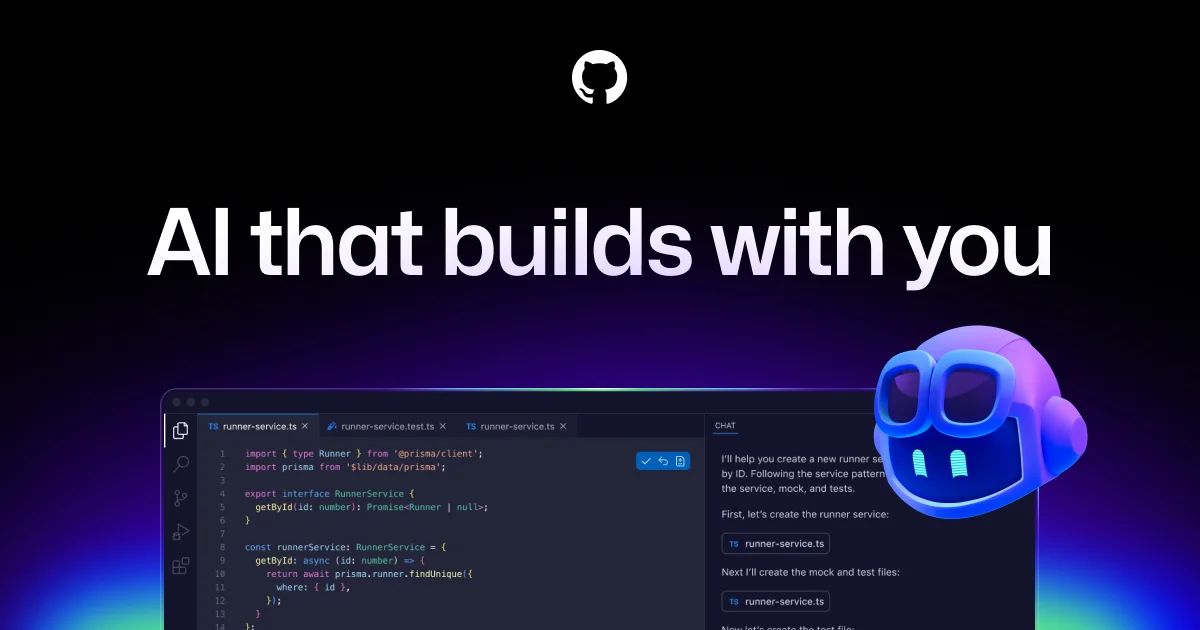
GitHub Copilot
Your AI accelerator for every workflow, from the editor to the enterprise.

Cursor
The AI coding agent that turns your ideas into working software while you focus on the big decisions.
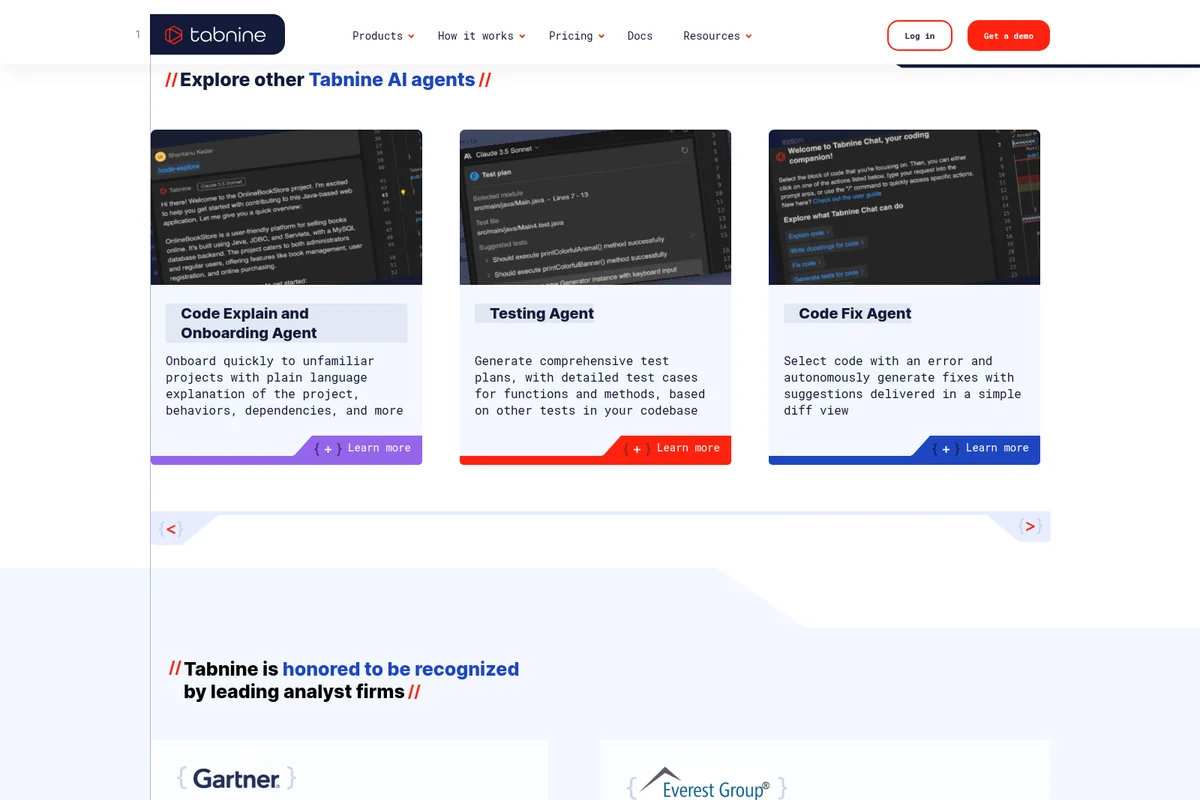
Tabnine
Code faster and safer with an AI coding platform that never trains on your code or leaves your infrastructure.