
Hemingway Editor Review 2026 - AI Clarity
Verified Oct 1, 2026 by Tooliverse Editorial
Hemingway Editor Plus rewrites wordy sentences, fixes grammar, and shifts your tone with a click, so your writing sounds like you, only sharper. Try it free for 2 weeks, no credit card required.
Hemingway Editor Plus

Improve your writing with clear, color-coded suggestions in real-time.
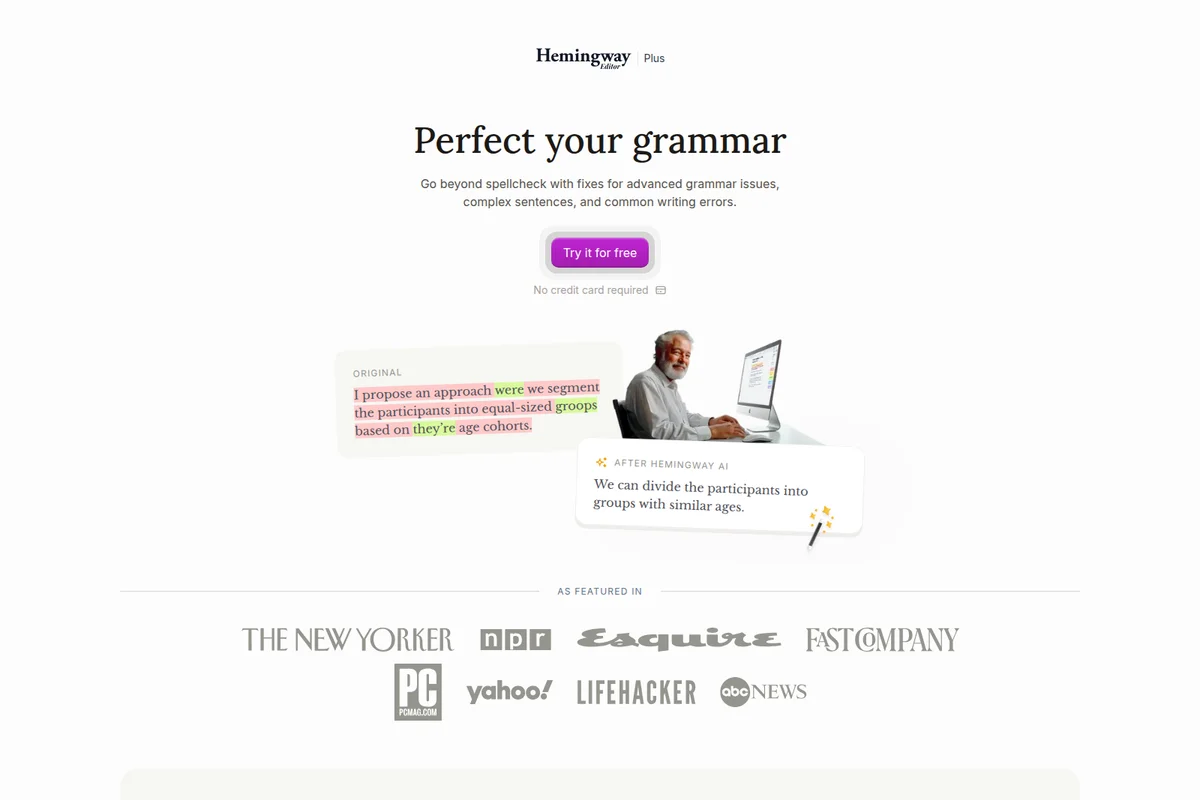
See instant grammar fixes and simplified sentences for clearer writing.

Harness the strength of Hemingway's style to punch up your prose.
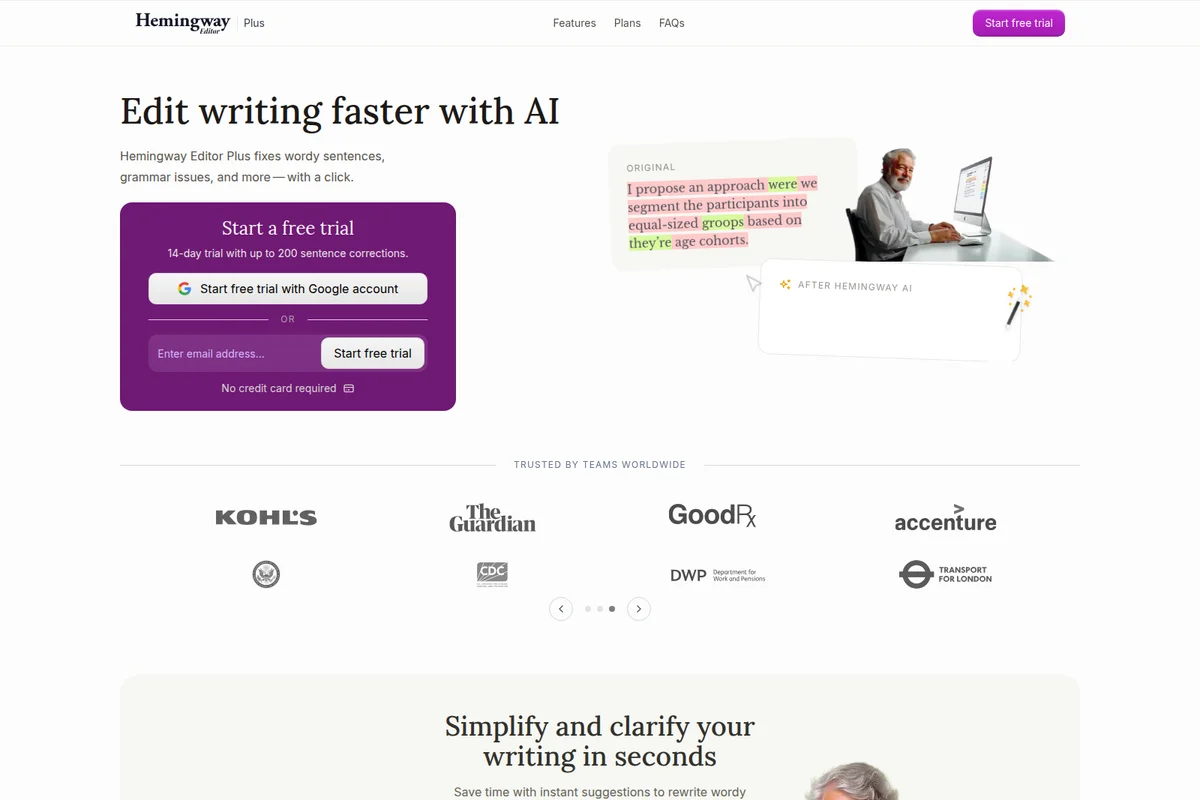
Edit your writing faster with AI and simplify complex sentences instantly.

Embrace directness and strength in your writing, inspired by the adventurous spirit.
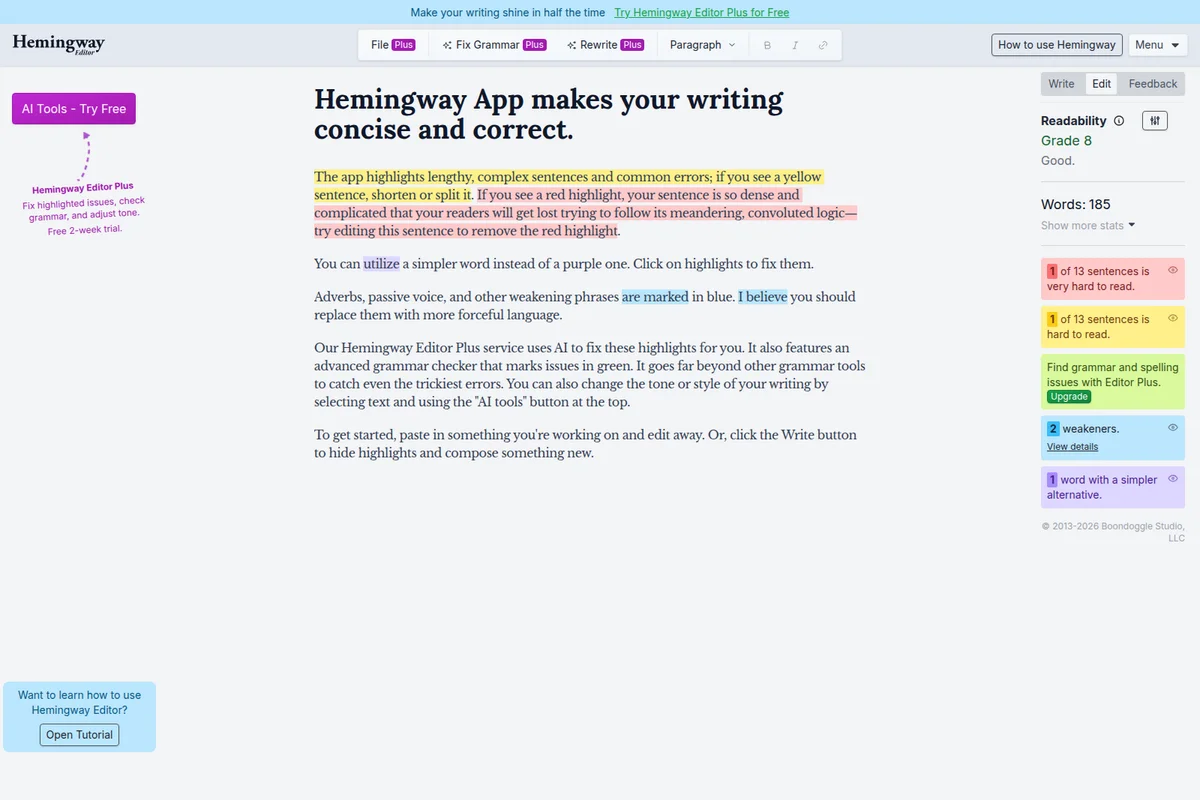
Instantly identify and fix hard-to-read sentences, weakeners, and complex prose for improved readability.
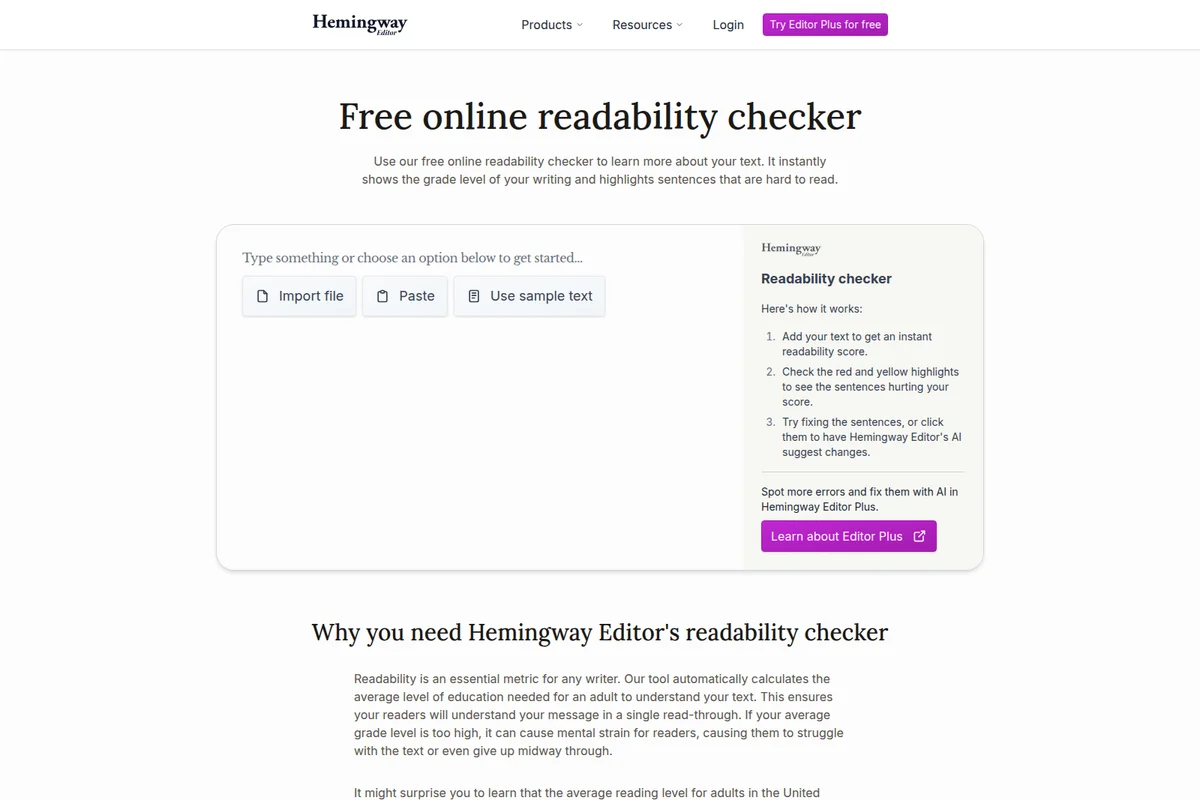
Instantly analyze text readability and get suggestions for improvement.
Hemingway Editor Review: Tooliverse Consensus







Based on 1k+ verified reviews across 6 platforms,
combined with Tooliverse's expert analysis
Hemingway Editor is a clarity-first editor that grades how readable your prose is and shows exactly which sentences are dragging it down. Color-coded highlighting, one-click AI rewrites, and a grade-level score make fixes fast, while the stripped-down interface keeps attention on the draft. The catch is that it optimizes for plainness: reviewers say it can sand off useful tone, checks grammar more lightly than dedicated proofreaders, and keeps the AI and desktop app behind a paywall.
Bottom line: A top-tier clarity editor whose color-coded highlighting and AI rewrites make dense prose easy to fix, though its paywalled AI and love of simplicity can flatten voice and miss deeper grammar.
Hemingway Editor | Key Specs
- Platforms
- Web, macOS, Windows (Classic desktop)
- Pricing Model
- Free trial + Paid Tiers ($8.33-12.50/mo billed annually) See plans
- Privacy/Data Use
- No document storage, no AI training on content
- Security
- AES-256 encryption, Enterprise SSO (SAML); no SOC 2/ISO yet See details
Wins
- •Provides immediate color-coded feedback that makes complex writing visually obvious and easy to fixmentioned in 214 reviews
- •Integrates AI rewriting capabilities that suggest clearer alternatives for stubborn, hard-to-read sentencesmentioned in 188 reviews
- •Maintains a clean, distraction-free interface that helps writers focus on flow rather than formattingmentioned in 145 reviews
Watch-Outs
- •Requires a paid subscription or one-time purchase for AI features and desktop accessmentioned in 64 reviews
- •Can occasionally strip away necessary stylistic nuance in favor of extreme simplicitymentioned in 58 reviews
- •Lacks comprehensive grammar and spell-checking features found in dedicated proofreading toolsmentioned in 42 reviews
Hemingway Editor Features 2026
AI Sentence Rewrites
Instantly rewrite wordy sentences, weak phrases, and passive voice with one click.
Advanced Grammar Fixes
Goes beyond spellchecks to fix tough grammar issues such as context-sensitive word choice, run-ons, and tense shifts.
Style and Tone Adjustment
Apply one of eight styles, such as more confident, formal, friendly, casual, persuasive, shorter, or more detailed.
Document Review & Feedback
Acts as a personal reviewer giving detailed insights and suggestions, such as tone consistency and repetition.
Hemingway Editor User Reviews
Selected Reviews
"Perfect for technical writing. It forces me to break down complex jargon into something a human can actually read. The 'Grade level' metric is my North Star."
"The AI rewrite feature is a game changer. It doesn't just fix grammar; it actually understands how to make a sentence punchier without losing my voice."
"The AI integration in Hemingway Plus is surprisingly subtle. It suggests fixes for those 'purple' sentences that I usually struggle to rephrase manually."
More from the Community
"Still the best tool for cutting the fluff. I use it for every blog post. The desktop app is worth the one-time fee to avoid the browser lag."
"Helpful for clarity but it often suggests removing adverbs that are actually necessary for the tone. Use it as a guide, not a rulebook."
"I've tried Grammarly and ProWritingAid, but Hemingway's color-coded system is the only one that actually changes how I write, not just how I edit."
"The interface is getting a bit dated and the sync between the web app and desktop version failed twice this month. Great logic, shaky tech."
"Love the distraction-free mode. It’s just me and the highlights. I wish the AI credits were a bit more generous for the base subscription though."
"Still the best tool for cutting the fluff. I use it for every blog post. The desktop app is worth the one-time fee to avoid the browser lag."
"Helpful for clarity but it often suggests removing adverbs that are actually necessary for the tone. Use it as a guide, not a rulebook."
"I've tried Grammarly and ProWritingAid, but Hemingway's color-coded system is the only one that actually changes how I write, not just how I edit."
"The interface is getting a bit dated and the sync between the web app and desktop version failed twice this month. Great logic, shaky tech."
"Love the distraction-free mode. It’s just me and the highlights. I wish the AI credits were a bit more generous for the base subscription though."
"Hemingway Editor Plus has saved me hours of manual re-reading. The 'simplify' button is like having a professional editor sitting right next to me."
"Great for bold writing. It really does help you write like Hemingway—short, punchy, and to the point. Exporting to WordPress is a huge time saver."
"It's a bit of a one-trick pony. If you already write clearly, you won't find much value here. Also, the AI sometimes hallucinates slightly different meanings."
"Essential tool for my copywriting business. It catches the passive voice that I'm blind to after staring at a screen for eight hours."
"Hemingway Editor Plus has saved me hours of manual re-reading. The 'simplify' button is like having a professional editor sitting right next to me."
"Great for bold writing. It really does help you write like Hemingway—short, punchy, and to the point. Exporting to WordPress is a huge time saver."
"It's a bit of a one-trick pony. If you already write clearly, you won't find much value here. Also, the AI sometimes hallucinates slightly different meanings."
"Essential tool for my copywriting business. It catches the passive voice that I'm blind to after staring at a screen for eight hours."
Hemingway Editor Pricing 2026
View SourceThe 2-week trial needs no credit card, so test the AI before paying. Individual 5K at $8.33/month billed annually covers 5,000 AI sentence rewrites monthly, plenty for a weekly blog or regular business writing, and grammar fixes and document review are unlimited anyway. Step up to the 10K tier at $12.50/month billed annually only if you edit long documents daily and keep hitting the cap.
Hemingway Editor In-Depth Review 2026

Hemingway Editor, from Boondoggle Studio, highlights wordy sentences, passive voice, adverbs, and weak phrasing, then scores your draft with a readability grade level. Editor Plus adds AI rewrites in eight styles, including more confident, friendly, formal, and persuasive, plus custom requests, advanced grammar fixes, and synonym suggestions. It runs in the browser, with a desktop app for offline writing, and exports straight to WordPress and Medium. The AI aims to match your tone and word choice, so edits sound like you.
What It's Like Day-to-Day
The core loop takes seconds to learn. Paste in a draft and the color coding does the diagnosis, flagging long sentences, passive voice, adverbs, and weak phrasing so that vague advice like "write more clearly" becomes a specific line to fix. Reviewers cite this immediate feedback more than anything else, across 214 reviews, and one G2 user who had tried Grammarly and ProWritingAid called it "the only one that actually changes how I write, not just how I edit." The logical payoff is that you start spotting problems before the highlights appear.
Hemingway Editor Security & Compliance
Security Features
- AES-256 encryption in transit and at rest
- Enterprise SSO (SAML via WorkOS)
- Passwordless sign-in with Google or one-time email verification
Privacy Commitments
- No document storage; content processed in memory and discarded
- Does not use content to train AI models and never sells data
- LLM providers cannot use customer data to train AI models
- User account data can be deleted on request
Hemingway Editor: Frequently Asked Questions (FAQs)
Does Hemingway Editor Plus have a free trial?
Yes, Hemingway Editor Plus offers a 2-week free trial with no credit card required, and it cancels automatically.
How much does Hemingway Editor Plus cost?
Individual 5K is $8.33/month ($100 billed annually), Individual 10K and Team 10K are $12.50/month ($150 billed annually), and Enterprise is custom priced. Team 10K is priced per user.
Can I pay by invoice or wire transfer?
Yes, email support@hemingwayapp.com and the team will help you get set up to pay by invoice or wire transfer.
Is there a free AI proofreader?
Yes, Hemingway offers a free online AI proofreader that checks spelling and advanced grammar, supports over 100 languages, and offers unlimited AI proofreading with Editor Plus.
Hemingway Editor Integrations
| Google Sign-In | WorkOS | OpenAI |
| Anthropic |
Hemingway Editor: Verified Data Sheet
| # | Label | Data Point |
|---|---|---|
| [1] | Hemingway Editor Consensus: 9.02/10 | Hemingway Editor is one of the highest-rated AI writing tools in the Tooliverse index, with a consensus score of 9.02/10 across 1,520 verified reviews. |
| [2] | What is Hemingway Editor | Hemingway Editor, by Boondoggle Studio, is an AI writing editor that rewrites wordy sentences and fixes grammar. Editor Plus starts at $8.33/month billed annually, with a 2-week free trial and no document storage. |
| [3] | Tooliverse Consensus on Hemingway Editor | Hemingway Editor is a clarity-first editor that grades how readable your prose is and shows exactly which sentences are dragging it down. Color-coded highlighting, one-click AI rewrites, and a grade-level score make fixes fast, while the stripped-down interface keeps attention on the draft. The catch is that it optimizes for plainness: reviewers say it can sand off useful tone, checks grammar more lightly than dedicated proofreaders, and keeps the AI and desktop app behind a paywall. |
| [4] | Hemingway Editor Verdict | Hemingway Editor bottom line: A top-tier clarity editor whose color-coded highlighting and AI rewrites make dense prose easy to fix, though its paywalled AI and love of simplicity can flatten voice and miss deeper grammar. |
| [5] | Free Trial: Free | Hemingway Editor offers a Free Trial tier with a 2-week trial of Hemingway Editor Plus, No credit card required, giving users access to its AI tools at no cost. |
| [6] | Distraction-free interface (145 reviews) | Hemingway Editor maintains a clean, distraction-free writing interface that keeps attention on flow instead of formatting, a strength noted in 145 user reviews. |
| [7] | Reliable Grade Level score (92 reviews) | Hemingway Editor provides a reliable Grade Level readability score that helps writers match content to a target audience, with the target reading level setting included in paid plans, according to 92 user reviews. |
| [8] | WordPress and Medium export (76 reviews) | Hemingway Editor supports direct export to WordPress and Medium, which reviewers credit with streamlining publishing, in 76 user reviews. |
| [9] | Individual 5K: $8.33/mo (annual) | Boondoggle Studio, LLC's Hemingway Editor Individual 5K empowers users with 5,000 AI sentence rewrites per month for $8.33/month billed annually, significantly expanding on the free tier's capabilities. |
| [10] | Instant color-coded feedback (214 reviews) | Hemingway Editor delivers immediate color-coded highlighting that makes wordy sentences, weak phrasing, passive voice, and adverbs visually obvious and easy to fix, the most-cited strength across 214 user reviews. |
| [11] | AI and desktop require payment (64 reviews) | Hemingway Editor requires a paid plan for AI features and desktop access, with Individual 5K starting at $8.33/month billed annually after the 2-week trial, according to 64 user reviews. |
| [12] | Can flatten stylistic nuance (58 reports) | Hemingway Editor can occasionally strip away necessary stylistic nuance in favor of extreme simplicity, such as flagging adverbs that carry tone, according to 58 user reports. |
| [13] | Privacy: No document storage; content processed in memory and discarded | Hemingway Editor protects user content with No document storage; content processed in memory and discarded, Does not use content to train AI models and never sells data, and LLM providers cannot use customer data to train AI models. |
| [14] | Enterprise: AES-256 encryption in transit and at rest | Hemingway Editor secures accounts and data with AES-256 encryption in transit and at rest, Enterprise SSO (SAML via WorkOS), and Passwordless sign-in with Google or one-time email verification. |
| [15] | Changes how I write, not just edit | Hemingway Editor's color-coded system is "the only one that actually changes how I write, not just how I edit," according to a verified G2 reviewer who compared it with Grammarly and ProWritingAid. |
Best Hemingway Editor Alternatives
ProWritingAid
Plan, write, and polish your book with professional-level feedback and a community of writers beside you.
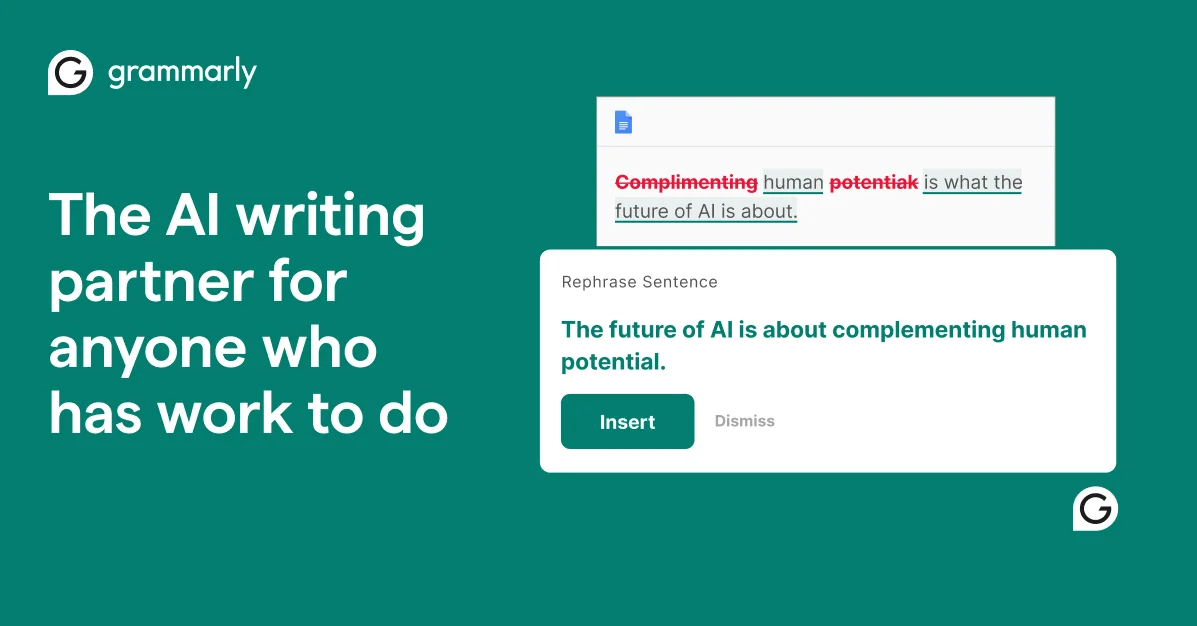
Grammarly
Turn your thoughts into clear, credible writing that's impossible to ignore, wherever you write.

Wordtune
Express yourself with confidence using AI that paraphrases, rewrites, and perfects your writing.