
ProWritingAid Review 2026 - Story-First Editing
Verified Oct 6, 2026 by Tooliverse Editorial
ProWritingAid walks you from first idea to finished manuscript, with story critique, 25+ line-editing reports, and a writing community. Over 4 million users improve their writing with it, and it never writes your story for you.
ProWritingAid Overview: The Ultimate Writing Tool for Storytellers
ProWritingAid — Plot Analysis Review
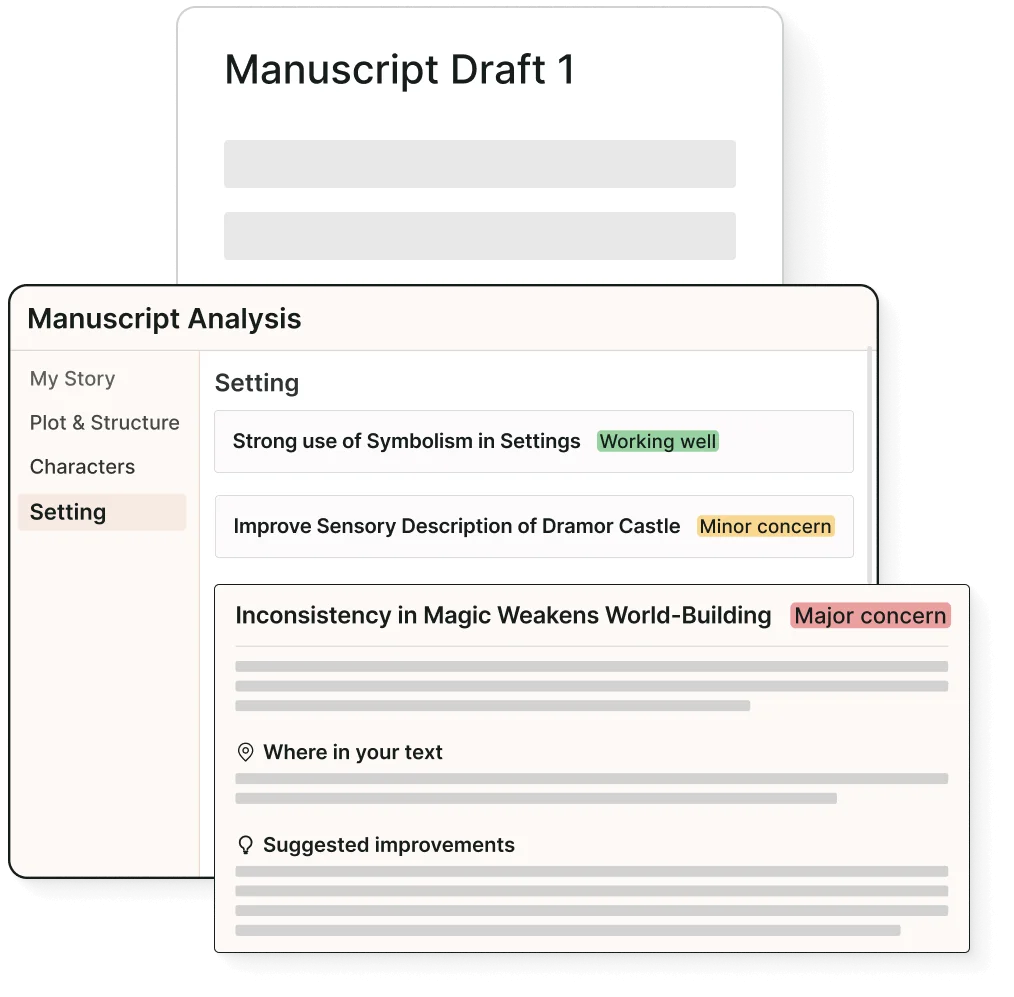
Receive AI-powered feedback on your manuscript's setting, plot, characters, and more.
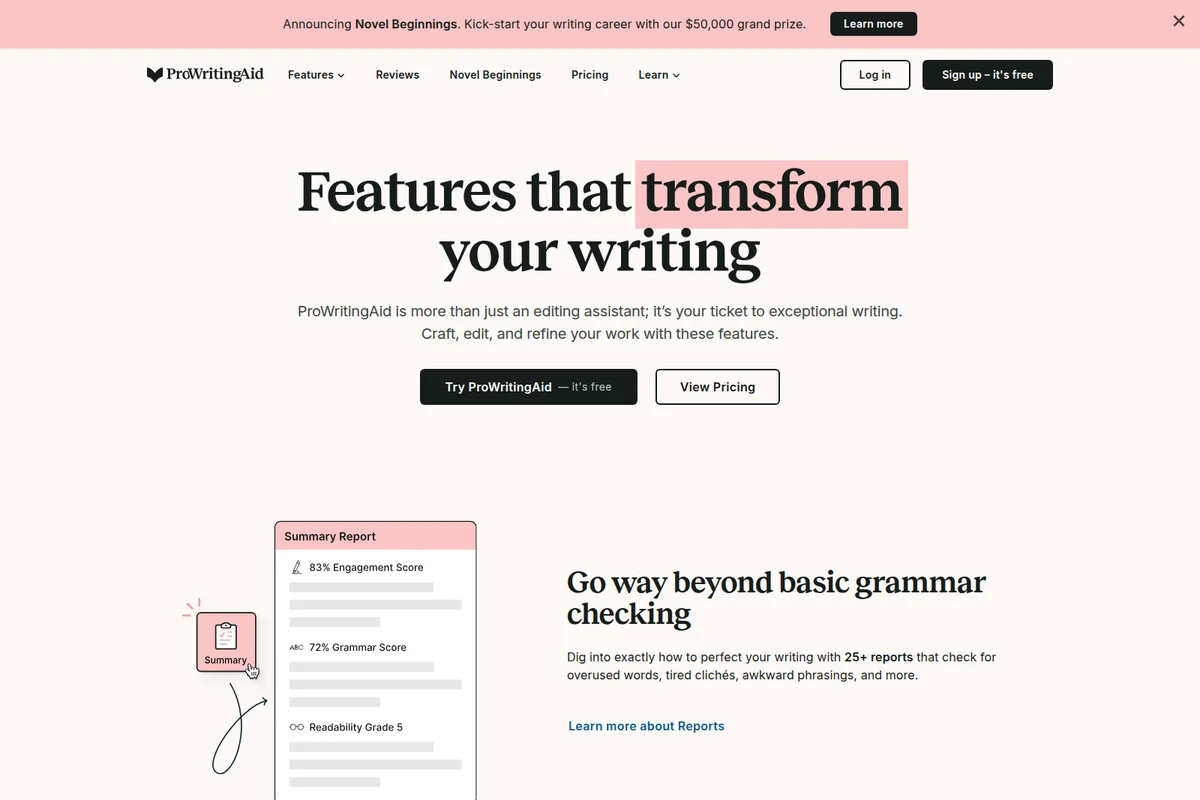
Understand your writing's engagement, grammar, and readability at a glance with comprehensive reports.
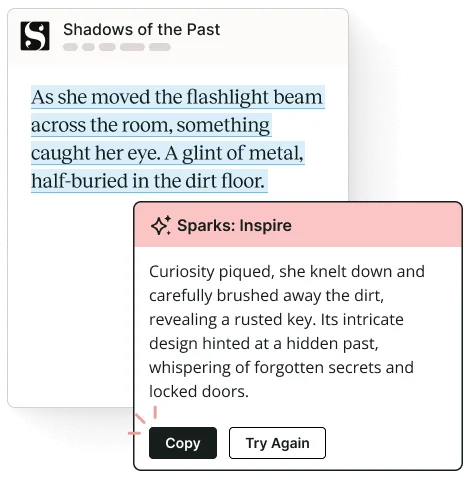
Unlock your creativity with AI-powered story suggestions.
Bring your story to life with tools that craft, polish, and elevate your writing.
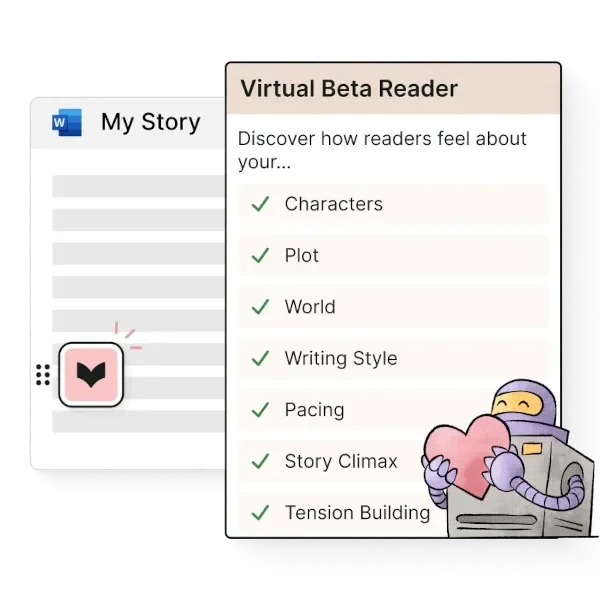
Get AI-powered feedback on your story's characters, plot, and pacing.
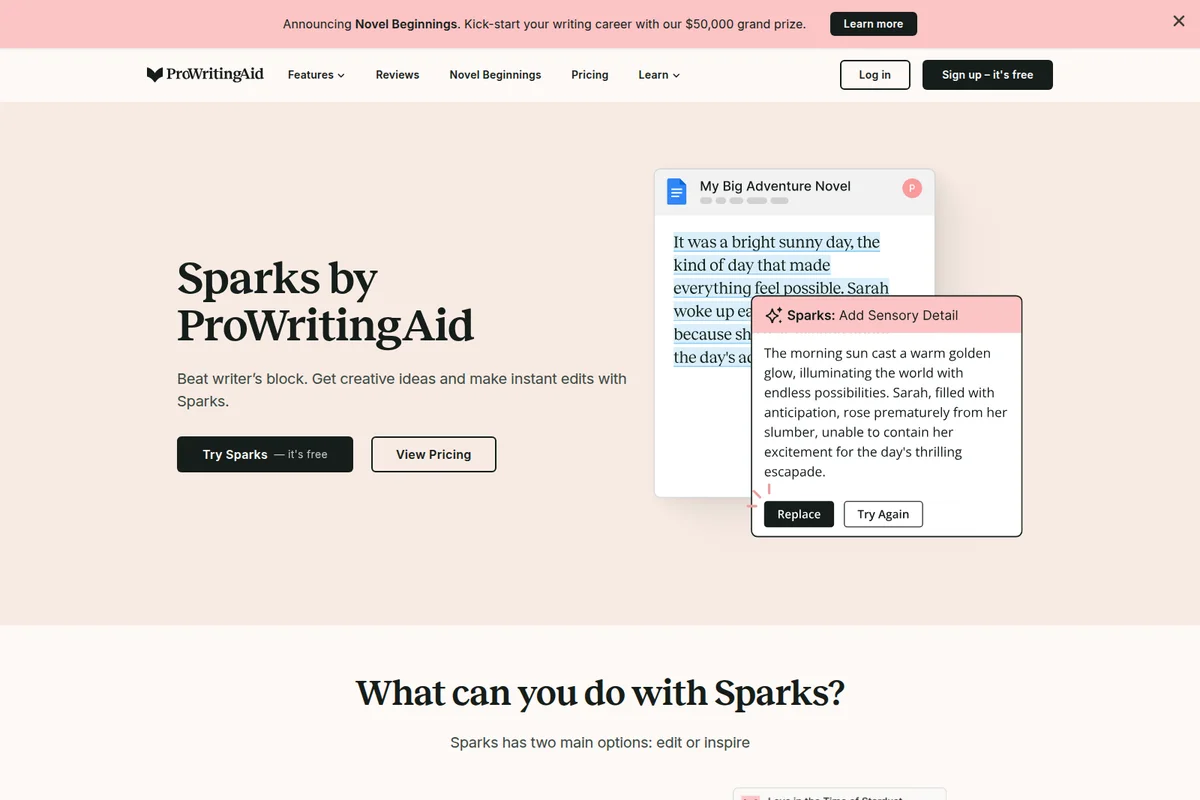
Get AI-powered suggestions to add rich sensory detail to your writing.

Unlocking diverse narratives and refining every story with powerful writing assistance.

Fight for flawless prose with expert-level editing assistance.
ProWritingAid Review: Tooliverse Consensus






Based on 13k+ verified reviews across 6 platforms,
combined with Tooliverse's expert analysis
ProWritingAid works as an editor-in-residence for novelists and academic writers, flagging pacing, dialogue, and sentence-level habits and explaining why each suggestion matters. Reviewers single out its Scrivener and Google Docs integrations and the lifetime license as standout strengths. The catches are practical: the desktop app can lag on manuscripts past 50,000 words, browser extensions sometimes clash with other plugins, and AI rephrasing can sand down an author's voice. Writers who treat suggestions as prompts rather than orders get the most from it.
Bottom line: A strong mentor for novelists and academic writers, ProWritingAid teaches why its edits matter, though desktop lag on 50,000-word manuscripts and generic AI rephrasing keep it from feeling effortless.
ProWritingAid | Key Specs
- Platforms
- Web, Windows, macOS, Chrome/Edge/Firefox extensions
- Pricing Model
- Freemium ($0-36/mo; lifetime $399-699) See plans
- Privacy/Data Use
- Never trains on your text; text not stored on servers
- Security
- Bank-level security, encrypted data transmission See details
Wins
- •Delivers deep stylistic analysis that targets structural issues like pacing and dialoguementioned in 185 reviews
- •Integrates seamlessly with Scrivener and Google Docs for complex long-form projectsmentioned in 142 reviews
- •Provides educational feedback that explains the logic behind specific grammar and style suggestionsmentioned in 128 reviews
Watch-Outs
- •Desktop application can experience significant lag when processing manuscripts over 50k wordsmentioned in 74 reviews
- •Browser extensions occasionally conflict with other plugins or web-based editorsmentioned in 62 reviews
- •AI-driven rephrasing suggestions can sometimes feel generic or strip away authorial voicementioned in 54 reviews
ProWritingAid Features 2026
Story Canvas
Guided prompts to explore characters, plot, setting and structure before drafting, with feedback on your story idea.
Chapter Critique
Instant feedback on pacing, dialogue, prose, plot, characters and setting for a single chapter.
Manuscript Analysis
Editor-style, prioritized feedback on your whole manuscript covering plot, pacing, setting and next steps.
Virtual Beta Reader
Reader-perspective feedback on hook points, emotional impact and drop-off points.
ProWritingAid User Reviews
Selected Reviews
"The depth of the reports is unmatched. It doesn't just fix typos; it teaches me why my sentence structure was weak, helping me grow as a writer rather than just providing a quick band-aid for my errors."
"ProWritingAid's rephrase tool is surprisingly good at keeping the original meaning while making the tone more professional. It's become a core part of my daily email workflow."
"The suggestions are helpful but the interface feels cluttered. I spend too much time clicking through menus to find specific reports, which breaks my creative flow when I'm trying to edit quickly."
More from the Community
"As a self-published author, the Scrivener integration is a lifesaver. It caught echoes and pacing issues my eyes missed during my third pass."
"Great tool for polishing blog posts. The Chrome extension works perfectly in WordPress."
"Solid alternative to Grammarly. It's much more focused on the craft of writing."
"I love the analysis, but the Mac desktop app crashes frequently when I'm working on files over 50k words. It's frustrating to lose progress."
"The plagiarism checker and the style consistency reports saved my thesis. Worth every penny for the premium version."
"As a self-published author, the Scrivener integration is a lifesaver. It caught echoes and pacing issues my eyes missed during my third pass."
"Great tool for polishing blog posts. The Chrome extension works perfectly in WordPress."
"Solid alternative to Grammarly. It's much more focused on the craft of writing."
"I love the analysis, but the Mac desktop app crashes frequently when I'm working on files over 50k words. It's frustrating to lose progress."
"The plagiarism checker and the style consistency reports saved my thesis. Worth every penny for the premium version."
"The AI features are a nice addition, but I find myself rejecting about 40% of the suggestions to keep my voice intact. It's a bit too aggressive with 'standardizing' prose."
"Best investment for my writing career. The detailed feedback on 'sticky sentences' has completely changed how I draft."
"Excellent for technical writing. It helps me strip out passive voice and jargon that usually creeps into my documentation, making it much more accessible for our end users."
"The lifetime deal was the best purchase I've made. It's a comprehensive suite that replaces three other tools I was using previously."
"The AI features are a nice addition, but I find myself rejecting about 40% of the suggestions to keep my voice intact. It's a bit too aggressive with 'standardizing' prose."
"Best investment for my writing career. The detailed feedback on 'sticky sentences' has completely changed how I draft."
"Excellent for technical writing. It helps me strip out passive voice and jargon that usually creeps into my documentation, making it much more accessible for our end users."
"The lifetime deal was the best purchase I've made. It's a comprehensive suite that replaces three other tools I was using previously."
ProWritingAid Pricing 2026
View SourcePremium at $10/month billed annually is the tier to pick: unlimited line editing reports and Rephrases are exactly what the free plan's 500-word cap withholds. Premium Pro mainly raises Chapter Critique, Creative Nudge, and Spark limits and adds community features, so skip it unless you critique chapters daily. Writers planning to stay for years should price the $399 lifetime license against a little over three years of Premium.
ProWritingAid In-Depth Review 2026

Built by Orpheus Technology for authors, ProWritingAid has over 4 million users and covers the whole book journey: planning with Story Canvas, drafting, line editing through more than 25 reports, story critique, and publishing prep. It runs in MS Word, Google Docs, Scrivener, Chrome, Firefox, and Edge through Desktop Everywhere and browser extensions. The AI is assistive, and the company says it will never write the story for you.
What It's Like Day-to-Day
Reviewers describe a loop that is easy to fall into: run a chapter through the pacing, sticky sentence, echo, and dialogue tag reports, then work down the highlighted passages. The draw is the explanation attached to each flag. A G2 reviewer says the reports go beyond fixing typos and teach "why my sentence structure was weak", which is the difference between correcting a draft and getting better at drafting. Users in the 128 reviews that mention this say they start dodging their own habits before the software points them out.
Integration carries the long-form story.
ProWritingAid Security & Compliance
Security Features
- Bank-level security
- Encrypted data transmission for analysis
Privacy Commitments
- Never uses your text to train algorithms
- Text is never stored on servers or shared; used only to improve your writing
- GDPR information page provided
ProWritingAid: Frequently Asked Questions (FAQs)
Does ProWritingAid have a free plan?
Yes, ProWritingAid has a Free plan that includes Story Canvas, Writing Sessions, grammar, spelling and punctuation checks, 10 Rephrases per day, 3 Creative Nudges and 3 Sparks per day, and 2 runs per line editing report per day on up to 500 words.
How much does ProWritingAid cost?
Premium costs $30/month billed monthly or $10/month billed yearly ($120), and Premium Pro costs $36/month or $12/month billed yearly ($144). Lifetime plans are $399 (Premium) and $699 (Premium Pro).
What is the refund policy?
Yearly and lifetime plans can be refunded if you contact ProWritingAid within three days of purchase. Monthly plans are not refundable, and Story Credits are nonrefundable except credits bought with a new subscription that is cancelled under the three-day guarantee.
What is the benefit of paid vs Free?
Paid plans allow unlimited word counts for line editing reports and unlimited Rephrases, plus more Sparks, Chapter Critiques, Creative Nudges, Premium style suggestions and discounts on Story Credits.
ProWritingAid Integrations
| Microsoft Word | Google Docs | Scrivener |
| Vellum | Apple Notes | Atticus |
| Wattpad | Chrome | Microsoft Edge |
| Firefox | Notion | Apple Pages |
| Milanote | Gmail | Discord |
ProWritingAid: Verified Data Sheet
| # | Label | Data Point |
|---|---|---|
| [1] | ProWritingAid Consensus: 7.96/10 | ProWritingAid is a well-reviewed tool among AI writing tools in the Tooliverse index, with a consensus score of 7.96/10 across 13,100 verified reviews. |
| [2] | What is ProWritingAid | ProWritingAid, by Orpheus Technology, is an independent writing assistant for authors, covering planning, line editing, story critique and publishing prep. It has over 4 million users, with a free plan and paid plans from $10/month billed yearly. |
| [3] | Tooliverse Consensus on ProWritingAid | ProWritingAid works as an editor-in-residence for novelists and academic writers, flagging pacing, dialogue, and sentence-level habits and explaining why each suggestion matters. Reviewers single out its Scrivener and Google Docs integrations and the lifetime license as standout strengths. The catches are practical: the desktop app can lag on manuscripts past 50,000 words, browser extensions sometimes clash with other plugins, and AI rephrasing can sand down an author's voice. Writers who treat suggestions as prompts rather than orders get the most from it. |
| [4] | ProWritingAid Verdict | ProWritingAid bottom line: A strong mentor for novelists and academic writers, ProWritingAid teaches why its edits matter, though desktop lag on 50,000-word manuscripts and generic AI rephrasing keep it from feeling effortless. |
| [5] | Free: Free | ProWritingAid provides a functional Free tier with Story Canvas and Writing Sessions, plus 2 runs per line editing report per day (500 words), so writers can try its tools at no cost. |
| [6] | Deep pacing and dialogue analysis | ProWritingAid delivers deep stylistic analysis aimed at structural issues such as pacing and dialogue, a strength validated by 185 user reviews and supported by 25+ line editing reports. |
| [7] | Scrivener and Google Docs integration | ProWritingAid integrates with Scrivener and Google Docs for long-form projects, a strength cited in 142 user reviews, and also works in MS Word, Chrome, Firefox and Edge via Desktop Everywhere and extensions. |
| [8] | Explains the why behind suggestions | ProWritingAid explains the reasoning behind its grammar and style suggestions, so writers learn why a sentence is weak, according to 128 user reviews. |
| [9] | Premium (Monthly): $30/month | Orpheus Technology's ProWritingAid Premium (Monthly) empowers users with Unlimited line editing report runs and Rephrases for just $30 monthly, significantly expanding on the free tier's capabilities. |
| [10] | Lifetime license adds long-term value | ProWritingAid offers a lifetime license, priced at $399 for Premium and $699 for Premium Pro, and 115 user reviews cite it as strong long-term value for professionals. |
| [11] | Desktop lag past 50k words | ProWritingAid's desktop application can lag significantly on manuscripts over 50,000 words, according to 74 user reports. |
| [12] | Extension conflicts with other plugins | ProWritingAid's Chrome, Firefox and Edge browser extensions occasionally conflict with other plugins or web-based editors, according to 62 user reports. |
| [13] | Privacy: Never uses your text to train algorithms | ProWritingAid's privacy protections cover three points: Never uses your text to train algorithms, Text is never stored on servers or shared; used only to improve your writing, and GDPR information page provided. |
| [14] | Enterprise: Bank-level security | ProWritingAid secures user work with Bank-level security and Encrypted data transmission for analysis. |
| [15] | Reports teach, not just correct | ProWritingAid "teaches me why my sentence structure was weak" instead of only fixing typos, according to a verified G2 reviewer who called the depth of its reports unmatched. |
Compare ProWritingAid with…
Best ProWritingAid Alternatives
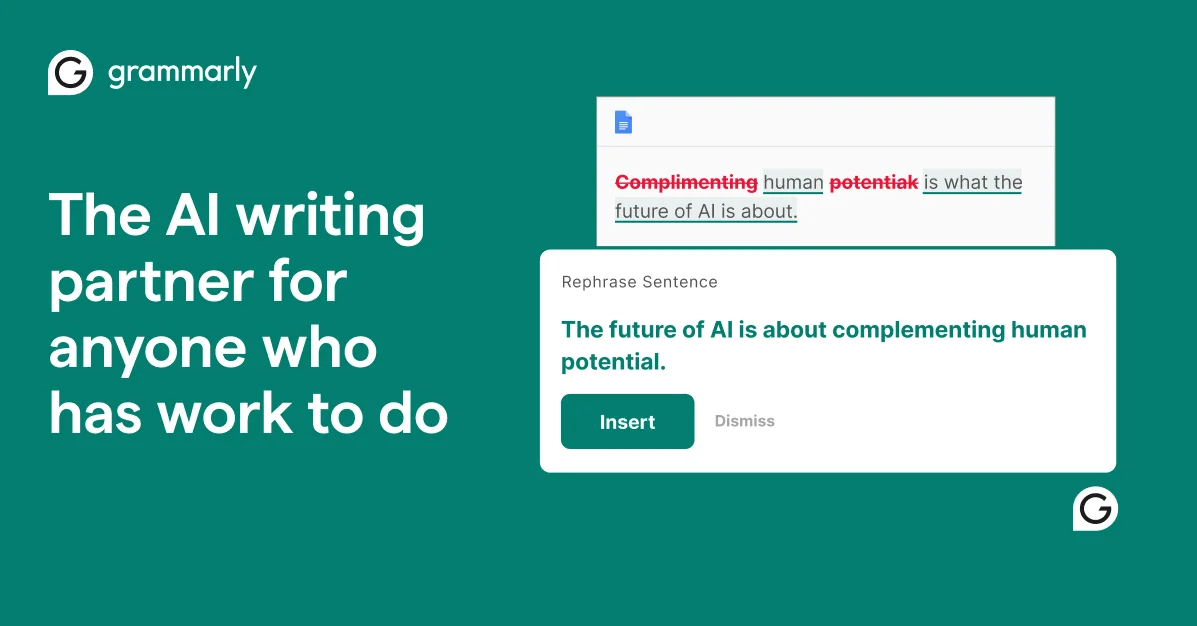
Grammarly
Turn your thoughts into clear, credible writing that's impossible to ignore, wherever you write.
Hemingway Editor
Write bolder, clearer prose with AI that fixes wordy sentences and grammar in one click.
Wordvice AI
Polish every essay, paper, and email with a free AI writing assistant built by professional editors.