
Descript Review 2026 - AI Video & Podcast Editing
Verified Sep 29, 2026 by Tooliverse Editorial
Descript turns video editing into text editing: record or upload, get an instant transcript, then cut, trim, and rearrange by editing words. Its AI co-editor Underlord can even do the heavy lifting for you.
How to Create a Guest Content Kit That Gets You More "Yes" Replies | Descript #shorts #videoediting
Descript AI Review 2026: Does It Actually Save You Hours of Editing?
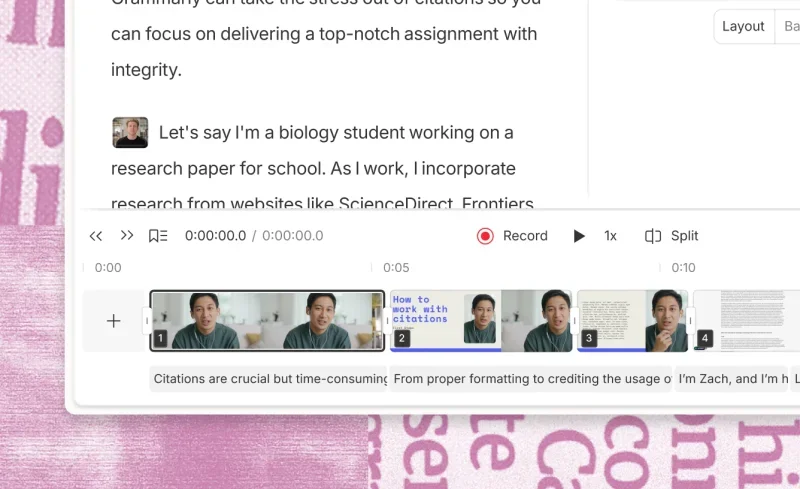
Edit videos by simply editing text, complete with a visual timeline.

Edit video effortlessly by typing, or let AI co-editor enhance your clips.
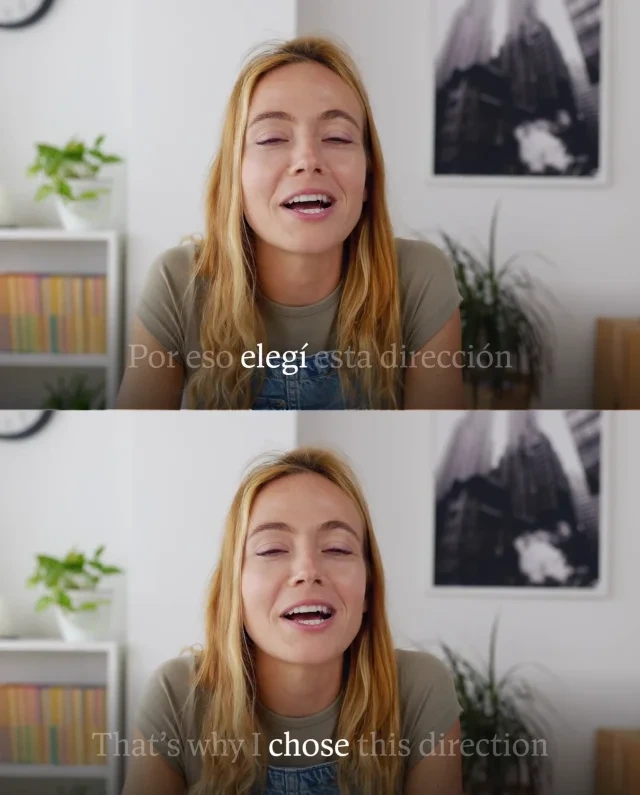
Edit video by editing text: instantly translate and highlight words for precision.
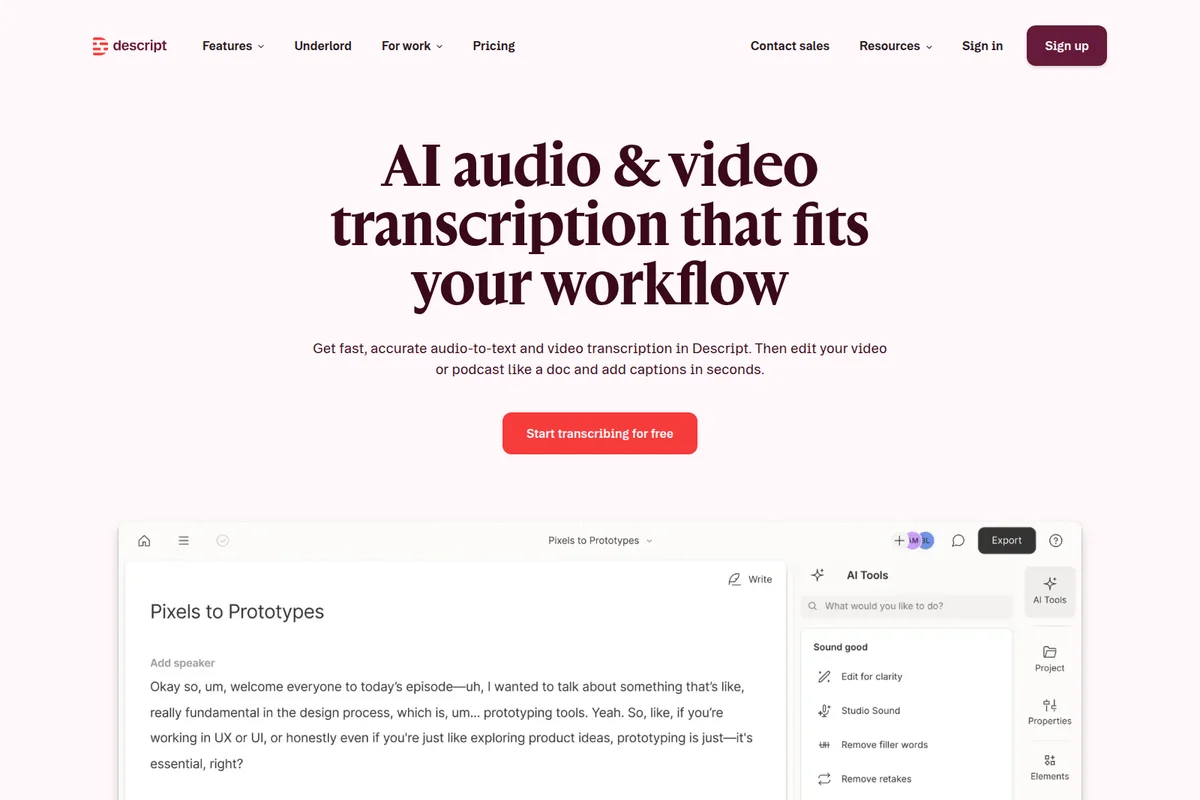
Get fast, accurate AI transcription, then edit audio and video like a document.
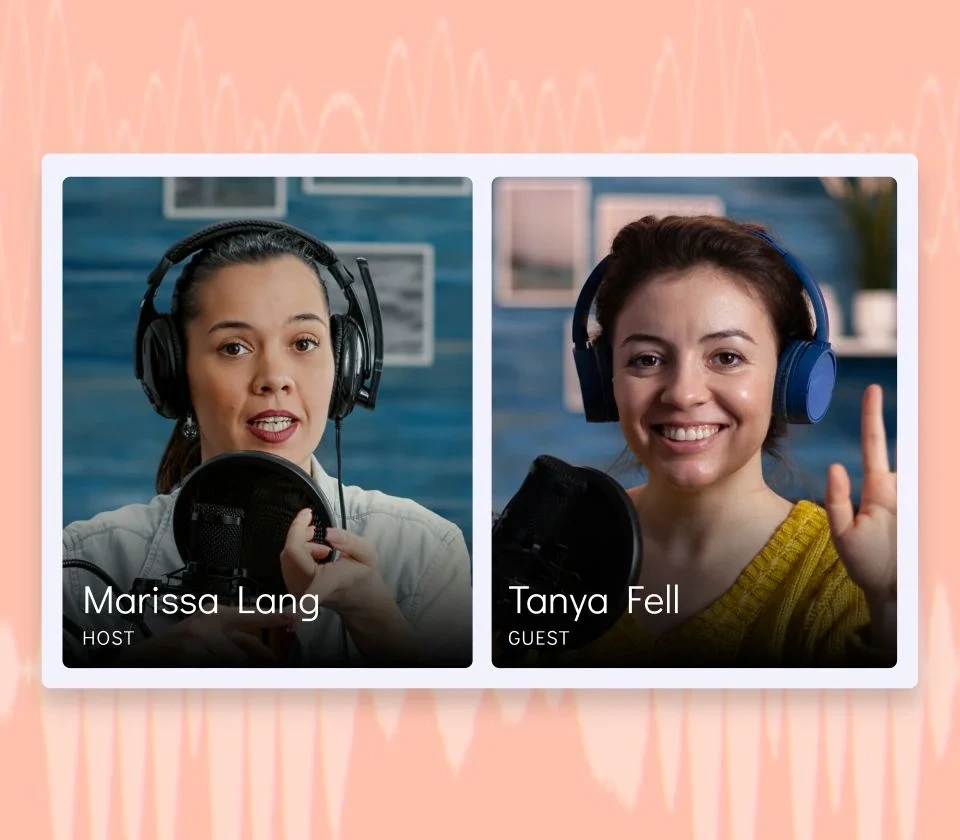
Visualize and manage your podcast hosts and guests during recording.
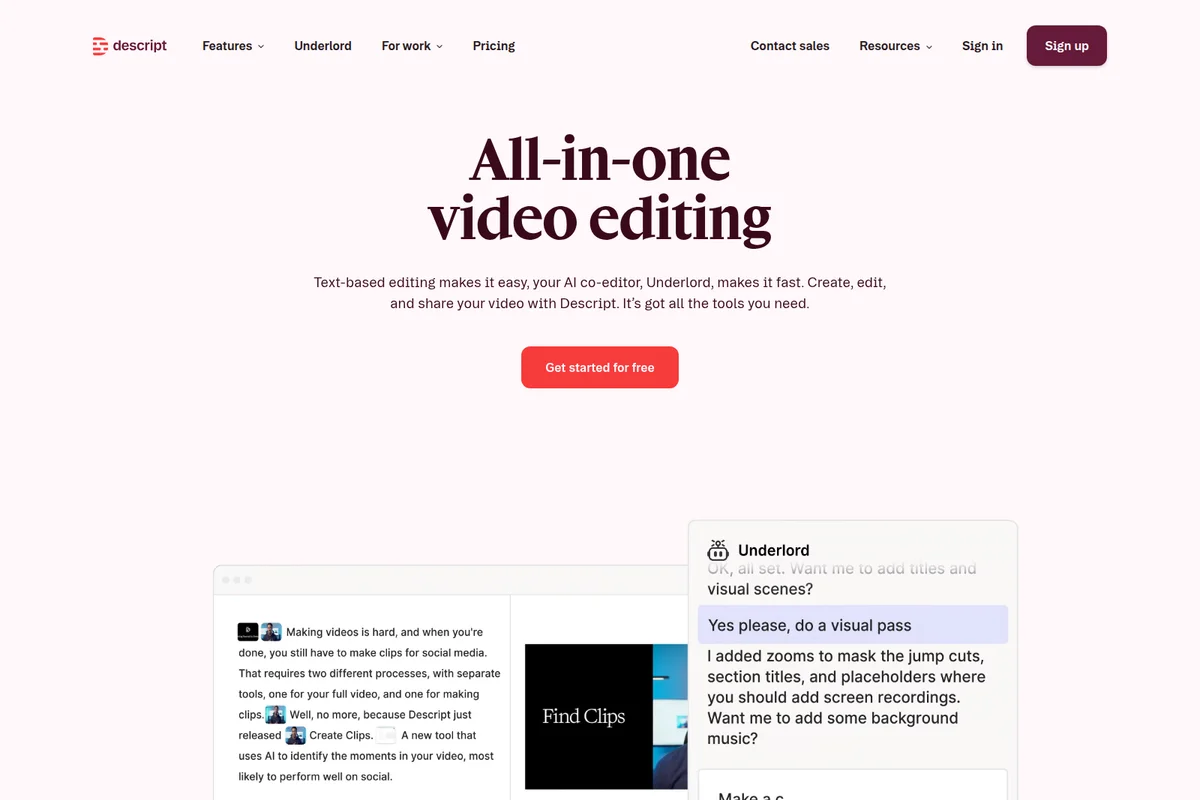
Edit video like text and get AI suggestions from your co-editor, Underlord.

Visualize sales growth and key performance indicators in a compelling presentation format.
Descript Review: Tooliverse Consensus





Based on 3k+ verified reviews across 6 platforms,
combined with Tooliverse's expert analysis
Descript turns video editing into a writing task, letting users cut footage by deleting words from a transcript instead of scrubbing a timeline. That approach, combined with one-click Studio Sound cleanup and accurate auto-transcription, explains why podcasters and content teams describe it as transformative for their workflow. The tradeoffs show up at the edges: AI credits run out faster than expected on paid tiers, and the newer Storyboard interface asks longtime users to relearn habits.
Bottom line: A leading text-based video editor that makes cutting footage as easy as editing a document, though AI credit limits and the Storyboard redesign frustrate some longtime users.
Descript | Key Specs
- Platforms
- Web, macOS, Windows
- Pricing Model
- Freemium ($0-65+/mo per person) See plans
- Privacy/Data Use
- Project data confidential even from Descript; not used for marketing or ads
- Security
- SOC 2 Type II, GDPR compliant, SAML SSO/SCIM See details
Wins
- •Revolutionizes video editing by allowing users to edit footage as easily as a text documentmentioned in 842 reviews
- •Delivers professional-grade audio clarity with the one-click Studio Sound enhancement toolmentioned in 615 reviews
- •Provides highly accurate automated transcriptions that significantly speed up the subtitling processmentioned in 538 reviews
Watch-Outs
- •Experiences noticeable performance lag and stuttering when handling long or high-resolution projectsmentioned in 208 reviews
- •Presents a steep learning curve for users transitioning to the newer Storyboard-based workflowmentioned in 175 reviews
- •Imposes restrictive monthly limits on AI-powered features even for paid subscribersmentioned in 148 reviews
Descript Features 2026
Text-based video editing
Edit video by editing an auto-generated transcript—delete a word to delete that moment of footage, move a sentence to move the clip.
Underlord AI co-editor
An agentic AI assistant that can read a script, watch a video, and execute complex edits like trimming, adding zooms, or turning a rant into a polished thought-leadership video from a single prompt.
Studio Sound
One-click AI background-noise removal and voice enhancement for studio-quality audio without a professional setup.
Eye Contact
AI subtly adjusts a speaker's gaze to appear as if looking directly at the camera, useful when reading off a script or teleprompter.
Descript User Reviews
Selected Reviews
"Absolute game-changer for podcast production! Being able to edit audio like a text document and clean up sound in one click saves us hours every week."
"The text-based editing is exactly as good as people say. What used to take me 2.5 hours of scrubbing through a waveform takes about 40 minutes now."

"Very good editing program, but completely ridiculous that AI-features are based on credits. Credits are consumed very fast and then you get stuck."
More from the Community
"The ability to edit by removing words and chunks from the transcript is superb - it really makes editing a breeze for a complete amateur like me."
"Descript is the best editor I've used for talking-head video, but the transcription is noticeably worse on accents and technical jargon."
"Underlord is useful for repetitive work but the same prompt can cost a different number of credits each run, which is frustrating for budgeting."
"The performance and resource usage can be a real headache. It's a notorious CPU hog, so if you don't have a beefy computer, you might hear the fans spinning."
"The ability to edit by removing words and chunks from the transcript is superb - it really makes editing a breeze for a complete amateur like me."
"Descript is the best editor I've used for talking-head video, but the transcription is noticeably worse on accents and technical jargon."
"Underlord is useful for repetitive work but the same prompt can cost a different number of credits each run, which is frustrating for budgeting."
"The performance and resource usage can be a real headache. It's a notorious CPU hog, so if you don't have a beefy computer, you might hear the fans spinning."
"It saves significant time for repurposing content under deadline, even if it is less suited to very precise, advanced cinematic edits."
"Helpful for quick social clips, but I've had nothing but problems with bugs from day one. It doesn't always do what support says it will."
"Studio Sound genuinely saves hours per week. I had a guest record on a laptop mic and Descript cleaned it up with one click."
"The new Storyboard workflow is confusing. I preferred the old version where everything felt more linear and less like a slide deck."
"It saves significant time for repurposing content under deadline, even if it is less suited to very precise, advanced cinematic edits."
"Helpful for quick social clips, but I've had nothing but problems with bugs from day one. It doesn't always do what support says it will."
"Studio Sound genuinely saves hours per week. I had a guest record on a laptop mic and Descript cleaned it up with one click."
"The new Storyboard workflow is confusing. I preferred the old version where everything felt more linear and less like a slide deck."
Descript Pricing 2026
View SourceThe free plan is genuinely usable for testing the workflow, but Hobbyist at $16/month billed annually is where most solo creators should land: 10 media hours, watermark-free 1080p exports, and full Underlord access cover a regular podcast or YouTube schedule. Teams repurposing long recordings into multiple clips should look at Creator at $24/month billed annually for the extra media hours and 4K export.
Descript In-Depth Review 2026

Descript rebuilds video and audio editing around the transcript instead of the timeline. Record or upload a file, let the AI transcribe it, then edit by deleting, moving, or rewriting words the way you'd edit a Google Doc. It runs on desktop and web, handling everything from solo podcast production to team-based marketing workflows, and its AI agent Underlord can execute entire edit sequences from a single typed instruction.
What It's Like Day-to-Day
The daily experience is disarmingly simple once it clicks: you stop thinking about frames and start thinking about sentences. Delete a rambling tangent from the transcript, and the corresponding footage vanishes with it. Move a paragraph, and the clip moves too. One G2 reviewer summed up the appeal well, calling it an "absolute game-changer for podcast production" since editing audio like a text document and cleaning up sound in one click saves hours every week.
That one-click cleanup refers to Studio Sound, which strips background noise and evens out inconsistent mic quality automatically. It's the feature editors mention most after the core text editing, and for good reason: a guest recording on a laptop mic in a noisy room can come out sounding like a studio booth.
Descript Security & Compliance
Verified Compliance
- SOC 2 Type II
- GDPR compliant
Security Features
- SAML SSO and SCIM
- AES-256 encryption at rest
- TLS 1.2 encryption in transit (HTTPS)
- Multi-factor authentication (MFA) for employee access
Privacy Commitments
- Project information is confidential, even from Descript employees
- Project data not used for marketing or advertising, and not sold
- CCPA compliant, Privacy by Design framework
- Enterprise plans offer AI opt-out of training and custom data retention
Descript: Frequently Asked Questions (FAQs)
Is Descript free?
Yes, Descript has a free plan with no credit card required. Users can record, edit, and publish for free, and upgrade only when they outgrow the limits (1 media hour/month, 100 one-time AI credits, 720p export with watermark).
What are media hours and AI credits?
Media hours track uploaded or recorded media in Descript, regardless of whether it's transcribed. AI credits track usage of AI features like Underlord, Studio Sound, Green Screen, Eye Contact, and AI-generated media and avatars.
Do I need a credit card to try Descript?
No, Descript's Free plan includes everything needed to record, edit, and mix audio and video content without entering billing information.
What is Descript?
Descript is an AI video and audio editor that lets users edit by editing text. Users record or upload content, Descript's AI transcribes it, then they cut, trim, and rearrange the video by changing the transcript.
Descript Integrations
| Google Drive | Slack | YouTube |
| Adobe Audition | Adobe Premiere | Ecamm |
| Final Cut Pro | Dropbox | Restream |
| SquadCast | Captivate | Zoom |
| Wistia | Coursera | Blubrry |
| Buzzsprout | Castos | eWebinar |
| Headliner | Hello Audio | Podbean |
| Podcast.co | Transistor | VideoAsk |
| HubSpot | Apple Logic | Avid Pro Tools |
| REAPER | DaVinci Resolve |
Descript: Verified Data Sheet
| # | Label | Data Point |
|---|---|---|
| [1] | Descript Consensus: 8.76/10 | Descript is a highly-rated tool among AI video tools in the Tooliverse index, with a consensus score of 8.76/10 across 3,183 verified reviews. |
| [2] | What is Descript | Descript is an AI-powered video and podcast editor, backed by $100M in funding including the OpenAI Startup Fund, that lets users edit video by editing a text transcript. Its AI agent Underlord automates complex edits, and the platform serves 6M+ creators and teams including Amazon, Canva, and Salesforce, with pricing from free to $65/month per person. |
| [3] | Tooliverse Consensus on Descript | Descript turns video editing into a writing task, letting users cut footage by deleting words from a transcript instead of scrubbing a timeline. That approach, combined with one-click Studio Sound cleanup and accurate auto-transcription, explains why podcasters and content teams describe it as transformative for their workflow. The tradeoffs show up at the edges: AI credits run out faster than expected on paid tiers, and the newer Storyboard interface asks longtime users to relearn habits. |
| [4] | Descript Verdict | Descript bottom line: A leading text-based video editor that makes cutting footage as easy as editing a document, though AI credit limits and the Storyboard redesign frustrate some longtime users. |
| [5] | Free: Free | Descript's Free tier gives users 1 media hour per month and 100 one-time AI credits, making core AI-powered editing tools accessible at no cost. |
| [6] | Underlord automates editing tasks | Descript simplifies complex editing workflows through its Underlord AI assistant, which automates multi-step editing tasks from a single prompt and is highlighted in 405 user reviews. |
| [7] | Overdub voice cloning for fixes | Descript enables seamless voice corrections using its Overdub AI voice cloning feature, which 372 user reviews describe as impressively realistic for fixing flubbed lines without a re-record. |
| [8] | Hobbyist: $16/person/mo (annual) | Descript Hobbyist offers 10 media hours per month for $16/person/month billed annually, a significant expansion over the free tier's capabilities. |
| [9] | Edits video like a text document | Descript revolutionizes video editing by letting users cut footage the way they'd edit a text document, a workflow validated by 842 user reviews as a fundamental shift in editing speed. |
| [10] | One-click Studio Sound audio cleanup | Descript delivers professional-grade audio clarity through its one-click Studio Sound enhancement tool, a capability praised in 615 user reviews for removing background noise and cleaning up low-quality recordings instantly. |
| [11] | AI credit limits on paid tiers | Descript imposes monthly limits on AI-powered features even for paid subscribers, with 148 user reviews reporting that AI credits (ranging from 400 to 1,500 per month depending on tier) get consumed faster than expected. |
| [12] | Transcription gaps on jargon/accents | Descript occasionally struggles to accurately transcribe technical terminology or thick accents, a shortfall documented in 118 user reviews. |
| [13] | SOC 2 Type II | Descript holds SOC 2 Type II certification and is GDPR compliant. |
| [14] | Enterprise: SAML SSO and SCIM | Descript secures enterprise accounts with SAML SSO and SCIM, AES-256 encryption at rest, and TLS 1.2 encryption in transit (HTTPS). |
| [15] | "Game-changer" for podcast editing | Descript users praise the text-based editing workflow directly, with one G2 reviewer calling it an "absolute game-changer for podcast production" that saves hours every week by editing audio like a text document. |
Best Descript Alternatives
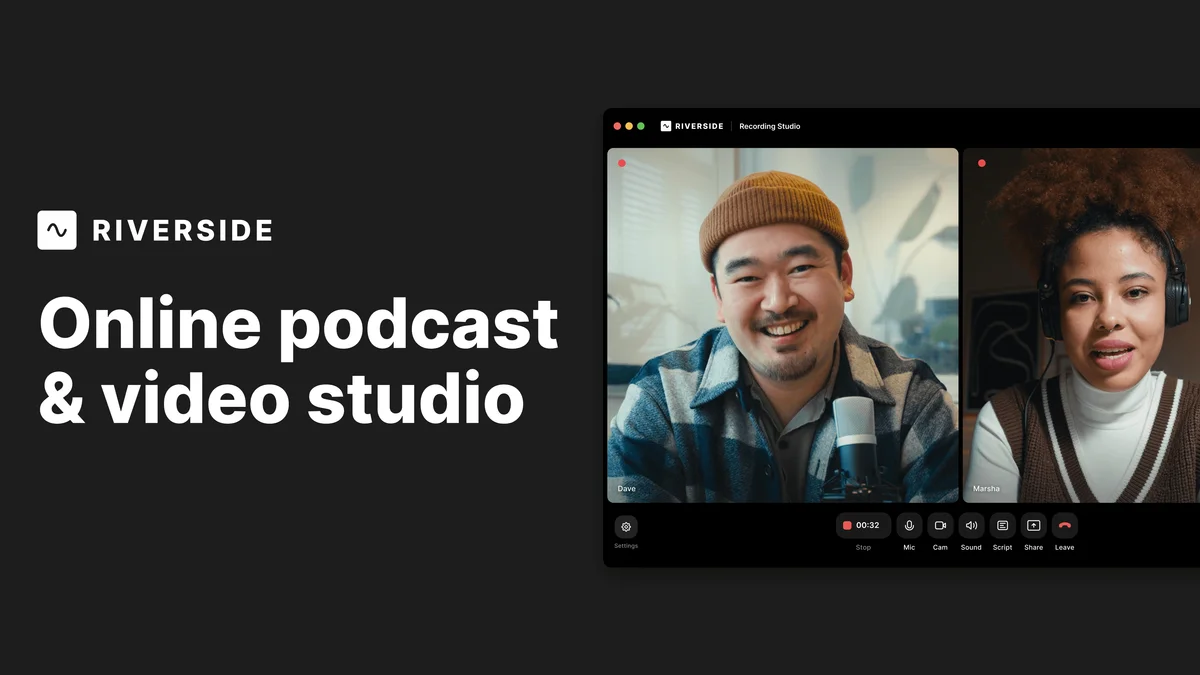
Riverside
Record, edit, and share studio-quality content as if you had a full crew behind you.
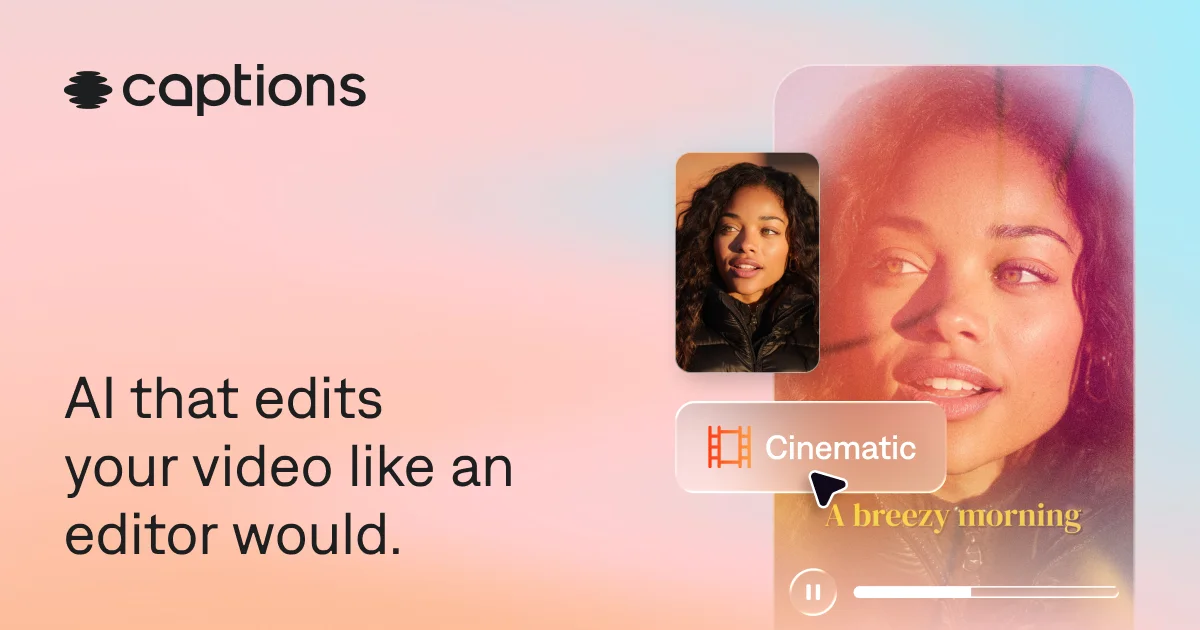
Captions
Turn raw footage into fully-edited, professional videos in minutes with AI that edits like a human would.

Async
Chat with AI to cut, polish, and publish videos like you've got a professional editor on call.