
Jamie Review 2026 - Bot-Free Meeting Notes
Verified Oct 2, 2026 by Tooliverse Editorial
Jamie listens from your device, so no awkward bot ever joins your call. Walk in with briefings, leave with accurate notes in 99+ languages, and let workflows update your CRM while you get on with your day.
Free AI Note Taker: Jamie AI Review
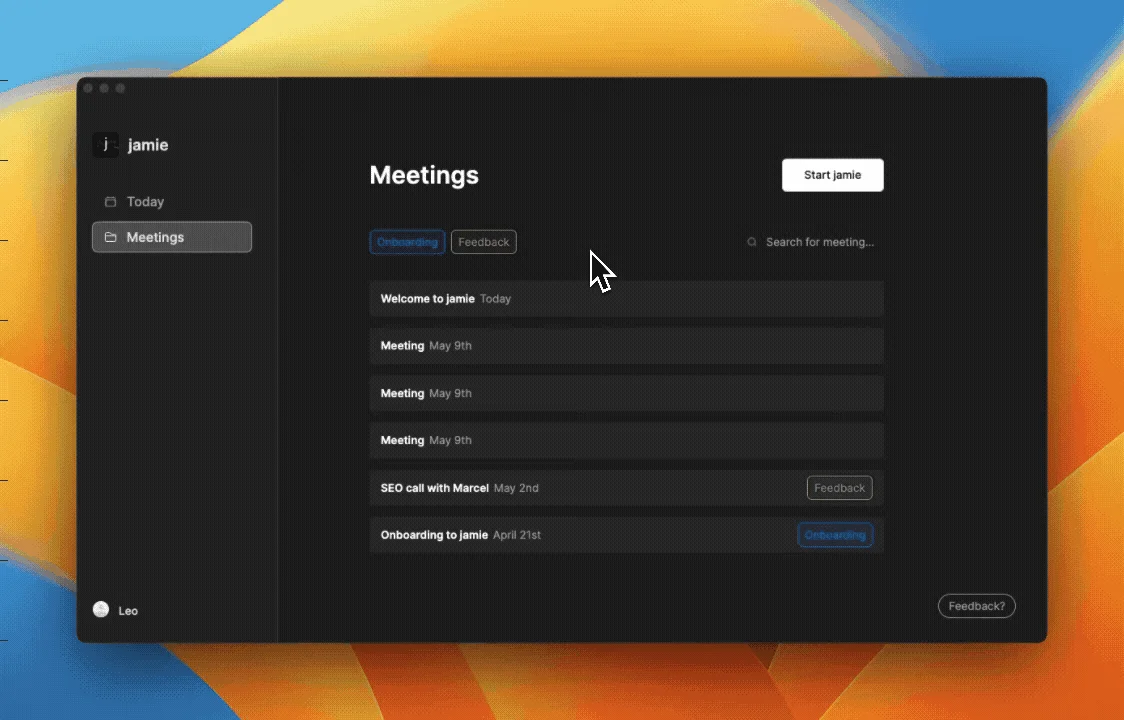
Effortlessly organize and filter your meetings, including dedicated onboarding sessions.
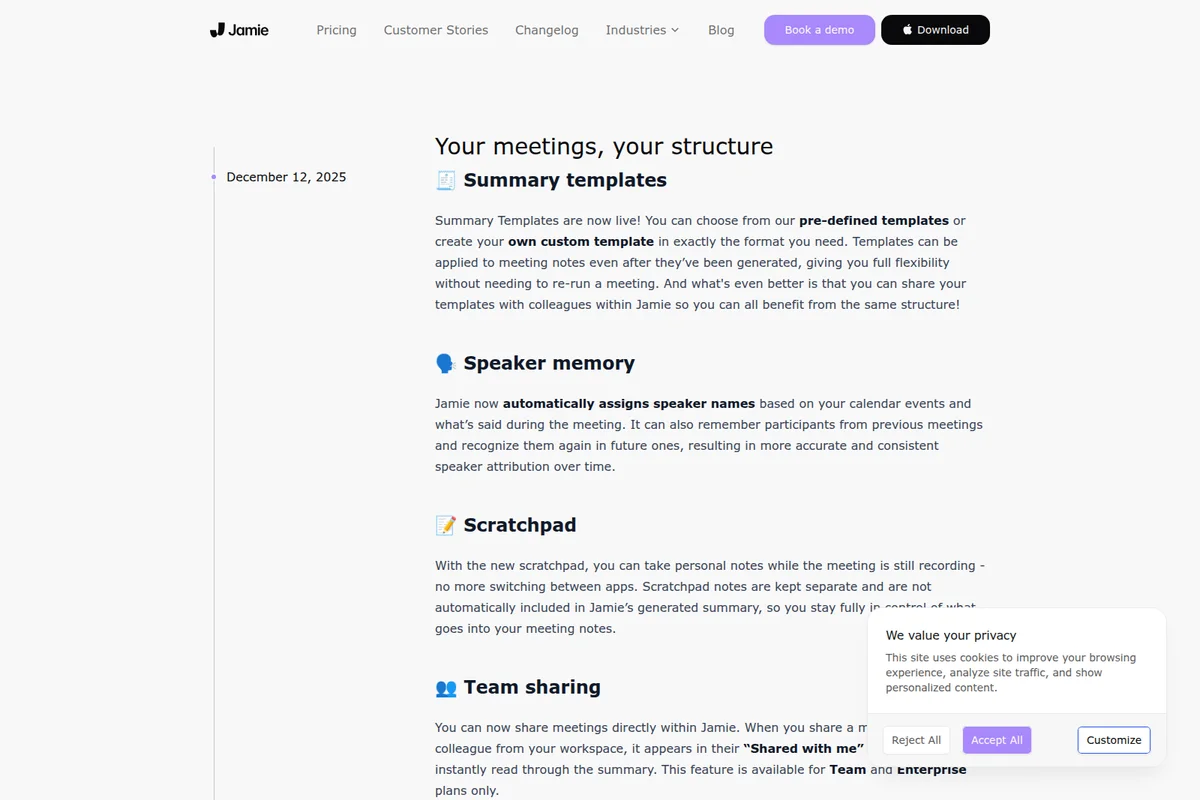
Jamie's latest features: customizable summaries, speaker memory, and scratchpad.
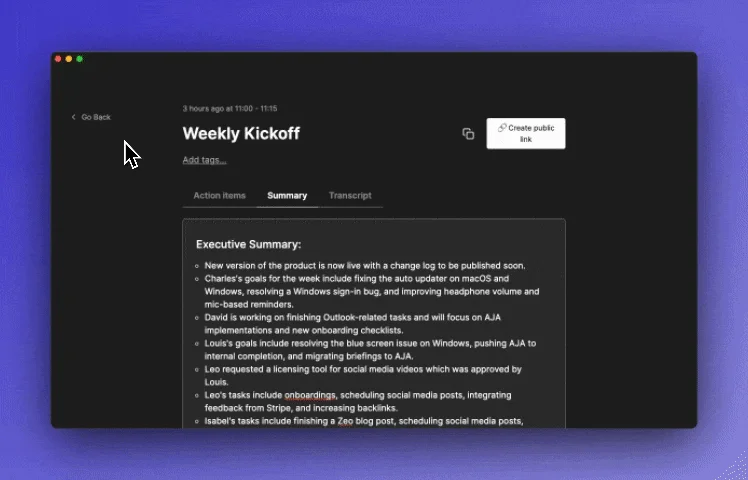
Get concise executive summaries for all your meetings, automatically.
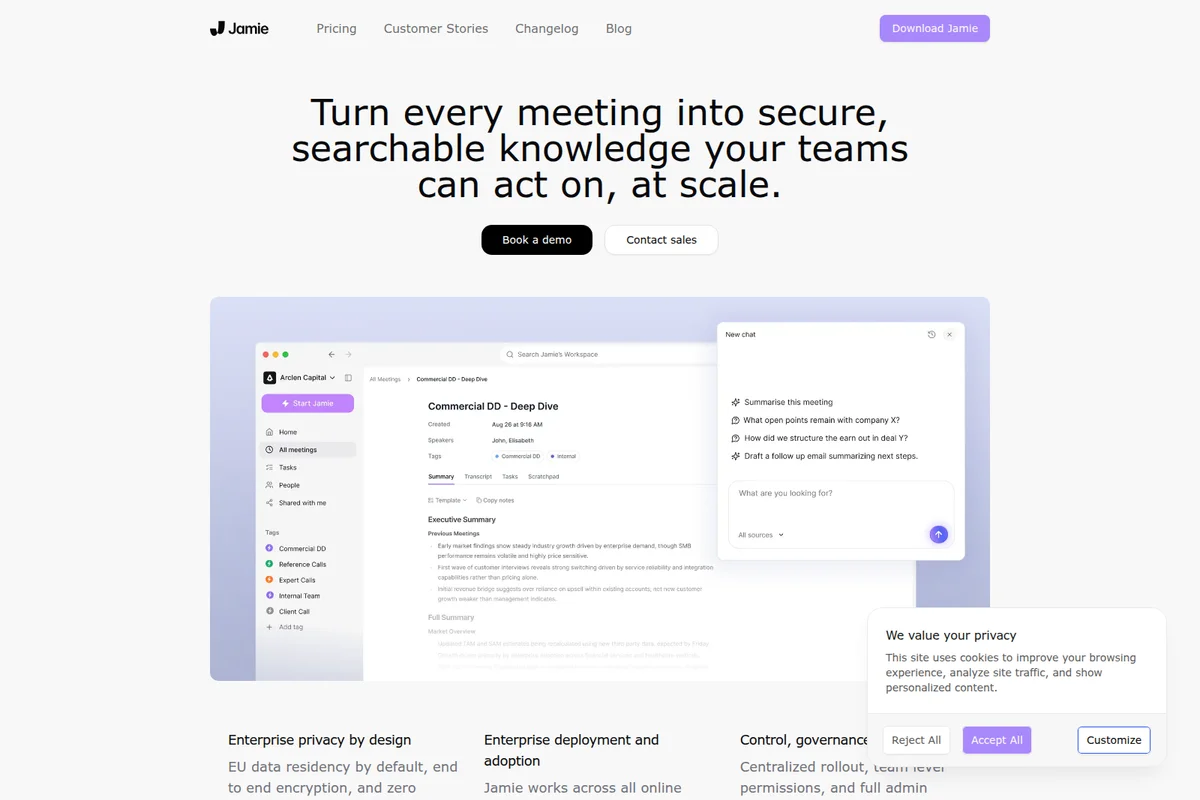
Turn meetings into actionable knowledge with AI summaries and chat.
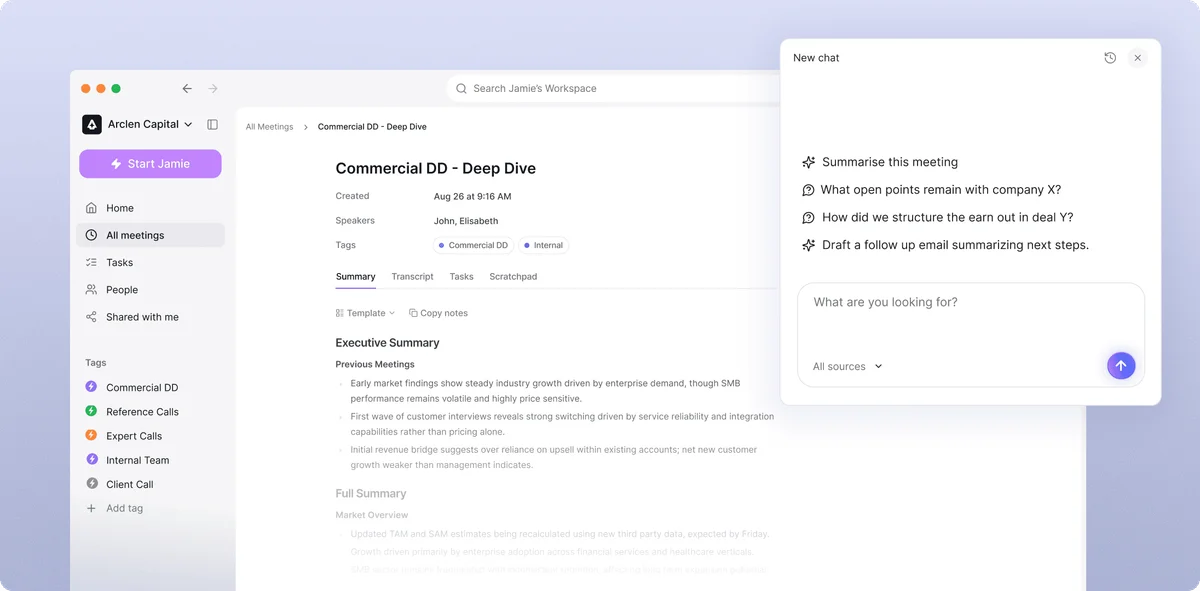
Get instant meeting summaries and ask follow-up questions with Jamie's AI assistant.
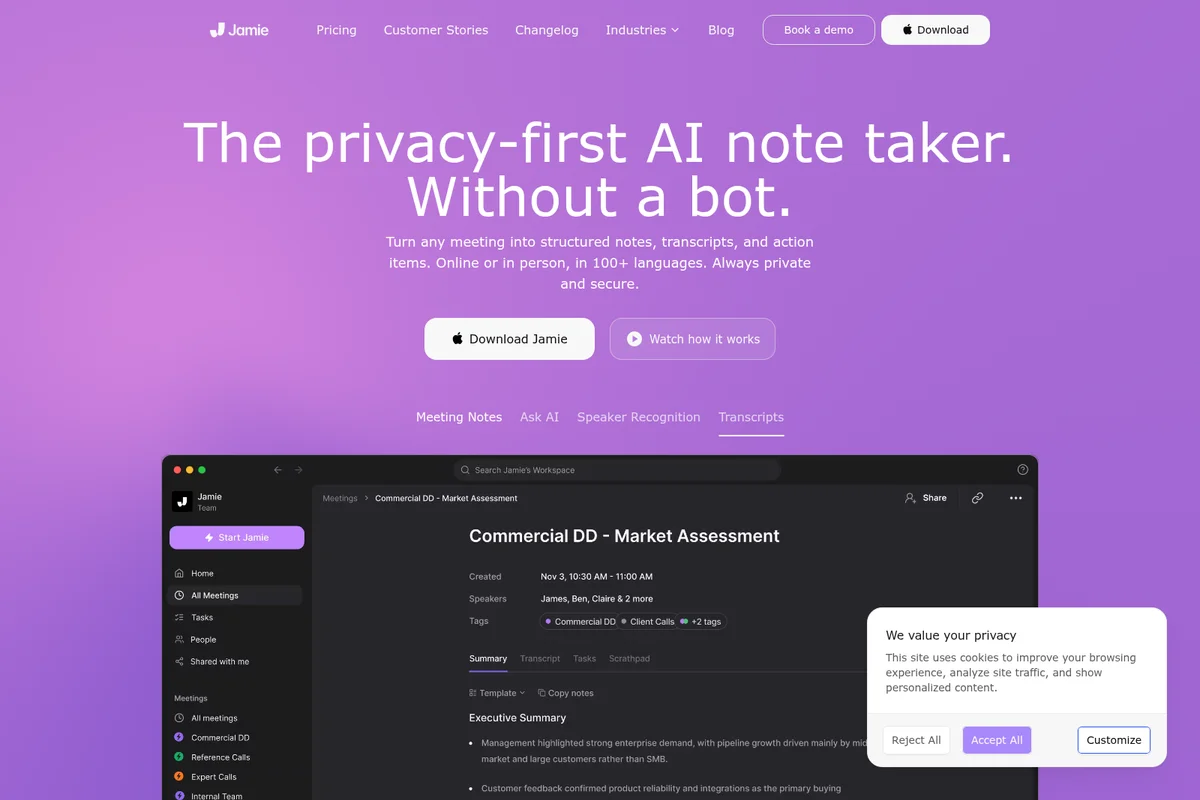
Turn any meeting into structured notes, transcripts, and action items.
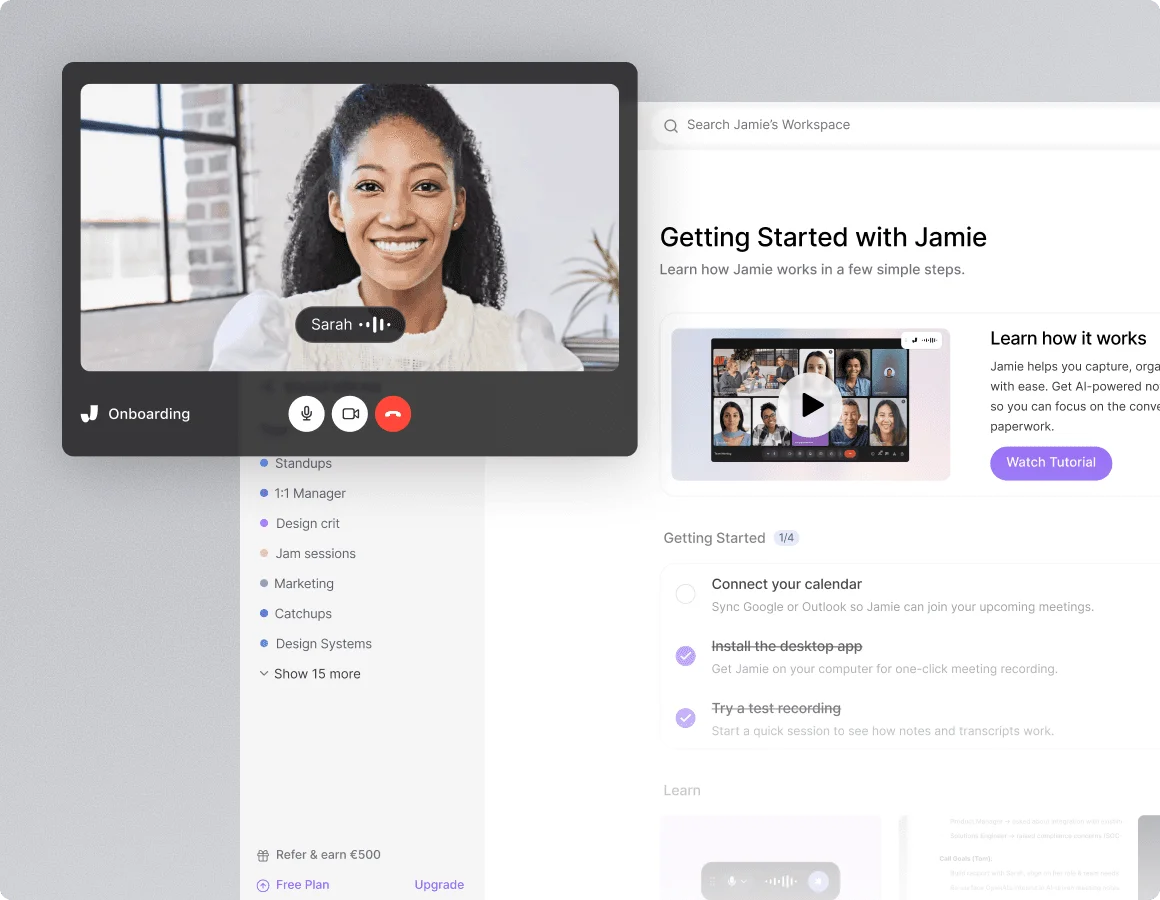
Capture meeting insights and track progress with active video calls and smart onboarding guidance.
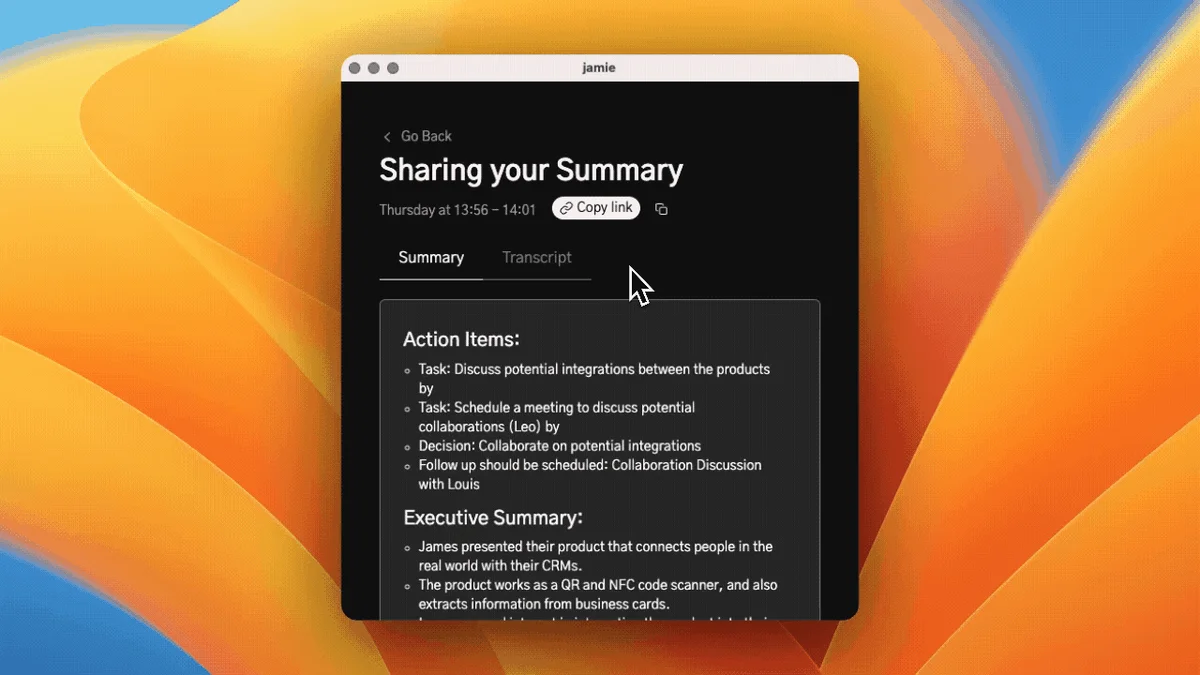
Effortlessly generate actionable meeting summaries and executive overviews.
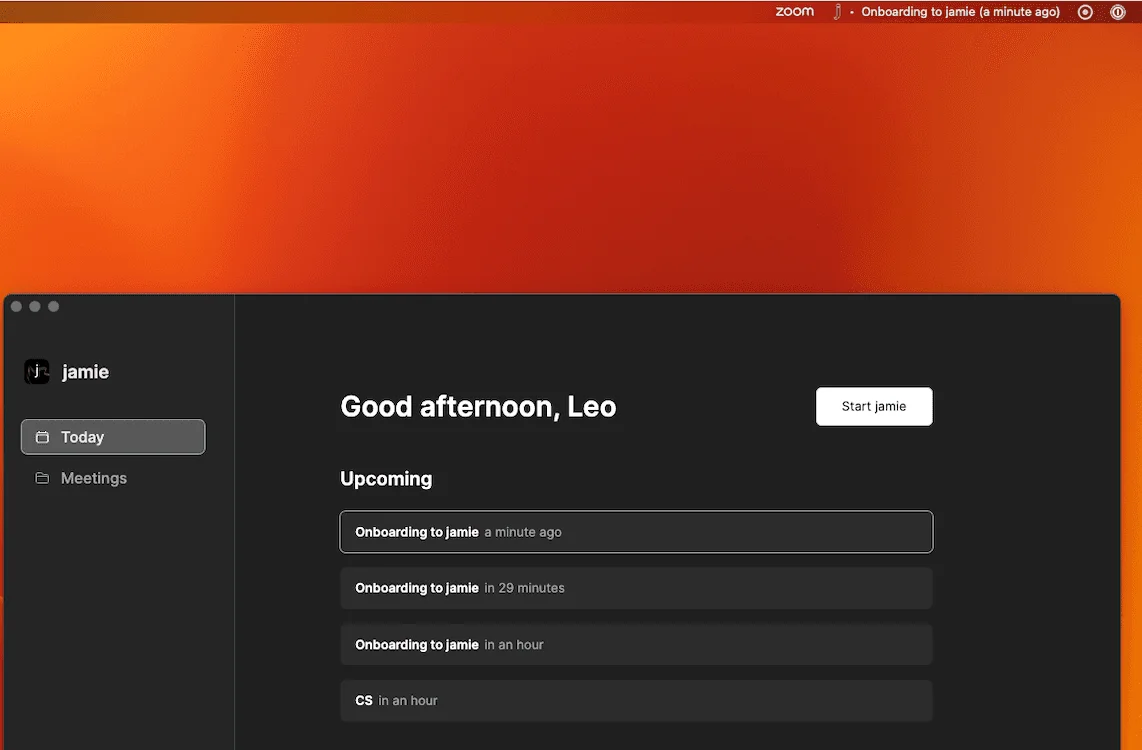
Effortlessly manage your daily schedule and upcoming meetings from a single view.
Jamie Review: Tooliverse Consensus





Based on 121 verified reviews across 5 platforms,
combined with Tooliverse's expert analysis
Jamie records from your own device, so no bot appears in the participant list, yet it still delivers accurate transcripts in 99+ languages and executive summaries that capture technical decisions. Reviewers also credit its EU hosting and GDPR-compliant handling for winning over cautious buyers. The tradeoffs are plain: notes arrive only after the meeting, euro pricing feels steep for individuals, lower tiers cap volume, and speaker labels can slip in big or noisy rooms.
Bottom line: One of the strongest bot-free notetakers, with accurate multilingual summaries and EU-grade privacy, though post-meeting-only processing and euro pricing will rule out anyone who needs live transcripts or a budget plan.
Jamie | Key Specs
- Platforms
- Web, iOS, macOS, Windows
- Pricing Model
- Freemium (€0-39/mo) See plans
- Privacy/Data Use
- No model training on data, audio deleted after transcription
- Security
- ISO 27001, GDPR, DORA, SAML SSO See details
Wins
- •Eliminates intrusive meeting bots by capturing audio directly from your systemmentioned in 84 reviews
- •Delivers exceptionally accurate transcripts across more than 100 different languagesmentioned in 72 reviews
- •Provides high-level executive summaries that capture technical nuances and decisionsmentioned in 65 reviews
Watch-Outs
- •Pricing is denominated in Euros and can be expensive for individualsmentioned in 42 reviews
- •Lacks live transcription features as all processing happens after the meetingmentioned in 38 reviews
- •Mobile support is currently limited to iOS with no Android app availablementioned in 31 reviews
Jamie Features 2026
Bot-free meeting capture
Jamie runs on your device without a bot joining calls, working across Zoom, Teams, Google Meet and other platforms.
EU data residency
Storage and processing stay within the EEA, Switzerland and the UK.
In-person meeting capture
Captures in-person meetings from your laptop or phone.
Meeting briefings
Context-enriched briefings from past meetings and connected tools to prepare for each meeting.
Jamie User Reviews
Selected Reviews
"I did a lot of research on AI meeting assistants and settled on a smaller company called Jamie. It's fantastic and doesn't require a bot to join, so even if your exec calls you on the phone, you can turn it on via your laptop mic."

"I evaluated and tried out several AI note taker Apps, but Jamie is by far exeeding the performance with regards to easy handling, transcript accuracy in several languages (I use English and German)."
"A privacy-minded, bot-free notetaker with genuine EU data residency and clean compliance credentials, held back by an entirely post-meeting design with no live transcription."
More from the Community
"Easy to set up and use and most important: no compatibility issues - what more do I want of an AI note taker to make my day-to-day easier."
"Really easy to use and great value for money. The quality of the notes is excellent, and I love that Jamie automatically detects my meetings without me having to do anything."
"I used Jamie for a very technical bug prioritization meeting and the result was amazing. The notes were on point but the best feature was the executive summary."
"the only thing that's actually worked for me is Jamie. it doesn't join the meeting at all, so nobody sees anything. it just records on your device quietly and gives you notes after."
"I also use the Jamie app. It's more expensive and has less cool features but it's also at the transcription."
"Easy to set up and use and most important: no compatibility issues - what more do I want of an AI note taker to make my day-to-day easier."
"Really easy to use and great value for money. The quality of the notes is excellent, and I love that Jamie automatically detects my meetings without me having to do anything."
"I used Jamie for a very technical bug prioritization meeting and the result was amazing. The notes were on point but the best feature was the executive summary."
"the only thing that's actually worked for me is Jamie. it doesn't join the meeting at all, so nobody sees anything. it just records on your device quietly and gives you notes after."
"I also use the Jamie app. It's more expensive and has less cool features but it's also at the transcription."
"Surprisingly also performed well in meetings with multiple languages (Japanese and English) used. Great ready-to-use summaries. I tried several other alternatives and none worked as well for me."
"Jamie has changed the way we take meeting minutes for the better. My team and I use Jamie in every meeting to receive high quality transcripts and summaries after we finish."
"Thank you for developing Jamie, it is such a game-changer for me and my team. What convinced me in the end was the high emphasis on data security, please continue that!"
"The summaries are so good that I can actually skip meetings I'm not essential for and just read the recap later."
"Surprisingly also performed well in meetings with multiple languages (Japanese and English) used. Great ready-to-use summaries. I tried several other alternatives and none worked as well for me."
"Jamie has changed the way we take meeting minutes for the better. My team and I use Jamie in every meeting to receive high quality transcripts and summaries after we finish."
"Thank you for developing Jamie, it is such a game-changer for me and my team. What convinced me in the end was the high emphasis on data security, please continue that!"
"The summaries are so good that I can actually skip meetings I'm not essential for and just read the recap later."
Jamie Pricing 2026
The free plan's 10 notes and 30-minute cap are enough to judge whether post-call notes suit your routine, but not much more. Anyone recording most days should go straight to Pro at €39/month billed annually, which removes the note cap, stretches meetings to five hours, and adds CRM sync and MCP access. Plus at €21/month billed annually covers only 20 notes and two hours.
Jamie In-Depth Review 2026

Jamie records from your own device, so no bot ever enters the call. It runs as an app on Mac, Windows and iPhone, works across Zoom, Teams, Google Meet and in-person meetings, and turns the audio into transcripts and structured notes in 99+ languages. Audio is deleted once transcription finishes, and data stays in the EEA, Switzerland and the UK. That combination explains why 10,000+ customers, many of them in banking, law and private equity, rely on it.
What It's Like Day-to-Day
The workflow is short. Jamie detects a meeting, captures the audio locally, and delivers notes after the call ends, formatted by whichever custom template you've chosen. Trustpilot reviewers describe setup as easy and free of compatibility problems, which matters when the alternative is negotiating bot permissions with each client's IT department. Reddit users add that even an unplanned phone call can be captured by switching it on from a laptop mic.
The executive summary draws most of the praise. Reviewers describe it handling technical bug triage and mixed Japanese and English calls with notes that are usable almost immediately.
Jamie Security & Compliance
Verified Compliance
- ISO 27001
- GDPR compliant
- DORA compliant
- SOC 2 Type II (pending)
Security Features
- SAML 2.0 SSO and SCIM provisioning
- TLS 1.2 in transit and AES 256 at rest encryption
- Zero trust architecture and regular penetration testing
Privacy Commitments
- Data never used to train models, by Jamie or model providers
- Meeting audio deleted after transcription
- EU data residency (EEA, Switzerland, UK)
- No bot joins calls
Jamie: Frequently Asked Questions (FAQs)
Does Jamie have a free plan?
Yes, Jamie offers a Free plan at €0 with 10 AI notes per month, a 30min meeting duration limit and Ask Jamie chat.
How much does Jamie cost?
Jamie's paid plans are Plus at €21/month and Pro at €39/month (billed annually), Team at €33/seat/month billed annually, and custom Enterprise pricing.
Does Jamie use a meeting bot?
No, Jamie runs on your device and no bot joins your calls. It works across Zoom, Teams, Google Meet and in-person meetings.
Is customer data used to train AI models?
No, customer data is never used to train models, either by Jamie or by any of its model providers.
Jamie Integrations
| Google Docs | Notion | OneNote |
| Asana | Salesforce | HubSpot |
| Attio | Affinity | Microsoft Dynamics 365 |
| DealCloud | Pipedrive | Claude |
| ChatGPT | Cursor | Zoom |
| Microsoft Teams | Google Meet | Microsoft Intune |
Jamie: Verified Data Sheet
| # | Label | Data Point |
|---|---|---|
| [1] | Jamie Consensus: 9.40/10 | Jamie is one of the highest-rated AI productivity tools in the Tooliverse index, with a consensus score of 9.40/10 across 121 verified reviews. |
| [2] | What is Jamie | Jamie is a bot-free AI meeting notes platform that captures online and in-person meetings from your device. It is ISO 27001 certified with EU data hosting, serves 10,000+ customers, and has a free plan with paid tiers from €21/month. |
| [3] | Tooliverse Consensus on Jamie | Jamie records from your own device, so no bot appears in the participant list, yet it still delivers accurate transcripts in 99+ languages and executive summaries that capture technical decisions. Reviewers also credit its EU hosting and GDPR-compliant handling for winning over cautious buyers. The tradeoffs are plain: notes arrive only after the meeting, euro pricing feels steep for individuals, lower tiers cap volume, and speaker labels can slip in big or noisy rooms. |
| [4] | Jamie Verdict | Jamie bottom line: One of the strongest bot-free notetakers, with accurate multilingual summaries and EU-grade privacy, though post-meeting-only processing and euro pricing will rule out anyone who needs live transcripts or a budget plan. |
| [5] | Free: Free | Jamie offers a functional Free tier with 10 AI notes / month and a 30min meeting duration limit, making AI tools accessible at no cost. |
| [6] | Bot-free capture, cited in 84 reviews | Jamie captures audio directly from the user's device so no meeting bot ever joins the call, a strength cited in 84 of 121 reviews, and it works across Zoom, Teams, Google Meet and in-person meetings. |
| [7] | Accurate transcripts in 99+ languages | Jamie produces highly accurate transcripts and notes across 99+ languages on all plans per its documentation, a range reviewers often round to more than 100, with accuracy praised in 72 user reviews. |
| [8] | Executive summaries capture decisions | Jamie generates executive summaries that capture technical nuance and decisions, validated by 65 user reviews, and supports custom templates (1 on Free, 3 on Plus) to match the output format a team needs. |
| [9] | Pro: $39/mo (annual) | Jamie Pro gives users Unlimited AI notes for $39/month billed annually, significantly expanding on the free tier's capabilities. |
| [10] | EU hosting and GDPR-compliant processing | Jamie hosts and processes data within the EEA, Switzerland and the UK, holds ISO 27001 certification, is GDPR compliant and deletes meeting audio after transcription, a combination 58 reviews credit for strong data privacy. |
| [11] | Euro pricing steep for individuals | Jamie prices its plans in Euros, with Plus at €21/month billed annually and Pro at €39/month billed annually, which 42 user reports describe as expensive for individuals. |
| [12] | No live transcription | Jamie offers no live transcription, since all processing happens after the meeting ends, according to 38 user reports, so notes and transcripts only arrive once the call is over. |
| [13] | Privacy: Data never used to train models, by Jamie or model providers | Jamie's privacy protections cover Data never used to train models, by Jamie or model providers, Meeting audio deleted after transcription, and EU data residency (EEA, Switzerland, UK). |
| [14] | Enterprise: SAML 2.0 SSO and SCIM provisioning | Jamie delivers enterprise security through SAML 2.0 SSO and SCIM provisioning, TLS 1.2 in transit and AES 256 at rest encryption, and Zero trust architecture and regular penetration testing. |
| [15] | Easy setup, no compatibility issues | A verified Trustpilot reviewer noted that Jamie is "easy to set up and use" with "no compatibility issues," matching the platform-agnostic, bot-free capture that 84 reviews highlight. |
Best Jamie Alternatives
Granola
Take notes your way in meetings, with AI that turns them into polished, useful write-ups.
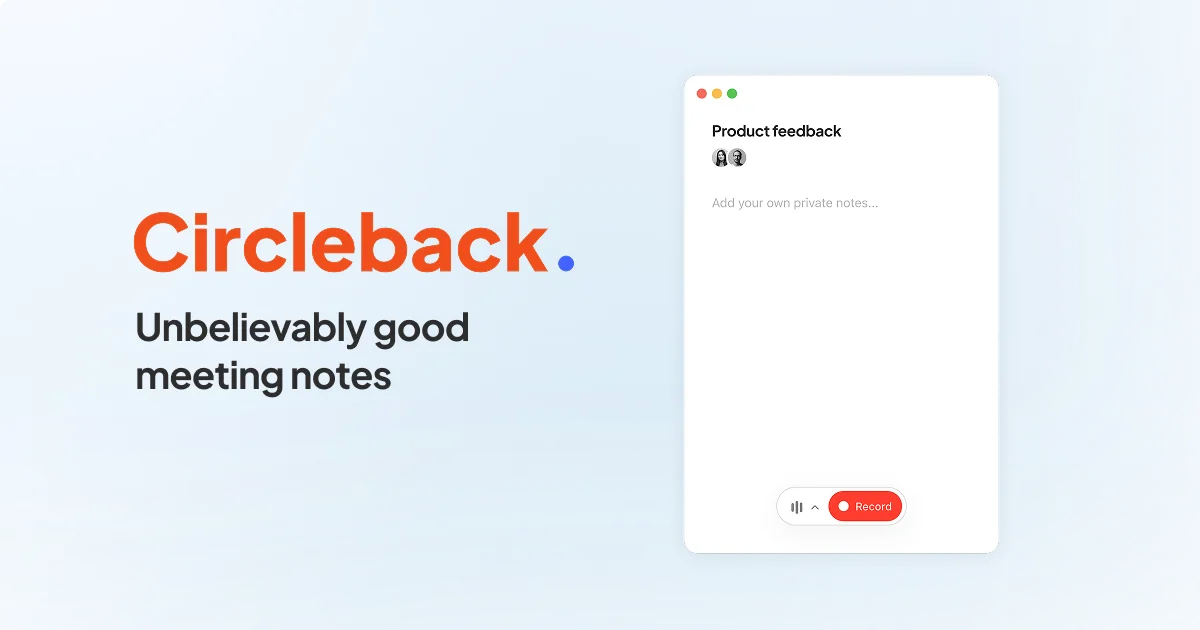
Circleback
Unbelievably good meeting notes that turn conversations into action, automatically.
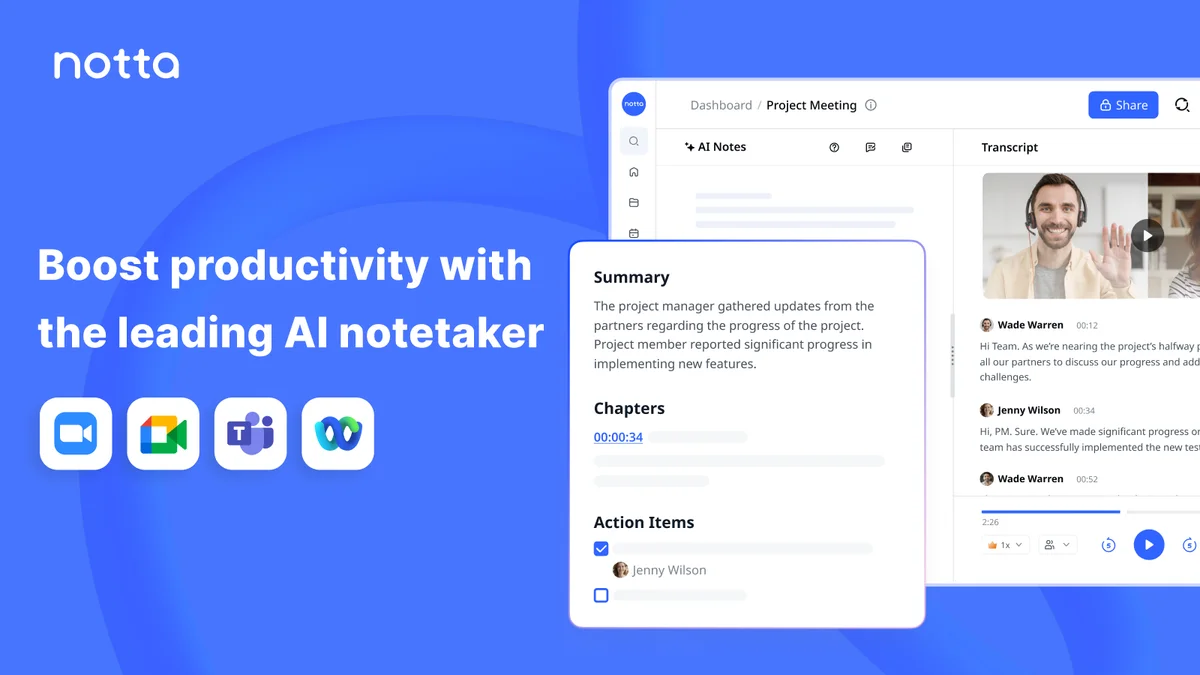
Notta
Turn every meeting into searchable notes, visuals, and next steps without lifting a finger.