
Circleback Review 2026 - AI Meeting Notetaker
Verified Sep 22, 2026 by Tooliverse Editorial
Circleback listens to your meetings and writes meticulous notes, assigns action items, and automates your follow-up—so you can actually pay attention instead of scribbling. Over 300 YC companies rely on it daily.
How Circleback works
Best AI Notetaker For Online Meetings? (Circleback AI Honest Review)
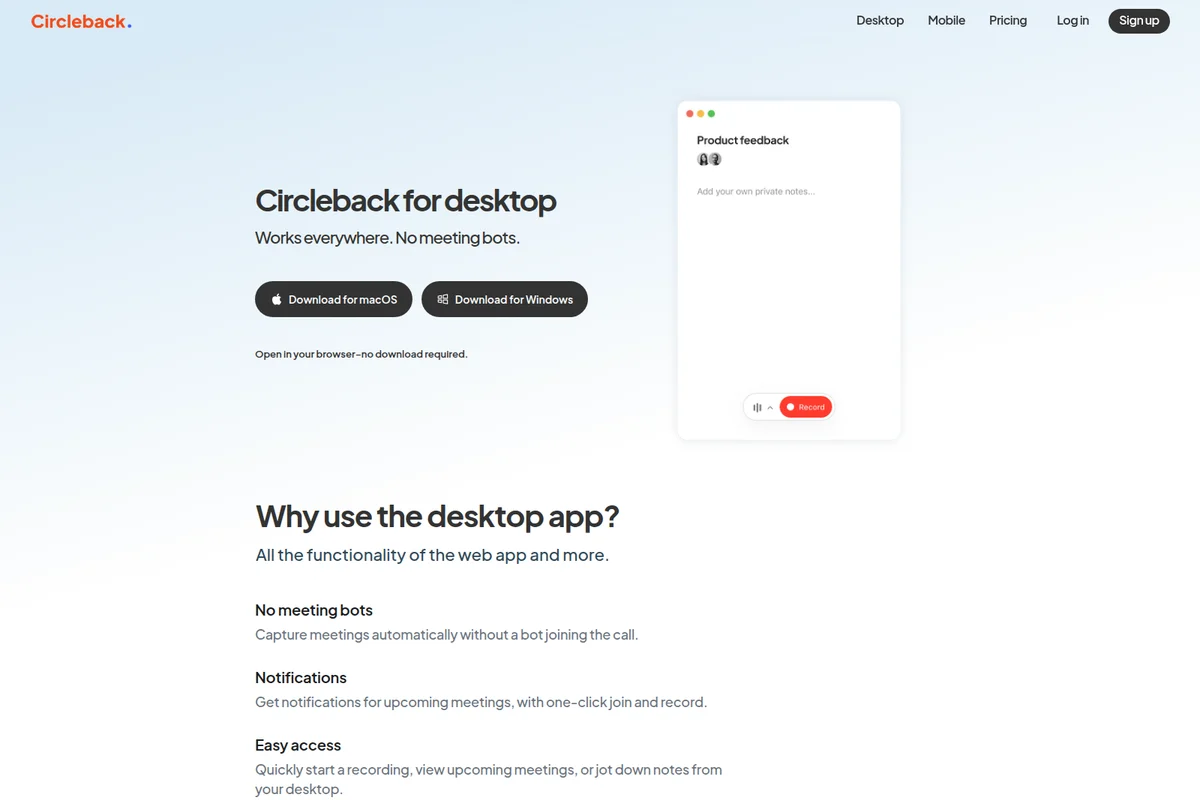
Capture notes and record meetings seamlessly from your desktop.
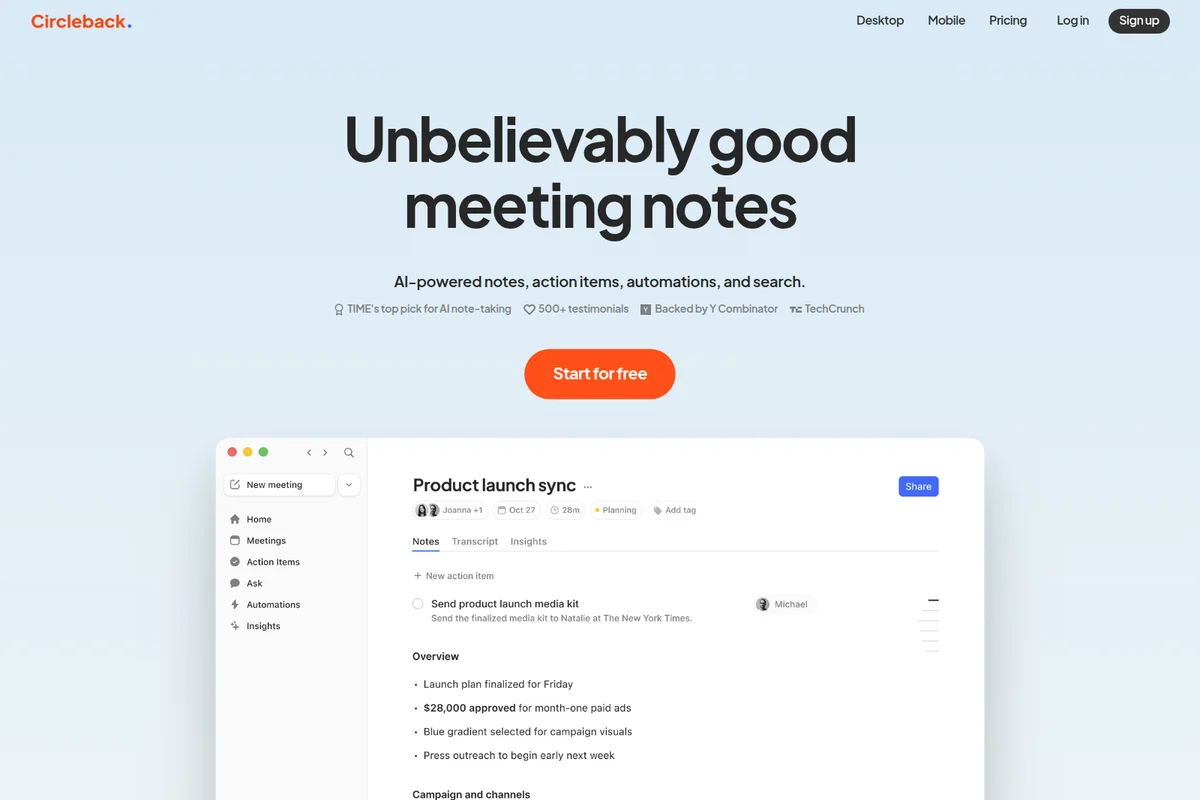
AI-powered meeting notes with action items and automatic summaries for productive follow-ups.
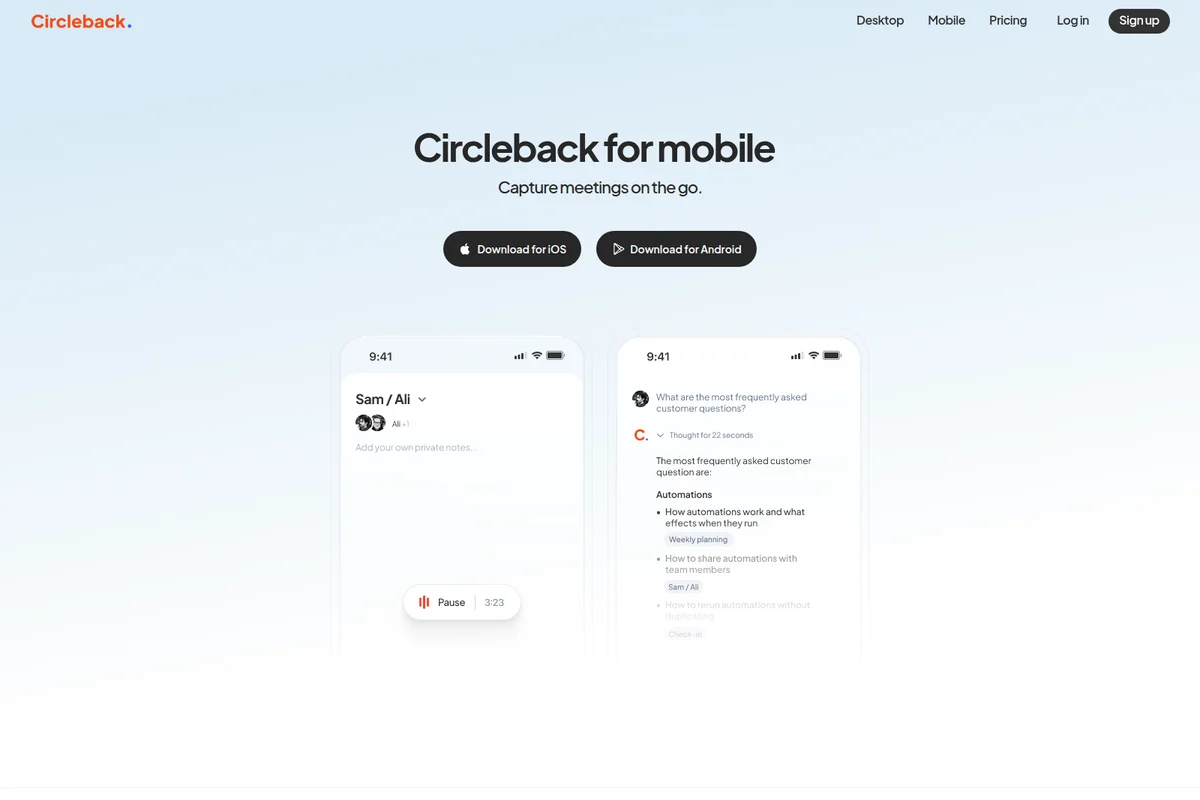
Capture meetings on the go and get AI-powered summaries.
Circleback Review: Tooliverse Consensus




Based on 235 verified reviews across 5 platforms,
combined with Tooliverse's expert analysis
Circleback replaces manual note-taking with something closer to a trusted colleague quietly documenting every call, and its bot-free capture keeps client conversations feeling normal instead of surveilled. Users consistently point to transcription accuracy across accents and noise, plus automated action items, as the reasons they stopped taking their own notes. The tradeoffs are real: no lasting free tier beyond a seven-day trial, and speaker identification that occasionally falters in crowded rooms.
Bottom line: A top-tier meeting notetaker whose bot-free recording and reliable transcription win over even skeptical users, though the absence of a lasting free tier frustrates solo buyers.
Circleback | Key Specs
- Platforms
- Web, iOS, Android, macOS, Windows
- Pricing Model
- Freemium ($0-35/user/mo) See plans
- Privacy/Data Use
- Best-in-class security practices; HIPAA compliance (Enterprise)
- Security
- SOC 2, GDPR, EU-US DPF, HIPAA, SAML/OIDC SSO, SCIM See details
Wins
- •Delivers exceptional transcription accuracy that handles accents and background noise reliablymentioned in 184 reviews
- •Automates action item extraction to ensure no follow-up tasks are missedmentioned in 162 reviews
- •Offers a no-bot recording mode that keeps meetings feeling natural and privatementioned in 145 reviews
Watch-Outs
- •Lacks a permanent free tier, offering only a limited 7-day trialmentioned in 74 reviews
- •Speaker identification occasionally struggles in crowded or multi-person conference roomsmentioned in 56 reviews
- •Subscription pricing is perceived as high for individual or small team usersmentioned in 48 reviews
Circleback Features 2026
Bot-free desktop app
Captures meetings on macOS and Windows across any platform (Zoom, Google Meet, Microsoft Teams, Webex, Discord, RingCentral, and more) without a bot joining the call.
API, MCP, and CLI access
Access everything Circleback captures from meetings via API, connect AI apps like ChatGPT, Claude, and Cursor via MCP, or use the CLI to give AI agents conversation context.
State-of-the-art transcription accuracy
High accuracy on technical terms and accents, with each speaker automatically identified by name; supports over 100 languages.
Custom AI insights
Generate custom outcomes from meetings such as questions asked, customer details, project briefs, and other tailored summaries.
Circleback User Reviews
Selected Reviews
"Transcriptions are accurate enough that I stopped double checking them, even on mixed accents and noisy calls. It captures action items automatically."
"We chose Circleback because it produces structured meeting notes and clear next steps. That structure is valuable for our follow-up reminders."
"Great tool for the price. It captures almost everything. Sometimes it struggles if two people talk at once, but the search feature helps find context."
More from the Community
"I have on average 5 meetings a day with my team in India and it doesn't skip a beat. The task list it creates keeps me focused."
"The AI summary is helpful, but it sometimes hallucinations tasks that weren't actually agreed upon. You still need to proofread the final output."
"I was using it and it worked great, but the monthly plan was a little too much for me as a solo freelancer."
"It's an easy way to sort contacts and keep them updated through AI so you don't spend ages looking for someone's email address."
"The no-bot recording is the best feature. My clients hate having a random bot join the call, so this feels much more professional."
"I have on average 5 meetings a day with my team in India and it doesn't skip a beat. The task list it creates keeps me focused."
"The AI summary is helpful, but it sometimes hallucinations tasks that weren't actually agreed upon. You still need to proofread the final output."
"I was using it and it worked great, but the monthly plan was a little too much for me as a solo freelancer."
"It's an easy way to sort contacts and keep them updated through AI so you don't spend ages looking for someone's email address."
"The no-bot recording is the best feature. My clients hate having a random bot join the call, so this feels much more professional."
"Solid performance. The speaker identification is usually right, though it gets confused in large boardrooms with multiple people talking."
"Love the 'Ask' feature where I can query my meeting history. It's like having a second brain for my work history."
"Saves me at least 5 hours a week in documentation. The security features made it easy to get approved by our IT department."
"The integration with Slack is seamless. My team gets the notes immediately after the call ends without me doing anything."
"Solid performance. The speaker identification is usually right, though it gets confused in large boardrooms with multiple people talking."
"Love the 'Ask' feature where I can query my meeting history. It's like having a second brain for my work history."
"Saves me at least 5 hours a week in documentation. The security features made it easy to get approved by our IT department."
"The integration with Slack is seamless. My team gets the notes immediately after the call ends without me doing anything."
Circleback Pricing 2026
View SourceThe free plan is genuinely usable, unlimited meetings with 30-day history, but Pro at $15/user monthly is where Circleback earns its keep: unlimited history, a full year of recording storage, and automations into Notion, HubSpot, and Salesforce. Teams needing admin controls and unlimited free viewers should look at Business at $25/user monthly instead of paying for every seat.
Circleback In-Depth Review 2026

Circleback captures meetings without a bot joining the call, using a desktop app on macOS and Windows alongside native iOS, Android, and Apple Watch apps for in-person conversations. It works with any platform you join from your computer, including Zoom, Google Meet, Microsoft Teams, and Webex, turning raw conversation into structured notes, action items, and automated updates across the rest of your stack.
What It's Like Day-to-Day
The first thing users notice is how little they think about it. You join a call, talk normally, and by the time it ends there's a structured summary waiting: overview, decisions, topic breakdowns, and a task list with names attached. One iOS reviewer running five meetings a day with a team in India said it "doesn't skip a beat," and that reliability across accents and connection quality is the throughline in review after review.
The no-bot approach matters more than it sounds like it should.
Circleback Security & Compliance
Verified Compliance
- SOC 2
- GDPR
- EU-US DPF
- HIPAA
Security Features
- Single sign-on (SAML or OIDC)
- SCIM provisioning
- Custom data retention
Privacy Commitments
- Built with best-in-class security practices to keep data private and secure
- HIPAA compliance available on Enterprise plan
Circleback: Frequently Asked Questions (FAQs)
Is there a free plan and what does it include?
Yes, Circleback offers unlimited meetings on its Free plan, which includes AI meeting notes and action items, Ask Circleback, online and in-person meeting capture, speaker-labeled transcripts, limited automations, and 30-day meeting/recording history.
How much do Circleback's paid plans cost?
Circleback's paid plans are Pro at $15/user/month, Business at $25/user/month, and Enterprise at $35/user/month, each adding more storage, automations, and admin/security controls on top of the previous tier.
Can we change plans, upgrade, or downgrade whenever we want?
Circleback allows teams to change, upgrade, or downgrade plans at any time, as addressed in the pricing page FAQ.
Do I need to pay for team members who aren't in meetings?
Circleback's pricing FAQ specifically addresses that not everyone on a team needs to be a paid seat if they aren't attending meetings—Business and above plans include unlimited free viewers.
Circleback Integrations
| Google Calendar | Gmail | Microsoft Outlook |
| Slack | Notion | Linear |
| HubSpot | Salesforce | Attio |
| Asana | PostHog | Ashby |
| Intercom | Zoho | monday.com |
| Zapier | Make | ChatGPT |
| Claude | Cursor | Zoom |
| Google Meet | Microsoft Teams | Webex |
| Discord | RingCentral |
Circleback: Verified Data Sheet
| # | Label | Data Point |
|---|---|---|
| [1] | Circleback Consensus: 9.42/10 | Circleback is one of the highest-rated AI productivity tools in the Tooliverse index, with a consensus score of 9.42/10 across 235 verified reviews. |
| [2] | What is Circleback | Circleback, backed by Y Combinator, is an AI meeting notetaker that generates structured notes, action items, and automations from online and in-person meetings. It offers a free unlimited-meeting plan plus paid tiers from $15-$35/user/month, and is used by 300+ YC companies. |
| [3] | Tooliverse Consensus on Circleback | Circleback replaces manual note-taking with something closer to a trusted colleague quietly documenting every call, and its bot-free capture keeps client conversations feeling normal instead of surveilled. Users consistently point to transcription accuracy across accents and noise, plus automated action items, as the reasons they stopped taking their own notes. The tradeoffs are real: no lasting free tier beyond a seven-day trial, and speaker identification that occasionally falters in crowded rooms. |
| [4] | Circleback Verdict | Circleback bottom line: A top-tier meeting notetaker whose bot-free recording and reliable transcription win over even skeptical users, though the absence of a lasting free tier frustrates solo buyers. |
| [5] | Free: Free | Circleback provides a functional Free tier including AI meeting notes, action items, and the Ask Circleback assistant, making its core features accessible at no cost. |
| [6] | No-bot recording mode for natural meetings | Circleback offers a no-bot recording mode via its bot-free desktop app, keeping meetings feeling natural and private according to 145 user reviews. |
| [7] | Natural language search across meeting history | Circleback features Ask Circleback, a natural language search tool that instantly queries past meeting history, praised in 128 user reviews. |
| [8] | Seamless CRM and task tool integrations | Circleback integrates seamlessly with CRMs and task tools including Slack, Notion, and Salesforce, an experience validated by 112 user reviews. |
| [9] | Pro: $15/user/month | Circleback Pro empowers users with Unlimited meeting history for just $15/user monthly, significantly expanding on the free tier's capabilities. |
| [10] | Exceptional transcription accuracy across accents and noise | Circleback delivers exceptional transcription accuracy that reliably handles accents and background noise, a strength confirmed by 184 user reviews. |
| [11] | No permanent full-access free tier | Circleback lacks a permanent free tier for full functionality testing, offering only a limited 7-day trial, a constraint noted in 74 user reviews. |
| [12] | Speaker ID struggles in crowded rooms | Circleback's speaker identification occasionally struggles in crowded or multi-person conference rooms, an issue reported in 56 user reviews. |
| [13] | SOC 2 | Circleback holds SOC 2, GDPR, EU-US DPF, and HIPAA certifications. |
| [14] | Enterprise: Single sign-on (SAML or OIDC) | Circleback provides enterprise security with Single sign-on (SAML or OIDC), SCIM provisioning, and Custom data retention. |
| [15] | Transcriptions accurate enough to skip double-checking | Circleback "captures action items automatically" with transcriptions accurate enough that one Reddit user stopped double-checking them, even on mixed accents and noisy calls. |
Best Circleback Alternatives
Fathom
Capture every meeting, get instant summaries and action items, and stay fully present in the conversation.
Fireflies.ai
Never miss a detail again: let AI record, summarize, and search every meeting for you.

Otter
Never take meeting notes again—Otter records, summarizes, and turns every conversation into searchable knowledge.