Logo Diffusion Review 2026 - AI Logo Maker
Verified Oct 2, 2026 by Tooliverse Editorial
Logo Diffusion skips the templates and builds original logos from a prompt, a napkin sketch, or an old image. Pick from 52 styles, edit with Magic Editor, and export clean SVGs without leaving the app.
What's New in Logo Diffusion A.I?
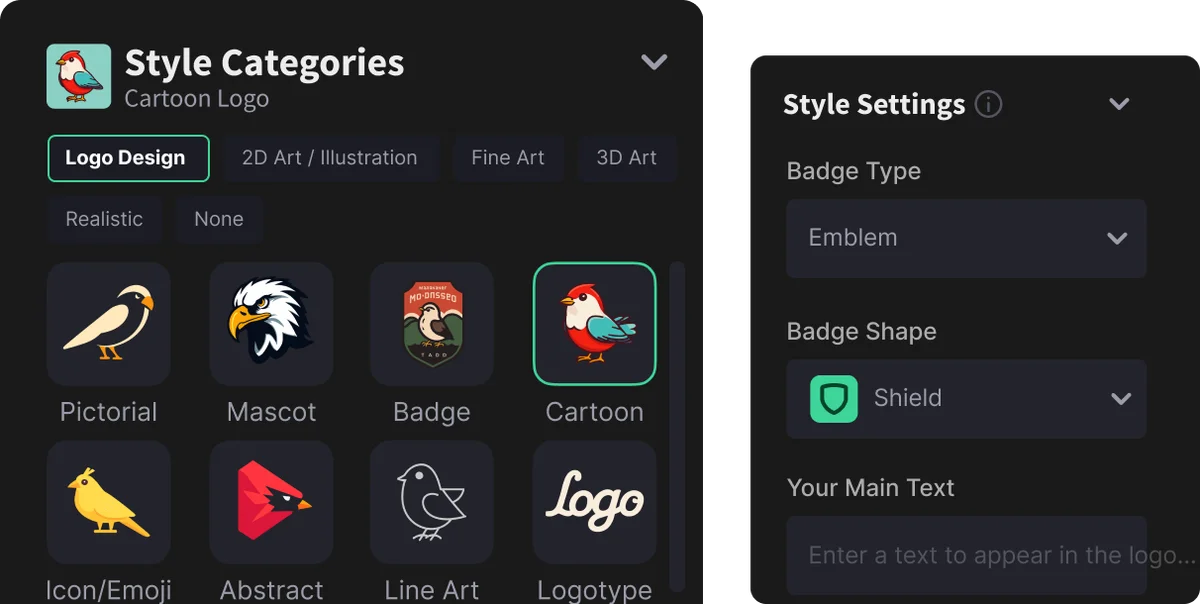
Choose from diverse logo styles and customize badge attributes for your designs.
Instantly create professional logos and brand visuals with AI.
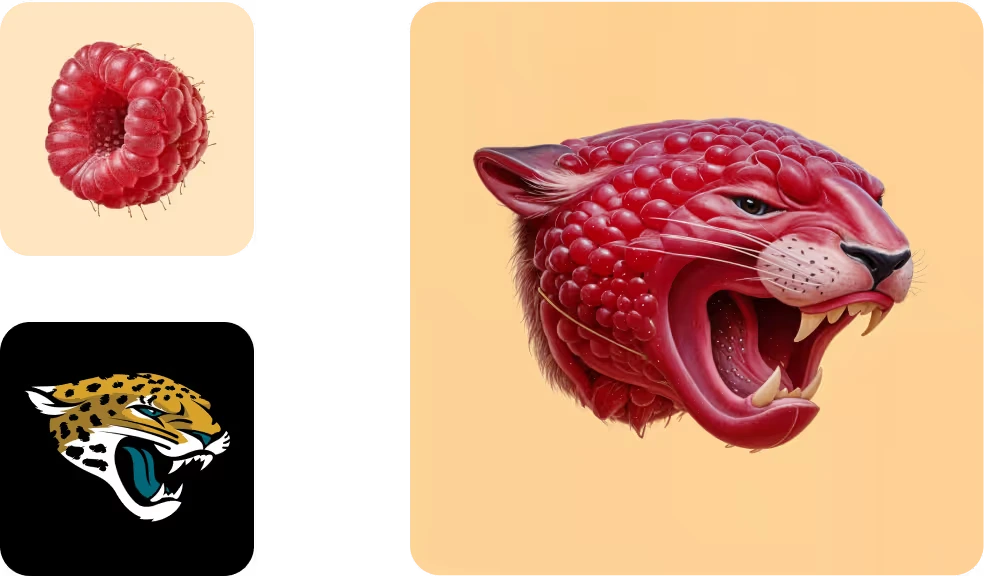
Generate unique, concept-driven logos by diffusing existing imagery and brand elements.
Turn your sketches and text prompts into unique logos using AI-powered design.
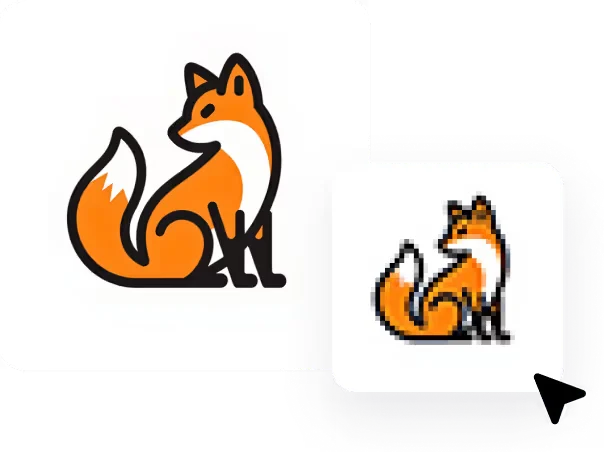
Transform high-resolution logos into engaging pixel art versions instantly.
Generate modern, stylized logos with integrated iconic elements effortlessly.
Logo Diffusion Review: Tooliverse Consensus


Based on 159 verified reviews across 3 platforms,
combined with Tooliverse's expert analysis
Logo Diffusion is built around a sketch-to-vector path: draw a rough mark, get polished options in seconds, and export layered SVG that opens cleanly in Illustrator or Figma. Reviewers praise that speed, the beginner-friendly interface, and styles running from flat minimalist to 3D. The catches are credits that drain during heavy iteration, lettering that often needs fixing elsewhere, and a free tier too thin to judge it properly. As a concept engine for the early rounds, it delivers.
Bottom line: A strong sketch-to-SVG logo generator for founders and freelancers that delivers fast concepts and usable vector files, though credit burn and unreliable typography mean budgeting for iteration and finishing text elsewhere.
Logo Diffusion | Key Specs
- Platforms
- Web
- Pricing Model
- Freemium ($0-99/mo) See plans
- Privacy/Data Use
- Private generation on paid plans, logos stay yours
- Max Resolution
- Mockups up to 4K; free downloads 512x512 watermarked
Wins
- •Transforms hand-drawn sketches into professional vector logos with impressive accuracymentioned in 84 reviews
- •Provides high-quality SVG exports that are ready for professional design softwarementioned in 76 reviews
- •Generates multiple logo concepts in seconds to accelerate the early ideation phasementioned in 65 reviews
Watch-Outs
- •Credit-based pricing model can feel restrictive for users needing extensive iterationmentioned in 38 reviews
- •Struggles with rendering specific typography and complex text elements accuratelymentioned in 32 reviews
- •Free tier is extremely limited, excluding essential features like vector downloadsmentioned in 27 reviews
Logo Diffusion Features 2026
Sketch to Logo
Draw on the built-in canvas or upload a sketch and the AI turns it into polished logo options while keeping the sketch recognizable.
Proprietary logo-trained model
Runs on its own model trained specifically for logo design, so output looks like a logo rather than stock design.
Smart Logo Text Swap
Replace words inside a logo while preserving font, style and layout.
Logo to Logo System and Icon Set
Turn one logo into a set of lockups, marks, layout variations, or a matching icon set for apps and websites.
Logo Diffusion User Reviews
Selected Reviews
"The sketch to logo feature is magic. I drew a rough circle with a leaf and it gave me 4 professional options in seconds."
"Simple and easy to use for my side hustle. Much faster than trying to learn Illustrator from scratch."
"Credits run out way too fast when you're trying to get a specific look. The prompt enhancement sometimes changes my idea too much."
More from the Community
"Worth it for getting up and running, especially if branding isn't your main focus yet. I've used LogoDiffusion to generate a few ideas, picked one, and just rolled with it."
"The first logo generated is rarely the final one you'll want to use. The best results usually came after adjusting the icon and typography a few times, but the SVG export is a lifesaver."
"Good for concepts, but the text is still hit or miss. I usually generate the icon here and add text in Canva."
"I love the 3D render styles. It makes my simple logo look like it was made by a high-end agency."
"Worth it for getting up and running, especially if branding isn't your main focus yet. I've used LogoDiffusion to generate a few ideas, picked one, and just rolled with it."
"The first logo generated is rarely the final one you'll want to use. The best results usually came after adjusting the icon and typography a few times, but the SVG export is a lifesaver."
"Good for concepts, but the text is still hit or miss. I usually generate the icon here and add text in Canva."
"I love the 3D render styles. It makes my simple logo look like it was made by a high-end agency."
"Background removal works perfectly every time. Saves me so much time in my workflow."
"A bit expensive for what it is, but the vectorization is better than most free tools I've tried."
"The UI is clean and doesn't overwhelm you with too many buttons. Very beginner friendly."
"Background removal works perfectly every time. Saves me so much time in my workflow."
"A bit expensive for what it is, but the vectorization is better than most free tools I've tried."
"The UI is clean and doesn't overwhelm you with too many buttons. Very beginner friendly."
Logo Diffusion Pricing 2026
View SourceFree works as a trial: watermarked 512x512 files, no vector export, no commercial rights. Basic at $24/month is the real entry point, adding commercial licensing, unlimited downloads, and 1,000 credits, roughly 500 logos. Move to Pro at $49/month if you iterate heavily or deliver client work, since vector exports cost 5 credits each and refinement burns through an allowance quickly.
Logo Diffusion In-Depth Review 2026

Logo Diffusion runs on its own model trained specifically on logos, and it starts from a text prompt, a sketch drawn on a built-in canvas, or an uploaded image. Each generation returns up to four options across 52 design styles, and the vectorizer converts a chosen design into layered SVG or transparent PNG. Editing, mockups, upscaling, and background removal sit in the same credit-based toolkit, so a first draft and a finished file come from one account.
What It's Like Day-to-Day
The workflow that draws the most praise is sketch-first. Users describe drawing something crude, like a circle with a leaf, and getting polished variations back within seconds while the original idea stays recognizable. Speed matters most in early ideation, when seeing a dozen directions quickly beats perfecting one, and a Trustpilot reviewer called the sketch feature "magic" after exactly that kind of doodle turned into four professional options.
The export is where it earns trust with working designers. SVG files arrive with clean layered paths that open in Illustrator, Figma, or Affinity Designer, and 76 reviews single out that quality. Expect iteration, though.
Logo Diffusion Security & Compliance
Privacy Commitments
- Private generation available on paid plans (Free plan generations are public)
- Your logos stay yours
Logo Diffusion: Frequently Asked Questions (FAQs)
Is there a free plan on Logo Diffusion?
Yes, Logo Diffusion has a Free plan at $0/month with 24 credits/month (~12 logos) and 1 concurrent generation job. Downloads are watermarked at 512x512 with no vector export.
How much does Logo Diffusion cost?
Logo Diffusion paid plans are Basic at $24/month, Pro at $49/month, and Elite at $99/month. A one-time Starter Pack costs $59, and Enterprise is custom via contact Logo Diffusion.
Can I use Logo Diffusion logos commercially?
Yes, on any paid plan (Basic, Pro or Elite), which include a full commercial use license. The Free plan has no commercial rights and adds a watermark.
Is there a yearly discount on Logo Diffusion?
Yes, the pricing page shows a yearly option with 2 months free.
Logo Diffusion: Verified Data Sheet
| # | Label | Data Point |
|---|---|---|
| [1] | Logo Diffusion Consensus: 8.32/10 | Logo Diffusion is a highly-rated tool among AI design tools in the Tooliverse index, with a consensus score of 8.32/10 across 159 verified reviews. |
| [2] | What is Logo Diffusion | Logo Diffusion is an AI logo generator that turns text, sketches or images into editable logos with SVG export, using its own proprietary logo-trained model. It serves 1.4M+ users, with a free plan and paid plans from $24/month. |
| [3] | Tooliverse Consensus on Logo Diffusion | Logo Diffusion is built around a sketch-to-vector path: draw a rough mark, get polished options in seconds, and export layered SVG that opens cleanly in Illustrator or Figma. Reviewers praise that speed, the beginner-friendly interface, and styles running from flat minimalist to 3D. The catches are credits that drain during heavy iteration, lettering that often needs fixing elsewhere, and a free tier too thin to judge it properly. As a concept engine for the early rounds, it delivers. |
| [4] | Logo Diffusion Verdict | Logo Diffusion bottom line: A strong sketch-to-SVG logo generator for founders and freelancers that delivers fast concepts and usable vector files, though credit burn and unreliable typography mean budgeting for iteration and finishing text elsewhere. |
| [5] | Free: Free | Logo Diffusion offers a Free tier with 24 credits/mo (~12 logos) and access to Image to Logo: 3 of 8 styles, so users can try the AI tools at no cost. |
| [6] | Sketch-to-vector logos, cited in 84 reviews | Logo Diffusion converts hand-drawn sketches into professional vector logos while keeping the original concept recognizable, a capability cited in 84 user reviews and supported by a built-in canvas with brushes, shapes, and fonts. |
| [7] | Layered SVG export, cited in 76 reviews | Logo Diffusion exports SVG files with clean layered paths that open in Adobe Illustrator, Figma, and Affinity Designer, a strength highlighted in 76 user reviews; transparent PNG export is also supported. |
| [8] | 4 options per generation, speeds ideation | Logo Diffusion generates up to 4 logo options per generation, and 65 user reviews credit this speed with accelerating the early ideation phase of branding projects. |
| [9] | Pro: $49/month | Logo Diffusion Pro gives users 2,500 credits/mo (~1,250 logos) for $49 monthly, a significant step up from the free tier. |
| [10] | Beginner-friendly interface, 5-minute onboarding | Logo Diffusion suits non-designers through guided tools and a 5-minute onboarding, with 52 reviews describing the interface as intuitive enough to create branding assets without prior design experience. |
| [11] | Credits can run out during heavy iteration | Logo Diffusion uses a credit-based pricing model that 38 user reviews describe as restrictive for heavy iteration; Text to Logo costs 2 credits per generation, Image to Logo 5, and a vectorizer export 5 (HQ 8), so the Basic plan's 1,000 credits go faster during extended refinement. |
| [12] | Typography and text rendering is unreliable | Logo Diffusion struggles to render specific typography and complex text elements accurately, according to 32 user reports; some users generate the icon in it and add lettering in a separate tool such as Canva. |
| [13] | Privacy: Private generation available on paid plans (Free plan generations are public) | Logo Diffusion protects user work with Private generation available on paid plans (Free plan generations are public) and Your logos stay yours. |
| [14] | Rough sketch became 4 pro options in seconds | A verified Trustpilot reviewer noted that Logo Diffusion's sketch feature "is magic," turning "a rough circle with a leaf" into 4 professional logo options in seconds. |