
OpusClip Review 2026 - AI Video Clipping
Verified Oct 5, 2026 by Tooliverse Editorial
OpusClip turns one long video into 10 viral-ready shorts, complete with animated captions, reframing, and B-roll. Drop in a link and let the AI find your best moments, then publish to every platform in one click.
OpusClip Tutorial 2026: Full Step-By-Step Beginner Guide
3 Reasons I Love OpusClip A Non-Sponored Honest Paying Customer Opinion
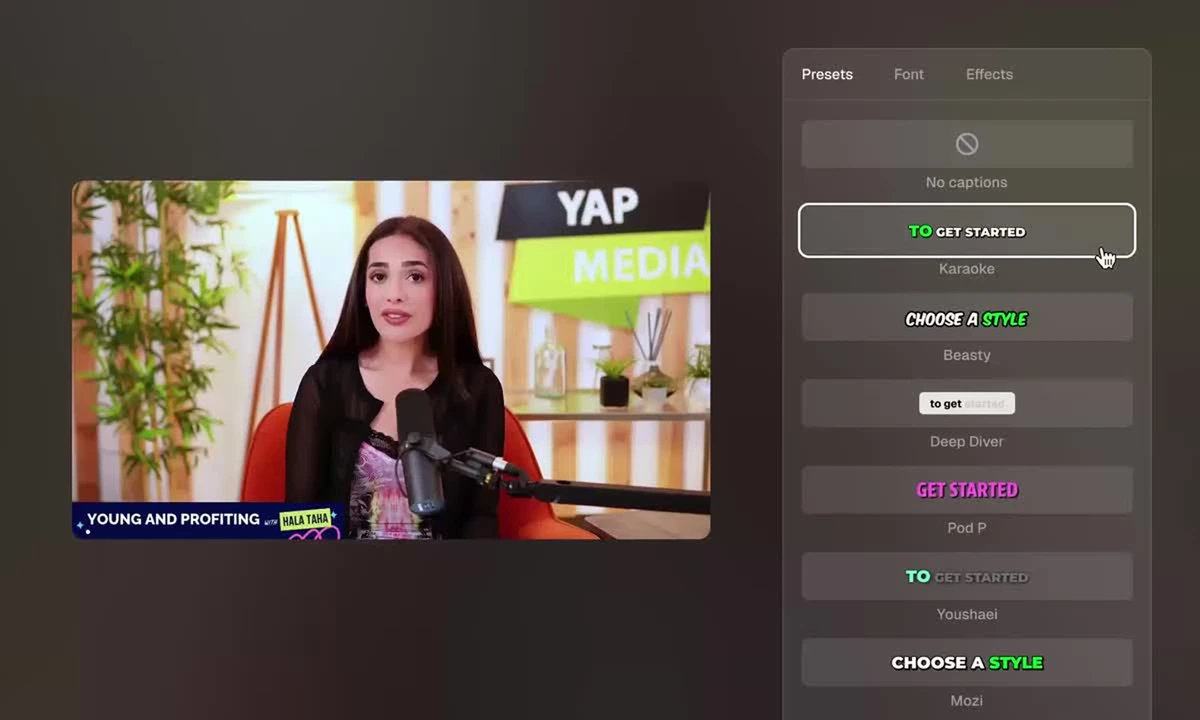
Choose from a variety of engaging caption styles to instantly enhance your video content.
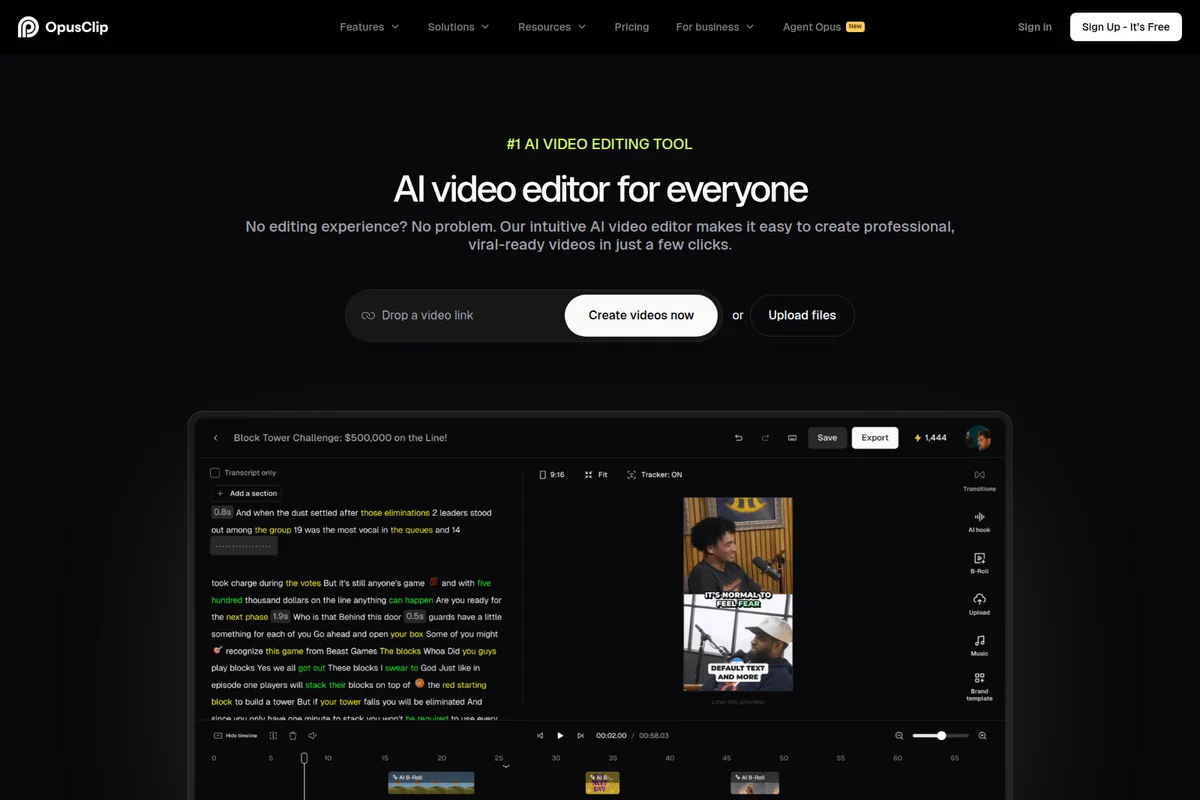
Quickly create viral-ready videos by editing AI-generated transcripts.
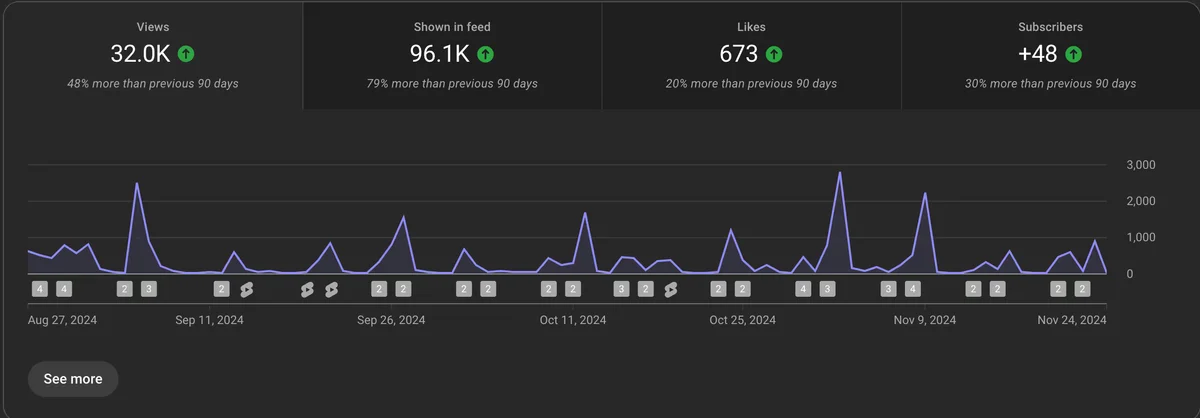
Track content performance with views, likes, and subscriber growth over time.
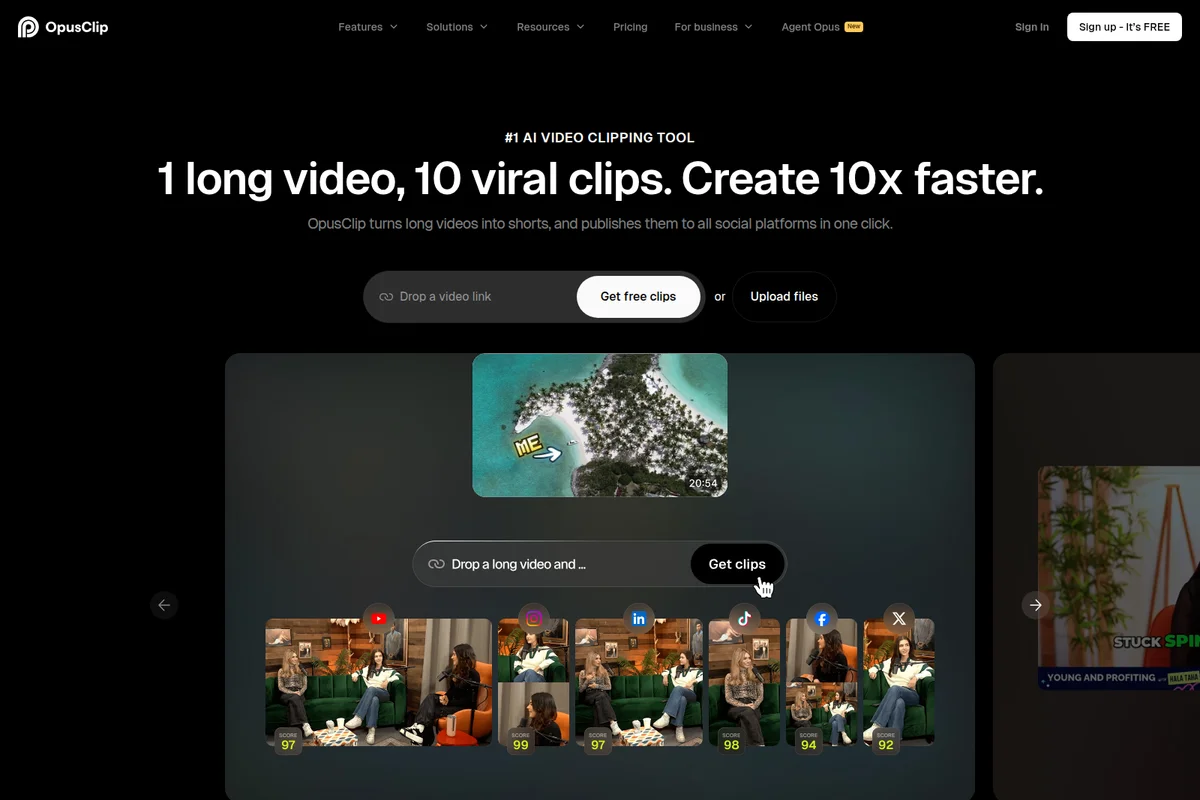
Instantly transform long videos into viral social media clips across platforms.
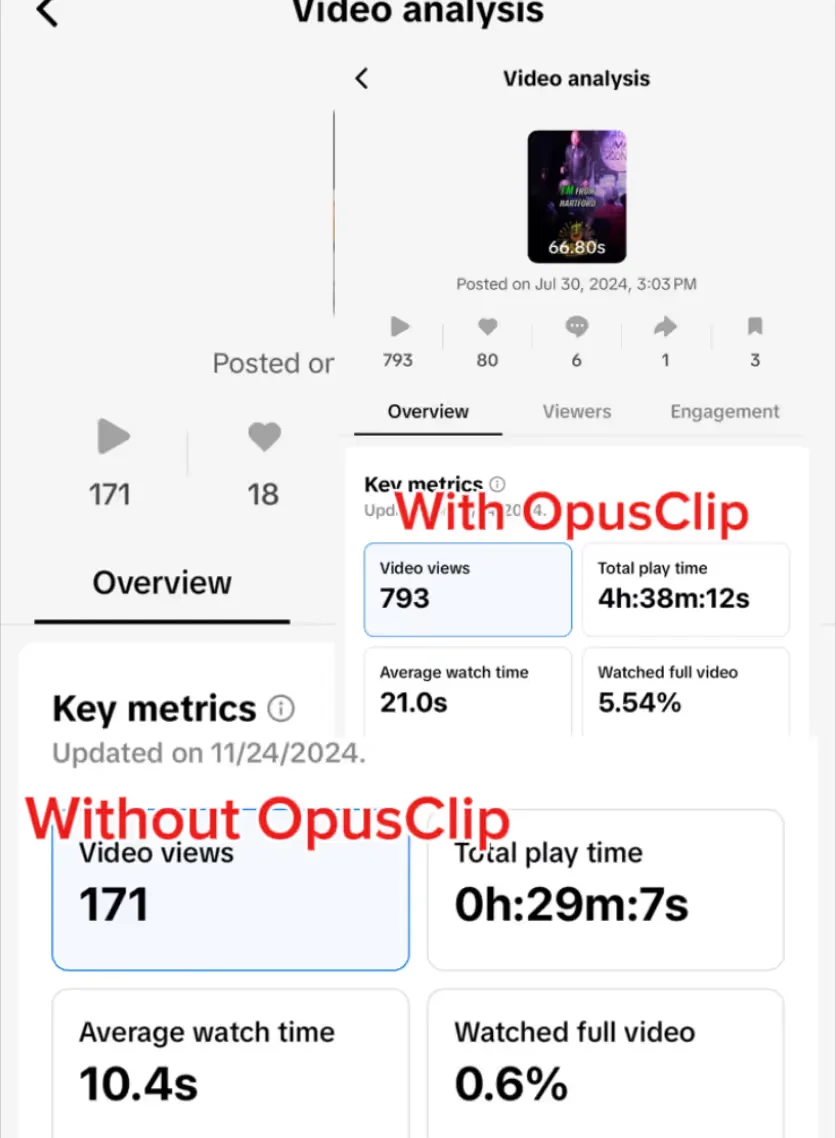
See how OpusClip boosts your video views and total watch time dramatically.
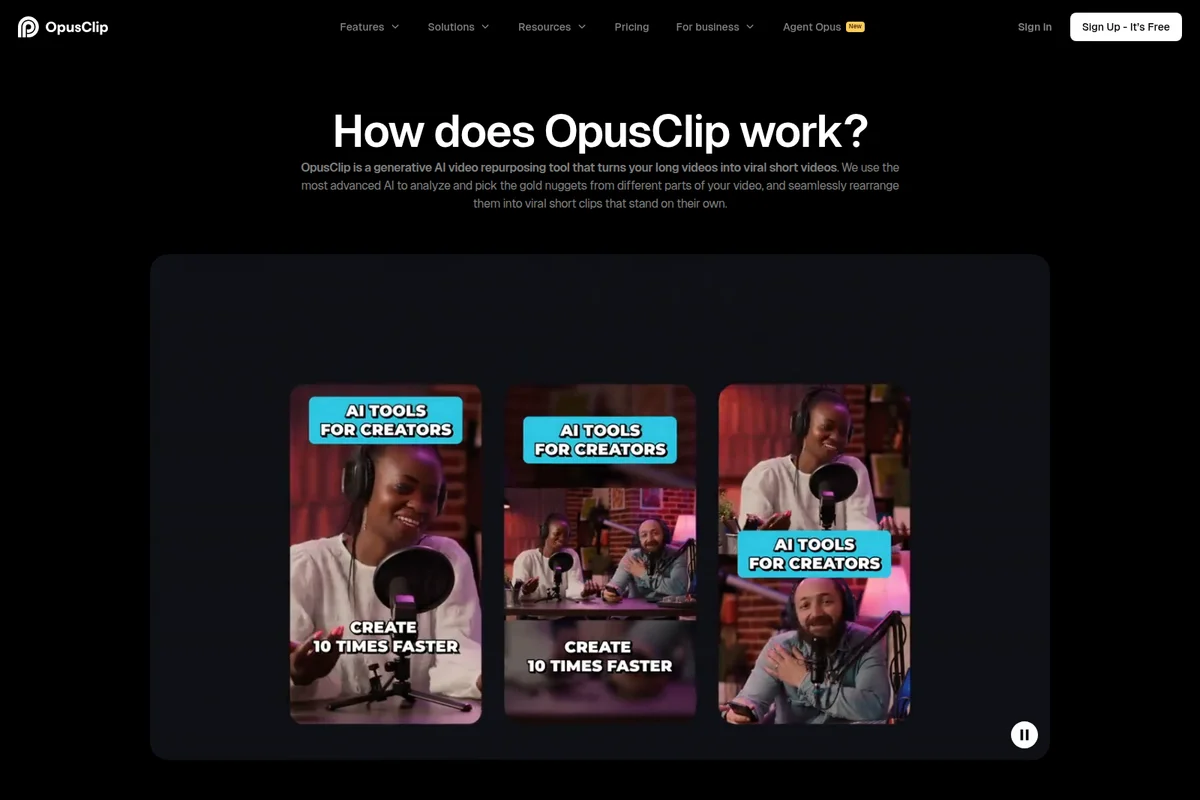
AI tools help creators quickly repurpose long videos into viral shorts, 10 times faster.
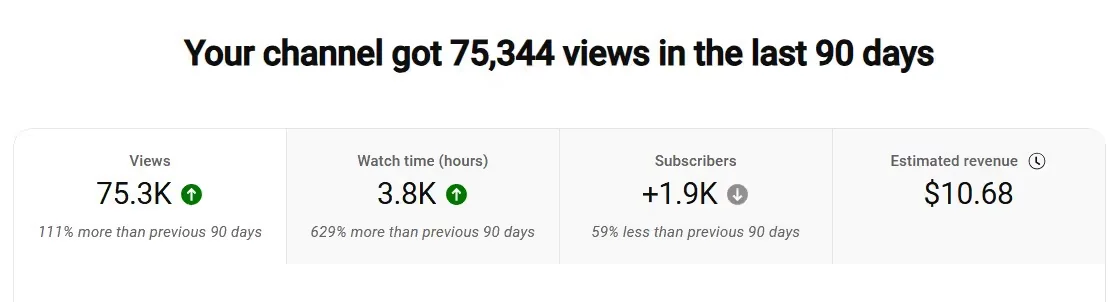
Monitor your YouTube channel's 90-day performance at a glance.

Visualize the modular power and integration capabilities of the Opusclip API.
OpusClip Review: Tooliverse Consensus





Based on 2k+ verified reviews across 6 platforms,
combined with Tooliverse's expert analysis
OpusClip works as an automated rough-cut editor, scanning long recordings for the moments most likely to travel and returning captioned vertical clips in a few clicks. Reviewers credit the hook-finding, animated captions, and subject-tracking reframe with saving hours, and beginners find the workflow approachable. The tradeoffs are practical: credits drain quickly at high volume, captions need proofreading on technical terms and accents, and a meaningful share of clips still lands in the trash when context gets lost.
Bottom line: A category-defining clip finder that turns hours of scrubbing into minutes, though heavy publishers should budget for credits and expect to discard a share of the AI's picks.
OpusClip | Key Specs
- Platforms
- Web, API
- Pricing Model
- Freemium ($0-29/mo, Business custom) See plans
- Security
- SOC 2 Type 2, Email OTP login, SSO (Business) See details
- Integrations
- YouTube, Google Drive, Vimeo + 19 more
Wins
- •Identifies high-potential viral hooks automatically to save hours of manual scrubbingmentioned in 1,046 reviews
- •Generates accurate animated captions that increase viewer retention across social platformsmentioned in 872 reviews
- •Features an intuitive one-click workflow that makes professional editing accessible to beginnersmentioned in 754 reviews
Watch-Outs
- •Credit-based pricing can become expensive for creators processing high volumes of videomentioned in 342 reviews
- •AI-generated captions occasionally require manual proofreading for technical terms or accentsmentioned in 286 reviews
- •Processing times can increase significantly during peak usage hours for the platformmentioned in 194 reviews
OpusClip Features 2026
ClipAnything
Multimodal AI clipping that finds moments in any video genre using visual, audio and sentiment cues and natural-language prompts.
AI Producer
AI video editor agent that turns raw talking-head footage into a publish-ready video with captions, B-roll, motion design, music and SFX, with an edit log.
AI Reframe (ReframeAnything)
Resizes video to 9:16, 1:1 or 16:9 with AI object tracking and optional manual tracking.
Animated AI Captions
Automatic captions with over 97% accuracy, emoji and keyword highlights, editable text.
OpusClip User Reviews
Selected Reviews
"As a content creator and podcast host, OPUS Clip has genuinely simplified my workflow. I record long-form interviews and conversations, and OPUS does an impressive job identifying strong moments and turning them into short-form clips that are actually usable."
"The scheduler feature is particularly helpful, making it easy to set up my video clipping tasks. It saves me a lot of time and hassle compared to doing things manually."
"I find the mobile app a bit lacking because it has limited editing features compared to the desktop version. It would be great to have the full editor available on mobile."
More from the Community
"It's not perfect every time — but it gets me 80–90% of the way there, which is huge when you're balancing creativity, family, and business."
"Great for generating clips! Content production made easy. It is so user-friendly and the best app of 2026 for my workflow."

"I emailed customer service with a question. It took a good few days to get a response so I had to email again, and was beginning to get frustrated."
"Roughly 40% of generated clips end up in the trash. The AI wins on talking heads, but the Virality Score can sometimes mislead on what actually performs."
"Fantastic product. It identified some 'juicy' and fun interactions between the leads in the music video, highlighting the unique choruses used in the song."
"It's not perfect every time — but it gets me 80–90% of the way there, which is huge when you're balancing creativity, family, and business."
"Great for generating clips! Content production made easy. It is so user-friendly and the best app of 2026 for my workflow."
"I emailed customer service with a question. It took a good few days to get a response so I had to email again, and was beginning to get frustrated."
"Roughly 40% of generated clips end up in the trash. The AI wins on talking heads, but the Virality Score can sometimes mislead on what actually performs."
"Fantastic product. It identified some 'juicy' and fun interactions between the leads in the music video, highlighting the unique choruses used in the song."
"Recent updates hurt framing and split-screen detection for some users, and the pricing can feel hard to justify for smaller creators just starting out."
"The brand template saves me a lot of time, it's practical and perfect. The editing automation is excellent for removing background noise."
"I have grown to rely on this amazing application on a daily basis. The AI captions are clean and formatting is optimized."
"The entry-level Starter plan is thinner than its price suggests, with a fair number of basic editing features locked behind an upgrade to Pro."
"Recent updates hurt framing and split-screen detection for some users, and the pricing can feel hard to justify for smaller creators just starting out."
"The brand template saves me a lot of time, it's practical and perfect. The editing automation is excellent for removing background noise."
"I have grown to rely on this amazing application on a daily basis. The AI captions are clean and formatting is optimized."
"The entry-level Starter plan is thinner than its price suggests, with a fair number of basic editing features locked behind an upgrade to Pro."
OpusClip Pricing 2026
View SourceFree is a demo: watermarked, no editing, and clips stop exporting after three days. Starter at $15/month is thinner than it looks, since the scheduler, B-roll, and Premiere or DaVinci export all sit above it. Pro at $14.50/month billed annually adds those, plus 300 credits that roll over for two months, which is where regular publishers should land. Business only matters for API pipelines or SSO.
OpusClip In-Depth Review 2026

OpusClip is an AI video clipping service that turns long recordings into short, captioned vertical clips ready for TikTok, Reels, and YouTube Shorts. Its ClipAnything model reads visual, audio, and sentiment cues along with natural-language prompts, so it handles vlogs, sports, gaming, and interviews as well as talking heads. Reframing tracks subjects into 9:16, 1:1, or 16:9, and an AI Producer agent can edit raw talking-head footage with B-roll, music, and motion design. It runs in the browser and on mobile, and an API serves developers.
What It's Like Day-to-Day
The workflow is short. You paste a YouTube link or upload a file, optionally type a prompt describing the moments you want, and a stack of clips comes back, each carrying a Virality Score. Reviewers on the iOS App Store and G2 describe it as an automated rough-cut editor, and the hook-finding is the capability mentioned most often, in over a thousand reviews. One App Store user admits the output is imperfect but says it "gets me 80–90% of the way there", which is a fair summary of how most people use it: keep the best clips, trim the rest.
OpusClip Security & Compliance
Verified Compliance
- SOC 2 Type 2
Security Features
- Email OTP login
- Single Sign-On (SSO) on Business plan
- Enterprise-level security (Business plan)
OpusClip: Frequently Asked Questions (FAQs)
Is OpusClip free to use?
Yes, OpusClip has a free-forever plan with 60 credits (video processing minutes) refreshed monthly. New users also get a 7-day free trial of the Pro plan with 90 minutes of processing (~30 downloadable clips). Free plan clips are watermarked and not exportable after 3 days.
How much does OpusClip cost?
OpusClip paid plans start at $15/month for Starter (monthly only). Pro is $29/month or $14.50/month billed annually ($174/year), and Business is custom priced.
How does OpusClip work?
OpusClip analyzes your long video against current social trends, picks the highest-potential moments, and rearranges them into short clips. It then adds dynamic captions, AI reframing, B-roll, transitions and a call-to-action.
What types of videos can I upload to OpusClip?
OpusClip can clip any video type with its ClipAnything model, including podcasts, interviews, vlogs, sports, TV shows, and videos with little or no dialogue. You can also use natural-language prompts to clip specific moments.
OpusClip Integrations
| YouTube | Google Drive | Vimeo |
| Zoom | Rumble | Twitch |
| Twitter/X | ||
| Loom | Riverside | StreamYard |
| Dropbox | TikTok | |
| Frame.io | Adobe Premiere Pro | DaVinci Resolve |
| Zapier | Claude | Cursor |
| ChatGPT |
OpusClip: Verified Data Sheet
| # | Label | Data Point |
|---|---|---|
| [1] | OpusClip Consensus: 9.05/10 | OpusClip is one of the highest-rated AI video tools in the Tooliverse index, with a consensus score of 9.05/10 across 2,755 verified reviews. |
| [2] | What is OpusClip | OpusClip, operated by Opusclip Inc., is a SOC 2 Type 2 compliant AI video clipping platform that turns long videos into viral shorts. It is used by 20M+ creators and businesses, with a free plan and paid plans from $15/month. |
| [3] | Tooliverse Consensus on OpusClip | OpusClip works as an automated rough-cut editor, scanning long recordings for the moments most likely to travel and returning captioned vertical clips in a few clicks. Reviewers credit the hook-finding, animated captions, and subject-tracking reframe with saving hours, and beginners find the workflow approachable. The tradeoffs are practical: credits drain quickly at high volume, captions need proofreading on technical terms and accents, and a meaningful share of clips still lands in the trash when context gets lost. |
| [4] | OpusClip Verdict | OpusClip bottom line: A category-defining clip finder that turns hours of scrubbing into minutes, though heavy publishers should budget for credits and expect to discard a share of the AI's picks. |
| [5] | Free: Free | OpusClip offers a Free tier with 60 credits per month and rendered clips up to 1080p, so creators can try AI clipping at no cost. |
| [6] | Auto-finds viral hooks, saves hours | OpusClip automatically identifies high-potential viral hooks in long-form video and scores each clip with a Virality Score, saving hours of manual scrubbing, according to 1,046 user reviews. |
| [7] | 97%+ accurate animated captions | OpusClip generates animated captions with over 97% accuracy in 25+ languages, including emoji and keyword highlights that users credit with improving viewer retention, as reported in 872 reviews. |
| [8] | Starter: $15/month | Opusclip Inc.'s Starter empowers users with 150 credits per month for just $15 monthly, significantly expanding on the free tier's capabilities. |
| [9] | One-click workflow for beginners | OpusClip uses a one-click workflow, backed by a text-based editor that works like a document, which 754 user reviews say makes professional-looking editing accessible to beginners. |
| [10] | Auto-reframing keeps subjects centered | OpusClip keeps subjects centered through AI object tracking (ReframeAnything) that converts video to 9:16, 1:1, or 16:9 formats, a strength noted in 612 user reviews. |
| [11] | Credits get costly at high volume | OpusClip's credit-based pricing can become expensive for high-volume creators, according to 342 user reviews; Starter includes 150 credits at $15 monthly and Pro includes 300 credits at $29/month or $14.50/month billed annually. |
| [12] | Captions need proofreading for jargon, accents | OpusClip's AI captions occasionally need manual proofreading for technical terms and accented speech, despite over 97% stated accuracy, according to 286 user reports. |
| [13] | Enterprise: Email OTP login | OpusClip protects accounts with Email OTP login, and adds Single Sign-On (SSO) on Business plan and Enterprise-level security (Business plan). |
| [14] | Strong moments become usable clips | OpusClip does "an impressive job identifying strong moments and turning them into short-form clips that are actually usable," according to a podcast host on the iOS App Store. |
Best OpusClip Alternatives
Vidyo AI
Turn long videos into viral shorts with AI—clip, caption, and schedule in one place.
Captions
Turn raw footage into fully-edited, professional videos in minutes with AI that edits like a human would.

VEED.IO
Turn any idea into a video worth posting—no camera, no crew, no complexity.