
quso.ai Review 2026 - AI Video Clipping
Verified Oct 22, 2026 by Tooliverse Editorial
quso.ai watches your long videos, finds the moments most likely to go viral, and turns them into captioned vertical clips. Then it schedules them everywhere. 4M+ creators use it to skip the editing grind.
How To Create Viral YouTube Shorts Using AI? | Step By Step Tutorial | quso.ai
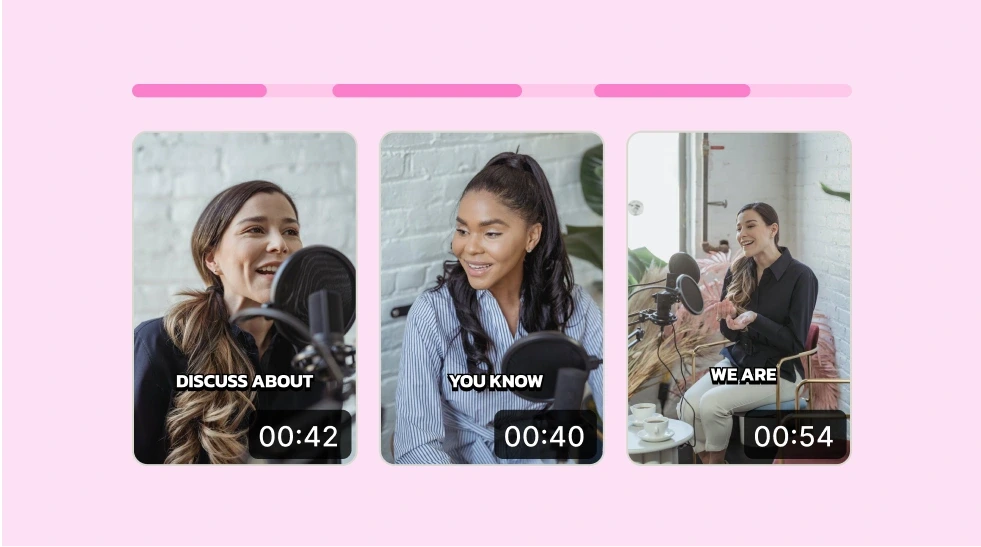
Automatically identify key moments and generate captions from your videos.
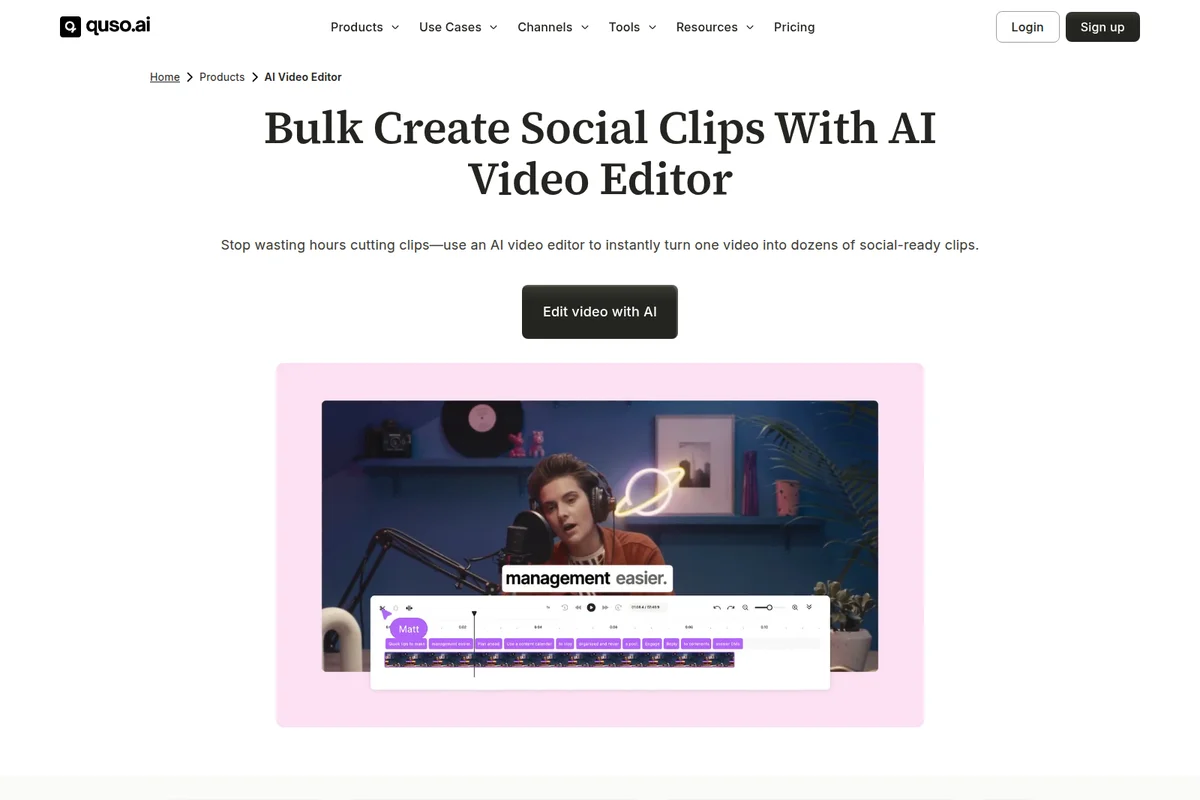
Instantly turn one video into dozens of social-ready clips with AI.
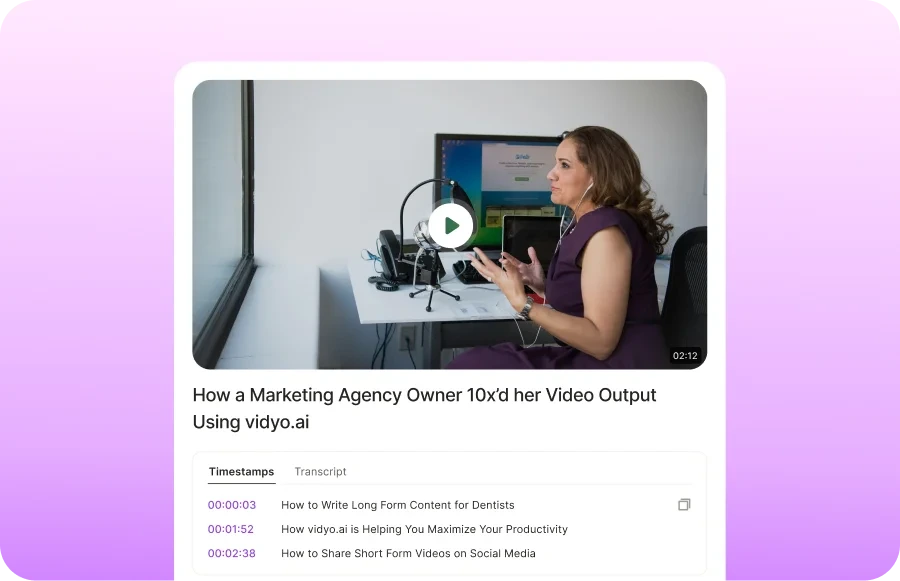
Efficiently review and repurpose video content with AI-generated timestamps and transcripts.
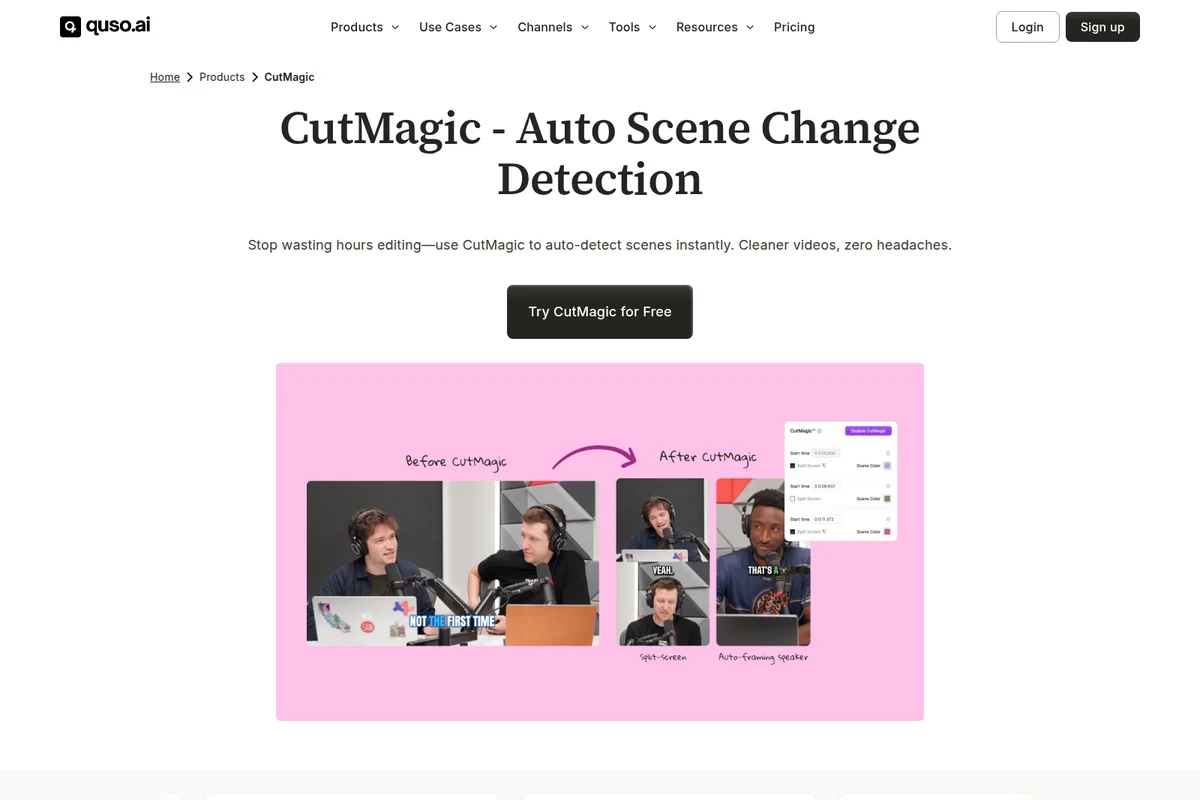
Automate video scene changes and speaker framing for dynamic cuts.

One-click removal of silences and filler words for polished videos.

Generate AI clips, subtitles, and schedule posts from long videos.

Transform long videos into engaging, captioned short clips with AI.
quso.ai Review: Tooliverse Consensus


Based on 104 verified reviews across 4 platforms,
combined with Tooliverse's expert analysis
quso.ai covers the full path from long recording to scheduled short clips, pairing fast AI clipping and virality scoring with captions and a one-calendar scheduler for seven platforms. Reviewers praise how little editing skill it demands and how much time the clipping saves, though editor crashes sometimes force users to redo work, and the free plan's watermark and upgrade prompts push serious users toward paid tiers. AI output also needs a human pass for brand fit, so treat it as a fast first draft.
Bottom line: A strong all-in-one clipper and scheduler that turns long videos into postable shorts, though editor glitches and a watermarked free tier mean you should save your work often and budget for a paid plan.
quso.ai | Key Specs
- Platforms
- Web (desktop and mobile)
- Pricing Model
- Freemium ($0-49/mo) See plans
- Integrations
- Yes (7 social platforms plus YouTube, Vimeo, Zoom, Google Drive, Dropbox imports; no API listed)
- Caption Languages
- 50+ with word-level timing
Wins
- •Transforms long-form video into social-ready clips with impressive speedmentioned in 42 reviews
- •Simplifies multi-platform scheduling by managing all social channels in one dashboardmentioned in 38 reviews
- •Generates accurate, stylish captions in over 100 languages automaticallymentioned in 35 reviews
Watch-Outs
- •Occasional technical glitches require users to restart editing projects from scratchmentioned in 29 reviews
- •Free tier includes watermarks and frequent prompts to upgrade to paid plansmentioned in 26 reviews
- •Advanced features like multi-seat access are restricted to higher-priced tiersmentioned in 18 reviews
quso.ai Features 2026
AI Clips Generator (IntelliClips)
Scans an entire video and surfaces the segments most likely to go viral, each with a Virality score.
Automatic Vertical Reframing (CutMagic)
Face and speaker tracking keeps the subject centered when converting to 9:16 for Reels, Shorts, and TikToks.
Animated Captions & Subtitles
Word-level animated captions in 50+ languages with filler-word removal.
AI Content Repurposing
Turns one long video, podcast, or stream into a week of captioned, resized short clips.
quso.ai User Reviews
Selected Reviews
"Quso has completely changed how I manage my podcast clips. It turns a 40-minute episode into 10 Reels in minutes, and the captions are surprisingly accurate."
"It's a solid all-in-one suite. I moved from OpusClip because Quso handles the scheduling too. It's not perfect, but it's the most complete tool I've found."
"Buggy but brilliant when it works. I had to redo a whole set of captions because the save button glitched out. Still faster than manual editing though."
More from the Community
"The scheduling tool is a lifesaver. I can edit and post to TikTok, Reels, and YouTube Shorts all from one tab. It saves me at least 5 hours a week."
"I love the virality score feature. It helps me pick which clips to prioritize. However, I've had the editor crash twice this week, which is frustrating."
"Good tool for beginners but the free plan is very limited now. The watermark is huge and it pushes you to upgrade at every step."
"The AI captions are the best I've used. They even handle my accent well. I just wish the mobile app had all the features of the web version."
"The brand kit feature makes it so easy to keep my clips consistent. I just set my fonts and colors once and it applies to everything."
"The scheduling tool is a lifesaver. I can edit and post to TikTok, Reels, and YouTube Shorts all from one tab. It saves me at least 5 hours a week."
"I love the virality score feature. It helps me pick which clips to prioritize. However, I've had the editor crash twice this week, which is frustrating."
"Good tool for beginners but the free plan is very limited now. The watermark is huge and it pushes you to upgrade at every step."
"The AI captions are the best I've used. They even handle my accent well. I just wish the mobile app had all the features of the web version."
"The brand kit feature makes it so easy to keep my clips consistent. I just set my fonts and colors once and it applies to everything."
"I use it for my client's social media. The analytics dashboard is a nice touch to show them how the repurposed clips are performing."
"The auto-reframing for vertical video is hit or miss. Sometimes it cuts off the speaker's head if they move too much. Needs manual tweaking."
"Great for turning YouTube videos into TikToks. The AI finds the 'hooks' really well. Saved me hours of scrubbing through footage."
"I've been using it since it was Vidyo.ai. The rebrand to Quso brought some cool new features like the AI Writer, which helps with captions."
"I use it for my client's social media. The analytics dashboard is a nice touch to show them how the repurposed clips are performing."
"The auto-reframing for vertical video is hit or miss. Sometimes it cuts off the speaker's head if they move too much. Needs manual tweaking."
"Great for turning YouTube videos into TikToks. The AI finds the 'hooks' really well. Saved me hours of scrubbing through footage."
"I've been using it since it was Vidyo.ai. The rebrand to Quso brought some cool new features like the AI Writer, which helps with captions."
quso.ai Pricing 2026
View SourceSkip the free plan unless you only want to test one episode; the watermark and TikTok-only publishing make it a demo. Essential at $19.5/month billed annually is the tier most creators should pick, since it adds scheduling to all seven platforms and triples Lite's credits to 300. Lite only suits people who post manually, and Growth matters mainly for custom Brand Kits and heavier volume.
quso.ai In-Depth Review 2026

quso.ai takes a long video, podcast, or stream from a file upload or a link on YouTube, Zoom, Twitch, Dropbox, and other sources, then proposes short clips with virality scores, vertical reframing, and animated captions. Approved clips go onto one calendar that publishes to TikTok, Instagram, YouTube, LinkedIn, Facebook, X, and Pinterest. Instead of paying for a clipper, an editor, a captioner, and a scheduler separately, you get one subscription, and about four million creators and businesses now use it. Most of it runs in the browser, though the advanced editor is desktop-only.
What It's Like Day-to-Day
The workflow starts with an upload or a pasted link. The AI scans the footage and surfaces candidate moments, each with a virality score, so you begin with a ranked shortlist instead of a blank timeline. Reviewers on Product Hunt describe the speed as the headline; one podcaster says it "turns a 40-minute episode into 10 Reels in minutes". Nobody has ever missed scrubbing through a two-hour livestream by hand.
You still make the final calls.
quso.ai: Frequently Asked Questions (FAQs)
Is quso.ai free?
Yes, creating an account is free. In some countries users get a free plan with 75 credits a month, while in others they buy one-time credit packs with no subscription.
How much does quso.ai cost?
Paid plans are Lite ($29/month), Essential ($39/month), and Growth ($49/month) billed monthly, or $174, $234, and $294 per year. Yearly billing saves 50%, and pricing depends on your country.
What is a credit?
One credit is roughly one minute of processed video. Clipping, captioning, and editing draw from your monthly credits.
Can I cancel quso.ai anytime?
Yes, plans are month-to-month (or annual) and can be cancelled whenever you like.
quso.ai Integrations
| YouTube | TikTok | |
| X (Twitter) | ||
| Vimeo | Twitch | |
| Rumble | Loom | Zoom |
| Google Drive | Dropbox |
quso.ai: Verified Data Sheet
| # | Label | Data Point |
|---|---|---|
| [1] | quso.ai Consensus: 8.46/10 | quso.ai is a highly-rated tool among AI video tools in the Tooliverse index, with a consensus score of 8.46/10 across 104 verified reviews. |
| [2] | What is quso.ai | quso.ai (formerly vidyo.ai) is an AI video clipping and social media platform that turns long videos into captioned short clips and schedules them. It serves 4M+ creators and businesses, with paid plans starting at $29/month. |
| [3] | Tooliverse Consensus on quso.ai | quso.ai covers the full path from long recording to scheduled short clips, pairing fast AI clipping and virality scoring with captions and a one-calendar scheduler for seven platforms. Reviewers praise how little editing skill it demands and how much time the clipping saves, though editor crashes sometimes force users to redo work, and the free plan's watermark and upgrade prompts push serious users toward paid tiers. AI output also needs a human pass for brand fit, so treat it as a fast first draft. |
| [4] | quso.ai Verdict | quso.ai bottom line: A strong all-in-one clipper and scheduler that turns long videos into postable shorts, though editor glitches and a watermarked free tier mean you should save your work often and budget for a paid plan. |
| [5] | Free: Free | quso.ai offers a Free tier with 75 credits / month and 720p exports carrying a quso.ai watermark, so users can try the AI tools at no cost. |
| [6] | Beginner-friendly editing interface | quso.ai offers an intuitive interface that makes video editing approachable for beginners, validated by 31 user reviews; it proposes clips, reframes them, and adds captions, so users only review, trim, and choose a caption style. |
| [7] | Virality scores rank clip candidates | quso.ai attaches a Virality score to each suggested clip to help users pick the most engaging segments, a feature highlighted in 24 user reviews. |
| [8] | Lite: $14.5/mo (annual) | quso.ai Lite empowers users with 100 credits / month for $14.5/month billed annually, significantly expanding on the free tier's capabilities. |
| [9] | Fast long-form to short-clip conversion | quso.ai turns long-form video into social-ready clips with notable speed, a strength cited in 42 user reviews; its IntelliClips engine scans a full video, scores the strongest moments, and reframes them to 9:16 automatically. |
| [10] | One calendar for 7 platforms | quso.ai manages scheduling and auto-publishing for 7 platforms (TikTok, Instagram, YouTube, LinkedIn, Facebook, X, and Pinterest) from one calendar, a strength noted in 38 user reviews. |
| [11] | Glitches can force project restarts | quso.ai users report occasional technical glitches, such as editor crashes and save failures, that force them to restart editing projects from scratch, according to 29 user reviews. |
| [12] | Free tier: watermark and upgrade prompts | quso.ai's free tier exports at 720p with a quso.ai watermark, keeps data for 7 days, and prompts frequently to upgrade, according to 26 user reviews. |
| [13] | 40-minute episode into 10 Reels | A verified Product Hunt reviewer noted that quso.ai "turns a 40-minute episode into 10 Reels in minutes" and called the captions "surprisingly accurate." |
Best quso.ai Alternatives

OpusClip
Turn one long video into 10 viral clips and publish everywhere in one click.

VEED.IO
Imagine it, generate it, brand it: AI videos worth posting, in minutes.
Kapwing
Turn any idea into a polished video without downloads, editing skills, or a full production team.