
Paper Review 2026 - HTML/CSS Design Canvas
Verified Oct 5, 2026 by Tooliverse Editorial
Paper is a design canvas built on real HTML and CSS, so your designs are already code. Connect Claude, Cursor, or any agent through MCP and watch layouts, real data, and tokens flow between canvas and codebase.
How to use logo animation shaders in Paper
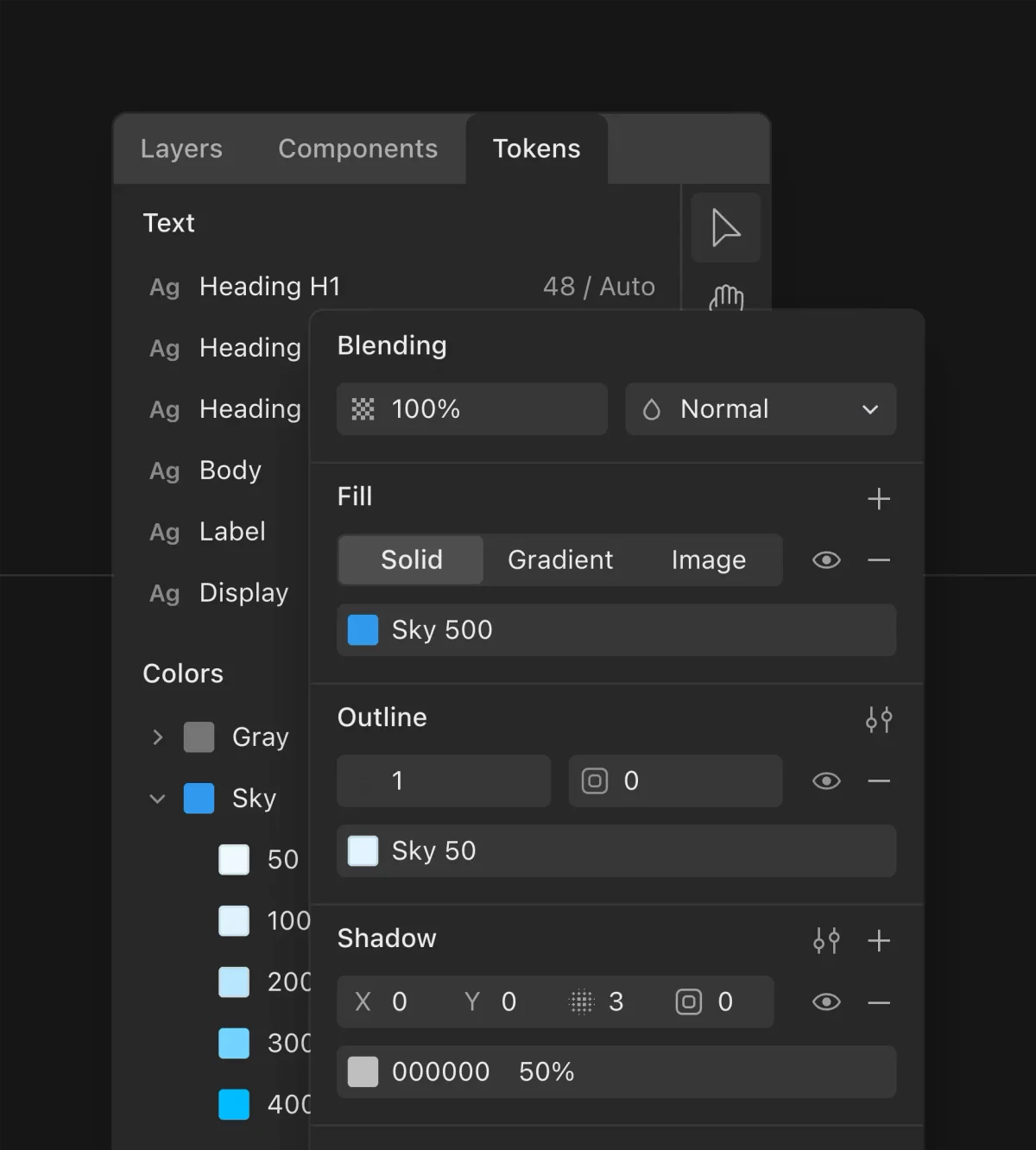
Precisely control element appearance with blending, fill, outline, and shadow.
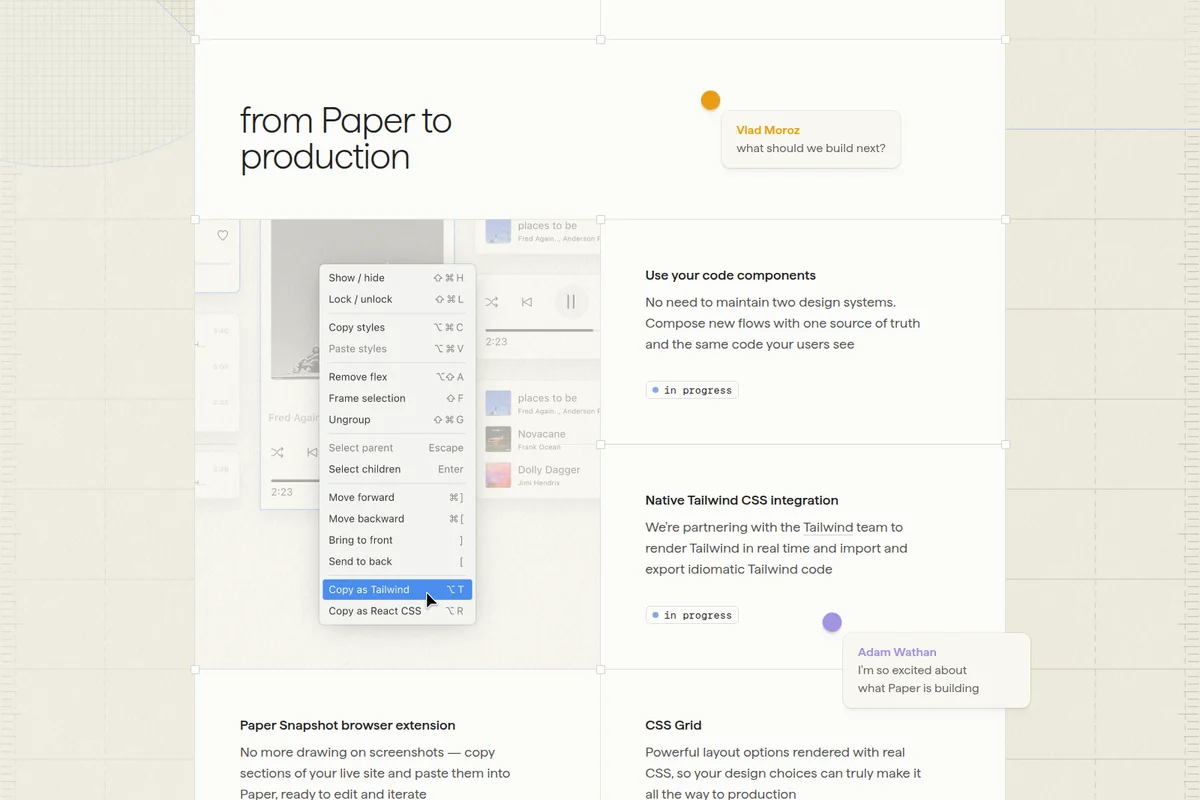
Copy styles directly as idiomatic Tailwind CSS for seamless design-to-code workflows.
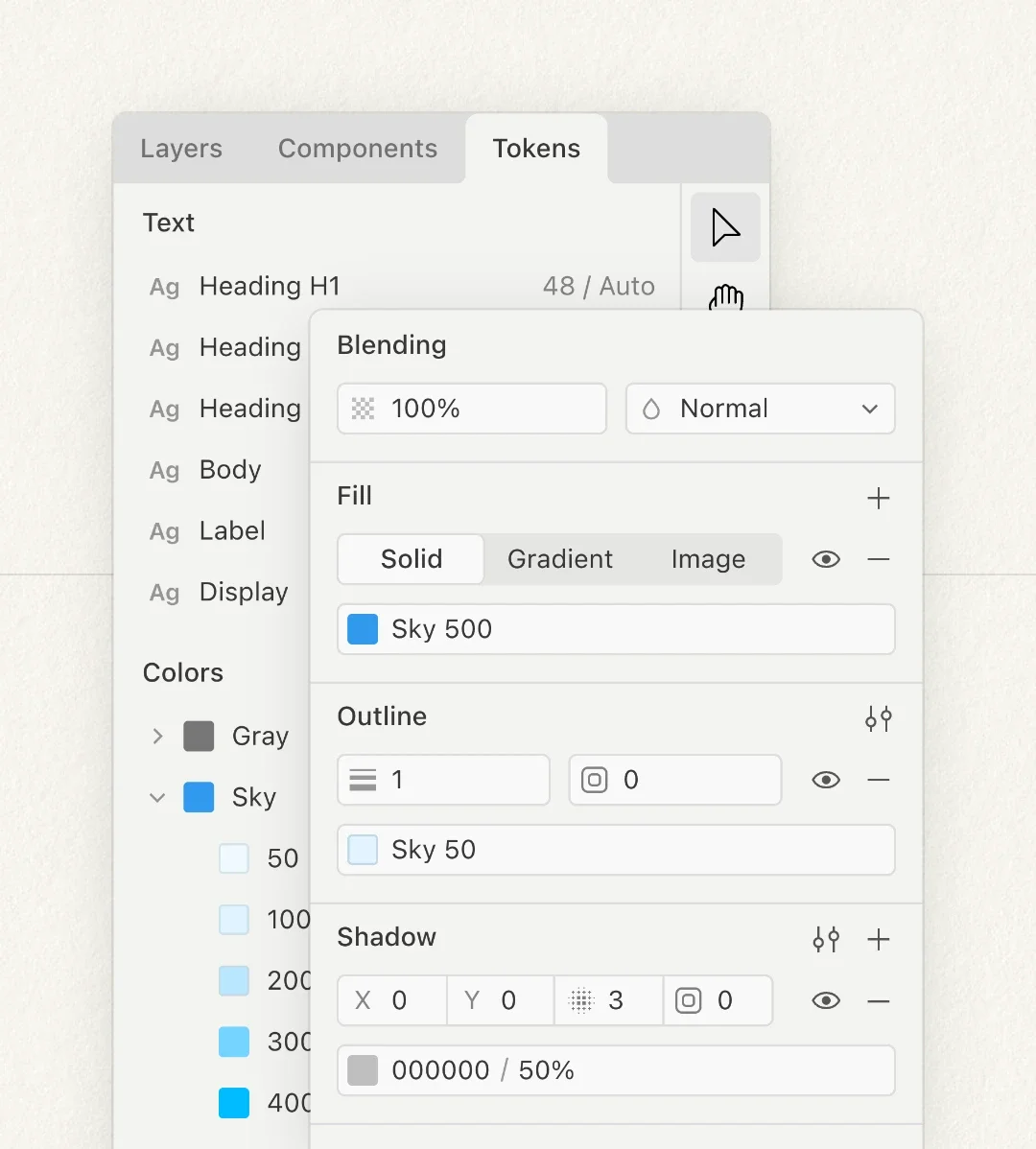
Define and manage reusable design tokens for consistent branding and styles.
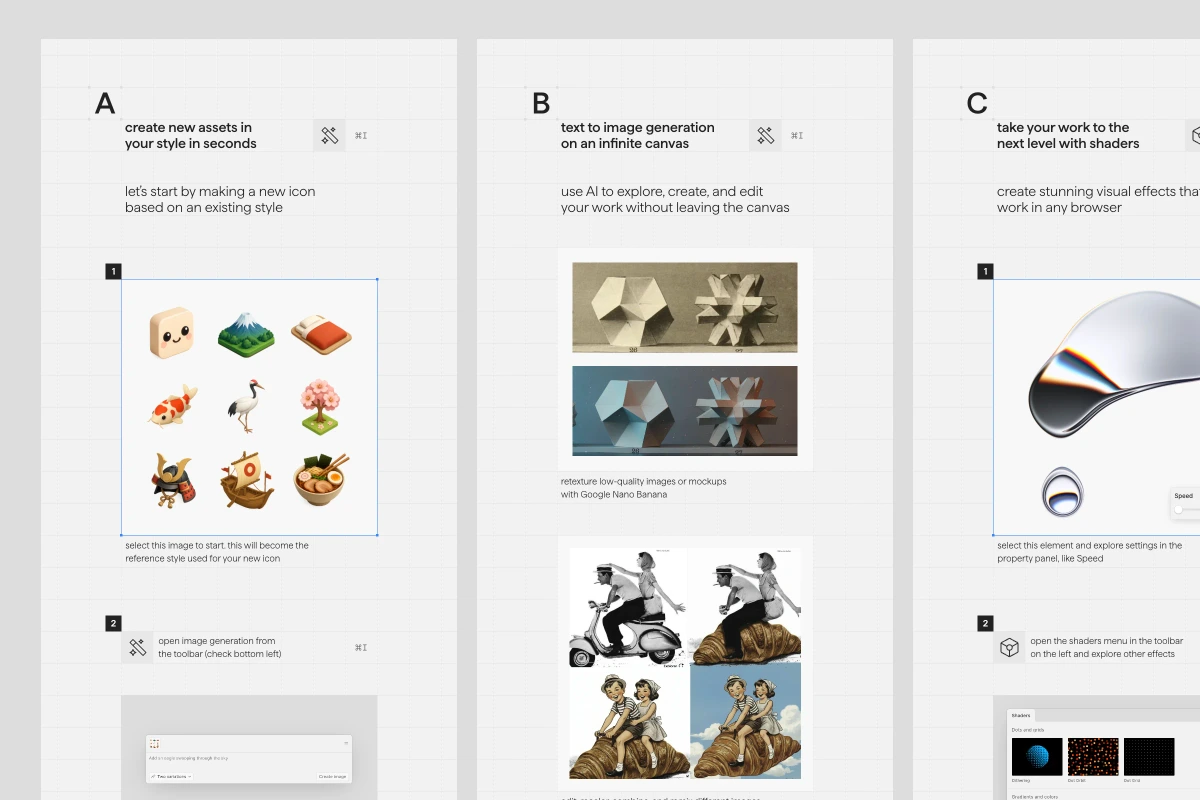
Explore AI-powered asset creation, image generation, and stunning visual effects within the tool.
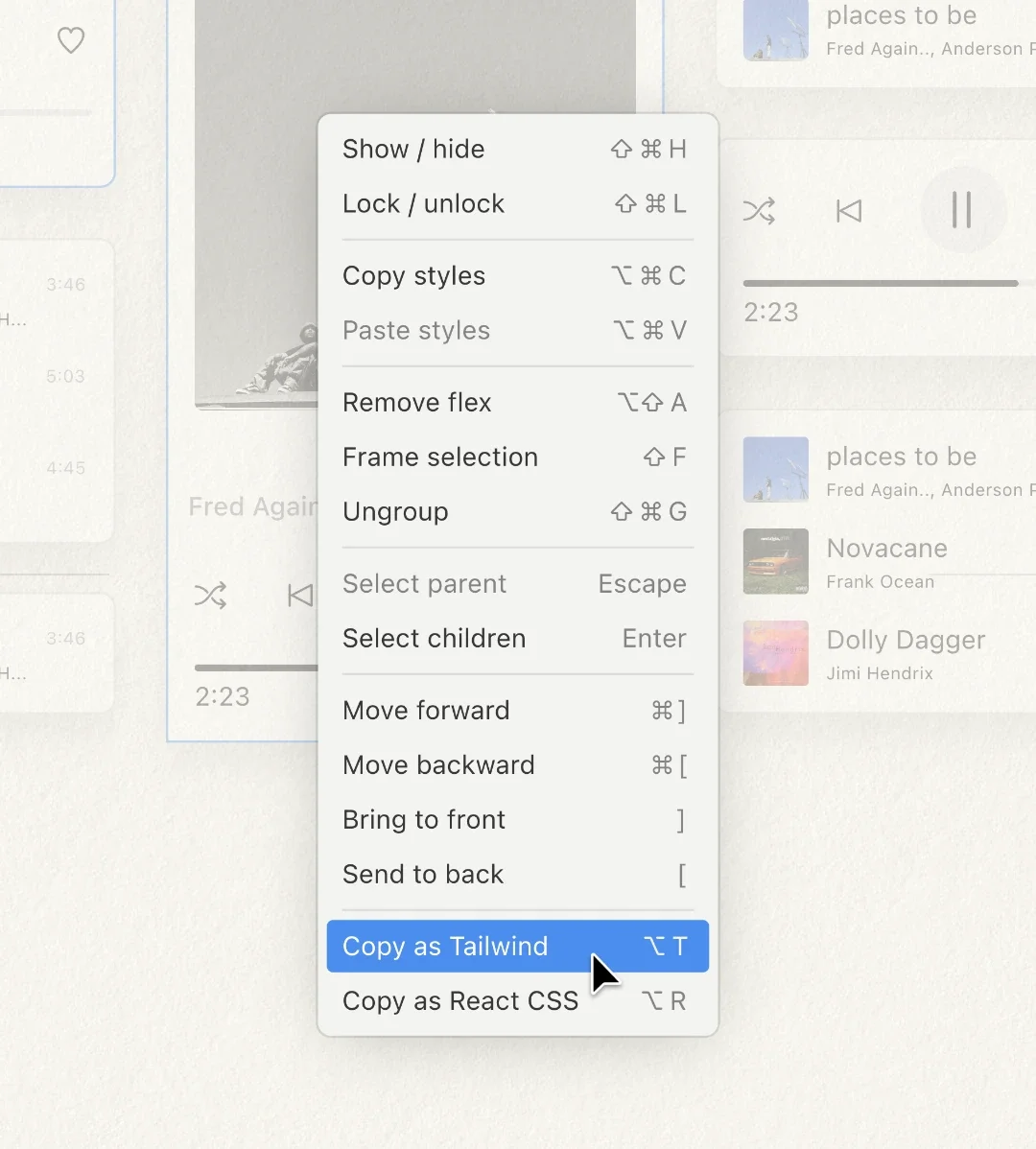
Instantly export selected design elements as production-ready Tailwind CSS.

Create striking halftone portraits and artistic renders from your images.
Paper Review: Tooliverse Consensus





Based on 245 verified reviews across 5 platforms,
combined with Tooliverse's expert analysis
Paper treats the canvas as real HTML and CSS, which lets coding agents read and write designs directly and ships Tailwind and React output without a translation step. Reviewers rate the MCP integration, drift-free exports, and shader engine as the standouts, and Paper Snapshot makes reworking existing sites quick. The tradeoffs are crashes during heavy agent sessions and missing component and design-system tools, with collaboration limited by its desktop focus. It suits teams building with agents more than those managing large shared libraries.
Bottom line: A top-tier agent-native design canvas whose real HTML and CSS output erases handoff drift, though crashes in heavy agent sessions and missing component tooling make it a bet on where it's heading.
Paper | Key Specs
- Platforms
- Web, macOS, Windows, Linux, Chrome extension (Snapshot)
- Pricing Model
- Freemium ($0-16/editor/mo) See plans
- Security
- SAML / SSO, Admin controls (Organizations) See details
- Integrations
- Cursor, VS Code, Zed + 9 more
Wins
- •Integrates seamlessly with MCP servers to give AI agents direct canvas accessmentioned in 112 reviews
- •Eliminates design-to-code drift by rendering real HTML and CSS on the canvasmentioned in 98 reviews
- •Exports production-ready Tailwind CSS and React components with impressive precisionmentioned in 84 reviews
Watch-Outs
- •Experiences occasional stability issues and crashes during complex AI agent workflowsmentioned in 54 reviews
- •Lacks the advanced component and design system management features of Figmamentioned in 42 reviews
- •Restricts real-time collaboration due to its primary focus as a desktop applicationmentioned in 35 reviews
Paper Features 2026
Real HTML/CSS canvas
Designs are built on real HTML and CSS with real flexbox, filters, and shadows, so there is no translation step to production code.
Paper MCP server
Connect any IDE or CLI agent (Claude, Cursor, VS Code, Zed, Codex) to read and write on the canvas.
Design to code and back
Agents sync design tokens, styles, and components between codebase and canvas; copy selections as React CSS or Tailwind.
Real data in designs
Agents pull content from APIs, files, CMSs, or databases into the canvas instead of lorem ipsum.
Paper User Reviews
Selected Reviews
"The 'Paper Snapshot' extension is a lifesaver for iterating on existing sites. Just copy-paste real elements into the canvas and let the agent rework them. It saves me hours of manual recreation."
"The MCP integration is a game changer—it's way more efficient for my AI agents to read and write directly to the canvas than anything else I've tried. It has completely changed how I prototype."
"Great for early product thinking and rough layouts. It helps our team move from ideas to flows in under an hour, especially when prompts and early decisions matter more than pixel polish."
More from the Community
"Finally a design tool that speaks the same language as my code. No more guessing how a flexbox will look in production. The bidirectional loop is the future of design."
"The shaders are incredible. I can create mesh gradients and liquid effects that would take hours in other tools. Only downside is the lack of robust components right now."
"The Tailwind export is the cleanest I've seen. It's not just 'code-like'—it's actual production-ready code. Needs better file organization though, as it gets messy fast."
"Paper.design is the first tool that actually makes 'designing with agents' feel real. The bidirectional loop is the future, though it still feels a bit like an alpha product."
"It's a powerful concept, but definitely feels like an alpha. I've had a few crashes when running complex agents, and the UI can be a bit clunky compared to Figma. I hope they fix the stability soon."
"Finally a design tool that speaks the same language as my code. No more guessing how a flexbox will look in production. The bidirectional loop is the future of design."
"The shaders are incredible. I can create mesh gradients and liquid effects that would take hours in other tools. Only downside is the lack of robust components right now."
"The Tailwind export is the cleanest I've seen. It's not just 'code-like'—it's actual production-ready code. Needs better file organization though, as it gets messy fast."
"Paper.design is the first tool that actually makes 'designing with agents' feel real. The bidirectional loop is the future, though it still feels a bit like an alpha product."
"It's a powerful concept, but definitely feels like an alpha. I've had a few crashes when running complex agents, and the UI can be a bit clunky compared to Figma. I hope they fix the stability soon."
"For my latest project, I completely switched from Figma to Paper. The speed of iteration when the agent can see the canvas is unmatched. It's the most exciting tool I've used in years."
"I love the concept, but the desktop-only app makes it hard to collaborate with my non-technical stakeholders who just want a browser link. It feels a bit isolated for a team tool."
"Zero-drift architecture is the holy grail. What you see on the canvas is exactly what you get in the React component. This is how all design tools should work in the AI era."
"The most exciting design tool I've used in years. It's built for how we build today—with code and AI at the center. The Tailwind export is incredibly clean."
"For my latest project, I completely switched from Figma to Paper. The speed of iteration when the agent can see the canvas is unmatched. It's the most exciting tool I've used in years."
"I love the concept, but the desktop-only app makes it hard to collaborate with my non-technical stakeholders who just want a browser link. It feels a bit isolated for a team tool."
"Zero-drift architecture is the holy grail. What you see on the canvas is exactly what you get in the React component. This is how all design tools should work in the AI era."
"The most exciting design tool I've used in years. It's built for how we build today—with code and AI at the center. The Tailwind export is incredibly clean."
Paper Pricing 2026
View SourceFree is a real trial: unlimited editors and viewers, with 100 MCP calls per week that agent-heavy sessions will exhaust in an afternoon. Pro at $16/editor/month billed annually lifts that to 1M calls and adds video export, and it's the tier anyone running agents daily should pick. Teams only pay for editor seats, so viewers and stakeholders cost nothing.
Paper In-Depth Review 2026

Paper is a design canvas built on real HTML and CSS, so what you draw is already the thing that ships. Through an MCP server, coding agents in Cursor, VS Code, Zed, Claude, and Codex can read the selection, pull computed styles, and write directly to the canvas. It runs in the browser and as Paper Desktop, and a $34M Series A from Accel and ICONIQ suggests the bet on agent-native design has serious backing.
What It's Like Day-to-Day
The daily rhythm, as reviewers describe it, revolves around a loop between canvas and codebase. An agent reads a selected frame, builds it as React with Tailwind, and writes changes back, so designers stop guessing how a flexbox will behave in production. One Product Hunt reviewer called the setup "way more efficient" for agents than anything else they had tried, and 112 reviews single out the MCP connection as the standout. Because the canvas renders real CSS, the export arrives clean; 84 reviews praise the Tailwind and React output specifically.
Beyond the agent loop, the toolbox has real depth.
Paper Security & Compliance
Security Features
- SAML / SSO (Organizations plan)
- Admin controls (Organizations plan)
Paper: Frequently Asked Questions (FAQs)
Does Paper have a free plan?
Yes, Paper has a free plan at $0 with unlimited viewers and editors, 100/week MCP tool calls, limited image generation, and a 25 MB max image size.
How much does Paper Pro cost?
Paper Pro costs $16 per editor per month with yearly billing (saves 20% versus $20 monthly).
Do I have to pay for editors on the free plan?
No, free teams can invite unlimited editors at no cost. Editor seats only become paid on Pro, and viewer seats are always free.
What does Pro add over Free?
Pro adds 1M/week MCP tool calls, 100x more image generation per week, video export, a 100 MB max image size, and priority feedback.
Paper Integrations
| Cursor | VS Code | Zed |
| Claude | Codex | Conductor |
| OpenCode | Ghostty | GitHub |
| Notion | Figma | Tailwind CSS |
Paper: Verified Data Sheet
| # | Label | Data Point |
|---|---|---|
| [1] | Paper Consensus: 9.44/10 | Paper is one of the highest-rated AI design tools in the Tooliverse index, with a consensus score of 9.44/10 across 245 verified reviews. |
| [2] | What is Paper | Paper is an HTML/CSS-based design canvas connecting designers, coding agents, and codebases via MCP. Backed by a $34M Series A, it offers a free plan and Pro at $16/editor/month billed yearly. |
| [3] | Tooliverse Consensus on Paper | Paper treats the canvas as real HTML and CSS, which lets coding agents read and write designs directly and ships Tailwind and React output without a translation step. Reviewers rate the MCP integration, drift-free exports, and shader engine as the standouts, and Paper Snapshot makes reworking existing sites quick. The tradeoffs are crashes during heavy agent sessions and missing component and design-system tools, with collaboration limited by its desktop focus. It suits teams building with agents more than those managing large shared libraries. |
| [4] | Paper Verdict | Paper bottom line: A top-tier agent-native design canvas whose real HTML and CSS output erases handoff drift, though crashes in heavy agent sessions and missing component tooling make it a bet on where it's heading. |
| [5] | Free: Free | Paper offers a Free tier with unlimited viewers and editors and 100/week MCP tool calls, so teams can try its AI agent workflow at no cost. |
| [6] | Production-ready Tailwind and React export | Paper exports selections as React CSS or Tailwind CSS code from its export panel, and 84 user reviews describe the output as production-ready and precise. |
| [7] | Shader engine for advanced visual effects | Paper includes Paper Shaders, a shader engine for mesh gradients, liquid effects, and textures, which 72 user reviews single out as a standout visual capability. |
| [8] | Paper Snapshot imports web elements as layers | Paper offers the Paper Snapshot browser extension, which captures any webpage element as editable layers that paste into a Paper file, and 65 user reviews praise it for speeding up work on existing sites. |
| [9] | Pro: $16/user/mo (annual) | Paper Pro costs $16/user/month billed annually and raises the MCP allowance to 1M/week tool calls, well beyond the free tier's limit. |
| [10] | MCP gives agents direct canvas access | Paper connects to coding agents through an MCP server that gives tools such as Cursor, VS Code, Zed, Claude, and Codex direct read and write access to the canvas, a strength cited in 112 user reviews. |
| [11] | Crashes during complex agent workflows | Paper may experience occasional stability issues and crashes during complex AI agent workflows, according to 54 user reports. |
| [12] | No advanced components or design systems yet | Paper lacks the advanced component and design system management found in Figma, and 42 user reports note this gap, with components still listed as coming soon. |
| [13] | Enterprise: SAML / SSO (Organizations plan) | Paper secures organizations with SAML / SSO (Organizations plan) and Admin controls (Organizations plan). |
| [14] | MCP integration called a game changer | A verified Product Hunt reviewer said Paper's MCP integration is "a game changer" and "way more efficient" for AI agents reading and writing directly to the canvas than anything else they had tried. |
Best Paper Alternatives
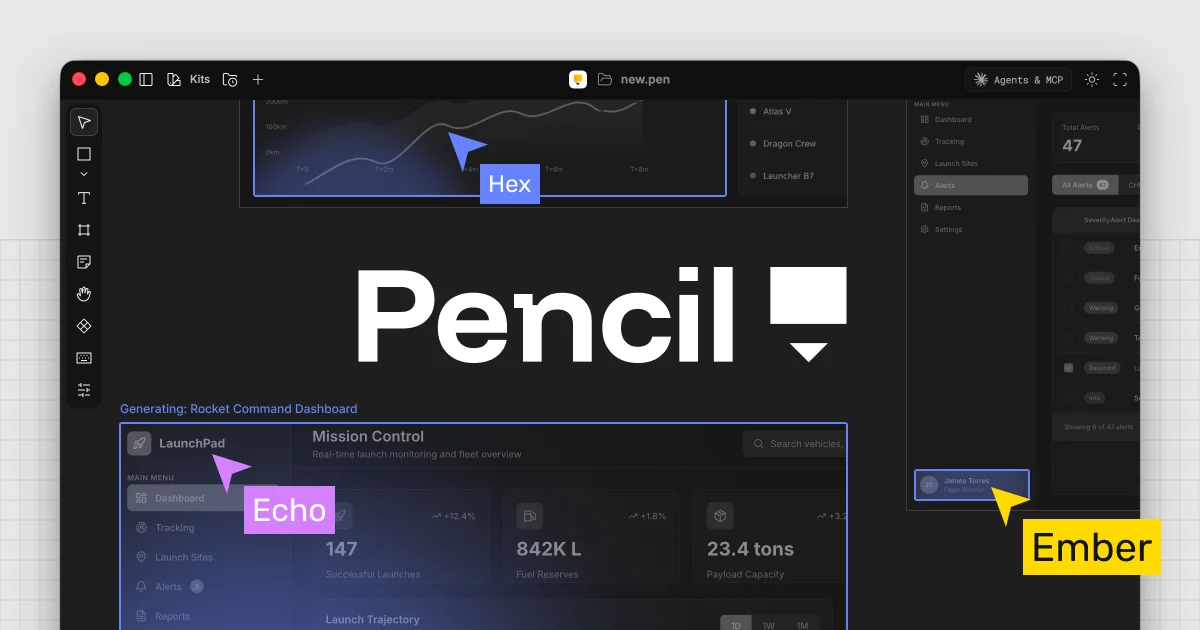
pen.dev
Design with agents on an infinite canvas, refine by hand, and ship it straight back to code.
Figma
Design, prototype, and ship products together with your team and AI agents on one canvas.
Framer
Design, build, and publish stunning websites with AI agents that work alongside you.