
Riverside Review 2026 - Remote Recording Platform
Verified Jun 18, 2026 by Tooliverse Editorial
Riverside records up to 4K video and 48kHz audio locally on each participant's device, so your content stays crisp even if the internet drops. Trusted by Spotify, Microsoft, and Marvel, it combines recording, AI editing, live streaming, and podcast hosting in one platform.
How to Customise All of Your Promo Content with Riverside
How to Create a Webinar in 2026: Riverside Webinar Full Tutorial (4K Recording & Repurposing)
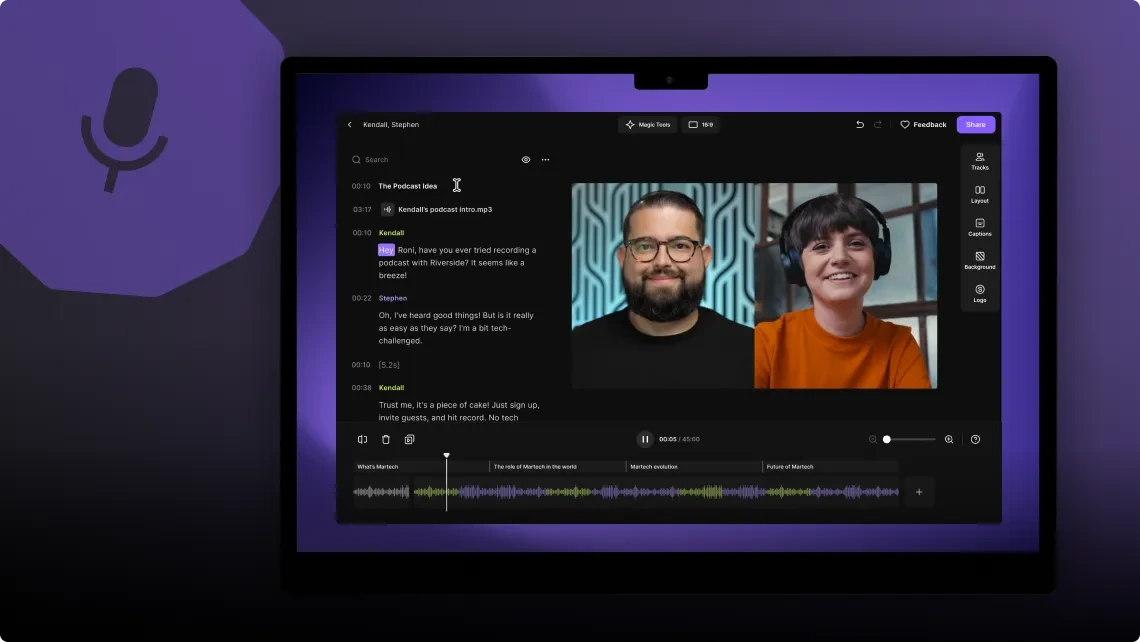
Edit your video podcast using the automatically generated transcript.
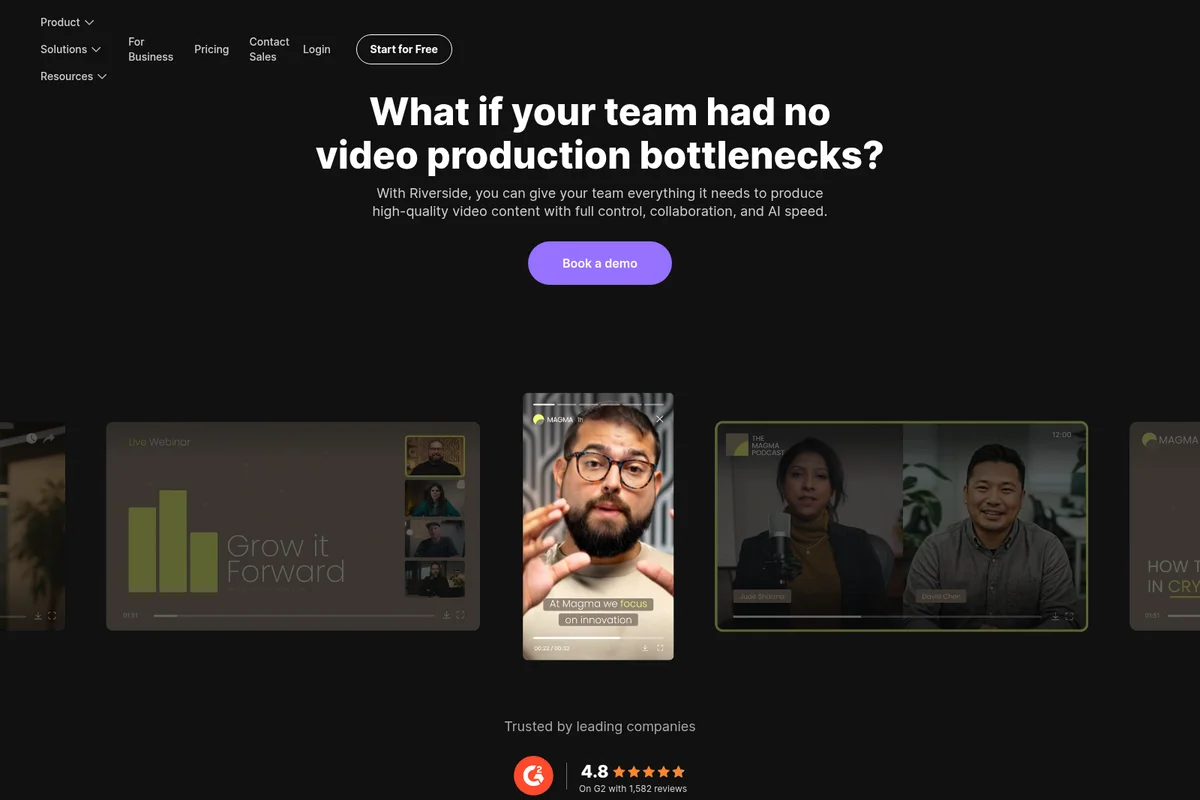
Produce high-quality video content with full control, collaboration, and AI speed.
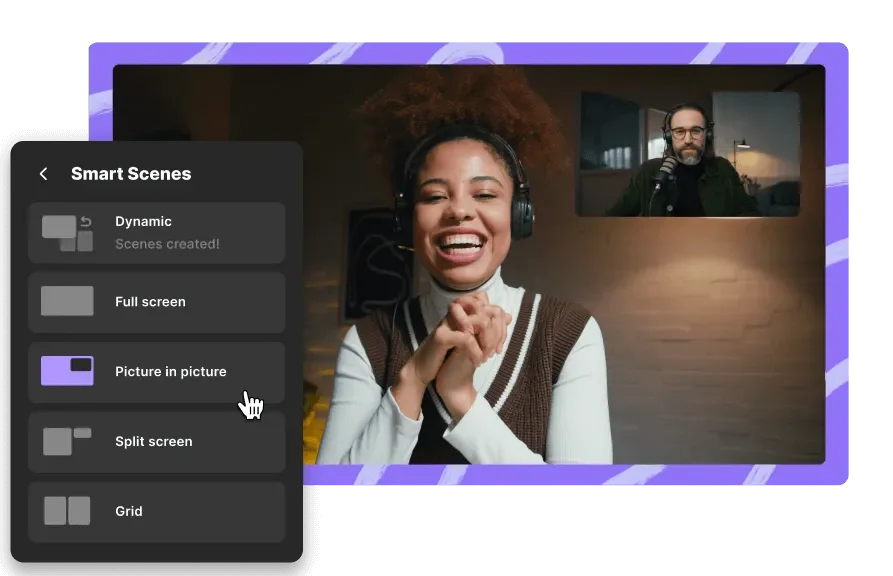
Effortlessly switch between dynamic scene layouts for engaging video productions.

Record, edit, repurpose, and distribute high-quality content effortlessly with AI.
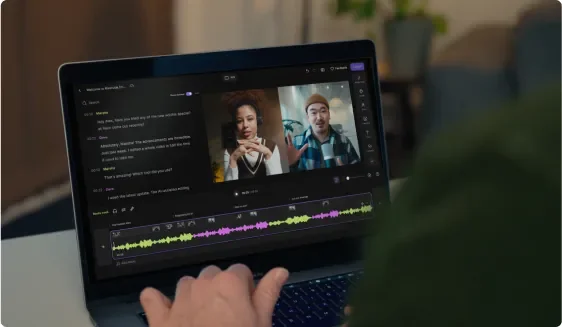
Record and edit multi-track audio and video with AI-powered transcription.
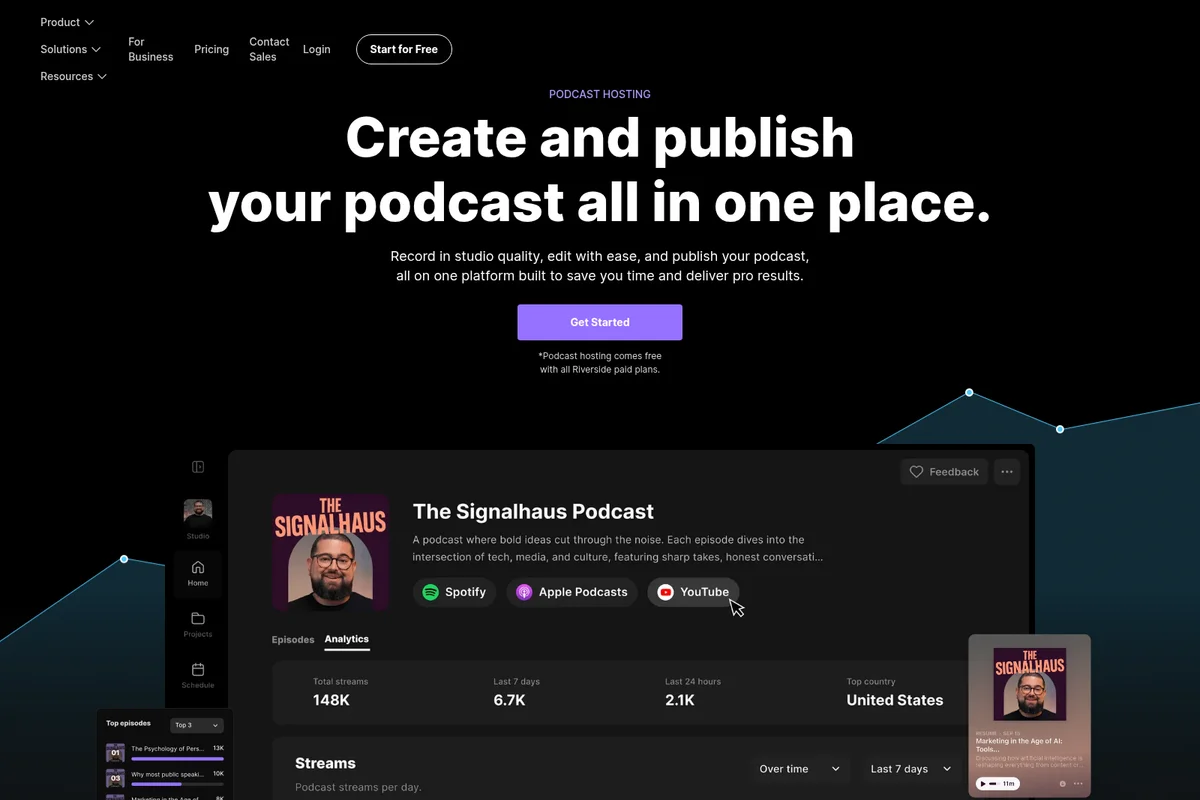
Manage your podcast and view detailed analytics all in one intuitive dashboard.

Record studio-quality podcasts and videos with multiple remote participants.
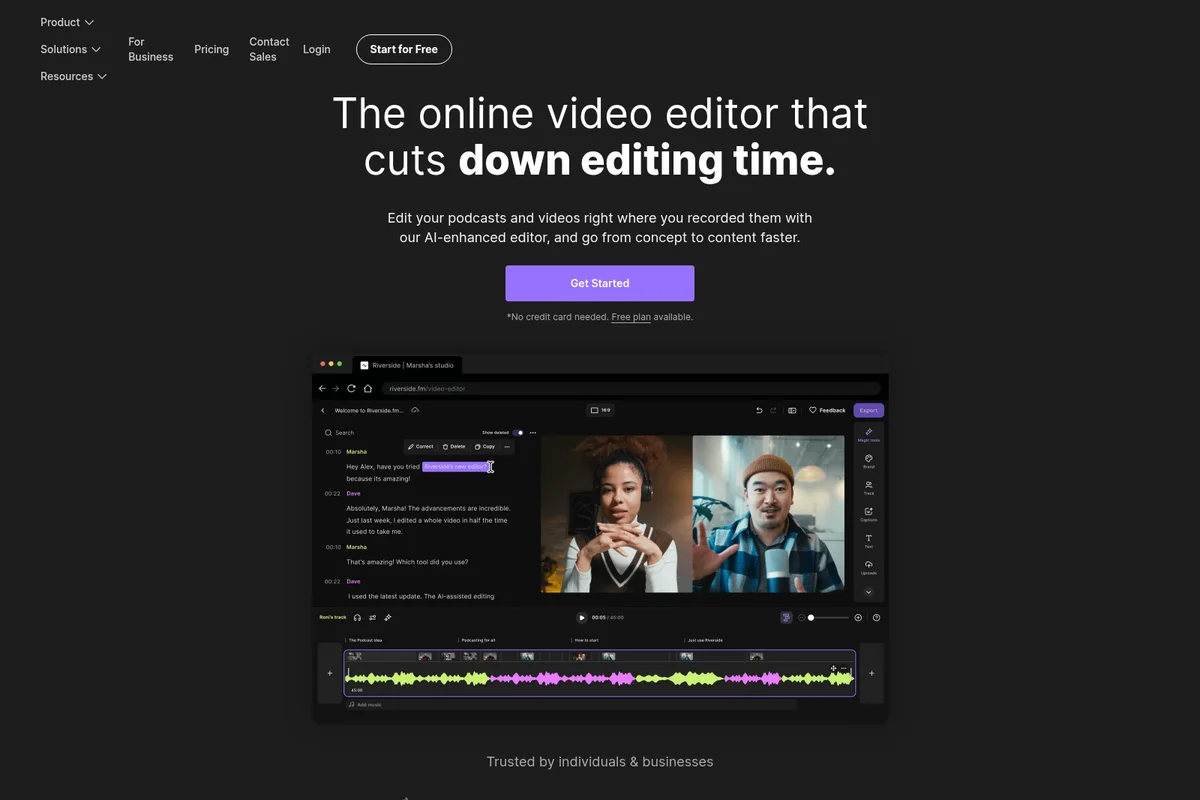
Edit podcasts and videos by editing transcriptions for faster content creation.
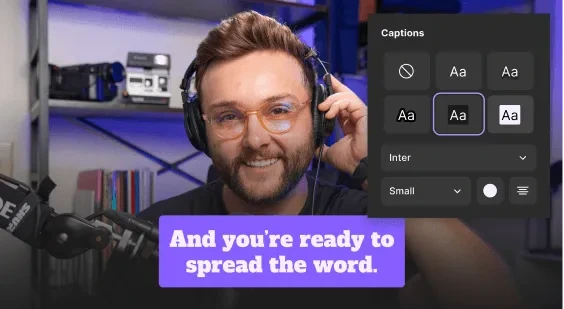
Customize captions with different fonts, sizes, and colors for engaging videos.
Riverside Review: Tooliverse Consensus





Based on 2k+ verified reviews across 6 platforms,
combined with Tooliverse's expert analysis
Riverside has become the definitive remote recording platform by solving the fundamental problem of internet-dependent capture: it records pristine 4K video and uncompressed audio locally on each device, then uploads to the cloud in real time so quality never depends on connection stability. The text-based editing interface and AI-driven social clip generation bridge the gap between recording and distribution in ways that save hours of post-production work, though audio-video sync drift in exports and demanding CPU requirements create friction for users on older hardware or longer sessions.
Bottom line: The gold standard for remote podcast and video recording, delivering studio-quality capture and AI editing that collapses workflows, though sync issues and resource demands require workarounds on complex projects.
Riverside | Key Specs
- Platforms
- Web, iOS, Android, macOS, Windows
- Pricing Model
- Freemium ($0-79/mo) See plans
- Privacy/Data Use
- Content is private, Riverside doesn't own or use your content
- Security
- SOC 2 Type II, ISO 27001, SSO (Okta, Azure) See details
Wins
- •Captures pristine 4K video and WAV audio locally to bypass internet lagmentioned in 842 reviews
- •Transforms long-form recordings into viral social clips with one-click AImentioned in 615 reviews
- •Simplifies the editing process through an intuitive text-based transcription interfacementioned in 528 reviews
Watch-Outs
- •Occasionally experiences audio-video synchronization drifts in the final exported filesmentioned in 218 reviews
- •Demands significant CPU and RAM resources which can strain older computersmentioned in 184 reviews
- •Reports of intermittent upload failures or missing guest tracks during sessionsmentioned in 156 reviews
Riverside Features 2026
Local Recording
Records audio and video directly on each participant's device (not over the internet), uploading to the cloud in real-time. Ensures studio-quality up to 4K video and 48kHz WAV audio even if internet drops.
Magic Clips
AI automatically finds the best moments in recordings and turns them into short, shareable clips for social media with captions and branding.
VideoDub
Fix typos or rewrite lines, and AI regenerates audio to match in the same voice with lip sync. Saves re-recording time.
AI Translation
Translates video into 30+ languages in your own voice with synced lips. Just pick a language and click to translate.
Riverside User Reviews
Selected Reviews
"This makes creating a podcast very easy, even when participants are remote. The ability to use AI to clean up pauses and find the most useful marketing clips are among some other cool features."
"As first-time podcast hosts, my co-host and I wouldn't have made it past episode 1 without Riverside.fm. We just wrapped our 11th episode and the quality is leagues ahead of Zoom."

"At first I was afraid, I was petrified… to use Riverside. It is too fancy for small creators but that is good, because it also helps you and pushes you too to improve your skills."
More from the Community
"100x improved efficiency- fantastic app. I love Riverside!"
"In many ways it's absolutely wonderful. It makes creating and editing videos ridiculously easy. The AI features are amazing. Clearly built by an absolute genius."
"The AI features are great especially enhancing the voice, the music, the B roll inserts THIS IS THE BEST. The performance has been amazing."
"I use it 2-3x a week to do remote podcast interviews. There's an issue with almost every recording lately - audio video sync, missing guest recordings, scene editing glitches."
"Riverside is the best in class web video management software! I get great value out of this one stop shop for video streaming, editing and uploading to social media."
"100x improved efficiency- fantastic app. I love Riverside!"
"In many ways it's absolutely wonderful. It makes creating and editing videos ridiculously easy. The AI features are amazing. Clearly built by an absolute genius."
"The AI features are great especially enhancing the voice, the music, the B roll inserts THIS IS THE BEST. The performance has been amazing."
"I use it 2-3x a week to do remote podcast interviews. There's an issue with almost every recording lately - audio video sync, missing guest recordings, scene editing glitches."
"Riverside is the best in class web video management software! I get great value out of this one stop shop for video streaming, editing and uploading to social media."
"The second you edit or filter audio on Riverside it goes from 24/48 to 16/44.1. Just export all the unfiltered files into a DAW instead."
"The support from the team is epic as Im not a technical person. The recording are reliable with video quality and sound. They are constantly adding features which is really great."
"Effortless Podcasting with Powerful AI Editing. It has made editing so streamlined and intuitive that I can't really imagine editing without it."
"The only thing I really like about it is how easy it is to create social media content — like videos for TikTok or Instagram. Other than that, I'm pretty unhappy with most of its features."
"The second you edit or filter audio on Riverside it goes from 24/48 to 16/44.1. Just export all the unfiltered files into a DAW instead."
"The support from the team is epic as Im not a technical person. The recording are reliable with video quality and sound. They are constantly adding features which is really great."
"Effortless Podcasting with Powerful AI Editing. It has made editing so streamlined and intuitive that I can't really imagine editing without it."
"The only thing I really like about it is how easy it is to create social media content — like videos for TikTok or Instagram. Other than that, I'm pretty unhappy with most of its features."
Riverside Pricing 2026
Pro at $24/month billed annually is where most podcasters and video creators should start: it removes watermarks, unlocks 4K recording, and includes 15 hours of separate track downloads monthly along with the full AI editing suite. The Grow tier at $34/month adds live streaming to unlimited destinations simultaneously, which matters if you're broadcasting to YouTube and LinkedIn at once. Webinar at $79/month is built for a different use case entirely—lead capture, branded registration, and up to 100 attendees—so it only makes sense if webinars are your primary format rather than on-demand content.
Riverside In-Depth Review 2026

The platform records locally on each participant's device—up to 4K video and uncompressed 48kHz audio—while uploading everything to the cloud in real time. It works across desktop and mobile browsers without requiring guests to create accounts or install software, and it handles up to 10 participants on separate tracks. Beyond recording, it combines AI-powered editing, live streaming to YouTube and Facebook, and one-click social clip generation into a single workflow. Trusted by Spotify, Microsoft, and Marvel, it's SOC 2 Type II and ISO 27001 certified, with pricing starting at $24/month for the Pro tier.
What It's Like Day-to-Day
The text-based editing interface is where Riverside stops feeling like traditional video software and starts feeling like working in Google Docs. It auto-transcribes your recording in over 100 languages, and you edit by deleting or rearranging text—the video updates automatically. No scrubbing timelines, no hunting for the right frame. One G2 reviewer captured it perfectly: the AI features for *"enhancing the voice, the music, the B roll inserts THIS IS THE BEST.
Riverside Security & Compliance
Verified Compliance
- SOC 2 Type II
- ISO 27001
Security Features
- SSO (Okta, Azure, Google Workspace)
- Encrypted connections and secure cloud storage
Privacy Commitments
- Content is private—only you and your team have access unless you choose to share
- Riverside doesn't own or use your content in any way
Riverside: Frequently Asked Questions (FAQs)
What does 'locally recorded' mean?
Each participant's audio and video are recorded directly on their own device, not over the internet. Riverside uploads everything to the cloud in the background in real-time. This ensures studio-quality recordings even if the internet connection lags or drops, and files are waiting in your dashboard when you're done.
What recording quality should I expect with Riverside?
As long as your equipment supports it, Riverside records up to 4K video and uncompressed 48kHz WAV audio.
Can I record with multiple participants?
Yes, you can record up to 10 participants (9 guests + the host) on separate, high-quality audio and video tracks. All tracks upload directly to your account, so guests don't need to send you files. More people can join to watch live without being recorded.
Do guests need a Riverside account to join?
No, guests just click the link you send them—no sign-up or installation required.
Riverside Integrations
| Spotify | YouTube | Apple Podcasts |
| Twitch | ||
| HubSpot | Salesforce | |
| TikTok | Adobe Premiere Pro | Final Cut Pro |
| Okta | Microsoft Azure | Google Workspace |
| Slack | Messenger | |
| Telegram | X (Twitter) |
Riverside: Verified Data Sheet
| # | Label | Data Point |
|---|---|---|
| [1] | Riverside Consensus: 9.10/10 | Riverside is one of the highest-rated AI video tools in the Tooliverse index, with a consensus score of 9.10/10 across 2,520 verified reviews. |
| [2] | What is Riverside | Riverside is a SOC 2 Type II and ISO 27001 certified video and podcast recording platform that records locally on each device (up to 4K video, 48kHz audio) with real-time cloud upload. Trusted by Spotify, Microsoft, and Marvel, it combines recording, AI editing, live streaming, and podcast hosting, with pricing starting at $24/month. |
| [3] | Tooliverse Consensus on Riverside | Riverside has become the definitive remote recording platform by solving the fundamental problem of internet-dependent capture: it records pristine 4K video and uncompressed audio locally on each device, then uploads to the cloud in real time so quality never depends on connection stability. The text-based editing interface and AI-driven social clip generation bridge the gap between recording and distribution in ways that save hours of post-production work, though audio-video sync drift in exports and demanding CPU requirements create friction for users on older hardware or longer sessions. |
| [4] | Riverside Verdict | Riverside bottom line: The gold standard for remote podcast and video recording, delivering studio-quality capture and AI editing that collapses workflows, though sync issues and resource demands require workarounds on complex projects. |
| [5] | Free: Free | Riverside provides a functional Free tier with 2 hours of multi-track recordings (one-off) and up to 720p video quality, making AI tools accessible at no cost. |
| [6] | Local 4K/48kHz recording bypasses internet lag | Riverside captures pristine 4K video and uncompressed 48kHz WAV audio by recording locally on each participant's device rather than over the internet, bypassing lag and connection drops entirely—a capability validated by 842 user reviews. |
| [7] | One-click AI creates viral social clips | Riverside transforms long-form recordings into viral social clips with one-click AI through its Magic Clips feature, automatically identifying the best moments and formatting them for TikTok, Instagram, and other platforms—a workflow praised in 615 user reviews. |
| [8] | Text-based editing in 100+ languages | Riverside simplifies editing through an intuitive text-based transcription interface that auto-generates transcripts in 100+ languages, allowing users to edit video by deleting or moving text rather than scrubbing timelines—a feature highlighted in 528 reviews. |
| [9] | No-signup browser access for guests | Riverside enables seamless guest participation via browser without requiring account creation or software installation, with guests simply clicking a link to join—a frictionless experience validated by 492 user reviews. |
| [10] | Pro: $24/mo (annual) | Riverside Pro empowers users with 1 studio for $24/month billed annually, significantly expanding on the free tier's capabilities. |
| [11] | Occasional audio-video sync drift | Riverside occasionally experiences audio-video synchronization drifts in final exported files, with 218 user reports documenting timing mismatches that require manual correction in post-production. |
| [12] | High CPU/RAM requirements | Riverside demands significant CPU and RAM resources during local recording sessions, which can strain older computers and cause performance issues according to 184 user reports. |
| [13] | Privacy: Content is private—only you and your team have access unless you choose to share | Riverside privacy protections include Content is private—only you and your team have access unless you choose to share and Riverside doesn't own or use your content in any way. |
| [14] | Enterprise: SSO (Okta, Azure, Google Workspace) | Riverside provides enterprise security with SSO (Okta, Azure, Google Workspace) and Encrypted connections and secure cloud storage. |
| [15] | Makes video creation ridiculously easy | A verified Trustpilot reviewer noted that Riverside "makes creating and editing videos ridiculously easy" with AI features that are "amazing" and clearly "built by an absolute genius." |
Best Riverside Alternatives
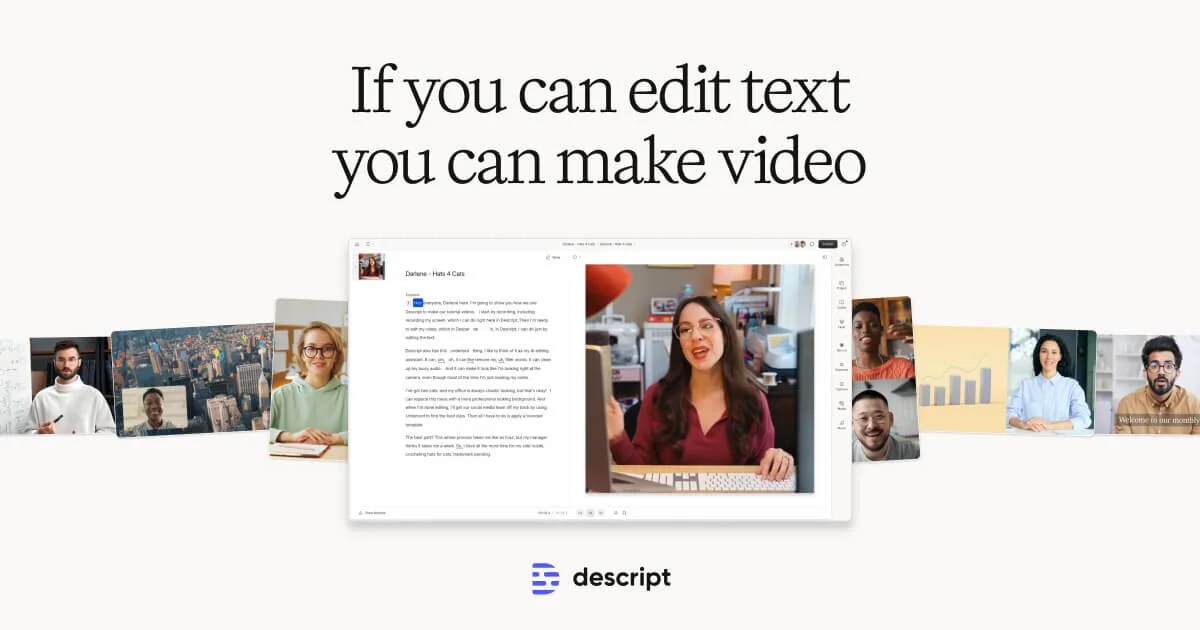
Descript
Edit video by editing text—AI-powered video creation for everyone.
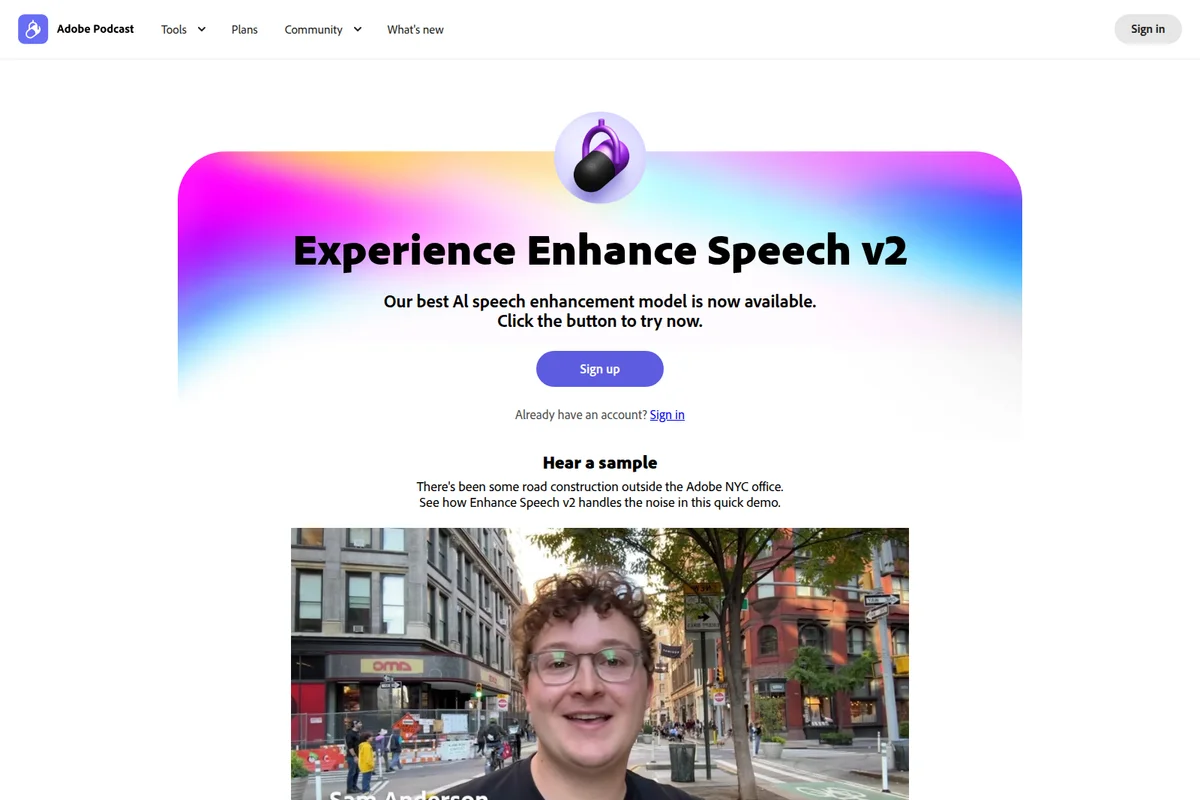
Adobe Podcast
Record, edit, and enhance audio like a pro—no studio required.
HappyScribe
AI-powered transcription, subtitles, and meeting notes in 150+ languages with human-quality precision.