
SaneBox Review 2026 - Email Filtering Tool
Verified Jun 18, 2026 by Tooliverse Editorial
SaneBox learns which emails matter to you by analyzing your behavior—who you open, who you reply to, how quickly. Unimportant messages get filtered to SaneLater, leaving your inbox distraction-free. Works with any email provider, no app switching required.
How to use the SaneBox Digest
SaneBox Review - 2026 | Best Way to Organize Your Inbox with AI?
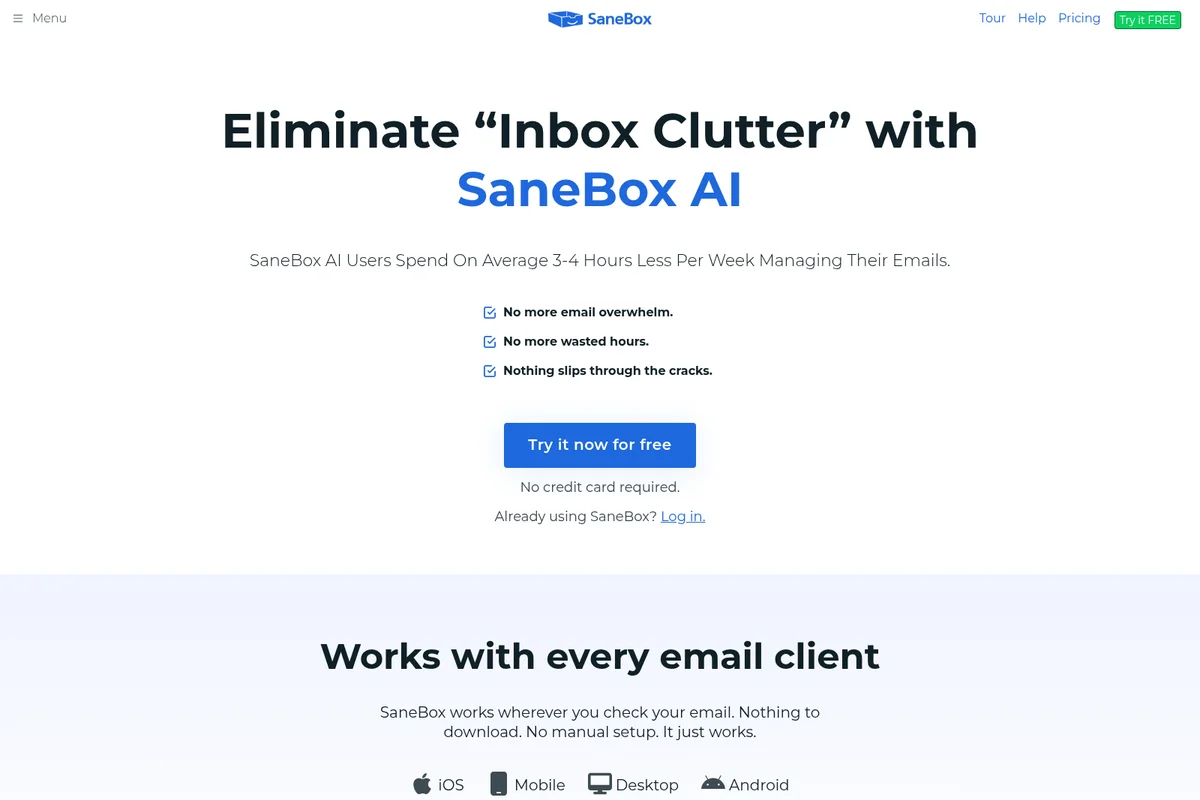
Eliminate email overwhelm and wasted hours with SaneBox AI.
SaneBox Review: Tooliverse Consensus






Based on 2k+ verified reviews across 6 platforms,
combined with Tooliverse's expert analysis
SaneBox operates as an invisible behavioral filter that learns which emails matter by analyzing user patterns across any email provider, routing low-priority messages into separate folders without requiring app switching or workflow changes. The cross-platform compatibility and one-click SaneBlackHole feature address inbox chaos more reliably than manual rules, though occasional misclassification during the training period requires users to monitor daily digests closely. The pricing structure feels steep for basic filtering needs, but the behavioral learning and universal email client support justify the cost for professionals managing high email volumes.
Bottom line: A top-tier email filtering service that tames inbox chaos through behavioral learning across any email provider, though the subscription cost and occasional misclassification require weighing against your email volume and tolerance for manual oversight.
SaneBox | Key Specs
- Platforms
- Web, iOS
- Pricing Model
- Paid Plans ($4.99-24.99/mo) See plans
- Privacy/Data Use
- Emails never leave your server, only analyzes headers
- Security
- Google Cloud Security Assessment, Qualys A+, Hardware security modules See details
Wins
- •Automatically sorts unimportant emails into folders to keep the primary inbox cleanmentioned in 412 reviews
- •Features a "SaneBlackHole" that permanently banishes unwanted senders with one clickmentioned in 385 reviews
- •Provides helpful daily digests that summarize non-urgent emails for quick reviewmentioned in 310 reviews
Watch-Outs
- •Subscription cost feels high for users who only need basic filteringmentioned in 156 reviews
- •Occasional misclassification of important emails into the SaneLater foldermentioned in 124 reviews
- •Initial setup and training period requires manual oversight to ensure accuracymentioned in 98 reviews
SaneBox Features 2026
SaneLater Folder
Automatically filters unimportant emails into a separate folder, keeping your inbox focused on priority messages. Summarized in daily digest.
Behavioral Learning Algorithm
Analyzes which emails you open, respond to, how quickly, and how often to determine importance—without reading email content, only headers.
SaneNoReplies
Tracks emails you sent and reminds you when people don't reply, ensuring important messages don't fall through the cracks.
Universal Email Compatibility
Works with any email client, service, or device—Gmail, Exchange, Outlook, Yahoo Mail, IBM Notes, iCloud, Fastmail. No app switching required.
SaneBox User Reviews
Selected Reviews
"I love the reminders feature. If someone doesn't reply in 3 days, it pops back into my inbox. Simple and effective for my sales follow-ups."
"SaneBox has completely changed how I handle email. I no longer feel overwhelmed by the sheer volume of newsletters and notifications."
"It's good at what it does, but the price has gone up significantly over the years. I'm starting to wonder if I can just use Gmail filters instead."
More from the Community
"The SaneBlackHole is a lifesaver. One click and I never see that spammer again. Worth every penny for the peace of mind."
"Integration was seamless with my Outlook account. It took about a week to train it properly, but now it's mostly hands-off and very reliable."
"Sometimes it puts my boss's emails in SaneLater. I have to check the digest every day just in case, which defeats the purpose a bit."
"The daily digest is the best part. I scan it in 30 seconds and delete everything I don't need without ever opening my inbox."
"Best productivity tool I own. It saves me at least 2 hours a week of manual sorting. The AI is much smarter than standard filters."
"The SaneBlackHole is a lifesaver. One click and I never see that spammer again. Worth every penny for the peace of mind."
"Integration was seamless with my Outlook account. It took about a week to train it properly, but now it's mostly hands-off and very reliable."
"Sometimes it puts my boss's emails in SaneLater. I have to check the digest every day just in case, which defeats the purpose a bit."
"The daily digest is the best part. I scan it in 30 seconds and delete everything I don't need without ever opening my inbox."
"Best productivity tool I own. It saves me at least 2 hours a week of manual sorting. The AI is much smarter than standard filters."
"A bit of a learning curve to get the folders right, but once it's set up, it's like having a personal assistant for my email."
"I've tried other AI email tools, but SaneBox is the most reliable because it doesn't try to rewrite my emails, just organize them."
"The snooze feature is great for clearing out my inbox on Fridays so I can actually enjoy my weekend without seeing work emails."
"Reliable, secure, and works everywhere. I use it on my phone and desktop without any issues. It just works in the background."
"A bit of a learning curve to get the folders right, but once it's set up, it's like having a personal assistant for my email."
"I've tried other AI email tools, but SaneBox is the most reliable because it doesn't try to rewrite my emails, just organize them."
"The snooze feature is great for clearing out my inbox on Fridays so I can actually enjoy my weekend without seeing work emails."
"Reliable, secure, and works everywhere. I use it on my phone and desktop without any issues. It just works in the background."
SaneBox Pricing 2026
View SourceThe Snack plan at $4.99 monthly covers the essentials—one email account with SaneLater filtering and one additional feature of your choice. That's enough for most individuals who just want inbox sanity without the full feature set. Lunch at $7.99 monthly is where the value concentrates for anyone managing multiple accounts: two email addresses, six features including reminders and snooze, and the daily digest that actually saves time. Dinner at $24.99 monthly only makes sense if you're coordinating four accounts or need advanced filtering rules and priority support.
SaneBox In-Depth Review 2026

This email filtering service works as an invisible layer on top of Gmail, Outlook, Yahoo, Exchange, or any IMAP-based provider. It analyzes your behavior patterns—which emails you open, respond to, and how quickly—then automatically routes low-priority messages into a separate SaneLater folder. You keep using your existing email client on any device; SaneBox just ensures only the important stuff reaches your inbox.
What It's Like Day-to-Day
The filtering happens in the background, and within a few days you notice the difference: your inbox shrinks to maybe 15-20 messages instead of 80. The newsletters, social media notifications, and automated receipts all land in SaneLater, summarized in a daily digest you can scan in under a minute. One iOS App Store reviewer noted that SaneBox "has completely changed how I handle email" by eliminating the overwhelming volume of newsletters and notifications that used to demand constant attention.
The SaneBlackHole feature is where the service earns its keep for anyone dealing with persistent spam. Drag an unwanted sender there once, and you'll never see another message from them—no unsubscribe link hunting, no multi-step process. It's permanent and immediate.
SaneBox Security & Compliance
Verified Compliance
- Google Cloud Application Security Assessment
- Qualys SSL Labs A+ Grade
- ISO Standards Compliance (Data Centers)
Security Features
- Public key cryptography for credential encryption
- Hardware security modules for encryption key storage
- VPN-only server access (no public Internet connections)
- At-rest disk encryption for mail processing machines
- Two-factor authentication (2FA)
- OAuth and app-specific password support
- Active Directory managed delegation
Privacy Commitments
- Emails never leave your server—SaneBox only analyzes headers
- Never looks at email content, only header data
- Adheres to Google API Services User Data Policy, including Limited Use requirements
- Credentials stored on servers unreachable from public Internet
- Never sells user data or shows ads
SaneBox: Frequently Asked Questions (FAQs)
What is SaneBox?
SaneBox restores sanity to your inbox by prioritizing incoming email that actually matters and is relevant to your day. Less important emails are automatically filtered into a separate folder (SaneLater) and then summarized in a daily digest. SaneBox works with any email client, service, or device.
Will SaneBox work with my email setup?
Yes, SaneBox works with any email client, service, or device. It simply adds a folder to your current email setup and filters unimportant emails there. SaneBox works anywhere you check your email—PC, Mac, desktop, mobile, Gmail, Exchange, Outlook, Yahoo Mail, IBM Notes, and anything in between. POP accounts don't support folders and are not compatible.
How much is SaneBox after the free trial?
SaneBox offers three paid plans: Snack from $4.99/month (1 email account, 2 features), Lunch from $7.99/month (2 email accounts, 6 features), and Dinner from $24.99/month (4 email accounts, all features). Prices shown are for every-2-years billing with significant savings. SaneBox is a paid service because you are the customer, not the product—your data is never sold to advertisers.
How does SaneBox work?
SaneBox establishes a secure connection with your email server to monitor incoming email. Robots analyze your past interactions (which emails you open, respond to, how quickly, how often) to determine what's important. As email arrives, SaneBox requests the server to move it to the appropriate folder. SaneBox only analyzes email headers, never the body content.
SaneBox Integrations
| Gmail | Microsoft Exchange | Outlook |
| Yahoo Mail | IBM Notes | iCloud |
| Fastmail | Office 365 | AOL |
| Dropbox | Box | Salesforce |
| Active Directory |
SaneBox: Verified Data Sheet
| # | Label | Data Point |
|---|---|---|
| [1] | SaneBox Consensus: 8.81/10 | SaneBox is a highly-rated tool among AI productivity tools in the Tooliverse index, with a consensus score of 8.81/10 across 2,447 verified reviews. |
| [2] | What is SaneBox | SaneBox, founded in 2010, is an email productivity service that automatically filters unimportant emails into separate folders by analyzing user behavior patterns. The service works with any email provider and has passed Google Cloud Application Security Assessments, with pricing starting at $4.99/month. |
| [3] | Tooliverse Consensus on SaneBox | SaneBox operates as an invisible behavioral filter that learns which emails matter by analyzing user patterns across any email provider, routing low-priority messages into separate folders without requiring app switching or workflow changes. The cross-platform compatibility and one-click SaneBlackHole feature address inbox chaos more reliably than manual rules, though occasional misclassification during the training period requires users to monitor daily digests closely. The pricing structure feels steep for basic filtering needs, but the behavioral learning and universal email client support justify the cost for professionals managing high email volumes. |
| [4] | SaneBox Verdict | SaneBox bottom line: A top-tier email filtering service that tames inbox chaos through behavioral learning across any email provider, though the subscription cost and occasional misclassification require weighing against your email volume and tolerance for manual oversight. |
| [5] | Snack (Every 2 Years): $4.99/mo (annual) | SaneBox Snack (Every 2 Years) plan includes 1 email account for $4.99/month billed every two years. |
| [6] | Auto-filters unimportant emails to SaneLater | SaneBox automatically filters unimportant emails into a separate SaneLater folder by analyzing user behavior patterns, keeping the primary inbox focused on priority messages according to 412 user reviews. |
| [7] | One-click permanent sender blocking | SaneBox provides a SaneBlackHole feature that permanently removes unwanted senders with a single click, eliminating spam and unwanted subscriptions as validated by 385 user reviews. |
| [8] | Daily digest for non-urgent emails | SaneBox delivers daily digest summaries that consolidate non-urgent emails for quick review, saving users time on manual inbox scanning according to 310 user reviews. |
| [9] | Works with any email provider | SaneBox operates across all major email providers including Gmail, Outlook, Yahoo, Exchange, and iCloud without requiring users to switch clients or install new apps, as confirmed by 275 user reviews. |
| [10] | Lunch (Every 2 Years): $7.99/mo (annual) | SaneBox Lunch (Every 2 Years) empowers users with 2 Email accounts for $7.99/month billed annually. |
| [11] | Pricing high for basic filtering needs | SaneBox subscription pricing may feel steep for users who only need basic email filtering, with costs starting at $4.99/month for limited features as noted in 156 user reviews. |
| [12] | Occasional misclassification of important emails | SaneBox occasionally misclassifies important emails into the SaneLater folder, requiring users to monitor daily digests to catch priority messages according to 124 user reports. |
| [13] | Privacy: Emails never leave your server—SaneBox only analyzes headers | SaneBox privacy protections include Emails never leave your server—SaneBox only analyzes headers, Never looks at email content, only header data, and Adheres to Google API Services User Data Policy, including Limited Use requirements. |
| [14] | Enterprise: Public key cryptography for credential encryption | SaneBox provides enterprise security with Public key cryptography for credential encryption, Hardware security modules for encryption key storage, and VPN-only server access (no public Internet connections). |
| [15] | Eliminates email overwhelm | SaneBox "has completely changed how I handle email" and eliminates the overwhelming volume of newsletters and notifications, according to a verified iOS App Store reviewer who rated it 5/5. |
Best SaneBox Alternatives

Clean Email
Declutter your inbox and automate email management with powerful tools designed for privacy.
Spark Mail
Smart, focused email that filters out the noise so you can focus on what's important.
Fyxer AI
Get back an hour every day with AI that organizes your inbox, drafts replies, and takes meeting notes.