
Taption Review 2026 - AI Transcription & Subtitles
Verified Sep 20, 2026 by Tooliverse Editorial
Taption transforms videos into accurate transcripts, subtitles, and translations across 50+ languages using AI. Edit your video just by editing its text, then export to SRT, MP4, PDF, or FCPXML in seconds.
Taption | Animation | Plugin for Adobe Premiere Pro
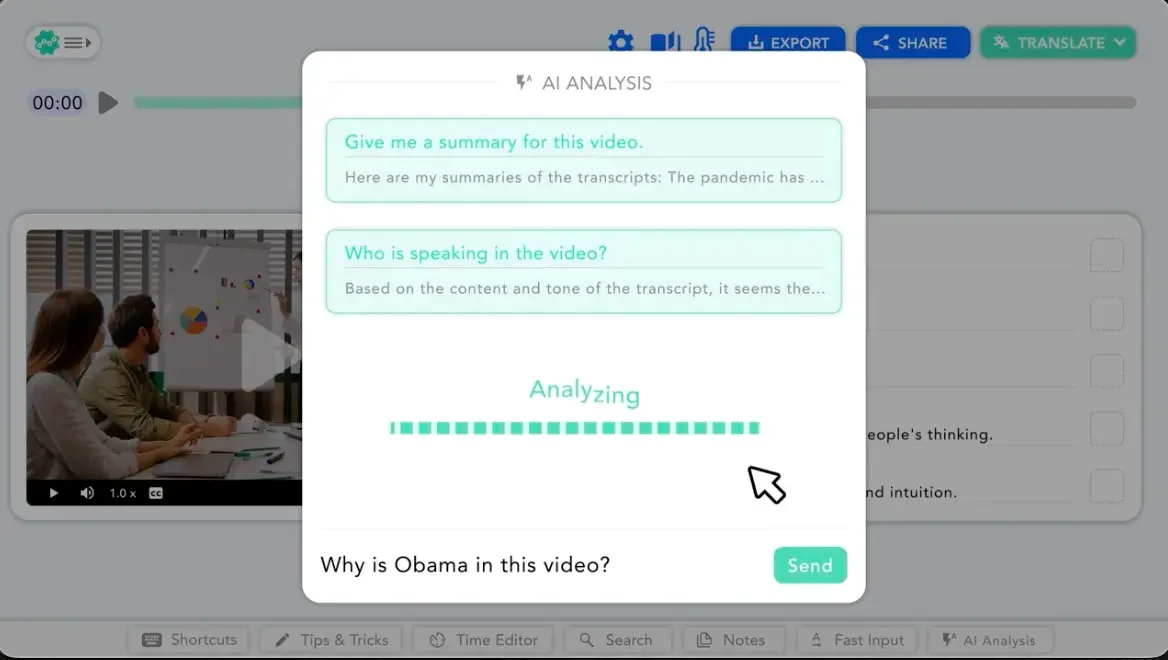
Get instant AI insights and answers by asking questions about your video content.
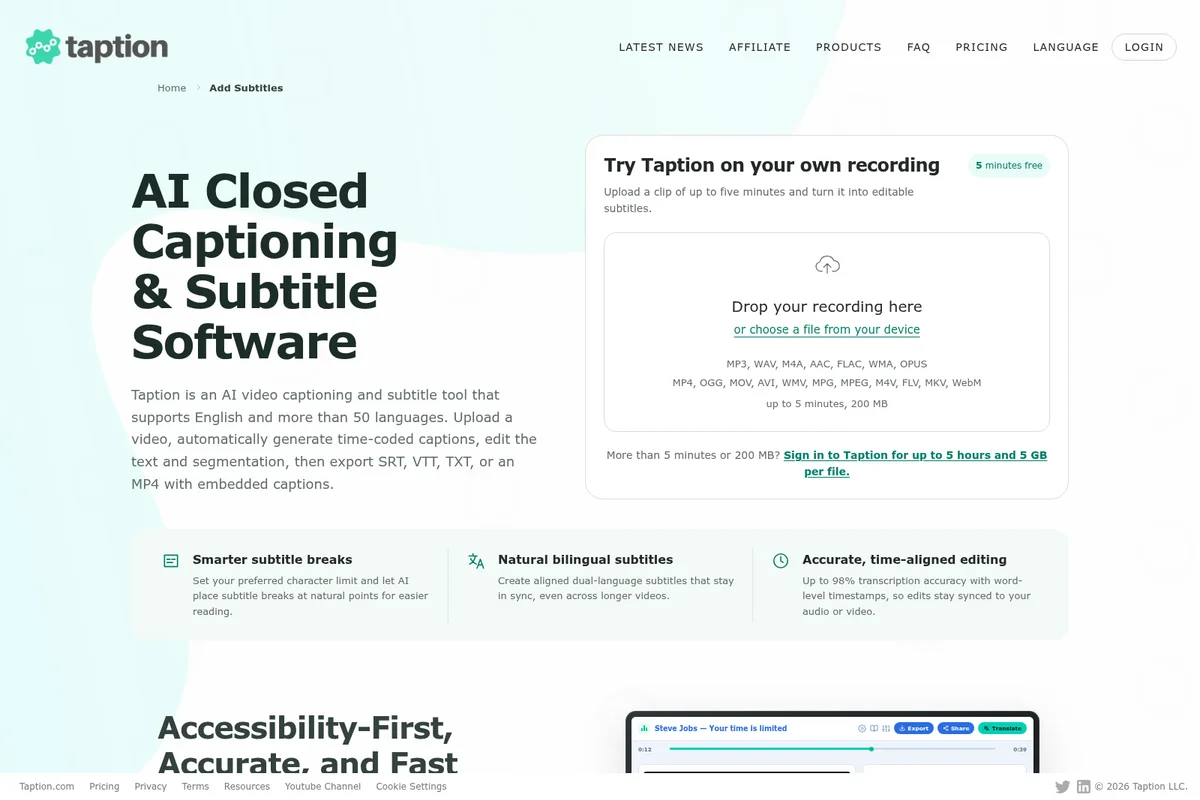
Instantly upload audio or video to generate AI-powered subtitles for free.
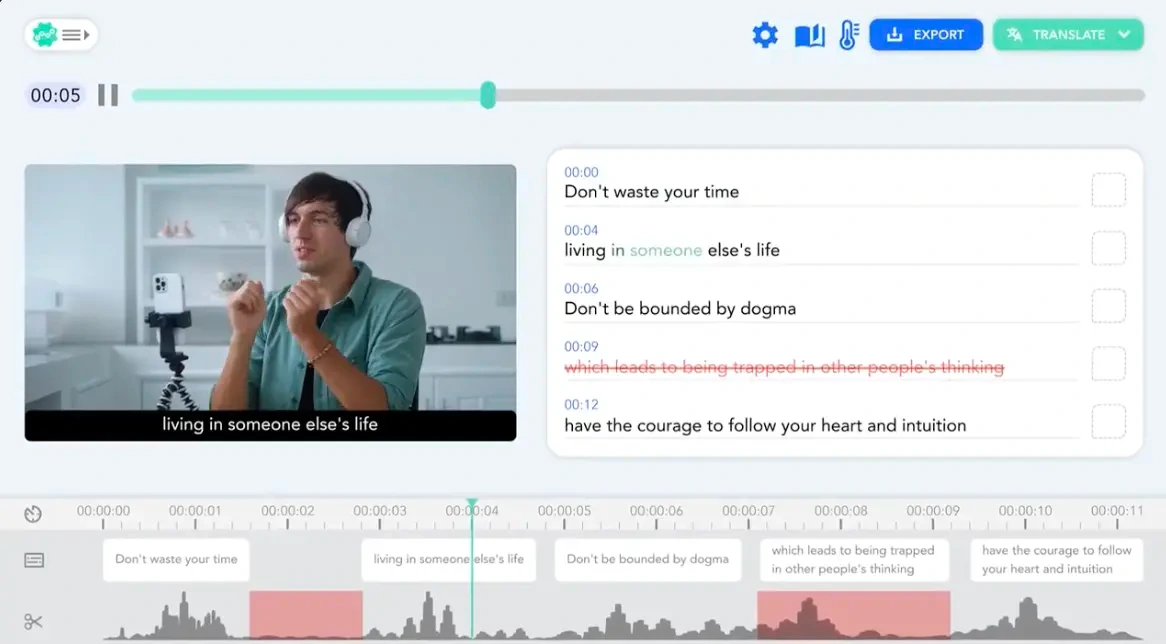
Edit video transcripts and subtitles with precision, synced to your video playback.
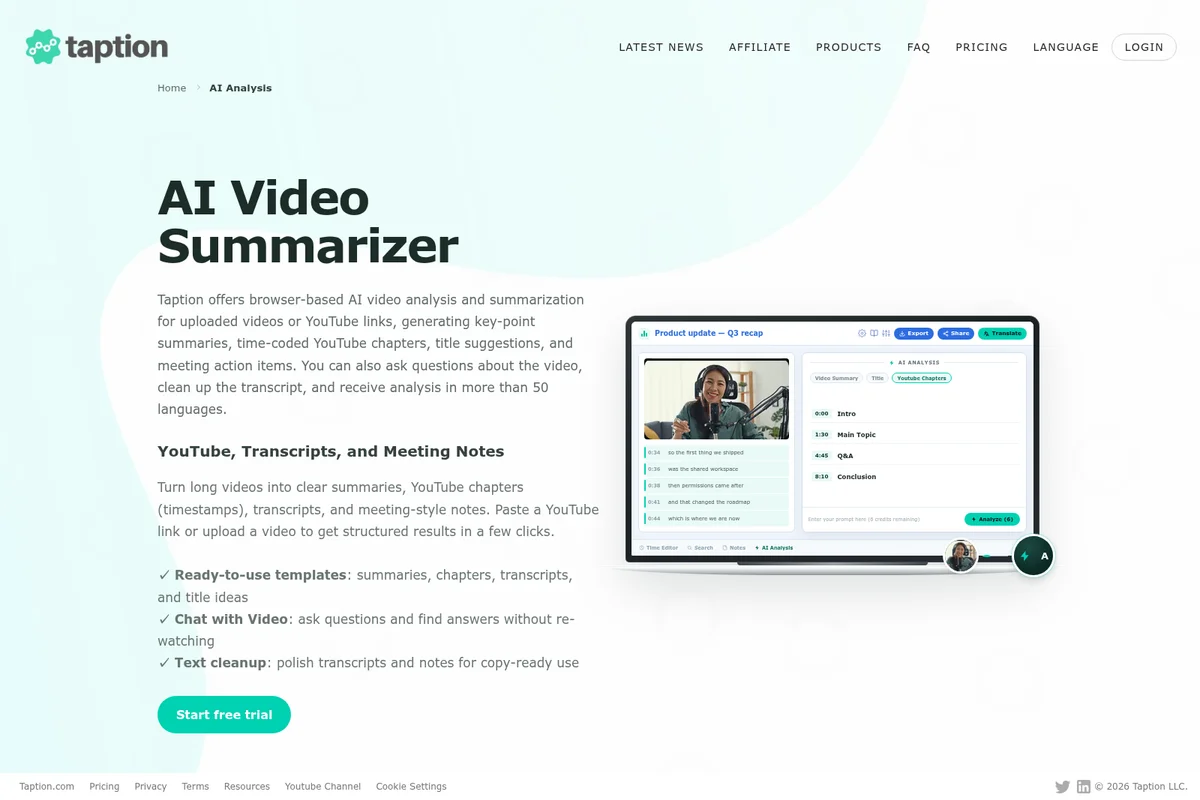
Summarize videos, generate chapters, and ask questions about content with AI.
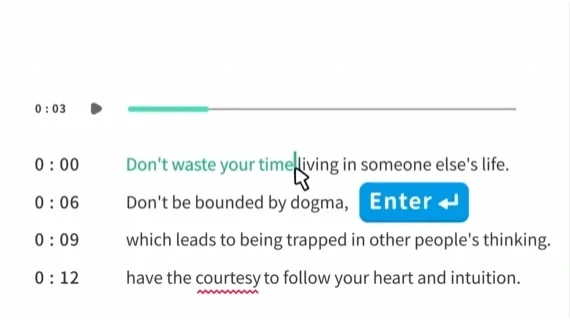
Edit your transcriptions in sync with audio playback for accuracy.
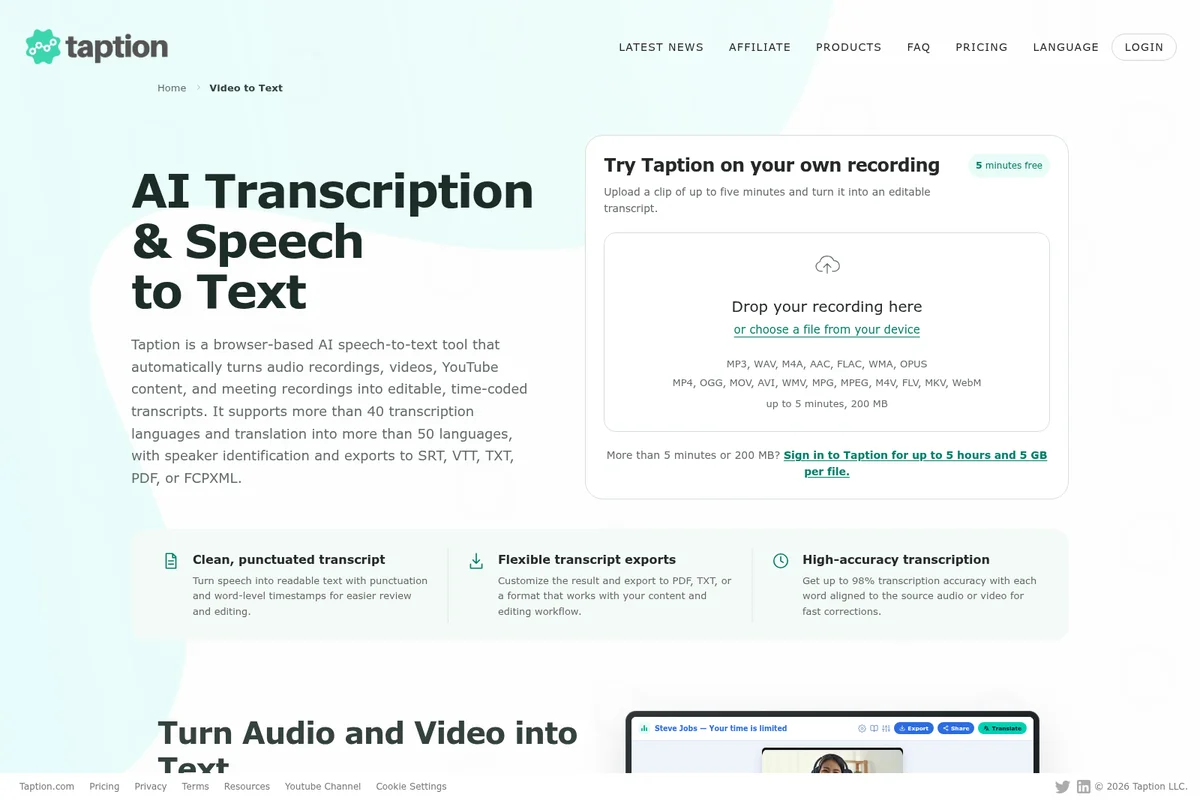
Upload audio/video for free AI transcription and flexible exports.
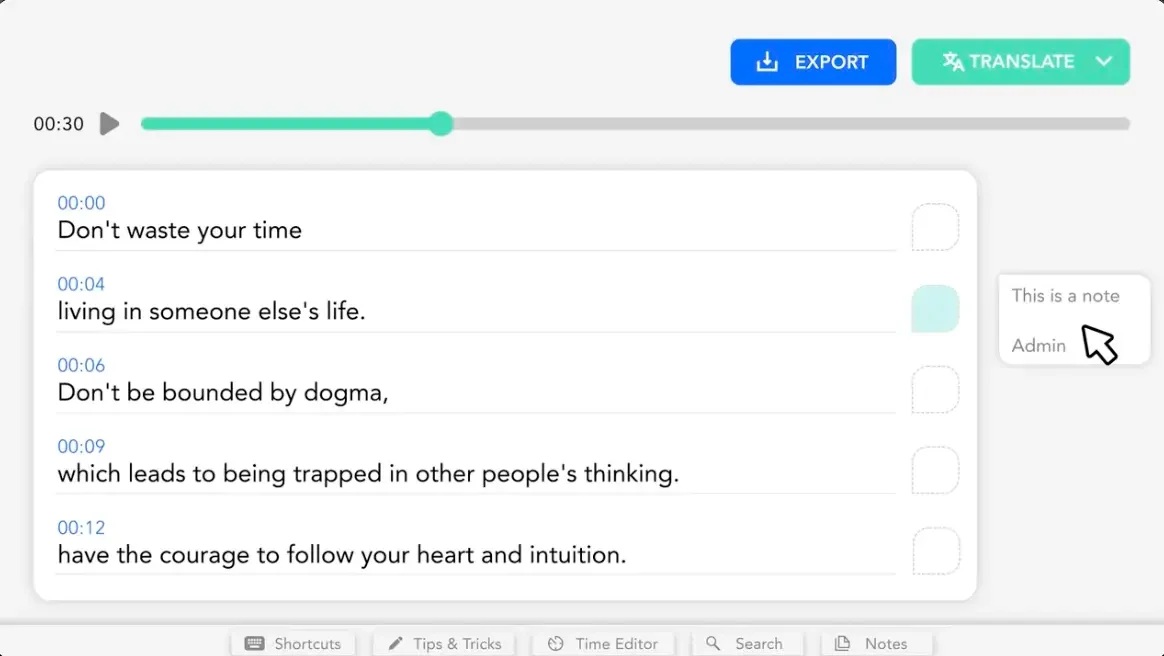
Effortlessly transcribe audio, add time-stamped notes, and translate content.
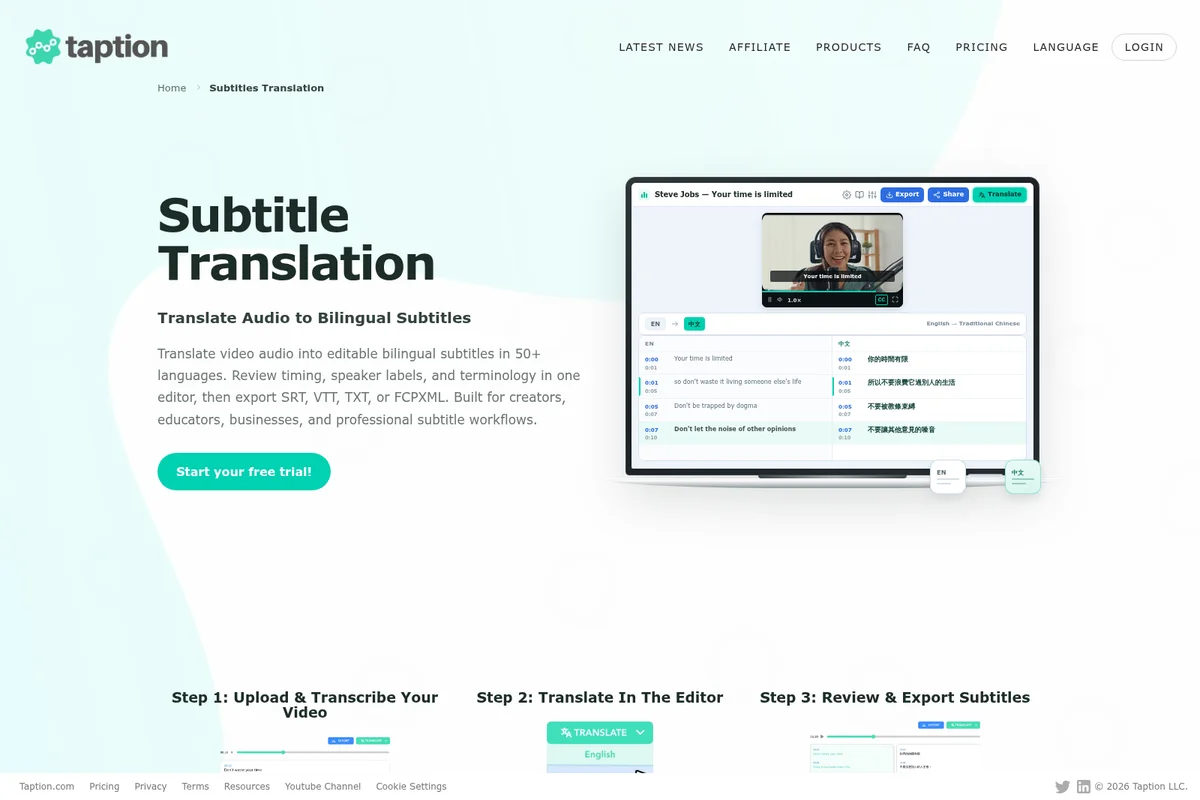
Translate video audio into editable bilingual subtitles in a user-friendly editor.
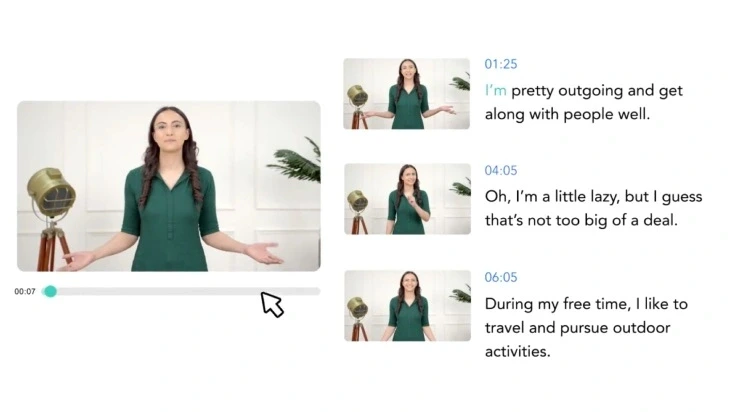
Easily navigate and edit video content with timestamped text and visual cues.
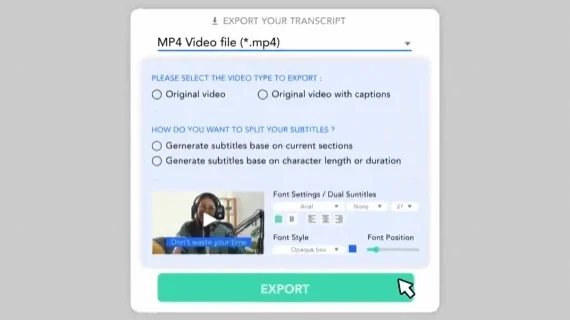
Customize your video export with captions and precise subtitle styling.
Taption Review: Tooliverse Consensus





Based on 345 verified reviews across 6 platforms,
combined with Tooliverse's expert analysis
Taption turns video editing into a text-editing task: delete a sentence in the transcript and the matching footage disappears automatically. That trick works because the underlying transcription is remarkably accurate, even on technical jargon and heavy accents, and the translation holds up across 40-plus languages without losing context. The main friction shows up in overlapping dialogue, where speaker separation still needs a manual cleanup pass, and casual creators may balk at the cost of higher usage tiers.
Bottom line: A top-tier transcription and subtitling tool whose text-based editing genuinely saves hours, though overlapping dialogue and occasional SRT export quirks require manual cleanup.
Taption | Key Specs
- Platforms
- Web (browser-based)
- Pricing Model
- Freemium ($0-69/mo, add-on minutes available) See plans
- Privacy/Data Use
- Content used only for requested processing, user-controlled deletion anytime
- Security
- HTTPS encryption, role-based permissions; SOC 2/ISO 27001/HIPAA readiness in progress See details
Wins
- •Exceptional accuracy in transcribing technical jargon and multiple languagesmentioned in 84 reviews
- •Seamless subtitle translation that maintains context across 40+ languagesmentioned in 72 reviews
- •Intuitive text-based video editing that saves hours of manual cuttingmentioned in 65 reviews
Watch-Outs
- •Occasional formatting issues when exporting subtitles to specific SRT formatsmentioned in 31 reviews
- •Pricing for the Pro tier can be steep for casual creatorsmentioned in 28 reviews
- •Speaker identification sometimes struggles with overlapping dialoguementioned in 22 reviews
Taption Features 2026
AI Speech-to-Text Transcription
Automatically transcribes audio and video into time-coded, editable text with up to 90-98% accuracy across 40+ languages.
Text-Based Video Editing
Edit a video by deleting text in the transcript—the matching video segment is removed and subtitles/timecodes re-sync automatically.
AI-Generated Subtitles & Captions
Automatically generates single or dual-language subtitles with smart segmentation, exportable as SRT, VTT, or burned-in MP4.
Speaker Diarization
Automatically detects speaker changes and labels segments; rename a generic label once and it updates throughout the transcript.
Taption User Reviews
Selected Reviews
"Taption has completely changed my workflow for YouTube. The translation accuracy for Mandarin is the best I've seen."
"Used this for a corporate webinar. The speaker identification was spot on even with four different people talking."
"Solid performance. It's much faster than Descript for simple transcription tasks, though less feature-rich for full editing."
More from the Community
"I love how I can just delete a sentence in the transcript and it cuts the video automatically. Huge time saver."
"Great tool for subtitles. It handles my thick accent surprisingly well, though I still have to fix some punctuation."
"The transcription is top-notch, but the export options are a bit limited. I wish I could customize the SRT styles more within the app."
"Very fast and reliable. The UI is clean. It's a bit pricier than some alternatives, but the accuracy makes up for it."
"Good for basic subs, but it struggled when two people talked over each other. Had to manually re-edit those sections."
"I love how I can just delete a sentence in the transcript and it cuts the video automatically. Huge time saver."
"Great tool for subtitles. It handles my thick accent surprisingly well, though I still have to fix some punctuation."
"The transcription is top-notch, but the export options are a bit limited. I wish I could customize the SRT styles more within the app."
"Very fast and reliable. The UI is clean. It's a bit pricier than some alternatives, but the accuracy makes up for it."
"Good for basic subs, but it struggled when two people talked over each other. Had to manually re-edit those sections."
"The Chrome extension is a lifesaver for transcribing Zoom meetings on the fly. Highly recommend for students."
"Best AI subtitler I've used. The auto-translation into Spanish was nearly perfect for my vlog."
"Taption's customer support is actually helpful. They fixed a billing issue I had within an hour."
"Impressive language support. I use it for Japanese and it handles the kanji conversion very accurately."
"The Chrome extension is a lifesaver for transcribing Zoom meetings on the fly. Highly recommend for students."
"Best AI subtitler I've used. The auto-translation into Spanish was nearly perfect for my vlog."
"Taption's customer support is actually helpful. They fixed a billing issue I had within an hour."
"Impressive language support. I use it for Japanese and it handles the kanji conversion very accurately."
Taption Pricing 2026
View SourcePay as you go costs nothing upfront at $8 per hour, a reasonable entry point for occasional uploads. Most regular creators should move to Premium at $12/month for 120 included minutes, dual-language burned-in exports, and unlimited processing, which pays for itself after just a couple of videos a month compared to metered pricing.
Taption In-Depth Review 2026

Taption is a browser-based platform that turns audio and video into editable, time-coded text, then lets that text drive the actual edit. Delete a sentence in the transcript and the matching video segment disappears, with subtitles and timecodes re-syncing automatically. It works entirely in the browser, transcribing 40-plus languages and translating into more than 50, with nothing to install and no timeline to learn.
What It's Like Day-to-Day
The workflow starts the same way regardless of what you're making: upload a file, or pull one straight from Zoom, Webex, Google Drive, or Dropbox, and within minutes you're looking at a full transcript instead of a waveform. From there, editing is closer to using a word processor than a video suite. You read through the text, cut the parts that don't work, and the video updates itself. It's the kind of feature that sounds obvious in a pitch meeting and feels slightly magical the first time you actually use it.
The accuracy is what earns the platform its loyal following, particularly on technical or accented speech that trips up most auto-captioning tools.
Taption Security & Compliance
Security Features
- HTTPS encryption for uploads and downloads
- Role-based permissions
Privacy Commitments
- Content processed only to produce the requested transcription, subtitles, translations, or summaries
- Users can delete files and transcripts from their account at any time
- Working toward SOC 2 Type II, ISO 27001, and HIPAA compliance readiness using Vanta
Taption: Frequently Asked Questions (FAQs)
What is Taption and what can I use it for?
Taption is a browser-based AI platform that turns video and audio into editable, time-coded text, producing transcripts, subtitles, translations into 50+ languages, speaker labels, and AI summaries with nothing to install. Common uses include meeting minutes, interview transcripts, course captions, podcast show notes, and localized YouTube subtitles. New accounts get 20 free minutes with no credit card required.
How much does Taption cost?
Taption offers a Pay as you go plan with no monthly fee (add-on minutes at $8/hour), a Premium Subscription at $12/month (120 minutes included, add-ons at $6/hour), and a Bulk Subscription at $69/month (1000 minutes included, add-ons at $4/hour, plus API access). Annual billing saves 10% on Premium and Bulk plans.
Can I try Taption for free?
Yes, new accounts get 20 free minutes with no credit card required, and individual feature pages offer a 5-minute free trial upload to test transcription, subtitles, or translation.
How accurate is Taption's AI transcription?
Accuracy is typically 90-98% on clear recordings, depending on audio quality, background noise, accents, overlapping speech, and specialized terminology. Every transcript is fully editable so remaining corrections can be made in the editor.
Taption Integrations
| YouTube | Zoom | Webex |
| Google Drive | Dropbox | OneDrive |
| Adobe Premiere Pro | Final Cut Pro | TikTok |
| Vimeo | ||
| Google Meet | Microsoft Teams |
Taption: Verified Data Sheet
| # | Label | Data Point |
|---|---|---|
| [1] | Taption Consensus: 9.29/10 | Taption is one of the highest-rated AI video tools in the Tooliverse index, with a consensus score of 9.29/10 across 345 verified reviews. |
| [2] | What is Taption | Taption is a browser-based AI platform by Taption LLC that transcribes, translates, and subtitles video and audio content across 40+ transcription and 50+ translation languages. It offers text-based video editing, speaker diarization, and AI-powered video summarization, with pricing from free (20 minutes) to $69/month Bulk plans and a NVIDIA Inception Program membership. |
| [3] | Tooliverse Consensus on Taption | Taption turns video editing into a text-editing task: delete a sentence in the transcript and the matching footage disappears automatically. That trick works because the underlying transcription is remarkably accurate, even on technical jargon and heavy accents, and the translation holds up across 40-plus languages without losing context. The main friction shows up in overlapping dialogue, where speaker separation still needs a manual cleanup pass, and casual creators may balk at the cost of higher usage tiers. |
| [4] | Taption Verdict | Taption bottom line: A top-tier transcription and subtitling tool whose text-based editing genuinely saves hours, though overlapping dialogue and occasional SRT export quirks require manual cleanup. |
| [5] | Pay as you go (Standard): Free | Taption provides a functional Pay as you go (Standard) tier with Full editing platform access, Transcripts never expire, making AI tools accessible at no cost. |
| [6] | Fast processing for long-form video | Taption processes long-form video content quickly, with fast turnaround times highlighted in 58 user reviews as a consistent advantage. |
| [7] | Zero learning curve interface | Taption offers a clean, user-friendly interface that 49 reviewers describe as requiring zero learning curve to start transcribing and editing. |
| [8] | Premium Subscription: $12/month | Taption LLC's Premium Subscription empowers users with 120 minutes included monthly, rolls over while active for just $12 monthly, significantly expanding on the free tier's capabilities. |
| [9] | Top-rated for technical/multilingual accuracy | Taption delivers exceptional accuracy transcribing technical jargon and multiple languages, a strength cited in 84 user reviews, more than any other capability. |
| [10] | Context-preserving subtitle translation | Taption maintains contextual accuracy when translating subtitles across its 40+ supported languages, a strength noted in 72 user reviews. |
| [11] | Overlapping speech challenges diarization | Taption's speaker identification sometimes struggles to separate overlapping dialogue, a limitation noted in 22 user reviews involving multi-speaker recordings. |
| [12] | Mobile app missing advanced editing tools | Taption's mobile app lacks some of the advanced editing features available on desktop, a gap mentioned in 18 user reviews. |
| [13] | Privacy: Content processed only to produce the requested transcription, subtitles, translations, or summaries | Taption privacy protections include Content processed only to produce the requested transcription, subtitles, translations, or summaries, Users can delete files and transcripts from their account at any time, and Working toward SOC 2 Type II, ISO 27001, and HIPAA compliance readiness using Vanta. |
| [14] | Enterprise: HTTPS encryption for uploads and downloads | Taption provides enterprise security with HTTPS encryption for uploads and downloads and Role-based permissions. |
| [15] | Praised for Mandarin translation accuracy | Taption's translation accuracy for Mandarin content earned praise from a verified iOS App Store reviewer, who called it "the best I've seen" for changing their YouTube workflow. |
Best Taption Alternatives
HappyScribe
Turn every meeting, interview and video into accurate notes and subtitles in 150+ languages.
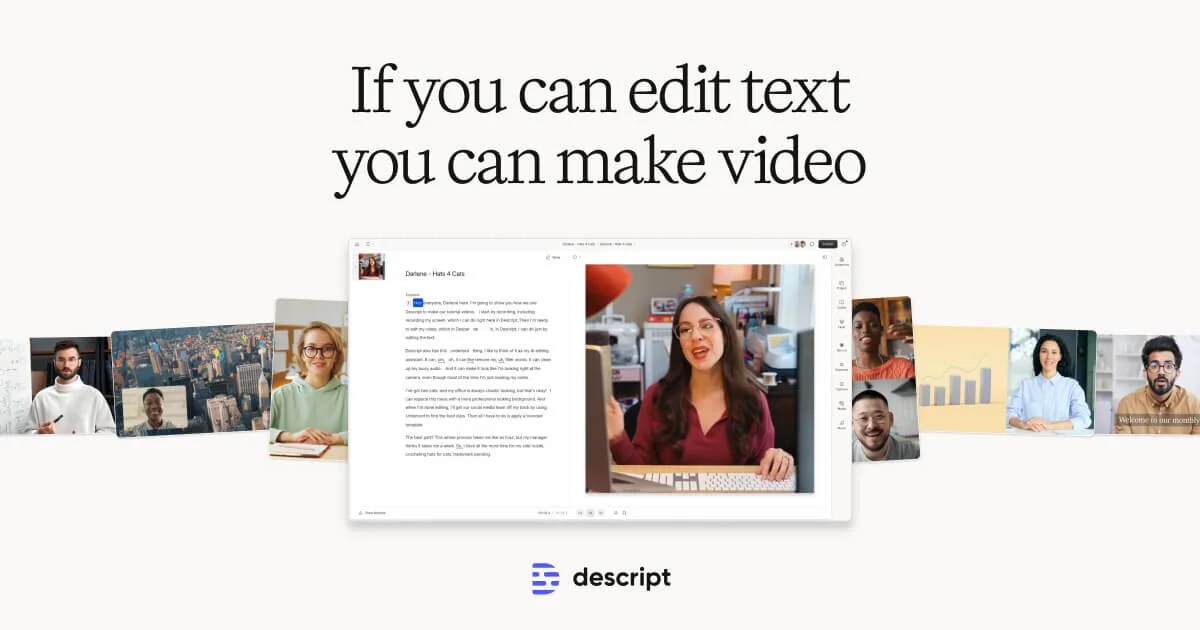
Descript
Edit video and podcasts as easily as editing a doc—just delete the words you don't want.
VEED.IO
Imagine it, generate it, brand it: AI videos worth posting, in minutes.