
Trae Review 2026 - Autonomous AI Coding
Verified Oct 22, 2026 by Tooliverse Editorial
Trae pairs an AI-powered IDE with SOLO, an autonomous coding agent that plans, executes, and deploys production-ready code. Switch between hands-on IDE mode and full autonomy, or build your own team of custom agents.
Introducing TRAE SOLO GA Release
TRAE WORK Walkthrough: AI Agents That Work From Anywhere
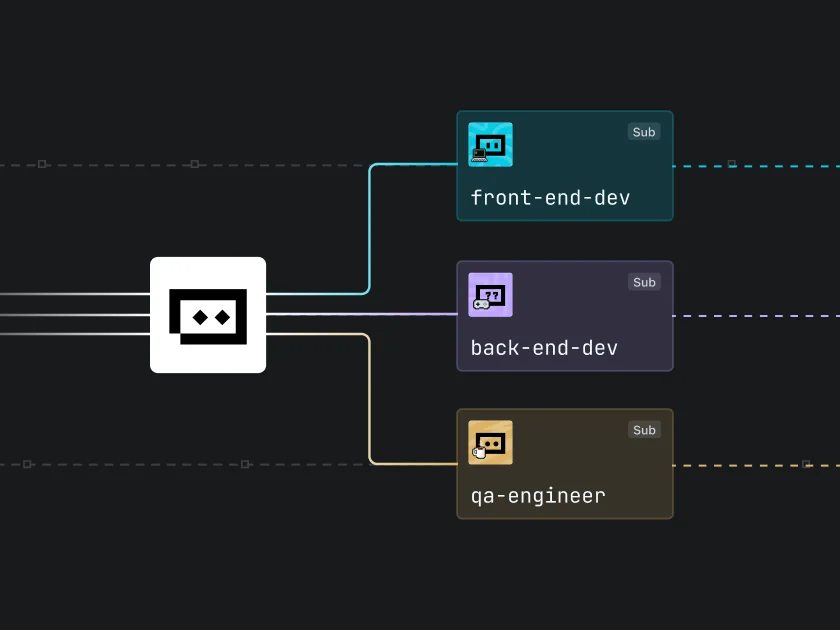
Visually map out team roles and dependencies within your project workflow.
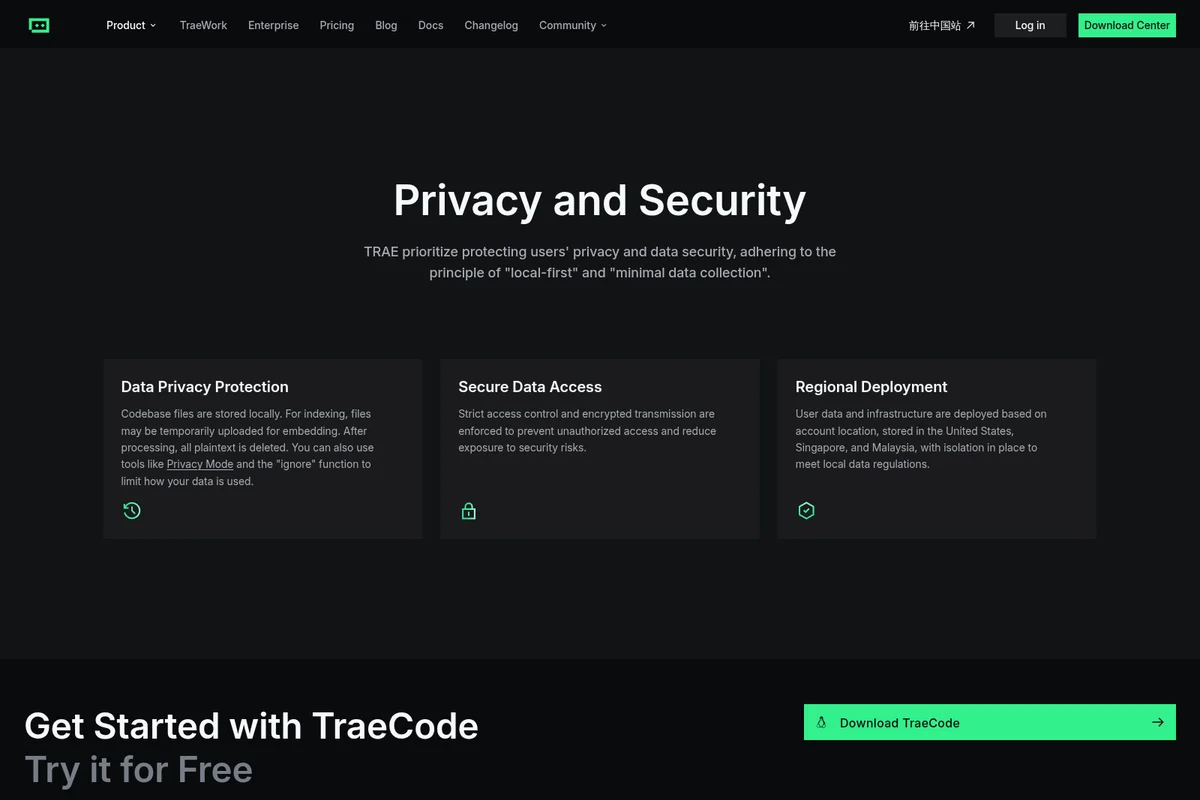
Ensuring data privacy with local storage, secure access, and regional deployment.
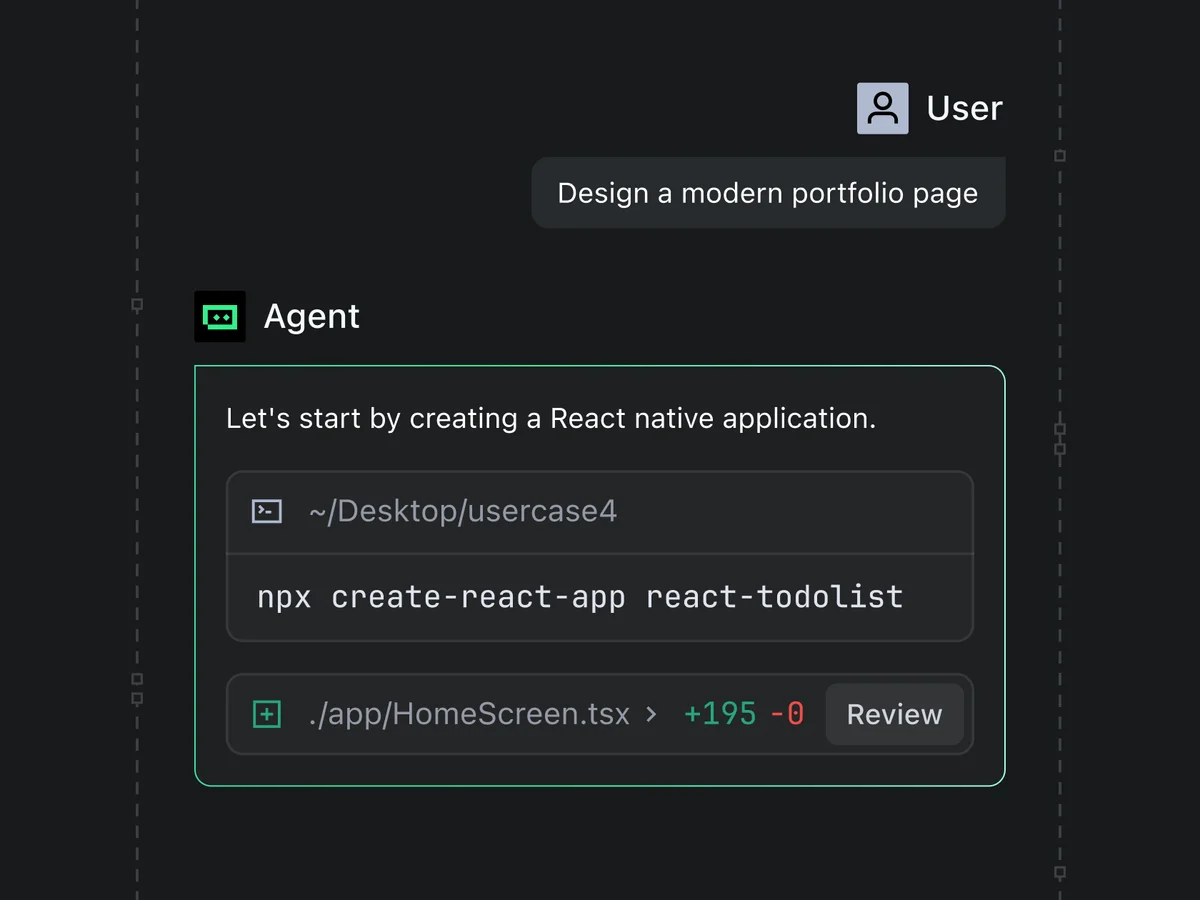
AI agent streamlines React Native project setup with instant code generation.
Discover the enhanced capabilities of the new TraeWork release.
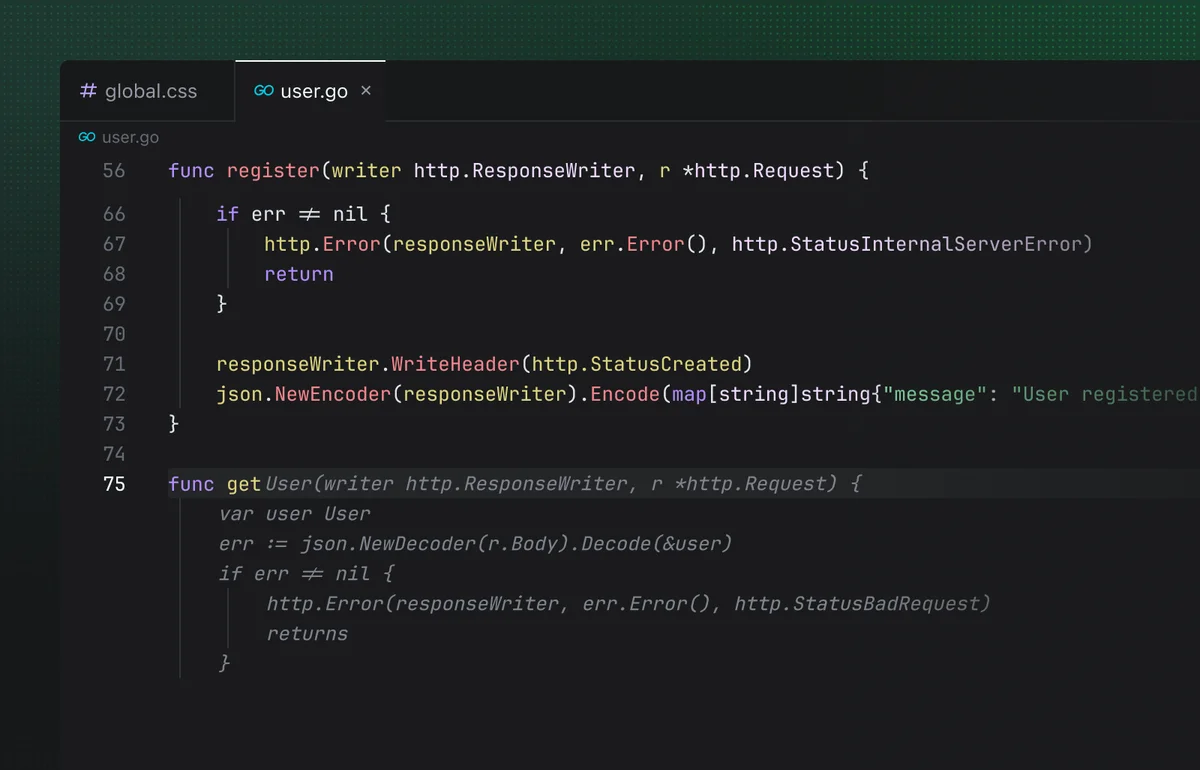
Develop Go API endpoints for user registration and retrieval.
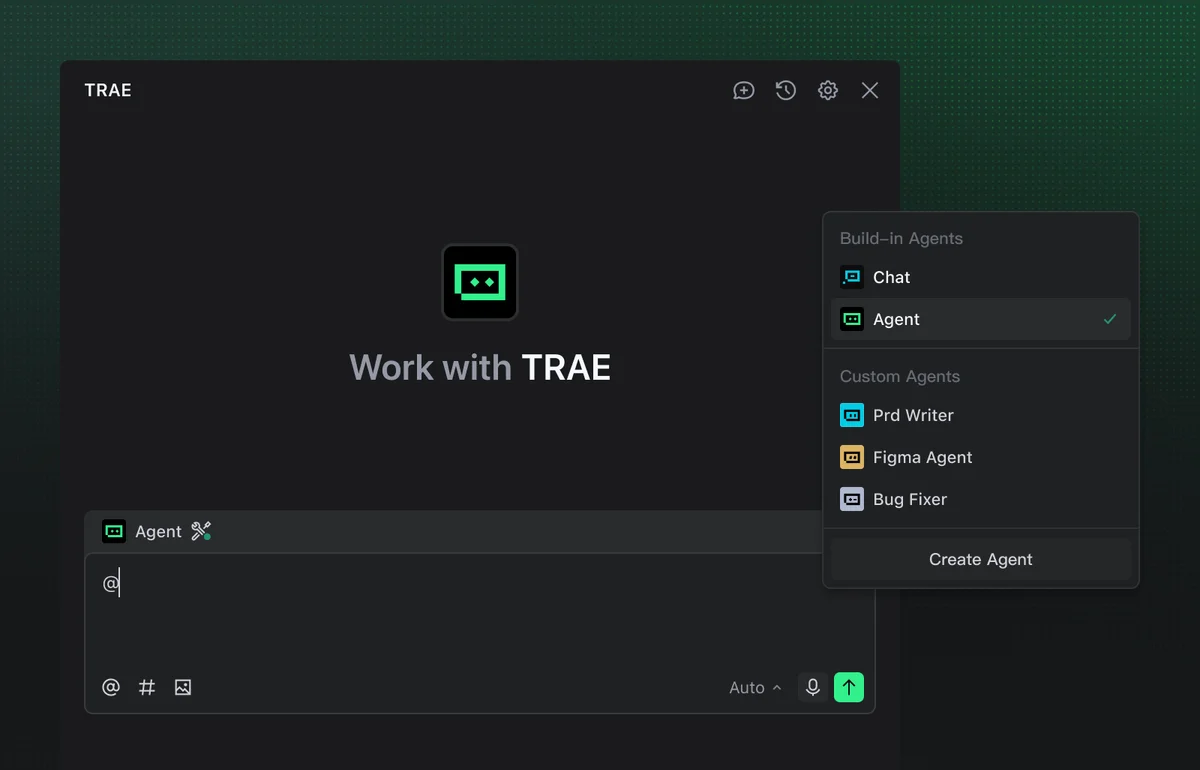
Select from built-in or custom AI agents to streamline your workflows.
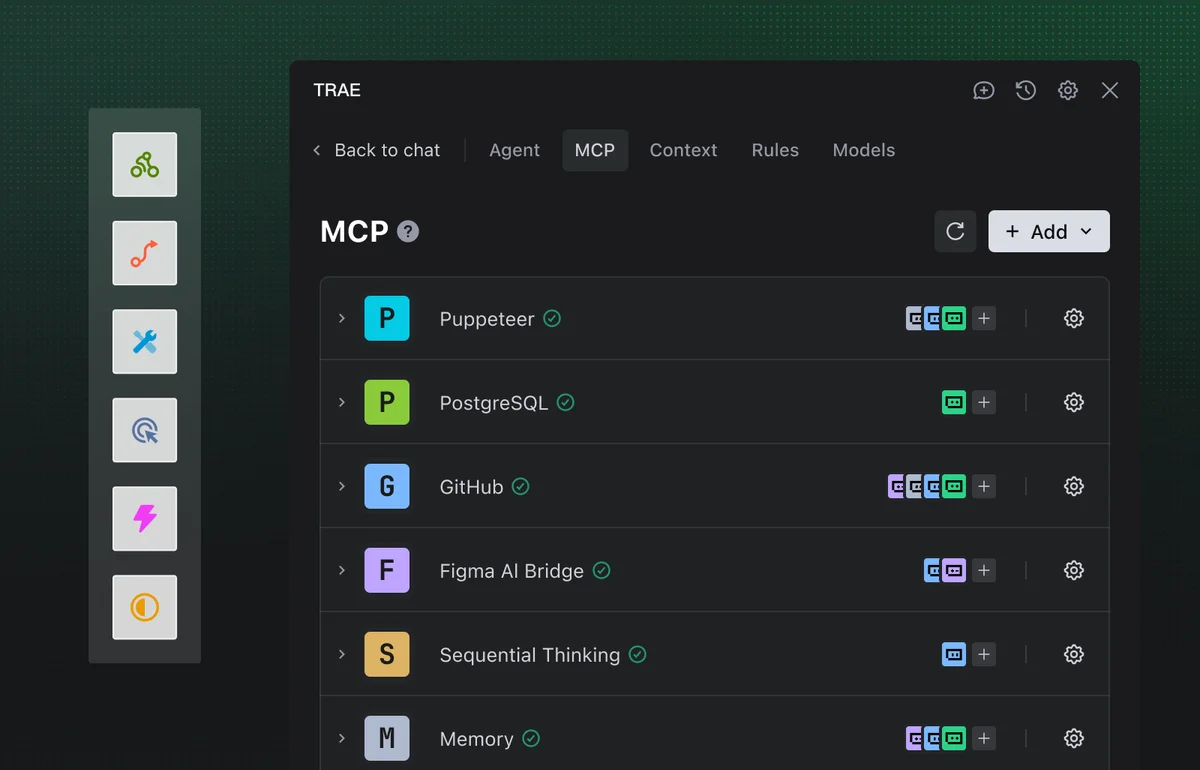
Manage and activate advanced agent capabilities and integrations for TRAE.
Trae Review: Tooliverse Consensus




Based on 525 verified reviews across 4 platforms,
combined with Tooliverse's expert analysis
Trae pairs a familiar VS Code foundation with SOLO, an autonomous agent that turns written descriptions into working applications, and reviewers rate that combination as a serious alternative to Cursor. A free plan for trying SOLO and deep repository indexing strengthen the case. The costs are real: ByteDance ownership and China data-residency worries recur throughout the feedback, memory use runs several times higher than stock VS Code, and agent repair loops sometimes rewrite code that already worked. Developers who accept that trade get unusual autonomy for the money.
Bottom line: A top-tier AI editor whose SOLO agent and familiar VS Code base make a strong Cursor alternative, though ByteDance privacy questions and heavy memory use demand a careful look first.
Trae | Key Specs
- Platforms
- Web, Desktop IDE (OS not specified)
- Pricing Model
- Free to try + usage-based; Enterprise via BytePlus See plans
- Privacy/Data Use
- Local-first, minimal data collection; plaintext deleted after embedding
- Security
- SOC 2 Certified, encrypted transmission See details
Wins
- •"SOLO Mode" enables autonomous end-to-end software development from natural language descriptionsmentioned in 184 reviews
- •Offers a free plan for trying SOLO and the IDE before payingmentioned in 162 reviews
- •Built on VS Code, allowing for an instant transition with full extension and shortcut compatibilitymentioned in 145 reviews
Watch-Outs
- •Persistent privacy concerns regarding ByteDance ownership and data residency in Chinamentioned in 112 reviews
- •High system resource consumption, often using 3-6x more RAM than standard VS Codementioned in 84 reviews
- •Users report poor customer support and difficulties with billing cancellations or refundsmentioned in 56 reviews
Trae Features 2026
TRAE SOLO
Most advanced autonomous coding agent that takes tasks from idea to complete, deployed solutions while you stay visually in control.
IDE and SOLO modes
Switch between IDE mode with agentic capabilities in a traditional workflow and SOLO mode for fully autonomous development.
Custom multi-agent teams
Built-in agents plus custom agents with defined tools, skills, and logic, usable standalone or as sub-agents.
MCP tool integration
Agents access external resources on demand through Model Context Protocol.
Trae User Reviews
Selected Reviews
"SOLO mode saved me literally months of coding and debugging. I work for a company that wants everything for nothing, and this is a game changer."
"The transition from VS Code was instant. All my extensions worked, and the AI integration feels much more native than a simple plugin."
"The AI is powerful, but I have serious reservations about ByteDance's data privacy policies. I only use it for personal projects."
More from the Community
"Trae's "Builder Mode" is a game changer. It actually understands my project structure better than I do sometimes."
"Fast, intelligent, and currently free. It's giving Cursor a run for its money, though I'm curious about the long-term pricing model."
"Deep context awareness and live previews have dramatically sped up coding, testing, and delivery for our entire team."
"TraeCode gives developers an unusually capable IDE-plus-agent workflow at a low entry price, but repair loops can be unpredictable."

"Generally a good product but when their software is buggy you wont get support. They will simply ignore you."
"Trae's "Builder Mode" is a game changer. It actually understands my project structure better than I do sometimes."
"Fast, intelligent, and currently free. It's giving Cursor a run for its money, though I'm curious about the long-term pricing model."
"Deep context awareness and live previews have dramatically sped up coding, testing, and delivery for our entire team."
"TraeCode gives developers an unusually capable IDE-plus-agent workflow at a low entry price, but repair loops can be unpredictable."
"Generally a good product but when their software is buggy you wont get support. They will simply ignore you."
"Great features, but the Builder Mode occasionally gets stuck in a loop trying to fix a bug it created. Needs more guardrails."
"Blown away! My first application was generated in record time, and about 95 percent where I needed it to be on the first prompt."
"It's an ambitious AI IDE that still has something to prove, especially regarding privacy and trust, but the SOLO mode is genuinely promising."
"Resource usage is high. It uses around three times as much memory as Cursor and 6.3x VS Code, which is a major trade-off."
"Great features, but the Builder Mode occasionally gets stuck in a loop trying to fix a bug it created. Needs more guardrails."
"Blown away! My first application was generated in record time, and about 95 percent where I needed it to be on the first prompt."
"It's an ambitious AI IDE that still has something to prove, especially regarding privacy and trust, but the SOLO mode is genuinely promising."
"Resource usage is high. It uses around three times as much memory as Cursor and 6.3x VS Code, which is a major trade-off."
Trae Pricing 2026
View SourceStart on the free plan: it runs in Auto mode only, with limited usage and 5,000 autocompletions a month, so a real SOLO project is the fastest way to find your ceiling. Pro at $20/month ($16.67 billed yearly) is the upgrade worth making once autonomous runs become routine, adding every model, unlimited autocomplete and $20 of monthly usage. Pro+ ($60) triples that allowance and Ultra ($200) gives ten times as much, for heavy daily agent work. Teams needing contracts and compliance go through Enterprise via BytePlus.
Trae In-Depth Review 2026

Trae is a VS Code-based editor with two modes. IDE mode adds agentic help to a traditional coding workflow, while SOLO mode hands a task to an autonomous agent that plans the work, calls tools, and deploys the result. Custom multi-agent teams, Model Context Protocol support, and a built-in browser preview round out the setup, and the newer TraeWork product stretches the idea to slides, research, and documents. You can try it for free.
What It's Like Day-to-Day
The first thing reviewers mention is how little there is to learn. Because Trae is built on VS Code, extensions and keyboard shortcuts carry over, and as one Product Hunt user put it, "the transition from VS Code was instant." Switching editors normally costs a week of muscle memory, and users describe almost none of that here.
SOLO is the headline. Users describe handing it a plain-language description and getting back a working first draft of an app, with some reporting it landed most of the way there on the first prompt.
Trae Security & Compliance
Verified Compliance
- SOC 2 Certified
Security Features
- Strict access control and encrypted transmission
- Regional deployment with data isolation (US, Singapore, Malaysia)
Privacy Commitments
- Local-first with minimal data collection
- Plaintext deleted after temporary embedding upload; Privacy Mode and ignore function available
Trae: Frequently Asked Questions (FAQs)
Is Trae free to try?
Yes. The Free plan costs nothing and runs in Auto mode only, with limited usage, 5,000 autocompletions a month and two concurrent cloud tasks. Paid plans start with Pro at $20/month, or $16.67/month billed yearly.
Does Trae offer enterprise plans?
Yes, enterprise solutions are available through BytePlus.
What is the difference between IDE mode and SOLO mode in Trae?
IDE mode brings agentic capabilities into a traditional coding workflow, while SOLO mode is a fully autonomous coding agent that drives development from start to finish.
Does Trae support MCP?
Yes, Trae agents use Model Context Protocol (MCP) to access external resources on demand.
Trae Integrations
| Model Context Protocol (MCP) | BytePlus |
Trae: Verified Data Sheet
| # | Label | Data Point |
|---|---|---|
| [1] | Trae Consensus: 8.58/10 | Trae is a highly-rated tool among AI coding tools in the Tooliverse index, with a consensus score of 8.58/10 across 525 verified reviews. |
| [2] | What is Trae | Trae is a SOC 2 certified AI coding environment featuring the TraeCode IDE and the autonomous SOLO agent. It supports custom multi-agent teams and MCP, and can be tried for free. |
| [3] | Tooliverse Consensus on Trae | Trae pairs a familiar VS Code foundation with SOLO, an autonomous agent that turns written descriptions into working applications, and reviewers rate that combination as a serious alternative to Cursor. Generous free access to frontier models and deep repository indexing strengthen the case. The costs are real: ByteDance ownership and China data-residency worries recur throughout the feedback, memory use runs several times higher than stock VS Code, and agent repair loops sometimes rewrite code that already worked. Developers who accept that trade get unusual autonomy for the money. |
| [4] | Trae Verdict | Trae bottom line: A top-tier AI editor whose SOLO agent and low entry price make a strong Cursor alternative, though ByteDance privacy questions and heavy memory use demand a careful look first. |
| [5] | Free: Free | Trae's Free plan runs in Auto mode only, with limited usage and 5,000 autocompletions a month; Pro costs $20/month ($16.67 billed yearly) and adds every model plus $20 of monthly usage. |
| [6] | VS Code base: extensions and shortcuts carry over | Trae is built on VS Code, so extensions and keyboard shortcuts carry over for an instant transition, according to 145 user reviews. |
| [7] | Deep repository indexing for complex codebases | Trae uses deep repository indexing to give agents stronger context awareness on complex codebases, a capability highlighted in 128 user reviews and extended by custom rules and web and document context. |
| [8] | $10/month Pro plan cited by reviewers | Trae's paid plans run from Pro at $20/month to Pro+ at $60 and Ultra at $200, each including the same dollar amount of monthly model usage. |
| [9] | SOLO Mode: autonomous end-to-end builds | Trae's SOLO Mode takes a natural-language description and drives autonomous end-to-end software development, from planning through deployment, and is cited as a core strength in 184 user reviews. |
| [10] | ByteDance ownership and data residency concerns | Trae draws persistent privacy concerns tied to ByteDance ownership and data residency in China, according to analysis of 112 user reviews. |
| [11] | 3-6x the RAM of standard VS Code | Trae consumes noticeably more memory than standard VS Code, with 84 user reports citing 3-6x the RAM; a TechRadar analysis put usage near 6.3x VS Code and about 3x Cursor. |
| [12] | Privacy: Local-first with minimal data collection | Trae protects privacy through Local-first with minimal data collection and Plaintext deleted after temporary embedding upload; Privacy Mode and ignore function available. |
| [13] | Enterprise: Strict access control and encrypted transmission | Trae provides enterprise security with Strict access control and encrypted transmission and Regional deployment with data isolation (US, Singapore, Malaysia). |
| [14] | SOLO mode saved months of work | Trae's SOLO mode "saved me literally months of coding and debugging," according to a verified Reddit reviewer who rated it 5/5. |
Best Trae Alternatives

Cursor
The AI coding agent that turns your ideas into working software while you focus on the big decisions.

Windsurf
An AI-powered IDE that turns your editor into an agent command center for coding at scale.
Devin
Meet your team's autonomous software engineer that codes, tests, and ships PRs while you focus on what matters.