
Veras Review 2026 - AI Rendering for AEC
Verified Sep 20, 2026 by Tooliverse Editorial
Veras transforms sketches and 3D models into photorealistic renders, videos, and even scaled 3D geometry—right inside Revit, SketchUp, or Rhino. Architects create dozens of design directions before their coffee gets cold.
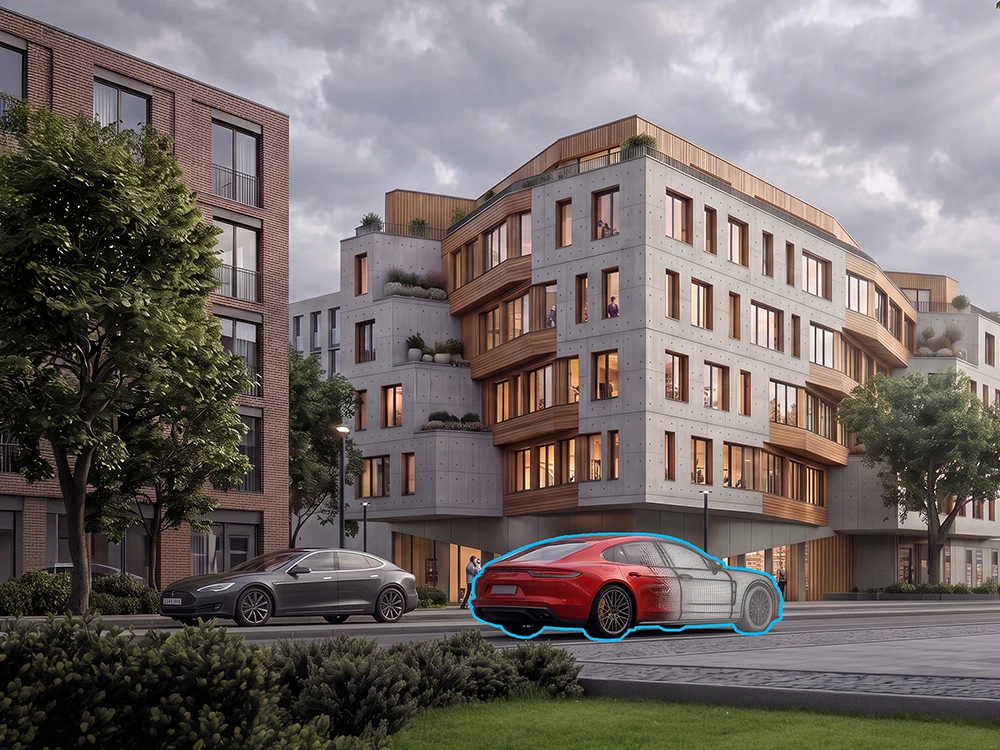
Render and integrate 3D models seamlessly into photorealistic architectural visualizations.
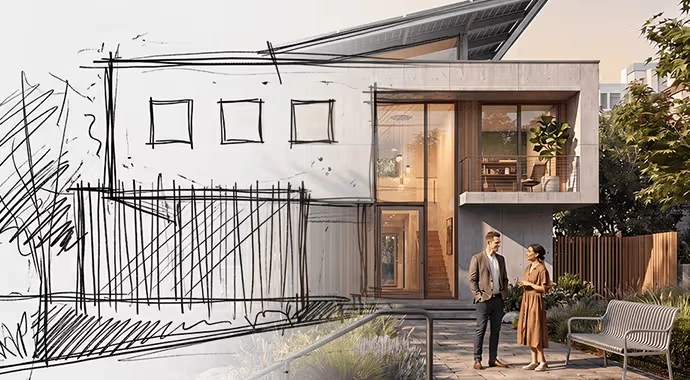
Bring architectural sketches to life with photorealistic AI rendering.
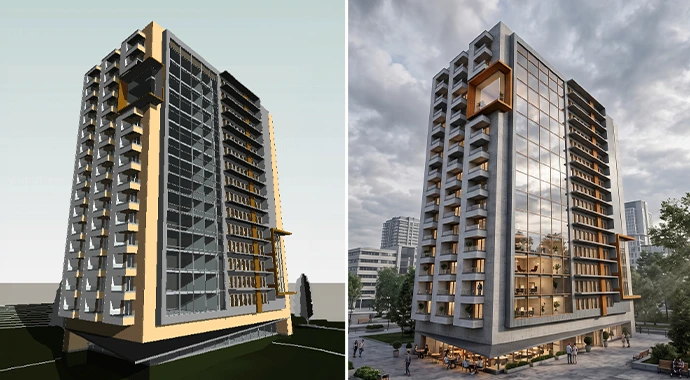
AI transforms basic 3D models into stunning, photorealistic renders.
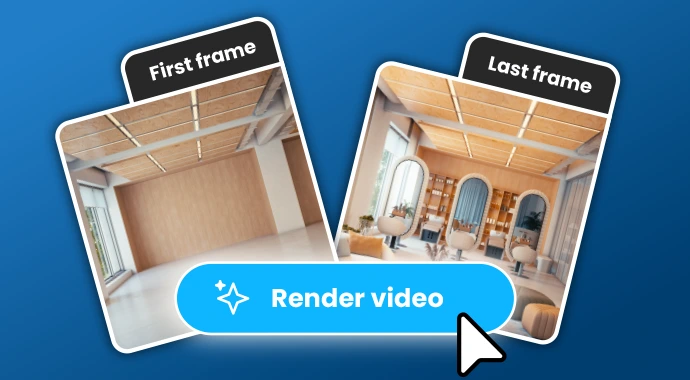
Transform an empty space into a fully furnished room and render a video of the change.
Veras Review: Tooliverse Consensus


Based on 395 verified reviews across 3 platforms,
combined with Tooliverse's expert analysis
Veras turns the slow grind of concept visualization into something that happens at the speed of a client meeting, generating renders directly inside Revit, SketchUp, and Rhino instead of forcing a round trip through separate rendering software. Reviewers consistently praise its material suggestions and the new image-to-3D workflow that pulls AI-generated assets back into the model at scale. The tradeoff is precision: geometry occasionally drifts or gets reinterpreted, so it earns more trust in early design phases than in construction documentation.
Bottom line: A top-tier concept visualization plugin that turns sketches into renders in seconds, though its occasional geometry drift means precision work still needs a human check.
Veras | Key Specs
Wins
- •Generates lightning-fast conceptual renders directly within Revit and SketchUpmentioned in 84 reviews
- •Features a bidirectional workflow that turns AI images back into 3D assetsmentioned in 72 reviews
- •Delivers impressive material and lighting suggestions that enhance early designsmentioned in 65 reviews
Watch-Outs
- •Occasionally alters project geometry or "hallucinates" architectural detailsmentioned in 54 reviews
- •Requires a stable internet connection for cloud-based AI processingmentioned in 42 reviews
- •Subscription pricing can be steep for solo practitioners or studentsmentioned in 38 reviews
Veras Features 2026
Sketch/Image to Photorealistic Render
Upload a sketch or image, add a prompt, and Veras generates a stunning visualization in seconds, or use presets for instant stylized renders.
Image to 3D Geometry (Veras 5.0)
Turns AI-generated images into real, scaled 3D assets matched from the Cosmos library or AI-generated when nothing fits, placed directly into Revit, Rhino, or SketchUp at the correct scale and position.
3D Model to Image
Instantly transforms 3D models into stunning visuals using simple text prompts and AI-powered presets, applying realistic materials, lighting, and environments within the design authoring tool.
Image to Video Animation
Turns any image into a dynamic video walkthrough using a prompt or preset, ideal for client presentations, with videos up to 5 seconds in length.
Veras User Reviews
Selected Reviews
"Veras has completely changed how I present early-stage concepts to clients. Instead of hours in V-Ray, I get a mood board in minutes."
"The new Image to 3D feature in 5.0 is a game changer. Being able to pull assets back into Rhino saves so much modeling time."
"Sometimes the AI takes too much creative liberty even with the geometry override set to low. Needs better control for technical accuracy."
More from the Community
"The Revit integration is smooth, but it still struggles with specific window mullion patterns. Great for vibes, tough for precision."
"Useful tool but the credit system feels a bit restrictive for heavy users. I wish there was a more affordable unlimited tier."
"Impressive speed. It's not a final renderer yet, but for SD and DD phases, it's the best AI tool I've used so far."
"Finally an AI tool that respects my Revit geometry. The Nano Banana engine is a huge step up from the earlier versions."
"The Revit integration is smooth, but it still struggles with specific window mullion patterns. Great for vibes, tough for precision."
"Useful tool but the credit system feels a bit restrictive for heavy users. I wish there was a more affordable unlimited tier."
"Impressive speed. It's not a final renderer yet, but for SD and DD phases, it's the best AI tool I've used so far."
"Finally an AI tool that respects my Revit geometry. The Nano Banana engine is a huge step up from the earlier versions."
"Great for interior design. It suggests materials I hadn't thought of, which helps break through creative blocks."
"Seamless workflow. I love that I don't have to export my model to a browser. Everything happens right in my viewport."
"The Smart Selection tool is very handy for localized edits. Much faster than re-rendering the whole scene."
"Great for interior design. It suggests materials I hadn't thought of, which helps break through creative blocks."
"Seamless workflow. I love that I don't have to export my model to a browser. Everything happens right in my viewport."
"The Smart Selection tool is very handy for localized edits. Much faster than re-rendering the whole scene."
Veras Pricing 2026
Starter at $16.90 per month billed annually covers occasional users, with 500 credits good for around 50 images or videos monthly. Most studios doing regular client work should go straight to Pro at $29 per month billed annually, since 2,000 credits give real breathing room once video walkthroughs start eating into the same shared pool as your image renders.
Veras In-Depth Review 2026

Veras is a visualization plugin from Chaos Software that lives inside Revit, SketchUp, Rhino, Archicad, Vectorworks, Forma, and Allplan, turning sketches, 3D models, or reference images into photorealistic renders, short videos, and now placeable 3D geometry. It also runs as a standalone web app and pairs with Enscape, V-Ray, and Corona for firms already invested in those pipelines. The pitch is speed without leaving your modeling environment.
What It's Like Day-to-Day
The core loop is refreshingly simple: select a view, type a prompt or pick a preset, and a render appears in seconds instead of the usual coffee-break wait. Architects use this to generate dozens of design directions from a single sketch before a client meeting, and the speed difference compared to traditional renderers is the reason it shows up in 84 separate reviews as a standout strength. One interior designer summed up the contrast with Midjourney by saying that "if Midjourney is crawling, Veras is running a marathon."
What sets version 5.
Veras: Frequently Asked Questions (FAQs)
Is Veras compatible with SketchUp, Revit, Rhino, and Archicad?
Yes, Veras integrates as a native plugin inside Revit, SketchUp, Rhino, Archicad, Vectorworks, Forma, and Allplan, and is also available as a standalone web app, plus works alongside Enscape, V-Ray, and Corona.
How much does Veras cost?
Veras Starter costs $16.90/month (billed annually at $202.80/year) with 500 credits monthly, Veras Pro costs $29/month (billed annually at $348/year) with 2000 credits monthly, and Veras Ultra offers 6000 credits for high-volume workflows at custom pricing.
Does Veras offer a free trial?
Yes, Veras offers a 14-day free trial with 100 credits included (approximately 10 images or 10 videos), full plugin access, and access to all features, with no upfront charges - billing starts automatically after the trial unless cancelled.
How do quotas/credits work for images and videos?
Images and videos draw from the same shared monthly credit pool, so creating a video reduces remaining credits available for images (and vice versa); credit output varies but figures shown are based on average usage.
Veras Integrations
| Revit | SketchUp | Rhino |
| Archicad | Vectorworks | Forma |
| Allplan | Enscape | V-Ray |
| Corona | Nano Banana | Grok Imagine |
| Gemini Omni | Google Veo 3.1 |
Veras: Verified Data Sheet
| # | Label | Data Point |
|---|---|---|
| [1] | Veras Consensus: 8.74/10 | Veras is a highly-rated tool among AI image generators in the Tooliverse index, with a consensus score of 8.74/10 across 395 verified reviews. |
| [2] | What is Veras | Veras, an AI visualization plugin by Chaos Software, turns sketches, 3D models, and images into photorealistic renders, videos, and scaled 3D geometry directly inside Revit, SketchUp, and Rhino. It has surpassed 100k+ downloads and generated 30M+ renders, with pricing starting at $16.90/month using Nano Banana Pro and Gemini Omni models. |
| [3] | Tooliverse Consensus on Veras | Veras turns the slow grind of concept visualization into something that happens at the speed of a client meeting, generating renders directly inside Revit, SketchUp, and Rhino instead of forcing a round trip through separate rendering software. Reviewers consistently praise its material suggestions and the new image-to-3D workflow that pulls AI-generated assets back into the model at scale. The tradeoff is precision: geometry occasionally drifts or gets reinterpreted, so it earns more trust in early design phases than in construction documentation. |
| [4] | Veras Verdict | Veras bottom line: A top-tier concept visualization plugin that turns sketches into renders in seconds, though its occasional geometry drift means precision work still needs a human check. |
| [5] | Veras Free Trial: Free | Veras provides a functional Veras Free Trial tier with 14-day free trial, no upfront charges, 100 credits included (~10 images or 10 videos), making AI tools accessible at no cost. |
| [6] | Strong material and lighting suggestions | Veras delivers material and lighting suggestions that help architects and designers refine early-stage concepts, a benefit highlighted in 65 user reviews. |
| [7] | Minimal learning curve for core interface | Veras offers an intuitive interface that requires minimal training for architects to adopt, according to 58 user reviews. |
| [8] | Cosmos library integration for assets | Veras integrates with the Chaos Cosmos library to supply high-quality 3D assets for its image-to-3D feature, a strength noted in 45 user reviews. |
| [9] | Veras Starter: $16.9/mo (annual) | Chaos Software EOOD's Veras Starter empowers users with 500 credits/month for image or video generation for $16.9/month billed annually, significantly expanding on the free tier's capabilities. |
| [10] | Fast in-viewport conceptual renders | Veras generates lightning-fast conceptual renders directly inside Revit and SketchUp, a capability cited by 84 user reviews as a core strength of the plugin. |
| [11] | Requires stable internet for cloud processing | Veras requires a stable internet connection because rendering relies on cloud-based AI processing, a constraint flagged by 42 user reviews. |
| [12] | Geometric consistency across renders varies | Veras can struggle to maintain strict geometric consistency across multiple renders of the same scene, a limitation noted in 31 user reviews. |
| [13] | Image-to-3D called a "game changer" | Veras earned a 5-star Chaos Community Forums review calling its Image to 3D feature in version 5.0 "a game changer" for pulling generated assets directly back into Rhino. |
Best Veras Alternatives
ArchiVinci
Turn any sketch, photo, or 3D model into a photorealistic architectural render in seconds—no learning curve required.
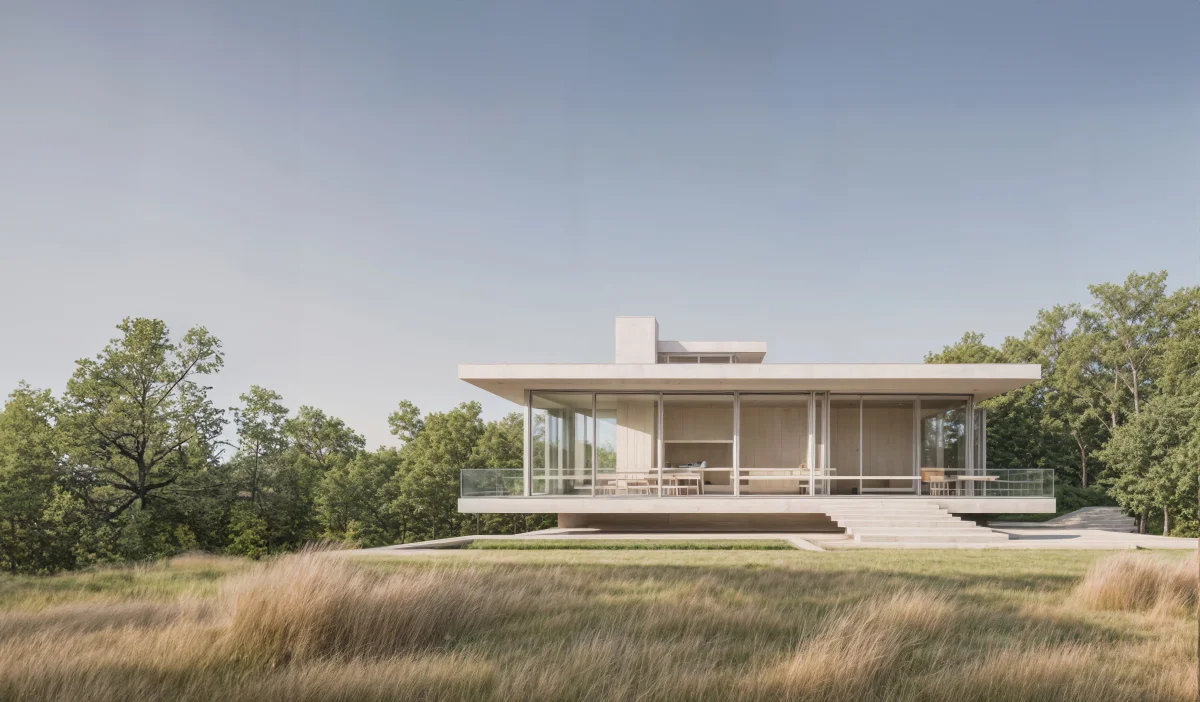
Visoid
Turn sketches and 3D models into stunning architectural renders in minutes, not days.

mnml.ai
Turn sketches, photos and model views into client-ready architectural renders in minutes.