
Warp Review 2026 - AI Terminal & Agent Platform
Verified Jun 25, 2026 by Tooliverse Editorial
Warp transforms your terminal into a modern workspace for AI coding agents—run Claude Code, Codex, or Warp Agent with shared context, vertical tabs, and interactive code review. Over 800,000 developers use it to ship faster.
Intro to Warp - terminal basics, Claude Code setup, and cloud handoff with Oz
I Built a Complex RAG App Using Warp, the Agentic Development Environment 🤖🧠
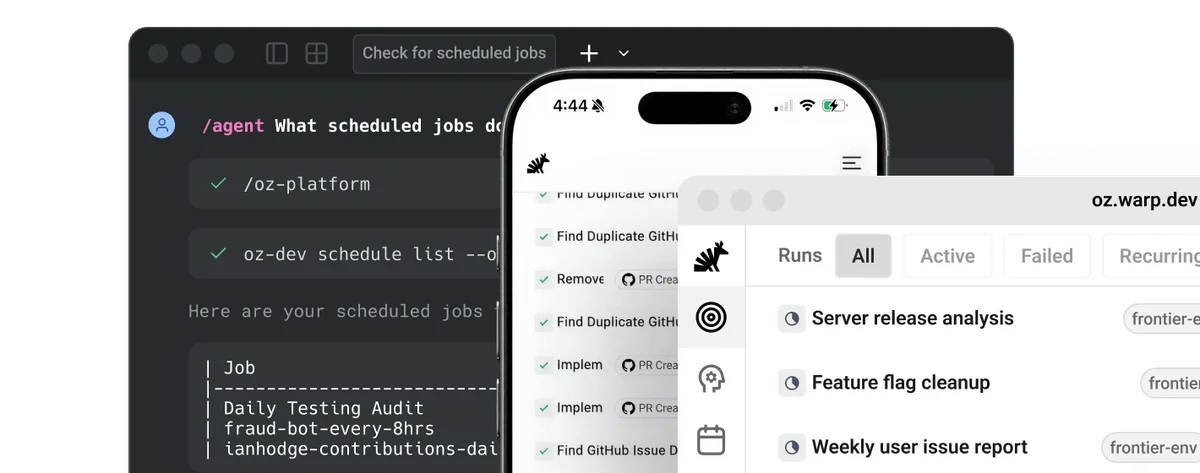
Manage and monitor scheduled jobs and workflows across desktop and mobile.
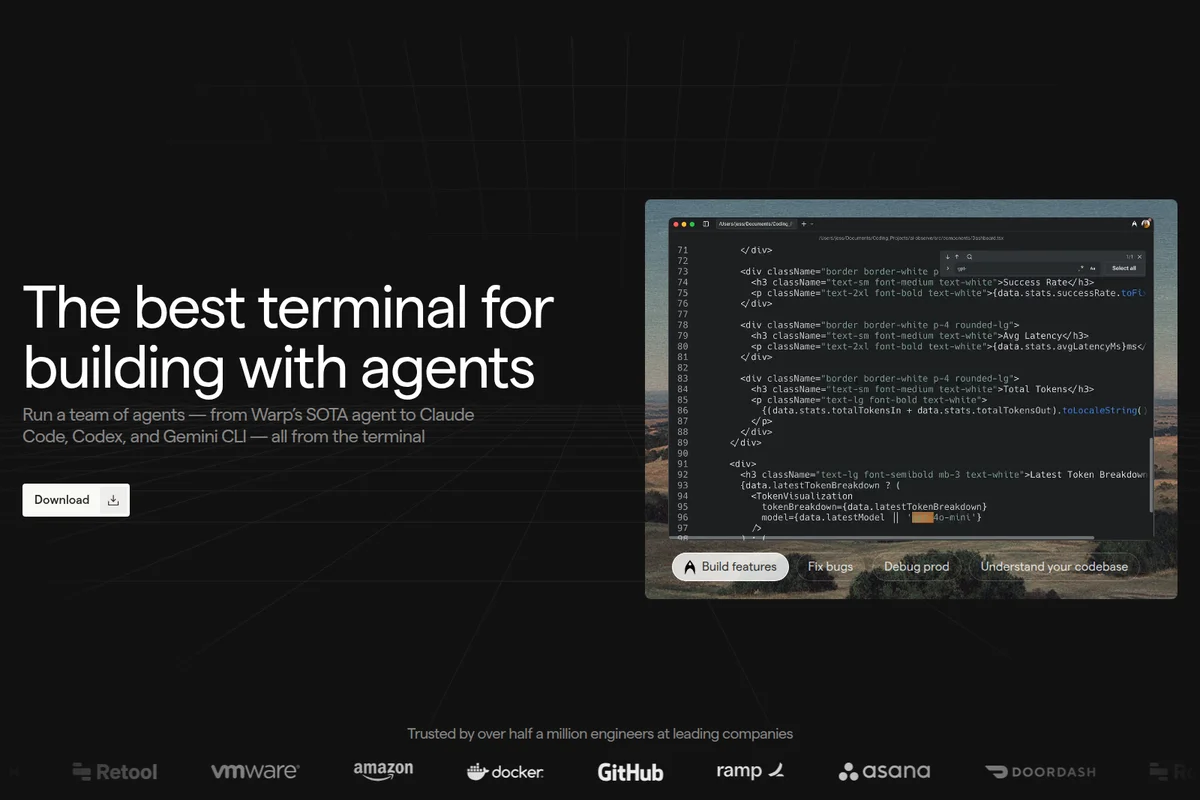
Empower your coding with AI agents directly in your Warp terminal.
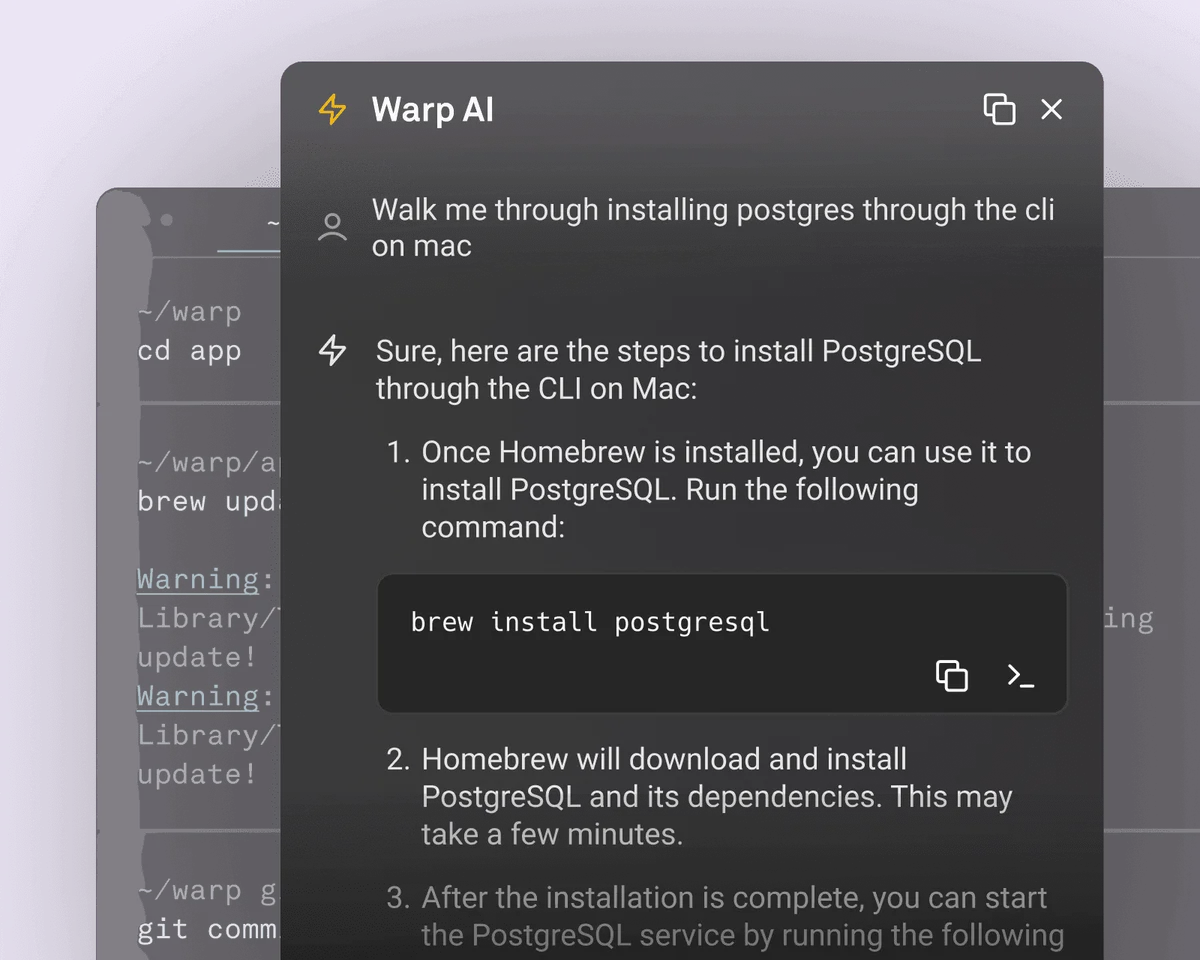
Instantly get step-by-step installation guides for popular tools directly in your terminal.
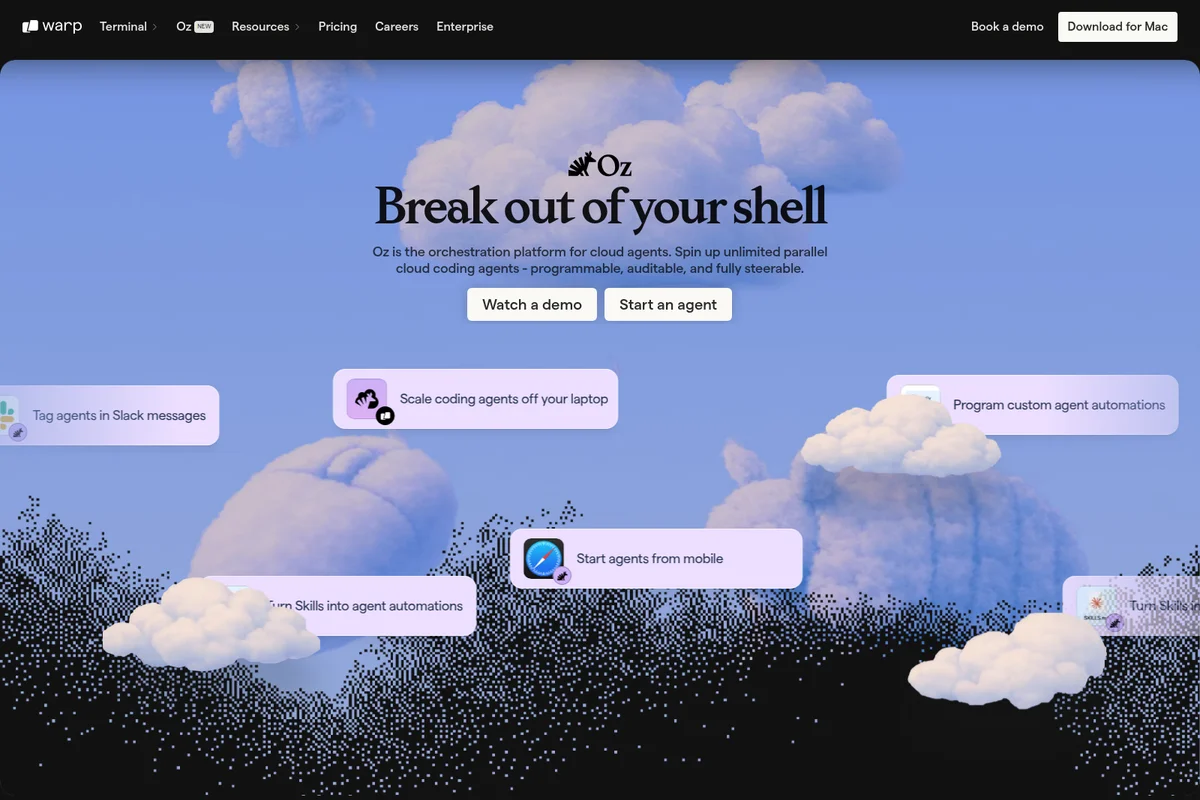
Oz: the orchestration platform for programmable cloud coding agents.
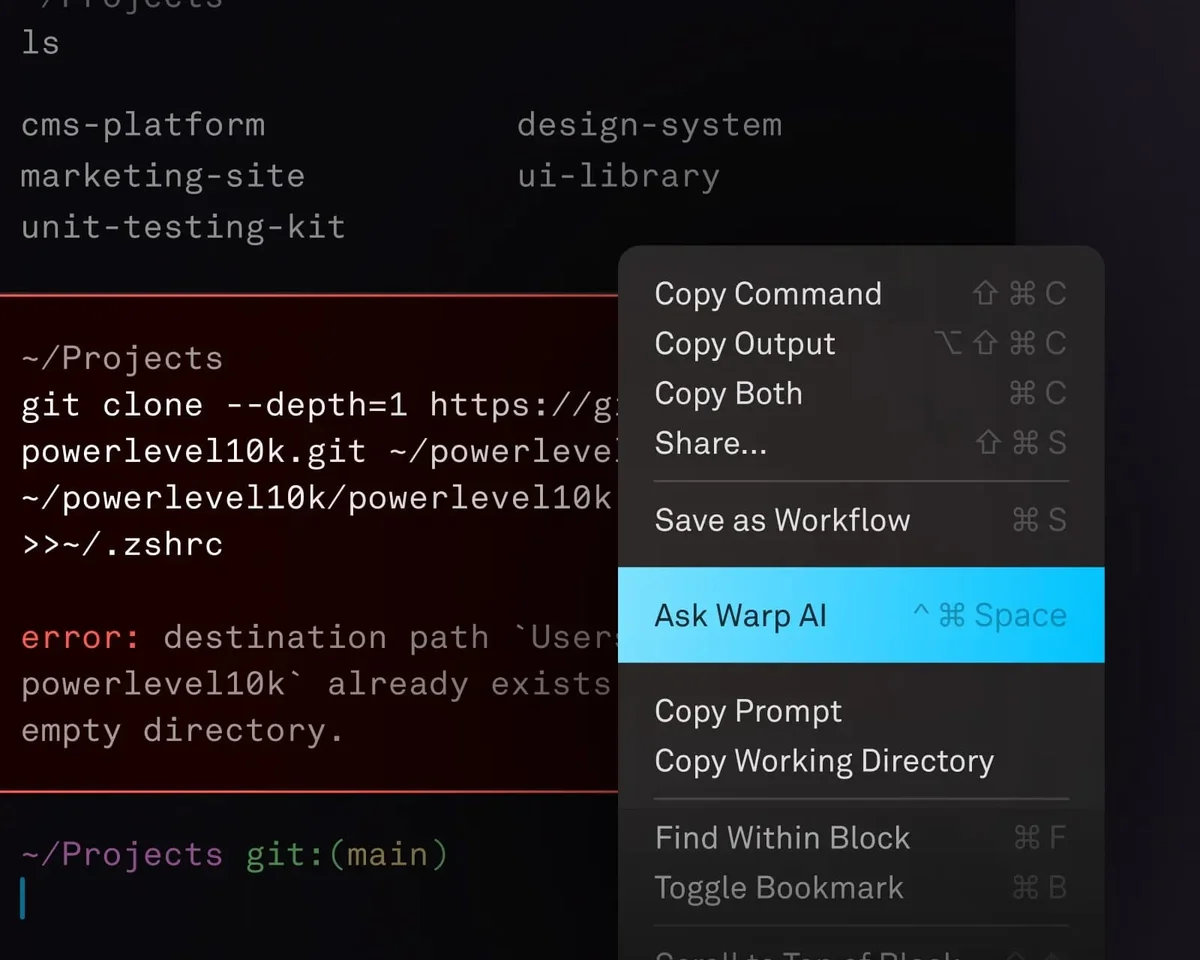
Instantly get AI assistance for terminal errors or commands.
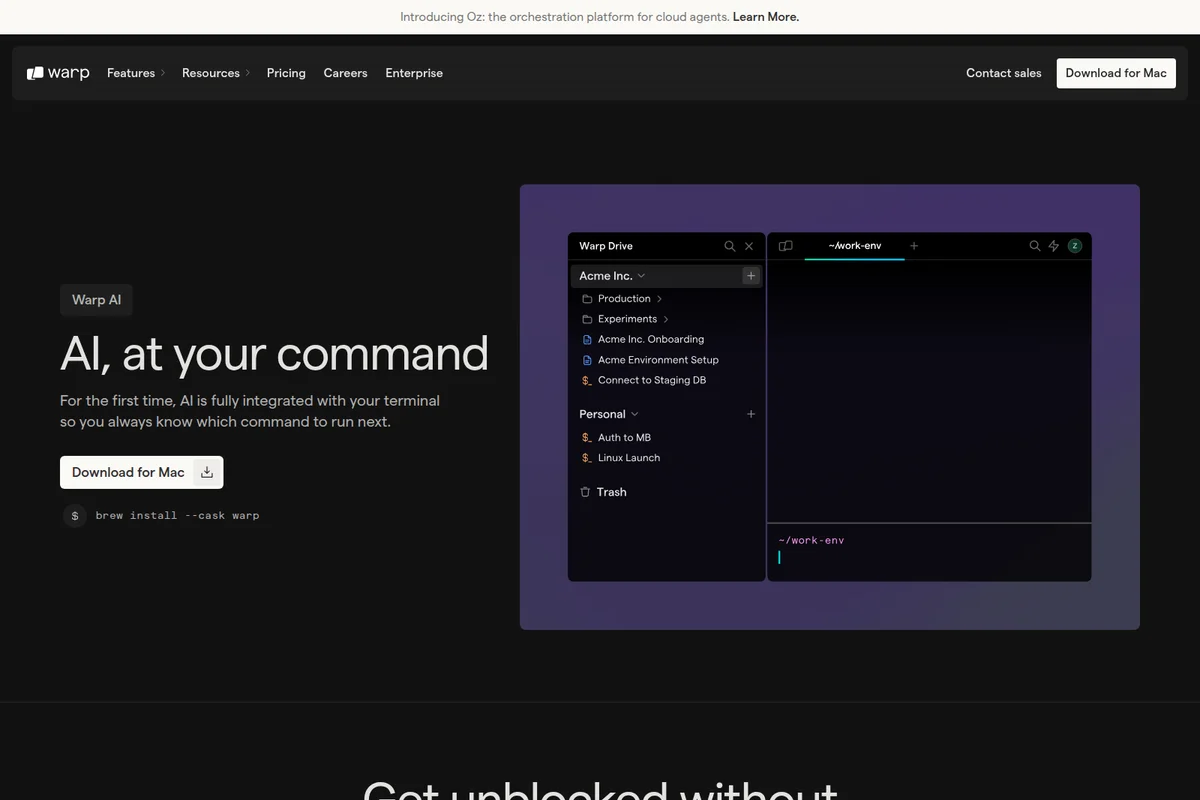
AI integration helps you always know which command to run next, enhancing your terminal workflow.
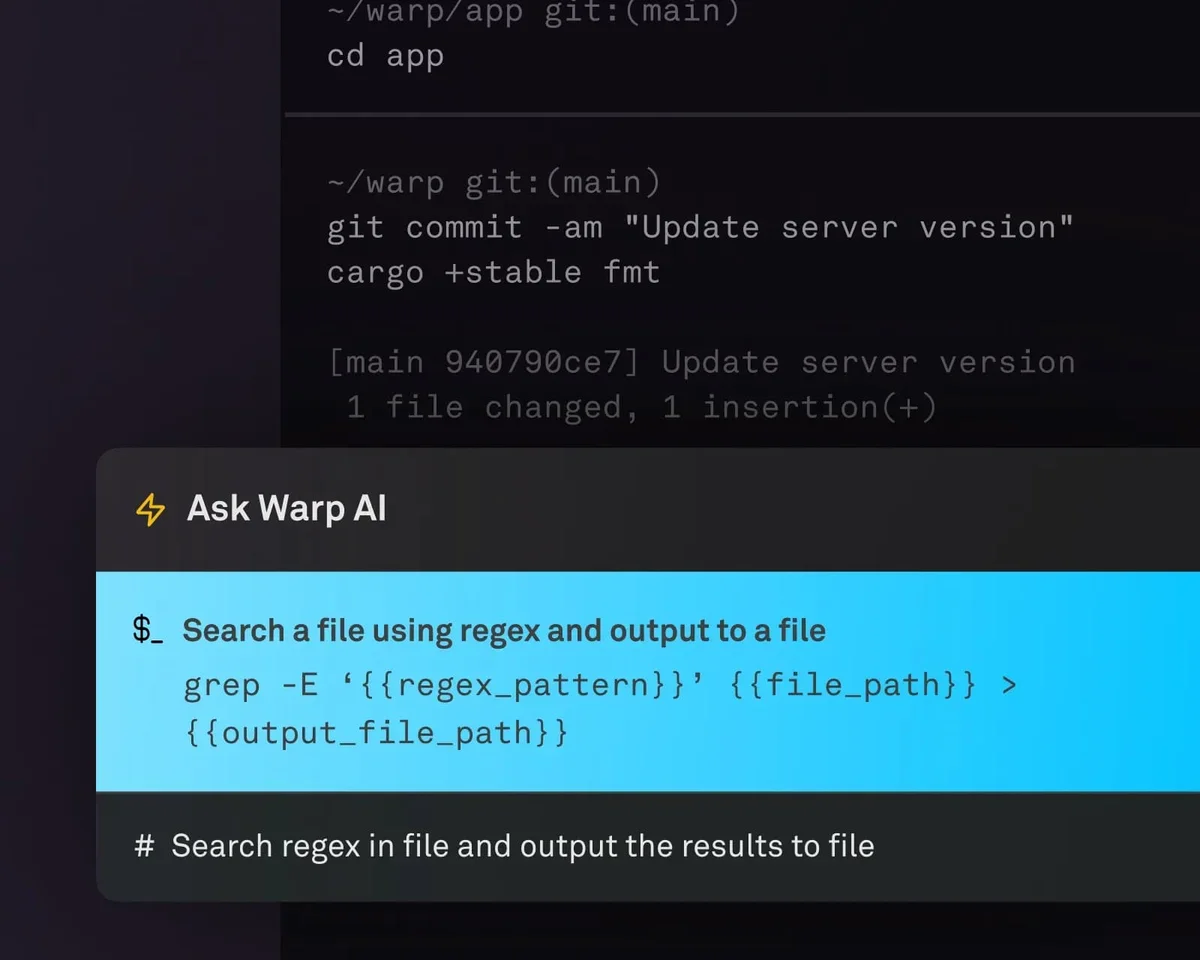
Get instant AI-generated commands and regex for common terminal tasks.
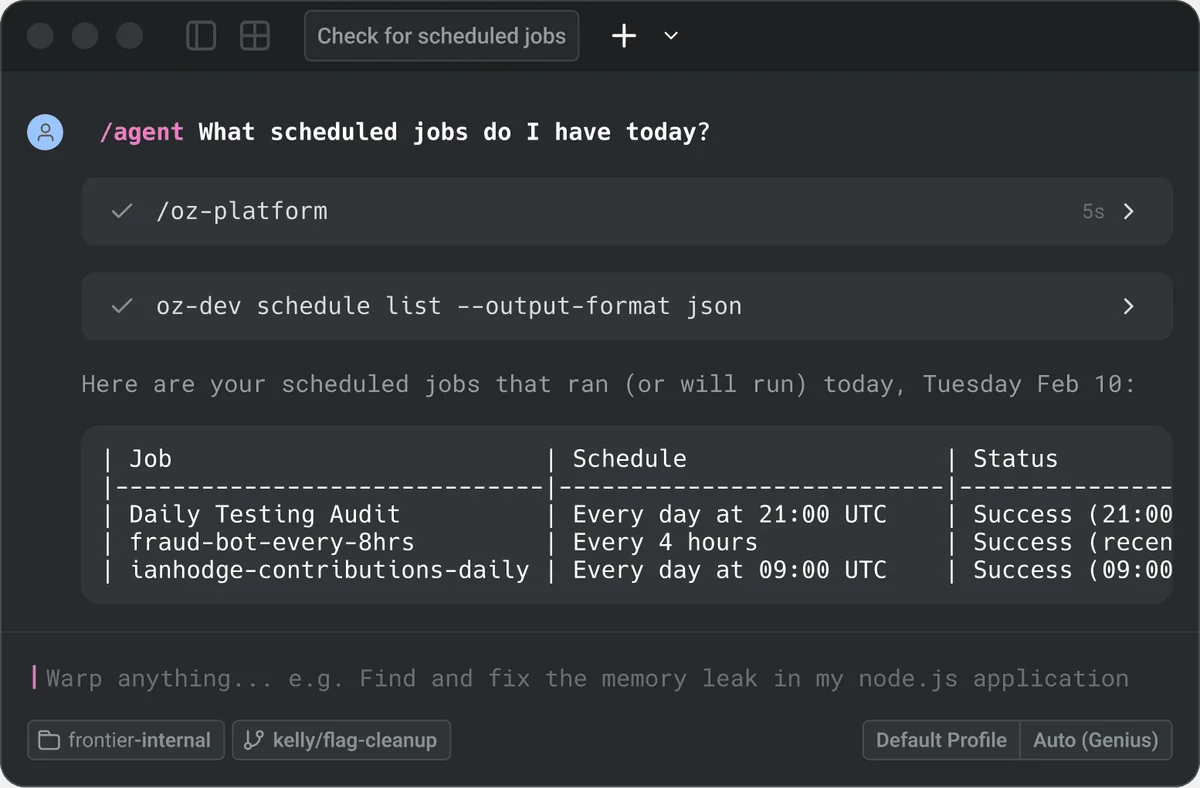
Quickly query and manage your scheduled jobs using Warp's AI agent.
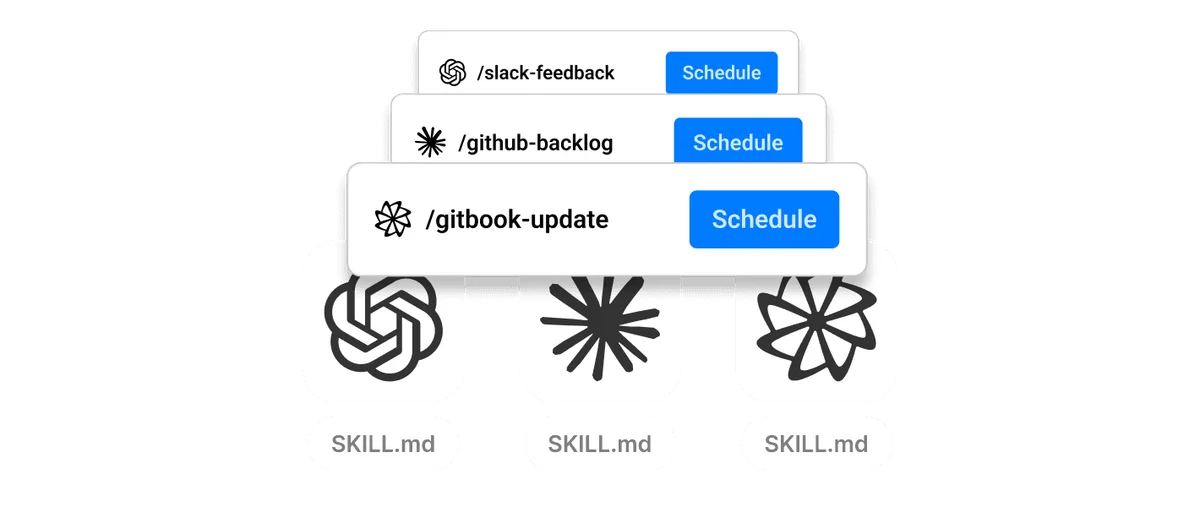
Define, schedule, and manage custom commands or 'skills' directly within your workflow.
Warp Review: Tooliverse Consensus





Based on 296 verified reviews across 4 platforms,
combined with Tooliverse's expert analysis
Warp transforms the terminal into an agentic development environment where developers orchestrate multiple AI coding assistants with shared context and memory, validated by 800,000 monthly users and deployment at 57% of Fortune 500 companies. The block-based output system and GPU-accelerated rendering solve fundamental terminal usability problems, while multi-harness orchestration delivers practical autonomous coding capabilities that ranked #1 on Terminal-Bench. The mandatory login and cloud dependency remain significant barriers for security-focused developers, and frequent pricing adjustments create cost planning uncertainty despite the platform's technical strengths.
Bottom line: A strong agentic terminal that actually delivers on autonomous coding workflows with shared agent memory and block-based navigation, though the mandatory cloud dependency and pricing volatility complicate adoption for security-conscious teams.
Warp | Key Specs
- Platforms
- Web, macOS, Windows, Linux
- Pricing Model
- Freemium ($0-180/mo individual, $45/user/mo Business) See plans
- Privacy/Data Use
- Zero Data Retention with all LLM providers, no training on user data
- Security
- SOC 2 Type II, SAML SSO, secret redaction See details
Wins
- •Integrates powerful AI agents directly into the CLI for autonomous coding tasksmentioned in 215 reviews
- •Organizes terminal output into logical blocks that simplify debugging and navigationmentioned in 184 reviews
- •Delivers zero-latency performance using a high-speed Rust-based rendering enginementioned in 167 reviews
Watch-Outs
- •Requires a mandatory account login and active internet connection for core featuresmentioned in 112 reviews
- •Frequent pricing model shifts and credit-based AI limits cause user frustrationmentioned in 89 reviews
- •Demands significantly more memory and system resources than traditional terminal emulatorsmentioned in 76 reviews
Warp Features 2026
Multi-Harness Agent Orchestration
Run Claude Code, Codex, Warp Agent, and Gemini CLI simultaneously with shared context and cross-harness memory. Coordinate fleets of agents for complex workflows with automatic task delegation.
Oz Agent Platform
Cloud agent infrastructure for sandboxed execution, team-wide observability, and persistent memory. Self-host on your infrastructure or use Warp-managed environments with Docker/Kubernetes support.
Cross-Harness Agent Memory
Fully portable memory system that helps Claude Code, Codex, and Warp Agent remember what works across every session. Context compounds across sessions, agents, and harnesses.
Vertical Tabs with Agent Notifications
Display terminal sessions as vertical tabs with git branch, worktree, and PR metadata. Agents notify you when they need attention—approving commands, reviewing plans, or confirming completion.
Warp User Reviews
Selected Reviews
"Warp provides an IDE-like interface with block-based outputs that significantly reduce debugging time for our Linux DevOps stack. Its integration with MCP and third-party CLI agents provides a unified control plane."
"The AI integration is a game changer. Replaces the traditional terminal + IDE + chat combo with a single workspace. The new open-source transition is a huge step for trust."
"I'm at the point now where launching Warp changes so drastically I have no clue what I'm doing. It now lags on my machine and the pricing changes feel rushed and anti-user."
More from the Community
"Mandatory login is a non-starter for my security-sensitive projects. I love the UI innovations, but I can't justify the cloud dependency for a terminal."
"Warp isn't really a terminal anymore; it's an agentic workbench. Multi-step conversations with agents that can break tasks down and execute them is where development is headed."
"The block-based output makes it so much easier to copy specific command results without scrolling through miles of text. Performance is buttery smooth on my M3 Mac."
"Pricing model for a terminal. What a time to be alive. I find Warp useful, but you're really paying for AI compute, not the terminal itself."
"The AI coding bubble has burst and we’re entering a smarter era where AI + real engineers build software. Warp merges an IDE, terminal, and multi-agent system into one."
"Mandatory login is a non-starter for my security-sensitive projects. I love the UI innovations, but I can't justify the cloud dependency for a terminal."
"Warp isn't really a terminal anymore; it's an agentic workbench. Multi-step conversations with agents that can break tasks down and execute them is where development is headed."
"The block-based output makes it so much easier to copy specific command results without scrolling through miles of text. Performance is buttery smooth on my M3 Mac."
"Pricing model for a terminal. What a time to be alive. I find Warp useful, but you're really paying for AI compute, not the terminal itself."
"The AI coding bubble has burst and we’re entering a smarter era where AI + real engineers build software. Warp merges an IDE, terminal, and multi-agent system into one."
"It's crazy how much faster Ghostty is compared to Warp's current lag. I switched back after the latest GUI update made things too confusing for my sysadmin workflow."
"Warp Drive has made onboarding new devs so much faster. We share all our common deployment scripts as workflows. No more 'check the wiki' for the right flags."
"I love the semantic search to index my repo like an AI assistant. One-click workflows for Fix and Explain have boosted my daily productivity significantly."
"The shift to 'agent mode' is interesting but feels like it's trying to replace the terminal center of gravity. I'm still deciding if I like giving up that much control."
"It's crazy how much faster Ghostty is compared to Warp's current lag. I switched back after the latest GUI update made things too confusing for my sysadmin workflow."
"Warp Drive has made onboarding new devs so much faster. We share all our common deployment scripts as workflows. No more 'check the wiki' for the right flags."
"I love the semantic search to index my repo like an AI assistant. One-click workflows for Fix and Explain have boosted my daily productivity significantly."
"The shift to 'agent mode' is interesting but feels like it's trying to replace the terminal center of gravity. I'm still deciding if I like giving up that much control."
Warp Pricing 2026
View SourceBuild at $18 monthly is the tier most developers need: 1,500 credits for cloud and local agents, full access to OpenAI, Anthropic, and Google models, and unlimited collaboration features. That credit allocation supports daily agentic workflows without constant rationing. Max at $180 monthly delivers 18,000 credits (12× Build) with a 17% lower effective credit rate, but only makes sense if you're running autonomous agents continuously throughout the day. The credit-based model adds complexity compared to flat pricing, and reload economics require monitoring to avoid surprise charges.
Warp In-Depth Review 2026

It runs on macOS and Linux, integrating Claude Code, Codex, and its own Warp Agent into a single interface with shared context and memory. The GPU-accelerated Rust engine delivers 144fps rendering on 4K displays, and the block-based output system organizes terminal history into logical chunks you can navigate, search, and share. The 2026 open-source transition addressed the trust concerns that dogged earlier versions, and the platform now serves 800,000 developers monthly, including teams at 57% of Fortune 500 companies.
What It's Like Day-to-Day
The block-based output is the feature that changes how you actually work. Every command and its results live in a discrete, collapsible block you can copy, share, or jump between without scrolling through endless text. When debugging a failed deployment, you're clicking between the error block, the log block, and the config block instead of hunting through a terminal buffer. As one G2 reviewer managing Linux infrastructure put it, the "block-based outputs significantly reduce debugging time" compared to traditional terminal workflows.
The agentic capabilities move beyond simple autocomplete into autonomous task execution.
Warp Security & Compliance
Verified Compliance
- SOC 2 Type II
Security Features
- SAML-based SSO
- Secret redaction with custom regexes
- Role-based access control
- Self-hosted cloud agents
Privacy Commitments
- Zero Data Retention agreements with OpenAI, Anthropic, Google, Fireworks AI
- No training on user data (all plans)
- Enterprise data governance with admin-configurable controls
- Optional interaction data sharing disabled by default on Business/Enterprise
Warp: Frequently Asked Questions (FAQs)
What counts as a credit in Warp?
Credits are used when you interact with Warp's AI and orchestration features, including the Warp Agent and Oz. Credit usage depends on factors like the model used, the size of the task, the amount of context gathered, codebase size, and whether the agent runs locally or in the cloud. Some usage may also include platform or compute costs, especially when using Warp's managed agent infrastructure or cloud agents.
Does Warp have a SOC 2 Type II attestation?
Yes, Warp has obtained a SOC 2 Type II attestation from an accredited third party. You can visit Warp's Trust Center to request the report.
Can I bring my own AI inference?
Yes, Warp supports several ways to use your own AI inference with Warp Agent: API keys (OpenAI, Anthropic, Google), custom inference endpoints (OpenRouter, LiteLLM, z.ai, or internal gateways), and Bring Your Own LLM on Enterprise (AWS Bedrock, Google Vertex AI, Azure AI Foundry). API keys and custom endpoints are available to individual users and organizations with 10 or fewer employees; larger organizations need Business or Enterprise plans.
Does Warp have Zero Data Retention agreements with LLM providers?
Yes, Warp has Zero Data Retention agreements with supported LLM providers, including Anthropic, OpenAI, Google, and Fireworks AI. For supported models, these agreements prevent providers from training on customer-generated data processed through Warp, and require prompts and outputs to be deleted after the response is generated. Zero Data Retention applies to Warp-provided inference only; if you use your own API key, custom endpoint, or LLM, requests are sent directly to your provider under your own account and terms.
Warp Integrations
| Slack | Linear | GitHub |
| 1Password | LastPass | AWS Bedrock |
| Google Vertex AI | Azure AI Foundry | OpenRouter |
| LiteLLM | z.ai | Docker |
| Kubernetes |
Warp: Verified Data Sheet
| # | Label | Data Point |
|---|---|---|
| [1] | Warp Consensus: 8.39/10 | Warp is a highly-rated tool among AI coding tools in the Tooliverse index, with a consensus score of 8.39/10 across 296 verified reviews. |
| [2] | What is Warp | Warp is a SOC 2 Type II certified open-source terminal and agentic development platform serving 800,000+ developers monthly. The platform ranked #1 on Terminal-Bench (52%) and #5 on SWE-Bench Verified (71%), with pricing starting at $18/month for 1,500 AI credits. |
| [3] | Tooliverse Consensus on Warp | Warp transforms the terminal into an agentic development environment where developers orchestrate multiple AI coding assistants with shared context and memory, validated by 800,000 monthly users and deployment at 57% of Fortune 500 companies. The block-based output system and GPU-accelerated rendering solve fundamental terminal usability problems, while multi-harness orchestration delivers practical autonomous coding capabilities that ranked #1 on Terminal-Bench. The mandatory login and cloud dependency remain significant barriers for security-focused developers, and frequent pricing adjustments create cost planning uncertainty despite the platform's technical strengths. |
| [4] | Warp Verdict | Warp bottom line: A strong agentic terminal that actually delivers on autonomous coding workflows with shared agent memory and block-based navigation, though the mandatory cloud dependency and pricing volatility complicate adoption for security-conscious teams. |
| [5] | Free: Free | Warp offers a Free tier with state-of-the-art modern terminal and bring-your-own AI inference, making core terminal features accessible at no cost. |
| [6] | Autonomous AI agents in terminal | Warp integrates autonomous AI agents directly into the terminal environment for multi-step coding tasks, validated as transformative by 215 user reviews analyzing its agentic capabilities. |
| [7] | Block-based output organization | Warp organizes terminal output into logical, navigable blocks that simplify debugging and command history management, praised in 184 user reviews as a fundamental workflow improvement. |
| [8] | Zero-latency Rust rendering | Warp delivers zero-latency terminal performance using a GPU-accelerated Rust rendering engine capable of 144fps on 4K monitors, validated by 167 user reviews. |
| [9] | Build: $18/month | Warp Build empowers users with 1,500 credits per month for cloud and local agents for just $18 monthly, significantly expanding on the free tier's capabilities. |
| [10] | Team collaboration via Warp Drive | Warp facilitates team collaboration through Warp Drive, enabling shared workflows and command snippets across development teams, with 142 user reviews highlighting improved onboarding efficiency. |
| [11] | Mandatory login requirement | Warp requires mandatory account login and active internet connection for core collaborative features, a constraint flagged as problematic in 112 user reviews from security-conscious developers. |
| [12] | Pricing volatility concerns | Warp's frequent pricing model adjustments and credit-based AI limits have generated user frustration documented in 89 reviews, with developers citing unpredictability in cost planning. |
| [13] | Privacy: Zero Data Retention agreements with OpenAI, Anthropic, Google, Fireworks AI | Warp protects user data through Zero Data Retention agreements with OpenAI, Anthropic, Google, Fireworks AI, No training on user data (all plans), and Enterprise data governance with admin-configurable controls. |
| [14] | Enterprise: SAML-based SSO | Warp secures enterprise deployments with SAML-based SSO, Secret redaction with custom regexes, and Role-based access control. |
| [15] | Reduces debugging time significantly | Warp "provides an IDE-like interface with block-based outputs that significantly reduce debugging time," according to a verified G2 reviewer managing Linux DevOps infrastructure. |
Best Warp Alternatives

Claude Code
Hand off bug fixes, tests, and multi-day migrations to an AI that plans, codes, and ships pull requests.
Aider
Pair program with AI right in your terminal and let it write most of the code for you.
Cline
Ship code faster with an open source AI coding agent that works in your editor, terminal, or your own products.