
Plus AI vs SlidesAI: Native Editing Polish or Budget Drafting Speed (2026)
Verified Oct 6, 2026 by Tooliverse Editorial
Plus AI and SlidesAI both turn prompts, notes, and documents into slide decks inside Google Slides and PowerPoint. Plus AI is a paid add-on built around editing; SlidesAI is a drafting tool with a free tier and a low entry price.
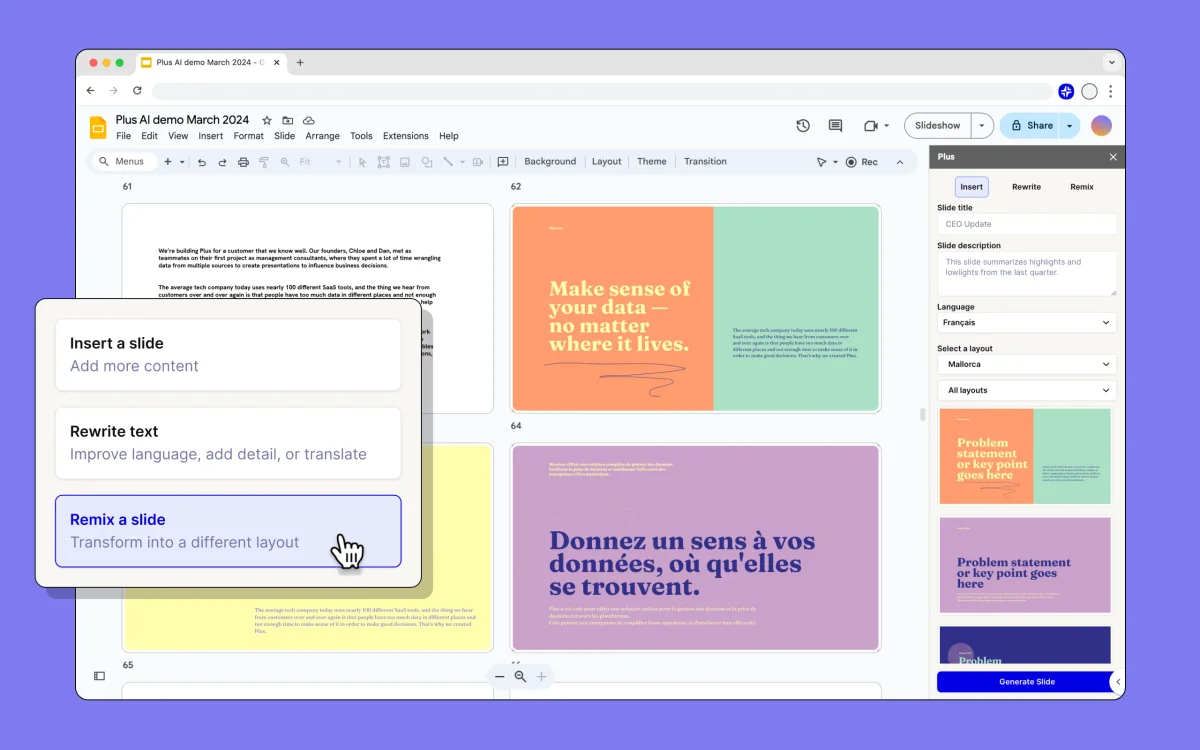
Plus AI presentation workspace showing options to remix a slide with a clean, modern interface.
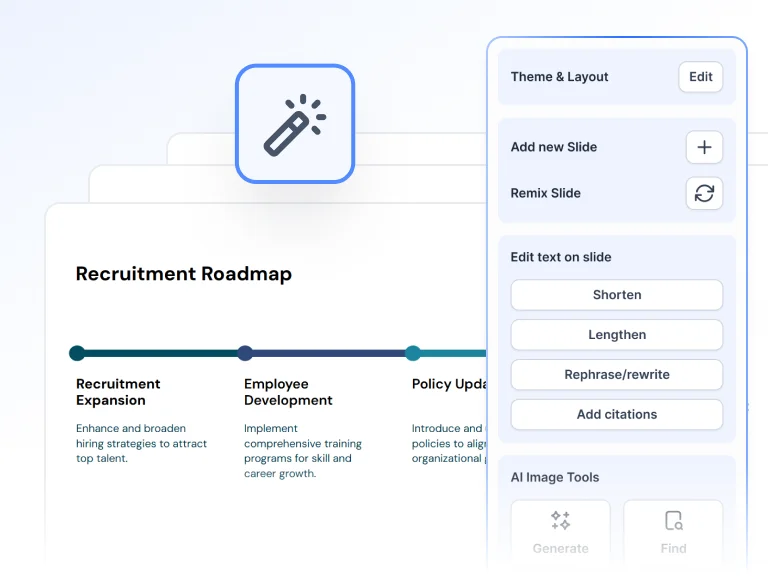
SlidesAI presentation editor showing AI tools to shorten, lengthen, rephrase text, and generate images within a clean, modern UI.
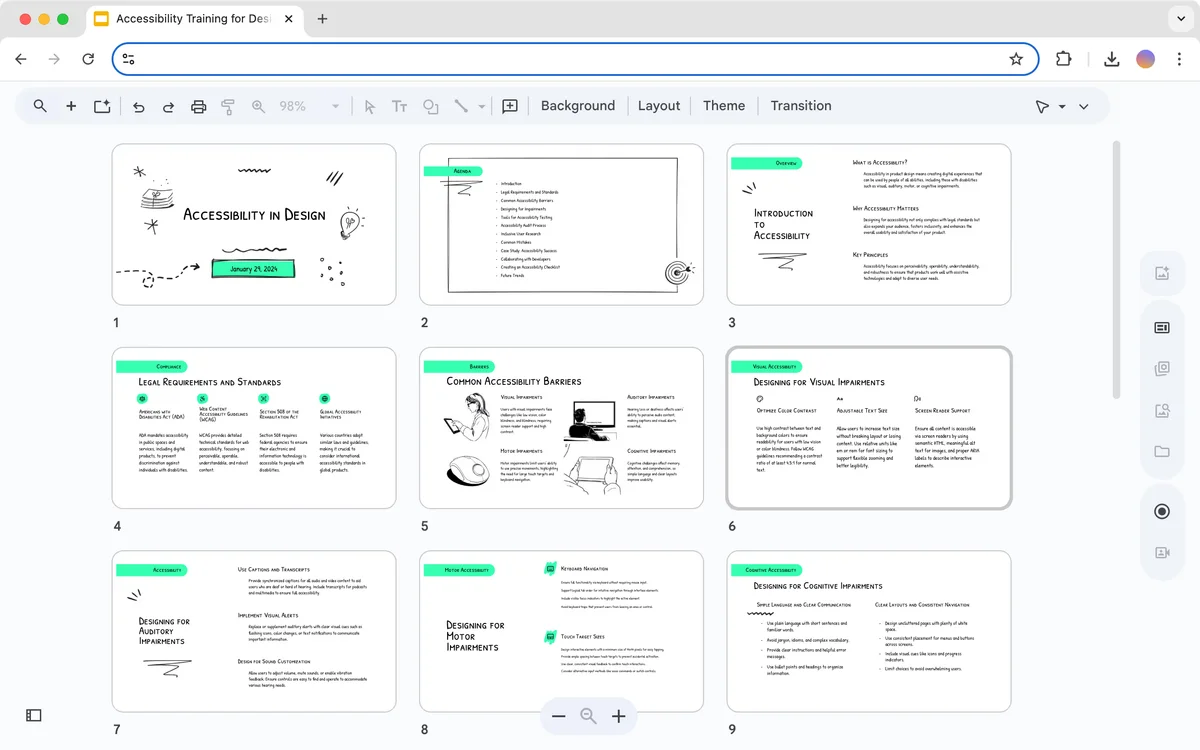
Plus-AI presentation gallery view showing nine accessibility training slides with a hand-drawn sketch aesthetic
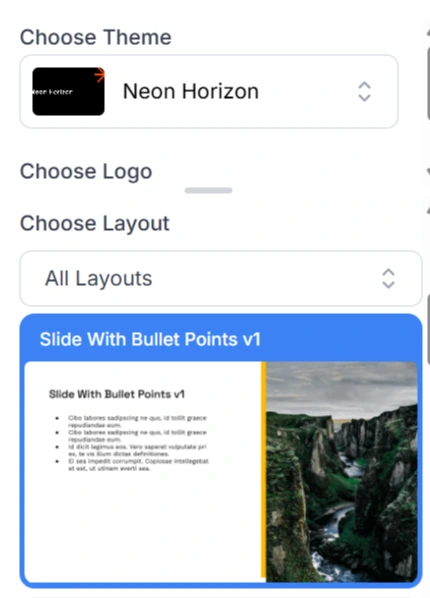
SlidesAI layout selection showing 'Slide With Bullet Points' preview with text and a striking canyon photograph in a clean UI.
Plus AI vs SlidesAI Review: Tooliverse Consensus




Based on 676 verified reviews across 6 platforms,
combined with Tooliverse's expert analysis
Plus AI scores 9.22/10 from 384 verified reviews, and SlidesAI scores 7.70/10 from 292. Plus AI's higher score rests on editing: reviewers cite the Rewrite and Remix tools, clean templates, and a native feel inside Google Slides, though it can invent statistics and pricing feels steep for occasional use. SlidesAI wins on cost and reach, with a functional free tier and broad language support, but reviewers say generated layouts and stock images often need manual fixes, and the free tier is tight for heavy users.
Bottom line: Choose Plus AI if you build decks regularly and want strong editing tools inside Google Slides or PowerPoint. Choose SlidesAI if you want a free or low-cost drafting shortcut and can fix layouts by hand.
Where Each Tool Wins
Strengths unique to each tool (what both do well is covered further down)
- •Generates professional-grade slide decks from simple text prompts in secondsmentioned in 156 reviews
- •Provides powerful AI editing tools to rewrite and format existing contentmentioned in 118 reviews
- •Offers a wide variety of clean, modern templates that look professionalmentioned in 94 reviews
- •Supports over 100 languages for versatile global presentationsmentioned in 92 reviews
- •Offers a user-friendly interface that requires no technical expertisementioned in 84 reviews
- •Provides a low-cost entry point with a functional free tiermentioned in 76 reviews
Each Tool’s Watch-Outs
Drawbacks unique to each tool
- •Requires manual fact-checking as the AI can occasionally hallucinate datamentioned in 64 reviews
- •Subscription costs may feel high for users with only occasional needsmentioned in 48 reviews
- •Limited to Google Workspace, lacking native PowerPoint desktop supportmentioned in 31 reviews
- •Free tier limits are restrictive for heavy presentation usersmentioned in 54 reviews
- •Stock image suggestions can be generic or contextually irrelevantmentioned in 42 reviews
- •Advanced features like URL-to-slides have faced deployment delaysmentioned in 31 reviews
Which Tool Is Best for Your Use Case?
| Use case | ||
|---|---|---|
Editing and polishing existing slides Plus AI's Remix reformats any slide in one click and Rewrite adjusts phrasing and tone (118 mentions for editing tools), while SlidesAI offers per-slide rephrase, shorten, and regenerate but draws 68 complaints about layouts needing manual design fixes. | Excellent | Strong |
Free or low-budget use SlidesAI has a free Basic plan with 200 AI credits per month and Pro at $7/month billed annually, while Plus AI starts at $10/user/month billed annually and offers only a 7-day trial. | Fair | Excellent |
Converting long documents into decks Plus AI's Pro tier at $20/user/month billed annually adds PDF, docx, and txt uploads, and SlidesAI's Pro tier adds PDF and Word uploads with a 50,000-character input limit. | Strong | Strong |
Multilingual presentations Plus AI reads, writes, and translates nearly any language, and SlidesAI's language coverage drew 92 mentions as a win. | Strong | Strong |
Staying inside Google Slides Plus AI's native integration earned 142 mentions, though SlidesAI's Google Slides integration drew 184 mentions and it also works in the browser. | Excellent | Strong |

One tool fixes slides; the other only starts them. The 68 SlidesAI reviewers who flag manual layout fixes and the 118 Plus AI reviewers who praise its editing tools are describing the same gap from opposite sides. If you build decks occasionally, stay free with SlidesAI, and move to Pro at $7/month billed annually once you need PDF and Word uploads. If you present every week, start with Plus AI Pro at $20/user/month billed annually.
Plus AI vs SlidesAI Pricing 2026
Plus AI starts at $10/user/month on Basic, while SlidesAI starts at $7/month on Pro after a free tier to trial it.
Basic
- Create AI presentations in Google Slides and PowerPoint
- 1,500 AI credits per month
- Insert single slides
- Rewrite and remix slides with AI
- 7-day free trial with 1,000 credits
Pro
- 30,000 AI credits per year
- Lite, Balanced & Advanced AI models
- 50,000 Character Input / Presentation
- Upload PDF & Word documents
- 3 Brand Kits and upload your own fonts
The Costs the Pricing Pages Don't Mention
- Credits run out quickly
- Plus AI's Basic tier includes 1,500 credits per month, but single tasks can consume 40 to 170 credits each. Heavier use pushes you toward higher tiers.
- Trial auto-converts to paid
- Plus AI's 7-day trial requires a card and converts to a paid plan automatically, so you need to cancel before it ends if you don't want to continue.
- Monthly billing costs more
- Plus AI's monthly-billed tiers are $15, $25, and $40 per user, compared with $10, $20, and $30 on annual billing, so paying month to month carries a premium.
- Free tier caps and gated features
- SlidesAI's free plan limits input to 2,500 characters, and PDF and Word uploads begin at Pro. The Ultra model and 6 Brand Kits require Premium.
Plus AI vs SlidesAI: Feature Comparison
As advertised on each tool's own site — "not advertised" doesn't necessarily mean missing.
| Feature | ||
|---|---|---|
| Both tools | ||
| Prompt or text to deck | ✓ | ✓ |
| Document upload to deck | ✓ | ✓ |
| Works in PowerPoint and Google Slides | ✓ | ✓ |
| Per-slide AI editing | ✓ | ✓ |
| Brand controls | ✓ | ✓ |
| Templates | ✓ | ✓ |
| AI image generation | ✓ | ✓ |
| Multilingual support | ✓ | ✓ |
| Highlighted by Plus AI | ||
| One-click slide reformatting | ✓ | not advertised |
| API and automation access | ✓ | not advertised |
| Saved prompts and team presets | ✓ | not advertised |
| Highlighted by SlidesAI | ||
| Audience, tone, and length settings | not advertised | ✓ |
| Real-time co-editing | not advertised | ✓ |
| ChatGPT-based creation | not advertised | ✓ |
Plus AI vs SlidesAI: User Reviews
Selected to show the range — the strongest praise and the most useful criticism for each.
"Plus AI has completely changed how I build decks for my weekly syncs. It takes a messy doc and makes it a clean presentation in under a minute."
"I like how SlidesAI saves me time when planning content and designing the slides. It quickly turns my ideas into well-structured slides."
"Saves me at least 2 hours per presentation. The prompt-to-slides feature is surprisingly accurate if you give it enough context."
"The multi-language support is actually impressive. I used it for a French presentation and the translation was spot on."
"I love the "Remix" feature. It helps me take a boring slide and give it three different layout options instantly. Very helpful for design-challenged people."
"Good for students or internal meetings. If you need a high-stakes pitch deck, you'll still need to spend an hour tweaking the visuals."
Plus AI vs SlidesAI: Frequently Asked Questions (FAQs)
Is there a free version of Plus AI or SlidesAI?
SlidesAI has a free Basic plan with 200 AI credits per month and a 2,500-character input cap per presentation. Plus AI doesn't advertise a free plan, only a 7-day free trial with 1,000 credits that requires a card and converts to a paid plan automatically.
How do Plus AI and SlidesAI compare on price?
SlidesAI Pro is $7/month billed annually, and Premium is $10.42/month billed annually. Plus AI Basic is $10/user/month billed annually and Pro is $20/user/month billed annually, so SlidesAI is meaningfully cheaper at comparable tiers.
Which tool handles PDF and Word uploads?
Both do, but on paid tiers. Plus AI includes document uploads from its Pro tier, and SlidesAI includes PDF and Word uploads from its Pro tier. SlidesAI also lists Google Doc uploads and URL input.
Which tool is better for editing slides after generation?
Plus AI is built around editing, with Remix, Rewrite, and Insert tools that reviewers praised in 118 mentions. SlidesAI lets you rephrase, shorten, translate, or regenerate individual slides, but reviewers flagged layouts needing manual adjustment in 68 mentions.
Do either of these tools make factual mistakes or design errors?
Plus AI reviewers reported occasional hallucinated data (64 mentions), so fact-checking is required. SlidesAI reviewers more often cited generic or irrelevant stock images (42 mentions) and layouts that need design fixes.
Do Plus AI and SlidesAI work with PowerPoint?
Plus AI advertises a native add-on for PowerPoint and Google Slides, although 31 reviewers said it is limited to Google Workspace. SlidesAI works in Google Slides, PowerPoint, or the browser and exports to Google Slides, PowerPoint, and PDF.
How this comparison works
Consensus Scores aggregate verified reviews from 8 platforms — Reddit, Product Hunt, G2, Capterra, app stores and more — weighted by source reliability.
Features and pricing come from each tool's official site, last verified Oct 6, 2026. Verdicts are computed from this data.
The Editor's Note is our experts' read of what the data means for your decision — and comparison placement is never for sale. Editorial Policy
Best Plus AI & SlidesAI Alternatives
Gamma
Turn your ideas into polished presentations, websites, and more almost as fast as you can think.
2Slides
Turn plain text, files, or images into a polished PowerPoint deck in about 30 seconds.
Beautiful.ai
Turn your ideas into visual stories that win, without the late-night formatting headaches.

Decktopus
Describe your topic and get a polished, on-brand deck, then rehearse your delivery before you present.