
Plus AI Review 2026 - Native Slide Maker
Verified Oct 6, 2026 by Tooliverse Editorial
Plus AI turns a prompt or a PDF into a real, editable deck right inside PowerPoint and Google Slides. Then remix any slide, even a blob of text, into a clean layout in one click, with 1M+ installs.
Plus AI Tutorial | How to use Plus AI in Google Slides
Supercharge Your Presentation Slides with Plus AI (Full Tutorial)
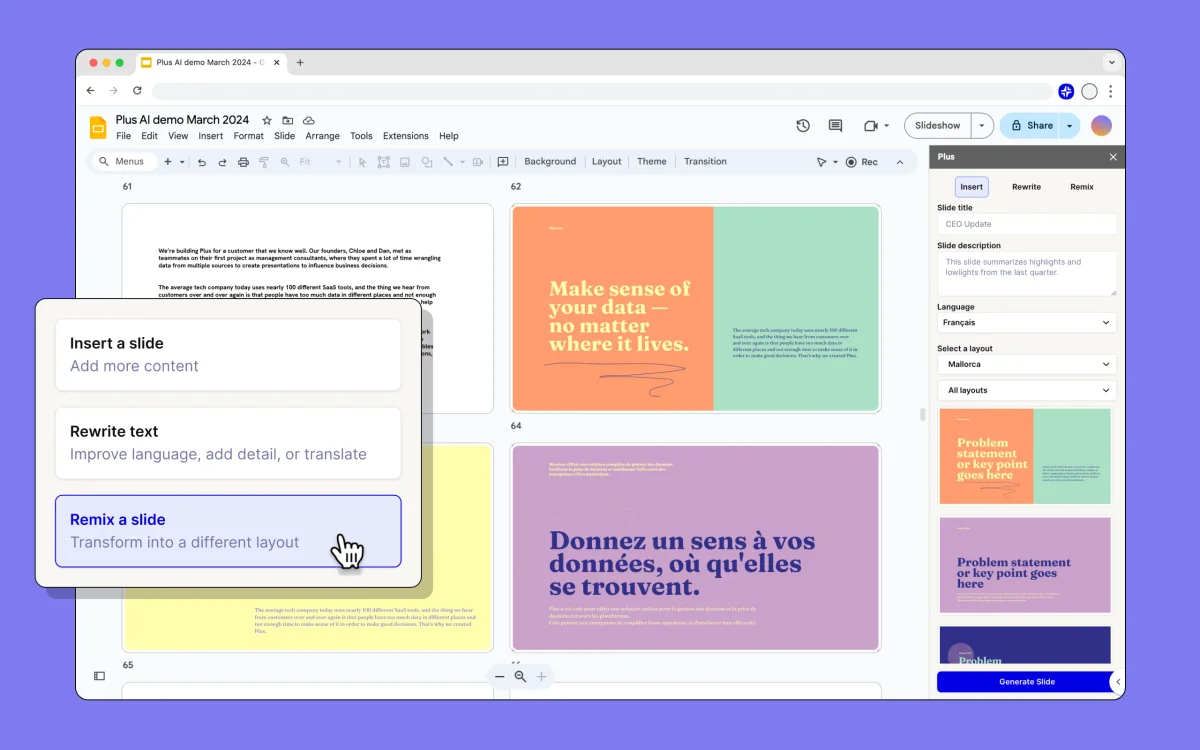
Transform presentation slides instantly with AI-powered layout remixing.
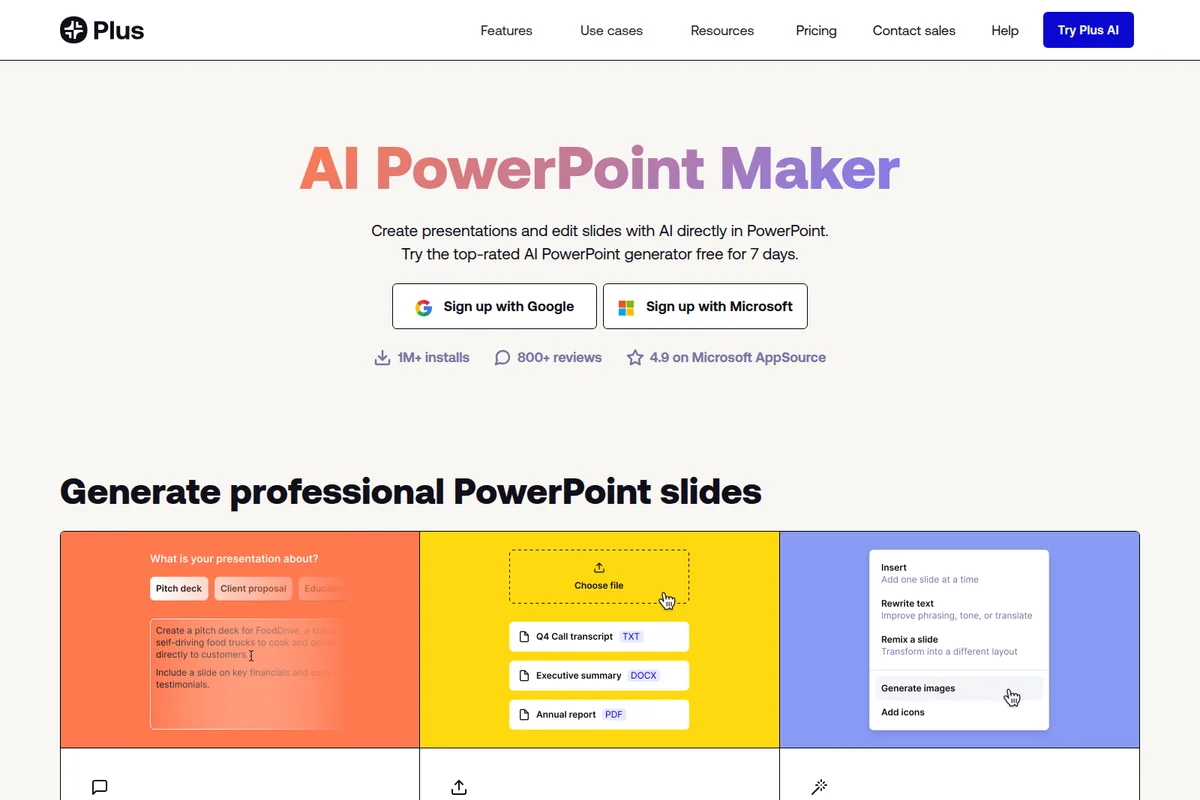
Generate professional PowerPoint slides by providing text prompts or uploading existing documents for AI editing.
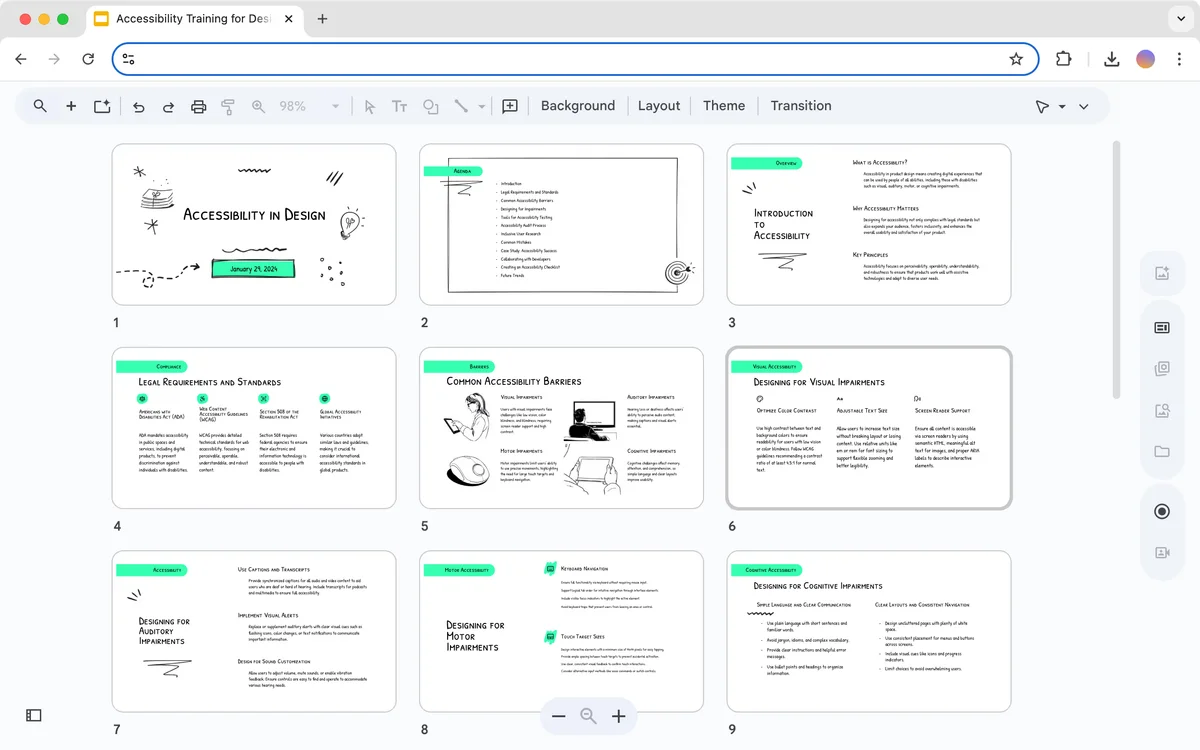
Browse and manage your AI-generated presentation slides in a visual gallery interface.
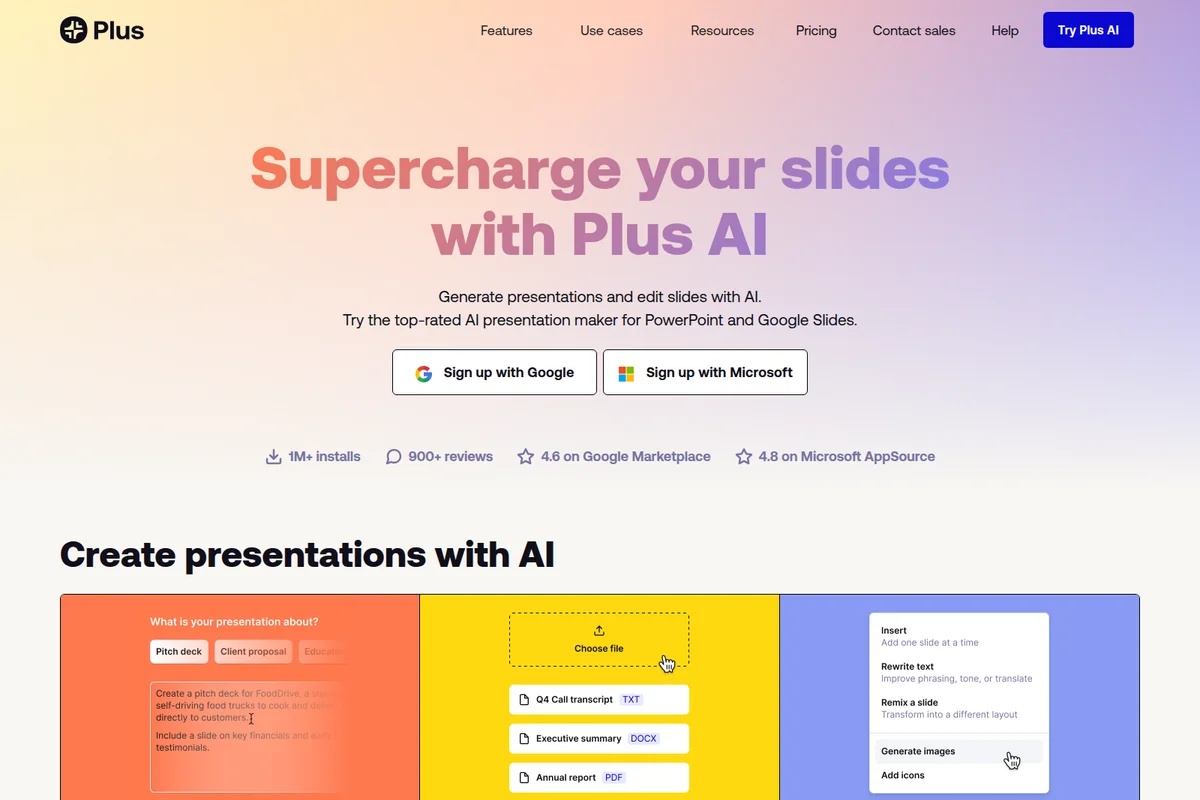
Generate presentations and edit slides using AI, adding images and rewriting text.
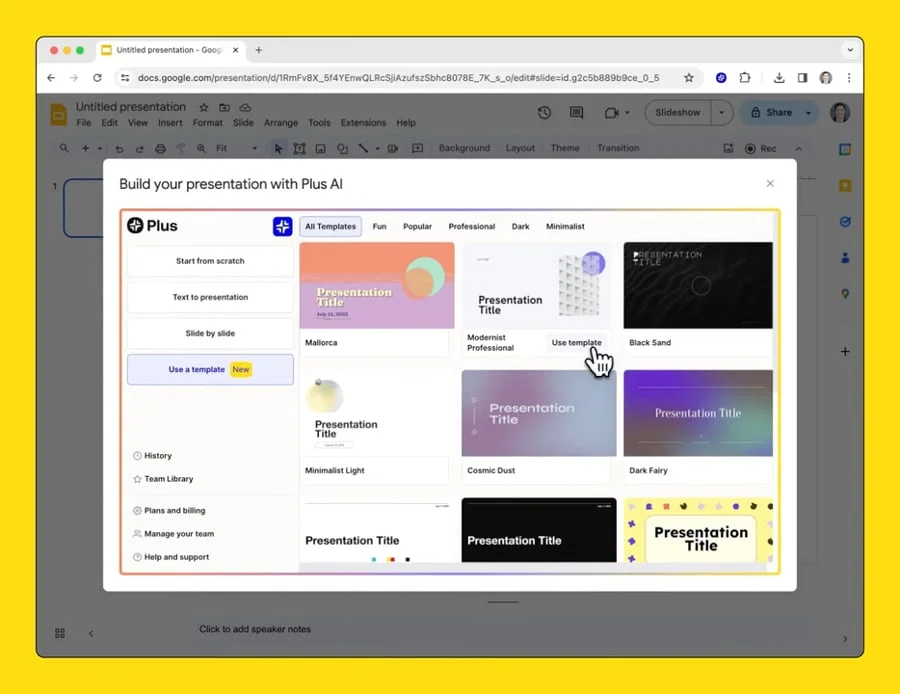
Quickly start an AI-powered presentation using a pre-designed template.
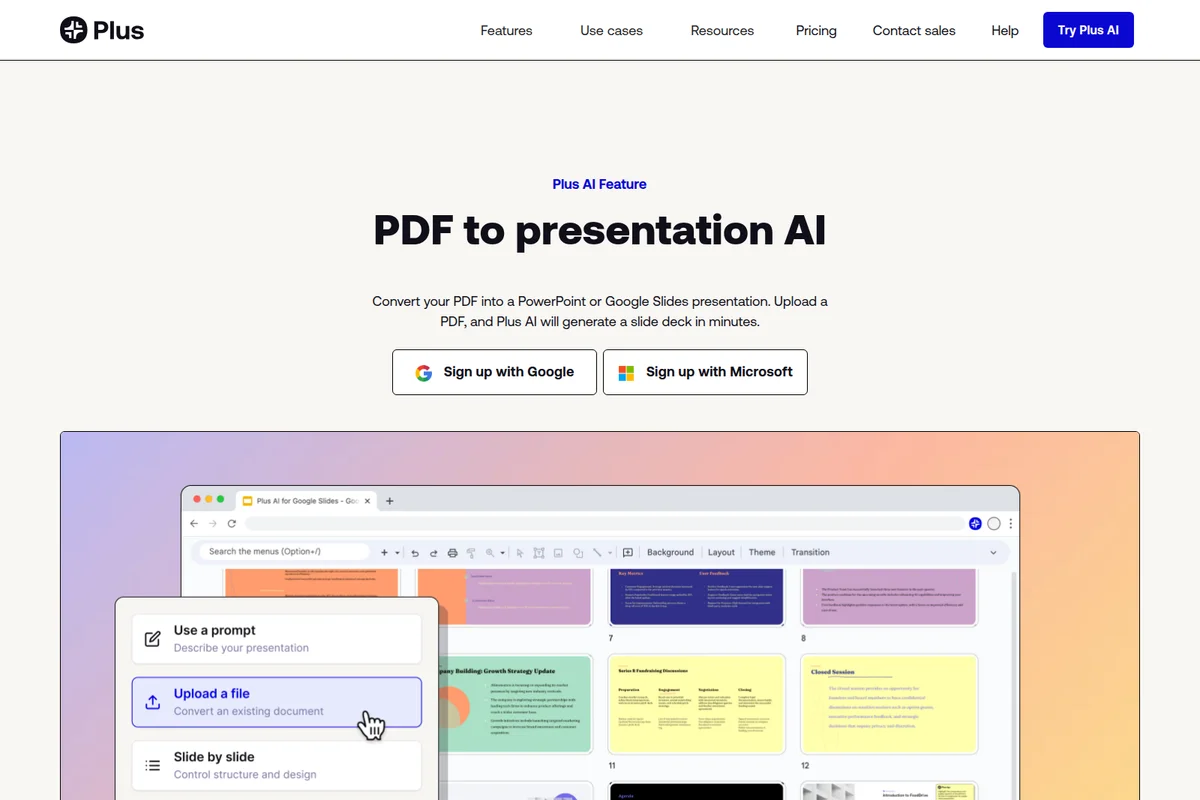
Easily convert existing PDFs into stunning presentations within Google Slides.
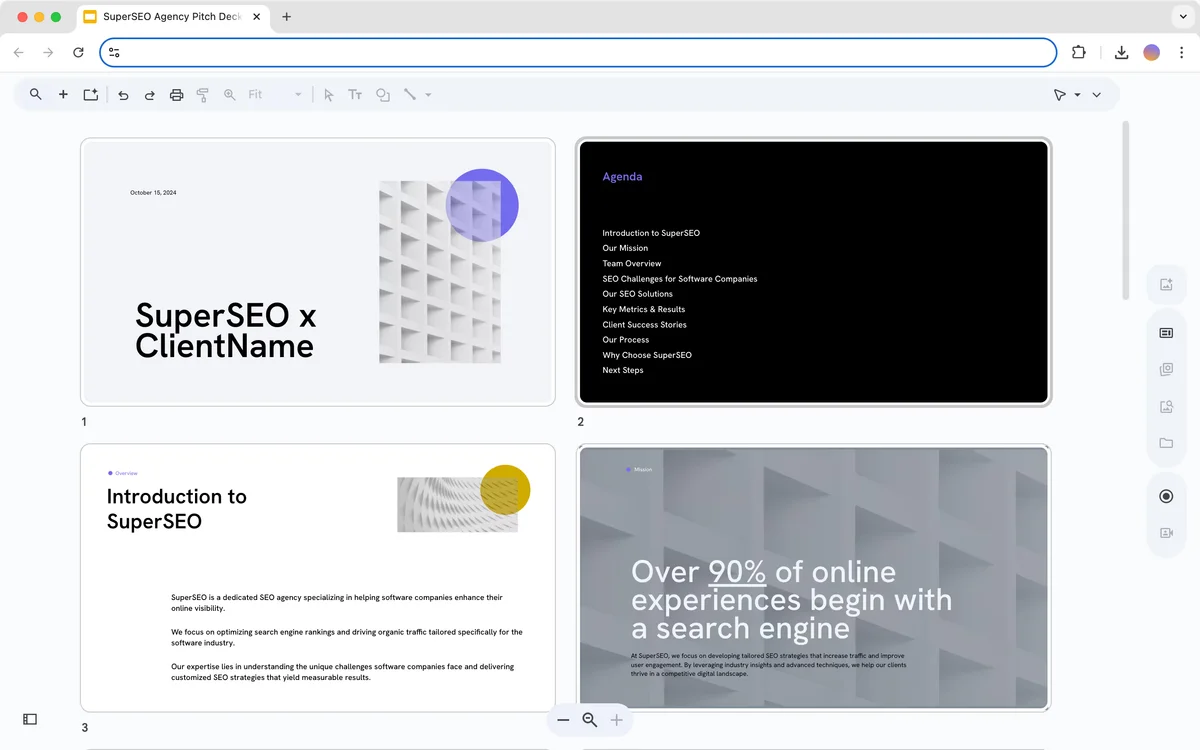
Preview and navigate through your pitch deck with ease
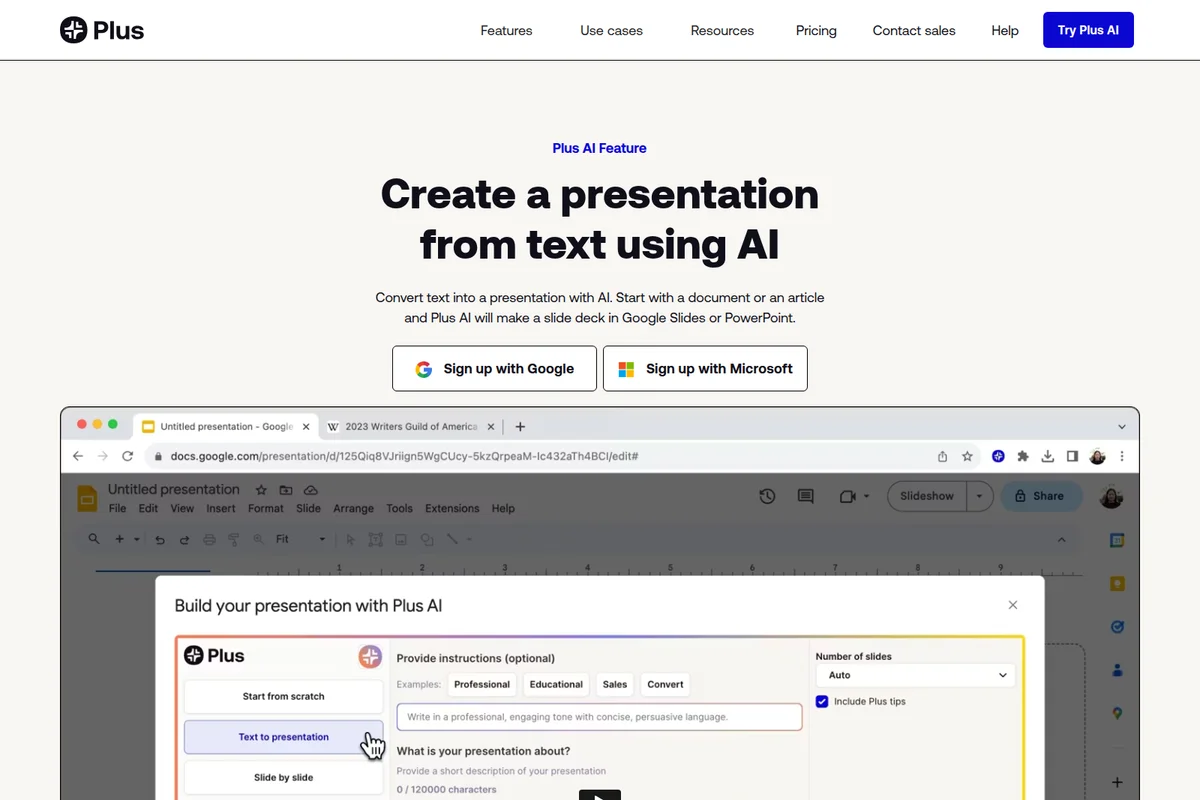
Effortlessly convert your text into engaging presentations with AI, directly within your workflow.
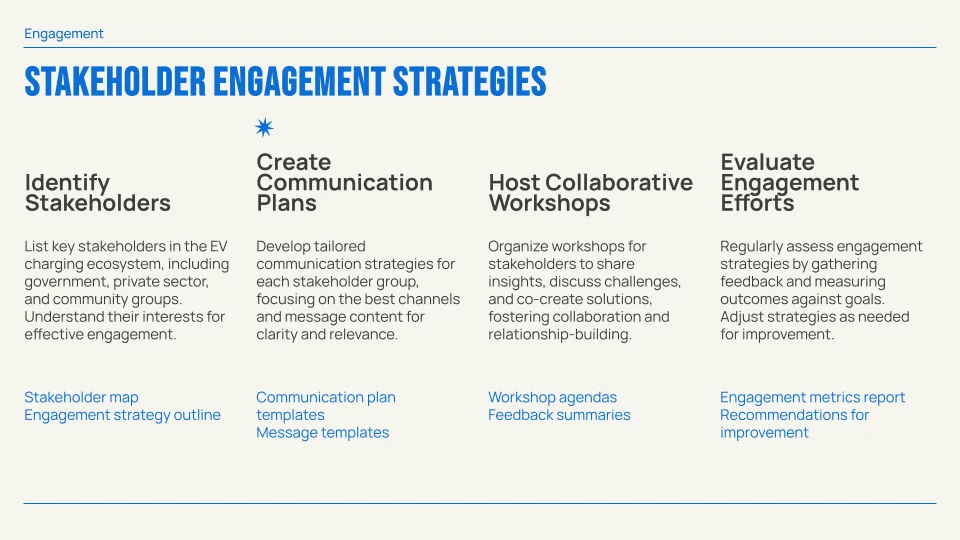
Develop clear, actionable stakeholder engagement strategies with AI.
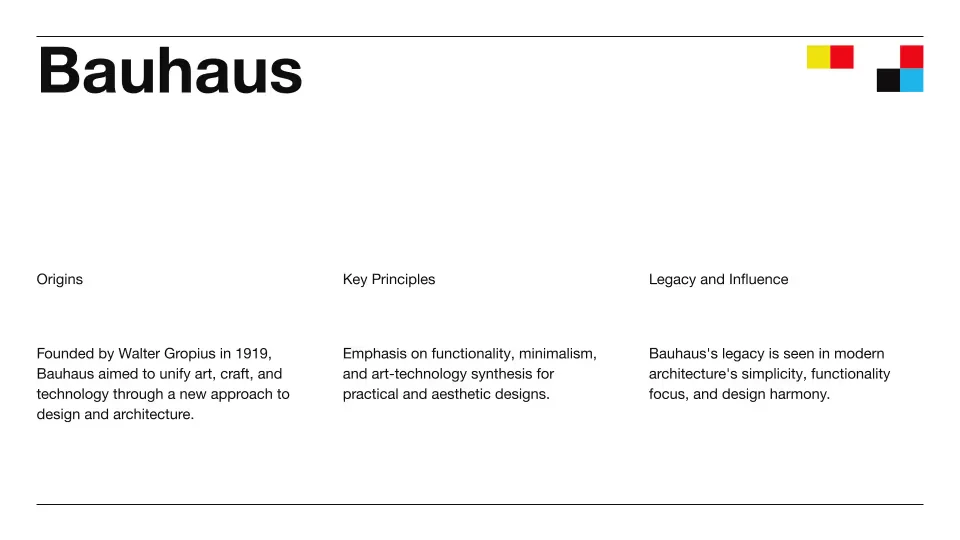
Example presentation slide created with plus-ai's AI design features.
Plus AI Review: Tooliverse Consensus





Based on 384 verified reviews across 5 platforms,
combined with Tooliverse's expert analysis
Plus AI works as a native add-on inside PowerPoint and Google Slides, drafting decks from a prompt or an uploaded document and then staying out of the way while you edit by hand. Reviewers praise the speed to a usable first draft, the Rewrite and Remix tools, and clean templates. The catches are real: the AI can invent statistics, dense layouts sometimes overflow, and credit-based pricing feels steep for people who build decks only occasionally.
Bottom line: One of the strongest AI slide builders for people who make decks regularly, delivering a usable draft in seconds inside PowerPoint and Google Slides, provided you check every statistic and can justify the subscription.
Plus AI | Key Specs
- Platforms
- PowerPoint and Google Slides add-ins, Google Docs, API
- Pricing Model
- 7-day trial + paid tiers ($10-200/user/mo billed annually) See plans
- Privacy/Data Use
- Snapshots private by default, permanent deletion on request
- Security
- SOC 2 Type II, AES-256 encryption, Enterprise SSO See details
Wins
- •Generates professional-grade slide decks from simple text prompts in secondsmentioned in 156 reviews
- •Integrates directly into Google Slides for a frictionless, native experiencementioned in 142 reviews
- •Provides powerful AI editing tools to rewrite and format existing contentmentioned in 118 reviews
Watch-Outs
- •Requires manual fact-checking as the AI can occasionally hallucinate datamentioned in 64 reviews
- •Subscription costs may feel high for users with only occasional needsmentioned in 48 reviews
- •Complex slide layouts sometimes require manual adjustment for text overflowmentioned in 37 reviews
Plus AI Features 2026
Native PowerPoint and Google Slides add-on
Works inside the apps you already use and creates native PPTX files using its own Open XML renderer.
Remix
Reformats any slide, even a blob of text, into a specific design in one click.
Custom templates (Enterprise)
Uses your organization's actual slides and slide masters, with white-glove template conversion.
Presentation Agent API and MCP server
Create native PowerPoint slides programmatically via API, Zapier or an MCP server.
Plus AI User Reviews
Selected Reviews
"Plus AI has completely changed how I build decks for my weekly syncs. It takes a messy doc and makes it a clean presentation in under a minute."
"Saves me at least 2 hours per presentation. The prompt-to-slides feature is surprisingly accurate if you give it enough context."
"I love the "Remix" feature. It helps me take a boring slide and give it three different layout options instantly. Very helpful for design-challenged people."
More from the Community
"The integration is the best part. I don't have to leave Google Slides to get AI help. It feels like a native feature."
"It's a great start for a deck, but the AI often makes up statistics that I have to go back and fix. Good for structure, bad for facts."
"The templates are professional and clean. Much better than the default Google Slides ones. I wish there were more industry-specific themes though."
"Useful tool but the pricing is a bit steep for a solo freelancer. I use it once a month and it's hard to justify the monthly sub."
"I used this to turn a 10-page research paper into a 12-slide summary. It captured all the key points perfectly. Huge time saver."
"The integration is the best part. I don't have to leave Google Slides to get AI help. It feels like a native feature."
"It's a great start for a deck, but the AI often makes up statistics that I have to go back and fix. Good for structure, bad for facts."
"The templates are professional and clean. Much better than the default Google Slides ones. I wish there were more industry-specific themes though."
"Useful tool but the pricing is a bit steep for a solo freelancer. I use it once a month and it's hard to justify the monthly sub."
"I used this to turn a 10-page research paper into a 12-slide summary. It captured all the key points perfectly. Huge time saver."
"The AI rewrite tool is excellent for making my bullet points more punchy. It sometimes struggles with very technical jargon though."
"Finally an AI slide generator that actually works inside the tools I already use. No more exporting and importing files."
"Great for overcoming the blank page problem. I let it generate the first draft and then I spend my time on the actual content."
"The customer support is also very responsive. I had a formatting issue and they helped me resolve it within an hour."
"The AI rewrite tool is excellent for making my bullet points more punchy. It sometimes struggles with very technical jargon though."
"Finally an AI slide generator that actually works inside the tools I already use. No more exporting and importing files."
"Great for overcoming the blank page problem. I let it generate the first draft and then I spend my time on the actual content."
"The customer support is also very responsive. I had a formatting issue and they helped me resolve it within an hour."
Plus AI Pricing 2026
View SourceBasic at $10/user/month billed annually is enough to judge the workflow, but its 1,500 credits disappear quickly when single tasks run 40 to 170 credits each. Pro at $20/user/month billed annually is the pick for regular use: 3,000 credits plus PDF and Word uploads, which is where long-document conversion happens. The 7-day trial requires a card and converts to a paid plan automatically, so set a reminder before it ends.
Plus AI In-Depth Review 2026

Plus AI is an add-on for PowerPoint and Google Slides that drafts, rewrites, and reformats slides from inside the apps you already use. Describe a deck in a few sentences, or upload a PDF, Word file, or text document, and it produces native PPTX files through its own Open XML renderer or standard Google Slides decks. Nothing gets locked in a separate app, and everything stays editable by hand. More than a million installs show how many people want AI help without leaving their editor.
What It's Like Day-to-Day
The core loop is short. You type a prompt or pick a preset, wait a few seconds, and get a structured draft with layouts already applied. Users describe turning a messy document into a clean deck in under a minute, and one reviewer reports condensing a 10-page research paper into a 12-slide summary that kept the key points. The draft is a starting point, which is how most people seem to use it: let the AI handle structure, then spend the saved time on the argument.
Integration is where the daily experience diverges from standalone generators.
Plus AI Security & Compliance
Verified Compliance
- SOC 2 Type II
Security Features
- AES-256 encryption at rest and TLS in transit
- Monitored and logged employee access to customer data
- SSO and user management (Enterprise)
Privacy Commitments
- Snapshots private by default; only the owner can access them unless shared
- Users can delete a Snapshot and permanently remove it from Plus systems
Plus AI: Frequently Asked Questions (FAQs)
Is Plus AI free?
Plus AI offers a 7-day free trial rather than a permanent free plan. After the trial, paid plans start at $10 per user/month billed annually ($15 billed monthly).
How does the 7-day free trial work?
The trial gives full access to your chosen plan with 1,000 AI credits, and a credit card is required to start. When it ends, the card is charged automatically and you receive the plan's full monthly credits.
What limitations apply to the free trial?
All trials include 1,000 AI credits regardless of plan. Only new customers are eligible, and anyone who previously used the Plus free plan or a paid plan cannot start a new trial.
What does Plus AI cost?
Prices per user/month billed annually are Basic $10, Pro $20, Team $30 and Max $200. Monthly billing costs $15, $25, $40 and $240 respectively, and Enterprise is custom.
Plus AI Integrations
| Google Slides | Microsoft PowerPoint | Google Docs |
| Zapier | MCP Server | Microsoft AppSource |
| Google Workspace Marketplace |
Plus AI: Verified Data Sheet
| # | Label | Data Point |
|---|---|---|
| [1] | Plus AI Consensus: 9.22/10 | Plus AI is one of the highest-rated AI design tools in the Tooliverse index, with a consensus score of 9.22/10 across 384 verified reviews. |
| [2] | What is Plus AI | Plus AI, by Plus Docs, Inc, is a SOC 2 Type II compliant AI presentation maker that works natively inside PowerPoint and Google Slides. It has 1M+ installs, with paid plans from $10/user/month and a 7-day free trial. |
| [3] | Tooliverse Consensus on Plus AI | Plus AI works as a native add-on inside PowerPoint and Google Slides, drafting decks from a prompt or an uploaded document and then staying out of the way while you edit by hand. Reviewers praise the speed to a usable first draft, the Rewrite and Remix tools, and clean templates. The catches are real: the AI can invent statistics, dense layouts sometimes overflow, and credit-based pricing feels steep for people who build decks only occasionally. |
| [4] | Plus AI Verdict | Plus AI bottom line: One of the strongest AI slide builders for people who make decks regularly, delivering a usable draft in seconds inside PowerPoint and Google Slides, provided you check every statistic and can justify the subscription. |
| [5] | Pro: $20/user/mo (annual) | Plus AI Pro includes 3,000 AI credits per month for $20/user/month billed annually. |
| [6] | Prompt-to-deck in seconds | Plus AI generates professional-grade slide decks from short text prompts in seconds, a strength cited in 156 user reviews, and users can start from a preset or an uploaded document. |
| [7] | Native Google Slides and PowerPoint add-on | Plus AI runs as a native add-on inside Google Slides and PowerPoint, and 142 user reviews praise the in-app experience; it produces native PPTX files through its own Open XML renderer. |
| [8] | Rewrite, Remix and Insert editing tools | Plus AI includes AI editing tools, validated by 118 user reviews: Rewrite elaborates, summarizes or improves tone, Remix reformats any slide in one click, and Insert adds single slides from hundreds of layouts. |
| [9] | Team: $30/user/mo (annual) | Plus AI offers Plus AI Team, from Plus Docs, Inc, with 6,000 AI credits per month for $30/user/month billed annually. |
| [10] | Clean templates; custom branding on Team | Plus AI ships clean, modern templates that 94 user reviews describe as professional-looking, and the Team plan at $30/user/month billed annually adds custom logo, color and font branding. |
| [11] | AI may hallucinate data; fact-check needed | Plus AI can occasionally hallucinate data, and 64 user reviews recommend manual fact-checking of statistics and claims before a deck is shared. |
| [12] | Costly for occasional users; no free plan | Plus AI has no permanent free plan, and 48 user reviews say subscription costs feel high for occasional use; paid plans start at $10/user/month billed annually ($15 billed monthly) after a 7-day trial. |
| [13] | Privacy: Snapshots private by default; only the owner can access them unless shared | Plus AI privacy protections include Snapshots private by default; only the owner can access them unless shared and Users can delete a Snapshot and permanently remove it from Plus systems. |
| [14] | Enterprise: AES-256 encryption at rest and TLS in transit | Plus AI provides enterprise security through AES-256 encryption at rest and TLS in transit, Monitored and logged employee access to customer data, and SSO and user management (Enterprise). |
| [15] | Messy doc to clean deck in a minute | Plus AI "takes a messy doc and makes it a clean presentation in under a minute," according to a verified Google Workspace Marketplace reviewer who rated it 5/5. |
Compare Plus AI with…
Best Plus AI Alternatives
SlidesAI
Turn rough ideas, notes, and documents into polished presentations in minutes, not hours.
Gamma
Turn your ideas into polished presentations, websites, and more almost as fast as you can think.
Beautiful.ai
Turn your ideas into visual stories that win, without the late-night formatting headaches.