
Async Review 2026 - AI Video & Podcast Editing
Verified Sep 22, 2026 by Tooliverse Editorial
Async turns a chat prompt into a finished video—cut rough footage, sync cuts to the beat, clean audio, and spin out social clips. Formerly Podcastle, it now covers video, audio, and podcast production in one AI workflow.
The ONLY Async Tutorial You Need! (Podcastle Rebrand Explained)
Async – All-in-One AI Creator Tool to Generate and Edit Videos Through Chat
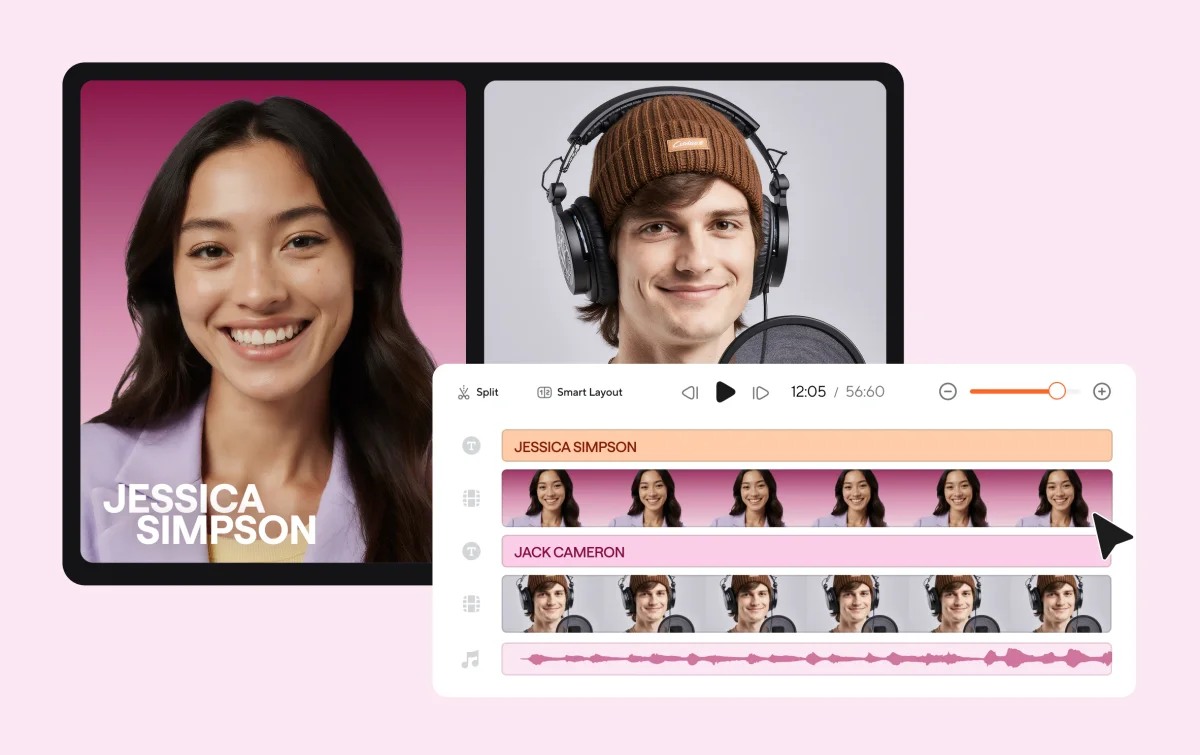
Edit multi-person audio and video content with a visual timeline.
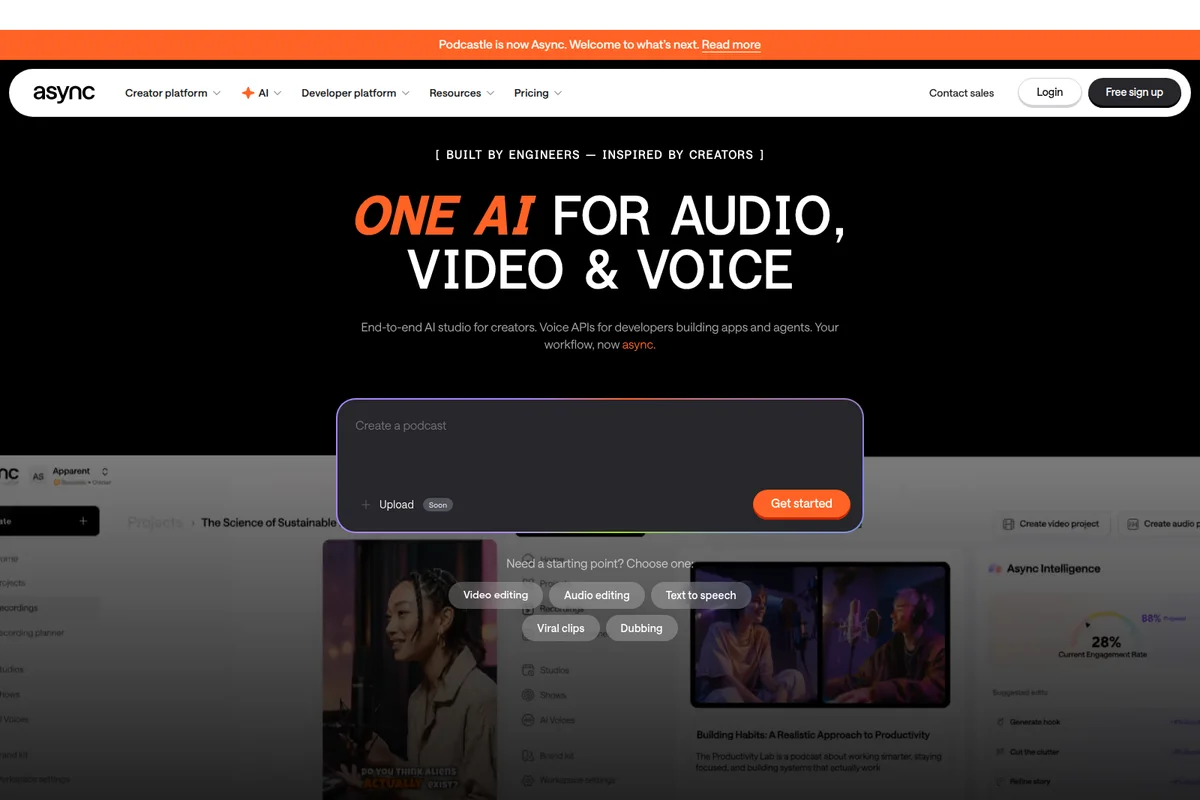
Quickly create podcasts or edit audio and video using powerful AI features.
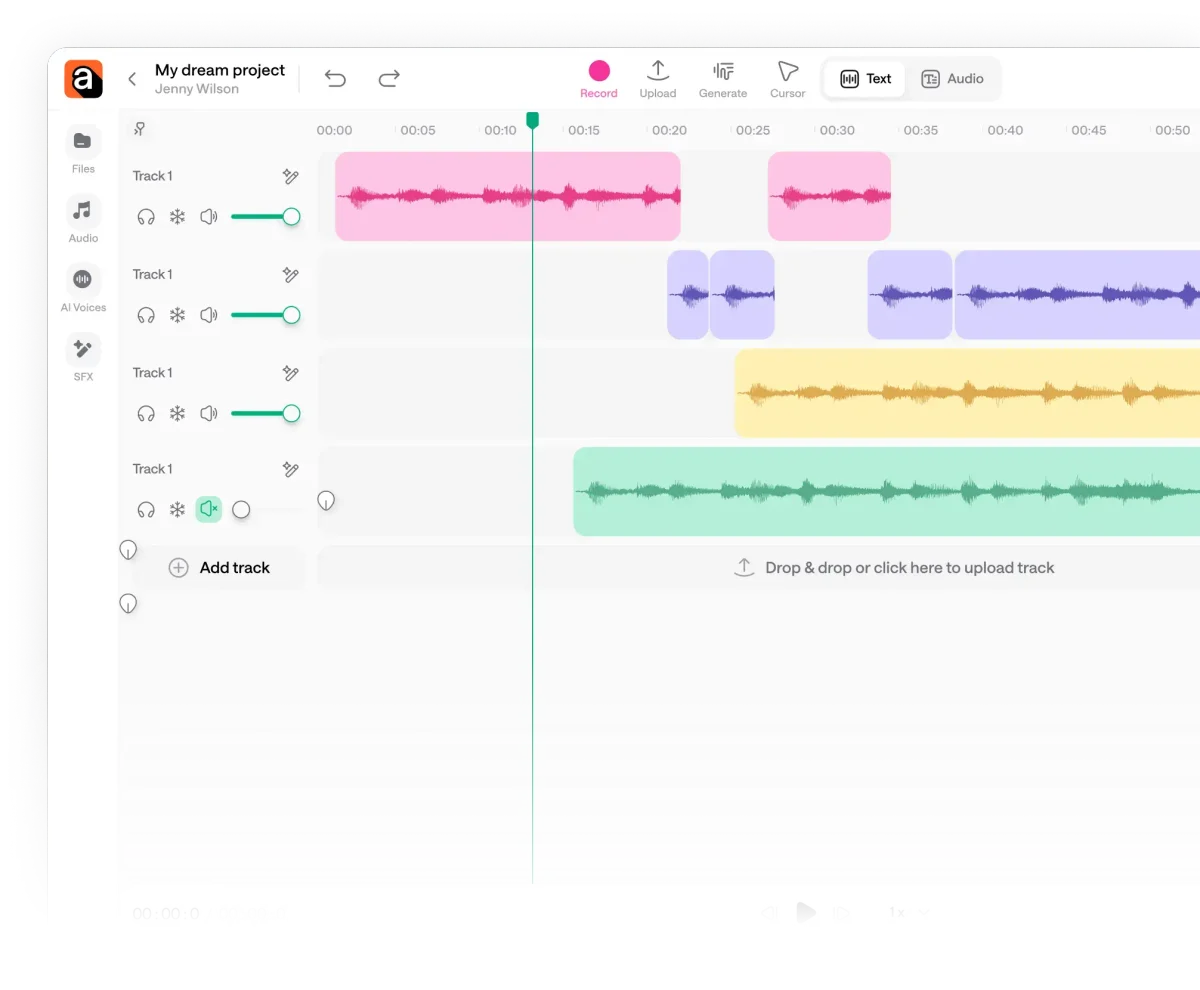
Visually edit and arrange multiple audio tracks with precision.
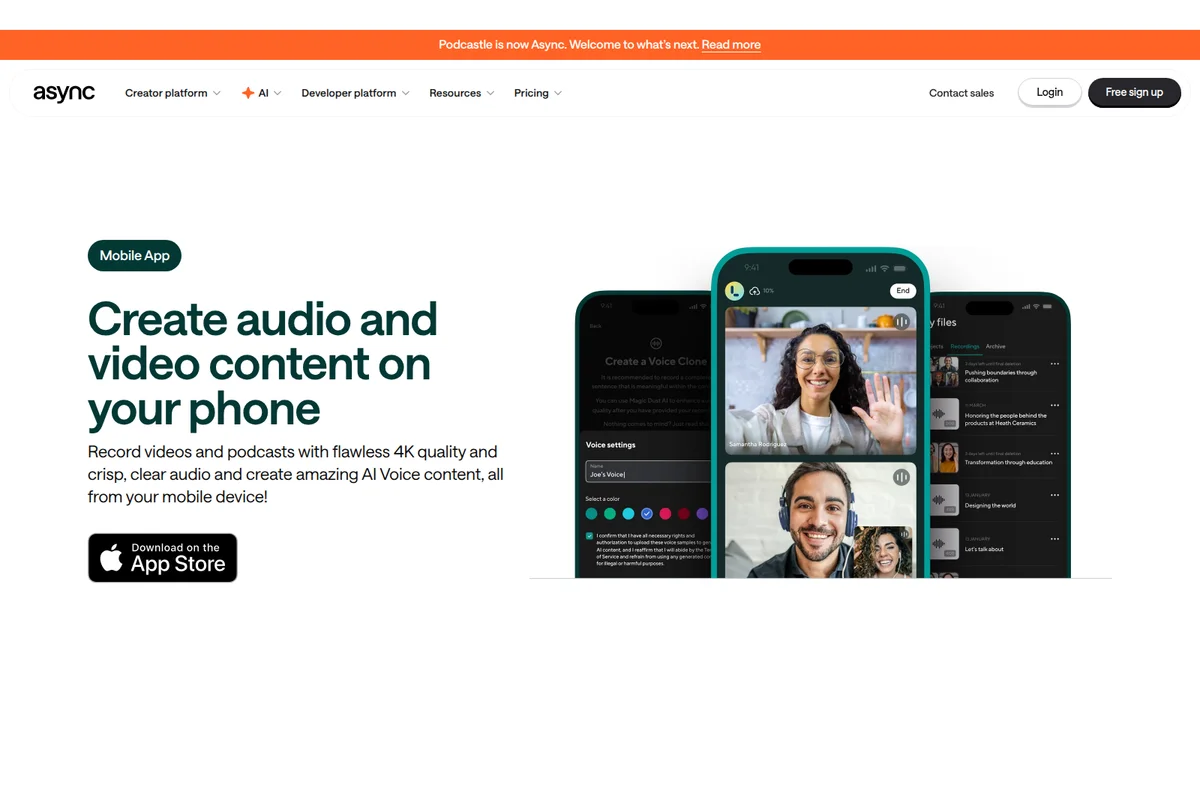
Record high-quality video and audio content directly from your phone.
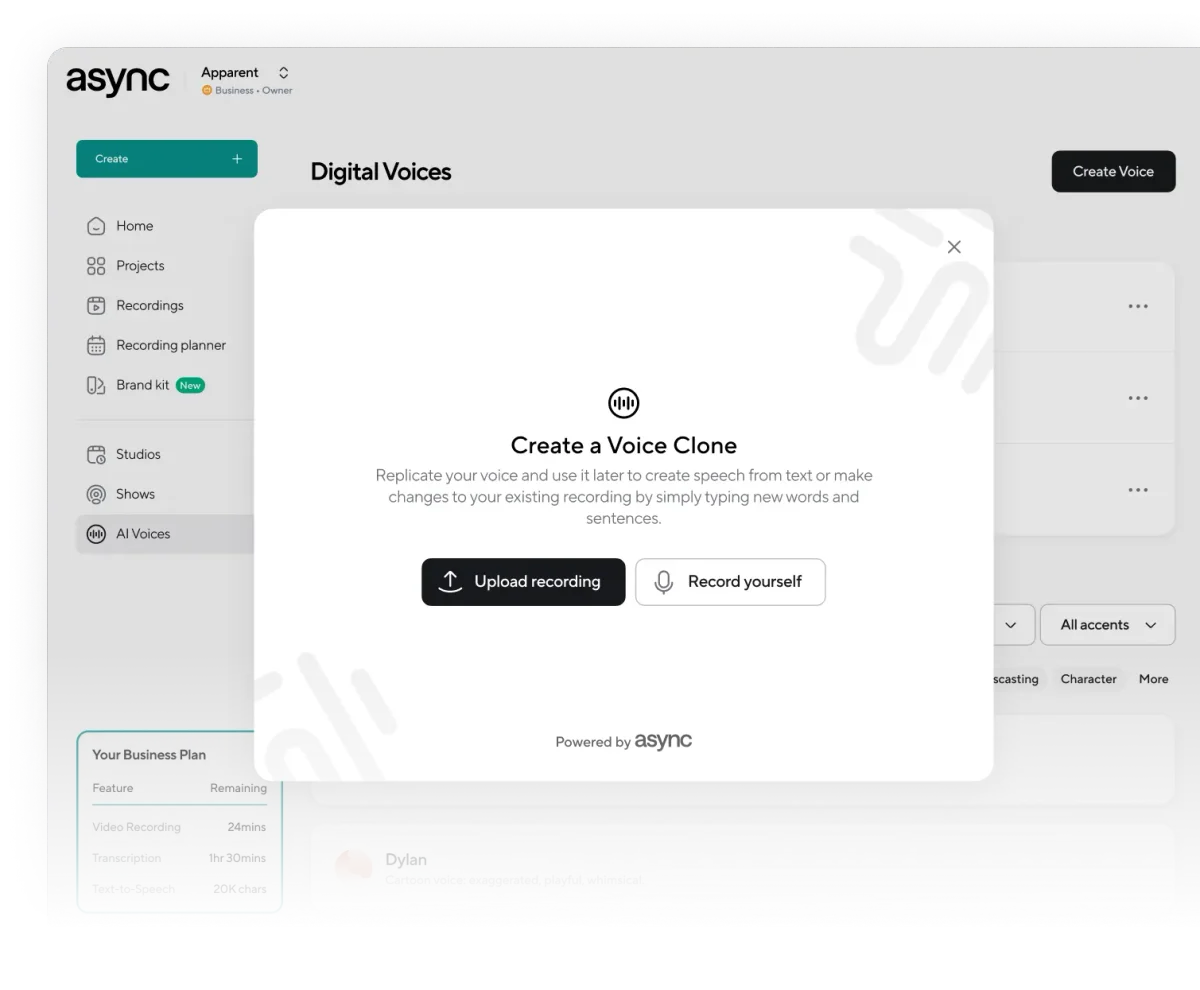
Instantly clone your voice to generate new speech or modify existing recordings.
Explore Async's mobile app, AI features, and connect on social media.
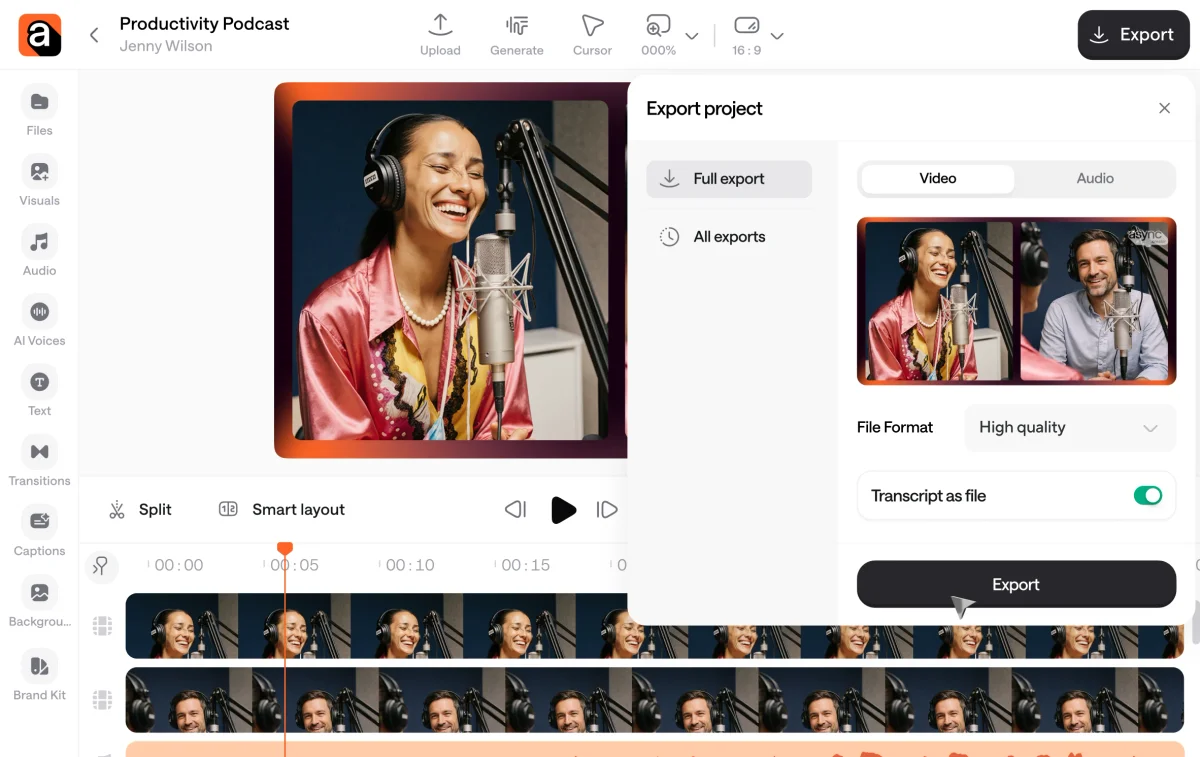
Easily export your video or podcast project with options for video, audio, and transcript.
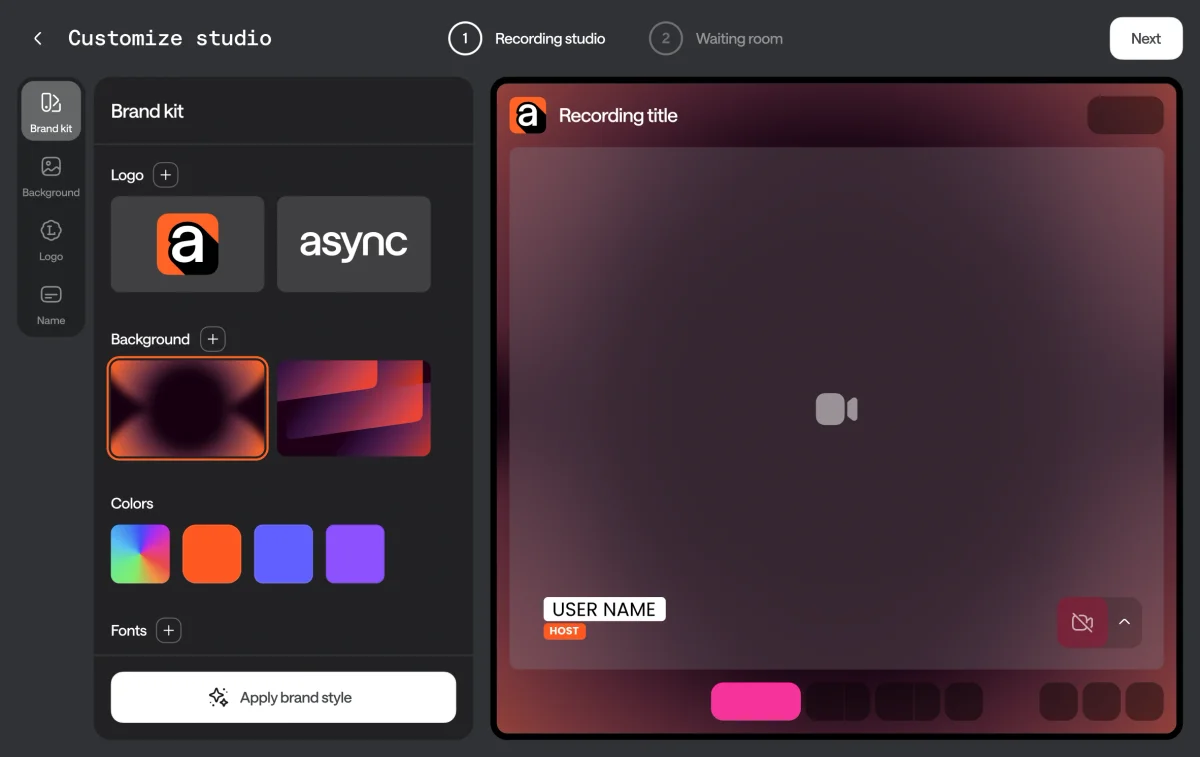
Customize your recording studio with unique logos, backgrounds, and colors.
Async Review: Tooliverse Consensus





Based on 887 verified reviews across 6 platforms,
combined with Tooliverse's expert analysis
Async transforms content production by replacing timeline editing with AI chat commands, letting creators describe what they want and watching the platform execute automatically. The local recording quality and Magic Dust audio enhancement stand out for remote podcasters and video producers who need professional results without mastering complex software, though recent pricing increases and mobile app stability issues during 4K uploads create friction. The voice cloning from 3-second samples and Engagement Booster AI deliver on their promises for creators repurposing content across languages and platforms.
Bottom line: A strong AI creator platform that automates the tedious parts of audio and video production through chat-based editing, though mobile stability and recent pricing adjustments are worth considering.
Async | Key Specs
- Platforms
- Web, iOS
- Pricing Model
- Freemium ($0-49.99+/mo) See plans
- Privacy/Data Use
- Users retain sole content ownership, GDPR compliant
- Security
- SOC 2, encryption at rest & in transit See details
Wins
- •Simplifies complex video editing through a chat-based AI interfacementioned in 142 reviews
- •Magic Dust feature effectively removes background noise and filler words with one clickmentioned in 128 reviews
- •Generates high-quality AI voice clones and lifelike avatars for content scalingmentioned in 115 reviews
Watch-Outs
- •Users report occasional lagging and performance issues during complex editing sessionsmentioned in 78 reviews
- •Subscription terms and free trial transitions can be confusing for new usersmentioned in 56 reviews
- •AI-generated dubbing and lip-syncing may require manual adjustments for perfect alignmentmentioned in 45 reviews
Async Features 2026
Chat-based video editing
Edit video by describing what to cut, pace, or polish in natural language chat, rather than manually scrubbing a timeline. Async's AI (Bumblebee) executes the edit trained on professional-editor skills.
Access to 100+ AI models
Generate B-roll, images, voice, or music directly within chat using top models including Kling 3.0, Veo 3.1, Seedance 2.5, Nano Banana 2, GPT Image 2, and Sora 2.
AI Dubbing & Lipsync
Translate and dub video content into other languages with lip-sync matching, plus support for 70+ language subtitle translation.
Reusable editing Skills
Save a personal editing style as a reusable 'skill' so Async can apply the same approach automatically to future projects.
Async User Reviews
Selected Reviews
"I really like it because it's the best application i have used so far for recording my episodes in the podcast. It also does have the time to review your episode and fix it with your guest."
"I've been using Async for over a year now to produce my podcast and my social videos. The simple use and feature packed platform allows me to easily create and publish content."
"I've been using Podcastle - now Async - for many years now for recording my podcast and creating video content for social media. And I've been very happy for the quality and simplicity of it all."
More from the Community
"Async lets me easily edit my podcasts and downloading the transcripts enables me to create show notes very easily. It's saving me both time and money which is extremely important."
"I started out using Podcastle and have been for the last 2 years. I stuck with it because it is the easiest I've found for editing. Then came the switch to Async... which I feel consumers should have been better informed about."
"The AI transcription is a lifesaver for my workflow. I can turn a 30-minute interview into a blog post in minutes. Just wish the mobile app was a bit more stable during uploads."
"Helpful but the transition from Podcastle was a bit messy. Some of my old projects took a while to sync properly and the new UI takes some getting used to."
"Async lets me easily edit my podcasts and downloading the transcripts enables me to create show notes very easily. It's saving me both time and money which is extremely important."
"I started out using Podcastle and have been for the last 2 years. I stuck with it because it is the easiest I've found for editing. Then came the switch to Async... which I feel consumers should have been better informed about."
"The AI transcription is a lifesaver for my workflow. I can turn a 30-minute interview into a blog post in minutes. Just wish the mobile app was a bit more stable during uploads."
"Helpful but the transition from Podcastle was a bit messy. Some of my old projects took a while to sync properly and the new UI takes some getting used to."
"The 'Magic Dust' feature is actually magic. It saved a recording I thought was ruined by background noise from a nearby construction site. Worth every penny."
"Intuitive and value-for-money. I use this site for edit my videos and am very happy to use it's great features. The AI clips generator is particularly impressive."
"Athens Kallithea Podcast made possible via async. The recording quality is top-notch even with remote guests in different countries. No lag issues during the session."
"The 'Magic Dust' feature is actually magic. It saved a recording I thought was ruined by background noise from a nearby construction site. Worth every penny."
"Intuitive and value-for-money. I use this site for edit my videos and am very happy to use it's great features. The AI clips generator is particularly impressive."
"Athens Kallithea Podcast made possible via async. The recording quality is top-notch even with remote guests in different countries. No lag issues during the session."
Async Pricing 2026
View SourceThe Free tier's 10 lifetime AI credits are effectively a demo—you'll burn through them testing voice cloning once. Essentials at $11.99 monthly is the entry point for podcasters, covering 4 hours of recording and basic AI cleanup. Pro at $23.99 monthly is where most serious creators land: the 20 hours of recording, voice cloning, and video enhancement tools justify the cost if you're publishing weekly. Teams at $49.99 per creator makes sense only when you need collaborative workflows and the 1TB shared storage.
Async In-Depth Review 2026

Async, formerly known as Podcastle, is a chat-based AI creative suite for video and podcast production, giving users access to over 100 AI models including Kling, Veo, and Sora directly inside a conversational editor. Instead of dragging clips on a timeline, you describe what you want changed and the AI executes it, sourcing B-roll, voiceover, or music without leaving the chat window. It's rated 4.7 on G2, with plans starting free and scaling up from $11.99 a month.
What It's Like Day-to-Day
The core workflow is the thing that keeps coming up across the 142 reviews that mention it: you describe an edit in plain language, and Async's AI, trained on professional-editor techniques, goes and does it. Want the pacing tightened around a music track, or every filler word gone? You say so, and it happens, no scrubbing required. For creators who've never touched Premiere or Final Cut, this is the difference between finishing a video and abandoning the project in a folder somewhere.
Magic Dust is the feature reviewers single out most reliably.
Async Security & Compliance
Verified Compliance
- SOC 2
- GDPR compliant
Security Features
- Encryption at rest
- Encryption in transit
- Advanced vulnerability checks
Privacy Commitments
- Users are the sole owner of content produced and stored on Async
Async: Frequently Asked Questions (FAQs)
How much does Async cost?
Async offers a Free plan at $0/month, Essentials at $11.99/month, Pro at $23.99/month, Teams at $49.99/month per creator, and a custom-priced Business plan. Yearly billing saves 40% compared to monthly pricing.
How do AI credits work?
Credits are the main cost unit for generating media, with each model (video, image, avatar, or music) consuming a specific number of credits based on complexity, duration, and resolution. Chat-based tasks can use a variable number of credits depending on what steps the AI decides to take to complete the request.
Do unused credits roll over each month?
No, monthly subscription credits reset at the start of each billing cycle. However, credits purchased via Top-Up packs remain available for yearly plans until the end of the subscription, or for 2 months after purchase on monthly plans.
Do I need a credit card to sign up?
No credit card is required to sign up for the Free plan. Credit card or PayPal is needed only if upgrading to Essentials, Pro, or Teams plans.
Async Integrations
| Kling | Google Veo | Seedance |
| Nano Banana | GPT Image 2 | Sora 2 |
| Recraft V4 Pro | Happy Horse | Grok Imagine |
| Wan 2.7 | HeyGen Avatar 4 | Topaz |
| LTX 2.3 | Spotify | Apple Podcasts |
| YouTube |
Async: Verified Data Sheet
| # | Label | Data Point |
|---|---|---|
| [1] | Async Consensus: 9.02/10 | Async is one of the highest-rated AI video tools in the Tooliverse index, with a consensus score of 9.02/10 across 887 verified reviews. |
| [2] | What is Async | Async, formerly Podcastle, is an AI creative suite for chat-based video and podcast editing, offering access to 100+ AI models like Kling and Veo. Rated 4.7 on G2, pricing starts free with paid plans from $11.99/month. |
| [3] | Tooliverse Consensus on Async | Reviewers highlight the platform's ability to transform raw recordings into polished content using features like Magic Dust and AI-generated clips. While the rebranding from Podcastle to Async caused some user confusion and minor technical friction, the consensus remains highly positive, particularly among podcasters and social media creators who value the time-saving automation. |
| [4] | Async Verdict | Async bottom line: Async is a powerful, AI-driven evolution of Podcastle that excels at making high-quality audio and video production accessible to non-editors, despite some growing pains during its rebranding. |
| [5] | Free: Free | Async provides a functional Free tier with 10 credits (lifetime), 1 hour of media upload to AI chat (lifetime), making AI tools accessible at no cost. |
| [6] | AI voice clones and avatars | Async generates high-quality AI voice clones and lifelike avatars for content scaling, a capability referenced in 115 user reviews. |
| [7] | 10-participant 4K remote recording | Async enables seamless remote recording of up to 10 participants in 4K quality, a strength noted in 98 user reviews. |
| [8] | Auto-generated clips and subtitles | Async automates the creation of social media clips and subtitles from long-form content, a workflow highlighted in 87 user reviews. |
| [9] | Pro: $23.99/month | Async, Inc.'s Pro empowers users with 1200 credits/month (~68 Seedance 2.0 videos or 600 Nano Banana 2 images) for just $23.99 monthly, significantly expanding on the free tier's capabilities. |
| [10] | Chat-based AI editing interface | Async simplifies complex video editing through a chat-based AI interface, a workflow validated by 142 user reviews as its most distinctive capability. |
| [11] | Dubbing/lip-sync needs manual tweaks | Async's AI-generated dubbing and lip-syncing may require manual adjustments for perfect alignment, noted in 45 user reports. |
| [12] | Inconsistent support response times | Async's customer support response times are described as inconsistent by some reviewers, a pattern mentioned in 32 user reports. |
| [13] | SOC 2 | Async holds SOC 2 and GDPR compliant certifications. |
| [14] | Enterprise: Encryption at rest | Async provides enterprise security with Encryption at rest, Encryption in transit, and Advanced vulnerability checks. |
| [15] | Magic Dust saved a ruined recording | Async "is actually magic" at rescuing ruined audio, with one Product Hunt reviewer crediting Magic Dust for saving a recording marred by nearby construction noise. |
Best Async Alternatives
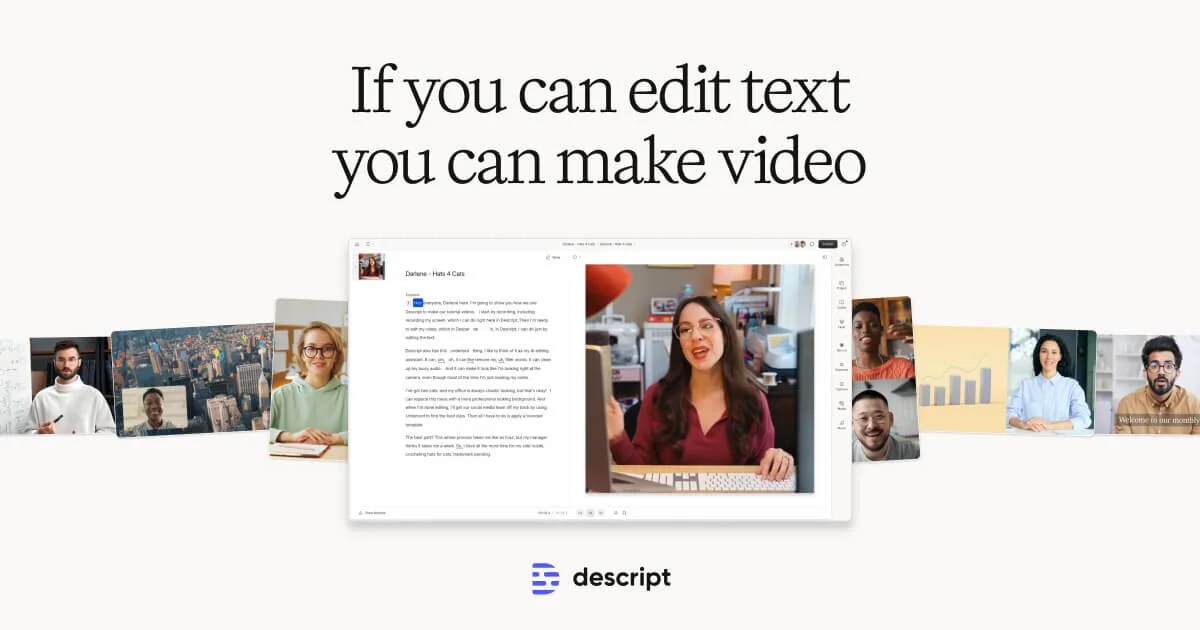
Descript
Edit video and podcasts as easily as editing a doc—just delete the words you don't want.
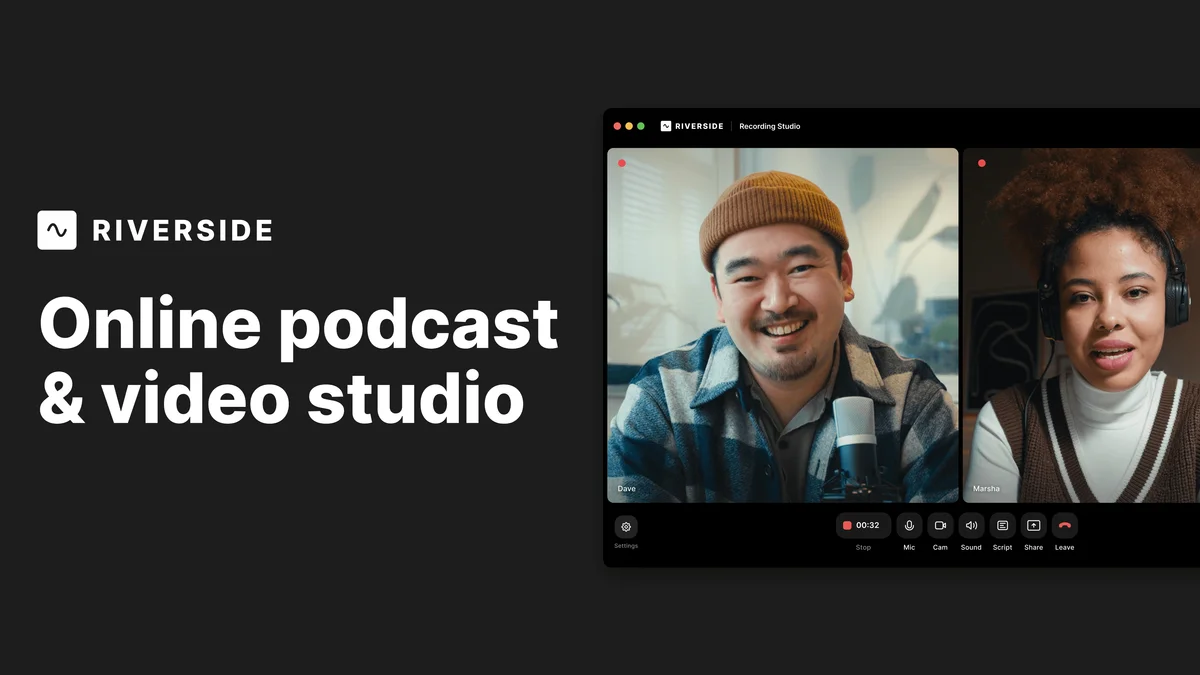
Riverside
Record, edit, and share studio-quality content as if you had a full crew behind you.
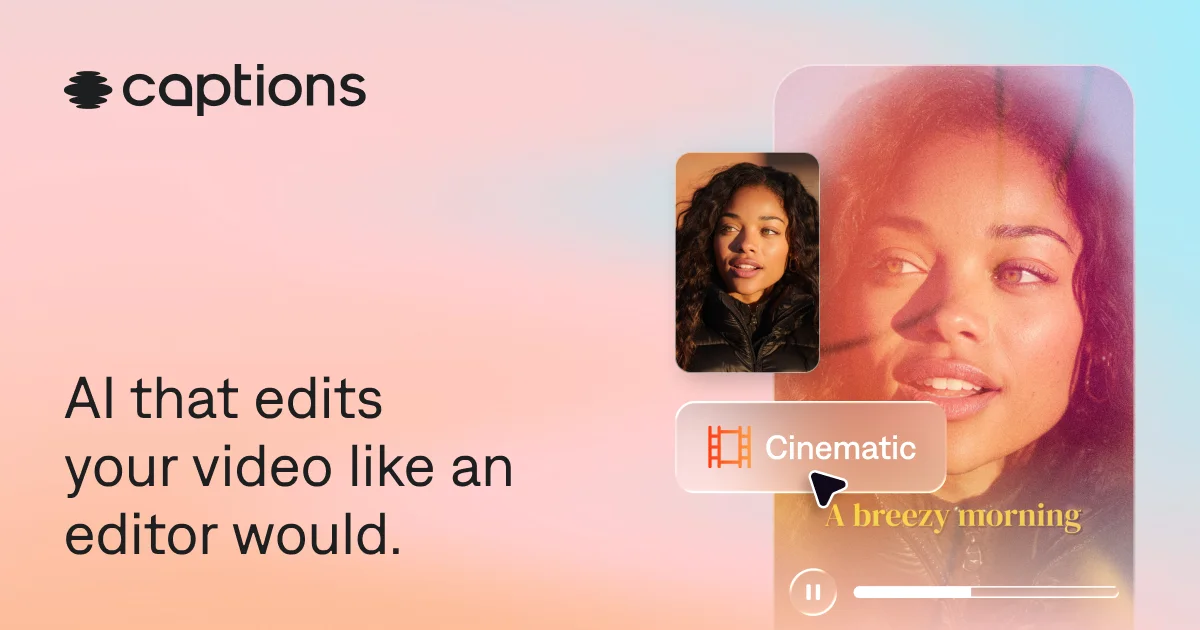
Captions
Turn raw footage into fully-edited, professional videos in minutes with AI that edits like a human would.