Auphonic Review 2026 - AI Audio Enhancement
Verified Jun 5, 2026 by Tooliverse Editorial
Auphonic is your AI sound engineer—upload raw audio and get broadcast-quality results in minutes. From noisy podcast recordings to lecture halls with echo, it automatically balances levels, removes noise, cuts fillers, and meets platform specs like Audible ACX or EBU R128.
Your Voice Audio Sucks. Instantly Fix It For Free | Auphonic Review
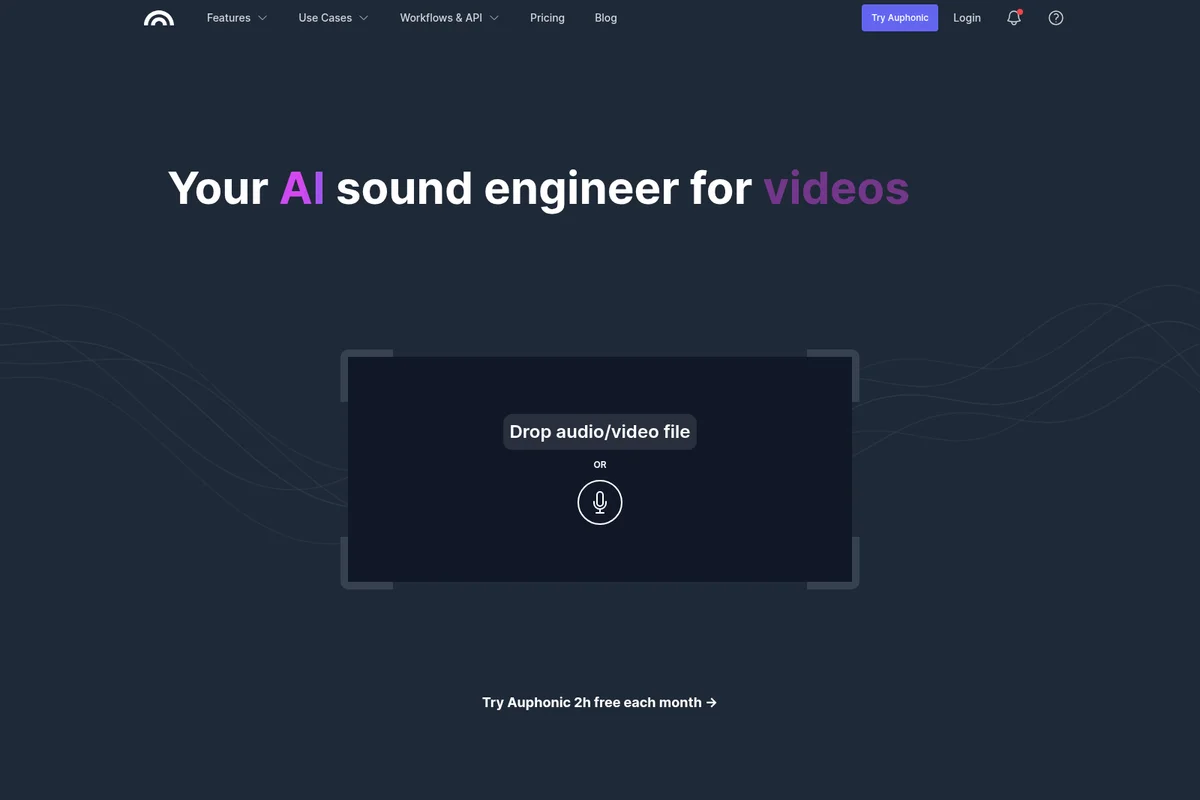
Upload audio or video files for AI-powered sound engineering.
Auphonic Review: Tooliverse Consensus





Based on 245 verified reviews across 6 platforms,
combined with Tooliverse's expert analysis
Auphonic automates complex audio engineering into a single upload, delivering broadcast-standard loudness normalization, surgical noise removal, and multitrack speaker balancing that would otherwise require expensive software and actual engineering expertise. The platform excels at making professional-grade audio accessible to independent creators, with processing that handles everything from podcast episodes to Audible audiobooks in roughly 3 minutes per hour of content. The credit-based pricing becomes expensive for high-volume producers, and the mobile interface trails the modern web experience, but the core processing quality remains unmatched at this price point.
Bottom line: A top-tier audio post-production platform that makes broadcast-quality sound accessible to independent creators through AI automation, though the credit pricing can add up quickly for daily producers.
Auphonic | Key Specs
Wins
- •Delivers consistent loudness normalization that meets professional broadcast standards automaticallymentioned in 84 reviews
- •Removes distracting background noise and hum with impressive surgical precisionmentioned in 72 reviews
- •Streamlines multitrack editing by balancing multiple speakers into a cohesive mixmentioned in 65 reviews
Watch-Outs
- •Credit-based pricing model can become expensive for creators with high-volume outputmentioned in 38 reviews
- •Mobile application interface feels outdated and lacks the modern web featuresmentioned in 31 reviews
- •Occasional audio artifacts appear when noise reduction settings are pushed too aggressivelymentioned in 24 reviews
Auphonic Features 2026
Intelligent Leveler
Automatically balances levels between speakers and music segments using adaptive dynamic range compression. The algorithm learns from millions of audio files daily to correct level differences without requiring compressor knowledge, making all speakers sound equally loud.
Noise & Reverb Reduction
AI-powered denoising with three modes: Static Denoiser (removes constant background noise), Dynamic Denoiser (removes changing ambient sounds while preserving music), and Speech Isolation (removes everything except speech). Includes separate controls for noise, reverb, and breath reduction amounts.
AutoEQ, De-Esser & De-Plosive
Automatically analyzes and optimizes frequency spectrum for each speaker with time-dependent EQ profiles. Removes sibilance (sharp 's' sounds) and plosives ('p', 'b' sounds) while creating a clear, warm, and pleasant voice tone without manual EQ adjustments.
Automatic Filler Word & Silence Cutting
Detects and removes silent segments, coughs, throat-clearing, sneezes, and filler words (ah, uhm, mh, ähm) in multiple languages. Provides editable cut lists for manual review in Audio Inspector or export to external editors.
Auphonic User Reviews
Selected Reviews
"Auphonic is still the absolute king of leveling. I've tried Adobe Podcast and others, but the control you get here is unmatched for the price."
"The AI noise reduction has improved significantly over the last year. It handles room reverb better than any other automated tool I've tested."
"Compared to the competition, Auphonic just feels more 'pro'. It doesn't over-process the voice as much as the newer AI tools."
More from the Community
"The processing is 5 stars, but the app UI is stuck in 2014. It really needs a refresh to match the web experience."
"Saves me at least 3 hours of manual editing per episode. The multitrack feature is worth every penny."
"I use it for every single episode. It's non-negotiable for my workflow."
"Simple and effective for quick field recordings. The auto-leveling is a lifesaver when I'm away from my desk."
"The new Whisper integration for transcripts is a game changer. Now I get my audio and text done in one go."
"The processing is 5 stars, but the app UI is stuck in 2014. It really needs a refresh to match the web experience."
"Saves me at least 3 hours of manual editing per episode. The multitrack feature is worth every penny."
"I use it for every single episode. It's non-negotiable for my workflow."
"Simple and effective for quick field recordings. The auto-leveling is a lifesaver when I'm away from my desk."
"The new Whisper integration for transcripts is a game changer. Now I get my audio and text done in one go."
"Great tool, but the credit system is frustrating. I wish there was a more affordable unlimited tier for daily podcasters."
"Reliable and fast. Best audio tool on my phone."
"The multitrack algorithm is the best in the business. It handles cross-talk and bleed better than anything else I've tried."
"Intuitive for beginners but powerful enough for pros. It's the first thing I recommend to new podcasters."
"Great tool, but the credit system is frustrating. I wish there was a more affordable unlimited tier for daily podcasters."
"Reliable and fast. Best audio tool on my phone."
"The multitrack algorithm is the best in the business. It handles cross-talk and bleed better than anything else I've tried."
"Intuitive for beginners but powerful enough for pros. It's the first thing I recommend to new podcasters."
Auphonic Pricing 2026
View SourceThe free tier with 2 hours monthly lets you test the full algorithm suite, though your output includes a jingle. Most podcasters producing weekly shows should start with Recurring Credits Yearly S at $11/month billed annually for 9 hours monthly—that removes the jingle and adds batch processing. The catch: unused credits reset each month, so you can't bank hours. If you produce high volumes or need flexibility, one-time credits starting at $12 for 5 hours never expire and offer volume discounts down to $0.975/hour at scale, essentially letting you build your own unlimited plan through upfront purchase.
Auphonic In-Depth Review 2026

Auphonic is an AI-powered audio post-production platform that handles the technical work podcasters, educators, and video creators would rather avoid: loudness normalization to broadcast standards, surgical noise removal, multitrack speaker balancing, and one-click compliance with platform requirements from Spotify to Audible ACX. It works across web, desktop, and mobile, processing everything from single-track voice memos to complex multitrack productions with music beds and remote guests. The platform serves over 2 million users including BBC Radio, iHeartRadio, and MSNBC, but the real story is how it makes professional-grade audio accessible to creators working alone.
What It's Like Day-to-Day
You upload your raw audio file, select your output format and loudness target, and Auphonic handles the rest. The intelligent leveler balances speaker volumes automatically using adaptive compression that learns from millions of audio files, so you don't need to understand what a compressor does to get professional results. One Reddit reviewer called it "still the absolute king of leveling" with control unmatched for the price, and that assessment holds up in 2026.
The noise reduction is where the AI work becomes obvious.
Auphonic: Frequently Asked Questions (FAQs)
How long can I use Auphonic for free?
Auphonic offers 2 hours of free audio processing each month. This allows you to fully test all algorithms and services without commitment. Free productions include an Auphonic jingle at the end.
How do you bill processed audio?
Auphonic bills based on the duration of audio files sent for processing in milliseconds, with a minimum of 3 minutes per production. For example, a 20-minute audio file with a 1-minute intro equals 21 minutes of processing time. You can use unlimited output formats (MP3, AAC, etc.) or input tracks (multitrack) without additional charges—the processing time remains the same.
What is the difference between Recurring and One-Time Credits?
One-Time credits are pay-as-you-go purchases that never expire and can be used whenever you like. Recurring credits charge a monthly fee for a fixed amount of credits at a lower per-credit price, but unused credits do not roll over at the end of the month.
Which credits are used first if I have both Recurring and One-Time Credits?
Auphonic uses recurring monthly credits first, then one-time credits are added on top. Combine one-time credits with recurring credits if you occasionally need to process more audio material than your monthly limit.
Auphonic Integrations
| Dropbox | Google Drive | OneDrive |
| Amazon S3 | SFTP | YouTube |
| Libsyn | Blubrry | |
| Spreaker | PodBean | Podlove |
| Soundcloud | Zapier | Buzzsprout |
| Squadcast | Hindenburg | Amazon Transcribe |
| Google Cloud Speech API | wit.ai | Speechmatics |
Auphonic: Verified Data Sheet
| # | Label | Data Point |
|---|---|---|
| [1] | Auphonic Consensus: 9.33/10 | Auphonic is one of the highest-rated AI audio tools in the Tooliverse index, with a consensus score of 9.33/10 across 245 verified reviews. |
| [2] | What is Auphonic | Auphonic, operated by Auphonic GmbH (founded 2013, Graz, Austria), is an AI-powered audio post-production platform for podcasts, broadcasts, audiobooks, and educational content. The platform serves 2M+ users including BBC Radio, iHeartRadio, and MSNBC, with pricing starting at free (2h/month) and recurring plans from $11/month. |
| [3] | Tooliverse Consensus on Auphonic | Auphonic automates complex audio engineering into a single upload, delivering broadcast-standard loudness normalization, surgical noise removal, and multitrack speaker balancing that would otherwise require expensive software and actual engineering expertise. The platform excels at making professional-grade audio accessible to independent creators, with processing that handles everything from podcast episodes to Audible audiobooks in roughly 3 minutes per hour of content. The credit-based pricing becomes expensive for high-volume producers, and the mobile interface trails the modern web experience, but the core processing quality remains unmatched at this price point. |
| [4] | Auphonic Verdict | Auphonic bottom line: A top-tier audio post-production platform that makes broadcast-quality sound accessible to independent creators through AI automation, though the credit pricing can add up quickly for daily producers. |
| [5] | Auphonic Free: Free | Auphonic provides a functional Auphonic Free tier with 2 hours of processed audio monthly and all basic audio algorithms included, making professional audio tools accessible at no cost. |
| [6] | Broadcast-standard loudness normalization | Auphonic delivers consistent loudness normalization that meets professional broadcast standards automatically, including EBU R128, ATSC A/85, and platform-specific requirements for Audible ACX, Netflix, Spotify, and podcasts, validated across 84 user reviews. |
| [7] | Surgical precision noise removal | Auphonic removes distracting background noise and hum with surgical precision using AI-powered denoising modes that distinguish between static noise, dynamic ambient sounds, and speech isolation, according to 72 user reviews. |
| [8] | Multitrack speaker balancing | Auphonic streamlines multitrack editing by automatically balancing multiple speakers into a cohesive mix with adaptive noise gates, mic bleed removal, and automatic ducking for music segments, validated by 65 user reviews. |
| [9] | 2-hour monthly free tier | Auphonic offers a generous free tier providing 2 hours of audio processing monthly with all basic algorithms included, allowing creators to test professional-grade features without financial commitment, noted in 58 user reviews. |
| [10] | Recurring Credits Yearly - S: $11/mo (annual) | Auphonic's Recurring Credits Yearly - S plan provides 9 hours per month for $11/month billed annually, significantly expanding on the free tier's capabilities with no output jingle and batch processing features. |
| [11] | Credit pricing expensive at scale | Auphonic's credit-based pricing model can become expensive for creators with high-volume output, with recurring plans requiring monthly commitment and unused credits not rolling over, mentioned in 38 user reports. |
| [12] | Outdated mobile interface | Auphonic's mobile application interface feels outdated and lacks modern web features, with users reporting the UI appears stuck in an earlier design era compared to the contemporary web experience, noted in 31 user reviews. |
| [13] | King of leveling control | Auphonic "is still the absolute king of leveling" with unmatched control for the price compared to Adobe Podcast and other competitors, according to a verified Reddit reviewer who rated it 5/5. |