
Otter Review 2026 - AI Meeting Notes
Verified Sep 30, 2026 by Tooliverse Editorial
Otter sends an AI notetaker to your Zoom, Teams, and Google Meet calls, or records bot-free from your desktop. Get summaries, action items, and answers to 'what did we decide?' from 300 free minutes monthly.
Winning your day with Otter AI
Otter AI Review + Tutorial (2026) – How to Transcribe Audio with Otter AI
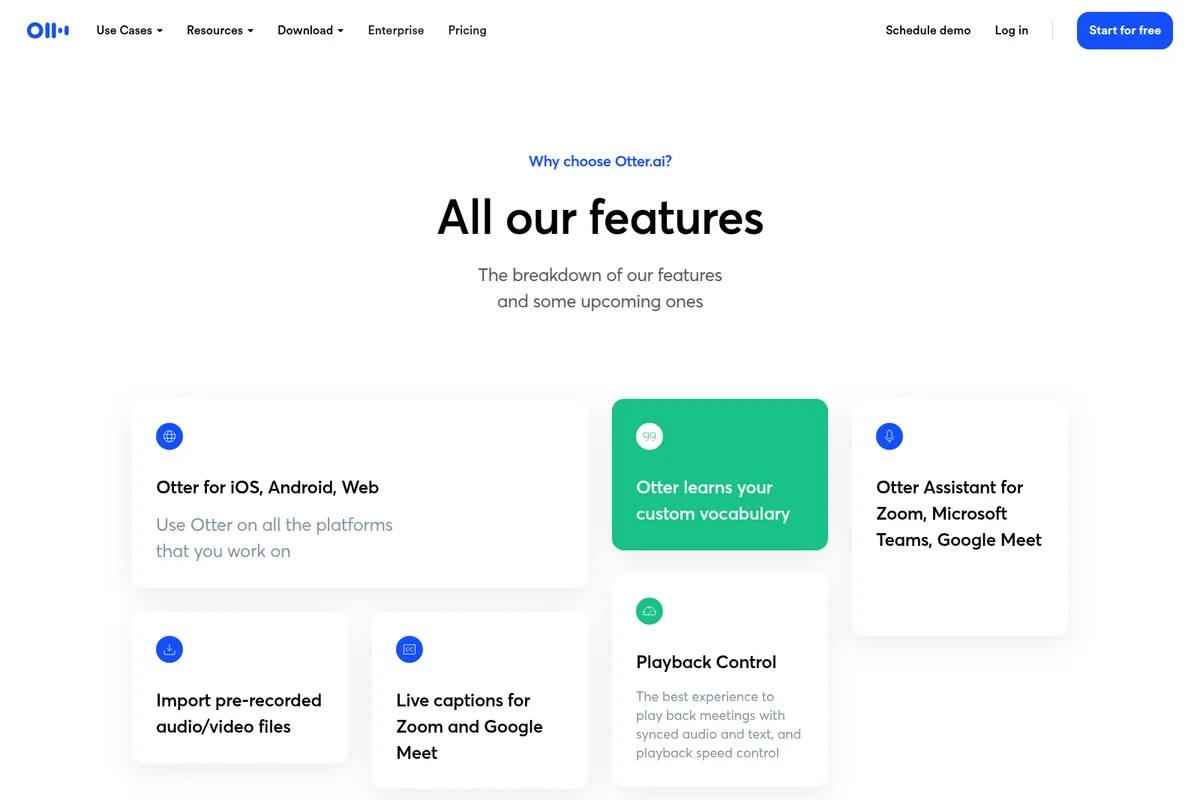
Explore Otter.ai's versatile features, from multi-platform support to custom vocabulary learning.
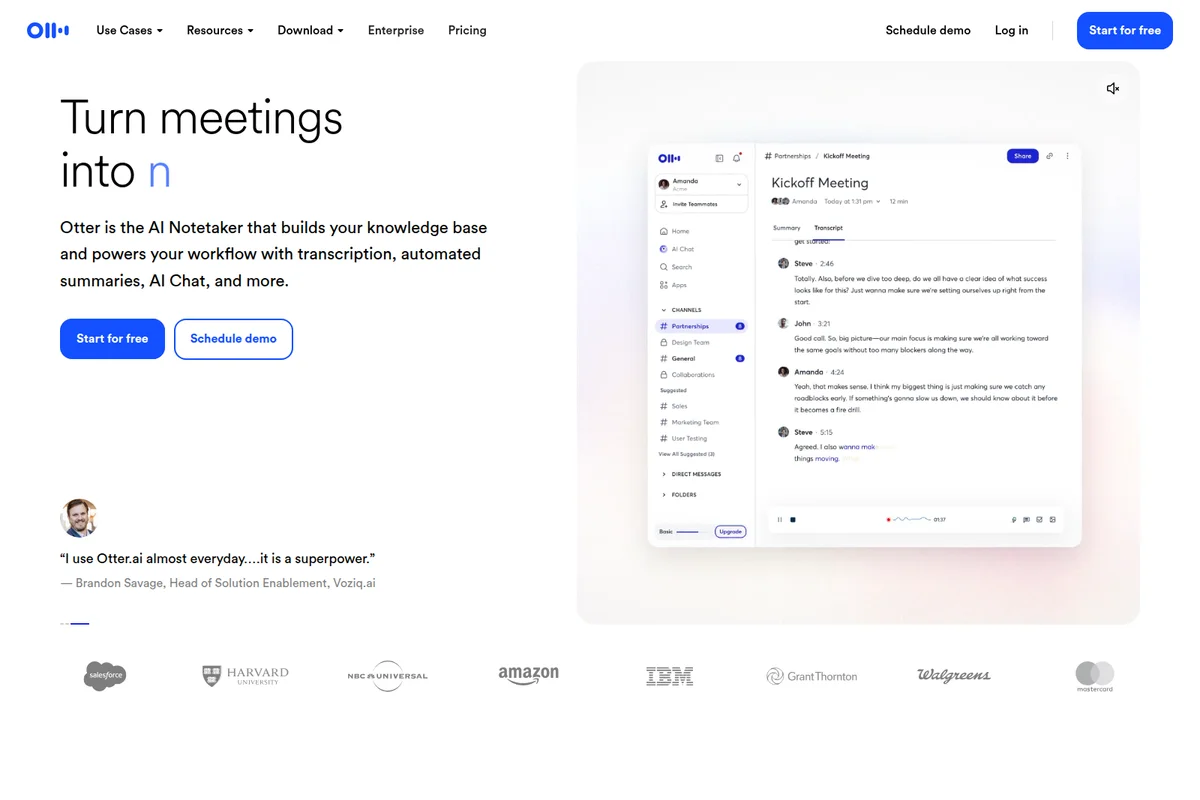
Turn meetings into actionable knowledge with real-time transcription and summaries.
Otter Review: Tooliverse Consensus






Based on 25k+ verified reviews across 6 platforms,
combined with Tooliverse's expert analysis
Otter works as a tireless meeting scribe, transcribing in real time, labeling speakers, and condensing each call into decisions and action items that stay searchable for months. Reviewers credit its accuracy and video-platform integrations most, and the bot-free desktop option eases awkward joins. The weak points are predictable: heavy accents, background noise, and crosstalk degrade transcripts, OtterPilot can appear uninvited, and tightened free-tier limits have irritated individual users who once relied on more generous allowances.
Bottom line: A top-tier meeting notetaker whose accurate live transcripts and searchable summaries replace manual note-taking, though noisy rooms, crosstalk, and a tighter free tier mean it works best with clean audio.
Otter | Key Specs
- Platforms
- Web, iOS, Android, macOS, Windows, Chrome extension
- Pricing Model
- Freemium ($0-30/mo per user) See plans
- Privacy/Data Use
- AI training opt-out (Enterprise), HIPAA add-on
- Security
- SSO/SCIM, AES-256 encryption, audit logging See details
Wins
- •Delivers exceptionally accurate real-time transcriptions that capture every detail of important conversationsmentioned in 2,450 reviews
- •Produces concise AI-generated summaries that highlight key action items and decisions automaticallymentioned in 1,820 reviews
- •Integrates seamlessly with major video conferencing platforms to simplify meeting documentation workflowsmentioned in 1,540 reviews
Watch-Outs
- •Transcription quality can diminish when encountering heavy accents or significant background noisementioned in 840 reviews
- •Recent changes to the pricing structure and free tier limits have caused frustration for individual usersmentioned in 720 reviews
- •The automated OtterPilot bot can sometimes join meetings unexpectedly if settings are not carefully managedmentioned in 510 reviews
Otter Features 2026
Automatic Meeting Transcription & Notetaker
Joins Zoom, Microsoft Teams, and Google Meet to transcribe live, identify speakers, and share notes automatically.
Otter AI Chat
Searches across your meetings and connected apps to answer questions and draft follow-ups, reports, and content.
Bot-Free Desktop App
Record conversations directly from Mac or Windows without a bot joining the call.
Otter MCP Server
Lets ChatGPT, Claude, and other AI chat tools securely access your meeting knowledge.
Otter User Reviews
Selected Reviews
"OtterPilot has completely changed how I handle client calls. I can actually focus on the conversation instead of frantically scribbling notes."
"The new Atlas feature is a massive step forward for organizing my meeting knowledge base. It's like having a second brain for my calls."
"It works well most of the time, but the OtterPilot sometimes joins meetings I didn't want it in. The settings for auto-join could be clearer."
More from the Community
"The transcription is incredibly fast, and the AI Chat feature helps me pull out action items in seconds after the meeting ends."
"Solid app, but it occasionally misses technical terms or acronyms specific to my industry. Still saves me hours of work."
"I use it for all my lectures. It's not 100% perfect, but the ability to search for keywords in the transcript is a lifesaver for exams."
"The free version is quite restrictive now compared to a year ago. I understand they need to monetize, but the jump to Pro is significant."
"The Chrome extension makes it so easy to capture Google Meet sessions without any extra setup. Very polished experience."
"The transcription is incredibly fast, and the AI Chat feature helps me pull out action items in seconds after the meeting ends."
"Solid app, but it occasionally misses technical terms or acronyms specific to my industry. Still saves me hours of work."
"I use it for all my lectures. It's not 100% perfect, but the ability to search for keywords in the transcript is a lifesaver for exams."
"The free version is quite restrictive now compared to a year ago. I understand they need to monetize, but the jump to Pro is significant."
"The Chrome extension makes it so easy to capture Google Meet sessions without any extra setup. Very polished experience."
"Excellent for remote teams. The integration with Slack to push summaries is the best part of our current workflow."
"The speaker identification is usually spot on, even in a room with four different people talking. Impressive tech."
"Good transcription, but the mobile app can be a bit slow to sync large recordings if you have a weak connection."
"I've tried several AI note-takers and Otter still has the best balance of speed and accuracy for live events."
"Helpful tool for our HR department, though we had to spend some time configuring privacy settings to meet our compliance needs."
"Excellent for remote teams. The integration with Slack to push summaries is the best part of our current workflow."
"The speaker identification is usually spot on, even in a room with four different people talking. Impressive tech."
"Good transcription, but the mobile app can be a bit slow to sync large recordings if you have a weak connection."
"I've tried several AI note-takers and Otter still has the best balance of speed and accuracy for live events."
"Helpful tool for our HR department, though we had to spend some time configuring privacy settings to meet our compliance needs."
Otter Pricing 2026
View SourceThe free plan's 300 monthly minutes and 30-minute conversation cap suit occasional calls, but the first long meeting will hit the ceiling. Pro at $8.33/month billed annually fixes that with 1,200 minutes and 90-minute sessions, and it's the tier most individuals should pick. Business is worth a look only if you need to sit in three meetings at once, run four-hour sessions, or want admin activity logs.
Otter In-Depth Review 2026

Otter is an AI meeting notetaker that transcribes conversations live, summarizes them, and makes the archive searchable. It joins Zoom, Microsoft Teams, and Google Meet through OtterPilot, or records without a bot via a desktop app for macOS 12.3+ and Windows 10+ and a Chrome extension. AI Chat answers questions across meetings and connected apps, and an MCP server lets ChatGPT and Claude draw on the same knowledge. Transcription covers English, Spanish, French, German, Japanese, and Chinese.
What It's Like Day-to-Day
Once a meeting starts, the transcript builds in real time with speakers labeled as they talk, and a summary with decisions and action items arrives when the call ends. Accuracy is the most-praised trait, mentioned in 2,450 reviews, and one journalist on the iOS App Store described speaker identification as usually spot on even with four people talking. The practical effect is that you can listen instead of typing.
Search is where the archive earns its keep. Nobody remembers which Tuesday the pricing debate happened, but a keyword does, and it works across months of recordings.
Otter Security & Compliance
Security Features
- SSO & SCIM (Okta, Azure AD)
- AES-256 encryption for real-time content and TLS encryption
- Audit logging and admin controls
Privacy Commitments
- AI model training opt-out available for enterprise organizations
- HIPAA compliance available as add-on
Otter: Frequently Asked Questions (FAQs)
Does Otter have a free plan?
Yes, Otter's Basic plan is free forever and includes 300 monthly transcription minutes, live transcription, AI Chat, and 3 lifetime file imports.
How much does Otter cost?
Pro costs $16.99/user/month ($8.33 billed annually) and Business costs $30/user/month ($19.99 billed annually); Enterprise pricing is custom.
Does Otter offer student discounts?
Yes, individual students and teachers with a .edu email get 20% off Pro: $6.67/month billed $79.99 annually, or $13.59/month.
What payment methods does Otter accept?
Otter accepts credit and debit cards on its website, plus in-app purchases via Apple App Store or Google Play.
Otter Integrations
| Zoom | Microsoft Teams | Google Meet |
| Zoom Phone | Slack | Salesforce |
| HubSpot | Microsoft Dynamics | Zoho |
| Jira | Asana | ClickUp |
| Monday.com | Notion | Airtable |
| Claude | Glean | Dropbox |
| Google Drive | Google Docs | Google Calendar |
| Microsoft Outlook | Microsoft OneDrive | SharePoint |
| Amazon S3 | Egnyte | Snowflake |
| Outreach | Salesloft | RingCentral |
| Zapier | viaSocket | Greenhouse |
| Zendesk | ServiceNow | ChatGPT |
Otter: Verified Data Sheet
| # | Label | Data Point |
|---|---|---|
| [1] | Otter Consensus: 8.92/10 | Otter is a highly-rated tool among AI productivity tools in the Tooliverse index, with a consensus score of 8.92/10 across 25,550 verified reviews. |
| [2] | What is Otter | Otter is an AI meeting notetaker that transcribes, summarizes, and makes conversations searchable, with bot-free desktop recording and an MCP server. It offers a free plan, with paid plans from $8.33/user/month billed annually. |
| [3] | Tooliverse Consensus on Otter | Otter works as a tireless meeting scribe, transcribing in real time, labeling speakers, and condensing each call into decisions and action items that stay searchable for months. Reviewers credit its accuracy and video-platform integrations most, and the bot-free desktop option eases awkward joins. The weak points are predictable: heavy accents, background noise, and crosstalk degrade transcripts, OtterPilot can appear uninvited, and tightened free-tier limits have irritated individual users who once relied on more generous allowances. |
| [4] | Otter Verdict | Otter bottom line: A top-tier meeting notetaker whose accurate live transcripts and searchable summaries replace manual note-taking, though noisy rooms, crosstalk, and a tighter free tier mean it works best with clean audio. |
| [5] | Basic: Free | Otter offers a functional Basic tier at no cost, with 300 monthly transcription minutes, live transcription, and speaker identification. |
| [6] | Video platform and app integrations | Otter integrates with Zoom, Microsoft Teams, and Google Meet to document meetings automatically, a strength noted in 1,540 user reviews, and also connects to Slack, Salesforce, HubSpot, Jira, and Notion. |
| [7] | Accurate speaker identification | Otter identifies and labels individual speakers in transcripts so readers can follow who said what, a capability praised in 1,120 user reviews. |
| [8] | Search across months of recordings | Otter offers keyword search across months of recorded meetings, a capability highlighted in 980 user reviews, and its AI Chat can query the same archive in natural language. |
| [9] | Pro (Monthly): $16.99/user/month | Otter.ai Inc's Pro (Monthly) plan costs $16.99/user monthly and adds 1200 in-app recording minutes, a significant step up from the free tier. |
| [10] | Accurate real-time transcription | Otter delivers accurate real-time transcription that captures the detail of important conversations, a strength cited in 2,450 user reviews and covering English, Spanish, French, German, Japanese, and Chinese. |
| [11] | Accents and background noise hurt accuracy | Otter transcription quality can decline with heavy accents or significant background noise, according to 840 user reports. |
| [12] | Tighter free tier and pricing changes | Otter's recent pricing and free-tier changes have frustrated individual users, per 720 user reports; the free Basic plan now caps at 300 monthly minutes, 30 minutes per conversation, and 3 lifetime file imports, while Pro costs $16.99/user/month on monthly billing. |
| [13] | Privacy: AI model training opt-out available for enterprise organizations | Otter protects privacy with AI model training opt-out available for enterprise organizations and HIPAA compliance available as add-on. |
| [14] | Enterprise: SSO & SCIM (Okta, Azure AD) | Otter secures enterprise deployments with SSO & SCIM (Okta, Azure AD), AES-256 encryption for real-time content and TLS encryption, and Audit logging and admin controls. |
| [15] | Fast transcripts, action items in seconds | Otter "helps me pull out action items in seconds after the meeting ends" and transcribes "incredibly fast," according to a verified G2 reviewer. |
Compare Otter with…
Best Otter Alternatives
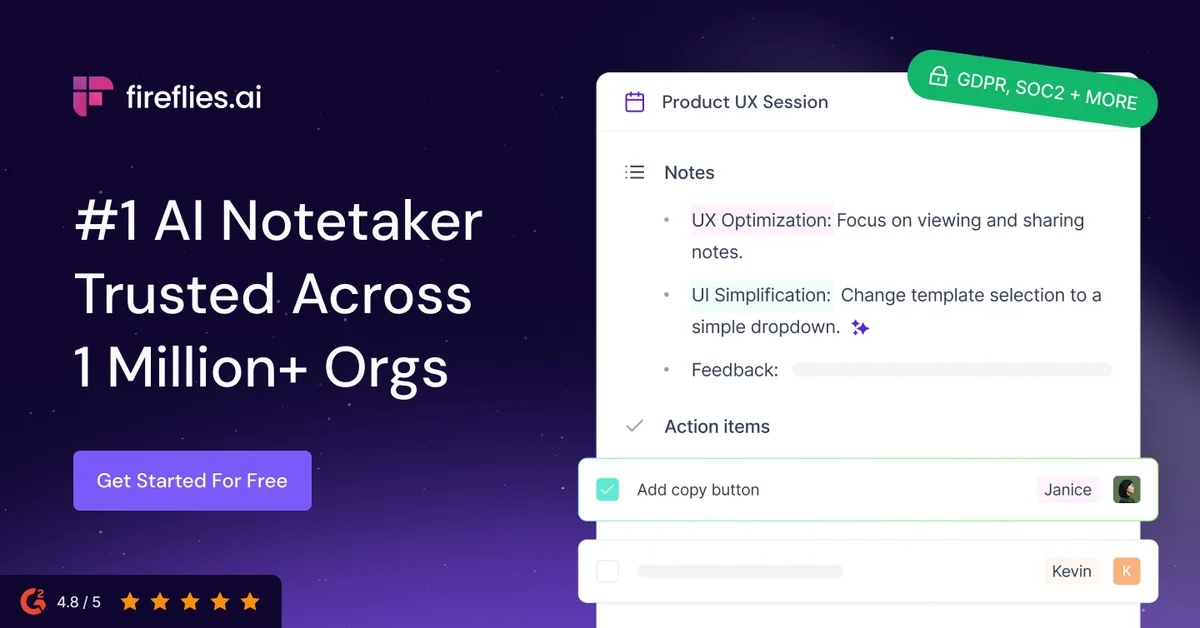
Fireflies.ai
Never miss a detail again: let AI record, summarize, and search every meeting for you.
Fathom
Capture every meeting, get instant summaries and action items, and stay fully present in the conversation.
Read AI
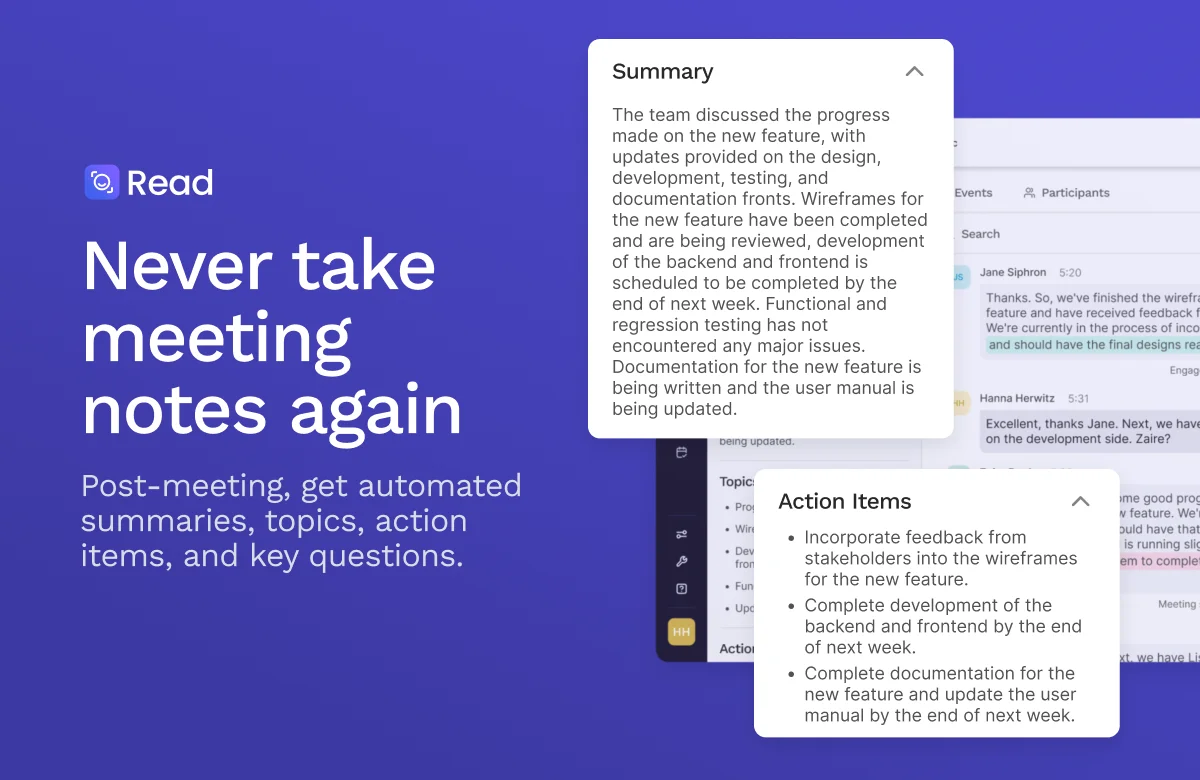
Turn every meeting into clear outcomes, with summaries, answers, and next steps handled for you.