
ON1 Resize AI Review 2026 - Photo Enlargement
Verified Jun 17, 2026 by Tooliverse Editorial
ON1 Resize AI 2026 uses advanced super-resolution AI and legendary Genuine Fractals® technology to enlarge photos up to 10x without losing quality. Trusted by photographers for over two decades, it delivers clean, natural enlargements for prints, crops, and AI-generated images—perfect for creating stunning poster-sized prints.
Scott Kelby Reviews ON1 Resize AI 2026 – Mind-Blowing Results!
ON1 Resize AI Review - Resize AI 2026 Destroys its Predecessor, but can it match Gigapixel?
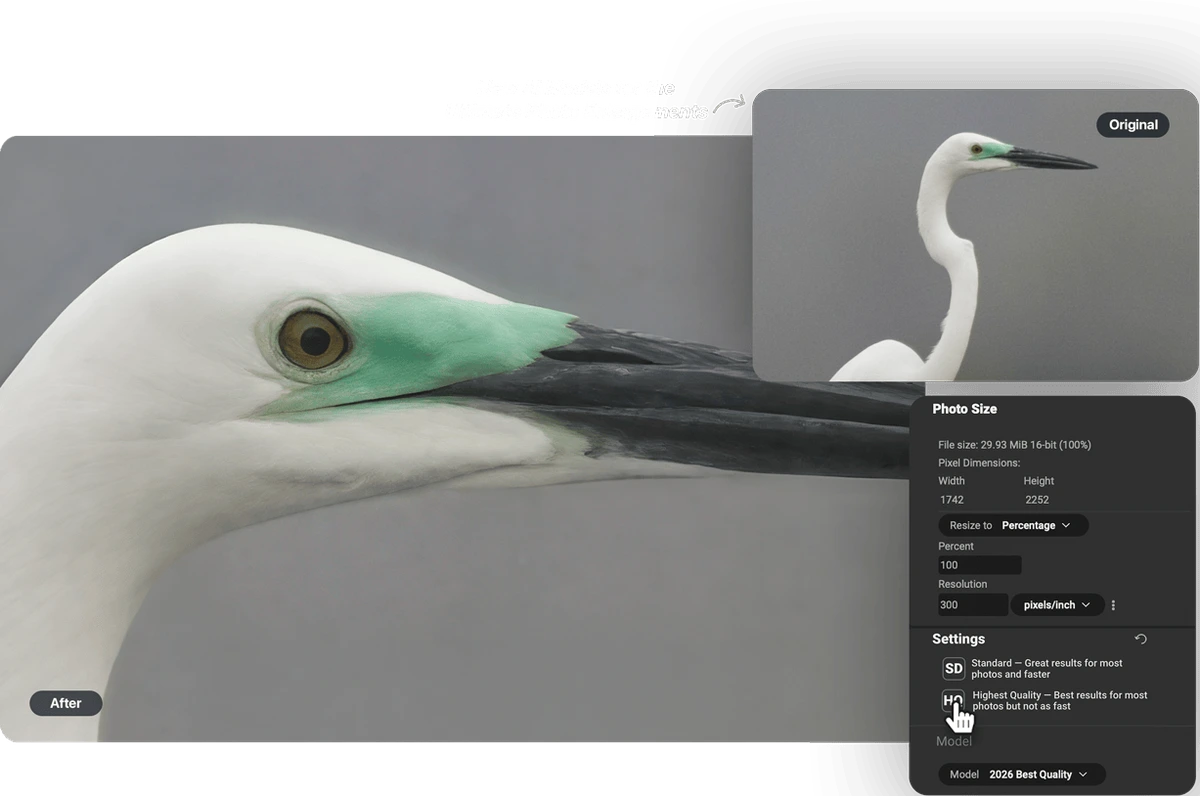
Enhance image resolution with AI-powered upscaling, choosing optimal quality settings.
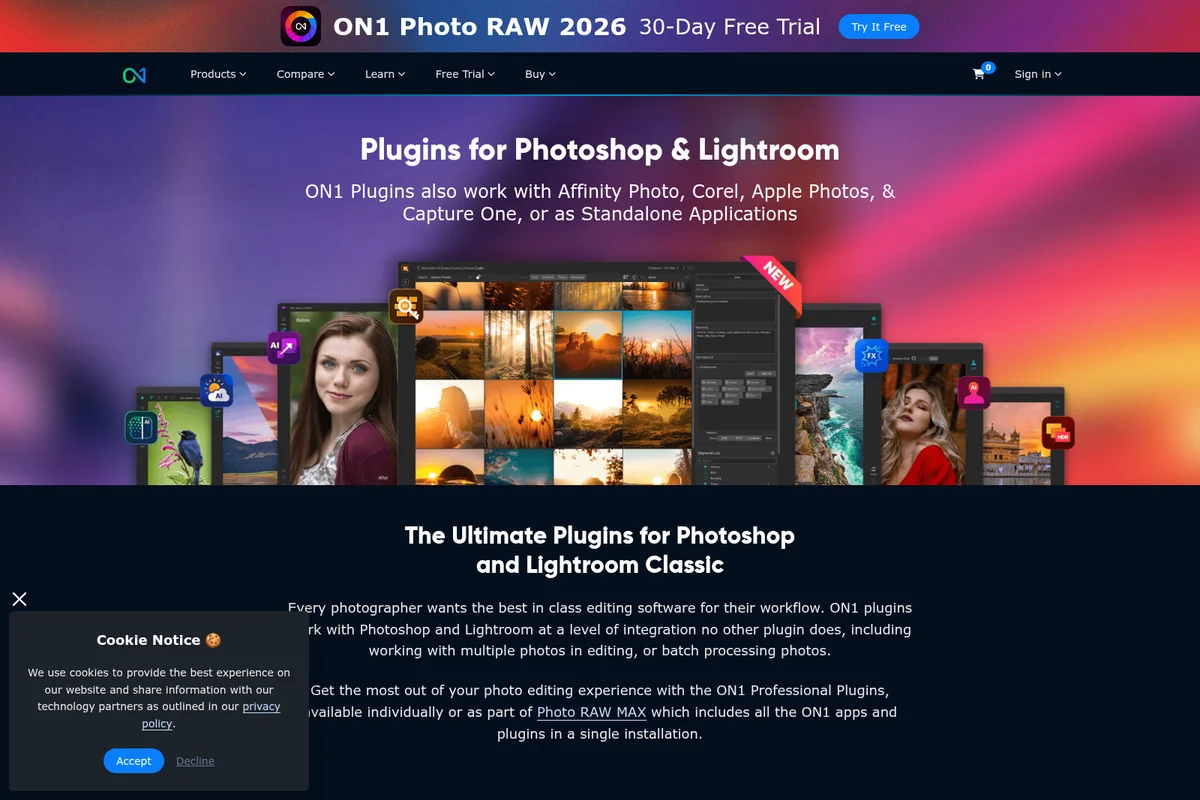
Explore the ultimate ON1 plugins for Photoshop and Lightroom Classic to enhance your creative workflow.
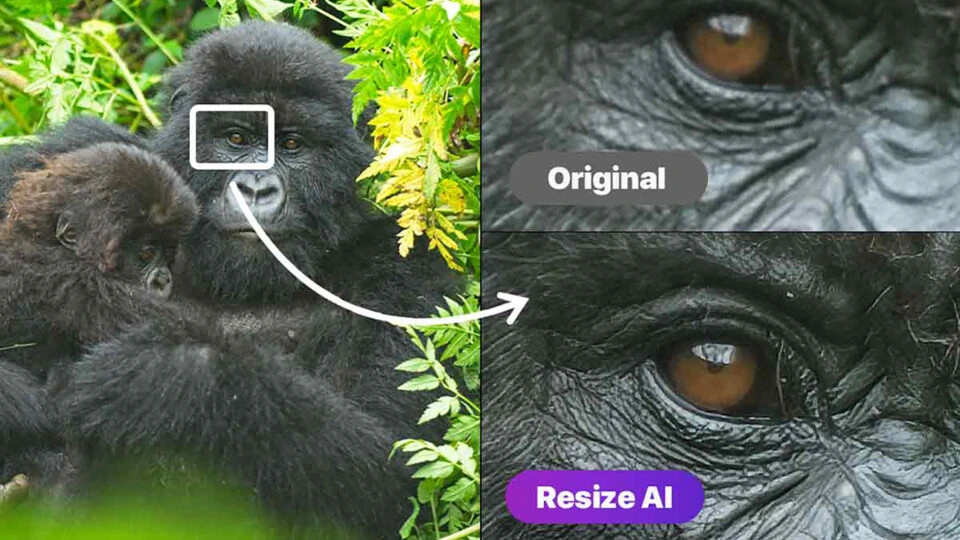
Experience AI-powered image upscaling for incredible detail.
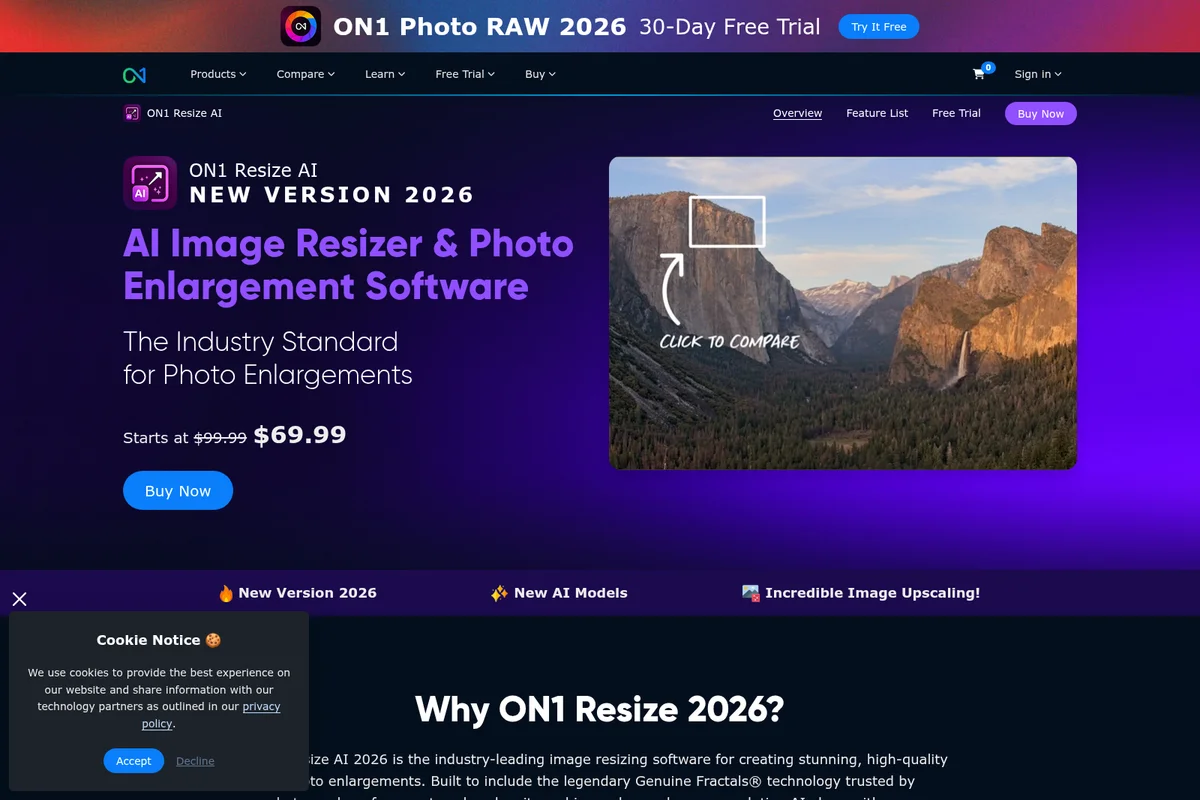
AI-powered photo enlargement delivers incredible detail retention.
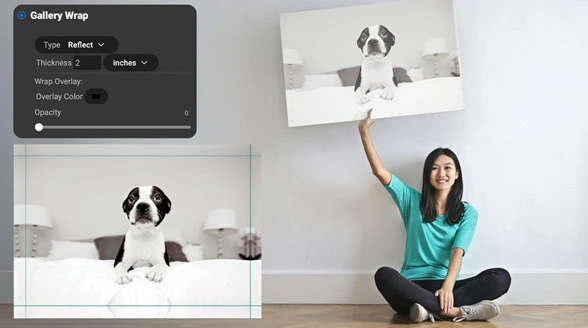
Prepare and output your digital photos as stunning physical canvas prints.
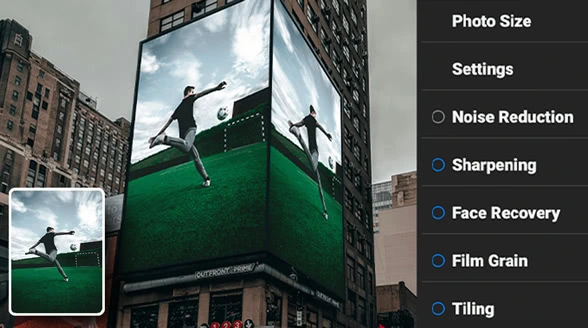
Enhance photos with AI-powered sharpening, noise reduction, and creative effects.
ON1 Resize AI Review: Tooliverse Consensus


Based on 690 verified reviews across 4 platforms,
combined with Tooliverse's expert analysis
ON1 Resize AI delivers high-fidelity photo enlargements by combining diffusion-based AI with proven Genuine Fractals technology, excelling at salvaging cropped portraits and preparing large-format prints while offering a subscription-free ownership model. The Highest Quality mode produces exceptional detail recovery for print work, and the plugin integration keeps photographers inside Lightroom and Photoshop workflows. Processing time stretches into minutes per image at maximum quality settings, and the tool demands modern hardware that often forces Windows 11 upgrades, but the one-time purchase and specialized enlargement capabilities justify the investment for photographers who print regularly.
Bottom line: A strong photo enlargement tool that turns undersized files into print-ready output through proven algorithms and modern AI, though the processing time and hardware demands mean it's built for quality over speed.
ON1 Resize AI | Key Specs
- Platforms
- macOS, Windows
- Pricing Model
- Paid ($49.99-$99.99 one-time, $5.83-$10.83/mo subscription) See plans
- Plugin Support
- Adobe Photoshop, Lightroom Classic, Capture One, Affinity Photo, Apple Photos
- Max Enlargement
- Up to 10x
Wins
- •Preserves incredible detail in 4x enlargements using the new High Quality modementioned in 92 reviews
- •Integrates directly into Lightroom and Photoshop workflows as a versatile pluginmentioned in 78 reviews
- •Features effective face recovery that restores clarity to portraits in low-res imagesmentioned in 64 reviews
Watch-Outs
- •High Quality mode demands significant processing time, often taking minutes per imagementioned in 58 reviews
- •Requires modern hardware and often forces a Windows 11 upgrade for compatibilitymentioned in 46 reviews
- •Consumes high amounts of system RAM, leading to performance lag on older machinesmentioned in 39 reviews
ON1 Resize AI Features 2026
Highest Quality AI Model
Next-gen AI model using diffusion to rebuild lost detail with stunning realism. Perfect for ultra-sharp enlargements, tight crops, and gallery-quality results from even the smallest images. Ideal for cropped or low-res images, high-end printing and fine art enlargements, reconstructing fine texture and edge detail with realism.
Standard AI Model
High-speed AI model designed for clean, reliable results—perfect for low-quality or noisy images. Optimized for large batch jobs and smooth performance, even on older or less powerful GPUs. Ideal for large batch jobs, high-ISO or compressed files, systems with limited graphics power.
AI-Powered Photo Enlargements up to 10x
Enlarge images up to 10x while maintaining—and often enhancing—fine detail, sharpness, and edge clarity. Uses advanced super-resolution AI along with proven fractal-based enlargement algorithms to produce exceptional results.
Advanced Face Recovery
Restore facial detail with controllable strength when enlarging portraits. AI-powered face recovery ensures natural-looking results without artificial smoothness.
ON1 Resize AI User Reviews
Selected Reviews
"The interface and tools are edging toward perfection. While the depth of tools means there's a learning curve, the overall package combines powerful core editing with flexible masking."
"Scott takes tiny, low-res images and turns them into massive, crystal-clear enlargements — perfect for printing or sharing. The sharpening and face recovery are the biggest leaps yet."
"The 'highest quality' moan is AOK for folks with awesome machines but for those with old tech? Having said that, if you are meddling with photos I agree that the quality should just default to great."
More from the Community
"Not supporting some of the older jpeg formats, particularly those that are from an older scanner knocks off a star. I also notice that On1 Max seems to gobble memory, not sure it is a leak or not."
"ON1 Resize AI 2026 is a top-tier upscaler that vastly exceeds its predecessor, Resize 2023, and rivals such as Lightroom Super Resolution and Luminar Upscale AI."
"I process the drone shots and apply the AI to the batch. If I need to replace skies it's easy. I like the software and have been a customer for several years."
"Instead of introducing a bunch of gimmicky plugins as new features On1 should have perfected, improved the Resize AI they introduced as a standalone app in 2025."
"Pay once and use with no subscriptions required or pushed. One other company went subscription only and I'm glad ON1 offers a real alternative."
"Not supporting some of the older jpeg formats, particularly those that are from an older scanner knocks off a star. I also notice that On1 Max seems to gobble memory, not sure it is a leak or not."
"ON1 Resize AI 2026 is a top-tier upscaler that vastly exceeds its predecessor, Resize 2023, and rivals such as Lightroom Super Resolution and Luminar Upscale AI."
"I process the drone shots and apply the AI to the batch. If I need to replace skies it's easy. I like the software and have been a customer for several years."
"Instead of introducing a bunch of gimmicky plugins as new features On1 should have perfected, improved the Resize AI they introduced as a standalone app in 2025."
"Pay once and use with no subscriptions required or pushed. One other company went subscription only and I'm glad ON1 offers a real alternative."
"He calls the results usable, but flags processing time as the main drawback, which is exactly the sort of detail people want before buying."
"I see value in a half-dozen or so new features that I'd be likely to use at some point, and the upgrade cost is reasonable."
"Resizing using AI is an amusing idea. 'let's make up data' is NOT an easy or reliable way to create great pictures. It suffers from the usual AI BS creativity."
"I am a professional with almost 45 years of experience and can use some of your bells and whistles but have no need for many others. I enjoy the overall use of the software."
"He calls the results usable, but flags processing time as the main drawback, which is exactly the sort of detail people want before buying."
"I see value in a half-dozen or so new features that I'd be likely to use at some point, and the upgrade cost is reasonable."
"Resizing using AI is an amusing idea. 'let's make up data' is NOT an easy or reliable way to create great pictures. It suffers from the usual AI BS creativity."
"I am a professional with almost 45 years of experience and can use some of your bells and whistles but have no need for many others. I enjoy the overall use of the software."
ON1 Resize AI Pricing 2026
The standalone license at $50 (regularly $100) covers most photographers who need occasional high-quality enlargements—you own it outright and use it when a project demands it. Photo RAW MAX at $100 one-time makes sense if you're already shopping for a Lightroom alternative, since it bundles the full editing suite with plugin access for Adobe apps. The subscription at $11/month only pulls ahead if you need the 1TB cloud storage and five-device access, which most solo photographers won't.
ON1 Resize AI In-Depth Review 2026

This photo enlargement software combines diffusion-based AI with the Genuine Fractals technology that's been the professional standard for over two decades. It runs as a standalone application on Mac and Windows, and works as a plugin inside Lightroom Classic, Photoshop, and Capture One. The 2026 version introduces two AI models: Highest Quality for maximum detail recovery, and Standard for speed when you're processing batches or working with noisy files.
What It's Like Day-to-Day
The Highest Quality mode is where the tool earns its keep. You feed it a heavily cropped image or a scan from an old print, and it reconstructs detail that shouldn't exist—sharpening edges, reducing compression artifacts, and adding texture that reads as photographic instead of synthetic. Photographer Scott Kelby noted it "takes tiny, low-res images and turns them into massive, crystal-clear enlargements" with sharpening and face recovery representing the biggest leaps forward. The face recovery feature specifically targets portraits, restoring clarity to skin tones and facial features that would otherwise turn to mush at large sizes.
The plugin integration means you stay inside your existing workflow.
ON1 Resize AI: Frequently Asked Questions (FAQs)
What's new in Resize AI 2026?
Resize AI 2026 includes two powerful new AI models: Highest Quality Model (uses diffusion AI to add realistic detail, reduce noise, and enhance clarity—ideal for tight crops, small images, and AI-generated artwork) and Standard Model (designed for speed and performance, delivers high-quality upscaling results even on older systems or during large batch jobs). It also features improved Face Recovery, better batch processing, and more export and print options than ever before.
Is Resize AI 2026 a paid upgrade from earlier versions?
Yes, Resize AI 2026 is a paid upgrade from previous versions. However, if you purchased Resize AI 2023 on or after June 24, 2025, you'll receive Resize AI 2026 for free.
Can I buy Resize AI 2026 outright or do I need a subscription?
You can choose either a one-time purchase license (own it forever), a Photo RAW MAX license, or an ON1 Photo Studio subscription plan, which includes Resize AI, Photo RAW MAX, NoNoise AI, and more—all with continuous updates and free upgrades.
Is Resize AI 2026 included inside ON1 Photo RAW 2026.4?
Yes, Resize AI 2026 is included inside Photo RAW 2026.4. Photo RAW MAX 2026.4 will allow you to use Resize AI 2026 as a plugin for Adobe Ps/Lr and other editors.
ON1 Resize AI Integrations
| Adobe Photoshop | Adobe Lightroom Classic | Capture One |
| Affinity Photo | Apple Photos | Photoshop Elements |
| Corel |
ON1 Resize AI: Verified Data Sheet
| # | Label | Data Point |
|---|---|---|
| [1] | ON1 Resize AI Consensus: 8.20/10 | ON1 Resize AI is a highly-rated tool among AI image generators in the Tooliverse index, with a consensus score of 8.20/10 across 690 verified reviews. |
| [2] | What is ON1 Resize AI | ON1 Resize AI, developed by ON1 (founded 2005), is industry-leading photo enlargement software combining advanced super-resolution AI with legendary Genuine Fractals® technology trusted for over 20 years. The platform serves 250,000+ photographers worldwide, with pricing starting at $49.99 one-time or $5.83/month. |
| [3] | Tooliverse Consensus on ON1 Resize AI | ON1 Resize AI delivers high-fidelity photo enlargements by combining diffusion-based AI with proven Genuine Fractals technology, excelling at salvaging cropped portraits and preparing large-format prints while offering a subscription-free ownership model. The Highest Quality mode produces exceptional detail recovery for print work, and the plugin integration keeps photographers inside Lightroom and Photoshop workflows. Processing time stretches into minutes per image at maximum quality settings, and the tool demands modern hardware that often forces Windows 11 upgrades, but the one-time purchase and specialized enlargement capabilities justify the investment for photographers who print regularly. |
| [4] | ON1 Resize AI Verdict | ON1 Resize AI bottom line: A strong photo enlargement tool that turns undersized files into print-ready output through proven algorithms and modern AI, though the processing time and hardware demands mean it's built for quality over speed. |
| [5] | Resize AI 2026 (Standalone): $49.99/one-time | ON1 Resize AI Resize AI 2026 (Standalone) provides standalone app access on 2 computers for a one-time fee of $49.99. |
| [6] | Exceptional 4x enlargement detail | ON1 Resize AI preserves exceptional detail in enlargements up to 4x using the new Highest Quality mode, validated as a breakthrough for print-ready output by 92 user reviews. |
| [7] | Native Adobe plugin integration | ON1 Resize AI integrates directly into Adobe Lightroom Classic, Photoshop, and Capture One workflows as a plugin, enabling seamless enlargement without leaving the primary editing environment according to 78 user reviews. |
| [8] | Effective portrait face recovery | ON1 Resize AI features AI-powered face recovery that restores clarity and detail to portraits in low-resolution images, validated as effective for salvaging cropped or compressed photos by 64 user reviews. |
| [9] | One-time purchase available | ON1 Resize AI offers a one-time purchase option at $49.99, providing a subscription-free alternative to Adobe's recurring pricing model according to 55 user reviews. |
| [10] | Photo RAW MAX 2026.4 (One-time): $99.99/one-time | ON1's ON1 Resize AI Photo RAW MAX 2026.4 (One-time) empowers users with Use as standalone app on 3 computers for a one-time fee of $99.99. |
| [11] | High Quality mode slow processing | ON1 Resize AI's Highest Quality mode demands significant processing time, often requiring several minutes per image for maximum-quality enlargements according to 58 user reports. |
| [12] | Requires modern hardware/Windows 11 | ON1 Resize AI requires modern hardware specifications and often necessitates a Windows 11 upgrade for full compatibility, creating barriers for users on older systems according to 46 user reports. |
| [13] | Massive enlargements from tiny images | ON1 Resize AI "takes tiny, low-res images and turns them into massive, crystal-clear enlargements — perfect for printing or sharing," with sharpening and face recovery representing the biggest improvements according to a verified YouTube review by Scott Kelby. |
Best ON1 Resize AI Alternatives
Topaz Photo AI
Turn every shot into a masterpiece with AI-powered image enhancement that fixes focus, removes noise, and sharpens details.

LetsEnhance
Turn blurry, pixelated photos into sharp, print-ready images with AI that recovers real detail.
Upscale.media
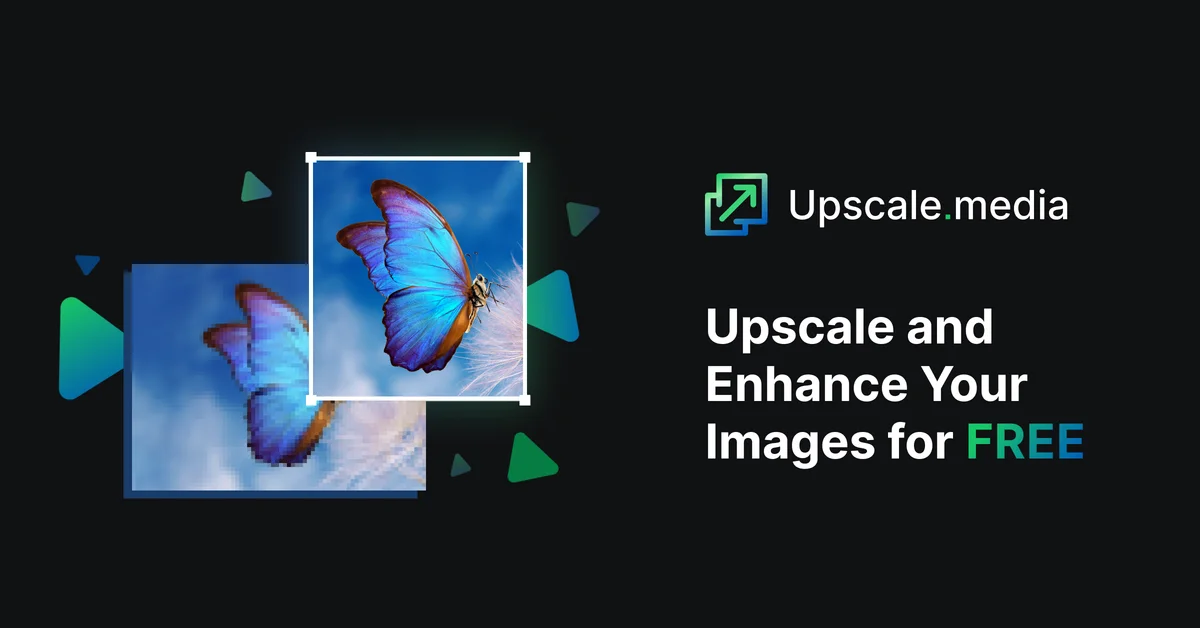
Turn pixelated images into sharp, high-resolution visuals in seconds with AI-powered enhancement.