
Remove.bg Review 2026 - AI Background Remover
Verified Oct 6, 2026 by Tooliverse Editorial
Remove.bg erases image backgrounds in one click, leaving clean cutouts even around feathery hair. Used by 32M+ monthly users, it's moving into Canva, with the standalone site shutting down 1 December 2026.
Remove.bg Review 2026: The Fastest AI Background Remover I've Tested

Showcasing perfect background removal on complex human subjects.
Automatically remove image backgrounds with a simple upload and smart detection.
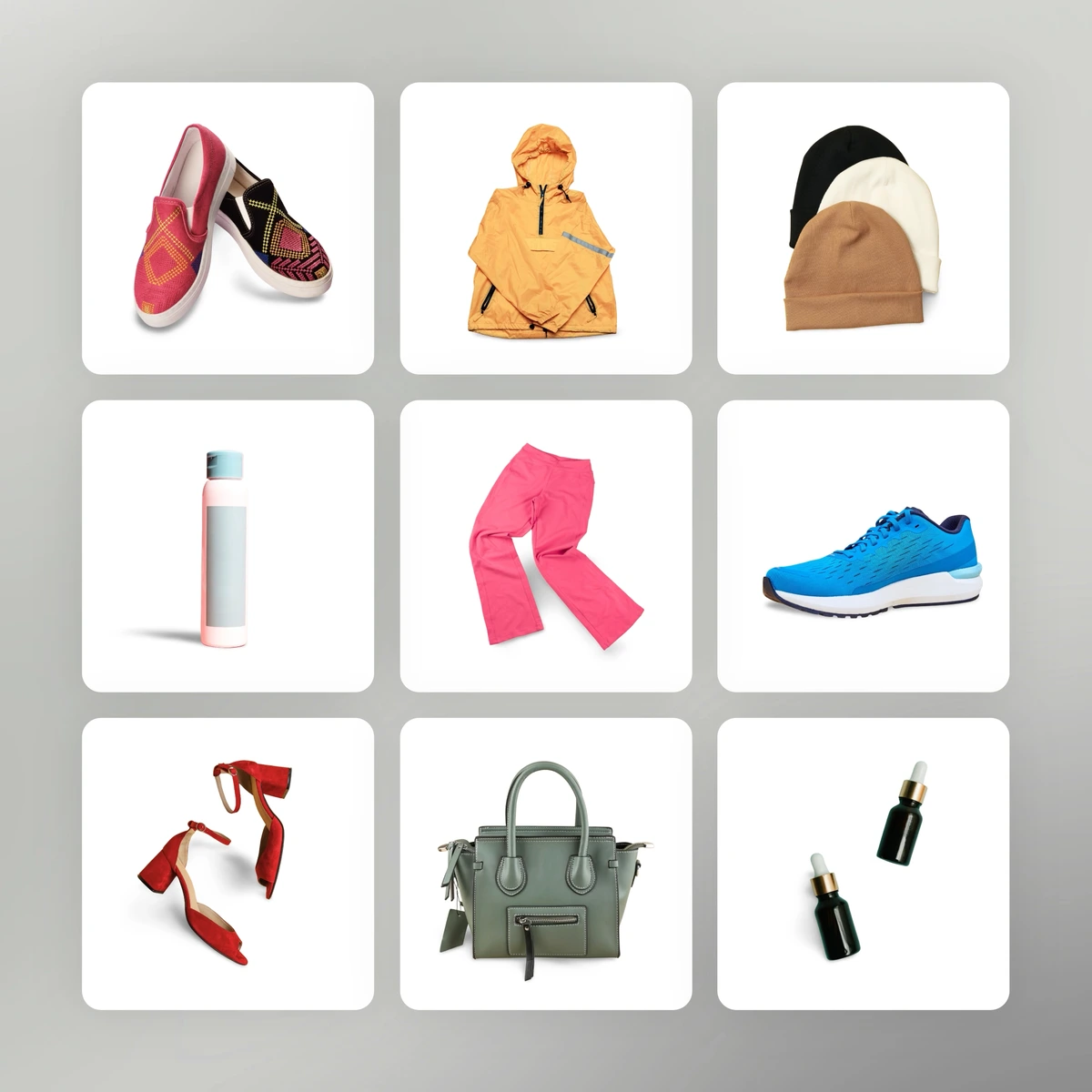
Showcase diverse products with perfectly clear, transparent backgrounds.

Effortlessly remove and replace image backgrounds with creative new settings.
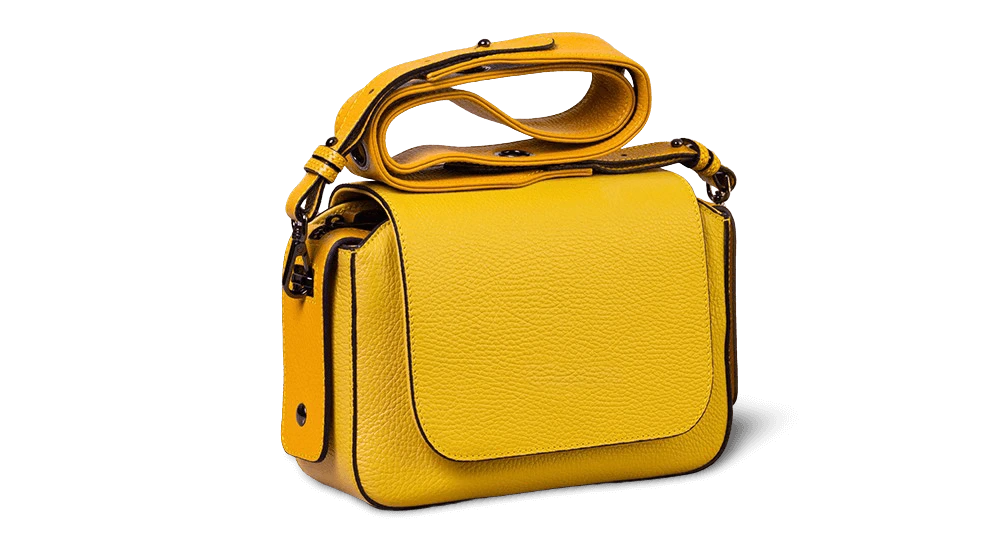
Flawless background removal for crisp, professional product photography.

Instantly remove and replace backgrounds with stunning new environments.

Flawlessly replace backgrounds with creative colors and gradients.
Remove.bg Review: Tooliverse Consensus







Based on 3k+ verified reviews across 6 platforms,
combined with Tooliverse's expert analysis
Remove.bg is the background remover other tools get measured against, turning people, products and animals into clean transparent cutouts in seconds, with hair and fur handled better than built-in operating system tools. Reviewers also credit the Canva and Photoshop integrations and a one-click interface that needs no skill, plus batch processing through the desktop app and API. The catches are cost, since credit pricing stings at high volume and subscription credits expire each cycle, and the absence of a manual brush for stubborn edges.
Bottom line: The gold standard for fast, accurate cutouts, especially on hair and fur, though its credit pricing stings at volume and the missing manual brush leaves stubborn edges to another editor.
Remove.bg | Key Specs
- Platforms
- Web, Windows, macOS, Linux, Android, API
- Pricing Model
- Free trial + credits ($3 PAYG, $9/mo subscription) See plans
- Privacy/Data Use
- GDPR compliant, EU processing (enterprise); opt-in image contribution
- Security
- OAuth 2.0 See details
Wins
- •Delivers near-perfect background removal in under five secondsmentioned in 312 reviews
- •Handles complex edges like hair and fur with industry-leading precisionmentioned in 285 reviews
- •Integrates seamlessly with Canva and Photoshop to streamline professional workflowsmentioned in 244 reviews
Watch-Outs
- •Credit-based pricing model is perceived as expensive for high-volume usersmentioned in 198 reviews
- •Free version restricts downloads to low-resolution previews onlymentioned in 156 reviews
- •Lacks advanced manual brush tools for fine-tuning difficult cutoutsmentioned in 112 reviews
Remove.bg Features 2026
Automatic Background Removal
Removes backgrounds from people, products, animals, cars and graphics 100% automatically, handling fine details like feathery hair.
AI Background Generator
Instantly creates custom backdrops for cutouts without needing to write a prompt.
Bulk Editing
Processes up to 500 images per minute for high-volume workflows.
Background Removal API
Simple HTTP API accepting file upload, base64 or URL, with output up to 50 megapixels and multiple formats.
Remove.bg User Reviews
Selected Reviews

"I really love how simple, streamline and stress free this service is. I recently used it for a funeral service for family, to put a sunset in the background."
"The preservation of intricate details and fine edges is outstanding. It autonomously performs background removal with remarkable computational efficiency."
"The AI is magic on hair, but I wish there was a manual brush to fix small errors. Sometimes it cuts off a bit of the subject."
More from the Community
"I use remove.bg to clear photo background it work, fast and photo quality is also good. It was fast cut background faster and very correct."
"The app performs adequately, but it falls short in flexibility. It automatically determines which background to remove, giving users no control over the process."
"It works fast, accurately, and while the premium option is there, it's not necessary to get the basic functions, which I appreciate."
"Great tool but the pricing is getting out of hand. 50p for a single high-res download feels steep when you have hundreds of products to list."
"Saves so much time for my e-commerce store. The API integration is a lifesaver for bulk uploads."
"I use remove.bg to clear photo background it work, fast and photo quality is also good. It was fast cut background faster and very correct."
"The app performs adequately, but it falls short in flexibility. It automatically determines which background to remove, giving users no control over the process."
"It works fast, accurately, and while the premium option is there, it's not necessary to get the basic functions, which I appreciate."
"Great tool but the pricing is getting out of hand. 50p for a single high-res download feels steep when you have hundreds of products to list."
"Saves so much time for my e-commerce store. The API integration is a lifesaver for bulk uploads."
"Best background remover on the market. I've tried others but they always struggle with the fine details that remove.bg handles easily."
"Subscription credits are valid with an active subscription only. If you cancel you will be able to use them until your next billing date, later they will be invalidated."
"One-tap background removal with AI-powered precision. Automatically detects and isolates the subject for a clean, transparent background."
"Incredible speed. I can process a whole folder of product shots in minutes. The Photoshop plugin is a must-have for my workflow."
"Best background remover on the market. I've tried others but they always struggle with the fine details that remove.bg handles easily."
"Subscription credits are valid with an active subscription only. If you cancel you will be able to use them until your next billing date, later they will be invalidated."
"One-tap background removal with AI-powered precision. Automatically detects and isolates the subject for a clean, transparent background."
"Incredible speed. I can process a whole folder of product shots in minutes. The Photoshop plugin is a must-have for my workflow."
Remove.bg Pricing 2026
The free account gives one trial credit and low-resolution previews, so treat it as a test run on your trickiest photo. The $9/month subscription is the sensible pick for anyone doing regular work: 40 credits, full-quality exports, bulk editing and API access, which works out to a little over 22 cents per image. Pay-as-you-go credits expire when the standalone site closes on 1 December 2026, so buy only what you will use before then.
Remove.bg In-Depth Review 2026

Remove.bg is an AI background remover from Canva, built to handle people, products, animals, cars and graphics automatically. It runs in the browser, through desktop and Android apps, and via an HTTP API, with plugins for Figma, Photoshop, GIMP and Shopify plus Make and Zapier connections. Output comes as PNG, JPG, WebP or ZIP, with shadows and replacement backgrounds optional. One timing note matters in 2026: the standalone site and its credits end on 1 December 2026, as background removal moves into Canva and the API moves to Leonardo.Ai.
What It's Like Day-to-Day
The workflow is about as short as software gets: upload an image or paste a URL, and a transparent cutout comes back in seconds. Reviewers on G2 and Product Hunt keep returning to the same two points, speed and edge quality, with users describing hair, fur and feathery details that built-in operating system tools tend to chew through. For most people, the pen tool becomes a hobby.
Remove.bg Security & Compliance
Security Features
- OAuth 2.0 authentication
Privacy Commitments
- GDPR compliant: all images are processed in the EU (enterprise)
- Optional contribution of images to the Improvement Program; users can choose not to contribute
Remove.bg: Frequently Asked Questions (FAQs)
How much does Remove.bg cost?
Remove.bg offers pay-as-you-go credits (3 credits for $3) and a $9/month subscription with 40 credits, plus a free account with 1 trial credit. Enterprise plans start at 100,000 images per year.
Is Remove.bg free to use?
Yes, Remove.bg offers a free account with 1 trial credit for AI edits, and the first 50 API calls per month are free.
Is Remove.bg shutting down?
Yes, the standalone website will no longer be available from 1 December 2026 at 9:00am CET, as background removal moves into Canva.
Do Remove.bg credits expire?
Yes, pay-as-you-go credits expire December 1, 2026 at 9:00 AM CET.
Remove.bg Integrations
| Figma | Photoshop | GIMP |
| Shopify | Make | Zapier |
| Canva | Leonardo.Ai |
Remove.bg: Verified Data Sheet
| # | Label | Data Point |
|---|---|---|
| [1] | Remove.bg Consensus: 9.04/10 | Remove.bg is one of the highest-rated AI image generators in the Tooliverse index, with a consensus score of 9.04/10 across 3,781 verified reviews. |
| [2] | What is Remove.bg | Remove.bg, a Canva brand founded in 2018, is an AI background removal tool with web, API and plugin access. It serves 32M+ monthly active users, with subscriptions at $9/month, and the standalone site closes 1 December 2026. |
| [3] | Tooliverse Consensus on Remove.bg | Remove.bg is the background remover other tools get measured against, turning people, products and animals into clean transparent cutouts in seconds, with hair and fur handled better than built-in operating system tools. Reviewers also credit the Canva and Photoshop integrations and a one-click interface that needs no skill, plus batch processing through the desktop app and API. The catches are cost, since credit pricing stings at high volume and subscription credits expire each cycle, and the absence of a manual brush for stubborn edges. |
| [4] | Remove.bg Verdict | Remove.bg bottom line: The gold standard for fast, accurate cutouts, especially on hair and fur, though its credit pricing stings at volume and the missing manual brush leaves stubborn edges to another editor. |
| [5] | Free: Free | Remove.bg provides a functional Free tier with 1 trial credit to spend on AI edits and Basics at no cost, making AI tools accessible without paying. |
| [6] | Cutouts in under 5 seconds | Remove.bg delivers near-perfect background removal in under five seconds, a speed advantage validated by 312 user reviews and backed by an API rate limit of up to 500 images per minute. |
| [7] | Precise hair and fur edges | Remove.bg handles complex edges such as hair, fur and feathers with precision that 285 user reviews describe as industry-leading, and its automatic foreground detection covers people, products, animals, cars and graphics. |
| [8] | Canva, Photoshop and plugin integrations | Remove.bg fits into professional workflows through Canva and Photoshop integrations praised in 244 user reviews, alongside plugins for Figma, GIMP and Shopify and connections to Make and Zapier. |
| [9] | Pay-as-you-go: $3/one-time | Canva's Remove.bg Pay-as-you-go empowers users with 3 credits for a one-off purchase for a one-time fee of $3, significantly expanding on the free tier's capabilities. |
| [10] | One-click, no skill needed | Remove.bg uses a one-click interface that requires no technical skill, a simplicity highlighted in 218 user reviews, with output available as PNG, JPG, WebP or ZIP. |
| [11] | Credit pricing costly at volume | Remove.bg's credit-based pricing is perceived as expensive by high-volume users in 198 reviews, with pay-as-you-go at 3 credits for $3 and the Subscription Plan at $9/month for 40 credits. |
| [12] | Free tier limited to low-res previews | Remove.bg restricts the free account to 1 trial credit and low-resolution previews, according to 156 user reports, so full-resolution downloads require paid credits. |
| [13] | Privacy: GDPR compliant: all images are processed in the EU (enterprise) | Remove.bg's privacy protections include GDPR compliant: all images are processed in the EU (enterprise) and Optional contribution of images to the Improvement Program; users can choose not to contribute. |
| [14] | Enterprise: OAuth 2.0 authentication | Remove.bg secures enterprise use with OAuth 2.0 authentication. |
| [15] | Folder of product shots in minutes | A verified G2 reviewer noted that Remove.bg offers "incredible speed," processing "a whole folder of product shots in minutes" and calling the Photoshop plugin "a must-have for my workflow." |
Best Remove.bg Alternatives

Photoroom
Turn any product photo into listing-ready visuals in seconds and sell at first sight.

Clipdrop
Remove backgrounds, clean up photos, and generate AI images in seconds—no design skills required.
Pixelcut
Create studio-quality product images and videos in seconds, no designer or studio required.